
+3197010267156








Fix MicroPhase E316 Setup Issues: Troubleshooting Guide
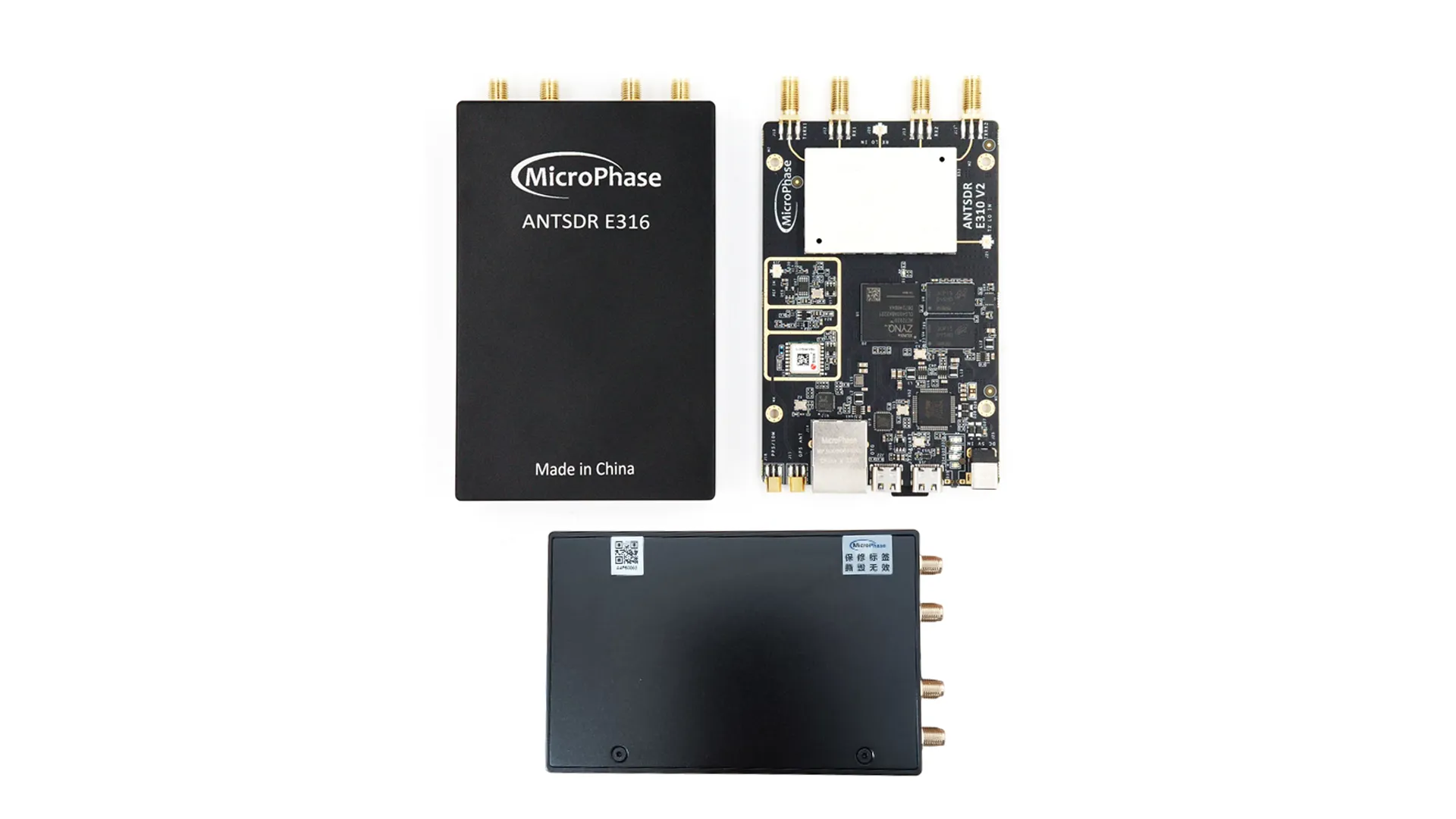
Device Not Detected by UHD
- Verify Network Configuration: Ensure your PC's Ethernet adapter is set to 1000 Mbps Full Duplex—the E316 will not work at lower speeds[web:122].
- Check Static IP Setup: Configure your PC's Ethernet to the same subnet as the E316 (default: 192.168.1.10). Set your PC to 192.168.1.50 with subnet mask 255.255.255.0.
- Test Basic Connectivity: Run
ping 192.168.1.10to verify network communication before attempting UHD discovery. - Use Specific Device Arguments: Try
uhd_find_devices --args "addr=192.168.1.10"instead of generic discovery[web:123].
Network Connection Failures
- Check Cable Quality: Use a known-good Gigabit Ethernet cable. Poor or damaged cables cause intermittent connection issues[web:111].
- Verify Adapter Speed: In Device Manager (Windows) or network settings (Linux), confirm the Ethernet adapter is negotiating at 1000 Mbps Full Duplex.
- Disable Power Management: Turn off USB/Ethernet power saving modes that may interrupt connections during operation.
- Firewall Configuration: Ensure your firewall allows broadcast packets and communication on the E316's IP range[web:123].
GNU Radio and SDRangel Connection Issues
- PlutoSDR Mode vs UHD Mode: Some applications work better in PlutoSDR IIO mode. In SDRangel, use device string
ip:192.168.1.10for PlutoSDR compatibility[web:107][web:112]. - UHD Mode Compatibility: For GNU Radio, ensure the ANTSDR UHD driver is properly installed and use device arguments
addr=192.168.1.10. - Sample Rate Limitations: Start with conservative sample rates (≤2 Msps) and increase gradually to avoid buffer overruns.
Firmware and Boot Problems
- Serial Console Access: Connect via USB-UART at 115200 baud to monitor boot process and check for error messages[web:108].
- Default Login Credentials: Username:
root, Password:analog(some versions usemicrophase)[web:117][web:108]. - Network Configuration via Serial: Use
ifconfig eth0 192.168.1.10to manually set IP if DHCP fails[web:108]. - Firmware Recovery: If boot fails, use DFU mode recovery with the firmware update procedure[web:52].
Performance and Stability Issues
- High CPU Usage: Reduce sample rates and buffer sizes if the host PC cannot keep up with data processing.
- Connection Timeouts: Increase UHD timeout parameters and reduce buffer sizes for unstable network connections.
- Intermittent Dropouts: Check for network congestion and ensure dedicated Gigabit Ethernet adapter usage.
- Poor RF Performance: Verify antenna connections and try different frequency ranges to isolate hardware vs software issues.
Application-Specific Fixes
- srsRAN Project Issues: E316 Ethernet connection may cause synchronization problems with 5G applications—consider using E316 with srsRAN 4G instead[web:124].
- MATLAB Integration: Ensure MATLAB's Communications Toolbox supports the ANTSDR UHD driver version you're using.
- Multi-Channel MIMO: Configure both RX/TX channels identically and use proper channel mapping in your application.
Driver Installation Problems
- Windows Driver Issues: Install the PlutoSDR drivers first, then build the ANTSDR UHD drivers using Visual Studio or MSBuild.
- Linux Build Problems: Ensure all dependencies are installed:
sudo apt install libuhd-dev uhd-host cmake build-essential. - Library Path Issues: Run
sudo ldconfigafter installing custom UHD drivers to update library paths.
Advanced Troubleshooting
- Wireshark Network Analysis: Capture Ethernet traffic to identify communication failures between host and E316.
- UHD Logging: Enable verbose UHD logging with
export UHD_LOG_LEVEL=traceto diagnose driver issues. - FPGA Configuration: If using custom FPGA images, ensure they're compatible with your E316 hardware revision.
- Temperature Monitoring: Check device temperature under heavy load—thermal throttling can cause performance degradation.
Prevention and Best Practices
- Dedicated Network Interface: Use a dedicated Gigabit Ethernet adapter for the E316 to avoid conflicts with other network traffic.
- Consistent IP Configuration: Document your network setup and use static IPs to avoid DHCP-related connection issues.
- Regular Updates: Keep UHD, GNU Radio, and ANTSDR firmware updated to benefit from bug fixes and performance improvements.
- Testing Environment: Validate your setup with simple applications before attempting complex multi-channel or high-bandwidth operations.
When to Contact Support
- Hardware-related failures that persist across multiple host systems and network configurations
- Firmware corruption that cannot be recovered through standard DFU procedures
- Consistent RF performance issues that occur across multiple frequency bands and applications
Get Your MicroPhase E316 Today!
Experience professional-grade SDR performance with proper setup and configuration. Our E316 delivers reliable MIMO operation for demanding applications.
Get your E316 today!
Commenti
Nessun messaggio trovato
Scrivi una recensione






We support all major card and digital payment options. More local methods are available and shown during checkout.
You enter into a binding sales contract once you have received an 'order confirmation and sales receipt' email from us, in line with our Sales & Delivery conditions. Therefore, sdrstore.eu has the right to cancel your order in the event of technical problems, delivery failure, Fair use policy and other similar situations.






Your payments are protected by advanced encryption and 3-D Secure authentication for safe online shopping.