








Fix HackRF H4M Battery Not Charging: Troubleshooting Guide
1. Quick Checks Before Troubleshooting Further
- Use the original USB-C cable and a verified power source (5V/2A recommended).
- Inspect the USB-C connector for dust, damage, or bent pins and clean gently if needed.
- Try multiple cables and adapters to rule out external power issues.
2. Confirm Device Power Status
- With charger connected, power on the H4M and check for charging indicator (battery icon, LED pulse, or firmware status display).
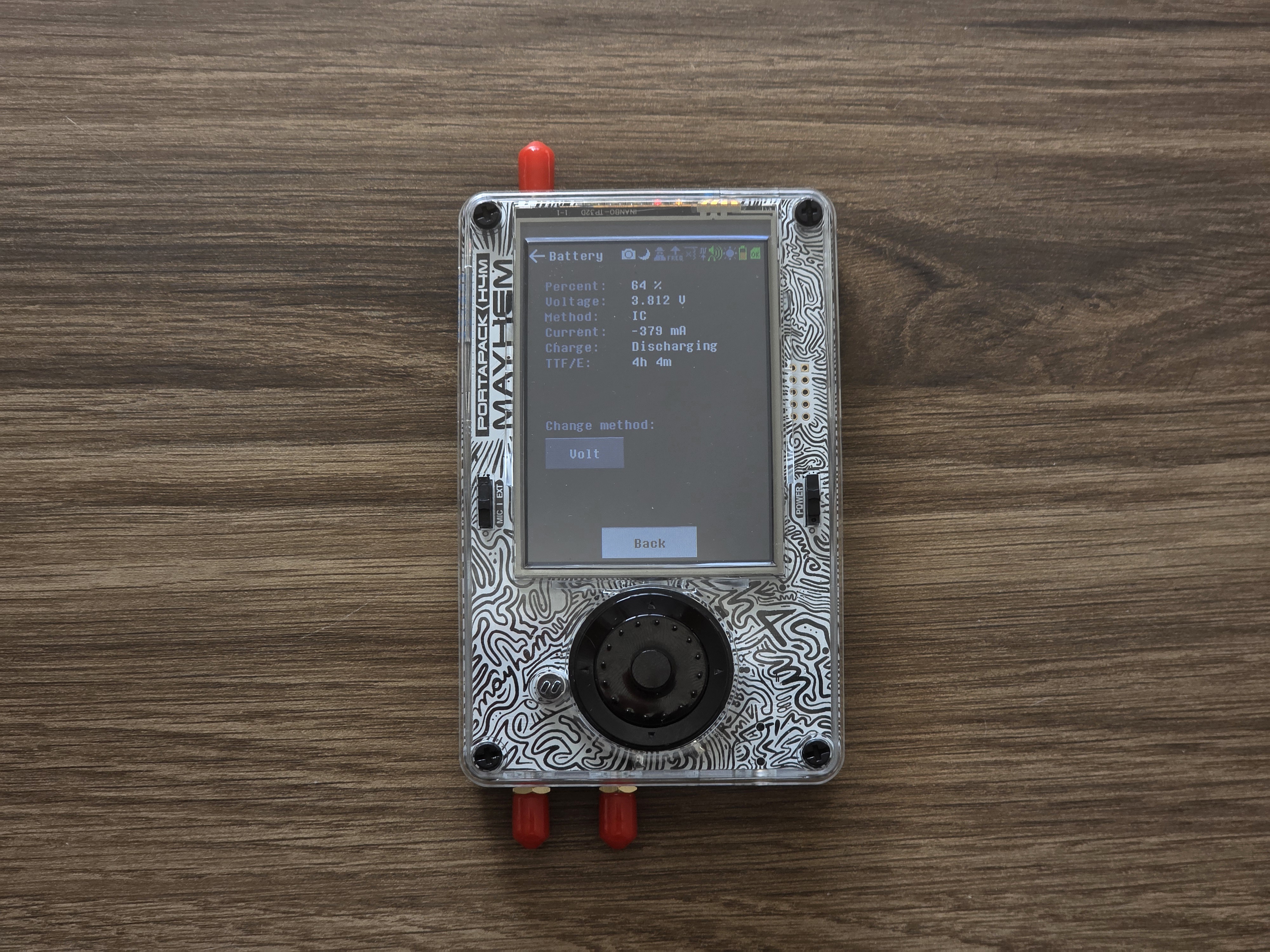
- Navigate to Settings → Battery and check voltage/current readings. If voltage does not change with charger plugged in, proceed to deeper troubleshooting.
3. Firmware and Software Issues
- Update Mayhem firmware to the latest version for improved charging detection and battery status monitoring.
- Reboot device after update; sometimes charge state is reset only after boot.
- Check for battery charge status to see if firmware detects charging stats.
4. Battery and Hardware Checks
- Power off device, open case, and gently reseat battery connector onto main PCB. A loose connection is a common cause.
- Inspect battery wires and connector for signs of wear, corrosion, or burns.
- If possible, measure battery voltage with a multimeter (should be 3.7–4.2V for full charge).
- Replace battery if visibly swollen, damaged, or fails to hold charge.
5. Internal Circuit Diagnoses
- Check onboard charging IC (usually near the USB-C port); look for heat marks or damaged components.
- If charging LED never turns on and device won’t charge even after firmware update and connector checks, you may need board-level repair or replacement of the charge IC.
- Test on external bench power with isolated battery to rule out onboard fuse or circuit failure.
6. Additional Steps and Battery Replacement
- Source a compatible replacement battery (LiPo 3.7V, ~1200–2000mAh, matching connector type).
- Install new battery, observing polarity and fit.
- Test charge cycle before closing case: device should charge to 4.2V and display full status in firmware.
7. When to Contact Support
- Charging issues persist after cable, firmware, and battery replacement.
- Device shows no signs of life when plugged in, regardless of cable or charger.
- Visible board or port damage that can’t be corrected without professional tools.
Maintenance Best Practices
- Always power off fully before charging and storage.
- Keep device in a cool, dry place to prevent battery degradation.
- Replace battery every 2–3 years for optimal capacity and reliability.
Get Your HackRF H4M Today!
Enjoy uninterrupted SDR operation by following these battery and charging fixes. For replacement batteries and accessories, visit your trusted HackRF H4M distributor.
Get your H4M today!
Comments
No posts found
Write a review






We support all major card and digital payment options. More local methods are available and shown during checkout.
You enter into a binding sales contract once you have received an 'order confirmation and sales receipt' email from us, in line with our Sales & Delivery conditions. Therefore, sdrstore.eu has the right to cancel your order in the event of technical problems, delivery failure, Fair use policy and other similar situations.






Your payments are protected by advanced encryption and 3-D Secure authentication for safe online shopping.