





LILYGO Meshtastic Fleet Kits: What to Include for 10, 25 or 50 Nodes
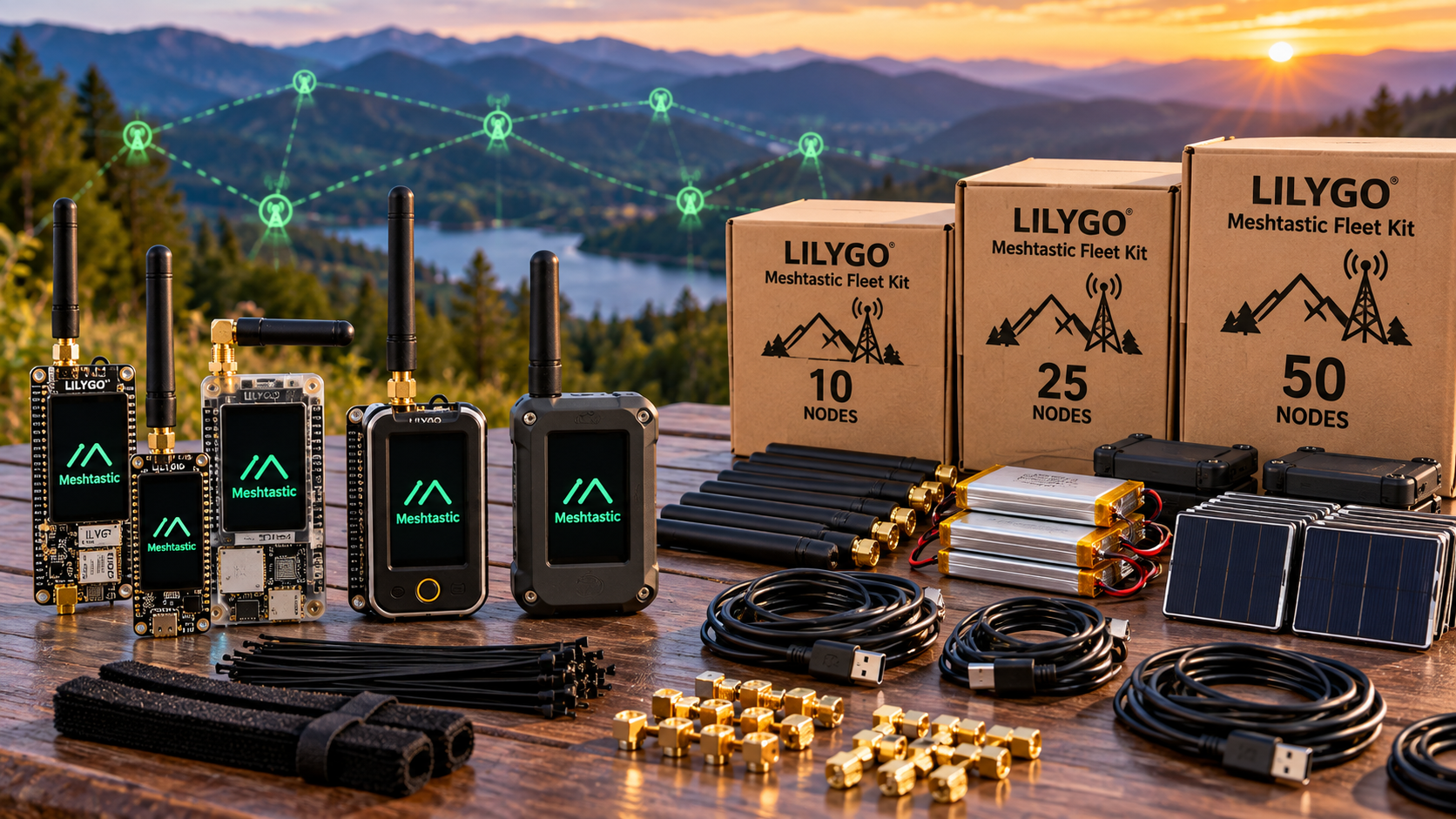
For 10 operational LILYGO Meshtastic nodes, a practical starting order is 12 complete units: 10 in service and two ready spares. For 25 operational nodes, plan 28 units; for 50, plan 55. Include batteries, matching antennas, cases, cables, sufficient charging capacity and a documented configuration. Adjust the spare allowance to the consequences of a failed or missing device.
The lists below are proposed procurement templates. They count operational nodes separately from spares. Additional fixed coverage nodes must be specified after a site test, and component inclusions and any configuration services should be confirmed in the quotation.
Choose a standard board before multiplying quantities
Standardizing one model and hardware revision makes cases, batteries, firmware preparation and replacement easier to manage. The LILYGO T-Beam Supreme is a useful reference for a GNSS-enabled development fleet: its listing includes ESP32-S3, SX1262, an OLED and GNSS options.
An existing T-Beam V1.2 fleet may still meet the job. Read our T-Beam V1.2 vs Supreme comparison before changing platforms. Mixed models can communicate when their radio bands and configuration are compatible, but each model needs the correct firmware image and accessories.
Plan phone or computer client access for operators who need to compose messages. A Supreme's OLED is not a keyboard. If phone-free text entry is required, evaluate a keyboard-equipped model and demonstrate its intended Meshtastic interface before ordering the full fleet.
Example kit quantities for 10, 25 and 50 operational nodes
This example uses complete T-Beam Supreme assemblies, including their battery-holder carrier. Count accessories already supplied in a bundle toward these totals. Each ready spare should have its own battery, enclosure, antenna and cable.
| Item | 10-node fleet | 25-node fleet | 50-node fleet |
|---|---|---|---|
| Operational nodes | 10 | 25 | 50 |
| Ready spare nodes | 2 | 3 | 5 |
| Total complete board assemblies | 12 | 28 | 55 |
| Compatible battery cells | 12 | 28 | 55 |
| Suitable enclosures | 12 | 28 | 55 |
| Matched antenna and pigtail sets | 12 | 28 | 55 |
| USB-C data/charging cables | 12 | 28 | 55 |
| Extra antenna sets | 2 | 3 | 5 |
| Extra USB-C data cables | 2 | 3 | 5 |
| Charging ports for all units together | 12 | 28 | 55 |
| Example: 10-port charging supplies | 2 | 3 | 6 |
| Asset-label sets | 12 | 28 | 55 |
The charger quantities are arithmetic examples providing 20, 30 or 60 ports. Check per-port and total power ratings before selecting supplies. A ten-port unit does not establish that all ten devices can charge at their intended current simultaneously. Match the cable's charger-end connector to the chosen supply.
What changes as the fleet grows?
10 operational nodes: prove the complete setup
Use the first few units to verify firmware, antenna fit, battery fit, phone pairing and runtime. Keep a working configuration record and a simple issue-and-return list. Two assembled spares let you replace a unit without stopping to transfer its battery or antenna.
25 operational nodes: organize charging and handover
Assign asset numbers, label cables and divide charging into clearly numbered groups. Record who has each node and which client is paired to it. Budget staff time for preparation, operator instructions and return checks, alongside the hardware cost.
50 operational nodes: validate the intended traffic
Test the complete workload before deployment. For example, asking 50 nodes to report position every minute creates a target of 50 original position reports per minute before forwarding and other traffic. Actual scheduling can be throttled by firmware and channel conditions. Meshtastic's mesh documentation describes increasing background intervals as networks become busy.
Set useful position and telemetry intervals, then test message delivery and delay with the active fleet. Nearby public nodes and spare units left powered on can also contribute traffic.
Plan coverage separately from the purchase quantity
Ten, 25 or 50 nodes does not define a coverage area. Test the actual buildings, terrain, antenna positions and operating routes. If fixed coverage nodes are needed, add their devices, power, mounting and suitable enclosures as a separate line item.
Start ordinary user devices in Client role. Meshtastic's role guidance explains that Clients already relay traffic. Router role is intended for strategically placed stationary nodes; increasing the number of Routers is not a general coverage upgrade.
If one of the operational units is reassigned as a fixed node, reduce the number available to operators accordingly. If you need 25 operator units plus two fixed nodes, the operational requirement is 27, before spares.
Use a shared radio plan and unique device identities
Record the deployment country, hardware band, region, modem preset and frequency slot. Follow the LoRa configuration guidance so the fleet uses compatible settings. A software selection does not convert a mismatched antenna or radio variant into the correct hardware.
Create the required team messaging channels and distribute their settings through a controlled process. Messaging channels share the same LoRa modem configuration; adding private chat groups does not create independent radio capacity.
Copy the intended shared settings while preserving each node's unique identity and private key. The Security configuration distinguishes device keys from shared channel settings. Keep an inventory of asset number, node identity, model, firmware and assigned operator.
For private team messages, use an appropriate non-default channel key. The encryption documentation explains that the default key is public. Protect channel-sharing links and configuration backups; put only non-secret asset information on equipment labels.
Finish the power and accessory plan
For Supreme assemblies, confirm the correct 18650 cell and enclosure fit. The T-Beam hardware guide describes a holder intended for unprotected flat-top cells; longer protected or button-top cells may not fit. Check the actual supplied assembly and battery inclusion.
Measure runtime with the intended GPS, display and messaging configuration. Specify the required working session and charging turnaround in the procurement brief. Match antennas and connectors to the selected band and enclosure, including any required pigtail.
Keep one maintenance computer, known-good data cables, configuration records and recovery instructions available to the fleet maintainer. Charging supplies and a USB hub for data are separate purchasing decisions; check both functions explicitly if one device is expected to provide them.
Acceptance checks before issuing the fleet
- Check every unit: Confirm variant, assembly, antenna, battery, charging and asset label.
- Provision consistently: Use an approved firmware release with the correct image for each model, matching radio settings and unique identities.
- Test communication: Send a message from each unit and obtain a reply. One acknowledged group broadcast does not prove every operator received it.
- Test real conditions: Verify the route, expected traffic, location freshness and required battery session.
- Prepare handover: Give operators pairing, messaging and charging instructions; keep ready spares identified and charged.
What to include in a fleet quotation request
Specify operational quantity, spares, exact model, deployment country, radio band, GNSS option, required session length and accessory totals. Ask whether firmware preparation, labelling and testing can be included and priced separately.
For example: “Please quote 25 operational T-Beam Supreme nodes plus three complete spares, with 28 compatible batteries, cases, antenna sets and USB-C data cables; three additional antenna sets and cables; and charging capacity for all 28 units. Confirm included accessories, hardware revisions and any available preparation services.”
Browse the LILYGO range and follow our formal quotation process for a component-by-component offer.
Frequently asked questions
Do the 10, 25 and 50 quantities include spares?
No. They are operational quantities. The proposed orders add two, three or five ready spares, making totals of 12, 28 or 55 devices.
Are two, three and five spares mandatory?
No. They are planning allowances. Adjust them for downtime tolerance, replacement lead time and the conditions in which devices will be used.
Should every fleet node be a Router?
No. Client is the normal starting point and already relays traffic. Reserve specialist roles for a tested topology and suitable locations.
Can 50 nodes use the same mesh?
They can use compatible settings, but node count alone does not establish usable capacity or coverage. Test the expected traffic, terrain and message delay before deployment.
Do separate private channels avoid radio congestion?
No. They separate messaging groups and keys while sharing the node's radio configuration and airtime.
Are these guaranteed preconfigured bundles?
These are proposed kit lists. Confirm the exact components, stock, firmware preparation, testing and pricing in the quotation before ordering.
Shop products for this guide
Explore relevant products from our store.
Alternatives considered
Other relevant options for this guide.
-
LILYGO Meshtastic T-Beam V1.2 ESP32 LoRa 915MHz 433MHz 868MHz 923MHz WiFi BLE GPS With 0.96 inch OLED
The T-Beam V1.2 is the article’s older comparison model, with ESP32, SX1276/SX1278, a 0.96-inch OLED and NEO-6M GPS. The Supreme is the better fit for a standardized fleet based on the article’s stated ESP32-S3/SX1262/GNSS reference.
No posts found
Write a review






We support all major card and digital payment options. More local methods are available and shown during checkout.
You enter into a binding sales contract once you have received an 'order confirmation and sales receipt' email from us, in line with our Sales & Delivery conditions. Therefore, sdrstore.eu has the right to cancel your order in the event of technical problems, delivery failure, Fair use policy and other similar situations.






Your payments are protected by advanced encryption and 3-D Secure authentication for safe online shopping.