





LILYGO T-Beam Supreme Battery Life: GPS, Screen and Radio Settings Compared
For a portable T-Beam Supreme messaging node, start with Client role, a short screen timeout, Wi-Fi disabled unless needed, and GPS enabled only when live location is useful. For a stationary node, disable GPS separately after setting any fixed location you want to share. For periodic tracking, Tracker role with power saving offers a different trade-off: the node sleeps between reports and cannot receive LoRa messages during those sleeps.
Battery life depends on the cell, firmware, connections, mesh traffic and time spent awake. This guide compares configuration choices rather than reporting a laboratory endurance test. The settings below are starting points to validate on your own board.
What draws power on T-Beam Supreme?
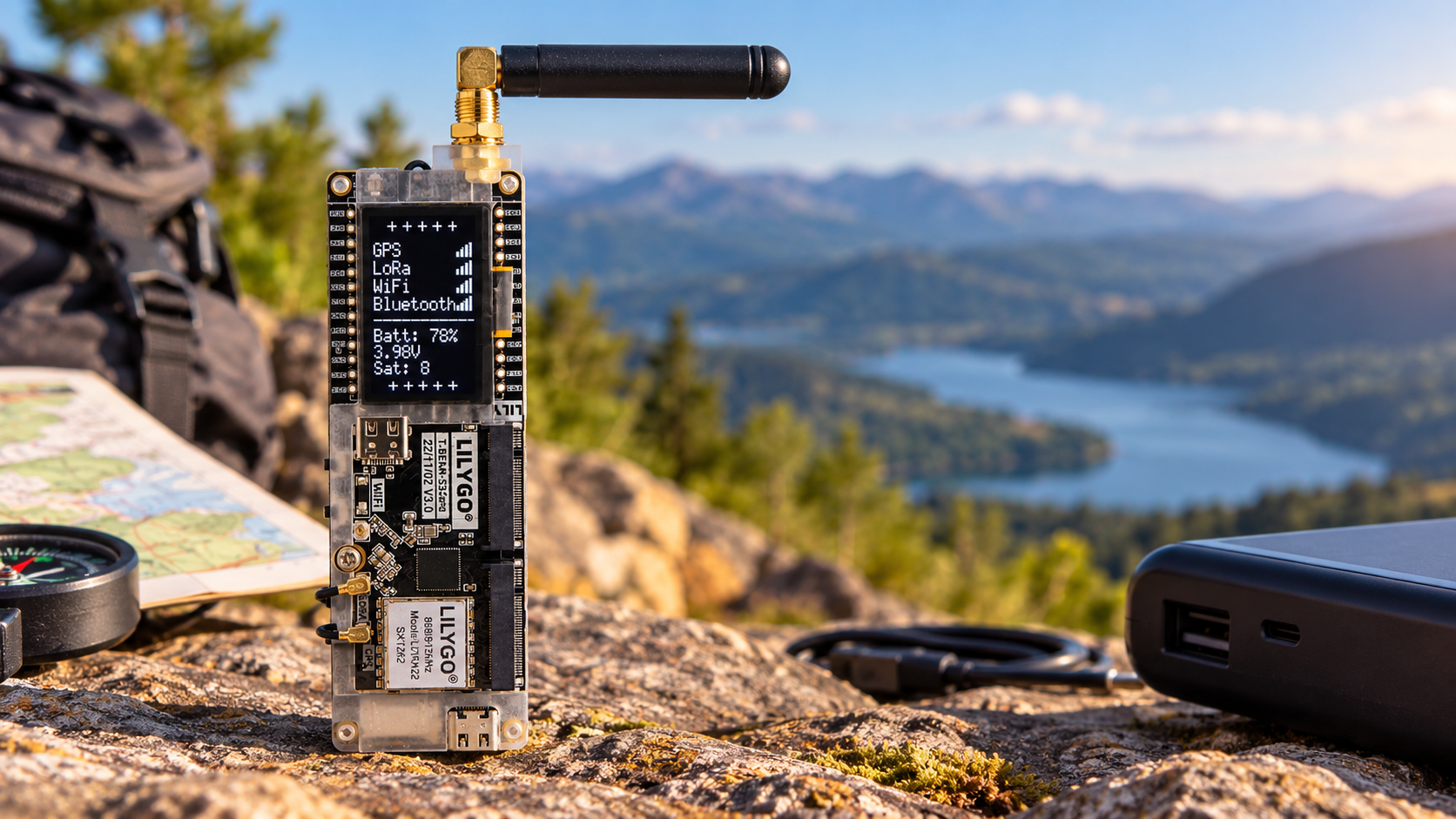
The T-Beam Supreme listing includes an ESP32-S3, SX1262 LoRa radio, GNSS receiver and 1.3-inch OLED. Those components have different operating states, so the battery capacity alone cannot predict runtime.
LILYGO's hardware documentation shows AXP2101 power management with separate GPS and radio supplies. The display shares a supply with some sensors. Consequently, a dark screen does not establish that the processor or every peripheral has powered down.
GPS, screen and radio choices compared
| Use case | GPS starting point | Screen starting point | Role and connection |
|---|---|---|---|
| Portable messaging | Enabled if needed; try 120–300-second update intervals | 30-second timeout | Client; Bluetooth for phone access; Wi-Fi off |
| Stationary node | Disabled; save a fixed position if wanted | 15–30-second timeout | Client; enable network access only when required |
| Periodic location reporting | Enabled for location fixes after waking | Normally off under Tracker role | Tracker with power saving; unavailable during sleep |
These are proposed configurations, not firmware defaults or measured runtime rankings. Keep the correct regional radio configuration and the modem settings used by your mesh. Choose report intervals around your actual tracking needs and network policy.
GPS: separate acquiring a position from sharing it
Meshtastic's Position configuration separates GPS sampling from LoRa position broadcasts. GPS Update Interval controls fix attempts; broadcast settings control transmissions.
Fixed Position does not disable GPS. It uses saved coordinates while GPS updates can continue. For a stationary node, save the coordinates and set GPS Mode to Disabled.
For a moving node, try a longer update interval if less frequent fixes are acceptable. Smart Broadcast adapts position sharing to movement; check it alongside the sampling setting.
LILYGO also notes that the 18650 supplies GPS backup power. Removing it affects hot-start availability, so record whether each battery test begins after a battery removal or a normal restart.
Screen timeout helps, but screen-off is not board sleep
The Screen On Duration setting controls how long the display stays on after button use or incoming messages. A 15–30-second timeout is a reasonable starting point when you only glance at status occasionally.
Check wake-on-motion behavior if the display keeps waking inside a moving bag. Also check field meanings: zero can select a default rather than switch a feature off. A shorter screen timeout reduces display-on time, but the processor, phone connection and LoRa receiver may remain active.
Radio settings: preserve connectivity while reducing unnecessary activity
Keep a compatible modem preset. Meshtastic's LoRa configuration explains that nodes need matching regional and modem settings to communicate. Faster compatible presets can reduce packet airtime, but changing one node independently can disconnect it from the mesh.
Review unnecessary position and telemetry transmissions before experimenting with radio parameters. Enable only the reports you use and choose useful intervals; the Telemetry configuration separates device and environmental reporting. Background mesh activity can still wake the node and affect consumption.
Transmit power is another trade-off. If you test a lower supported setting, verify delivery over your actual route before keeping it. In the documented LoRa configuration, a transmit-power value of zero selects the default power behavior; it does not switch transmission off. Use the appropriate regional limits.
Wi-Fi, Bluetooth and sleep change how you can reach the node
For phone-based portable use, leave Wi-Fi disabled unless your workflow requires it. Meshtastic's Network documentation states that enabling Wi-Fi disables Bluetooth, so these are alternative client connections rather than two links you should assume are active together.
Choose the device role for the job first. Client is the starting point for ordinary messaging. With power saving enabled, Tracker follows a reporting-and-sleep cycle; its LoRa radio does not remain available to receive packets during sleep. It is therefore a different service from a continuously responsive chat node.
The Power configuration also explains that power saving affects the screen, Bluetooth, Wi-Fi and serial access. Confirm how to wake and configure the board before relying on it remotely. Advanced sleep timers should follow a working role configuration.
How to estimate battery life without inventing a benchmark
Estimated runtime in hours = usable battery capacity in mAh ÷ average battery current in mA.
For illustration, 2400mAh of usable capacity divided by an 80mA average gives 30 hours. Neither number is a measured T-Beam Supreme result here. Use your cell's usable capacity and the average current of your complete application, including transmission peaks and sleep periods.
Measure on the battery side when possible. USB input current while charging includes battery charging and conversion effects, so it is not a direct battery-runtime measurement. Cell age, temperature and the device's shutdown threshold also affect usable capacity.
A practical battery test you can repeat
- Record the setup: Board revision, radio and GNSS variant, firmware version, battery, region, modem preset and enabled modules.
- Establish a baseline: Fully charge the same cell, disconnect USB and run your normal workload. Record elapsed runtime and any interruptions.
- Change one factor: Test screen timeout first, then GPS behavior, then unnecessary reports or client connections.
- Keep conditions comparable: Use similar GNSS reception, mesh traffic, temperature and phone connection behavior.
- Check the service still works: Verify message delivery and location freshness. Record missed incoming messages if you introduce Tracker sleep.
A useful result pairs runtime with service quality. Saving energy is valuable only if the node still performs the job you built it for.
Choose the battery and accessories around the configuration
The Meshtastic T-Beam hardware guide specifies an 18650 holder intended for unprotected flat-top cells; longer protected or button-top cells may not fit. Confirm the supplied board's requirements, cell condition and polarity. Check the listing separately for battery inclusion.
Start with a compatible battery, the correct regional radio variant, a suitable antenna and an enclosure with usable GNSS reception. If you are still choosing hardware, read our T-Beam V1.2 vs T-Beam Supreme comparison. For matching classroom or field-test nodes, request a formal quote specifying the radio band, GNSS option and required accessories.
Frequently asked questions
How long does T-Beam Supreme last on one 18650?
There is no single duration established by the battery format. Use measured runtime or average current for your exact cell, firmware and workload. The worked example above is arithmetic, not an endurance claim.
Does Fixed Position turn GPS off?
No. Fixed Position uses saved coordinates. Disable GPS separately if the stationary node does not need ongoing satellite positioning.
Can I use Meshtastic without GPS?
Yes. Live GPS location is optional for normal messaging. A fixed location or phone-provided position may suit some applications instead.
Does switching the screen off put the whole board to sleep?
No. Display timeout and device sleep are separate. The processor, client connection and radio can remain active after the OLED goes dark.
Will Tracker power saving still receive messages?
Not during its sleep periods. Tracker power saving is intended for periodic reporting, so use a responsive messaging configuration when receiving incoming traffic matters.
Will a larger-capacity battery always give the advertised runtime?
No. Usable capacity, physical fit, cell condition and average load matter. Compare genuine capacity under the same workload rather than relying on the label alone.
Shop products for this guide
Explore relevant products from our store.
Alternatives considered
Other relevant options for this guide.
-
LILYGO Meshtastic T-Beam V1.2 ESP32 LoRa 915MHz 433MHz 868MHz 923MHz WiFi BLE GPS With 0.96 inch OLED
The T-Beam V1.2 is an older ESP32/SX1276 board with a NEO-6M GPS and smaller 0.96-inch OLED; the Supreme matches the guide and offers the listed ESP32-S3, SX1262 and 1.3-inch OLED hardware.
No posts found
Write a review






We support all major card and digital payment options. More local methods are available and shown during checkout.
You enter into a binding sales contract once you have received an 'order confirmation and sales receipt' email from us, in line with our Sales & Delivery conditions. Therefore, sdrstore.eu has the right to cancel your order in the event of technical problems, delivery failure, Fair use policy and other similar situations.






Your payments are protected by advanced encryption and 3-D Secure authentication for safe online shopping.