





USRP B210 Host PCs Compared: USB 3.0 Throughput and Dropped Samples
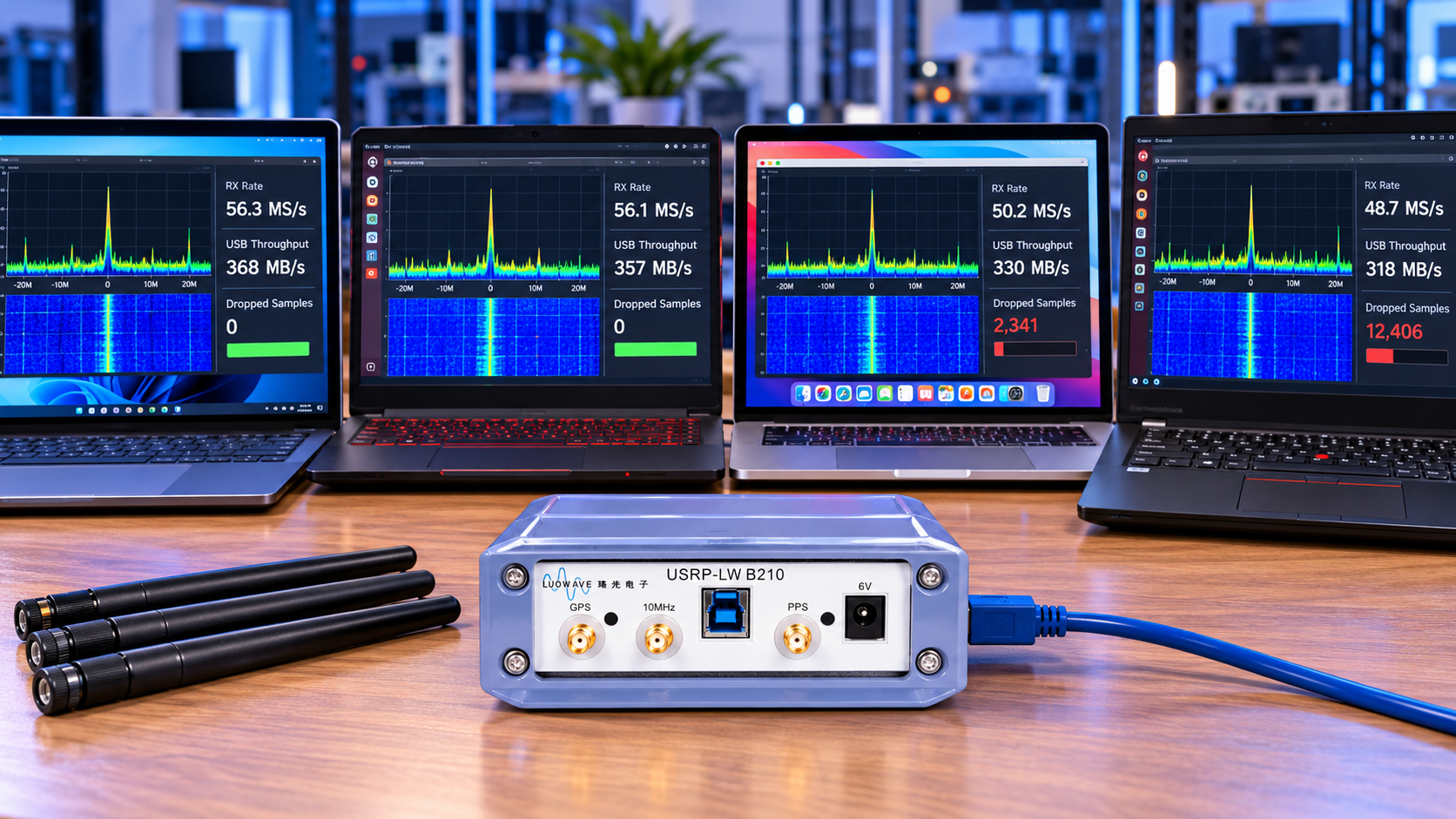
For a USRP B210 host, prioritise a reliable direct USB 3 connection, sustained CPU performance and a repeatable test at your intended channel count and sample rate. A desktop usually offers more expansion and cooling options, but no PC category or processor badge guarantees sample-continuous operation.
Our B210 listing describes an LW-family configuration, and other B210-labelled boards also exist. Confirm the exact manufacturer, FPGA, connector, UHD support and supported rates. Reference Ettus B210 behaviour should not be assumed for every product carrying B210 in its title.
Compare host types by the constraints you can test
| Host type | Why it may fit | What to investigate |
|---|---|---|
| Desktop workstation | Cooling, storage and PCIe USB-controller expansion | Actual port/controller topology and competing devices |
| Performance laptop | Portable field and teaching use | Power limits, sustained cooling and dock dependencies |
| Mini PC | Compact fixed station | Thermal throttling, shared USB paths and upgrade limits |
| Single-board computer | Compact low-rate or specialised applications | CPU architecture, software support, memory traffic and USB sharing |
These are design tradeoffs, not measured rankings. A well-configured compact host can outperform a poorly connected workstation for a particular task. Test the full application after basic streaming passes.
Calculate the traffic before blaming the processor
Complex sc16 contains a 16-bit I value and a 16-bit Q value: four bytes per complex sample. Payload rate = sample rate × channels × four. Keep receive and transmit totals separate when analysing the transport.
| Stream configuration | Calculated payload per direction |
|---|---|
| 1 channel at 10 MS/s | 40 MB/s |
| 2 channels at 10 MS/s | 80 MB/s |
| 2 channels at 20 MS/s | 160 MB/s |
| 2 channels at 30.72 MS/s | 245.76 MB/s |
Two receive and two transmit channels at the last rate represent 491.52 MB/s combined sample payload. This is arithmetic, not a claim that the radio and host sustain that configuration. USB overhead, radio interface limits and software processing still matter.
Host processing may use complex float32, which occupies eight bytes per sample before additional buffers and copies. A program can therefore face more memory traffic than the wire-format calculation suggests. Recording also depends on the file format actually written.
Do not confuse master clock, analogue bandwidth and stream rate
The UHD B2x0 manual documents master-clock limits of 61.44 MHz for single-channel operation and 30.72 MHz for dual-channel operation on the reference platform, with rates above 56 MHz not recommended. Those figures are not permission to stream two independent 61.44 MS/s channels.
Analogue bandwidth, master clock and delivered host sample rate are different quantities. UHD can coerce a requested rate to a supported value. Read back the actual setting and save it with your results rather than reporting only the number typed into a GUI.
Check the USB path
Use a known-good SuperSpeed data cable and a direct host port. A Type-C connector can carry different USB modes, and a cable may provide charging without the required data connection. Confirm negotiated speed in the operating system; on Linux, USB topology tools such as lsusb -t help identify the active path.
For a baseline, remove docks, hubs and unrelated high-traffic USB devices. Move the radio between ports and observe whether the controller changes. A USB SSD beside the radio may compete for the same resources, even if the computer has several visible sockets.
Use the appropriate radio supply when required by its documented configuration. Resets and disconnects can indicate a cable or power problem, whereas an overflow can occur with a stable USB connection.
Run a reproducible receive benchmark
On a supported B210/UHD installation, start by checking uhd_usrp_probe and the installed benchmark_rate --help. An example receive-only invocation is benchmark_rate --args="type=b200" --duration 60 --rx_rate 10e6 --rx_channels "0,1". Executable location and options depend on the installed build.
- Record host model, CPU, RAM, OS, UHD version, radio identity, cable and port.
- Test one receive channel at a modest rate, then two channels.
- Increase only one variable at a time and save the full benchmark output.
- Repeat the target configuration for the required operating duration.
- Add disk recording, signal processing and GUI displays separately.
- Test simultaneous transmit only through an appropriately loaded or shielded authorised setup.
The UHD benchmark implementation distinguishes receive overruns, dropped samples, transmit underruns and other events. Review the detailed counters. A summary “failure” is not enough to identify the bottleneck.
Interpret failures before buying upgrades
If streaming to a discard path passes but recording fails, investigate storage and file conversion. If a minimal benchmark fails on one USB controller but passes on another, investigate the transport path. If failures begin only after enabling a decoder, investigate CPU scheduling and processing cost.
Overflows indicate the receive path did not keep up; transmit underruns indicate insufficient outgoing samples. Neither alone proves a defective radio. Watch for thermal changes during long runs and use a consistent power profile when comparing hosts.
Return to the last stable configuration after a failure. Reintroduce displays, filters and disk output one at a time. Increasing buffers can absorb short delays, but cannot fix a sustained average-throughput deficit.
Frequently asked questions
Is an expensive gaming laptop required?
No. The required workload, connection and sustained performance matter more than the product category.
Will a powered hub solve dropped samples?
It may address a power issue, but it does not automatically fix bandwidth sharing or host processing. Compare against a direct connection.
Can a fast SSD fix every overflow?
No. First establish whether drops also occur without recording.
What result should I request before buying a host?
A documented run using your channel count, actual rate, sample formats, duration and application, including all error counters.
Use our B210 troubleshooting guide for related setup issues. For procurement, add the radio to a quote request and include the host interface and acceptance workload.
No posts found
Write a review






We support all major card and digital payment options. More local methods are available and shown during checkout.
You enter into a binding sales contract once you have received an 'order confirmation and sales receipt' email from us, in line with our Sales & Delivery conditions. Therefore, sdrstore.eu has the right to cancel your order in the event of technical problems, delivery failure, Fair use policy and other similar situations.






Your payments are protected by advanced encryption and 3-D Secure authentication for safe online shopping.