








Meshtastic Range Guide: How Far Can LoRa Mesh Nodes Really Reach?
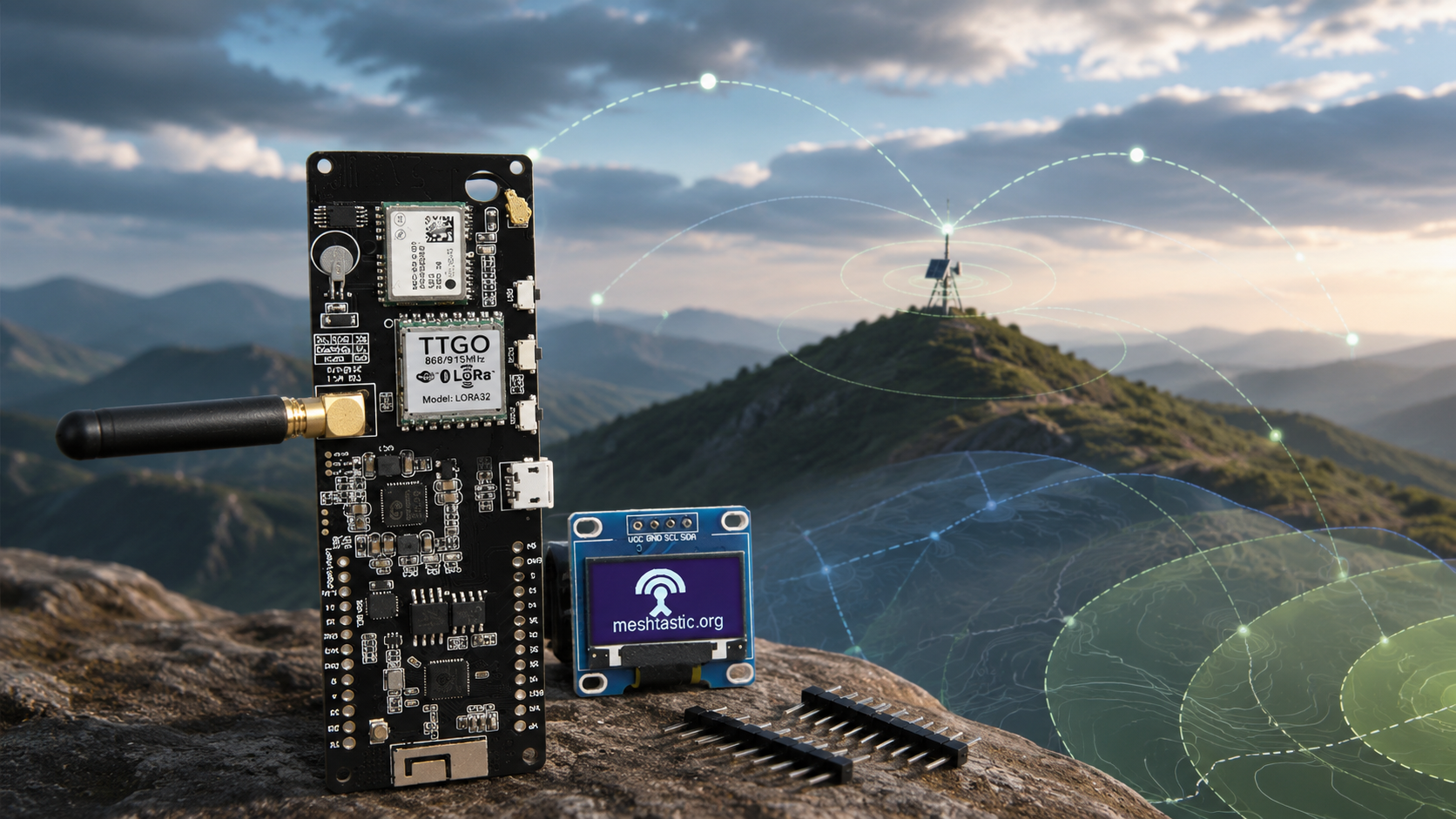
Updated: June 2026. This guide explains realistic Meshtastic range, record distances, antennas, terrain, LoRa presets, repeaters, Site Planner predictions, and real-world range testing.
How far can Meshtastic reach? The honest answer is that there is no single guaranteed distance.
A Meshtastic node hidden inside a building with a poor stock antenna may struggle to reach another node nearby. A properly tuned outdoor node placed on a hill can communicate across many kilometers. Exceptional line-of-sight tests have reached hundreds of kilometers.
This does not mean that every handheld radio will cover an entire city. Meshtastic range depends on antenna quality, antenna height, terrain, buildings, trees, regional frequency, modem preset, transmit limits, interference, cable loss, radio hardware, and relay placement.
This Meshtastic range guide separates realistic everyday expectations from long-distance records. It also explains how to improve LoRa mesh coverage without buying unsuitable antennas or changing every advanced setting.
New users should first read our Meshtastic Setup Guide for Beginners: LoRa Regions, Channels, Antennas, Range, and First Message.
Quick Answer: How Far Can Meshtastic Reach?
A tuned portable antenna can often provide useful communication over a couple of kilometers when there are no major obstacles. Fixed outdoor nodes with better antennas and increased elevation can reach much farther.
The following table is a practical planning guide, not a guarantee:
| Setup | Realistic Planning Expectation | Main Limitation |
|---|---|---|
| Two handheld nodes indoors | Short local communication that may vary greatly between rooms, buildings, and streets | Walls, reinforced concrete, electrical noise, and poor antenna position |
| Two portable nodes outdoors with tuned antennas | A couple of kilometers can be realistic without major obstacles | Terrain, body shielding, antenna quality, and low mounting height |
| Portable node to elevated outdoor relay | Several kilometers may be achievable when the relay has a clear view of the area | Relay height, terrain, and antenna installation |
| Two fixed outdoor nodes with clear line of sight | Long-distance links across many kilometers may be possible | Terrain profile, Fresnel-zone clearance, cable loss, and antenna quality |
| Hilltop-to-hilltop or exceptional test conditions | Tens or even hundreds of kilometers can be possible | These are specialist record-style conditions, not normal handheld expectations |
Meshtastic documents a current ground-to-ground record of 331 km and an air record of 206 km. Those achievements demonstrate what LoRa can do with exceptional placement and conditions. They should not be used as a normal shopping expectation.
Meshtastic Range Records vs Everyday Range
Long-distance LoRa records are impressive, but they can mislead beginners.
Record attempts normally involve:
- Excellent line of sight
- Elevated positions
- Carefully selected antennas
- Suitable modem presets
- Minimal obstacles
- Known radio paths
- Deliberate testing rather than normal messaging traffic
Everyday use is different. A node may sit in a pocket, backpack, car, house, apartment, forest, or city street. Each obstacle changes the link.
| Range Type | What It Tells You | What It Does Not Tell You |
|---|---|---|
| Record distance | What LoRa can achieve under exceptional conditions | What your handheld will achieve inside a city |
| Open-field test | How devices behave with limited obstructions | How the same setup performs inside buildings or forests |
| Urban test | How your local streets, buildings, and interference affect coverage | How the device performs on a hilltop |
| Site Planner prediction | Where coverage may be possible based on terrain and RF parameters | A substitute for outdoor verification |
| Range Test CSV log | Where your actual packets were received | A permanent guarantee for every weather condition or device position |
The Most Important Range Factor: Antenna Height
Increasing antenna height is often more valuable than increasing transmit power.
LoRa radio links work best when antennas have a clear path between them. A radio placed on a hill, roof, balcony, mast, or upper floor can cover a much larger area than the same device left near the ground.
This is why a strategically placed relay node can transform a local mesh. The relay does not need to be extremely powerful. It needs to be positioned well.
Good locations for fixed nodes
- Hilltops
- Rooftops
- Upper-floor windows
- Outdoor poles
- Balconies with a clear view
- Remote buildings at useful elevation
- Solar-powered outdoor enclosures
Poor locations for fixed nodes
- Basements
- Metal cabinets
- Behind reinforced-concrete walls
- Inside vehicles for permanent relay use
- Next to large metal surfaces
- Near noisy power supplies and electronic equipment
- At ground level when an elevated position is available
Line of Sight Matters More Than Specifications
Meshtastic is not like a mobile-phone network. There are no professionally planned towers automatically covering every street.
A LoRa link is closer to a point-to-point radio path between antennas. Hills, buildings, and terrain can block or weaken the signal.
Two basic nodes with clear line of sight may outperform expensive nodes placed badly. Before replacing hardware, test whether moving the antenna higher or outdoors changes the result.
Buildings, Walls, and Indoor Range
Buildings can reduce Meshtastic range dramatically. Reinforced concrete, metal structures, insulated windows, and dense urban environments can all weaken radio signals.
A node near a window may work much better than the same node in the center of a building. An outdoor relay may improve coverage more than replacing every handheld antenna.
Indoor range tips
- Move the node closer to a window.
- Avoid placing the antenna behind a computer or television.
- Keep the node away from metal shelves and electrical cabinets.
- Test multiple rooms and floors.
- Consider a small outdoor relay for reliable neighborhood coverage.
- Do not assume that a failed basement test means the radio is faulty.
Trees, Forests, and Hills
Trees and uneven terrain can limit range. A forest trail, valley, or mountain route may behave very differently from an open field.
Thick vegetation can weaken signals, while hills can block the radio path completely. A relay placed on higher ground can help messages travel around difficult terrain.
Outdoor terrain tips
- Use high points when possible.
- Attach portable nodes outside a backpack rather than burying them inside.
- Keep the antenna vertical for normal omni-directional use.
- Test routes before relying on them during an emergency.
- Add a relay at a strategic elevated point instead of adding many poorly positioned nodes.
Choosing the Right Meshtastic Antenna
The antenna is one of the most important parts of a Meshtastic setup. A good radio connected to a poor antenna may perform badly.
A suitable Meshtastic antenna should normally have:
- The correct tuned frequency for your region
- Approximately 50-ohm impedance
- The correct connector for your node
- Low VSWR at the intended frequency
- A realistic gain figure
- A design appropriate for portable or fixed use
Avoid antennas with vague specifications, no tuned-frequency information, or unrealistic gain claims.
868 MHz vs 915 MHz vs 433 MHz Range
The correct frequency is determined by your region and local regulations. Do not choose a frequency only because you assume it will travel farther.
| Region Example | Common Hardware Choice | Important Note |
|---|---|---|
| European Union | 868 MHz device and matching antenna using EU_868 | European duty-cycle limits apply |
| United States | 915 MHz-compatible device and antenna using US | Use the correct regional configuration |
| Australia and New Zealand | 915 MHz-compatible hardware using ANZ | Use the region preset appropriate for your location |
| Selected European projects | 433 MHz radio and antenna using EU_433 | Check whether this band suits your project and local rules |
Devices need compatible hardware frequencies, matching regional settings, and matching modem presets to communicate properly.
Stock Antenna vs Tuned Antenna
Some development boards arrive with inexpensive stock antennas. These can be adequate for learning, but quality can vary.
| Antenna Type | Best Use | Trade-Off |
|---|---|---|
| Compact stubby antenna | Pocket nodes and handhelds | Convenient but not optimized for maximum distance |
| Tuned half-wave whip | Portable nodes where additional size is acceptable | More conspicuous but potentially better omni-directional performance |
| Outdoor omni-directional antenna | Fixed relays and base stations | Needs careful installation and low cable loss |
| Directional antenna | Intentional point-to-point links | Can improve distance but must be aimed correctly |
For important installations, verify antenna performance with a vector network analyzer. Read our NanoVNA Setup Guide: Calibration, SWR, Smith Chart, and Antenna Testing.
Connector Types: SMA, RP-SMA, and U.FL
Before buying an antenna, check the connector on your radio.
- SMA and RP-SMA connectors may look similar but are not interchangeable.
- U.FL connectors are small internal connectors often used with short adapter leads.
- Do not overtighten SMA connectors.
- Do not force an incompatible connector onto the radio.
- Keep adapters to a minimum where possible.
A mechanically compatible connector does not automatically mean the antenna is tuned for the correct frequency.
Cable Loss Can Ruin a Good Installation
Long antenna cables can reduce signal strength. This is especially important for fixed outdoor installations.
It is often better to place the entire node outside in a weather-resistant enclosure and use a short antenna connection than to leave the node indoors and run a long low-quality coax cable to the antenna.
Reduce cable loss by:
- Using the shortest practical cable
- Selecting suitable low-loss coax for the frequency
- Avoiding unnecessary adapters
- Protecting outdoor connectors from moisture
- Placing the radio closer to the antenna
- Using a proper outdoor enclosure for the node
Does Higher Antenna Gain Always Improve Range?
No. Higher gain is not automatically better for every project.
An omni-directional antenna with more gain often focuses energy more tightly toward the horizon. This can be useful for a fixed base station covering a flat area, but it may be less suitable for uneven terrain or nearby nodes at different elevations.
A directional antenna can improve a specific long-distance link, but it must be aimed correctly and is usually unsuitable for a handheld node moving in different directions.
Choose antenna gain based on the job
- Use a compact antenna for everyday carry.
- Use a tuned whip when portable range matters more than pocket size.
- Use an outdoor omni-directional antenna for general fixed coverage.
- Use a directional antenna for deliberate point-to-point links.
- Do not buy an antenna only because its listing claims an unusually high dBi value.
Does LONG_FAST Give the Best Range?
LONG_FAST is the default Meshtastic modem preset. It is normally the best starting point because it offers a strong balance between range, message speed, and airtime.
Slower presets can improve sensitivity and theoretical range, but they also use more airtime. Excessive airtime can reduce mesh efficiency, especially when many devices are active.
| Preset | General Behavior | Recommended Use |
|---|---|---|
SHORT_TURBO | Fastest messages, highest bandwidth, shortest range | Use only where legal and when short-range speed matters |
SHORT_FAST | Lower airtime and shorter range | Dense local networks with compatible settings |
MEDIUM_FAST | Middle-ground performance | Controlled networks needing reduced airtime |
LONG_FAST | Balanced speed and range | Best starting point for most users |
LONG_MODERATE | More range-focused with additional airtime | Purposeful longer-distance testing |
LONG_SLOW | Longer-range focus with slower communication | Specific long-distance scenarios |
VERY_LONG_SLOW | Longest theoretical range, highest airtime, slowest communication | Specialist experiments rather than normal mesh use |
All nodes that need to communicate fully must use matching region and modem settings.
Should You Increase Transmit Power?
Beginners should normally leave the transmit-power setting at its default value. Meshtastic can then apply the appropriate maximum legal continuous power for the selected region and hardware.
More transmit power does not solve every range issue. A poor antenna, low installation height, blocked path, or lossy cable may matter more.
Improve these first:
- Antenna tuning
- Antenna height
- Outdoor placement
- Line of sight
- Cable quality
- Relay location
- Matching regional configuration
Respect regional power and duty-cycle limits. Do not override legal protections casually.
How Mesh Nodes Extend Coverage
Meshtastic is not limited to one direct radio link. Compatible nodes can relay packets, allowing messages to travel across multiple hops.
This means total mesh coverage can be larger than the direct range between two handheld radios.
| Scenario | Result |
|---|---|
| Two handheld nodes with no relay | Communication depends entirely on the direct radio path |
| Handheld to elevated relay to handheld | The relay may connect users who cannot communicate directly |
| Several carefully placed relays | The mesh can cover a wider region through multiple useful paths |
| Many badly placed nodes indoors | Coverage may still remain unreliable |
Additional nodes help only when their placement is useful. Strategic elevation is normally better than adding many random radios at ground level.
Should You Increase the Hop Limit?
The default Meshtastic hop limit is 3. This is suitable for most users.
Increasing the hop limit does not automatically improve reliability. More hops can create additional airtime use and congestion.
Hop-limit advice
- Leave the hop limit at
3for normal setups. - Improve relay placement before increasing hop count.
- Do not treat a higher number as a free range upgrade.
- Test how packets travel through the network.
- Use the lowest practical hop limit for your mesh design.
Client, Router, and Repeater Roles
Most handhelds and portable nodes should remain on the normal Client role.
Do not set every node as a Router or Repeater. Relay-focused roles should be used carefully for fixed devices placed at useful locations with reliable power.
| Node Type | Recommended Starting Role |
|---|---|
| Portable handheld | Client |
| GPS tracker | Client |
| Everyday phone-connected node | Client |
| Elevated fixed node with reliable power | Consider an appropriate relay-focused role after testing |
| Solar node installed in a useful location | Choose the role based on the local network design |
How to Use the Meshtastic Site Planner
The official Meshtastic Site Planner can help predict coverage before installing a fixed node.
Open Meshtastic Site Planner and enter:
- The proposed node location
- Antenna height above ground
- Transmit power
- Frequency
- Antenna gain
- Receiver height
- Receiver sensitivity
- Receiver antenna gain
- Cable loss
- Maximum simulation range
The planner displays a terrain-based coverage map. It is extremely useful for comparing rooftops, hills, remote properties, and repeater sites.
Understand the Site Planner limitation
Coverage predictions are not guarantees. Terrain data cannot fully represent trees, buildings, local electrical noise, indoor walls, and every real-world obstacle.
Use the planner to choose promising locations, then verify them with outdoor tests.
How to Use the Meshtastic Range Test Module
The built-in Range Test module is one of the best ways to measure real-world coverage.
One stationary node sends sequential packets. A moving receiver records which packets arrive and can save the associated GPS locations.
Basic range-test workflow
- Choose one fixed node as the sender.
- Enable the Range Test module on the sender and receiver.
- For
LONG_FAST, use a reasonable sender interval such as 30 seconds. - Carry the receiver while walking, cycling, or driving safely through the test area.
- Record successful packets and GPS positions.
- Export the CSV data.
- Review coverage gaps on a map.
- Disable the Range Test module after testing.
Why disable Range Test afterward?
Frequent automated packets consume airtime, slow the mesh, and add unnecessary traffic. Range testing should be temporary.
How to Build a Useful Range-Test Plan
A good range test should be repeatable.
Test one variable at a time
- Test the stock antenna first.
- Repeat the route with the tuned antenna.
- Move the relay higher and repeat the test.
- Compare indoor and outdoor placement.
- Keep the same modem preset during comparisons.
- Record the route, signal strength, and packet-delivery results.
Test realistic locations
- Your home
- Your workplace
- Typical hiking routes
- Neighborhood streets
- Potential relay rooftops
- Remote property boundaries
- Emergency meeting locations
A practical map of your real area is more valuable than an impressive record distance achieved somewhere else.
RSSI and SNR Explained
Meshtastic apps can display radio measurements that help you understand link quality.
| Measurement | Meaning | How to Use It |
|---|---|---|
| RSSI | Received signal strength indicator | Compare how strongly packets arrive in different locations |
| SNR | Signal-to-noise ratio | Understand how clearly the signal stands out from background noise |
| Packet delivery | Whether messages arrive successfully | Use as the most practical real-world test |
Do not focus on one number only. A useful network needs reliable packet delivery in the places where communication matters.
Portable Nodes vs Fixed Relays
| Feature | Portable Node | Fixed Relay |
|---|---|---|
| Main goal | Convenient everyday messaging and tracking | Improve coverage across an area |
| Antenna | Compact whip or stubby antenna | Tuned outdoor antenna |
| Placement | Pocket, backpack, vehicle, or handheld use | Roof, hill, mast, balcony, or outdoor enclosure |
| Power | Battery-focused | USB, battery backup, or solar |
| Expected role | Client | Choose a relay-focused role only when appropriate |
Do not expect a pocket antenna to perform like a carefully installed outdoor base station. Choose the right device for the job.
Best Meshtastic Hardware for Range Experiments
The best hardware depends on whether you want a portable GPS node, a handheld communicator, or a fixed installation.
LILYGO T-Beam Supreme for GPS range testing
The LILYGO Meshtastic T-Beam Supreme is a flexible GPS-enabled development board with ESP32-S3, SX1262 LoRa radio, Wi-Fi, Bluetooth, and OLED display.
It is a useful option for outdoor range tests, custom enclosures, GPS experiments, and portable builds.
LILYGO T-Deck for handheld messaging
The LILYGO T-Deck ESP32-S3 LoRa handheld development board includes a screen, mini keyboard, Wi-Fi, and Bluetooth for portable communicator-style projects.
LILYGO T-Beam V1.2 for budget testing
The LILYGO Meshtastic T-Beam V1.2 remains useful for learning, GPS tests, and lower-cost experimentation.
Browse more LoRa hardware and antennas
Always select the frequency variant and matching antenna appropriate for your country.
Meshtastic vs MeshCore for Long-Distance Networks
Meshtastic is a strong all-purpose platform for GPS tracking, telemetry, portable nodes, MQTT, experimentation, and decentralized packet relaying.
MeshCore may also be worth testing when your project focuses on dedicated repeaters and messaging-first regional infrastructure.
Read the full comparison: Meshtastic vs MeshCore: Which Off-Grid LoRa Mesh Network Should You Use?
Common Meshtastic Range Problems and Fixes
My nodes only work across a short distance
Check whether the antennas match the hardware frequency. Move the nodes outdoors, increase antenna height, and test a clear line-of-sight path before replacing the radios.
My fixed antenna is outside but range is still poor
Long coax cable runs can reduce signal strength. Use a shorter low-loss cable or move the radio closer to the antenna in a suitable outdoor enclosure.
My node works on a hill but not in town
This is normal. Buildings, walls, and urban obstacles can weaken radio paths. Consider elevated fixed relays for more reliable coverage.
Should I buy an antenna with the highest claimed gain?
Not automatically. Look for the correct tuned frequency, impedance, connector, VSWR data, realistic gain, and a professional datasheet.
Should I use VERY_LONG_SLOW for maximum range?
Not for normal use. It increases airtime and is not recommended for regular mesh operation. Start with LONG_FAST and improve antenna placement first.
Should I increase the hop limit to 7?
Usually not. The default value of 3 is suitable for most networks. Higher values can add congestion without solving poor relay placement.
Why does range change when I hold the node?
Your body and the device orientation affect the antenna environment. Test portable nodes in the position where you will actually carry them.
Why did my European node temporarily stop transmitting?
European regions apply duty-cycle limitations. The firmware may pause transmissions until the node is allowed to send again.
Best Range-Improvement Checklist
- Confirm the hardware frequency matches your region.
- Use a matching antenna with the correct connector.
- Attach the antenna before transmitting.
- Start with
LONG_FAST. - Leave transmit power on its normal automatic setting.
- Keep the default hop limit at
3. - Move fixed nodes outdoors.
- Increase antenna height.
- Reduce cable length and connector losses.
- Use the Site Planner to compare relay locations.
- Run an outdoor Range Test.
- Export the CSV data and map coverage gaps.
- Add a relay only where it improves the radio path.
- Test the real route before relying on the network.
Final Recommendation
Meshtastic can reach from short indoor distances to hundreds of kilometers under exceptional conditions. The number that matters is not the record. It is the reliable range your network achieves in the places where you need communication.
For portable devices with tuned antennas and no major obstacles, a couple of kilometers is a sensible starting expectation. Fixed outdoor nodes with better elevation can cover much more. Hilltop relays and carefully planned links can extend coverage dramatically.
Start with the default LONG_FAST preset and a hop limit of 3. Improve antennas, elevation, line of sight, cable quality, and relay placement before changing advanced radio settings.
Use the official Site Planner for predictions and the Range Test module for real measurements. A tested local coverage map is more useful than any theoretical maximum distance.
FAQ
How far can Meshtastic reach?
Meshtastic range varies greatly. A tuned portable antenna can often provide useful communication across a couple of kilometers without major obstacles. Elevated outdoor nodes with clear line of sight can reach much farther.
What is the longest recorded Meshtastic range?
Meshtastic documentation currently lists a 331 km ground-to-ground record. This was achieved under exceptional conditions and should not be treated as a normal handheld range expectation.
Can Meshtastic work across a city?
Yes, but reliable city coverage normally requires strategically placed elevated nodes or relays because buildings and urban obstacles weaken radio signals.
What is the best Meshtastic modem preset for range?
LONG_FAST is the best starting preset for most users because it balances speed, range, and airtime. Slower presets may increase theoretical range but can reduce mesh efficiency.
Should I use VERY_LONG_SLOW for Meshtastic?
VERY_LONG_SLOW is intended for specialist long-distance experiments. It is not recommended for regular mesh use because it has high airtime and can be unreliable in normal networks.
Does antenna height improve Meshtastic range?
Yes. Antenna height and line of sight are often more important than transmit power. A carefully placed outdoor relay can improve coverage dramatically.
What antenna should I use for Meshtastic?
Use a 50-ohm antenna tuned for your regional frequency with the correct connector and low VSWR. Choose a compact whip for portable use or a suitable outdoor antenna for a fixed relay.
Is a higher-gain antenna always better for Meshtastic?
No. The best antenna depends on the project. High-gain omni-directional antennas and directional antennas can be useful for fixed links but may not suit handheld or uneven-terrain use.
Should I increase Meshtastic transmit power?
Leave transmit power on its normal automatic setting unless you understand the legal and technical implications. Improve antenna quality, elevation, placement, and cable loss first.
What hop limit should I use for Meshtastic?
Keep the default hop limit of 3 for most networks. Increasing the value does not automatically improve reliability and may increase congestion.
Can Meshtastic nodes relay messages?
Yes. Compatible Meshtastic nodes can relay packets across the mesh, allowing communication beyond the direct radio range between two handheld devices.
How do I test Meshtastic range?
Enable the Range Test module on a stationary sender and a moving receiver. Export the received packet locations to a CSV file and review the results on a map.
What is the Meshtastic Site Planner?
Meshtastic Site Planner is an official web tool for predicting coverage based on location, terrain, antenna height, transmit power, antenna gain, receiver sensitivity, and cable loss.
Can trees reduce Meshtastic range?
Yes. Trees, hills, buildings, walls, and metal structures can weaken or block LoRa radio paths. Elevation and relay placement can improve coverage.
Can long antenna cables reduce Meshtastic range?
Yes. Long or low-quality coax cables introduce loss. For many fixed installations, it is better to place the radio closer to the outdoor antenna in a suitable enclosure.
Can 868 MHz and 915 MHz Meshtastic nodes communicate?
Not in a normal setup. Nodes need compatible hardware frequencies, matching region settings, matching modem presets, and suitable antennas.
Which Meshtastic device is best for range testing?
A GPS-equipped node such as LILYGO T-Beam Supreme is useful for range experiments. The best device still depends on the region, antenna, battery, enclosure, and installation.
Shop products for this guide
Explore relevant products from our store.
No posts found
Write a review






We support all major card and digital payment options. More local methods are available and shown during checkout.
You enter into a binding sales contract once you have received an 'order confirmation and sales receipt' email from us, in line with our Sales & Delivery conditions. Therefore, sdrstore.eu has the right to cancel your order in the event of technical problems, delivery failure, Fair use policy and other similar situations.






Your payments are protected by advanced encryption and 3-D Secure authentication for safe online shopping.