








What Is a Signal Generator? RF Signal Generators Explained for Beginners
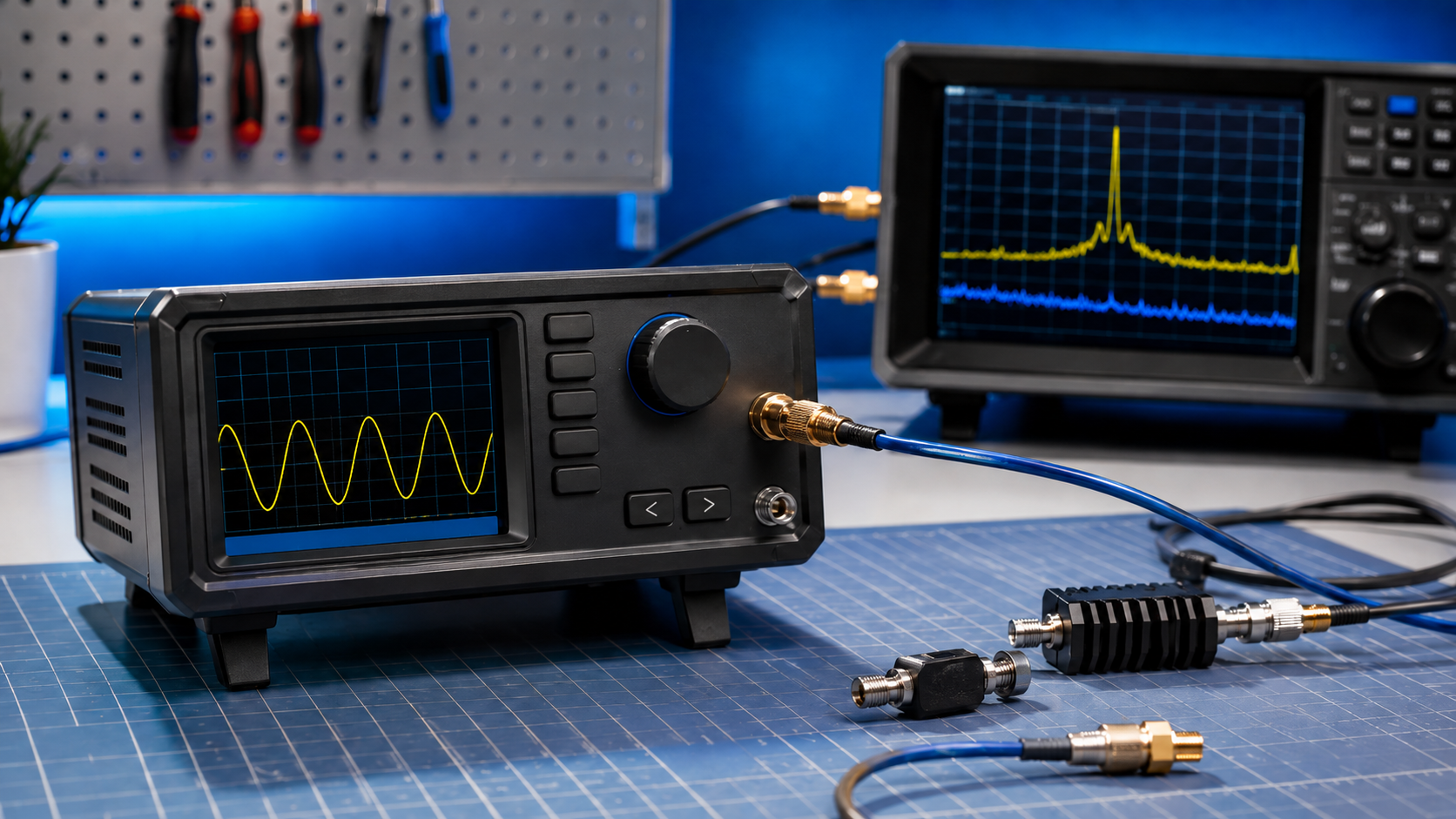
A signal generator is a test instrument that creates a known electrical signal. In RF work, an RF signal generator creates radio-frequency test signals so engineers, students, ham radio users, SDR hobbyists, product developers, and laboratories can test receivers, filters, amplifiers, antennas, cables, and wireless devices under controlled conditions.
The easiest way to understand it is this: a receiver listens, a spectrum analyzer shows what signals exist, a NanoVNA measures RF components, and a signal generator creates a known signal for testing.
This guide explains what a signal generator is, how RF signal generators work, what they are used for, how they differ from function generators and spectrum analyzers, and when beginner tools such as TinySA Ultra, HackRF Pro, PLUTO+, bladeRF, or USRP hardware can be useful for controlled signal generation.
Browse the TinySA Ultra handheld spectrum analyzer and RF generator, HackRF Pro, software-defined radio hardware, RF power meters, RF dummy loads, RF test and measurement equipment, and request a formal quote from SDRstore.eu.
Quick Answer: What Is a Signal Generator?
A signal generator is a device that produces a known test signal. An RF signal generator produces radio-frequency signals with a chosen frequency, output level, and sometimes modulation. It is used to test whether radios, SDR receivers, filters, amplifiers, cables, antennas, and wireless products behave correctly.
| Instrument | What it does | Beginner example |
|---|---|---|
| Signal generator | Creates a known test signal | Generate a 100 MHz carrier to test a receiver. |
| RF signal generator | Creates radio-frequency signals | Generate a weak 433 MHz signal to test a Sub-GHz receiver. |
| Function generator | Creates low-frequency waveforms such as sine, square, and triangle waves | Test audio circuits or microcontroller inputs. |
| Vector signal generator | Creates digitally modulated RF signals | Generate QPSK, OFDM, LTE, 5G, WiFi-like, or custom I/Q signals. |
| Spectrum analyzer | Measures and displays signals | Check whether the generated signal is clean and at the right frequency. |
| NanoVNA | Measures RF components and antenna matching | Check antenna SWR, filter response, return loss, and cable loss. |
The simple rule: a signal generator creates the signal; an analyzer or receiver checks the result.
Why Do You Need a Signal Generator?
A signal generator gives you a known input. Without a known input, RF troubleshooting becomes guesswork. If a receiver does not hear anything, is the receiver broken, is the antenna bad, is the filter wrong, is the software misconfigured, or is there simply no signal? A signal generator helps answer that.
Common uses
- Testing whether a receiver can hear a known signal
- Checking receiver sensitivity
- Testing filters and RF paths
- Injecting a known carrier into an SDR
- Testing amplifiers with a controlled input
- Checking cables, attenuators, and RF switches
- Creating classroom demonstrations
- Generating lab signals for GNU Radio projects
- Validating RF product behavior before formal testing
- Building safe RF cyber range exercises
A signal generator is especially useful when combined with a spectrum analyzer, RF power meter, dummy load, attenuators, and a receiver or SDR.
What Does an RF Signal Generator Control?
A basic RF signal generator lets you choose frequency and output level. More advanced instruments also control modulation, sweep, pulse timing, waveform files, phase, and automation.
| Control | Meaning | Why it matters |
|---|---|---|
| Frequency | The RF frequency of the signal | Lets you test a receiver or filter at the exact band you need. |
| Output level | The signal power, often in dBm | Lets you test weak-signal reception or avoid overloading equipment. |
| Modulation | How information is placed on the carrier | Needed for FM, AM, FSK, PSK, OFDM, LoRa-like, WiFi-like, or cellular-style testing. |
| Sweep | Signal moves across a frequency range | Useful for checking filters, receiver response, and frequency-dependent behavior. |
| Pulse or burst | Signal turns on and off in a controlled pattern | Useful for radar-style, packet-style, and receiver timing tests. |
| Phase | Signal phase relationship | Important in advanced multi-channel, MIMO, and coherent testing. |
RF Signal Generator vs Function Generator
A function generator and an RF signal generator both create signals, but they are built for different frequency ranges and use cases.
| Feature | Function generator | RF signal generator |
|---|---|---|
| Typical frequency range | Low frequency to MHz range | RF and microwave range, depending on model |
| Common waveforms | Sine, square, triangle, ramp, pulse | RF carrier, modulated carrier, sweep, I/Q waveform |
| Output connector | Often BNC | Often SMA, N-type, or other RF connector |
| Best use | Audio, electronics, microcontrollers, general lab signals | Radios, SDRs, filters, receivers, amplifiers, wireless products |
| RF accuracy | Usually not designed for RF-quality output | Designed for RF frequency, level, and spectral control |
If you are testing an audio amplifier, microcontroller pin, or low-frequency circuit, a function generator may be enough. If you are testing an SDR receiver, antenna system, amplifier, RF filter, LoRa receiver, GNSS front end, or wireless module, you normally want an RF signal generator or SDR-based RF source.
RF Signal Generator vs Spectrum Analyzer
A signal generator creates a signal. A spectrum analyzer measures a signal. They are often used together.
| Question | Correct tool | Reason |
|---|---|---|
| Can I create a 433 MHz test carrier? | Signal generator | The generator creates the signal. |
| Is my 433 MHz signal actually present? | Spectrum analyzer | The analyzer shows the signal in the spectrum. |
| How strong is the signal? | Spectrum analyzer or RF power meter | These measure signal level. |
| Is the receiver decoding correctly? | Receiver or SDR | The receiver checks whether the signal can be used. |
| Is my antenna matched? | NanoVNA | A VNA measures impedance, SWR, and return loss. |
TinySA Ultra is useful because it combines basic spectrum analyzer functionality with a basic RF signal generator mode, making it a practical beginner tool for learning and quick bench checks.
Types of Signal Generators
1. Basic RF signal generator
A basic RF signal generator creates a continuous-wave carrier at a selected frequency and output level. This is useful for receiver checks, simple filter tests, and RF education.
2. Analog signal generator
An analog RF generator can create AM, FM, or phase modulation. This is useful for radio receiver testing, audio modulation experiments, and classic communications labs.
3. Vector signal generator
A vector signal generator creates digitally modulated signals using I/Q data. It is used for more advanced wireless testing such as QPSK, QAM, OFDM, WiFi, LTE, 5G, GNSS-like lab simulations, and custom digital communications.
4. Arbitrary waveform generator
An arbitrary waveform generator creates user-defined waveform shapes. It may be used directly at lower frequencies or as part of a system that creates modulated RF signals.
5. SDR-based signal generator
A transmit-capable SDR such as HackRF Pro, PLUTO+, bladeRF, or USRP can act as a flexible signal source when controlled by GNU Radio, SDRangel, Python, or other SDR software. This is powerful, but it requires careful RF safety and legal control.
Beginner RF Signal Generator Options
TinySA Ultra
The TinySA Ultra is a practical beginner tool because it can be used as a handheld spectrum analyzer and as a basic signal generator when not being used as an analyzer.
Use TinySA Ultra signal-generator mode for:
- Basic receiver checks
- Simple RF demonstrations
- Checking whether an SDR can see a known signal
- Testing filters roughly
- Learning frequency, span, markers, and RF levels
- Classroom and hobbyist experiments
Limitations: TinySA Ultra is not a calibrated professional RF signal generator. Use it for learning and practical checks, not final product validation or compliance reports.
HackRF Pro
HackRF Pro can generate RF signals under software control. It is useful for GNU Radio projects, RF cyber ranges, controlled test signals, and wideband experimentation.
Use HackRF Pro as a signal source for:
- GNU Radio waveform generation
- Controlled RF cyber range exercises
- Simple carriers and test signals
- Sub-GHz lab signals from owned test devices
- Receiver testing inside cabled or shielded setups
- RF education and signal-processing labs
Important: HackRF Pro is transmit-capable. Use attenuators, dummy loads, shield boxes, or cabled RF paths. Do not transmit over the air unless the frequency, power, antenna, and authorization are legal and controlled.
PLUTO+ SDR
PLUTO+ SDR is useful for AD936x-based transmit/receive learning, digital communications, and SDR lab workflows. It can be used with GNU Radio and related tools to generate controlled I/Q-based signals.
Best for:
- University digital communications labs
- QPSK, BPSK, OFDM, and I/Q learning
- Controlled receiver testing
- Full-duplex-style lab concepts
- Intermediate SDR training
bladeRF and USRP
bladeRF and USRP hardware are better for advanced signal-generation projects, MIMO, research labs, private 5G foundations, reproducible experiments, and higher-end GNU Radio workflows.
Choose these when you need:
- 2×2 MIMO
- UHD or advanced driver ecosystem
- Better research workflow
- Higher bandwidth
- Advanced timing and synchronization
- Repeatable lab validation
What Can You Test with a Signal Generator?
Receivers
A signal generator can create a known signal at the receiver input. By lowering the signal level, you can learn how weak the signal can become before the receiver fails.
Use it to test:
- Receiver sensitivity
- Frequency tuning
- Demodulation
- Filter settings
- Gain settings
- Automatic gain control behavior
- Decoder performance
Filters
A swept signal generator can help test a filter when paired with a spectrum analyzer or power detector. However, a NanoVNA is usually more direct for measuring filter S21 response.
Read: How to Test RF Filters with a NanoVNA.
Amplifiers
A signal generator can feed a known input level into an amplifier. The output can then be measured with a spectrum analyzer or RF power meter.
Use it to check:
- Gain
- Compression
- Linearity
- Harmonics
- Spurs
- Safe input levels
Always use attenuators and dummy loads rated for the expected power.
SDR receivers
A signal generator is very useful when learning SDR. You can generate a known signal and confirm that the SDR hardware, antenna path, software frequency, sample rate, gain, and demodulator are working.
RF product prototypes
For product development, signal generators help test receiver behavior, compare firmware versions, validate filters, and check product response under controlled RF conditions.
Read: SDR Hardware for RF Product Testing.
Understanding dBm Output Levels
RF signal generator output is often shown in dBm. dBm is a power level relative to 1 milliwatt.
| dBm | Approximate power | Beginner meaning |
|---|---|---|
| +30 dBm | 1 W | High for many test inputs; can damage equipment if connected directly. |
| +20 dBm | 100 mW | Still very strong for receiver inputs. |
| +10 dBm | 10 mW | Strong lab signal; use care. |
| 0 dBm | 1 mW | Common RF reference level, but still strong for sensitive receivers. |
| -10 dBm | 0.1 mW | Moderate test signal. |
| -30 dBm | 1 µW | Weak test signal for many receiver checks. |
| -60 dBm | 1 nW | Weak receive test level. |
| -100 dBm | 0.1 pW | Very weak RF signal; used in sensitivity testing. |
Do not connect a signal generator or transmit-capable SDR directly to a sensitive receiver unless the output level and attenuation are safe.
Safe Signal Generator Setup
The safest beginner setup is a conducted test path, not open-air transmission.
Safe conducted setup
- Signal generator output
- Fixed attenuator
- Optional variable attenuator
- Optional filter or DC block
- Receiver or spectrum analyzer input
For transmit-capable SDRs, a safe bench setup may look like this:
- HackRF Pro TX output → 30 dB or higher attenuation → SDR receiver input
- Signal generator output → attenuator → RF power meter
- Signal generator output → dummy load for safe termination
- Signal source inside shield box → receiver inside shield box
Safety checklist
- Know the output power before connecting anything.
- Use attenuators before receiver inputs.
- Use dummy loads when radiation is not required.
- Use an RF power meter when output level is uncertain.
- Use DC blocks if bias voltage may be present.
- Do not transmit on restricted, licensed, safety-critical, GNSS, aviation, maritime, cellular, emergency, or third-party frequencies.
- Use shield boxes or cabled paths for controlled lab tests.
- Document frequency, power, antenna, cable, attenuation, and test purpose.
Can a Signal Generator Be Used with an Antenna?
Yes, but only when legal and controlled. Connecting a signal generator to an antenna creates an RF transmitter. That can interfere with real services if the frequency, power, location, and antenna are not controlled.
For most beginner testing, avoid open-air transmission. Use:
- Dummy loads
- Attenuators
- Cabled RF paths
- Shield boxes
- Very low power inside a controlled lab environment
- Receive-only monitoring when outside a lab
For RF cyber ranges, universities, and product labs, written procedures should define who may generate signals, at what frequency, at what power, with which antenna or dummy load, and under what safety conditions.
Signal Generator vs NanoVNA
A signal generator and NanoVNA are often confused because both can output RF energy. But their purpose is different.
| Question | Best tool | Why |
|---|---|---|
| Create a known signal for a receiver | Signal generator | It produces the RF test signal. |
| Measure antenna SWR | NanoVNA | It measures S11, impedance, return loss, and SWR. |
| Measure filter insertion loss | NanoVNA | It measures S21 through the filter. |
| Check if a receiver hears a signal | Signal generator plus receiver | The generator creates the signal; the receiver detects it. |
| Check if a cable loses too much signal | NanoVNA | It measures S21 cable loss. |
Read: SWR vs Impedance vs Return Loss and How to Test Coax Cable Loss with a NanoVNA.
Signal Generator vs SDR Transmitter
A transmit-capable SDR can act like a flexible signal generator, but it is not always the same as a professional RF signal generator.
| Feature | SDR transmitter | Professional RF signal generator |
|---|---|---|
| Flexibility | Very flexible with software-defined waveforms | Very strong, often with calibrated modulation options |
| Output accuracy | Depends on SDR, calibration, software, and setup | Usually much better and documented |
| Spectral purity | Varies by SDR | Usually much better |
| Phase noise | Varies by SDR and clock | Usually better on professional instruments |
| Modulation testing | Excellent for custom waveforms and learning | Excellent for calibrated and standard-compliant tests |
| Best use | Education, prototyping, GNU Radio, controlled research | Professional validation, production, calibration, formal testing support |
Use SDR transmitters when you need flexibility and learning. Use professional signal generators when you need trusted, repeatable, calibrated output.
Beginner Projects with a Signal Generator
Project 1: Check if an SDR receiver works
- Set the signal generator to a safe low level.
- Connect it through an attenuator to the SDR input.
- Open SDR++ or GNU Radio.
- Tune to the signal frequency.
- Confirm the carrier appears in the waterfall.
Project 2: Test a filter
- Generate a signal below, inside, and above the filter passband.
- Measure the result with a spectrum analyzer or receiver.
- Compare signal level before and after the filter.
- Use NanoVNA S21 for the more direct filter response measurement.
Project 3: Learn receiver overload
- Start with a very weak signal.
- Increase generator output slowly.
- Watch the receiver spectrum.
- Notice when overload, distortion, or false signals appear.
- Add attenuation and repeat.
Project 4: RF cyber range test signal
- Create a simple known lab signal.
- Keep it inside a shield box or cabled RF path.
- Let students detect it with RTL-SDR or HackRF receive mode.
- Record frequency, level, bandwidth, and expected result.
Read: RF Cyber Range Hardware.
Recommended Hardware Packages
Package 1: Beginner signal generator learning kit
- TinySA Ultra
- RTL-SDR Blog V4 or V3 USB-C
- Basic attenuator set
- Short SMA cables and adapters
- Dummy load
- Simple antenna for receive-only checks
Best for: students, SDR beginners, ham radio users, and basic RF education.
Package 2: SDR signal generation kit
- HackRF Pro
- RTL-SDR receiver as a second monitor
- GNU Radio or SDRangel
- Fixed attenuators
- Variable attenuator
- RF dummy loads
- RF power meter where output level matters
- TinySA Ultra for spectrum checking
Best for: controlled GNU Radio projects, RF cyber ranges, signal-processing labs, and hobbyist transmit/receive experiments.
Package 3: University RF teaching kit
- Multiple RTL-SDR receivers
- One or more TinySA Ultra units
- Instructor-controlled HackRF Pro or PLUTO+ SDR
- Attenuators and dummy loads
- NanoVNA-H4 for antenna and filter lessons
- Shield box or cabled RF exercise path
- GNU Radio flowgraphs and lab worksheets
Best for: RF fundamentals, SDR courses, signal generation, receiver testing, and safe lab exercises.
Package 4: RF product testing signal-generation bench
- Professional RF signal generator where accuracy matters
- HackRF Pro, PLUTO+, bladeRF, or USRP for SDR-defined signals
- TinySA Ultra or professional spectrum analyzer
- RF power meter
- Dummy loads
- Attenuators and DC blocks
- NanoVNA-H4
- Shielded test enclosure
Best for: IoT product teams, RF labs, telecom teams, wireless product validation, and pre-compliance preparation.
Common Beginner Mistakes
Connecting a generator directly to a receiver
A signal generator can output a signal that is far too strong for a sensitive receiver. Use attenuation and start with low output levels.
Thinking a signal generator is a compliance tool by itself
A signal generator helps with testing, but compliance requires correct standards, calibrated instruments, and often a certified lab.
Using an antenna when a dummy load is safer
If you do not need radiation, use a dummy load or cabled path. Open-air transmission can interfere with real services.
Ignoring harmonics and spurs
Low-cost signal sources and SDR transmitters can create unwanted outputs. Check with a spectrum analyzer or TinySA Ultra.
Not knowing the output level
Always know whether the output is in dBm, volts, or another format. Use an RF power meter when the level matters.
Using SDR transmit without legal planning
Transmit-capable SDRs are powerful tools, but they must be used legally. Keep tests cabled, shielded, attenuated, or otherwise authorized.
Purchase-Order Justification Examples
TinySA Ultra signal generator justification
TinySA Ultra is required as a beginner RF signal generator and handheld spectrum analyzer for receiver checks, RF education, signal presence validation, and basic lab demonstrations.
HackRF Pro signal-generation justification
HackRF Pro is required as a wideband SDR platform for controlled signal generation, GNU Radio waveform experiments, RF cyber range exercises, receiver validation, and software-defined RF training.
Professional RF signal generator justification
A professional RF signal generator is required when tests need accurate output level, low phase noise, high spectral purity, repeatable modulation, production validation, or customer-facing engineering reports.
RF power meter and attenuator justification
RF power meters, attenuators, dummy loads, and DC blocks are required to verify output power, protect receiver inputs, prevent overload, and create safe repeatable signal-generator test setups.
NanoVNA complementary justification
NanoVNA is required to complement signal-generator testing by measuring antennas, filters, coax cable loss, return loss, impedance, SWR, and S-parameter behavior in the RF test chain.
Request a Quote for Signal Generator and RF Test Equipment
Universities, RF labs, ham radio clubs, SDR users, cybersecurity teams, IoT companies, product-testing teams, telecom labs, and public-sector buyers can request a formal quotation directly from SDRstore.eu.
Use the Add to Quote button on product pages or the document icon on product cards. Add TinySA Ultra, HackRF Pro, PLUTO+, bladeRF, USRP, RF power meters, dummy loads, attenuators, NanoVNA-H4, antennas, filters, cables, adapters, shield-box requirements, and project notes to one quote request.
A quote request is useful when you need:
- Beginner RF signal generator kits
- SDR signal generation hardware
- GNU Radio lab equipment
- RF cyber range signal sources
- Receiver testing hardware
- RF product validation benches
- Safe attenuated RF test paths
- Formal pricing for company, university, or public-sector procurement
Read the SDRstore.eu quote-request guide.
Related SDRstore.eu Guides
- TinySA Ultra Setup Guide: Spectrum Scanning, Signal Generator, LNA, and Attenuator
- TinySA vs Professional Spectrum Analyzer: What Can a TinySA Ultra Really Do?
- Best SDR for GNU Radio Projects
- RF Cyber Range Hardware
- SDR Hardware for RF Product Testing
- How to Test RF Filters with a NanoVNA
- How to Test Coax Cable Loss with a NanoVNA
- SWR vs Impedance vs Return Loss
- RF Cybersecurity Lab Equipment Checklist
- How to Choose SDR Hardware for a Research Grant or University Purchase Order
Official and Technical Resources
- Keysight signal sources
- Keysight: What is an RF signal generator?
- Rohde & Schwarz: Signal Generator Basics
- Rohde & Schwarz: Modulation and signal generation
- tinySA official website
- GNU Radio official website
- Great Scott Gadgets HackRF Pro
Final Recommendation
For beginners, a signal generator is the tool that creates a known test signal so you can check receivers, SDRs, filters, amplifiers, and RF paths. Start with TinySA Ultra if you need a simple handheld RF generator and spectrum tool for learning and quick checks.
Choose HackRF Pro, PLUTO+, bladeRF, or USRP when you need software-defined waveform generation, GNU Radio projects, RF cyber range exercises, or controlled product-validation workflows. Use professional RF signal generators when output accuracy, spectral purity, modulation quality, calibration, and repeatability matter.
The safest and most useful RF bench combines a signal generator, spectrum analyzer, RF power meter, attenuators, dummy loads, NanoVNA, and documented test procedures. The generator creates the signal, but the rest of the bench keeps the test safe and trustworthy.
FAQ
What is a signal generator?
A signal generator is a test instrument that creates a known electrical signal. In RF work, an RF signal generator creates radio-frequency signals used to test receivers, filters, amplifiers, SDRs, antennas, and wireless devices.
What is an RF signal generator used for?
An RF signal generator is used to test receiver sensitivity, verify frequency response, feed amplifiers with known inputs, check filters, validate SDR setups, create lab test signals, and support RF product development.
What is the difference between a signal generator and a spectrum analyzer?
A signal generator creates a signal. A spectrum analyzer measures and displays signals. They are often used together: the generator creates the test signal, and the analyzer confirms its frequency, level, harmonics, and purity.
What is the difference between a function generator and an RF signal generator?
A function generator usually creates low-frequency waveforms such as sine, square, and triangle waves. An RF signal generator creates radio-frequency signals for radios, SDRs, antennas, filters, amplifiers, and wireless products.
Can TinySA Ultra work as a signal generator?
Yes. TinySA Ultra includes basic RF signal-generator functionality when it is not being used as a spectrum analyzer. It is useful for learning and simple checks, but it is not a replacement for a calibrated professional RF signal generator.
Can HackRF Pro be used as a signal generator?
Yes. HackRF Pro can generate RF signals under software control, especially with GNU Radio or SDR software. Use it only in legal, controlled, attenuated, shielded, or cabled test setups.
Can I connect a signal generator directly to an SDR?
Only if the signal level is safe. In most cases, use attenuators before the SDR input and start with a low output level. Too much RF power can overload or damage sensitive receivers.
Can I connect a signal generator to an antenna?
Yes, but that makes it a transmitter. Only do this when the frequency, power, antenna, and test environment are legal and controlled. For most bench tests, use dummy loads, attenuators, cabled paths, or shield boxes instead.
Do I need a professional RF signal generator?
You need a professional RF signal generator when output level, frequency accuracy, modulation quality, phase noise, spectral purity, calibration, automation, or customer-facing measurement confidence matters.
Can SDRstore.eu quote a signal generator test setup?
Yes. Use the Add to Quote button on product pages or the document icon on product cards. Add TinySA Ultra, HackRF Pro, PLUTO+, bladeRF, USRP, RF power meters, dummy loads, attenuators, NanoVNA-H4, antennas, filters, and project notes so the full setup can be quoted together.
No posts found
Write a review






We support all major card and digital payment options. More local methods are available and shown during checkout.
You enter into a binding sales contract once you have received an 'order confirmation and sales receipt' email from us, in line with our Sales & Delivery conditions. Therefore, sdrstore.eu has the right to cancel your order in the event of technical problems, delivery failure, Fair use policy and other similar situations.






Your payments are protected by advanced encryption and 3-D Secure authentication for safe online shopping.