








TinySA vs Professional Spectrum Analyzer: What Can a TinySA Ultra Really Do?
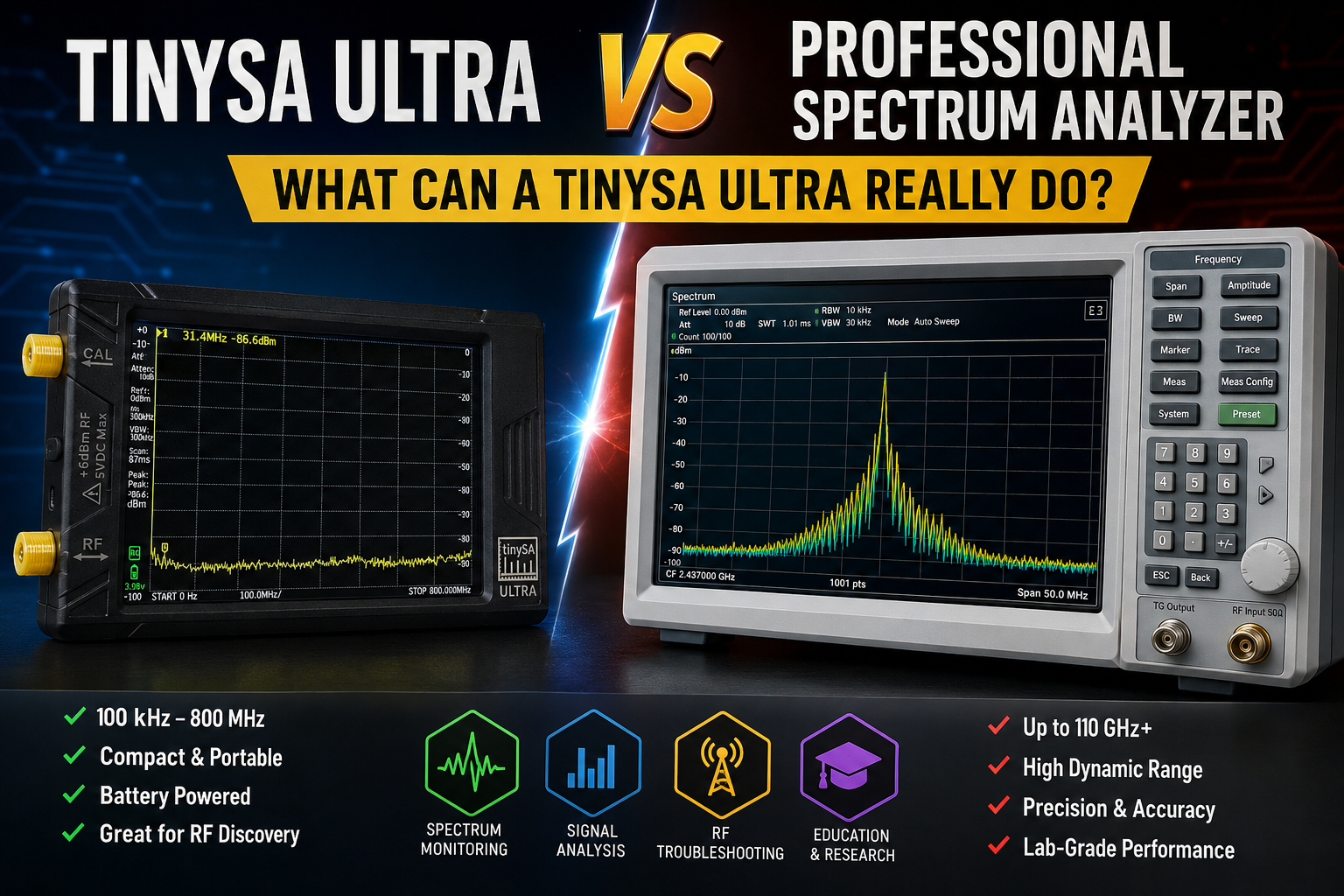
The tinySA Ultra is one of the most popular low-cost RF tools because it gives beginners, ham radio users, SDR hobbyists, students, and field technicians a portable way to see RF signals without buying a professional bench spectrum analyzer. It can show carriers, harmonics, spurs, interference, noise-floor changes, signal strength trends, and basic RF behavior across a wide frequency range.
But a tinySA Ultra is not the same thing as a calibrated professional spectrum analyzer from Keysight, Rohde & Schwarz, Tektronix, Anritsu, Rigol, Siglent, or similar test-equipment manufacturers. It is a useful handheld RF tool, not a replacement for traceable compliance measurements, high-dynamic-range lab work, phase-noise testing, advanced EMI scans, or serious production validation.
This guide explains TinySA vs professional spectrum analyzer differences in practical terms: what a tinySA Ultra can really do, where it is surprisingly useful, where it becomes misleading, when to upgrade, and what extra RF tools you should add for a safe and useful RF bench.
Browse the TinySA Ultra handheld spectrum analyzer, spectrum analyzers and RF analysis tools, NanoVNA-H4, RF dummy loads, RF power meters, and request a formal quote from SDRstore.eu.
Quick Answer: Is TinySA Ultra a Real Spectrum Analyzer?
Yes, the tinySA Ultra is a real handheld spectrum analyzer for practical signal observation, troubleshooting, learning, interference hunting, and basic RF checks. However, it is not a professional calibrated lab analyzer. It is best used as a portable visibility tool, not as the final authority for compliance, certification, or high-accuracy measurements.
| Task | TinySA Ultra | Professional spectrum analyzer |
|---|---|---|
| Seeing if a signal is present | Good | Excellent |
| Finding approximate frequency | Good for practical checks | Excellent with better accuracy and stability |
| Checking harmonics and spurs roughly | Useful for screening | Required for confident measurement |
| Interference hunting | Very useful and portable | Excellent, especially with better sensitivity and tools |
| Pre-compliance learning | Useful for early checks | Much better for real pre-compliance work |
| Formal compliance testing | No | Yes, with correct calibration, antennas, LISN, probes, software, and procedures |
| Accurate amplitude measurements | Limited | Much better |
| High dynamic range measurements | Limited | Much better |
| Phase noise and close-in spurs | Limited | Professional analyzer recommended |
| Production test reports | Not ideal | Recommended |
The simple rule: tinySA Ultra is excellent for seeing, learning, and troubleshooting. A professional spectrum analyzer is needed when the measurement must be accurate, repeatable, traceable, and accepted by customers, labs, or regulators.
What TinySA Ultra Can Really Do
The tinySA Ultra is useful because it turns invisible RF activity into something visible. For many SDR users and RF beginners, that is already a major improvement.
1. See if a transmitter is working
If you have a low-power transmitter, signal generator, LoRa board, remote control, RF module, oscillator, or SDR output, tinySA Ultra can help confirm whether a signal appears near the expected frequency.
Useful examples:
- Checking whether a 433 MHz sensor transmits
- Seeing a LoRa device around 868 MHz or 915 MHz
- Checking a HackRF or SDR test output at low safe power
- Looking for a carrier from an oscillator
- Checking whether a wireless device is active
2. Find interference sources
TinySA Ultra is especially useful for practical interference hunting because it is portable. You can walk around a room, lab, vehicle, antenna installation, or facility and watch how signal levels change.
Useful examples:
- Finding local VHF/UHF interference
- Checking if a power supply creates RF noise
- Seeing whether a 2.4 GHz environment is crowded
- Checking if a Sub-GHz band is noisy
- Comparing indoor and outdoor RF conditions
3. Check rough harmonic behavior
TinySA Ultra can help you look for strong harmonics and spurs. This is useful for early troubleshooting, but it is not the same as a formal spurious-emissions test.
Use it for:
- Early product debugging
- Checking whether a transmitter output looks obviously dirty
- Comparing before and after filter changes
- Checking whether a low-cost RF module has strong unwanted outputs
For official harmonic and spurious-emissions testing, use calibrated professional equipment.
4. Learn spectrum analyzer concepts
For students and beginners, tinySA Ultra is one of the easiest ways to learn practical RF concepts.
It can teach:
- Center frequency
- Span
- Start and stop frequency
- Resolution bandwidth
- Noise floor
- Markers
- Peak search
- Max hold
- Attenuation
- LNA use
- Overload
- Signal generator basics
Read the TinySA Ultra Setup Guide for first-use calibration, scanning, markers, LNA, attenuation, signal-generator mode, and common mistakes.
5. Act as a small RF signal generator
The tinySA Ultra includes signal-generator modes. This is useful for simple receiver checks, educational demonstrations, and basic RF bench testing. However, its generator output should not be treated like a professional calibrated RF signal generator.
Use it for:
- Checking whether a receiver hears a test signal
- Teaching frequency and level concepts
- Basic SDR receiver validation
- Simple filter or antenna demonstrations
Use a professional RF signal generator when you need precise output level, modulation quality, low phase noise, traceable calibration, or production testing.
Where TinySA Ultra Is Not Enough
1. Formal compliance testing
TinySA Ultra is not the correct tool for official CE, FCC, RED, EMC, EMI, or accredited compliance testing. It can help you find obvious problems early, but it cannot replace a calibrated compliance lab setup.
Professional compliance work may require:
- Calibrated spectrum analyzer or EMI receiver
- Correct detectors and bandwidths
- Traceable calibration
- Calibrated antennas
- LISN for conducted emissions
- Near-field probes for debugging
- Shielded chamber or controlled test site
- Formal measurement procedures
- Reportable uncertainty budget
Use tinySA Ultra for early checks, not final compliance claims.
2. Accurate amplitude measurement
TinySA Ultra can show approximate levels, but it is not the best choice when amplitude accuracy is critical. Professional analyzers provide better amplitude accuracy, calibration options, input protection, correction tables, trace functions, and documentation.
Use a professional analyzer when you need to answer:
- Exactly how much power is this signal?
- Does this emission pass a limit line?
- Can this number go into a customer report?
- Can this measurement be repeated by another lab?
3. High dynamic range work
Dynamic range matters when you need to see a weak signal near a strong signal. TinySA Ultra can be useful, but professional analyzers are much better at separating strong and weak signals without overload, spurs, or internal artifacts.
Professional dynamic range matters for:
- Small spurs near a carrier
- Weak harmonics
- Two-tone distortion tests
- Adjacent-channel leakage
- Receiver sensitivity investigations
- Low-level interference near strong signals
4. Phase noise and close-in signal purity
Phase noise and close-in spurs require a low-noise analyzer and careful setup. TinySA Ultra is not the right instrument for serious oscillator phase-noise testing or close-in spectral purity measurements.
Use a professional analyzer or phase-noise measurement setup for:
- Oscillator qualification
- Clock-source comparison
- Low phase-noise synthesizer work
- High-performance radio design
- Radar, telecom, and lab-grade frequency references
5. Fast transient and real-time spectrum events
TinySA Ultra is a swept handheld analyzer. It is useful for many scans, but it can miss short transient events or frequency-hopping behavior if the event happens between sweep points.
Use professional real-time spectrum analysis or SDR recording when you need to capture:
- Short bursts
- Frequency hopping
- Packet timing
- Transient emissions
- Rare interference events
- Wide instantaneous bandwidth
TinySA Ultra vs Professional Spectrum Analyzer: Practical Comparison
| Feature | TinySA Ultra | Professional spectrum analyzer |
|---|---|---|
| Cost | Very affordable | Much higher |
| Portability | Excellent handheld tool | Portable models exist, but bench models are larger and expensive |
| Frequency coverage | Wide for the price, with Ultra mode limits | Depends on model; often wider and more accurate |
| Amplitude accuracy | Useful for rough checks | Much better and calibratable |
| Dynamic range | Limited | Much stronger |
| Noise floor | Good for learning and rough troubleshooting | Much lower on serious models |
| RBW control | Useful selectable filters | More precise, wider options, better filter behavior |
| Pre-compliance work | Good for early screening | Recommended for serious pre-compliance |
| Compliance reports | Not suitable | Suitable when calibrated and used with correct setup |
| Field interference hunting | Very useful | Excellent but more expensive |
| Education | Excellent | Excellent but costly for many students |
| Signal generator mode | Useful for simple checks | Separate calibrated generator usually preferred |
Best Uses for TinySA Ultra
Ham radio and antenna troubleshooting
TinySA Ultra can help ham radio users see transmitted carriers, harmonics, spurs, local interference, filters, and rough spectrum behavior. For antenna SWR, impedance, return loss, and Smith Chart measurements, use a VNA such as NanoVNA instead.
Read: NanoVNA vs TinySA: Which RF Tool Do You Actually Need?.
SDR receiver validation
TinySA Ultra is useful beside RTL-SDR, HackRF, PLUTO+, bladeRF, and USRP hardware. It can help verify whether a signal is actually present before blaming software settings.
Useful checks:
- Is the test signal present?
- Is the antenna picking up local interference?
- Is the transmitter output roughly where expected?
- Does adding a filter reduce unwanted energy?
- Is an LNA making things better or overloading the receiver?
RF cybersecurity labs
TinySA Ultra is useful in RF cybersecurity labs because it helps students and auditors see RF activity without immediately building a full SDR pipeline.
Use it for:
- Sub-GHz signal monitoring
- BLE and WiFi band awareness
- Drone RF monitoring support
- Rogue wireless device investigations
- Interference demonstrations
- RF cyber range exercises
Read: RF Cybersecurity Lab Equipment Checklist.
Product development early checks
If you are building a low-power RF product, tinySA Ultra can help you catch obvious issues early. It is useful before sending the product to a professional lab.
It can help you notice:
- Wrong frequency
- Unexpected harmonics
- Obvious spurs
- Excessive noise
- Bad filter behavior
- Interference in the test environment
Read: SDR Hardware for RF Product Testing: Pre-Compliance, Interference, and Signal Validation.
Facility RF monitoring
TinySA Ultra is useful for fast field checks in warehouses, labs, campuses, factories, data centers, and other facilities. It is not an always-on monitoring server by itself, but it is excellent for walking around and confirming whether a band is active.
Read: RF Spectrum Monitoring for Facilities, Labs, and Critical Infrastructure.
When You Should Buy a Professional Spectrum Analyzer Instead
Buy or rent a professional spectrum analyzer when measurement confidence matters more than budget.
Choose a professional analyzer if you need:
- Formal compliance or pre-compliance reports
- Calibrated amplitude measurements
- Traceable lab measurements
- Low DANL and high sensitivity
- High dynamic range
- Close-in phase-noise measurements
- Adjacent-channel leakage measurements
- EMI receiver options
- Real-time spectrum analysis
- Wide instantaneous bandwidth
- Limit lines and automated reports
- Production quality control
- Customer-facing measurement evidence
In other words, tinySA Ultra is a great visibility tool. A professional analyzer is a measurement instrument for serious engineering accountability.
TinySA Ultra Safety: Do Not Damage the Input
The most common beginner mistake is connecting a transmitter directly to the tinySA input. Do not do this unless you fully understand the power level, attenuation, and maximum input limits.
Safe-input checklist
- Check the expected transmitter power first.
- Use external attenuators for conducted tests.
- Use a dummy load where radiation is not needed.
- Start with higher attenuation.
- Do not connect unknown transmitter outputs directly.
- Do not inject DC into the RF input.
- Use DC blocks where bias voltage may be present.
- Use an RF power meter when power is uncertain.
- Use a spectrum analyzer only within its safe input range.
Browse RF dummy loads, RF power meters, and RF test accessories for safer RF bench setups.
TinySA Ultra Is Not a NanoVNA
TinySA Ultra and NanoVNA answer different questions.
| Question | Correct tool |
|---|---|
| What signals are present in the air? | TinySA Ultra or spectrum analyzer |
| Is my transmitter producing harmonics? | TinySA Ultra for screening, professional analyzer for serious measurement |
| Is my antenna matched? | NanoVNA |
| What is the SWR? | NanoVNA |
| What is the filter return loss? | NanoVNA |
| What is the filter response? | NanoVNA for S-parameters, spectrum analyzer plus tracking/source setup for other checks |
| Is the band noisy? | TinySA Ultra or spectrum analyzer |
For an RF bench, TinySA Ultra and NanoVNA work well together. TinySA shows signals. NanoVNA shows how antennas, cables, and filters behave.
Recommended SDRstore.eu Hardware Packages
Package 1: Beginner RF learning kit
- TinySA Ultra
- NanoVNA-H4
- Basic SMA cable and adapter kit
- Band-specific antennas
- Small dummy loads and attenuators
Best for: students, ham radio users, SDR beginners, and first RF bench setups.
Package 2: SDR troubleshooting kit
- TinySA Ultra
- RTL-SDR Blog V3 USB-C
- HackRF Pro for controlled wideband SDR work
- Attenuators and dummy loads
- Band-specific antennas
- SDR++ and GNU Radio
Best for: SDR users who need to confirm whether RF problems come from the signal, antenna, filter, LNA, software settings, or receiver overload.
Package 3: RF cybersecurity and facility monitoring kit
- TinySA Ultra
- HackRF Pro
- RTL-SDR monitoring node
- NanoVNA-H4
- Directional antenna
- Sub-GHz, 2.4 GHz, 5.8 GHz, and GNSS antennas where needed
- RF log template and screenshot procedure
Best for: cybersecurity labs, rogue wireless detection, drone RF monitoring support, Sub-GHz monitoring, and facility RF checks.
Package 4: Product pre-compliance screening kit
- TinySA Ultra for quick scans
- Higher-grade spectrum analyzer where available
- RF power meter
- NanoVNA-H4 or wider-range VNA
- Near-field probes
- Attenuators, filters, dummy loads, and cables
- Shield box or controlled test area
Best for: early RF product debugging before sending hardware to a professional compliance lab.
Package 5: Professional RF lab path
- Professional calibrated spectrum analyzer
- Calibrated RF signal generator
- EMI accessories where required
- Calibrated antennas or probes
- RF power meter
- VNA
- Attenuators, couplers, filters, DC blocks, and traceable cables
- TinySA Ultra as a portable field support tool
Best for: serious RF product development, customer reporting, production testing, and compliance preparation.
What Measurements Should You Trust?
| Measurement | Trust TinySA Ultra? | Recommended interpretation |
|---|---|---|
| Signal present or absent | Yes, usually | Good practical check. |
| Approximate frequency | Yes, for practical troubleshooting | Good enough for many field checks, not a calibrated frequency counter. |
| Approximate signal level | Limited | Useful trend, not final lab number. |
| Harmonics visible or not visible | Useful screening | Good for early checks, but professional analyzer needed for final emissions numbers. |
| Noise floor comparison | Useful | Good for relative comparisons if settings are consistent. |
| EMI compliance result | No | Use calibrated compliance equipment and correct test environment. |
| Phase noise | No for serious work | Use professional analyzer or phase-noise test setup. |
| SWR or impedance | No | Use NanoVNA or another VNA. |
How to Use TinySA Ultra More Correctly
Keep settings consistent
If you compare two measurements, keep frequency span, RBW, attenuation, LNA state, detector mode, antenna, cable, and location consistent. Otherwise, the change may come from the setup, not the signal.
Use the right span
A very wide span is useful for discovery, but it may hide detail. Narrow the span around the signal when you need to inspect it more carefully.
Use attenuation before adding gain
If the display looks strange, do not immediately add the LNA. Strong signals can overload the input and create misleading artifacts. Try more attenuation and less gain first.
Use known reference signals
Before trusting a new setup, check known signals or known devices. This helps you understand what the tinySA is showing in your environment.
Document every measurement
For reports, record:
- Frequency span
- RBW
- Attenuation
- LNA state
- Antenna type
- Cable and adapters
- Location
- Distance to source
- Screenshot
- Device under test
- Power level if known
Common TinySA Ultra Mistakes
Connecting a transmitter directly
This can damage the analyzer. Use attenuation, a dummy load, and an RF power meter if the transmitter power is uncertain.
Confusing noise floor with real signal level
The displayed noise floor depends on RBW, span, attenuation, LNA, and internal settings. Do not compare screenshots with different settings as if they are the same measurement.
Using the wrong antenna
A 2.4 GHz antenna will not be ideal for 433 MHz. A Sub-GHz antenna may not help at 5.8 GHz. Use a band-matched antenna.
Expecting compliance-lab accuracy
TinySA Ultra is excellent for learning and screening. It is not a calibrated professional compliance analyzer.
Ignoring overload
Overload can create fake signals, strange spurs, and misleading readings. If the display looks too busy, add attenuation or reduce gain.
Using it for antenna SWR
TinySA Ultra is a spectrum analyzer. Use NanoVNA for SWR, impedance, return loss, and Smith Chart work.
Buyer Guide: Who Should Buy TinySA Ultra?
| User type | Should buy TinySA Ultra? | Why |
|---|---|---|
| SDR beginner | Yes | Helps understand what signals are really present. |
| Ham radio user | Yes | Useful for interference, rough harmonics, and signal checks. |
| University teaching lab | Yes | Excellent for teaching spectrum-analysis concepts affordably. |
| RF cybersecurity lab | Yes | Useful portable RF visibility tool beside SDRs. |
| IoT product developer | Yes, for early checks | Good for first-pass signal visibility before professional testing. |
| Compliance lab | Only as support tool | Professional calibrated analyzers are required for formal work. |
| Production test engineer | Only for quick checks | Use calibrated production equipment for pass/fail decisions. |
| Phase-noise engineer | No, not as main tool | Use professional analyzer or dedicated phase-noise equipment. |
Purchase-Order Justification Examples
TinySA Ultra justification
TinySA Ultra is required as a portable handheld spectrum analyzer for RF training, field troubleshooting, interference checks, signal presence validation, spectrum awareness, and early-stage product debugging.
Professional analyzer justification
A professional calibrated spectrum analyzer is required for accurate RF measurements, high-dynamic-range analysis, traceable reporting, pre-compliance work, spurious-emissions testing, phase-noise investigation, and production validation.
NanoVNA justification
NanoVNA is required to measure antennas, cables, filters, SWR, return loss, impedance, and Smith Chart behavior, complementing TinySA Ultra spectrum measurements.
Attenuator and dummy load justification
Attenuators and dummy loads are required to protect analyzer inputs, prevent receiver overload, safely terminate transmitters, and create repeatable RF test paths.
RF power meter justification
An RF power meter is required to verify conducted RF power before connecting signals to analyzers, SDRs, attenuators, filters, and other test equipment.
Request a Quote for TinySA Ultra and RF Test Equipment
Universities, RF labs, ham radio clubs, cybersecurity teams, IoT developers, product-testing teams, telecom labs, and facilities can request a formal quotation directly from SDRstore.eu.
Use the Add to Quote button on product pages or the document icon on product cards. Add TinySA Ultra, NanoVNA, RF power meters, dummy loads, attenuators, antennas, filters, SDRs, cables, adapters, and project notes to one quote request.
A quote request is useful when you need:
- TinySA Ultra for a teaching lab
- Portable RF troubleshooting kits
- RF cybersecurity lab equipment
- SDR and spectrum-analysis bundles
- RF product pre-compliance screening tools
- Attenuators, dummy loads, antennas, and cables included together
- Formal pricing for company, university, or public-sector procurement
Read the SDRstore.eu quote-request guide.
Related SDRstore.eu Guides
- TinySA Ultra Setup Guide: Spectrum Scanning, Signal Generator, LNA, and Attenuator
- NanoVNA vs TinySA: Which RF Tool Do You Actually Need?
- SDR Hardware for RF Product Testing: Pre-Compliance, Interference, and Signal Validation
- RF Cybersecurity Lab Equipment Checklist
- RF Spectrum Monitoring for Facilities, Labs, and Critical Infrastructure
- Sub-GHz Security Testing Tools
- RF Cyber Range Hardware
- How to Test Antenna SWR with NanoVNA
- Best Antenna Analyzer for Ham Radio
Official and Technical Resources
- tinySA Ultra official specification
- tinySA model comparison table
- tinySA Ultra technical description
- Keysight Spectrum Analyzer Basics
- Rohde & Schwarz: Understanding Basic Spectrum Analyzer Operation
- Rohde & Schwarz: Understanding Dynamic Range
- Tektronix: What Is a Spectrum Analyzer?
Final Recommendation
Buy TinySA Ultra if you need an affordable handheld RF tool for learning, quick signal checks, interference hunting, SDR troubleshooting, Sub-GHz monitoring, rough harmonics checks, and early product debugging. It is one of the best budget tools for making RF visible.
Buy a professional spectrum analyzer if your work requires accurate amplitude measurements, high dynamic range, low noise floor, traceable calibration, EMI/pre-compliance reports, phase-noise work, production testing, or customer-facing measurement evidence.
The best setup for many users is both: TinySA Ultra for fast field visibility and daily RF checks, plus professional equipment when the measurement must be trusted, repeated, and reported.
FAQ
Is TinySA Ultra a real spectrum analyzer?
Yes. TinySA Ultra is a real handheld spectrum analyzer for practical RF observation, learning, signal checks, and interference hunting. It is not a replacement for a professional calibrated spectrum analyzer.
What can TinySA Ultra really do?
It can show whether signals are present, estimate frequency, show rough signal levels, help find interference, show strong harmonics and spurs, teach RBW/span/markers, and provide simple signal-generator functionality.
Can TinySA Ultra replace a professional spectrum analyzer?
No. It is useful for learning and screening, but professional analyzers are needed for calibrated measurements, compliance testing, high dynamic range, low phase noise, EMI work, and formal reporting.
Can TinySA Ultra be used for pre-compliance testing?
It can help with early pre-compliance screening and troubleshooting, but it should not be used as the final authority for CE, FCC, RED, EMI, EMC, or accredited compliance measurements.
Can TinySA Ultra measure SWR?
No. TinySA Ultra is a spectrum analyzer. Use NanoVNA or another vector network analyzer to measure SWR, impedance, return loss, and Smith Chart behavior.
Can TinySA Ultra find interference?
Yes. It is very useful for portable interference hunting, especially when combined with the right antenna, consistent settings, and a known RF baseline.
Can TinySA Ultra check harmonics?
Yes, it can help spot strong harmonics and spurs for early troubleshooting. For accurate harmonic and spurious-emissions measurements, use a professional calibrated analyzer.
Can I connect a transmitter directly to TinySA Ultra?
Do not connect an unknown transmitter directly. Use attenuators, dummy loads, RF power meters, and safe input-level planning before connecting any transmitter output to a spectrum analyzer.
Do I still need NanoVNA if I have TinySA Ultra?
Yes. TinySA Ultra shows signals in the spectrum. NanoVNA measures antennas, cables, filters, impedance, return loss, and SWR. They solve different RF problems.
Can SDRstore.eu quote TinySA Ultra with a complete RF test kit?
Yes. Use the Add to Quote button on product pages or the document icon on product cards. Add TinySA Ultra, NanoVNA, attenuators, dummy loads, RF power meters, antennas, filters, cables, and project notes so the full RF test kit can be quoted together.
No posts found
Write a review






We support all major card and digital payment options. More local methods are available and shown during checkout.
You enter into a binding sales contract once you have received an 'order confirmation and sales receipt' email from us, in line with our Sales & Delivery conditions. Therefore, sdrstore.eu has the right to cancel your order in the event of technical problems, delivery failure, Fair use policy and other similar situations.






Your payments are protected by advanced encryption and 3-D Secure authentication for safe online shopping.