








NanoVNA vs TinySA: Which RF Tool Do You Actually Need?
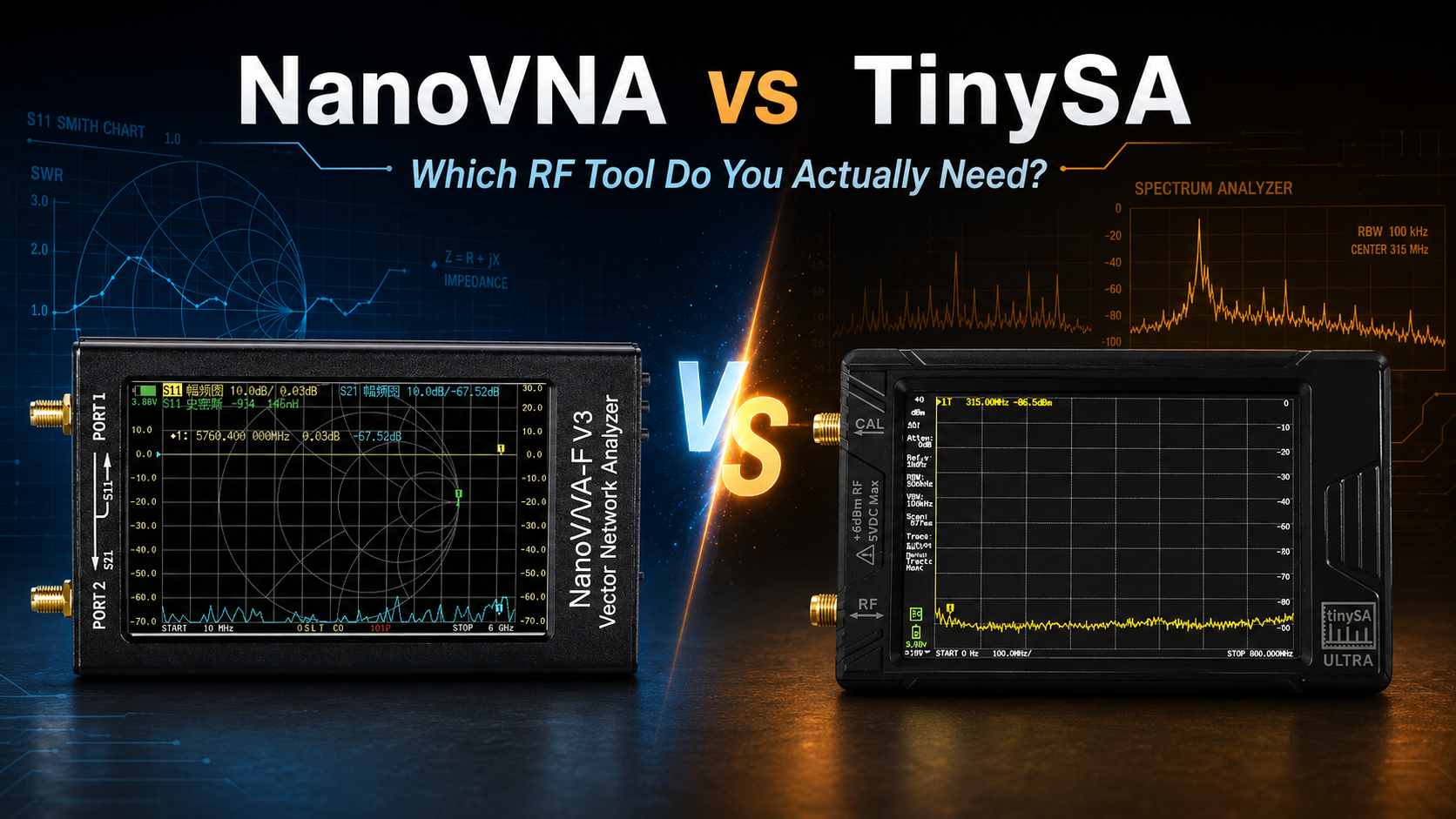
Updated: June 2026. This guide compares NanoVNA and tinySA for antenna testing, SWR, filters, cables, interference hunting, transmitter checks, signal levels, and RF troubleshooting.
NanoVNA and tinySA are two of the most useful affordable RF tools available today. They are both compact, portable, and suitable for hobbyists, radio operators, makers, students, Meshtastic users, SDR enthusiasts, and technicians.
However, they do not perform the same job.
A NanoVNA is a vector network analyzer. It helps you test antennas, measure SWR, inspect impedance on a Smith Chart, tune filters, check insertion loss, and investigate cables.
A tinySA is a spectrum analyzer. It helps you see which radio signals are present, identify interference, inspect signal levels, observe harmonics, compare antennas for reception, and troubleshoot transmitters safely when used with the correct attenuation and test equipment.
This NanoVNA vs tinySA comparison explains which tool you actually need, when you may need both, and which models make sense for different RF projects.
To browse portable RF analysis equipment, visit the spectrum analyzers and RF analysis tools category at SDRstore.eu.
Quick Answer: NanoVNA or TinySA?
| Your Goal | Best Tool | Reason |
|---|---|---|
| Measure antenna SWR | NanoVNA | Designed for reflection measurements such as SWR, impedance, and return loss |
| Tune a LoRa, Meshtastic, amateur-radio, CB, or Wi-Fi antenna | NanoVNA | Shows where the antenna is resonant and how well it is matched |
| View radio activity across a frequency range | tinySA | Displays signal amplitude against frequency |
| Find interference or unwanted signals | tinySA | Useful for scanning a band and identifying unexpected peaks |
| Measure filter response | NanoVNA | Uses S21 transmission measurements to show passband and insertion loss |
| Check transmitter harmonics safely | tinySA | Shows energy at the fundamental frequency and harmonics when used with proper attenuation |
| Investigate cable length or faults | NanoVNA or LiteVNA with TDR support | Suitable VNA models can use time-domain features for cable testing |
| Build a complete beginner RF toolkit | Both | The instruments answer different questions and complement each other |
The easiest rule is:
- Choose NanoVNA when you want to test an antenna or RF component.
- Choose tinySA when you want to inspect signals in the air or measure a safely attenuated RF source.
- Choose both if you regularly work with antennas, transmitters, interference, filters, SDR equipment, or LoRa nodes.
What Is a NanoVNA?
NanoVNA is a portable vector network analyzer, commonly shortened to VNA.
A VNA generates a controlled RF signal, sends it into a device under test, and measures what happens to that signal.
It can measure:
- How much RF energy is reflected back from an antenna or component
- How much RF energy passes through a filter, cable, attenuator, or other device
- How impedance changes across a frequency range
- Where an antenna is resonant
- How well an antenna system is matched to 50 ohms
A NanoVNA is especially useful because it turns RF behavior into graphs that are easier to understand:
- SWR traces
- Smith Charts
- Return-loss graphs
- Insertion-loss graphs
- Resistance and reactance measurements
- Phase measurements
- Group delay
- TDR cable measurements on supported models
What Is a TinySA?
tinySA is a portable spectrum analyzer with a built-in screen and signal-generator features.
A spectrum analyzer shows which radio signals are present across a selected frequency range and approximately how strong they are.
Imagine tuning across a radio band and displaying every signal on one graph. Strong signals appear as visible peaks. Weak signals remain closer to the noise floor.
tinySA is useful for:
- Finding interference
- Viewing active frequencies
- Checking signal levels
- Comparing received-signal strength
- Inspecting harmonics safely
- Testing oscillators
- Checking RF modules
- Identifying unexpected emissions
- Basic field troubleshooting
- Generating test signals for suitable experiments
The tinySA Ultra handheld spectrum analyzer and RF generator is a practical option for portable RF analysis.
NanoVNA vs TinySA: Main Differences
| Feature | NanoVNA | tinySA |
|---|---|---|
| Tool type | Vector network analyzer | Spectrum analyzer and signal generator |
| Main question answered | How does an antenna or RF component behave? | Which RF signals are present and how strong are they? |
| Generates a test signal | Yes, as part of the VNA measurement process | Yes, with built-in signal-generator modes |
| Measures antenna SWR directly | Yes | Not as its primary function |
| Displays a Smith Chart | Yes | No, not as a normal spectrum-analyzer function |
| Measures impedance | Yes | No, not directly |
| Measures filter insertion loss | Yes, using S21 | Possible only through more manual workflows and suitable external setup |
| Shows ambient RF signals | Not its intended job | Yes |
| Useful for interference hunting | Limited | Yes |
| Useful for transmitter harmonic checks | Not the normal choice | Yes, with a safe attenuated test setup |
| Calibration required | Yes, before meaningful VNA measurements | Level calibration and careful configuration matter for accurate readings |
| Best beginner use | Antenna tuning | Band scanning and interference hunting |
The Simplest Explanation: Antenna Analyzer vs Spectrum Analyzer
A NanoVNA and tinySA look similar because both have small screens, SMA connectors, and frequency graphs. The similarity ends there.
A NanoVNA is like asking:
- Is my antenna tuned correctly?
- What is the SWR at 868 MHz?
- Is my LoRa antenna resonant near the correct frequency?
- How much signal passes through this filter?
- Is this cable introducing loss?
A tinySA is like asking:
- What signals are active around 868 MHz?
- Is there interference near my LoRa channel?
- Does this oscillator produce an unexpected harmonic?
- What is the approximate level of this safely attenuated transmitter signal?
- Which frequency contains the strongest unwanted emission?
These questions are related, but they are not the same.
Which Tool Is Better for Antenna Testing?
NanoVNA is the correct choice for antenna testing.
Connect the antenna to the reflection port, normally labeled CH0 or Port 1. After calibration, the NanoVNA shows how the antenna behaves across your selected frequency range.
Use NanoVNA to measure:
- SWR
- Resonant frequency
- Return loss
- Impedance
- Resistance
- Reactance
- Smith Chart position
- Usable antenna bandwidth
Read the full guide: NanoVNA Setup Guide: Calibration, SWR, Smith Chart, and Antenna Testing.
Can TinySA Measure Antenna SWR?
tinySA is not the normal tool for direct SWR and impedance measurements.
More advanced users may build manual workflows using an RF bridge, signal source, cables, calibration steps, and external accessories. However, this is not the easiest or most reliable beginner method.
If your main goal is antenna tuning, buy a NanoVNA. It is designed for the job and shows SWR, impedance, reactance, and Smith Chart information directly.
Which Tool Is Better for Interference Hunting?
tinySA is the better tool for interference hunting.
Set the frequency span, connect a suitable antenna, and observe the spectrum. Peaks can reveal active transmissions, local noise, strong broadcast signals, oscillators, or other RF activity.
Use tinySA to investigate:
- Unexpected interference near LoRa frequencies
- Strong nearby transmitters
- Noise around amateur-radio bands
- Unwanted signals affecting an SDR receiver
- RF noise from electronic equipment
- Oscillator output
- Unexpected harmonics
- Potential sources of receiver overload
A tinySA helps you see what is happening in the spectrum. A NanoVNA does not normally perform this task because it measures a connected device under test rather than passively scanning ambient RF signals.
Which Tool Is Better for Meshtastic and LoRa?
Meshtastic and LoRa users can benefit from both tools.
| Meshtastic or LoRa Task | Best Tool |
|---|---|
| Check whether an 868 MHz or 915 MHz antenna is tuned correctly | NanoVNA |
| Measure SWR after installing the antenna in an enclosure | NanoVNA |
| Compare antenna matching before and after changing a cable | NanoVNA |
| Look for interference around the LoRa band | tinySA |
| Identify strong nearby signals that may reduce receiver performance | tinySA |
| Build a complete LoRa troubleshooting toolkit | Both |
For more details, read our Meshtastic Range Guide: How Far Can LoRa Mesh Nodes Really Reach?.
Which Tool Is Better for Amateur Radio?
Most amateur-radio operators will find a NanoVNA useful first because antenna tuning is one of the most common tasks.
Choose NanoVNA first if you want to:
- Tune an HF dipole
- Check a VHF or UHF antenna
- Measure SWR across an amateur-radio band
- Inspect a balun or matching network
- Test a feedline
- Measure a filter
- Compare antennas before transmitting
Add tinySA when you want to:
- Inspect the RF spectrum
- Find local interference
- Observe harmonics safely
- Investigate noise sources
- Check oscillators
- Compare signal levels
A complete RF workbench benefits from both instruments.
Which Tool Is Better for SDR Users?
Software-defined radio users can also benefit from both NanoVNA and tinySA.
An SDR receiver helps you listen to, decode, and visualize radio signals. A tinySA is more focused on portable spectrum measurements and signal-level inspection. A NanoVNA is used to test antennas, cables, and RF components connected to the SDR setup.
| SDR Task | Best Tool |
|---|---|
| Listen to and decode radio signals | SDR receiver |
| Check whether an SDR antenna is tuned properly | NanoVNA |
| Inspect interference quickly in the field | tinySA |
| Measure a filter before adding it to an SDR setup | NanoVNA |
| Identify a strong signal that may overload the receiver | tinySA |
Browse software-defined radio equipment and RF antennas and accessories for compatible RF projects.
Which Tool Is Better for Filters?
NanoVNA is usually the better tool for testing filters.
Connect the filter between CH0 and CH1. After performing the required calibration, set the display to an S21 transmission trace.
You can then inspect:
- Passband
- Insertion loss
- Cutoff frequency
- Bandwidth
- Attenuation outside the passband
- Notch depth
- Filter shape
tinySA can also be useful when you want to observe whether unwanted signals remain after adding a filter to a real RF setup. The NanoVNA measures the filter itself. The tinySA helps you observe the spectrum before and after the filter is used.
Which Tool Is Better for Cables?
NanoVNA is the better tool for RF cable analysis.
Depending on the model and software, you can inspect:
- Cable loss
- Reflections
- Connector problems
- Approximate cable length
- Fault distance using TDR or DTF features
- Changes after adding adapters
The NanoVNA-F V3 and LiteVNA-64 include useful capabilities for wider-range RF and cable measurements.
Which Tool Is Better for Transmitter Testing?
tinySA is the more relevant tool for basic transmitter spectrum checks, but transmitter testing requires caution.
A spectrum analyzer input is sensitive. Do not connect a radio transmitter directly to a tinySA unless you have verified the input level and added the correct protection.
A safer test setup may include:
- A suitable dummy load
- A properly rated attenuator
- An RF sampler
- A directional coupler
- Appropriate coaxial cables
- Known transmitter output power
- Model-specific input-limit checks
The goal is to reduce the signal reaching the tinySA input to a safe measurement level.
Use tinySA to inspect:
- The main transmitted signal
- Approximate signal level
- Harmonics
- Spurious emissions
- Oscillator output
- Signal stability
Do not transmit into an antenna inside a sensitive environment only to observe the signal. Use proper RF test equipment and comply with local regulations.
Important TinySA Input Safety Warning
Never assume that a handheld spectrum analyzer can accept transmitter power directly.
Input limits depend on the tinySA model, selected attenuation, frequency, and mode. A signal that is safe for one setup may damage another.
Before connecting any RF source:
- Check the documentation for your exact tinySA model.
- Calculate the expected signal level.
- Use a suitable attenuator.
- Use a dummy load or coupler for transmitter tests.
- Start with a lower signal level.
- Avoid applying unknown DC voltage to the input.
- Do not connect an unknown transmitter directly.
If you are uncertain, do not connect the source until the test arrangement has been verified.
NanoVNA Calibration Explained
NanoVNA measurements require calibration. This is one of the most important differences between a VNA and a simple signal scanner.
Set the frequency range first, then calibrate at the exact reference plane where the device under test will be connected.
Common calibration standards
| Standard | Purpose |
|---|---|
| Open | Creates an open-circuit reference |
| Short | Creates a short-circuit reference |
| Load | Provides a 50-ohm reference |
| Through | Connects the output and input ports for transmission measurements |
For antenna SWR testing, Open, Short, and Load calibration on the reflection port is the most important workflow.
For S21 filter and cable measurements, include the Through calibration step.
Repeat NanoVNA calibration when you change:
- The start or stop frequency
- The measurement cable
- The adapter arrangement
- The reference plane
- The test fixture
What Is S11?
S11 is a reflection measurement.
It shows how much energy is reflected back from the connected antenna or component. This is the measurement normally used for:
- Antenna SWR
- Return loss
- Impedance
- Smith Chart analysis
- Matching-network adjustments
For normal antenna tests, connect the antenna to CH0 or Port 1.
What Is S21?
S21 is a transmission measurement.
It shows how much signal passes through a connected device from the VNA output to its receiving port.
Use S21 for:
- Filters
- Cables
- Attenuators
- Couplers
- Power dividers
- Duplexers
- Other passive RF components
Can NanoVNA Work as a Spectrum Analyzer?
NanoVNA is not intended to replace a spectrum analyzer.
Some firmware, software, or experimental workflows may expose additional features, but the NanoVNA is fundamentally designed to measure connected RF components by generating and analyzing controlled test signals.
If your main goal is to scan ambient RF activity, identify interference, or inspect transmitter harmonics safely, choose tinySA or another suitable spectrum analyzer.
Can TinySA Replace a NanoVNA?
tinySA cannot replace a NanoVNA for normal antenna analysis.
It does not directly provide the same SWR, impedance, reactance, Smith Chart, and calibrated S11 workflow that makes a NanoVNA useful.
Choose NanoVNA when tuning antennas or measuring RF components. Choose tinySA when inspecting the RF spectrum.
Does TinySA Replace an SDR Receiver?
Not completely.
tinySA and SDR receivers overlap because both can display radio-spectrum activity. However, they are designed for different priorities.
| Task | tinySA | SDR Receiver |
|---|---|---|
| Portable spectrum checks | Very useful | Possible with a computer or suitable portable setup |
| Approximate level inspection | Designed for measurement-focused workflows | Depends heavily on calibration and receiver hardware |
| Demodulate and listen to signals | Not its main purpose | Strong use case |
| Decode protocols | Not its main purpose | Strong use case with suitable software |
| Inspect harmonics safely | Useful with correct attenuation | Possible, but hardware and calibration limitations matter |
Use tinySA for measurement-focused spectrum inspection. Use an SDR receiver for listening, decoding, recording, and software-based radio exploration.
NanoVNA Models Available at SDRstore.eu
NanoVNA-H4 for affordable antenna analysis
The NanoVNA-H4 10 kHz–1.5 GHz portable vector network analyzer is a practical starting point for HF, VHF, UHF, LoRa, Meshtastic, amateur-radio, CB, and general antenna testing.
Choose NanoVNA-H4 if most of your projects remain below 1.5 GHz and you want a portable tool for SWR, impedance, Smith Chart, S11, and S21 measurements.
NanoVNA-F V3 for wider 1 MHz–6 GHz testing
The NanoVNA-F V3 1 MHz–6 GHz portable vector network analyzer is better suited to buyers who need a larger screen, wider frequency range, up to 801 sweep points, TDR functionality, and testing for higher-frequency projects such as Wi-Fi, Bluetooth, and GPS antennas.
LiteVNA-64 for a wider NanoVNA-style upgrade
The LiteVNA-64 50 kHz–6.3 GHz vector network analyzer is a wider-range portable option with S11, S21, TDR, DTF, MicroSD storage, and a NanoVNA-style interface.
TinySA Ultra Available at SDRstore.eu
The tinySA Ultra handheld spectrum analyzer and RF generator is a portable spectrum-analysis option for interference hunting, signal-level inspection, RF troubleshooting, oscillator checks, and safe transmitter-spectrum testing.
It includes a 4-inch screen, built-in battery, selectable attenuation, resolution-bandwidth settings, optional LNA features, and signal-generator modes.
Always check the documentation for the exact hardware version and remain within the model-specific input limits.
Which Model Should You Buy?
| Your Main Project | Recommended Tool |
|---|---|
| HF, VHF, UHF, LoRa, and Meshtastic antenna tuning below 1.5 GHz | NanoVNA-H4 |
| Wi-Fi, Bluetooth, GPS, filters, and antenna testing up to 6 GHz | NanoVNA-F V3 |
| Wider NanoVNA-style measurements with MicroSD and TDR / DTF features | LiteVNA-64 |
| Portable interference hunting and RF-spectrum inspection | tinySA Ultra |
| Safe transmitter-harmonic inspection | tinySA Ultra with suitable attenuation and test equipment |
| Complete RF toolkit | One VNA and one spectrum analyzer |
Should Beginners Buy NanoVNA or TinySA First?
Most beginners should buy NanoVNA first if they work with antennas.
Antenna problems are common and easy to misunderstand. A NanoVNA helps confirm whether the antenna is tuned properly before you troubleshoot software, radio hardware, range, or transmitter settings.
Buy tinySA first if your main goal is identifying signals, scanning bands, finding interference, or checking RF modules.
Buy NanoVNA first if:
- You build or tune antennas.
- You use Meshtastic or LoRa nodes.
- You work with amateur radio.
- You need SWR readings.
- You test RF filters or cables.
- You want Smith Chart measurements.
Buy tinySA first if:
- You want to scan RF bands.
- You need to find interference.
- You test oscillators or RF modules.
- You want a portable spectrum display.
- You need safe transmitter-harmonic checks.
- You already own an antenna analyzer.
Do You Need Both NanoVNA and TinySA?
Many RF users eventually benefit from owning both instruments.
They work well together:
- Use NanoVNA to tune the antenna.
- Use tinySA to inspect the band for interference.
- Use NanoVNA to test the filter response.
- Install the filter in the real system.
- Use tinySA to inspect whether the unwanted signals have been reduced.
- Use a proper attenuated setup with tinySA when checking transmitter harmonics.
A NanoVNA tells you how the connected RF system behaves. A tinySA shows you what signals exist in the spectrum.
Common NanoVNA and TinySA Mistakes
Buying tinySA to tune an antenna
Choose NanoVNA for SWR, impedance, return loss, and Smith Chart measurements.
Buying NanoVNA to scan ambient RF signals
Choose tinySA or a suitable spectrum analyzer when you need to observe signals across a band.
Connecting a transmitter directly to tinySA
Do not do this unless you have verified the RF level carefully and used suitable attenuation, a dummy load, and an appropriate test setup.
Using NanoVNA without calibration
Calibrate after selecting the frequency span and at the exact reference plane where the antenna or component will be connected.
Changing a NanoVNA cable after calibration
Recalibrate after changing cables, adapters, or the measurement arrangement.
Assuming the highest frequency number is the only specification that matters
Frequency coverage matters, but accuracy, dynamic range, calibration, input limits, screen, sweep points, RF environment, and project requirements also matter.
Using an unknown antenna for spectrum measurements
The tinySA can show received peaks only through the antenna connected to it. A poorly suited antenna may hide signals or distort comparisons.
Important Safety Notes
- Do not connect a transmitter directly to a tinySA input without verifying safe signal levels.
- Use a dummy load, suitable attenuation, sampler, or coupler for transmitter testing.
- Disconnect active transmitters before attaching an antenna feedline to a NanoVNA.
- Safely discharge static from outdoor antenna feedlines before connecting sensitive test equipment.
- Do not exceed the input rating of any RF instrument.
- Use suitable adapters and avoid overtightening SMA connectors.
- Follow local radio regulations when generating or transmitting RF signals.
Where to Browse RF Testing Equipment
- Spectrum analyzers and RF analysis tools
- NanoVNA-H4 10 kHz–1.5 GHz portable VNA
- NanoVNA-F V3 1 MHz–6 GHz portable VNA
- LiteVNA-64 50 kHz–6.3 GHz vector network analyzer
- tinySA Ultra handheld spectrum analyzer and RF generator
- Antennas and RF accessories
- Software-defined radio equipment
Final Verdict: NanoVNA vs TinySA
NanoVNA and tinySA are not competing versions of the same tool.
Choose NanoVNA if you want to tune antennas, measure SWR, inspect impedance, use a Smith Chart, test filters, investigate cables, and measure S11 or S21 behavior.
Choose tinySA if you want to inspect the RF spectrum, find interference, identify active frequencies, compare signal levels, inspect oscillators, or check transmitter harmonics safely using the correct attenuation and RF test setup.
For most antenna builders, amateur-radio operators, Meshtastic users, and LoRa developers, NanoVNA is the best first purchase.
For interference hunting and spectrum analysis, add tinySA Ultra.
A complete RF toolkit benefits from both instruments because they answer different questions: NanoVNA tells you how the connected RF system behaves, while tinySA shows you what RF signals are present.
FAQ
What is the difference between NanoVNA and tinySA?
NanoVNA is a vector network analyzer used for antennas, SWR, impedance, Smith Charts, filters, and cables. tinySA is a spectrum analyzer used to view RF signals, inspect signal levels, find interference, and check harmonics safely.
Should I buy NanoVNA or tinySA first?
Buy NanoVNA first if you work with antennas, LoRa, Meshtastic, amateur radio, filters, or cables. Buy tinySA first if your main goal is spectrum scanning, interference hunting, or RF signal inspection.
Can tinySA measure SWR?
tinySA is not the normal tool for direct SWR testing. Advanced workflows may use external accessories, but NanoVNA is the better choice because it measures SWR, impedance, and return loss directly.
Can NanoVNA find interference?
NanoVNA is not intended for ambient RF scanning. Use tinySA or another suitable spectrum analyzer when you want to identify interference or active signals across a frequency band.
Which tool is better for antenna testing?
NanoVNA is better for antenna testing because it measures SWR, resonant frequency, return loss, impedance, resistance, reactance, and Smith Chart behavior.
Which tool is better for Meshtastic antennas?
Use NanoVNA to test whether an 868 MHz or 915 MHz Meshtastic antenna is tuned correctly. Use tinySA to check for interference around the LoRa operating band.
Which tool is better for checking transmitter harmonics?
tinySA is the more relevant tool for transmitter harmonic checks, but you must use suitable attenuation, a dummy load, coupler, or sampler and remain within the model-specific input limits.
Can I connect a transmitter directly to tinySA?
Do not connect a transmitter directly unless you have verified that the signal reaching the analyzer is within the safe input limit. Use a proper attenuator, dummy load, sampler, or directional coupler.
Which tool is better for filters?
NanoVNA is usually better for filters because S21 measurements show passband, insertion loss, bandwidth, cutoff behavior, and attenuation outside the passband.
Which tool is better for RF cables?
NanoVNA is better for cable measurements. Suitable models can help measure insertion loss, reflections, approximate cable length, and fault distance using TDR or DTF features.
Does NanoVNA require calibration?
Yes. Set the frequency range first and calibrate using Open, Short, Load, and Through standards as appropriate for the measurement. Recalibrate when the cables, adapters, or sweep range change.
Can tinySA replace an SDR receiver?
Not completely. tinySA is useful for portable spectrum analysis and approximate signal-level inspection. An SDR receiver is better for listening, decoding, recording, and software-based radio exploration.
Do I need both NanoVNA and tinySA?
Many RF users benefit from owning both. NanoVNA tests antennas and connected RF components, while tinySA displays signals and interference in the spectrum.
Which NanoVNA is best for LoRa and Meshtastic?
NanoVNA-H4 is a practical choice for common 433 MHz, 868 MHz, and 915 MHz LoRa antenna testing. Choose a wider-range model when you also need Wi-Fi, Bluetooth, GPS, or higher-frequency RF measurements.
Which NanoVNA is best for testing up to 6 GHz?
NanoVNA-F V3 covers 1 MHz–6 GHz and LiteVNA-64 covers 50 kHz–6.3 GHz, making them suitable options for wider-frequency antenna, cable, and filter testing.
What is tinySA Ultra used for?
tinySA Ultra is used for portable spectrum analysis, interference hunting, signal-level checks, oscillator inspection, RF troubleshooting, and safe transmitter-spectrum testing with appropriate attenuation.
Shop products for this guide
Explore relevant products from our store.
No posts found
Write a review






We support all major card and digital payment options. More local methods are available and shown during checkout.
You enter into a binding sales contract once you have received an 'order confirmation and sales receipt' email from us, in line with our Sales & Delivery conditions. Therefore, sdrstore.eu has the right to cancel your order in the event of technical problems, delivery failure, Fair use policy and other similar situations.






Your payments are protected by advanced encryption and 3-D Secure authentication for safe online shopping.