








SDR Hardware for RF Product Testing: Pre-Compliance, Interference, and Signal Validation
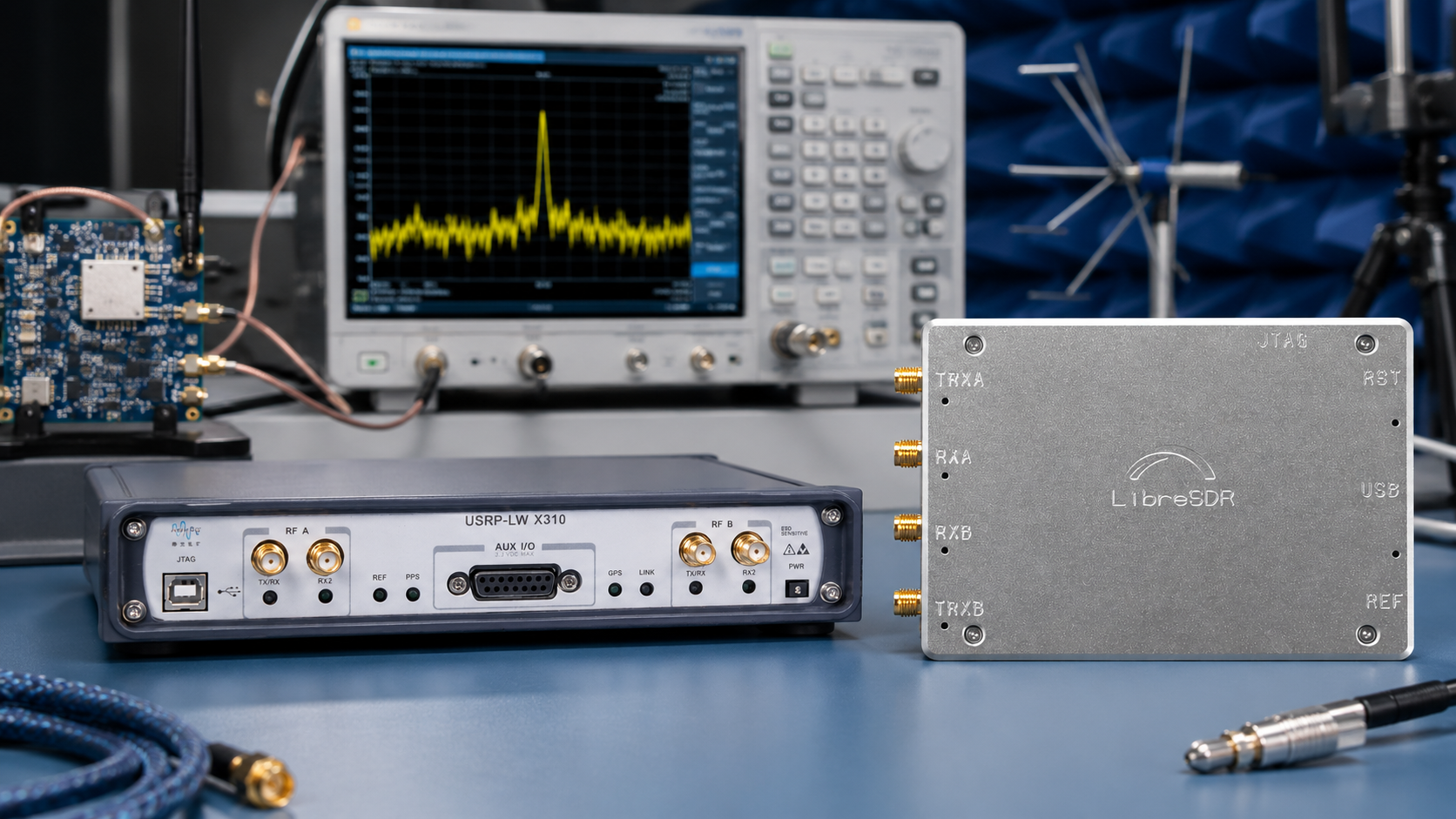
RF product testing is not only for large certification laboratories. If your company builds IoT devices, wireless sensors, antennas, BLE products, LoRa nodes, Sub-GHz transmitters, RF modules, SDR-based prototypes, access-control hardware, telemetry devices, or educational RF equipment, you can catch many problems before formal compliance testing by using the right SDR and RF measurement tools.
Software-defined radios, spectrum analyzers, VNAs, RF power meters, attenuators, dummy loads, and antennas can help engineering teams validate signal behavior, debug interference, test antennas, compare firmware settings, inspect harmonics, and prepare products for accredited lab testing.
This guide explains which SDR hardware and RF tools are useful for product testing, what each tool can and cannot measure, and how to build a practical pre-compliance and signal-validation bench for universities, IoT companies, cybersecurity firms, telecom teams, product developers, and RF laboratories.
Browse RF test and measurement equipment, software-defined radio devices, spectrum analyzers, RF power meters, and RF dummy loads.
Quick Answer: What Hardware Do You Need for RF Product Testing?
| Testing task | Recommended tool | What it helps you validate |
|---|---|---|
| Quick spectrum scan | TinySA Ultra or portable spectrum analyzer | Carrier frequency, rough signal level, harmonics, spurs, interference, and occupied activity |
| Signal monitoring and protocol observation | RTL-SDR, HackRF Pro, PLUTO+, bladeRF, or USRP | IQ captures, modulation behavior, frequency hopping, packet timing, and receiver-side validation |
| Antenna tuning | NanoVNA or VNA | SWR, impedance, Smith Chart, return loss, cable effects, and matching networks |
| Transmitter output check | RF power meter plus attenuators and dummy load | Conducted output power and repeatable bench measurements |
| Safe transmitter testing | Dummy load and fixed attenuators | RF testing without radiating unnecessary signals or damaging receivers |
| Receiver sensitivity and functional validation | Signal generator or controlled SDR transmitter | Receive threshold, packet loss, demodulation behavior, and firmware changes |
| 2×2 MIMO, full-duplex, and advanced waveform testing | USRP B210, bladeRF 2.0 micro, or PLUTO+ | Multi-channel timing, transmit/receive validation, synchronization, and research workflows |
The simple rule: use a spectrum analyzer to see what RF energy exists, an SDR to capture and analyze signals, a VNA to test antennas and RF paths, and a power meter with dummy loads and attenuators to measure transmit power safely.
Pre-Compliance Testing vs Formal Compliance Testing
Pre-compliance testing is engineering preparation. It helps you find obvious RF problems before paying for formal certification testing. It does not replace accredited lab measurements, notified-body work, FCC certification, CE/RED conformity assessment, or product-specific regulatory review.
| Activity | Pre-compliance bench | Formal compliance lab |
|---|---|---|
| Goal | Find problems early and reduce failed lab visits | Produce official test reports and certification evidence |
| Typical tools | SDR, portable spectrum analyzer, NanoVNA, power meter, dummy loads, attenuators | Calibrated receivers, chambers, LISNs, antennas, turntables, official procedures |
| Accuracy requirement | Good enough for engineering decisions | Traceable and procedure-compliant measurements |
| Best use | Firmware tuning, antenna checks, interference debugging, product iteration | Market approval, regulatory documentation, final pass/fail reports |
| Can it certify a product? | No | Yes, when performed through the correct accredited process |
Use SDR hardware and portable RF tools to reduce risk, not to claim official compliance.
What RF Product Testing Actually Means
RF product testing can include several different engineering tasks. Each task needs a different tool.
- Checking whether the product transmits on the expected frequency
- Finding unwanted harmonics, spurs, and broadband noise
- Comparing firmware versions or RF output settings
- Testing antenna matching and detuning caused by the enclosure
- Measuring conducted RF power through a safe test path
- Checking whether a nearby device causes interference
- Capturing IQ samples for deeper analysis
- Validating packet timing, frequency hopping, and bandwidth behavior
- Testing receiver behavior with controlled signals
- Preparing documentation before accredited lab testing
A single SDR will not solve every task. A proper RF product test bench combines several low-cost and mid-range instruments.
Tool 1: Spectrum Analyzer for Emissions and Interference Checks
A spectrum analyzer is the first tool to use when you need to see what your product is radiating or conducting. It shows signal activity across frequency, making it useful for quick pre-compliance scans, harmonics checks, spurious emission hunting, and interference debugging.
For portable and budget-conscious work, products such as TinySA Ultra, TinySA Ultra Plus ZS-406, and TinySA Ultra Plus ZS407 are practical for engineering checks and field troubleshooting.
Use a spectrum analyzer for:
- Checking carrier frequency
- Finding unexpected transmissions
- Comparing signal levels before and after firmware changes
- Checking harmonics and spurs
- Finding local interference sources
- Checking whether an LNA or amplifier is causing overload
- Looking at activity around 433 MHz, 868 MHz, 915 MHz, 2.4 GHz, or other product bands
Do not use a low-cost spectrum analyzer for:
- Official certification claims
- Traceable regulatory pass/fail measurements
- Precise EMC chamber replacement
- Accurate wide-dynamic-range measurements without proper attenuation and calibration
For setup help, read TinySA Ultra Setup Guide: Spectrum Scanning, Signal Generator, LNA, and Attenuator.
Tool 2: SDR Receiver for Signal Validation and IQ Capture
An SDR receiver lets you capture and inspect the actual signal. This is useful when a spectrum analyzer shows that RF energy exists, but you need to understand timing, modulation, bandwidth, packet behavior, or firmware changes.
Use SDR receivers for:
- Capturing IQ samples
- Comparing signal shape between firmware versions
- Checking packet timing
- Observing frequency hopping
- Testing whether a receiver can hear your product
- Debugging wireless links in the lab
- Monitoring interference over time
- Building repeatable validation scripts
Recommended SDR choices
| SDR | Best use in RF product testing |
|---|---|
| RTL-SDR Blog V3 USB-C | Low-cost receive-only monitoring, VHF/UHF checking, remote logging, and beginner signal validation |
| HackRF Pro | Wideband receive/transmit experimentation, controlled signal generation, and portable RF validation |
| PLUTO+ SDR | AD9363-based transmit/receive development, Ethernet workflows, and 2TX/2RX experimentation |
| bladeRF 2.0 micro | 2×2 MIMO, GNU Radio, libbladeRF workflows, FPGA-related research, and advanced signal development |
| USRP B210 | UHD-based research, full-duplex 2×2 MIMO, telecom labs, IoT test benches, and serious wireless validation |
Browse RTL-SDR receivers, HackRF Pro, PLUTO+ SDR, bladeRF 2.0 micro xA4, and USRP B210.
Tool 3: NanoVNA for Antennas, Filters, Cables, and Matching
Many RF product failures are antenna problems. A wireless device can pass basic firmware tests but fail range, stability, or emissions expectations because the antenna is poorly matched, detuned by the enclosure, placed too close to metal, or connected through a bad cable.
A NanoVNA helps you test the passive RF path before blaming the radio chip or firmware.
Use a NanoVNA for:
- Antenna return loss
- SWR checks
- Impedance and Smith Chart analysis
- Matching network tuning
- Filter insertion loss
- Cable checks
- Comparing antenna performance inside and outside the enclosure
- Checking whether a production cable or connector batch is suspicious
View the NanoVNA-H4 portable vector network analyzer. For tool selection, read NanoVNA vs TinySA: Which RF Tool Do You Actually Need?.
Tool 4: RF Power Meter for Conducted Output Checks
A spectrum analyzer can show a signal, but an RF power meter is better for repeatable conducted power checks. This is useful when validating transmit power settings, amplifier output, firmware power tables, production variation, and safe test paths.
Use an RF power meter for:
- Checking conducted transmitter output power
- Comparing low, medium, and high power modes
- Testing amplifier output
- Checking whether production units are consistent
- Validating attenuator chains
- Documenting engineering test results
Browse RF power meters and measurement tools, including the 10GHz LCD RF Power Meter V7 and OLED RF Power Meter options.
Tool 5: Dummy Loads and Attenuators for Safe RF Testing
Dummy loads and attenuators are not optional accessories. They protect equipment, improve repeatability, and let you test transmitters without radiating unnecessary signals.
Use dummy loads for:
- Transmitter testing without an antenna
- Safe bench validation
- Amplifier checks
- Reducing unwanted radiation during development
- Protecting antenna ports during controlled tests
Use attenuators for:
- Protecting SDR receiver inputs
- Feeding transmitters into test equipment safely
- Building repeatable cabled test paths
- Reducing overload and compression
- Calibrating signal levels across a bench setup
Browse RF dummy loads and testing accessories, including the 2W DC–4GHz SMA 50-ohm dummy load.
Recommended RF Product Testing Workflows
Workflow 1: Quick pre-compliance emissions scan
This workflow helps catch obvious RF problems before formal lab testing.
- Place the product in its normal operating mode.
- Use the intended antenna and enclosure.
- Scan the product’s expected band with a spectrum analyzer.
- Check nearby harmonics and suspicious spurs.
- Change firmware power modes and compare results.
- Repeat with different product states such as idle, pairing, transmit burst, charging, and high-load operation.
- Document screenshots, frequency spans, gain settings, distance, and antenna position.
This does not produce a certification result, but it can reveal problems before expensive lab time.
Workflow 2: Interference debugging
This workflow is useful when a product works in one location but fails in another.
- Scan the band with the product off.
- Scan again with the product on but idle.
- Scan while the product is transmitting.
- Move the antenna around the PCB, enclosure, power supply, and cables.
- Check whether interference appears only during switching, charging, CPU activity, motor operation, display refresh, or radio transmission.
- Use an SDR to record IQ samples if the interference is intermittent.
- Test again with shielding, cable routing changes, ferrites, filters, or firmware changes.
Workflow 3: Antenna and enclosure validation
This workflow helps product teams avoid range problems caused by enclosure detuning.
- Measure the antenna alone with a NanoVNA.
- Measure the antenna installed in the enclosure.
- Measure again with battery, display, PCB, screws, and nearby cables installed.
- Compare return loss and impedance at the target frequency.
- Adjust the matching network or antenna position.
- Validate signal strength with an SDR or spectrum analyzer.
- Repeat with multiple units to check production variation.
Workflow 4: Conducted transmitter validation
This workflow checks RF output without relying on radiated measurements.
- Connect the product RF output to an attenuator chain.
- Terminate safely into a dummy load or RF power meter.
- Confirm expected attenuation and safe input levels.
- Measure output power for each firmware power mode.
- Use a spectrum analyzer or SDR through additional attenuation to inspect waveform behavior.
- Document test conditions, cable losses, attenuator values, and firmware version.
Workflow 5: Receiver functional testing
This workflow tests whether your product can receive a known signal reliably.
- Generate a controlled signal with a signal generator or SDR transmitter.
- Use attenuation to set a safe and repeatable level.
- Feed the signal into the product through a cable or controlled RF path.
- Record packet success, RSSI, error rate, or application-level behavior.
- Repeat across frequency, temperature, power modes, and firmware versions.
- Use an SDR receiver to confirm what was actually transmitted.
Best Hardware by Product Type
| Product type | Useful RF tools | Why |
|---|---|---|
| BLE sensor or beacon | Spectrum analyzer, SDR receiver, TinySA Ultra, HackRF Pro, RF power meter, attenuators | Check 2.4 GHz activity, output power, spurs, packet timing, and interference. |
| Wi-Fi IoT product | Spectrum analyzer, SDR receiver, RF power meter, attenuators, shielded test setup | Inspect 2.4 GHz/5 GHz activity, coexistence, unwanted emissions, and firmware power settings. |
| LoRa or Sub-GHz device | RTL-SDR, HackRF Pro, TinySA Ultra, NanoVNA, power meter, dummy load | Validate 433/868/915 MHz behavior, antenna matching, output power, and interference. |
| RF remote control | RTL-SDR, HackRF Pro, spectrum analyzer, attenuators | Capture bursts, measure frequency stability, compare remote variants, and debug range issues. |
| Custom SDR transmitter | HackRF Pro, PLUTO+, bladeRF, USRP B210, spectrum analyzer, power meter, dummy load | Validate waveform generation, timing, output levels, filtering, and receiver behavior. |
| Antenna or RF module | NanoVNA, spectrum analyzer, SDR receiver, RF power meter | Measure match, insertion loss, radiated behavior, and system-level performance. |
| University RF prototype | RTL-SDR, TinySA Ultra, NanoVNA, HackRF Pro, USRP B210 | Supports beginner measurements through advanced wireless research. |
Starter RF Product Testing Kit
This is a practical first bench for startups, small IoT teams, university labs, and repair/test departments.
- RTL-SDR Blog V3 USB-C for low-cost monitoring and IQ capture
- TinySA Ultra or TinySA Ultra Plus for spectrum checks
- NanoVNA-H4 for antenna, cable, and filter testing
- RF power meter for output checks
- RF dummy loads for safe transmitter testing
- Fixed attenuator set
- SMA cables and adapters
- Band-specific antennas
- Basic RF log template for measurements and firmware versions
Intermediate RF Product Testing Kit
This kit is better for companies that regularly build wireless products or support multiple bands.
- Everything from the starter kit
- HackRF Pro for wideband receive/transmit experiments
- Better outdoor or lab antennas for each band
- More attenuator values and higher-power dummy loads
- RF shielding box or controlled enclosure
- Low-noise amplifier and filters used only where justified
- Raspberry Pi or mini PC for long-term logging
- Version-controlled test scripts
Advanced RF Product Testing Kit
This kit is for research labs, telecom teams, universities, advanced IoT companies, and SDR product developers.
- Everything from the intermediate kit
- USRP B210 for UHD-based 2×2 MIMO and full-duplex research
- bladeRF 2.0 micro xA4 or xA9 for libbladeRF, FPGA, and MIMO workflows
- PLUTO+ SDR for AD9363-based Ethernet SDR testing
- External references and synchronization where required
- Controlled cabled RF paths for repeatability
- Automated GNU Radio, Python, UHD, or SoapySDR tests
- Documented pre-compliance test procedures before lab submission
Common RF Product Testing Mistakes
Using SDR screenshots as compliance proof
SDR tools are excellent for engineering insight, but they do not replace accredited compliance reports.
Testing only without the final enclosure
The antenna can change significantly after the PCB, battery, enclosure, screws, cables, display, and user-facing plastics are installed.
Using an SDR receiver without attenuation
Never feed a transmitter directly into an SDR receiver input unless the signal level is known and safely attenuated.
Ignoring cable and adapter losses
At RF frequencies, cheap cables and adapters can change measurement results. Document the cable, adapter, and attenuator chain.
Using an LNA to fix every problem
An LNA can improve weak-signal reception, but it can also create overload and false problems. Use it only when the signal chain justifies it.
Changing firmware without keeping test records
Record firmware version, power mode, channel, data rate, duty cycle, antenna, enclosure state, and measurement setup. Otherwise, results become impossible to compare.
Safety Rules for RF Product Testing
- Use dummy loads when radiation is not needed.
- Use fixed attenuators before connecting transmitters to SDRs or analyzers.
- Confirm maximum input power of every instrument.
- Do not transmit outside legal bands or without authorization.
- Use shielded setups for active tests where appropriate.
- Label cables, attenuators, and test paths.
- Do not rely on a hobby SDR for safety-of-life or regulatory pass/fail decisions.
- Use accredited labs for final certification measurements.
Request a Quote for RF Product Testing Hardware
Universities, laboratories, IoT companies, cybersecurity firms, telecom teams, engineering departments, product-development groups, and businesses can request a formal quotation directly from SDRstore.eu.
Use the Add to Quote button on product pages or the document icon on product cards. Add SDR receivers, HackRF Pro, TinySA Ultra, NanoVNA, RF power meters, dummy loads, attenuators, antennas, cables, adapters, and accessories to one quote request.
A quote request is useful when you need:
- A complete RF product testing bench
- Multiple SDR receivers for a university lab
- Pre-compliance tools for an IoT team
- RF validation hardware for a product-development department
- Accessories and instruments included in one offer
- Formal pricing for purchasing approval
- A phased RF lab rollout
Read the SDRstore.eu quote-request guide.
Related SDRstore.eu Guides
- RF Cybersecurity Lab Equipment Checklist: SDRs, Spectrum Analyzers, VNAs, Antennas, and Attenuators
- TinySA Ultra Setup Guide: Spectrum Scanning, Signal Generator, LNA, and Attenuator
- NanoVNA vs TinySA: Which RF Tool Do You Actually Need?
- Do You Need an LNA for SDR?
- Best SDR for GNU Radio Projects: RTL-SDR, HackRF, PlutoSDR, bladeRF, and USRP
- SDR for Cybersecurity Research: Hardware for Authorized Wireless Security Testing
- How to Build a University SDR Lab
- SDR Hardware for Universities: Beginner, Intermediate, and Advanced Lab Setups
Official and Technical Resources
- FCC Equipment Authorization: RF Device
- 47 CFR Part 15 Subpart C: Intentional Radiators
- European Commission: Radio Equipment Directive
- ETSI EN 300 328 V2.2.2
- TinySA official website
- NanoVNA official NanoRFE website
- Great Scott Gadgets HackRF Pro official page
- Ettus Research USRP B210 official page
Final Recommendation
For a small RF product team, start with a practical bench: RTL-SDR Blog V3 USB-C for monitoring, TinySA Ultra for spectrum checks, NanoVNA-H4 for antennas and matching, an RF power meter for conducted output checks, and dummy loads plus attenuators for safe testing.
For advanced product validation, add HackRF Pro for wideband controlled signal work, PLUTO+ for Ethernet SDR development, bladeRF for MIMO and FPGA-oriented workflows, or USRP B210 for UHD-based full-duplex 2×2 MIMO research.
The best RF product testing setup is not one expensive instrument. It is a documented workflow with the right tool for each job: spectrum analyzer for emissions, SDR for signal behavior, VNA for RF paths, power meter for conducted output, and safe test accessories for repeatable measurements before formal compliance testing.
FAQ
Can SDR hardware be used for RF pre-compliance testing?
Yes. SDR hardware can help with engineering checks, signal validation, interference debugging, and pre-compliance preparation. It cannot replace accredited compliance testing or official certification measurements.
What is the best low-cost RF product testing setup?
A practical starter setup includes RTL-SDR Blog V3 USB-C, TinySA Ultra, NanoVNA-H4, RF power meter, dummy loads, fixed attenuators, SMA cables, adapters, and antennas matched to the product band.
Is a spectrum analyzer better than an SDR for product testing?
A spectrum analyzer is better for quick emissions and interference checks. An SDR is better for IQ capture, signal behavior, packet timing, modulation analysis, and automated software workflows. Many labs use both.
Do I need a NanoVNA for RF product testing?
Yes, if the product uses an antenna, filter, RF cable, or matching network. A NanoVNA helps test SWR, return loss, impedance, Smith Chart behavior, filter insertion loss, and enclosure detuning.
Why do I need a dummy load?
A dummy load lets you test transmitters without radiating unnecessary signals. It also helps protect equipment and create a safer, more repeatable RF bench setup.
Can HackRF Pro test RF products?
Yes. HackRF Pro is useful for wideband receive/transmit experimentation, controlled signal generation, GNU Radio workflows, and signal validation. Use it only with legal authorization, attenuation, and safe RF practices.
Is USRP B210 useful for RF product validation?
Yes. USRP B210 is useful for advanced validation, full-duplex testing, 2×2 MIMO, UHD workflows, telecom research, IoT prototyping, and repeatable GNU Radio-based test benches.
Can TinySA Ultra replace a certified EMC lab?
No. TinySA Ultra is useful for engineering scans and troubleshooting, but it does not replace a calibrated EMC receiver, chamber, official test procedure, or accredited certification lab.
What should an IoT company test before certification?
Check frequency accuracy, output power, harmonics, spurs, occupied bandwidth, antenna matching, enclosure detuning, receiver behavior, firmware power modes, duty cycle behavior, and interference from power supplies or digital electronics.
How can a company request an RF product testing quote?
Use the Add to Quote button on SDRstore.eu product pages or the document icon on product cards. Add the SDRs, spectrum analyzers, VNAs, RF power meters, dummy loads, attenuators, cables, antennas, and quantities needed for the lab setup.
No posts found
Write a review






We support all major card and digital payment options. More local methods are available and shown during checkout.
You enter into a binding sales contract once you have received an 'order confirmation and sales receipt' email from us, in line with our Sales & Delivery conditions. Therefore, sdrstore.eu has the right to cancel your order in the event of technical problems, delivery failure, Fair use policy and other similar situations.






Your payments are protected by advanced encryption and 3-D Secure authentication for safe online shopping.