








Best SDR for GNU Radio Projects: RTL-SDR, HackRF, PlutoSDR, bladeRF, and USRP
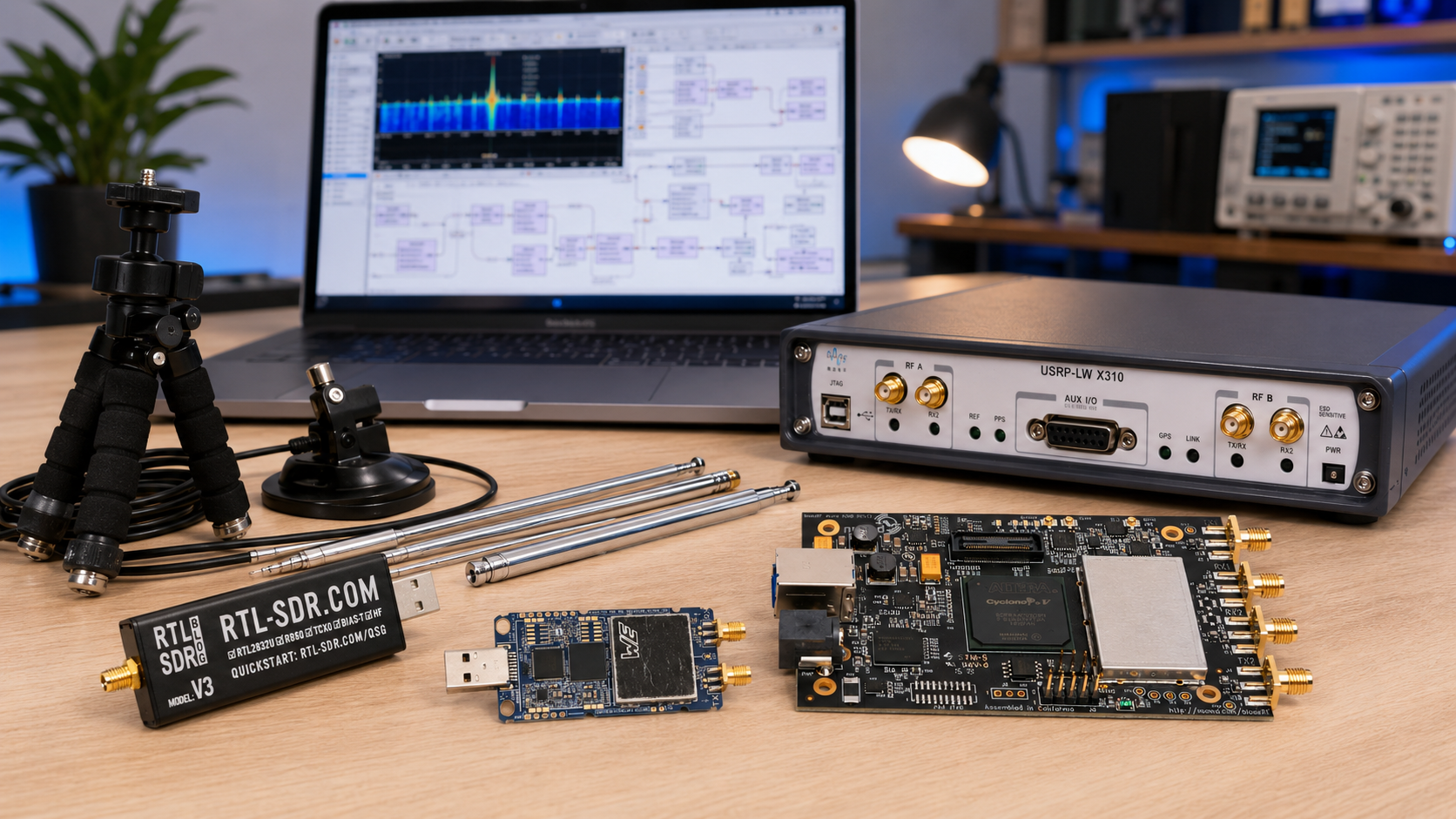
Updated: June 2026. This guide compares the best SDR hardware for GNU Radio projects, including RTL-SDR, HackRF One, HackRF Pro, PlutoSDR, PLUTO+ SDR, bladeRF 2.0 micro, and USRP B210. It covers beginner receiving, spectrum analysis, transmit and receive experiments, GNU Radio Companion flowgraphs, 2×2 MIMO, FPGA development, private 5G labs, university teaching, and research use cases.
GNU Radio can turn a computer and a software-defined radio into a flexible RF development environment.
Beginners can build an FM receiver, inspect a waterfall, decode ADS-B aircraft signals, receive weather satellites, and learn basic digital signal processing with an inexpensive RTL-SDR receiver.
More advanced users can generate signals, experiment with modulation and demodulation, build digital links, explore custom wireless protocols, process multiple synchronized channels, work with FPGA hardware accelerators, and create private 5G research testbeds.
The difficult part is choosing the correct SDR hardware.
There is no single best SDR for every GNU Radio project.
RTL-SDR is an excellent low-cost receive-only starting point. HackRF is useful when wide frequency coverage and portable half-duplex transmit capability matter. PlutoSDR-style devices provide affordable full-duplex learning. bladeRF is strong for 2×2 MIMO and FPGA-oriented development. USRP B210 is the safest all-round choice for serious communications research, UHD workflows, coherent MIMO, and private 5G labs.
This guide explains which device to buy, which projects each platform suits, which GNU Radio blocks and drivers are commonly used, when a cheaper SDR is enough, and when a research-grade platform is worth the additional cost.
Browse current hardware in the software-defined radio equipment category at SDRstore.eu.
Quick Answer: What Is the Best SDR for GNU Radio?
| Your Main GNU Radio Project | Recommended SDR | Main Reason |
|---|---|---|
| First GNU Radio project | RTL-SDR Blog V3 kit | Affordable, receive only, mature software support, and ideal for FM radio, waterfalls, ADS-B, satellites, and DSP fundamentals |
| Wideband RF exploration with portable TX and RX | HackRF Pro | 100 kHz–6 GHz operating coverage, half-duplex transmit or receive, USB-C, GNU Radio compatibility, and strong portability |
| Affordable full-duplex transceiver learning | Standard ADALM-PLUTO | Official education platform with one TX, one RX, up to 20 MHz instantaneous bandwidth, GNU Radio blocks, and libiio support |
| Affordable Pluto-style 2T2R and Ethernet projects | PLUTO+ SDR | Board-specific 2TX, 2RX, Gigabit Ethernet, MicroSD support, and Pluto-style workflows |
| FPGA development and portable 2×2 MIMO | bladeRF 2.0 micro xA4 | USB 3.0, 2×2 MIMO, 56 MHz filtered bandwidth, and programmable FPGA |
| Large FPGA projects and custom modem acceleration | bladeRF 2.0 micro xA9 | Larger FPGA resources for FFTs, filters, correlators, hardware accelerators, and HDL processing chains |
| Best all-round research SDR | USRP B210 | AD9361, coherent 2×2 MIMO, 70 MHz–6 GHz continuous coverage, USB 3.0, up to 56 MHz real-time bandwidth, UHD, and GNU Radio |
| Private 5G SA lab | USRP B210 | Strong documented path for GNU Radio, UHD, srsRAN, Open5GS, OpenAirInterface, and university research |
The easiest buying rule is:
- Choose RTL-SDR Blog V3 for your first GNU Radio receiver.
- Choose the HackRF Pro development board when wide coverage, portable half-duplex transmit capability, and RF experimentation matter most.
- Choose PLUTO+ SDR for affordable Pluto-style 2T2R and Ethernet projects.
- Choose bladeRF xA4 or bladeRF xA9 when FPGA development matters.
- Choose USRP B210 when you need a mature research platform with UHD, coherent 2×2 MIMO, and a clear upgrade path.
Best SDR for GNU Radio Comparison Table
| SDR | Receive or Transmit? | Frequency Direction | Bandwidth or Sample-Rate Direction | Channels | Host Interface | Best For |
|---|---|---|---|---|---|---|
| RTL-SDR Blog V3 | Receive only | Wideband receiver direction with HF direct-sampling support | Approximately 2.4 MHz commonly used stable bandwidth direction | 1 RX | USB | Beginners, FM, ADS-B, satellites, waterfalls, filters, and DSP fundamentals |
| HackRF One | Half-duplex transmit or receive | 1 MHz–6 GHz | Up to 20 MSPS | 1 RF path | USB | Portable wideband RF exploration, protocol learning, and single-channel experiments |
| HackRF Pro | Half-duplex transmit or receive | 100 kHz–6 GHz operating range with wider tuning direction | Up to 20 MSPS | 1 RF path | USB-C | Modern HackRF projects, portable development, wider HF direction, and wireless experimentation |
| Standard ADALM-PLUTO | Half- or full-duplex transmit and receive | 325 MHz–3.8 GHz official coverage | Up to 20 MHz instantaneous bandwidth | 1 TX and 1 RX exposed | USB | Education, MATLAB, Simulink, GNU Radio, libiio, and digital-communications learning |
| PLUTO+ SDR | Transmit and receive | Board-advertised expanded Pluto-style tuning direction | Confirm selected firmware and practical interface limits | 2 TX and 2 RX listed | Gigabit Ethernet and USB OTG | Affordable 2T2R, remote access, embedded projects, GNU Radio, and SDRangel |
| bladeRF 2.0 micro xA4 | Full-duplex transmit and receive | 47 MHz–6 GHz direction | 61.44 MSPS and 56 MHz filtered bandwidth direction | 2 TX and 2 RX | USB 3.0 | Portable 2×2 MIMO, FPGA introductions, GNU Radio, and SoapySDR |
| bladeRF 2.0 micro xA9 | Full-duplex transmit and receive | 47 MHz–6 GHz direction | 61.44 MSPS and 56 MHz filtered bandwidth direction | 2 TX and 2 RX | USB 3.0 | Large FPGA projects, custom DSP, HDL, modem acceleration, and advanced research |
| USRP B210 | Full-duplex transmit and receive | 70 MHz–6 GHz continuous coverage | Up to 56 MHz real-time bandwidth | 2 TX and 2 RX | USB 3.0 | UHD, coherent 2×2 MIMO, private 5G, universities, communications research, and professional projects |
What Is GNU Radio?
GNU Radio is an open-source software toolkit for building signal-processing systems.
Instead of relying only on fixed radio hardware, users can create signal-processing flowgraphs using software blocks.
A basic GNU Radio receiver may include:
SDR Source → Frequency Filter → Demodulator → Audio Filter → Audio SinkA basic digital transmitter may include:
Data Source → Modulator → Filter → SDR SinkA more advanced research flowgraph may include:
Multiple SDR Sources → Synchronization → Channel Estimation → Equalization → Decoder → Data AnalysisGNU Radio can be used for:
- FM radio reception
- AM and SSB reception
- Digital-signal processing
- Spectrum analyzers
- Waterfall displays
- Signal generators
- FSK, PSK, QAM, and OFDM experiments
- ADS-B receivers
- Satellite reception
- Weather-satellite projects
- IoT research
- Wireless-protocol development
- Custom modem development
- MIMO experiments
- FPGA acceleration
- Cellular research
- University teaching
- Authorized wireless-security research
GNU Radio Hardware Drivers Explained
GNU Radio does not connect to every SDR through one universal driver.
The correct block depends on the hardware and the installed software modules.
| SDR Hardware | Common GNU Radio Hardware Path | Typical GNU Radio Block Direction |
|---|---|---|
| RTL-SDR | SoapySDR or gr-osmosdr direction depending on the installed package | Soapy RTLSDR Source or compatible Osmocom Source workflow |
| HackRF One and HackRF Pro | HackRF integration through commonly used SoapySDR or gr-osmosdr workflows | Compatible source and sink block direction |
| ADALM-PLUTO and PLUTO+ SDR | libiio and GNU Radio IIO integration | PlutoSDR Source and PlutoSDR Sink direction |
| bladeRF 2.0 micro | libbladeRF, gr-osmosdr, or SoapySDR direction | Compatible source and sink block direction |
| USRP B210 and other USRP devices | UHD | USRP Source and USRP Sink |
Exact block names and available modules depend on your operating system, GNU Radio version, package manager, and installed drivers.
Install the hardware driver first, verify that the operating system detects the SDR, and then add the matching source or sink block in GNU Radio Companion.
Best Beginner SDR for GNU Radio: RTL-SDR Blog V3
The RTL-SDR Blog V3 kit is the strongest first purchase for most GNU Radio beginners.
It is inexpensive, receive only, easy to carry, and suitable for a wide range of real signals.
Why RTL-SDR is a strong first GNU Radio device
- Low cost
- Receive-only architecture
- Reduced RF safety concerns
- Mature software support
- Suitable for Windows, Linux, Raspberry Pi, and several other platforms
- Useful for practical signals rather than only simulated examples
- Compatible with beginner GNU Radio receiver tutorials
- Easy to assign one device to each student or pair
Best RTL-SDR GNU Radio projects
- FM broadcast receiver
- AM receiver
- Waterfall display
- Simple spectrum analyzer
- Gain comparison
- Bandwidth comparison
- Filter experiments
- ADS-B aircraft receiver
- AIS vessel receiver where geographically relevant
- NOAA weather-satellite reception
- Meteor satellite reception
- Shortwave listening through supported HF direction
- Remote Raspberry Pi receiver
- Python data logging
RTL-SDR limitations
- Receive only
- Limited instantaneous bandwidth compared with higher-tier SDRs
- 8-bit receiver architecture direction
- No full-duplex transmit and receive projects
- No MIMO
- Not designed for advanced cellular or wideband research
RTL-SDR V3 vs V4 vs V4 Lite for GNU Radio
RTL-SDR Blog V3 remains the safest default recommendation when mature driver compatibility matters.
RTL-SDR Blog V4 introduced an R828D tuner and a different RF front-end architecture. Original V4 production has become limited by R828D tuner availability.
RTL-SDR Blog V4 Lite, also called V4L, is a planned limited R828S-based continuation. It requires updated drivers, so buyers should verify current GNU Radio compatibility before standardizing a new laboratory deployment.
Read our comparison: RTL-SDR V3 vs V4 vs V4 Lite: Which Budget SDR Should You Buy?.
Read our setup guide: RTL-SDR Setup Guide for Windows: SDRSharp, SDR++, Zadig, Drivers, and First Signal.
Best Portable Wideband SDR for GNU Radio: HackRF Pro
HackRF is one of the most recognizable GNU Radio development platforms.
The original HackRF One remains useful, but HackRF Pro is the stronger modern recommendation when the budget allows it.
SDRstore.eu offers the HackRF Pro development board with USB-C.
HackRF Pro official direction
- 100 kHz–6 GHz operating coverage
- Tuning direction from 0 Hz–7.1 GHz
- Half-duplex transceiver
- Up to 20 million samples per second
- 8-bit quadrature samples
- GNU Radio compatibility
- Software-configurable RX and TX gain
- Software-configurable baseband filter
- Software-controlled RF-port power
- SMA RF connector
- SMA clock input and output
- USB Type-C connector
- Built-in TCXO direction
- FPGA upgrade direction
- Improved RF-performance direction
Why HackRF Pro is useful with GNU Radio
- Very broad frequency coverage
- Portable design
- Transmit or receive capability
- Strong community ecosystem
- Good fit for protocol exploration
- Suitable for custom GNU Radio flowgraphs
- Clock input and output support
- Useful for teaching RF concepts
- Useful for controlled wireless-security research
Best HackRF GNU Radio projects
- Wideband spectrum exploration
- FM and AM receiving
- Basic transmit experiments
- FSK transmit and receive projects
- OOK and ASK demonstrations
- ISM-band experimentation
- Signal replay in authorized test environments
- Custom protocol learning
- Satellite receiving
- RF education
- Portable development
- Clock synchronization demonstrations
HackRF limitations
- Half duplex rather than simultaneous transmit and receive
- Single RF path
- 8-bit IQ samples
- No 2×2 MIMO
- Not the best choice for projects requiring full-duplex links
- Not the best choice for private 5G MIMO labs
HackRF One vs HackRF Pro
| Feature | HackRF One | HackRF Pro |
|---|---|---|
| Operating frequency direction | 1 MHz–6 GHz | 100 kHz–6 GHz |
| Tuning direction | Wideband | 0 Hz–7.1 GHz tuning direction |
| Duplex mode | Half duplex | Half duplex |
| Maximum sample rate | Up to 20 MSPS | Up to 20 MSPS |
| Sample depth direction | 8-bit IQ | 8-bit IQ |
| USB connector | Older connector direction | USB Type-C |
| Clock direction | Original HackRF architecture | Built-in TCXO and improved clocking direction |
| Best buyer | Existing HackRF user and budget-conscious buyer | New buyer who wants the stronger modern development-board direction |
Read our guide: HackRF Pro vs HackRF One Inside PortaPack H4M: Is the Upgrade Worth It?.
Do You Need a PortaPack H4M for GNU Radio?
No.
GNU Radio normally runs on a computer. A HackRF board connects to the computer and GNU Radio performs the signal processing.
A PortaPack H4M is useful when you also want:
- Portable standalone RF use
- A built-in screen
- Mayhem firmware
- Field demonstrations
- Computer-free spectrum exploration
- A handheld companion for HackRF experiments
Choose a HackRF Pro development board for a dedicated computer-based GNU Radio bench.
Browse HackRF One, HackRF Pro, PortaPack H4M, H4M Clifford, and H4M Pro products when portable standalone use also matters.
Best Affordable Full-Duplex GNU Radio Learning Platform: ADALM-PLUTO
Standard ADALM-PLUTO is one of the clearest official platforms for learning transmit and receive SDR workflows.
It is designed as an active-learning module for students, instructors, and developers.
Official ADALM-PLUTO direction
- Analog Devices AD9363 RF transceiver
- Xilinx Zynq Z-7010 FPGA
- 325 MHz–3.8 GHz official RF coverage
- Up to 20 MHz instantaneous bandwidth
- Flexible-rate 12-bit ADC and DAC
- One transmitter
- One receiver
- Half- or full-duplex operation
- GNU Radio source and sink blocks
- MATLAB and Simulink support
- libiio API
- Compact USB-powered design
Best ADALM-PLUTO GNU Radio projects
- FM transmitter and receiver experiments
- FSK, PSK, and QAM demonstrations
- Digital-link fundamentals
- OFDM introductions
- Filter design
- IQ-sample processing
- Controlled cabled loopback tests
- Link-budget experiments
- MATLAB and GNU Radio comparison projects
- libiio development
ADALM-PLUTO limitations
- One exposed transmitter and one exposed receiver
- Not a full 2×2 MIMO board
- Official coverage limited to 325 MHz–3.8 GHz
- Up to 20 MHz instantaneous bandwidth
- USB-interface limits compared with higher-tier research SDRs
PLUTO+ SDR: Affordable 2T2R and Ethernet for GNU Radio
SDRstore.eu offers the PLUTO+ SDR AD9363 2T2R transceiver.
PLUTO+ is useful for buyers who like PlutoSDR-style development but want additional board-level features.
PLUTO+ SDR listed board direction
- AD9363 RFIC direction
- Two transmit channels
- Two receive channels
- Gigabit Ethernet
- USB OTG
- MicroSD boot support
- External-reference-clock direction
- Zynq7010 FPGA direction
- 512 MB RAM direction
- Board-advertised expanded tuning profile
Best PLUTO+ GNU Radio projects
- Remote SDR access over Ethernet
- Pluto-style GNU Radio flowgraphs
- SDRangel and GNU Radio comparison projects
- 2T2R learning
- MIMO introductions
- Controlled digital-communications experiments
- Embedded Linux learning
- MicroSD boot projects
- University communications labs
- Budget-conscious RF prototyping
Important PLUTO+ buyer note
PLUTO+ is not identical to standard ADALM-PLUTO.
Standard ADALM-PLUTO officially exposes one transmitter and one receiver with 325 MHz–3.8 GHz coverage and up to 20 MHz instantaneous bandwidth.
PLUTO+ is an expanded Pluto-style board design with additional board-level features.
Treat expanded tuning and bandwidth claims as board-specific. Verify the selected firmware profile, exposed RF channels, host-interface limits, clocking, and expected performance at your target frequency.
Read our guides:
- PLUTO+ SDR Review: AD9363 2T2R SDR Transceiver with Ethernet and 70 MHz–6 GHz Coverage
- PLUTO+ SDR Setup Guide: First Signal with SDRangel, GNU Radio, and Ethernet
- AD9361 vs AD9363 SDR Boards: Bandwidth, MIMO, Use Cases, and Buyer Advice
Best SDR for GNU Radio FPGA Projects: bladeRF 2.0 micro
Nuand bladeRF 2.0 micro is one of the strongest platforms for GNU Radio users who want a compact SDR with 2×2 MIMO and a serious FPGA-development path.
SDRstore.eu offers:
Official bladeRF 2.0 micro direction
- 47 MHz–6 GHz frequency-range direction
- 2×2 MIMO streaming
- 61.44 MSPS sampling rate
- 56 MHz filtered bandwidth
- USB 3.0 SuperSpeed
- USB bus power
- External-power option
- Factory-calibrated VCTCXO direction
- Clock input and output direction
- 10 MHz reference-taming direction
- GNU Radio compatibility through libbladeRF
- SoapySDR direction
- Windows, Linux, and macOS support
- Open libraries, firmware, HDL, and schematics direction
bladeRF xA4 vs xA9
| Feature | bladeRF xA4 | bladeRF xA9 |
|---|---|---|
| Frequency direction | 47 MHz–6 GHz | 47 MHz–6 GHz |
| MIMO | 2×2 | 2×2 |
| Filtered bandwidth | 56 MHz direction | 56 MHz direction |
| Host interface | USB 3.0 | USB 3.0 |
| FPGA direction | 49KLE Cyclone V variant | 301KLE Cyclone V variant |
| Best buyer | Developer who wants portable MIMO and FPGA introductions | Researcher who needs larger HDL pipelines and hardware accelerators |
Choose bladeRF xA4 for:
- GNU Radio source and sink projects
- SoapySDR workflows
- Portable 2×2 MIMO
- Custom wireless protocols
- FPGA introductions
- University teaching
- Senior undergraduate projects
Choose bladeRF xA9 for:
- Large FPGA projects
- FFT pipelines
- Hardware filters
- Transmit modulators
- Receive acquisition correlators
- Burst modems
- Hardware accelerators
- HDL signal-processing chains
- Postgraduate research
- Professional RF development
bladeRF limitations
- It is not a drop-in replacement for every UHD-based USRP tutorial.
- Check cellular-stack compatibility before standardizing a private-network lab.
- The xA9 costs more and is only necessary when the larger FPGA will be used.
Browse bladeRF devices and accessories.
Best Research SDR for GNU Radio: USRP B210
The USRP B210 USB SDR is the strongest default purchase for many university laboratories, communications researchers, telecom developers, and professional GNU Radio users.
It is more expensive than RTL-SDR, HackRF, and Pluto-style devices.
However, it provides a mature research path with UHD, coherent 2×2 MIMO, USB 3.0, an AD9361 RFIC, wide continuous coverage, and extensive documentation.
USRP B210 official direction
- Analog Devices AD9361 RFIC
- Continuous 70 MHz–6 GHz coverage
- Two transmit channels
- Two receive channels
- Full-duplex operation
- Coherent 2×2 MIMO
- Up to 56 MHz real-time bandwidth
- 61.44 MS/s quadrature-throughput direction
- SuperSpeed USB 3.0
- USB bus power
- Spartan-6 FPGA
- UHD support
- GNU Radio support
- External timing-reference direction
Best USRP B210 GNU Radio projects
- Wideband receivers
- Custom transmitters
- 2×2 MIMO links
- MIMO-OFDM
- Channel estimation
- Cellular experimentation
- Private 5G SA labs
- srsRAN Project
- Open5GS
- OpenAirInterface
- LTE research
- Wi-Fi research
- GNSS experiments
- IoT development
- Wireless-security research in controlled environments
- University communications laboratories
Why UHD matters
UHD is the USRP Hardware Driver software architecture.
GNU Radio provides USRP Source and USRP Sink blocks for UHD-based workflows.
A B210 flowgraph can also provide a clearer upgrade path toward higher-tier USRP platforms when a laboratory later needs networked SDR hardware, wider bandwidth, additional RF channels, modular daughterboards, PCIe, 10 Gigabit Ethernet, or rack-mounted systems.
USRP B210 limitations
- Higher purchase cost than beginner SDRs
- USB 3.0 limits scaling compared with networked SDR systems
- Not the correct choice for every independent RF-chain workflow
- Smaller FPGA than higher-tier USRP platforms
- Advanced multi-cell projects may require X310 or another suitable platform
Read our guides:
- USRP B210 vs X310: Which SDR Should a Research Lab Buy?
- Best SDR for 5G Research: USRP B210, X310, X410, and Lower-Cost Alternatives
- OpenAirInterface vs srsRAN: Which Open-Source 5G Stack Is Better for Your SDR Lab?
- 2×2 MIMO SDR Explained: USRP B210, PLUTO+, bladeRF, LimeSDR, and Research Use Cases
RTL-SDR vs HackRF vs PlutoSDR vs bladeRF vs USRP B210
| Question | Best Choice |
|---|---|
| What should a complete beginner buy? | RTL-SDR Blog V3 kit |
| What should a student buy after RTL-SDR? | Standard ADALM-PLUTO or PLUTO+ SDR depending on channel and Ethernet requirements |
| What is the best portable wideband half-duplex SDR? | HackRF Pro |
| What is the best affordable Ethernet-connected Pluto-style SDR? | PLUTO+ SDR |
| What is the best compact FPGA-focused SDR? | bladeRF 2.0 micro |
| Should I buy bladeRF xA4 or xA9? | xA4 for portable MIMO and learning; xA9 for larger HDL and hardware-acceleration projects |
| What is the best all-round SDR for serious GNU Radio research? | USRP B210 |
| What is the best starting SDR for a private 5G lab? | USRP B210 |
| What should a university buy for student desks? | RTL-SDR receivers for every desk, shared Pluto-style boards, and selected B210 or bladeRF research benches |
Which SDR Is Best for Your First GNU Radio Project?
Start with RTL-SDR Blog V3.
Recommended first project
- Install GNU Radio.
- Install the appropriate RTL-SDR driver path.
- Connect the RTL-SDR receiver.
- Add a compatible RTL-SDR source block.
- Set the center frequency to a local FM broadcast station.
- Add a waterfall or frequency sink.
- Add filtering and FM demodulation.
- Add an audio sink.
- Compare antenna placement and receiver gain.
GNU Radio’s official tutorials include an RTL-SDR FM receiver exercise, making this a practical starting point.
Which SDR Is Best for Transmit and Receive GNU Radio Projects?
| Project Requirement | Recommended SDR |
|---|---|
| Single-channel portable half-duplex experiments | HackRF Pro |
| Official affordable one-channel full-duplex learning | ADALM-PLUTO |
| Affordable Pluto-style 2T2R and Ethernet projects | PLUTO+ SDR |
| Portable 2×2 MIMO with FPGA development | bladeRF 2.0 micro |
| Mature UHD, coherent 2×2 MIMO, and professional research | USRP B210 |
Which SDR Is Best for GNU Radio MIMO Projects?
Choose USRP B210 for the strongest default GNU Radio MIMO research path.
bladeRF 2.0 micro is a strong alternative when FPGA development matters.
PLUTO+ SDR is useful for lower-cost 2T2R experimentation when its board-specific capabilities match the project.
| MIMO Project | Recommended SDR Direction |
|---|---|
| Affordable MIMO introduction | PLUTO+ SDR after validating the selected firmware and interface limits |
| Coherent 2×2 MIMO with UHD | USRP B210 |
| FPGA-oriented MIMO | bladeRF xA4 or xA9 |
| Private 5G learning | USRP B210 |
| Advanced handover requiring independent RF chains | USRP X310 with suitable daughterboards rather than B210 |
Read our guide: 2×2 MIMO SDR Explained: USRP B210, PLUTO+, bladeRF, LimeSDR, and Research Use Cases.
Which SDR Is Best for FPGA Development?
Choose bladeRF 2.0 micro when FPGA development is one of the main goals.
| FPGA Goal | Recommended SDR |
|---|---|
| Learn the relationship between GNU Radio and SDR hardware | PLUTO+ SDR or bladeRF xA4 |
| Build portable FPGA-oriented projects | bladeRF xA4 |
| Build large HDL signal-processing chains | bladeRF xA9 |
| Use UHD with a reprogrammable FPGA direction | USRP B210 |
| Move into rack-based FPGA research | Compare X310 and higher-tier USRP platforms |
Which SDR Is Best for Private 5G Research?
Choose USRP B210 for the first practical GNU Radio-compatible private 5G lab.
B210 is relevant to:
- srsRAN Project
- Open5GS
- OpenAirInterface
- GNU Radio
- UHD
- Coherent 2×2 MIMO
- Controlled COTS handset experiments
- University communications teaching
Move to X310 or another higher-tier platform when the experiment requires independent RF chains, modular RF daughterboards, 10 Gigabit Ethernet, PCIe, wider bandwidth, larger FPGA resources, or rack-based infrastructure.
Read our guide: Best SDR for 5G Research: USRP B210, X310, X410, and Lower-Cost Alternatives.
Best GNU Radio Hardware for Universities
Universities should not buy one expensive SDR for every desk.
A layered approach is more effective.
| University Lab Layer | Recommended Hardware | Main Use |
|---|---|---|
| Beginner student stations | RTL-SDR Blog V3 kits | FM, waterfalls, ADS-B, satellites, antennas, filters, gain, and GNU Radio fundamentals |
| Controlled communications benches | ADALM-PLUTO-class devices or PLUTO+ SDR | Transmit and receive projects, digital links, GNU Radio sinks, modulation, demodulation, and Ethernet experiments |
| FPGA research benches | bladeRF xA4 and xA9 | Custom DSP, HDL, FFTs, filters, correlators, modem acceleration, and hardware-software co-design |
| Shared communications-research bench | USRP B210 | UHD, coherent 2×2 MIMO, private 5G, srsRAN, OpenAirInterface, and advanced GNU Radio |
| Advanced rack-based research | USRP X310 or higher-tier platform | Independent RF chains, handover, modular daughterboards, 10 Gigabit Ethernet, PCIe, and scalable systems |
Read our guides:
- How to Build a University SDR Lab: Hardware Checklist for Teaching and Research
- SDR Hardware for Universities: Beginner, Intermediate, and Advanced Lab Setups
GNU Radio Projects by Difficulty
Beginner projects
- FM broadcast receiver
- Waterfall display
- Basic spectrum analyzer
- Gain comparison
- Antenna comparison
- ADS-B receiving
- Weather-satellite reception
- Remote Raspberry Pi receiver
Intermediate projects
- AM transmitter and receiver through a protected cabled path
- FSK modem
- QPSK digital link
- QAM experiment
- OFDM introduction
- Symbol-timing recovery
- Carrier-recovery experiments
- Filter comparison
- Python automation
- Remote PLUTO+ access over Ethernet
Advanced projects
- 2×2 MIMO link
- MIMO-OFDM
- Channel estimation
- FPGA-accelerated FFT
- Hardware filtering
- Custom modem acceleration
- Private 5G SA lab
- OpenAirInterface experiments
- srsRAN experiments
- RF dataset generation
- Wireless-security research in an isolated authorized environment
Computer Requirements for GNU Radio
Computer requirements depend on bandwidth, active channels, DSP complexity, recording requirements, and whether the project transmits, receives, or does both simultaneously.
| SDR Project | Computer Direction |
|---|---|
| RTL-SDR beginner receiver | Modern Windows or Linux computer with reliable USB ports |
| HackRF single-channel project | Modern computer with reliable USB connectivity and enough CPU for the selected sample rate |
| ADALM-PLUTO or PLUTO+ project | Modern computer with USB and Ethernet direction where required |
| bladeRF 2×2 MIMO project | Modern computer with reliable USB 3.0 and enough CPU or FPGA offload for the processing chain |
| USRP B210 research project | Modern Linux workstation with direct USB 3.0 connectivity and sufficient CPU performance |
| Wideband multi-channel IQ recording | Fast SSD storage, sufficient RAM, high-throughput interface, and a carefully tested host system |
Computer setup advice
- Prefer direct motherboard USB ports.
- Avoid overloaded USB hubs.
- Use SSD storage for IQ recordings.
- Reduce sample rate when the computer drops samples.
- Test the source block before building a complex flowgraph.
- Document driver and firmware versions.
- Use version control for GNU Radio Companion flowgraphs.
- Use Linux for advanced development when practical.
RF Accessories for GNU Radio Projects
The SDR board is only one part of the system.
- Suitable antennas
- Short SMA cables
- SMA adapters
- SMA-to-BNC adapters
- SMA-to-N adapters
- Fixed attenuators
- Variable attenuators
- 50-ohm dummy loads
- DC blocks
- Bias tees
- Band-pass filters
- FM rejection filters
- LNAs
- Directional couplers
- Shielded test enclosures
- External reference clocks where required
- NanoVNA for antennas, filters, and cables
- TinySA Ultra for spectrum scanning and protected RF measurements
Browse:
- Antennas and RF accessories
- RF amplifiers, LNAs, and signal boosters
- RF test and measurement equipment
Safe Transmit Testing with GNU Radio
Start with a cabled and attenuated signal path when practical.
Safe concept
SDR TX → suitable attenuation → optional additional attenuation → protected SDR RXCalculate expected signal levels before connecting hardware.
Never connect a transmitter output directly to a sensitive receiver input without verifying the maximum input level and adding suitable attenuation.
Never connect a transmitter directly to a NanoVNA or TinySA input.
Use dummy loads, couplers, samplers, attenuation, DC blocks, and conservative safety margins.
Legal Warning
Transmit-capable SDR hardware must be used responsibly.
Use:
- Authorized frequencies
- Low transmit power
- Conducted RF paths
- Shielded test environments
- Suitable attenuation
- Dummy loads
- Systems you own
- Systems you have explicit permission to test
- Regulator approval where required
Do not interfere with public cellular networks, emergency services, aviation, maritime systems, satellites, or other radio users.
Common GNU Radio Hardware Buying Mistakes
Buying HackRF when simultaneous transmit and receive is required
HackRF is half duplex. Choose ADALM-PLUTO, PLUTO+, bladeRF, USRP B210, or another suitable full-duplex platform when simultaneous transmit and receive is required.
Buying RTL-SDR for transmit projects
RTL-SDR is receive only. It is an excellent beginner receiver but cannot replace a transceiver.
Assuming standard ADALM-PLUTO supports 2×2 MIMO
Standard ADALM-PLUTO exposes one transmitter and one receiver. Choose PLUTO+, bladeRF, B210, or another validated platform when multiple channels are required.
Assuming PLUTO+ is identical to standard ADALM-PLUTO
PLUTO+ is an expanded Pluto-style board. Verify its selected firmware, RF channels, host-interface limits, and expected board-level performance.
Buying bladeRF xA9 without using the larger FPGA
Choose xA9 when large HDL processing chains justify the cost. Choose xA4 when portable MIMO and FPGA introductions are enough.
Buying USRP B210 for a simple FM receiver
B210 is a powerful platform, but RTL-SDR is enough for basic receiving lessons.
Buying only by frequency range
Also compare duplex mode, bandwidth, sample depth, exposed channels, clocking, interface, drivers, FPGA resources, and software compatibility.
Ignoring RF accessories
Antennas, filters, LNAs, attenuators, dummy loads, cables, adapters, and test tools are part of the setup.
Transmitting without authorization
Use legal frequencies, conducted RF paths, shielding, attenuation, and safe procedures.
Where to Browse GNU Radio SDR Hardware
- Software-defined radio equipment
- RTL-SDR receivers, kits, filters, antennas, and LNAs
- RTL-SDR Blog V3 kit
- HackRF One, HackRF Pro, PortaPack H4M, H4M Clifford, and H4M Pro products
- HackRF Pro development board
- PlutoSDR and PLUTO+ SDR boards
- PLUTO+ SDR AD9363 2T2R transceiver
- bladeRF devices and accessories
- bladeRF 2.0 micro xA4
- bladeRF 2.0 micro xA9
- bladeRF 2.0 micro xA9 THERMAL
- USRP SDR devices, boards, and accessories
- USRP B210 USB SDR with AD9361, UHD, and GNU Radio
- Antennas and RF accessories
- RF amplifiers, LNAs, and signal boosters
- RF test and measurement equipment
Request a Quote for University, Laboratory, and Business Orders
Universities, research institutes, telecom teams, engineering departments, cybersecurity firms, integrators, and purchasing departments can request a formal quotation directly from SDRstore.eu.
Use the Add to Quote button on product pages or the document icon on product cards.
Use the quote system for:
- RTL-SDR classroom kits
- HackRF Pro development boards
- PLUTO+ SDR boards
- bladeRF xA4 and xA9 devices
- USRP B210 units
- GNU Radio teaching labs
- FPGA-development benches
- Private 5G research equipment
- Bulk pricing
- Antennas
- RF cables
- Attenuators
- Dummy loads
- Filters
- LNAs
- Clocking accessories
- RF test equipment
Read our guide: Request a Quote Online: A Faster Way to Get Custom Pricing from SDRstore.eu.
Related SDRstore.eu Guides
- Best SDR Software in 2026: SDR++, SDRSharp, SDRangel, GQRX, GNU Radio, SatDump, and OpenWebRX Compared
- RTL-SDR Setup Guide for Windows: SDRSharp, SDR++, Zadig, Drivers, and First Signal
- HackRF One vs RTL-SDR: Which SDR Should You Buy?
- PlutoSDR vs HackRF One: Which SDR Is Better for Transmit, Receive, and Research?
- PLUTO+ SDR Setup Guide: First Signal with SDRangel, GNU Radio, and Ethernet
- AD9361 vs AD9363 SDR Boards: Bandwidth, MIMO, Use Cases, and Buyer Advice
- 2×2 MIMO SDR Explained: USRP B210, PLUTO+, bladeRF, LimeSDR, and Research Use Cases
- Best SDR for 5G Research: USRP B210, X310, X410, and Lower-Cost Alternatives
- How to Build a University SDR Lab: Hardware Checklist for Teaching and Research
- SDR Hardware for Universities: Beginner, Intermediate, and Advanced Lab Setups
Official Resources
- GNU Radio official website
- GNU Radio official tutorials
- GNU Radio RTL-SDR FM receiver tutorial
- GNU Radio installation guide
- GNU Radio SoapySDR integration guide
- Great Scott Gadgets HackRF One official page
- Great Scott Gadgets HackRF Pro official page
- Analog Devices ADALM-PLUTO official page
- Nuand bladeRF 2.0 micro official page
- Ettus Research USRP B210 official page
- Ettus UHD and GNU Radio toolchain guide
Final Verdict: Best SDR for GNU Radio Projects
Start with RTL-SDR Blog V3 if you are new to GNU Radio.
It is affordable, receive only, easy to deploy, and suitable for FM reception, waterfalls, ADS-B, satellites, filters, antennas, gain experiments, remote Raspberry Pi stations, and beginner DSP flowgraphs.
Choose HackRF Pro when you need a portable wideband half-duplex development platform. It is a strong choice for spectrum exploration, controlled transmit projects, protocol learning, RF education, and authorized wireless experimentation from 100 kHz–6 GHz operating direction.
Choose standard ADALM-PLUTO when you want an official lower-cost full-duplex learning module with GNU Radio source and sink blocks, 12-bit ADC and DAC, one transmitter, one receiver, and up to 20 MHz instantaneous bandwidth.
Choose PLUTO+ SDR when you want an affordable expanded Pluto-style board with listed 2TX and 2RX paths, Gigabit Ethernet, MicroSD boot support, and a practical route into remote SDR and 2T2R experiments.
Choose bladeRF 2.0 micro when FPGA work matters. xA4 is a strong portable MIMO development board. xA9 is the better choice when large HDL projects, FFT pipelines, filters, correlators, burst modems, or hardware accelerators justify the larger FPGA.
Choose USRP B210 when you need the strongest all-round GNU Radio research platform in this comparison.
B210 combines continuous 70 MHz–6 GHz coverage, an AD9361 RFIC, coherent 2×2 MIMO, full-duplex operation, up to 56 MHz real-time bandwidth, USB 3.0, UHD, GNU Radio, and a clear path toward advanced communications research and private 5G labs.
Do not buy only by frequency range.
Compare duplex mode, sample depth, bandwidth, RF channels, clocking, interface, FPGA resources, drivers, accessories, software stack, and the actual project you want to complete.
FAQ
What is the best SDR for GNU Radio beginners?
RTL-SDR Blog V3 is one of the best starting devices for GNU Radio beginners. It is affordable, receive only, easy to deploy, and suitable for FM radio, waterfalls, ADS-B, satellites, antennas, filters, gain experiments, and basic DSP.
Can RTL-SDR be used with GNU Radio?
Yes. RTL-SDR works with GNU Radio through compatible source blocks and driver integrations such as SoapySDR or gr-osmosdr direction. GNU Radio’s official tutorials include an RTL-SDR FM receiver exercise.
Can RTL-SDR transmit with GNU Radio?
No. RTL-SDR is receive only. Choose HackRF, ADALM-PLUTO, PLUTO+, bladeRF, USRP B210, or another suitable transceiver for transmit projects.
Is HackRF good for GNU Radio?
Yes. HackRF is a strong GNU Radio development platform for wideband spectrum exploration, portable receiving, controlled transmit experiments, protocol learning, RF education, and authorized wireless research.
Should I buy HackRF One or HackRF Pro for GNU Radio?
HackRF Pro is the stronger modern recommendation when the budget allows it. It adds 100 kHz–6 GHz operating coverage, USB-C, a TCXO direction, FPGA upgrade direction, improved RF-performance direction, and GNU Radio compatibility.
Is HackRF full duplex?
No. HackRF One and HackRF Pro are half-duplex transceivers. They can transmit or receive, but not both simultaneously.
Do I need a PortaPack H4M for GNU Radio?
No. GNU Radio normally runs on a computer. PortaPack H4M is useful when you also want a screen, Mayhem firmware, portable standalone use, field demonstrations, and computer-free RF exploration.
Can ADALM-PLUTO be used with GNU Radio?
Yes. Analog Devices lists GNU Radio source and sink blocks for ADALM-PLUTO. It also supports libiio, MATLAB, and Simulink workflows.
Is standard ADALM-PLUTO 2×2 MIMO?
No. Standard ADALM-PLUTO exposes one transmitter and one receiver. It remains a strong official education platform for affordable full-duplex learning.
Can PLUTO+ SDR be used with GNU Radio?
Yes. PLUTO+ SDR follows Pluto-style development workflows and is useful for GNU Radio, SDRangel, Ethernet-connected projects, embedded experiments, and affordable 2T2R learning.
What is the difference between ADALM-PLUTO and PLUTO+ SDR?
Standard ADALM-PLUTO officially exposes one transmitter and one receiver with 325 MHz–3.8 GHz coverage and up to 20 MHz instantaneous bandwidth. PLUTO+ is an expanded Pluto-style board that lists 2TX, 2RX, Gigabit Ethernet, MicroSD support, and board-specific expanded operation.
Can bladeRF be used with GNU Radio?
Yes. Nuand lists GNU Radio compatibility through libbladeRF. bladeRF 2.0 micro is also relevant to SoapySDR workflows and works on Windows, Linux, and macOS.
Should I buy bladeRF xA4 or xA9?
Choose xA4 for portable 2×2 MIMO, GNU Radio, SoapySDR, and FPGA introductions. Choose xA9 when the project needs more FPGA logic for FFTs, filters, correlators, modem acceleration, and HDL processing chains.
Can USRP B210 be used with GNU Radio?
Yes. USRP B210 works with GNU Radio through UHD. GNU Radio provides USRP Source and USRP Sink blocks for UHD-based workflows.
Is USRP B210 worth buying for GNU Radio?
Yes, when the project needs a mature research platform. B210 offers continuous 70 MHz–6 GHz coverage, coherent 2×2 MIMO, full-duplex operation, up to 56 MHz real-time bandwidth, USB 3.0, UHD, and GNU Radio support.
What is the best SDR for GNU Radio MIMO projects?
USRP B210 is the strongest default choice for mature UHD-based coherent 2×2 MIMO projects. bladeRF 2.0 micro is a strong alternative when FPGA development matters. PLUTO+ SDR is useful for lower-cost 2T2R experimentation.
What is the best SDR for GNU Radio FPGA projects?
bladeRF 2.0 micro is one of the strongest compact FPGA-focused choices. Choose xA4 for introductions and xA9 when large HDL pipelines, FFTs, filters, correlators, and hardware accelerators require more FPGA resources.
What is the best SDR for private 5G and GNU Radio research?
USRP B210 is a strong starting point for private 5G labs, srsRAN, Open5GS, OpenAirInterface, UHD, coherent 2×2 MIMO, and advanced GNU Radio experiments.
Can GNU Radio run on Windows?
Yes. GNU Radio can run on Windows. Linux is often the simplest choice for advanced SDR development, but the best operating system depends on your hardware drivers, workflow, and software stack.
What accessories do I need for GNU Radio projects?
Common accessories include suitable antennas, RF cables, SMA adapters, attenuators, dummy loads, DC blocks, bias tees, filters, LNAs, directional couplers, shielded test boxes, external clocking where required, and RF test equipment.
Can I connect an SDR transmitter directly to a receiver?
Not without checking the maximum input level and adding suitable attenuation. Use protected cabled paths, dummy loads, couplers, samplers, and conservative safety margins.
Can I transmit legally with GNU Radio?
Rules vary by country. Use authorized frequencies, low power, shielded or conducted RF paths, attenuation, systems you own, systems you have permission to test, and regulator approval where required.
How can a university or company request a formal quote?
Add the required SDR hardware to a quote request directly from SDRstore.eu product pages using the Add to Quote button or from product cards using the document icon. Include quantities, frequency ranges, bandwidth, transmit and receive requirements, GNU Radio projects, accessories, and future upgrade plans.
No posts found
Write a review






We support all major card and digital payment options. More local methods are available and shown during checkout.
You enter into a binding sales contract once you have received an 'order confirmation and sales receipt' email from us, in line with our Sales & Delivery conditions. Therefore, sdrstore.eu has the right to cancel your order in the event of technical problems, delivery failure, Fair use policy and other similar situations.






Your payments are protected by advanced encryption and 3-D Secure authentication for safe online shopping.