








HackRF One vs RTL-SDR: Which SDR Should You Buy?
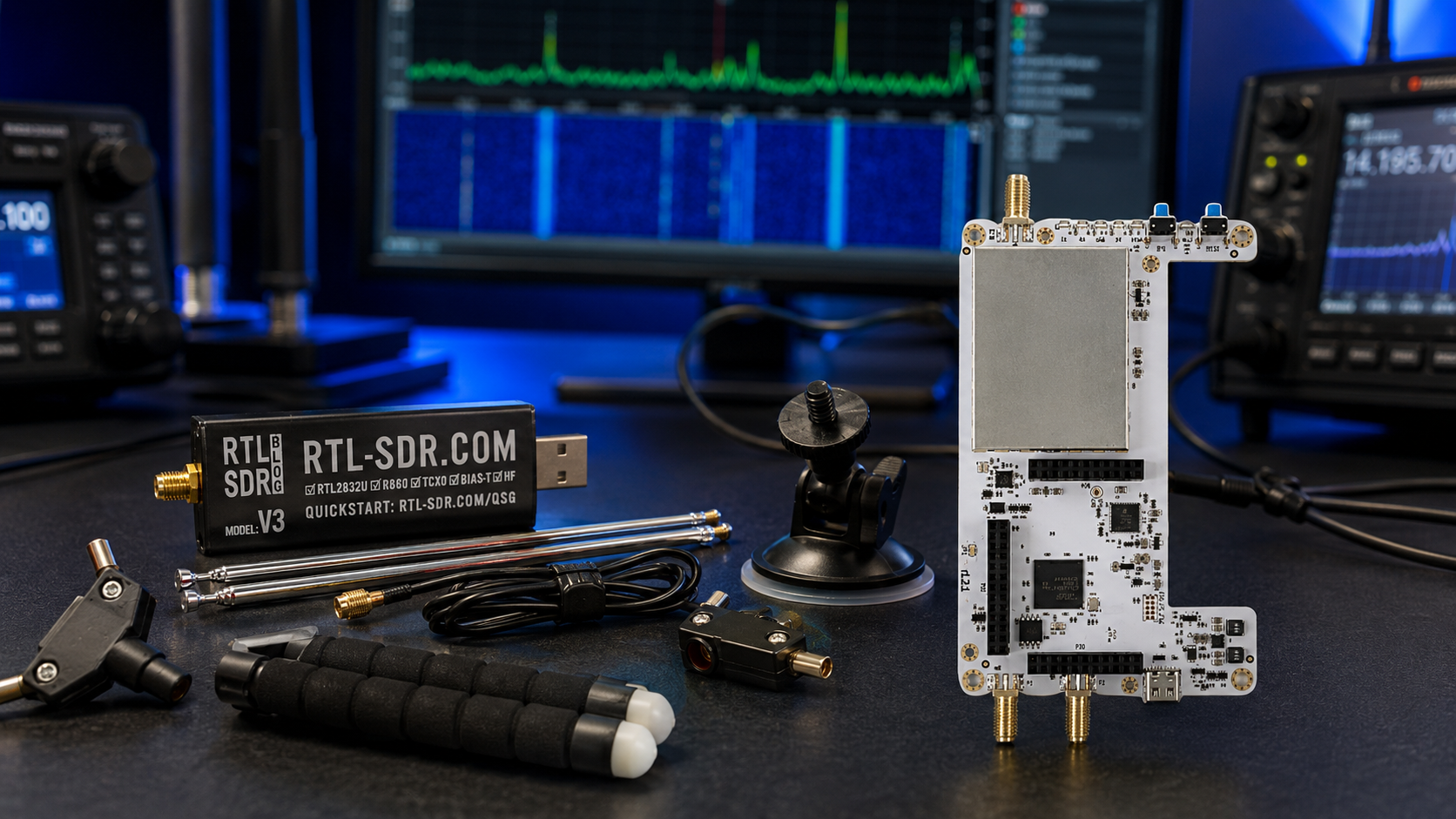
Updated: June 2026. This guide compares HackRF One and RTL-SDR for beginners, radio listeners, SDR enthusiasts, students, developers, and users considering a portable HackRF PortaPack H4M.
HackRF One and RTL-SDR are two of the most popular software-defined radio platforms, but they are built for different users.
RTL-SDR is an affordable receive-only SDR. It is one of the easiest ways to start exploring radio signals, aircraft tracking, marine AIS, weather satellites, amateur-radio reception, FM broadcast stations, digital decoders, and remote Raspberry Pi projects.
HackRF One is a wider-frequency half-duplex SDR transceiver. It can receive and transmit between 1 MHz and 6 GHz, provides substantially more instantaneous bandwidth, works with development tools such as GNU Radio, and can be paired with a PortaPack H4M for portable screen-based use.
The more expensive device is not automatically the better purchase. A beginner who only wants to receive signals may get more value from an RTL-SDR kit and a suitable antenna. A developer who needs authorized transmit experiments, wider bandwidth, or coverage up to 6 GHz may need HackRF One.
This HackRF One vs RTL-SDR guide explains the differences clearly, including frequency coverage, bandwidth, receiving, transmitting, antennas, software, portable use, HF, VHF, UHF, satellites, ADS-B, Raspberry Pi, GNU Radio, and buyer recommendations.
To compare additional radios, read our Best SDR Receivers in 2026: RTL-SDR, SDRplay, Airspy, HackRF, PlutoSDR, and More guide.
Quick Answer: Should You Buy HackRF One or RTL-SDR?
| Choose | Best For | Main Reason |
|---|---|---|
| RTL-SDR Blog V3 Kit | Beginners, listening, ADS-B, AIS, satellites, Raspberry Pi, scanners, and affordable SDR learning | Low cost, mature software support, and enough capability for many receive-only projects |
| HackRF One | Wideband RF experimentation, GNU Radio, development, and authorized transmit-and-receive testing | 1 MHz–6 GHz coverage, half-duplex transmission, and up to 20 million samples per second |
| HackRF PortaPack H4M | Portable spectrum exploration and screen-based field workflows | Combines HackRF hardware with a display, physical controls, and Mayhem firmware |
The simplest recommendation is:
- Buy RTL-SDR first if you mainly want to receive signals and learn SDR affordably.
- Buy HackRF One if you already know that you need wider 1 MHz–6 GHz coverage, up to 20 MHz sample rates, or authorized transmit experiments.
- Buy a HackRF PortaPack H4M bundle if portable screen-based RF exploration is one of your priorities.
HackRF One vs RTL-SDR Comparison Table
| Feature | RTL-SDR Blog V3 | HackRF One |
|---|---|---|
| Main purpose | Affordable receive-only SDR | Wideband SDR development and experimentation platform |
| Receive signals | Yes | Yes |
| Transmit signals | No | Yes, half-duplex and only when legally permitted |
| Operating-frequency range | Approximately 500 kHz–1.7 GHz depending on mode and setup | 1 MHz–6 GHz |
| Maximum sample rate | Up to approximately 3.2 MSPS | Up to 20 MSPS |
| Sampling format | 8-bit RTL2832U architecture | 8-bit quadrature samples: 8-bit I and 8-bit Q |
| Half-duplex | Not applicable because it is receive only | Yes: transmit or receive, but not both simultaneously |
| HF support | Basic HF reception through direct sampling | Coverage begins at 1 MHz |
| Portable screen option | Requires a phone, tablet, Raspberry Pi, or computer | Available by pairing HackRF hardware with PortaPack H4M |
| Bias tee or RF port power | Software-switchable bias tee for compatible accessories | Software-controlled RF port power for compatible accessories |
| GNU Radio support | Yes, for receive-only workflows | Yes, for receive and authorized transmit workflows |
| Best first SDR for most beginners | Yes | Only when the user already needs its extra capabilities |
What Is RTL-SDR?
RTL-SDR is an affordable receive-only software-defined radio platform based on USB television-tuner hardware adapted for general radio reception.
The RTL-SDR Blog V3 Kit is one of the most practical beginner options because it combines a stable receiver with a multipurpose dipole antenna set.
RTL-SDR Blog V3 key features
- RTL2832U ADC chipset
- R820T2 or R860 tuner family
- Approximately 500 kHz–1.7 GHz coverage depending on mode and setup
- Up to approximately 3.2 MHz bandwidth
- HF direct-sampling support
- 1 PPM TCXO for improved frequency stability
- SMA female antenna connector
- Aluminium enclosure with passive cooling
- Software-switchable bias tee for compatible active accessories
- Windows, Linux, macOS, Android, and Raspberry Pi compatibility
RTL-SDR is commonly used for:
- FM broadcast radio
- Airband listening
- ADS-B aircraft tracking
- AIS vessel tracking
- Amateur-radio reception
- Weather satellite reception
- Radiosonde tracking
- APRS reception
- Digital-mode decoding where legal
- Raspberry Pi remote receivers
- Learning SDR++ and SDRSharp
- Low-cost ham-radio panadapter experiments
Read our detailed review: RTL-SDR Blog V3 Kit Review: Is It Still Worth Buying in 2026?
What Is HackRF One?
HackRF One is an open-source software-defined radio platform designed for the development and testing of radio technologies.
Unlike RTL-SDR, HackRF One can both receive and transmit. It is half-duplex, meaning it can receive or transmit at one time, but it does not transmit and receive simultaneously.
SDRstore.eu offers the HackRF One 1 MHz–6 GHz SDR development board and several portable HackRF PortaPack bundles and accessories.
HackRF One key features
- 1 MHz–6 GHz operating-frequency range
- Half-duplex transmit and receive operation
- Up to 20 million samples per second
- 8-bit quadrature samples
- GNU Radio, SDRSharp, and other SDR software support
- Software-configurable receive gain
- Software-configurable transmit gain
- Software-configurable baseband filter
- SMA RF connector
- Clock input and output for synchronization
- Open-source hardware platform
- USB peripheral or stand-alone development possibilities
HackRF One is commonly used for:
- Wideband RF exploration
- GNU Radio development
- Wireless-protocol learning
- Authorized RF testing
- Custom modulation experiments
- RF education
- Laboratory demonstrations
- Portable PortaPack H4M workflows
- Testing antennas, filters, and RF chains alongside suitable measurement equipment
- Developing lawful custom radio projects
The Biggest Difference: RTL-SDR Is Receive Only
RTL-SDR is designed for reception. It cannot transmit.
This is not a disadvantage for most beginners. Many popular SDR projects only require a receiver:
- Listening to radio stations
- Tracking aircraft
- Tracking ships
- Receiving weather satellites
- Monitoring amateur-radio bands
- Decoding supported signals
- Exploring local spectrum activity
- Running a Raspberry Pi receiver
HackRF One can transmit, but this capability should only be used for lawful and authorized testing. Transmission requires suitable antennas, filters, gain settings, power limits, and compliance with local regulations.
Do not buy HackRF One solely because it can transmit. Buy it when your actual project requires a transmit-capable SDR development platform.
HackRF One Is Half-Duplex, Not Full-Duplex
HackRF One can transmit or receive, but it cannot perform both actions simultaneously.
| SDR Type | Example | What It Can Do |
|---|---|---|
| Receive-only SDR | RTL-SDR | Receive radio signals |
| Half-duplex transceiver | HackRF One and HackRF Pro | Transmit or receive, but not simultaneously |
| Full-duplex development SDR | ADALM-PLUTO, PLUTO+ SDR, USRP B210, and bladeRF depending on configuration | Transmit and receive simultaneously in suitable workflows |
Half-duplex is enough for many RF experiments. If your project requires simultaneous transmit and receive channels, compare PlutoSDR, PLUTO+ SDR, USRP, or bladeRF platforms instead.
Frequency Coverage: 1 MHz–6 GHz vs Approximately 500 kHz–1.7 GHz
HackRF One covers a much wider frequency range than RTL-SDR.
| Frequency Range | RTL-SDR Blog V3 | HackRF One |
|---|---|---|
| Below 1 MHz | Limited basic HF direct-sampling reception can extend lower | Official operating range begins at 1 MHz |
| HF bands | Basic receiving through direct sampling | Receive and authorized transmit experiments from 1 MHz upward |
| VHF and UHF | Strong beginner use case | Supported |
| 1.7 GHz–6 GHz | Outside normal tuning range | Supported |
| 2.4 GHz projects | Not supported directly | Within the HackRF One operating range |
| 5 GHz projects | Not supported | Within the HackRF One operating range |
Choose HackRF One when you genuinely need frequencies above the RTL-SDR range. Choose RTL-SDR when your projects fit comfortably below approximately 1.7 GHz.
Bandwidth: HackRF One Shows Much More Spectrum at Once
HackRF One can process up to 20 million samples per second. RTL-SDR typically operates with a much narrower spectrum slice.
| Feature | RTL-SDR Blog V3 | HackRF One |
|---|---|---|
| Maximum advertised sample rate | Up to approximately 3.2 MSPS | Up to 20 MSPS |
| Typical beginner computer requirements | Lower | Higher at wider sample rates |
| USB data load | Lower | Substantially higher at maximum bandwidth |
| Storage required for IQ recording | Lower | Much higher at wide bandwidths |
| Best use | Affordable signal reception | Wideband spectrum exploration and development |
Wider bandwidth is useful, but it is not automatically better. It increases processing requirements, USB traffic, and IQ-recording file sizes.
An RTL-SDR receiver is enough when you only need to observe a narrower radio channel or band. HackRF One is more useful when you need to inspect a wider section of spectrum or develop custom radio workflows.
Is HackRF One Better Than RTL-SDR for Receiving?
Not automatically.
HackRF One has wider frequency coverage and more bandwidth. RTL-SDR costs less and is often easier for receive-only projects.
| Receiving Goal | Better Starting Choice | Reason |
|---|---|---|
| Listen to FM radio | RTL-SDR | Low cost and simple setup |
| Track ADS-B aircraft | RTL-SDR | Affordable and suitable for 1090 MHz reception |
| Track AIS vessel positions | RTL-SDR | Enough bandwidth for both AIS channels near 162 MHz |
| Receive Meteor weather satellites | RTL-SDR | Strong beginner path with SatDump and a suitable antenna |
| Explore signals above 1.7 GHz | HackRF One | RTL-SDR does not cover the required range |
| Inspect a wider spectrum span in one capture | HackRF One | Up to 20 MSPS |
| Build transmit-and-receive development experiments | HackRF One | RTL-SDR cannot transmit |
If you only need reception but want a more advanced receiver, also compare SDRplay and Airspy models. They may suit serious receive-only listening better than purchasing a transceiver you do not need.
Which SDR Is Better for Beginners?
RTL-SDR is better for most beginners.
A new user can learn the fundamentals without spending heavily:
- Install SDR++ or SDRSharp.
- Connect the receiver.
- Attach a suitable antenna.
- Find FM broadcast stations.
- Adjust gain.
- Explore local VHF and UHF signals.
- Try ADS-B or AIS decoding.
- Receive a satellite pass.
- Learn which project justifies a future upgrade.
HackRF One is better as a second SDR purchase when you understand why you need it.
Buy HackRF One first only if:
- You already understand basic SDR software.
- You need frequencies above approximately 1.7 GHz.
- You need up to 20 MSPS.
- You want to learn GNU Radio with a transmit-capable platform.
- You need lawful signal-generation experiments.
- You plan to use a PortaPack H4M for portable workflows.
Which SDR Is Better for ADS-B Aircraft Tracking?
Choose RTL-SDR for ADS-B aircraft tracking.
ADS-B reception commonly uses 1090 MHz, which is within the normal RTL-SDR tuning range. An RTL-SDR receiver, a dedicated 1090 MHz antenna, and suitable decoding software provide an affordable always-on aircraft station.
Recommended ADS-B setup
- RTL-SDR Blog V3 receiver
- 1090 MHz antenna
- Optional 1090 MHz band-pass filter
- Optional filtered LNA
- Raspberry Pi 4 or Raspberry Pi 5
dump1090and PiAware
HackRF One can receive 1090 MHz, but it is usually unnecessary for a dedicated ADS-B station.
Read our guide: Best SDR for Raspberry Pi: RTL-SDR, ADS-B, AIS, Satellites, and Remote Monitoring
Which SDR Is Better for AIS Ship Tracking?
Choose RTL-SDR for a practical AIS receiver.
AIS vessel traffic is normally received around 161.975 MHz and 162.025 MHz. These channels are close enough for a single RTL-SDR dongle to capture simultaneously.
Recommended AIS setup
- RTL-SDR Blog V3 receiver
- AIS-tuned or suitable VHF marine antenna
- Raspberry Pi or Linux computer
- AIS-catcher software
- Optional VHF filter or LNA when justified
HackRF One can also receive AIS signals, but it is normally excessive for a dedicated ship-tracking station.
Which SDR Is Better for Weather Satellites?
RTL-SDR Blog V3 is the better starting choice for weather-satellite reception.
A beginner can use RTL-SDR with SatDump and a suitable 137 MHz antenna arrangement for Meteor LRPT reception when an active satellite is available.
Recommended beginner satellite setup
- RTL-SDR Blog V3 Kit
- V-dipole, QFH, or another antenna suitable for the satellite frequency
- SatDump software
- Clear view of the sky
- Optional filter and LNA where appropriate
HackRF One becomes more interesting for advanced satellite experiments that require wider frequency coverage or transmit capability.
Read our guide: SatDump V2 with RTL-SDR: Complete Beginner Setup Guide
Which SDR Is Better for Ham Radio?
The answer depends on whether you want to listen or develop custom radio systems.
| Ham-Radio Goal | Better Choice |
|---|---|
| Listen to local repeaters | RTL-SDR |
| Explore HF receive-only signals affordably | RTL-SDR |
| Use an SDR as a panadapter | RTL-SDR |
| Decode FT8 reception | RTL-SDR or a stronger receive-only SDR |
| Explore wider frequency ranges | HackRF One |
| Build authorized custom modulation experiments | HackRF One |
| Make normal amateur-radio voice or CW contacts easily | Dedicated licensed amateur-radio transceiver |
HackRF One is a development SDR, not a complete plug-and-play amateur-radio station. For ordinary QSOs, use a suitable amateur-radio transceiver and follow your local license conditions and band plan.
Read our full guide: Best SDR for Ham Radio in 2026: HF, VHF, UHF, Digital Modes, and Portable Use
Which SDR Is Better for Raspberry Pi?
RTL-SDR is normally the better Raspberry Pi choice.
It is affordable enough to dedicate to a permanent service and widely supported by lightweight Linux software.
Good Raspberry Pi RTL-SDR projects
- PiAware ADS-B aircraft station
- AIS-catcher vessel receiver
- SatDump satellite station
- OpenWebRX remote browser receiver
rtl_tcpraw-IQ streaming server- Radiosonde tracking station
- General VHF and UHF monitoring
HackRF One can work with Linux, Raspberry Pi, and GNU Radio, but its wider data rates and development focus may require more processing power and a more deliberate setup.
Which SDR Is Better for Portable Use?
The answer depends on your definition of portable.
| Portable Goal | Better Choice | Why |
|---|---|---|
| Lowest-cost portable receiver | RTL-SDR with Android phone or laptop | Compact, affordable, and flexible |
| Portable satellite receiver | RTL-SDR with laptop, tablet, or Raspberry Pi | Enough capability for many receive-only satellite workflows |
| Portable screen-based RF exploration | HackRF PortaPack H4M | Built-in display, physical controls, and Mayhem firmware |
| Wideband field experiments | HackRF PortaPack H4M | 1 MHz–6 GHz coverage in a handheld-style package |
HackRF PortaPack H4M: When Portable Use Matters
HackRF One is normally controlled from a computer. A PortaPack adds a portable interface with a screen and physical controls.
The HackRF PortaPack H4M Mayhem Signature Edition is a newer portable option available at SDRstore.eu.
PortaPack H4M features include:
- Portable screen-based operation
- Physical controls
- Mayhem firmware
- USB-C connectivity on supported H4M hardware
- Single power switch
- GPIO port
- Advanced battery-management features
- Matte screen
- Automatic sound switching
- Computer-based HackRF compatibility when needed
PortaPack H4M is useful for portable RF exploration and authorized field testing. It does not replace professional test equipment or a dedicated amateur-radio transceiver.
HackRF One vs HackRF Pro
HackRF Pro is the newer official Great Scott Gadgets platform.
The HackRF Pro Development Board covers 100 kHz–6 GHz, remains half-duplex, supports up to 20 million samples per second, and uses USB-C.
| Feature | HackRF One | HackRF Pro |
|---|---|---|
| Official operating-frequency range | 1 MHz–6 GHz | 100 kHz–6 GHz |
| Half-duplex transmit and receive | Yes | Yes |
| Maximum sample rate | Up to 20 MSPS | Up to 20 MSPS |
| USB connector | Classic HackRF One connector arrangement | USB-C |
| Best buyer | User who wants a widely supported classic HackRF platform | User who wants the newer official development board |
Read the full comparison: HackRF Pro vs PortaPack H4M: Which One Should You Buy?
RTL-SDR Blog V3 vs V4 vs V4 Lite
RTL-SDR Blog V3 remains the simplest stable recommendation for many beginners.
RTL-SDR Blog V4 introduced an R828D tuner, built-in HF upconverter, improved filtering, and other changes. However, its R828D tuner is no longer manufactured, so V4 is reaching end of line.
RTL-SDR Blog V4 Lite uses the R828S tuner and keeps the V4-style HF architecture, but it does not retain the same additional filtering arrangement. It also requires updated drivers.
| RTL-SDR Model | Status in 2026 | Best Buyer |
|---|---|---|
| RTL-SDR Blog V3 | Mature and widely supported | Beginner who wants stable compatibility |
| RTL-SDR Blog V4 | End-of-line stock situation | User who understands the V4 driver and stock situation |
| RTL-SDR Blog V4 Lite | New limited replacement using R828S | User willing to verify updated driver support |
Read our full guide: RTL-SDR V3 vs V4 vs V4 Lite: Which Budget SDR Should You Buy?
Which SDR Is Better for GNU Radio?
Both RTL-SDR and HackRF One can work with GNU Radio, but they serve different learning goals.
| GNU Radio Goal | Recommended SDR |
|---|---|
| Learn receiving, tuning, filtering, and demodulation affordably | RTL-SDR |
| Build receive-only signal-processing flows | RTL-SDR |
| Experiment with wider spectrum captures | HackRF One |
| Generate test signals in a controlled environment | HackRF One |
| Develop lawful custom modulation workflows | HackRF One |
| Build simultaneous transmit-and-receive systems | Choose a full-duplex platform such as PLUTO+ SDR, USRP, or bladeRF |
Start with RTL-SDR when you are new to GNU Radio. Move to HackRF One when your flow graph genuinely needs transmission or wider frequency coverage.
Which SDR Software Works with RTL-SDR and HackRF One?
| Software | RTL-SDR | HackRF One | Best Use |
|---|---|---|---|
| SDR++ | Yes | Yes | Modern cross-platform receiving |
| SDRSharp | Yes | Supported through suitable device integration | Windows receiving and plugin workflows |
| GNU Radio | Yes | Yes | Custom signal-processing flows |
| SDRangel | Yes | Yes | Advanced receiving and transmitting workflows |
| GQRX | Yes | Yes, depending on software stack | Linux and macOS receiving |
| SatDump | Yes | Yes | Satellite reception and decoding |
| Mayhem firmware | No | Yes, when used with a compatible PortaPack | Portable HackRF workflows |
Read our software comparison: Best SDR Software in 2026: SDR++, SDRSharp, SDRangel, GQRX, GNU Radio, SatDump, and OpenWebRX Compared
Do You Need a Better Antenna?
The antenna often matters more than upgrading from RTL-SDR to HackRF One.
A poor antenna can make both receivers perform badly. A suitable antenna can make a low-cost RTL-SDR surprisingly capable.
| Project | Recommended Antenna Direction |
|---|---|
| General beginner experiments | Multipurpose dipole antenna kit |
| ADS-B aircraft tracking | Dedicated 1090 MHz antenna |
| AIS ship tracking | AIS-tuned or suitable VHF marine antenna |
| Weather satellites | V-dipole, QFH, or another suitable satellite antenna |
| HF listening | Long wire, loop, dipole, or another suitable HF antenna |
| Portable HackRF exploration | Use antennas suited to the specific frequency range being monitored |
Browse antennas and RF accessories at SDRstore.eu.
Do You Need Filters or an LNA?
Filters and low-noise amplifiers can improve a radio setup, but only when they solve a specific problem.
Use a filter when:
- Strong FM broadcast stations overload the receiver.
- Nearby mobile-network signals affect ADS-B reception.
- You want to isolate the 1090 MHz ADS-B band.
- You want to isolate AIS channels near 162 MHz.
- Strong AM broadcast signals affect HF reception.
Use an LNA when:
- The target signal is weak.
- A long feedline introduces loss.
- The amplifier can be installed close to the antenna.
- The receiver is not already overloaded.
- The voltage, current, and bias-tee requirements are understood.
Do not add an amplifier automatically. An LNA can make overload worse when the real issue is insufficient filtering.
Can HackRF One Replace RTL-SDR?
Technically, HackRF One can receive many signals that RTL-SDR receives. However, it does not replace RTL-SDR as the best low-cost beginner receiver.
HackRF One can replace RTL-SDR when:
- You already own HackRF One.
- You want one platform for wideband experiments.
- You need reception above approximately 1.7 GHz.
- You need wider sample rates.
- You also need lawful transmit experiments.
RTL-SDR remains the better choice when:
- You want the lowest-cost useful SDR receiver.
- You are building an ADS-B station.
- You are building an AIS receiver.
- You want a dedicated Raspberry Pi radio service.
- You are learning SDR for the first time.
- You want to dedicate several receivers to separate projects affordably.
Can RTL-SDR Replace HackRF One?
No, not when the project needs HackRF One capabilities.
RTL-SDR cannot:
- Transmit RF signals
- Receive frequencies above its normal tuning range
- Provide up to 20 million samples per second
- Pair with PortaPack H4M
- Replace a wideband development platform
RTL-SDR is an excellent receiver. HackRF One is a broader experimental transceiver.
HackRF One vs RTL-SDR for Students and Universities
| Teaching Goal | Recommended SDR |
|---|---|
| Introduce students to radio reception | RTL-SDR |
| Build an affordable classroom set with many receivers | RTL-SDR |
| Teach spectrum exploration and demodulation | RTL-SDR first, then HackRF One |
| Teach signal generation in a controlled RF environment | HackRF One |
| Teach GNU Radio receive-and-transmit workflows | HackRF One |
| Teach full-duplex or coherent MIMO research | USRP B210, bladeRF, or another suitable advanced platform |
RTL-SDR is ideal for affordable introductory labs. HackRF One is better for more advanced development courses.
Common Buying Mistakes
Buying HackRF One only because it is more expensive
A transceiver is not automatically a better receiver for your project. Choose HackRF One when its wider range, bandwidth, or transmit capability solves a real requirement.
Buying RTL-SDR when you need frequencies above 1.7 GHz
Choose HackRF One or another suitable SDR when your target frequency falls outside the RTL-SDR range.
Assuming HackRF One is full-duplex
HackRF One is half-duplex. It transmits or receives, but it does not perform both actions simultaneously.
Assuming HackRF PortaPack replaces professional equipment
PortaPack H4M is useful for portable RF exploration. It does not replace calibrated laboratory instruments, a dedicated spectrum analyzer, or a complete amateur-radio station.
Ignoring the antenna
A suitable antenna, correct placement, and low-loss cable can improve results more than replacing the SDR receiver.
Ignoring filters
Strong local transmitters can overload a receiver. Add a suitable filter when the RF environment requires it.
Transmitting without understanding regulations
Transmit-capable SDRs should only be used for lawful and authorized tests. Follow local regulations, band plans, power limits, and license requirements.
Which SDR Should You Buy?
| Your Main Goal | Buy |
|---|---|
| Start learning SDR affordably | RTL-SDR Blog V3 Kit |
| Listen to FM, airband, amateur radio, and local signals | RTL-SDR Blog V3 |
| Build an ADS-B aircraft receiver | RTL-SDR Blog V3 |
| Build an AIS ship-tracking receiver | RTL-SDR Blog V3 |
| Receive weather satellites with SatDump | RTL-SDR Blog V3 Kit |
| Build a Raspberry Pi remote receiver | RTL-SDR Blog V3 |
| Explore signals above approximately 1.7 GHz | HackRF One |
| Use up to 20 MSPS | HackRF One |
| Learn lawful transmit-and-receive GNU Radio development | HackRF One |
| Use a portable screen-based HackRF platform | HackRF PortaPack H4M |
| Buy the newer official HackRF development platform | HackRF Pro |
| Build full-duplex or MIMO experiments | PLUTO+ SDR, USRP B210, or bladeRF depending on project requirements |
Where to Browse RTL-SDR and HackRF Products
- RTL-SDR Blog V3 Kit with multipurpose dipole antenna set
- RTL-SDR Blog V3 dongle-only receiver
- RTL-SDR receivers, antennas, filters, LNAs, and accessories
- HackRF One 1 MHz–6 GHz SDR development board
- HackRF PortaPack H4M Mayhem Signature Edition
- HackRF Pro 100 kHz–6 GHz USB-C development board
- HackRF One, PortaPack H4M, HackRF Pro, and accessories
- Antennas and RF accessories
Official Resources
- HackRF One official product page
- HackRF Pro official product page
- RTL-SDR Blog V3 user guide
- RTL-SDR Blog V4 end-of-line announcement
Final Verdict: HackRF One vs RTL-SDR
RTL-SDR and HackRF One are both excellent SDR platforms, but they are designed for different stages of the SDR journey.
Choose RTL-SDR Blog V3 Kit if you want the best affordable first receiver. It is suitable for radio listening, ADS-B, AIS, satellites, Raspberry Pi projects, amateur-radio monitoring, digital decoding, and general SDR learning.
Choose HackRF One if you need a wider 1 MHz–6 GHz frequency range, up to 20 million samples per second, GNU Radio development, or lawful half-duplex transmit-and-receive experiments.
Choose HackRF PortaPack H4M if you want the HackRF ecosystem in a portable screen-based format with Mayhem firmware.
Do not buy features that your project does not require. Most beginners should start with RTL-SDR, learn how antennas and radio software work, and upgrade to HackRF One when they can identify a clear technical reason.
FAQ
What is the difference between HackRF One and RTL-SDR?
RTL-SDR is an affordable receive-only SDR. HackRF One is a wider-frequency half-duplex transceiver that can receive and transmit between 1 MHz and 6 GHz when used legally.
Is HackRF One better than RTL-SDR?
HackRF One is more capable for wideband development, frequencies above approximately 1.7 GHz, and authorized transmit experiments. RTL-SDR is better value for beginners and receive-only projects.
Should a beginner buy HackRF One or RTL-SDR?
Most beginners should buy RTL-SDR Blog V3 Kit first. It is less expensive, easier to use, and suitable for many projects including ADS-B, AIS, satellites, scanners, and amateur-radio listening.
Can RTL-SDR transmit?
No. RTL-SDR is a receive-only software-defined radio platform.
Can HackRF One transmit?
Yes. HackRF One can transmit or receive, but it is half-duplex. Transmission should only be used for lawful and authorized experiments with suitable RF engineering.
Is HackRF One full-duplex?
No. HackRF One is half-duplex, meaning it can transmit or receive at one time but cannot perform both actions simultaneously.
What frequency range does RTL-SDR cover?
RTL-SDR Blog V3 covers approximately 500 kHz–1.7 GHz depending on the selected mode and setup. Basic HF reception is available through direct sampling.
What frequency range does HackRF One cover?
HackRF One covers 1 MHz–6 GHz.
Which has more bandwidth: HackRF One or RTL-SDR?
HackRF One provides up to 20 million samples per second, while RTL-SDR Blog V3 supports up to approximately 3.2 million samples per second.
Which is better for ADS-B: HackRF One or RTL-SDR?
RTL-SDR is the better starting choice for a dedicated ADS-B aircraft receiver because it is affordable and suitable for 1090 MHz reception.
Which is better for AIS ship tracking?
RTL-SDR is the practical choice for AIS vessel tracking because it can receive both AIS channels near 162 MHz with one affordable dongle.
Which is better for weather satellites?
RTL-SDR Blog V3 Kit is the easier beginner choice for receiving supported weather satellites with SatDump and a suitable antenna.
Which is better for Raspberry Pi?
RTL-SDR is normally better for Raspberry Pi services such as ADS-B, AIS, SatDump, OpenWebRX, and rtl_tcp. HackRF One is more suitable for advanced development projects.
Which is better for GNU Radio?
RTL-SDR is excellent for learning receive-only GNU Radio flows. HackRF One is better when your controlled and authorized projects require wider bandwidth or transmit capability.
What is HackRF PortaPack H4M?
PortaPack H4M is a portable screen-based interface for compatible HackRF hardware. It adds physical controls, battery-oriented features, and Mayhem firmware workflows.
Can HackRF One replace RTL-SDR?
HackRF One can receive many of the same signals, but it does not replace RTL-SDR as the best low-cost beginner receiver. RTL-SDR remains more practical for dedicated receive-only stations.
Can RTL-SDR replace HackRF One?
No. RTL-SDR cannot transmit, cover frequencies above its normal tuning range, provide up to 20 MSPS, or work with PortaPack H4M.
Should I buy HackRF One or HackRF Pro?
HackRF One remains a widely supported classic platform. HackRF Pro is the newer official option with 100 kHz–6 GHz operating coverage, USB-C, and updated hardware.
Do I need a license to use RTL-SDR?
RTL-SDR is receive only. Reception rules vary by country, so monitor and decode only signals that you are legally allowed to receive.
Do I need a license to use HackRF One?
Receiving rules vary by country. Transmission must comply with local regulations, license privileges, permitted frequencies, bandwidths, power limits, and equipment requirements.
Shop products for this guide
Explore relevant products from our store.
No posts found
Write a review






We support all major card and digital payment options. More local methods are available and shown during checkout.
You enter into a binding sales contract once you have received an 'order confirmation and sales receipt' email from us, in line with our Sales & Delivery conditions. Therefore, sdrstore.eu has the right to cancel your order in the event of technical problems, delivery failure, Fair use policy and other similar situations.






Your payments are protected by advanced encryption and 3-D Secure authentication for safe online shopping.