








Best SDR for Raspberry Pi: RTL-SDR, ADS-B, AIS, Satellites, and Remote Monitoring
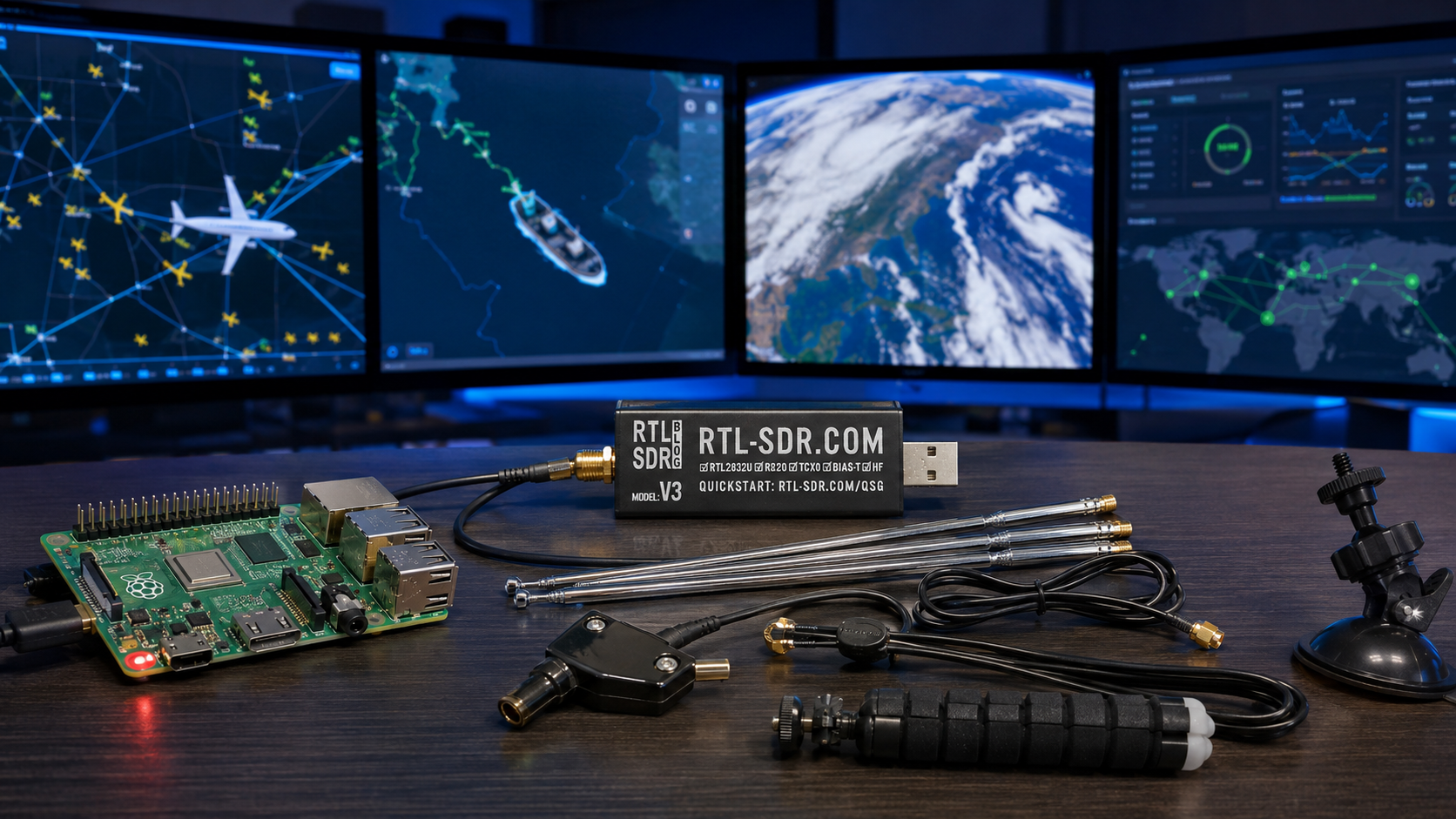
Updated: June 2026. This guide compares the best SDR hardware and software for Raspberry Pi projects, including ADS-B aircraft tracking, AIS ship tracking, weather satellites, remote radio listening, rtl_tcp streaming, OpenWebRX, antennas, and multi-dongle setups.
A Raspberry Pi and an SDR receiver can become a compact radio station that runs quietly around the clock. Connect a suitable USB SDR dongle, install the correct software, add an antenna, and the Raspberry Pi can track aircraft, receive ship positions, decode satellite transmissions, monitor radio spectrum, or provide remote browser access to a receiver installed near a better antenna location.
The best SDR for Raspberry Pi is usually not the most expensive radio. For most projects, an RTL-SDR Blog V3 is the smartest starting point. It is affordable, mature, Linux-compatible, and flexible enough for ADS-B, AIS, VHF and UHF monitoring, weather satellites, radiosondes, remote listening, and general SDR learning.
More advanced SDRs can still make sense. SDRplay and Airspy receivers are useful when reception quality matters more than price. HackRF and PlutoSDR platforms are useful for development projects. However, beginners should start with the simplest receiver that matches the first project they actually want to build.
This guide explains which Raspberry Pi model to use, which SDR receiver to buy, which antenna matters for each project, and how to choose between ADS-B, AIS, satellites, OpenWebRX, and rtl_tcp remote monitoring.
To compare general SDR options first, read our Best SDR Receivers in 2026: RTL-SDR, SDRplay, Airspy, HackRF, PlutoSDR, and More guide.
Quick Answer: What Is the Best SDR for Raspberry Pi?
For most Raspberry Pi projects, choose the RTL-SDR Blog V3 Kit.
It is the best all-purpose starting point because it works on Linux and Raspberry Pi, includes a multipurpose antenna set, and can be used for several projects before you need specialist hardware.
| Your Raspberry Pi SDR Project | Best Starting SDR | Recommended Raspberry Pi | Main Software |
|---|---|---|---|
| ADS-B aircraft tracking | RTL-SDR Blog V3 with a dedicated 1090 MHz antenna | Raspberry Pi 4 or 5 | dump1090 and PiAware |
| AIS ship tracking | RTL-SDR Blog V3 with a VHF or AIS-tuned antenna | Raspberry Pi 3B+, 4, or 5 | AIS-catcher |
| Weather satellite reception | RTL-SDR Blog V3 Kit with a suitable 137 MHz antenna | Raspberry Pi 4 or 5 | SatDump |
| Remote web SDR receiver | RTL-SDR Blog V3, SDRplay, or another supported receiver | Raspberry Pi 4 or 5 | OpenWebRX |
| Raw IQ streaming over a local network | RTL-SDR Blog V3 | Raspberry Pi 4 or 5 with Ethernet | rtl_tcp |
| Multiple simultaneous stations | Multiple serialized RTL-SDR dongles | Raspberry Pi 5 preferred | Separate decoder services for each receiver |
| Advanced SDR development | HackRF, ADALM-PLUTO, PLUTO+ SDR, USRP, or bladeRF | Raspberry Pi 5 or a more powerful host depending on workload | GNU Radio, SDRangel, or custom software |
Why Use a Raspberry Pi for SDR?
A Raspberry Pi is useful because it can remain close to the antenna while you access the radio data from another device.
This can improve a station in several ways:
- The Raspberry Pi can run continuously without keeping a desktop computer powered on.
- The SDR can be installed closer to the antenna, reducing long coaxial-cable losses.
- Aircraft, ship, and satellite data can be decoded automatically.
- A browser interface can provide access from another computer, tablet, or phone.
- Multiple SDR dongles can run separate services on one compact server.
- Ethernet and Wi-Fi allow the receiver to operate from a better antenna location.
- Logs, maps, decoded data, and statistics can be stored or forwarded automatically.
A Raspberry Pi does not improve the radio sensitivity by itself. The antenna, placement, cable loss, filtering, software settings, and SDR receiver still determine the result.
Best Raspberry Pi Model for SDR Projects
Raspberry Pi 4 and Raspberry Pi 5 are both useful SDR hosts. The best choice depends on how much processing your project needs.
| Raspberry Pi Model | Best For | Recommendation |
|---|---|---|
| Raspberry Pi 3B+ | Lightweight dedicated services such as a basic AIS receiver | Usable when already owned, but not the best new purchase for a multi-purpose station |
| Raspberry Pi 4 | ADS-B, AIS, rtl_tcp, OpenWebRX, and basic satellite stations | Best value choice for a dedicated single-purpose SDR server |
| Raspberry Pi 5 | Multiple SDR dongles, multiple decoder services, heavier processing, remote monitoring, and more demanding satellite workflows | Best overall choice for a new expandable SDR station |
| Raspberry Pi Zero W family | Very lightweight headless projects where low power matters | Use only when the software workload is known to be modest |
Why Raspberry Pi 4 is still enough for many SDR stations
Raspberry Pi 4 includes Gigabit Ethernet, two USB 3.0 ports, two USB 2.0 ports, dual-band Wi-Fi, and enough processing power for many dedicated receiver services.
It remains a practical choice for:
- One RTL-SDR running PiAware for ADS-B
- One RTL-SDR running AIS-catcher
- A basic OpenWebRX receiver
- An rtl_tcp server on a wired local network
- A modest satellite-decoding station
Why Raspberry Pi 5 is the better new purchase
Raspberry Pi 5 adds a faster 2.4 GHz quad-core processor and higher-performance USB capabilities. This makes it the safer choice when the station will grow over time.
Choose Raspberry Pi 5 when you want to:
- Run ADS-B and AIS simultaneously with separate dongles
- Decode satellites while running other services
- Use multiple RTL-SDR devices
- Host OpenWebRX for several users
- Store large amounts of decoded data
- Use an NVMe drive
- Run dashboards, databases, or additional network services
Best Overall SDR for Raspberry Pi: RTL-SDR Blog V3 Kit
The RTL-SDR Blog V3 Kit is the best default recommendation for most Raspberry Pi users.
It is not the newest SDR on the market, but it remains one of the easiest receivers to deploy reliably on a Linux-based system.
RTL-SDR Blog V3 key features
- RTL2832U ADC chipset
- R820T2 or R860 tuner family
- Approximately 500 kHz–1.7 GHz tuning depending on mode and setup
- Up to 3.2 MHz bandwidth, with approximately 2.4 MHz commonly treated as stable
- HF reception through direct-sampling mode
- 1 PPM TCXO for improved frequency stability
- SMA female antenna connector
- Aluminium enclosure with passive cooling
- Software-switchable bias tee for compatible active antennas and LNAs
- Linux and Raspberry Pi compatibility
Why the kit version is useful for beginners
The kit adds a multipurpose dipole antenna set, cable, tripod mount, and suction-cup mount. This allows beginners to test ADS-B, VHF, UHF, satellites, and general radio reception before buying a specialist antenna.
If you already own antennas and cables, the RTL-SDR Blog V3 dongle-only version may be enough.
Read our full review: RTL-SDR Blog V3 Kit Review: Is It Still Worth Buying in 2026?
Why RTL-SDR Blog V3 Is a Safe Raspberry Pi Choice in 2026
Driver stability matters more on a headless Raspberry Pi station than on a desktop computer. You normally want the station to start automatically after a reboot and continue running without manual intervention.
RTL-SDR Blog V3 remains attractive because it is mature and widely supported by Linux SDR software.
In May 2026, RTL-SDR Blog announced that RTL-SDR Blog V4 is reaching the end of its production cycle because its R828D tuner is no longer manufactured. A limited V4 Lite using the R828S tuner is planned, but it will require updated drivers.
For a Raspberry Pi station that needs proven compatibility today, V3 remains the simplest recommendation.
Read the full comparison: RTL-SDR V3 vs V4 vs V4 Lite: Which Budget SDR Should You Buy?
Can One RTL-SDR Run Every Raspberry Pi Project?
One RTL-SDR dongle can be reused for many different projects, but it cannot normally receive widely separated frequencies at the same time.
For example:
- ADS-B aircraft tracking commonly uses 1090 MHz.
- AIS ship tracking normally uses 161.975 MHz and 162.025 MHz.
- Meteor weather-satellite reception uses a different frequency range around 137 MHz.
- Remote listening may require tuning across many other bands.
One dongle can tune to one relevant spectrum slice at a time. It can handle both AIS channels because they are close together, but it cannot simultaneously receive AIS near 162 MHz and ADS-B at 1090 MHz.
Use multiple SDR dongles when you want:
- ADS-B and AIS running simultaneously
- A permanent ADS-B receiver plus a separate general scanner
- Two remote OpenWebRX bands
- Simultaneous satellite reception and terrestrial monitoring
- Separate 1090 MHz and 978 MHz aircraft receivers where applicable
When using multiple identical RTL-SDR dongles, assign a unique serial number to each device so every service opens the correct receiver after a reboot.
Best Raspberry Pi SDR Project for Beginners: ADS-B Aircraft Tracking
ADS-B aircraft tracking is one of the best first Raspberry Pi SDR projects. The station can run continuously, display nearby aircraft on a local map, and optionally contribute received data to services such as FlightAware.
In many regions, aircraft broadcast ADS-B messages around 1090 MHz. A Raspberry Pi running dump1090 decodes the received messages, while PiAware can display and forward the data.
Basic Raspberry Pi ADS-B hardware
- Raspberry Pi 4 or Raspberry Pi 5
- Suitable power supply
- MicroSD card or NVMe storage where supported
- RTL-SDR Blog V3 dongle
- 1090 MHz antenna
- Optional 1090 MHz band-pass filter
- Optional filtered LNA
- Ethernet or Wi-Fi connection
Basic Raspberry Pi ADS-B software
dump1090for decoding Mode S and ADS-B messages- PiAware for FlightAware integration
- SkyAware for a local browser map
- Optional dashboards and feeder software when needed
How Far Can a Raspberry Pi ADS-B Receiver Reach?
ADS-B range depends heavily on line of sight. Aircraft are elevated, which makes long-distance reception possible when the antenna has a clear view of the sky.
FlightAware explains that a PiAware station can often track aircraft within approximately 100–300 miles depending on the antenna installation. Its guide also notes that well-installed outdoor rooftop antennas can exceed 250 miles or 400 km.
These figures are not guaranteed. Real-world performance depends on:
- Antenna height
- Antenna tuning
- Clear sky view
- Cable loss
- Nearby buildings and terrain
- Local RF interference
- Filtering
- LNA placement
Improve ADS-B reception by:
- Using a dedicated 1090 MHz antenna
- Mounting the antenna outdoors or near a suitable window
- Keeping coaxial cable runs short
- Installing an LNA close to the antenna when appropriate
- Adding a 1090 MHz filter in noisy urban environments
- Using Ethernet for a reliable always-on station
Browse RTL-SDR receivers, antennas, filters, and accessories.
Best Raspberry Pi SDR Project Near the Coast: AIS Ship Tracking
AIS ship tracking is a strong Raspberry Pi project for users near the sea, ports, navigable rivers, and busy waterways.
AIS transponders broadcast vessel information using two VHF channels:
- AIS 1:
161.975 MHz - AIS 2:
162.025 MHz
An RTL-SDR receiver can capture both channels because they are close together. AIS-catcher then decodes the messages and can provide NMEA output or forward data over the network.
Basic Raspberry Pi AIS hardware
- Raspberry Pi 3B+, 4, or 5
- RTL-SDR Blog V3 receiver
- VHF marine or AIS-tuned antenna
- Suitable cable and SMA adapter
- Ethernet or Wi-Fi connection
- Optional AIS band-pass filter
- Optional LNA where cable loss or weak signals justify it
Why use AIS-catcher?
AIS-catcher is a lightweight multi-platform dual-channel AIS receiver. It supports RTL-SDR, Airspy, HackRF, SDRplay, SoapySDR devices, files, and network inputs.
It can output NMEA messages and forward received data using UDP, HTTP, or TCP. It also includes a built-in web server for suitable local-network workflows.
Important AIS limitation
An RTL-SDR AIS station is useful for hobby monitoring, education, and data collection. Do not rely on a DIY SDR station as the only source of navigation or safety-critical information.
Best Raspberry Pi SDR Project for Satellites
Raspberry Pi and RTL-SDR can also become an automated satellite-reception station.
SatDump is one of the most useful current tools because it can record baseband data, process files later, decode supported satellite signals live, schedule passes, and generate satellite products.
Beginner satellite project: Meteor LRPT
A practical beginner workflow is Meteor LRPT reception around 137 MHz when a suitable active satellite is available.
A basic setup includes:
- Raspberry Pi 4 or Raspberry Pi 5
- RTL-SDR Blog V3 Kit
- V-dipole, QFH, or another antenna suitable for the satellite frequency
- Current SatDump software
- Clear view of the sky during the pass
- Optional filter and LNA where appropriate
Why Raspberry Pi is useful for satellites
- It can run unattended.
- It can schedule passes.
- It can store recordings.
- It can process received data automatically.
- It can remain close to the antenna.
- It can provide remote access to generated images.
Read our full guide: SatDump V2 with RTL-SDR: Complete Beginner Setup Guide
Can Raspberry Pi Receive Geostationary Weather Satellites?
A Raspberry Pi can be used in more advanced geostationary satellite stations, but these setups require specialist hardware.
Depending on the satellite and region, the station may need:
- A directional dish or grid antenna
- A suitable feed
- A filtered LNA
- Low-loss coaxial cable
- An SDR receiver covering the required frequency
- Stable power
- Careful alignment
- SatDump or another compatible decoder
Start with a lower-cost 137 MHz satellite project before building a permanent dish-based station.
Best Raspberry Pi Remote SDR Software: OpenWebRX
OpenWebRX turns a Raspberry Pi and SDR receiver into a browser-accessible radio station.
Users can access the receiver through a web browser without installing SDR software on every client device. This makes OpenWebRX useful for a receiver installed at a remote antenna site, a classroom, a radio club, or a home server.
OpenWebRX is useful for:
- Remote HF listening
- VHF and UHF monitoring
- Sharing a receiver with several users
- Accessing an antenna installed at a quieter location
- Using a browser instead of a desktop SDR application
- Creating a radio-club receiver
- Teaching radio concepts
- Monitoring from a phone or tablet
Basic OpenWebRX setup
- Choose Raspberry Pi 4 or Raspberry Pi 5.
- Connect the SDR receiver by USB.
- Attach an antenna suitable for the target bands.
- Install an official OpenWebRX Raspberry Pi image or use the supported package route.
- Connect the Raspberry Pi to the network.
- Open the OpenWebRX interface in a browser.
- Create receiver profiles for the bands you want to monitor.
- Secure remote access carefully before exposing the service outside your local network.
Use Ethernet when possible
Ethernet is normally the better choice for a permanent remote receiver. It reduces the chance of wireless interruptions and makes raw sample streaming more reliable.
OpenWebRX is available from the official OpenWebRX website.
Alternative Remote Method: rtl_tcp
rtl_tcp is a command-line utility included with the RTL-SDR toolset. It turns a Raspberry Pi connected to an RTL-SDR receiver into a raw IQ spectrum server.
A compatible application on another computer connects over the network, tunes the dongle, and receives I/Q sample data for demodulation, decoding, or logging.
Use rtl_tcp when:
- You want the SDR physically close to the antenna.
- You want to control the receiver from another computer.
- You already use an SDR application that supports rtl_tcp.
- You want raw I/Q data rather than a browser interface.
- Your local network is fast and reliable.
Prefer OpenWebRX when:
- You want a browser interface.
- You want easier access from phones and tablets.
- You want to share the receiver with multiple users.
- You do not need raw IQ data on the client device.
- You want server-side radio processing.
Network warning for rtl_tcp
Raw IQ streaming can use substantial bandwidth. Use a reliable wired network where possible. Do not expose an rtl_tcp service directly to the public internet without appropriate network protection.
OpenWebRX vs rtl_tcp
| Feature | OpenWebRX | rtl_tcp |
|---|---|---|
| Main interface | Web browser | Compatible SDR client application |
| Where processing happens | Mainly on the server | Raw IQ data is forwarded to the client |
| Best network type | Ethernet or stable Wi-Fi | Fast Ethernet strongly preferred |
| Multiple users | Designed for shared browser access | Normally simpler single-client raw-IQ use |
| Best for beginners | Yes | Better for users familiar with SDR networking |
| Best use | Remote browser listening | Remote desktop SDR control and raw sample streaming |
Best SDR for Raspberry Pi AIS and ADS-B at the Same Time
Use two separate RTL-SDR dongles.
ADS-B at 1090 MHz and AIS near 162 MHz are too far apart for one RTL-SDR receiver to handle simultaneously.
Recommended dual-dongle setup
| Dongle | Frequency | Purpose | Software |
|---|---|---|---|
| RTL-SDR 1 | 1090 MHz | Aircraft tracking | dump1090 and PiAware |
| RTL-SDR 2 | 161.975 MHz and 162.025 MHz | Ship tracking | AIS-catcher |
Raspberry Pi 4 can handle a carefully configured station. Raspberry Pi 5 is the safer new purchase when you also want dashboards, additional feeds, databases, or remote access.
Use unique serial numbers
Assign a unique serial number to every RTL-SDR dongle. This prevents services from selecting the wrong receiver after rebooting or reconnecting USB devices.
Best SDR for Raspberry Pi Remote Monitoring
RTL-SDR Blog V3 is the best first option for most remote monitoring setups.
It is inexpensive enough to dedicate permanently to a service and flexible enough to repurpose later.
| Remote Monitoring Goal | Recommended SDR | Why |
|---|---|---|
| ADS-B aircraft map | RTL-SDR Blog V3 | Affordable and suitable for 1090 MHz reception |
| AIS vessel map | RTL-SDR Blog V3 | Can receive the two closely spaced AIS channels |
| Browser-accessible radio receiver | RTL-SDR Blog V3 or a supported receive-only upgrade | Works with OpenWebRX |
| Raw IQ streaming | RTL-SDR Blog V3 | Works with rtl_tcp |
| Dedicated weak-signal HF remote receiver | SDRplay or Airspy receiver where supported by the software stack | Stronger receive-only performance for more specialized listening |
Can You Use SDRplay or Airspy with Raspberry Pi?
Yes, but software support should be checked for the exact receiver and application before buying.
SDRplay and Airspy receivers can make sense when you want better receive-only performance than a basic RTL-SDR dongle.
Consider SDRplay when:
- You want wider spectrum visibility.
- You want improved general-coverage listening.
- You are building a more serious desktop or remote receiver.
- Your selected Linux and Raspberry Pi software stack supports the model.
Consider Airspy when:
- You prioritize VHF and UHF receiving quality.
- You want a stronger specialist receiver.
- You need a compact receive-only upgrade.
- Your chosen software supports the device.
For a first Raspberry Pi SDR project, RTL-SDR remains easier and less expensive.
Should You Use HackRF or PlutoSDR with Raspberry Pi?
HackRF and PlutoSDR-style devices are useful for development, but they are not the first recommendation for ADS-B, AIS, or a basic remote receiver.
Choose HackRF when:
- You want wide frequency coverage.
- You are building controlled RF experiments.
- You need authorized transmit capability.
- You use GNU Radio or custom tools.
- You understand the additional software and processing requirements.
Choose PLUTO+ SDR when:
- You want two transmit and two receive channels.
- You need Gigabit Ethernet.
- You want SDRangel or GNU Radio development.
- You are building digital-communications experiments.
- You need a more advanced network-connected platform.
SDRstore.eu offers the PLUTO+ SDR AD9363 2T2R Transceiver with Gigabit Ethernet.
Read our review: PLUTO+ SDR Review: AD9363 2T2R SDR Transceiver with Ethernet and 70 MHz–6 GHz Coverage
Raspberry Pi SDR Storage: MicroSD or NVMe?
Storage requirements depend on the project.
| Project | Storage Recommendation |
|---|---|
| Simple ADS-B station | A reliable microSD card is normally enough |
| AIS receiver | A reliable microSD card is normally enough |
| OpenWebRX receiver | MicroSD is adequate for a basic station; NVMe may improve durability for heavier logging |
| Satellite baseband recording | Use larger and faster storage |
| Multiple services with databases and dashboards | Consider NVMe on Raspberry Pi 5 |
Raw IQ recordings consume storage quickly. Record only the bandwidth and duration you actually need.
Raspberry Pi SDR Power Supply Tips
SDR stations can become unstable when the Raspberry Pi power supply is inadequate.
USB SDR dongles, external drives, cooling fans, and other accessories all draw power.
Power-supply checklist
- Use a suitable power supply for your exact Raspberry Pi model.
- Avoid low-quality USB cables.
- Check for undervoltage warnings.
- Use a powered USB hub if several SDR dongles or accessories draw too much current.
- Do not power a high-current LNA or accessory blindly from the SDR bias tee.
- Confirm voltage and current requirements before connecting active RF accessories.
Should You Use USB 2.0 or USB 3.0?
RTL-SDR works through USB 2.0, but the Raspberry Pi USB layout still matters when you connect several devices.
Practical USB advice
- One RTL-SDR dongle can run comfortably from a suitable USB port.
- Use separate ports for multiple dongles.
- Use short USB extension cables when dongles block adjacent ports.
- A powered USB hub can help larger installations.
- Keep USB cables away from antennas where possible.
- Use unique serial numbers for identical SDR dongles.
Use Ethernet for Permanent SDR Stations
Wi-Fi is convenient, but Ethernet is usually better for an always-on Raspberry Pi receiver.
Ethernet is especially useful for:
- rtl_tcp raw IQ streaming
- OpenWebRX public or multi-user stations
- Satellite recording servers
- Remote antenna sites
- Stations that upload data continuously
- Multiple simultaneous decoder services
Wi-Fi remains suitable when installing a cable is impractical and the network is stable.
Choose the Right Antenna for Each Raspberry Pi SDR Project
The antenna often matters more than the Raspberry Pi model.
| Project | Target Frequency | Recommended Antenna Direction |
|---|---|---|
| ADS-B aircraft tracking | 1090 MHz in many regions | Dedicated 1090 MHz outdoor antenna for best results |
| AIS ship tracking | 161.975 MHz and 162.025 MHz | AIS-tuned or suitable VHF marine antenna |
| Meteor LRPT satellite reception | Around 137 MHz | V-dipole, QFH, or another suitable satellite antenna |
| General VHF and UHF scanning | Depends on the band | Wideband antenna or band-specific antenna |
| HF listening | Below 30 MHz | Long wire, loop, dipole, or another HF-capable antenna |
| Remote OpenWebRX station | Depends on receiver profiles | Antenna or switched antenna system designed for the selected bands |
Browse antennas and RF accessories at SDRstore.eu.
Do You Need a Filter or LNA?
Add filters and LNAs only when they solve a specific problem.
Use a filter when:
- Strong FM broadcast signals overload the receiver.
- Nearby mobile-network signals reduce ADS-B performance.
- You want to isolate the 1090 MHz ADS-B band.
- You want to isolate AIS frequencies near 162 MHz.
- Strong AM broadcast stations affect HF reception.
Use an LNA when:
- The target signal is weak.
- The antenna cable introduces loss.
- The LNA can be installed near the antenna.
- The receiver is not already overloaded.
- The LNA and bias-tee requirements are understood.
An LNA installed beside the Raspberry Pi after a long lossy cable may not help as much as an LNA placed near the antenna.
Use a NanoVNA to Test SDR Antennas
A NanoVNA can help confirm whether an ADS-B, AIS, LoRa, satellite, VHF, or UHF antenna is tuned correctly.
It can measure SWR, impedance, return loss, and resonant frequency when the analyzer covers the target band.
Read our guide: How to Test Antenna SWR with a NanoVNA
Best Raspberry Pi SDR Software by Project
| Software | Best Use | Notes |
|---|---|---|
| dump1090 | ADS-B aircraft decoding | Common Raspberry Pi aircraft-tracking foundation |
| PiAware | FlightAware ADS-B integration | Provides local and networked aircraft-tracking workflows |
| AIS-catcher | AIS ship tracking | Dual-channel AIS receiver with network-output options |
| SatDump | Satellite reception and decoding | Supports live SDR processing, recording, pipelines, and automation |
| OpenWebRX | Remote browser-based SDR receiver | Suitable for local, shared, and remote listening |
| rtl_tcp | Raw IQ network streaming | Use with a compatible SDR client and a fast network |
| GQRX | Local Raspberry Pi desktop listening | Useful when a screen and desktop environment are connected |
| GNU Radio | Custom SDR development | Best for users building signal-processing flows |
| SDRangel | Advanced SDR workflows | Useful for more technical receiving and development projects |
Read our full software comparison: Best SDR Software in 2026: SDR++, SDRSharp, SDRangel, GQRX, GNU Radio, SatDump, and OpenWebRX Compared
Headless Raspberry Pi SDR vs Desktop Raspberry Pi SDR
| Setup Type | Best For | Recommendation |
|---|---|---|
| Headless Raspberry Pi SDR | ADS-B, AIS, satellites, remote servers, and always-on services | Best option for permanent stations |
| Desktop Raspberry Pi SDR | Learning Linux SDR software locally with a monitor and keyboard | Useful for experiments and troubleshooting |
| Remote browser SDR | Listening from another device without installing desktop SDR software | Use OpenWebRX |
| Remote IQ server | Controlling a remote dongle from compatible SDR software | Use rtl_tcp on a fast network |
Best Raspberry Pi SDR Setup by Budget
| Budget Level | Recommended Setup | Best For |
|---|---|---|
| Entry level | Raspberry Pi 4 plus RTL-SDR Blog V3 Kit | Learning, ADS-B tests, AIS tests, VHF, UHF, and satellite experiments |
| Dedicated ADS-B station | Raspberry Pi 4 or 5, RTL-SDR V3, dedicated 1090 MHz antenna, optional filter and LNA | Aircraft tracking |
| Dedicated AIS station | Raspberry Pi 4, RTL-SDR V3, AIS-tuned antenna, AIS-catcher | Ship tracking |
| Satellite station | Raspberry Pi 5, RTL-SDR V3, suitable satellite antenna, SatDump, larger storage | Automated pass reception and recording |
| Multi-purpose server | Raspberry Pi 5, powered USB hub, multiple serialized RTL-SDR dongles, Ethernet, NVMe storage | ADS-B, AIS, remote listening, and dashboards |
| Advanced development | Raspberry Pi 5 or more powerful host with PLUTO+ SDR, HackRF, USRP, or bladeRF | GNU Radio, SDRangel, and custom signal-processing projects |
Common Raspberry Pi SDR Problems and Fixes
The RTL-SDR dongle is not detected
Try another USB port, check the power supply, reconnect the dongle, and confirm that Linux detects the USB device. If the default DVB-T driver claims the device, follow the RTL-SDR software instructions for your distribution.
The service works until the Raspberry Pi reboots
Confirm that the service is enabled to start automatically. When several RTL-SDR receivers are connected, assign unique serial numbers and configure every service to open the correct device.
ADS-B range is poor
Move the antenna higher, improve its view of the sky, reduce coaxial-cable loss, add a suitable filter in noisy locations, and consider a filtered LNA close to the antenna.
AIS reception is inconsistent
Check the antenna, antenna height, distance from the coast or waterway, VHF cable loss, local interference, and AIS-catcher gain settings. Use an antenna suitable for the AIS channels near 162 MHz.
Satellite images contain noise or gaps
Confirm the satellite pass elevation, antenna orientation, gain settings, USB stability, CPU load, storage speed, and whether the decoder uses the correct pipeline.
rtl_tcp audio breaks up
Use Ethernet, reduce the sample rate, close unnecessary network traffic, and confirm that the client device can process the stream reliably.
OpenWebRX feels slow
Reduce unnecessary receiver profiles, limit simultaneous users, check CPU load, use Ethernet, and consider upgrading from Raspberry Pi 4 to Raspberry Pi 5 for heavier installations.
Two SDR services open the wrong dongles
Assign a unique serial number to every RTL-SDR and configure the software services to select the intended receiver explicitly.
The Raspberry Pi reports undervoltage
Replace the power supply or USB cable. Consider a powered USB hub when several dongles or external accessories are connected.
Raspberry Pi SDR Security Tips
- Start with local-network access only.
- Do not expose rtl_tcp directly to the public internet.
- Use a VPN or another protected remote-access method when possible.
- Change default passwords.
- Install security updates.
- Use firewall rules.
- Back up configuration files.
- Review which ports and services are accessible externally.
- Use Ethernet for stable remote sites.
Legal and Privacy Notes
SDR reception rules vary by country. Receive only signals that you are legally allowed to monitor, decode, store, or forward.
ADS-B and AIS projects are valuable for learning and hobby monitoring. However, a DIY Raspberry Pi station should not be treated as a certified safety system or as the only source of navigation information.
Transmit-capable SDRs such as HackRF and PlutoSDR platforms should only be used for lawful and authorized transmissions with suitable filtering and RF engineering.
Where to Browse Raspberry Pi SDR Hardware
- RTL-SDR Blog V3 Kit with multipurpose dipole antenna set
- RTL-SDR Blog V3 dongle-only receiver
- RTL-SDR receivers, antennas, filters, LNAs, and accessories
- Antennas and RF accessories
- Software-defined radio equipment
- PLUTO+ SDR AD9363 2T2R Transceiver with Gigabit Ethernet
Official Software Resources
- FlightAware PiAware ADS-B receiver information
- PiAware installation for Raspberry Pi systems already running dump1090
- AIS-catcher official GitHub repository
- AIS-catcher Raspberry Pi installation guide
- SatDump documentation
- OpenWebRX official website
- OpenWebRX Raspberry Pi images
- Osmocom RTL-SDR tools and rtl_tcp source
Final Verdict: Best SDR for Raspberry Pi
RTL-SDR Blog V3 Kit is the best SDR for most Raspberry Pi users in 2026.
It is affordable, mature, Linux-compatible, and versatile enough for ADS-B aircraft tracking, AIS vessel monitoring, satellite decoding, remote web listening, rtl_tcp streaming, radiosondes, VHF, UHF, and general radio learning.
Choose Raspberry Pi 4 for a dedicated single-purpose receiver. Choose Raspberry Pi 5 if you are building a new expandable station with several SDR dongles, multiple services, heavier satellite processing, dashboards, OpenWebRX, or NVMe storage.
For ADS-B, use a dedicated 1090 MHz antenna and PiAware. For AIS, use a suitable VHF antenna and AIS-catcher. For satellites, use an appropriate antenna and SatDump. For remote browser listening, use OpenWebRX. For raw IQ streaming across a fast local network, use rtl_tcp.
Start with one project and one RTL-SDR dongle. Add specialist antennas, filters, LNAs, and additional receivers only after you identify the real limitation you need to solve.
FAQ
What is the best SDR for Raspberry Pi?
RTL-SDR Blog V3 Kit is the best starting SDR for most Raspberry Pi users because it is affordable, Linux-compatible, widely supported, and useful for ADS-B, AIS, satellites, radio scanning, and remote monitoring.
Which Raspberry Pi is best for SDR?
Raspberry Pi 4 is a practical choice for a dedicated receiver. Raspberry Pi 5 is the better new purchase for multiple dongles, heavier decoding, OpenWebRX, dashboards, satellite recording, and expandable projects.
Can Raspberry Pi run RTL-SDR?
Yes. RTL-SDR receivers work with Linux and Raspberry Pi software. They can be used for ADS-B, AIS, satellites, remote streaming, OpenWebRX, and general SDR experiments.
Can Raspberry Pi track aircraft with RTL-SDR?
Yes. Connect an RTL-SDR receiver and suitable 1090 MHz antenna, then use dump1090 and PiAware to decode and display ADS-B aircraft messages.
What antenna should I use for ADS-B?
Use a dedicated 1090 MHz antenna for the best ADS-B results. Mount it with a clear view of the sky and keep cable loss low.
Can Raspberry Pi track ships with RTL-SDR?
Yes. An RTL-SDR receiver and AIS-catcher can decode vessel broadcasts on the AIS channels at 161.975 MHz and 162.025 MHz.
What antenna should I use for AIS?
Use an AIS-tuned or suitable VHF marine antenna designed to perform well around 162 MHz. Antenna height and cable loss strongly affect reception.
Can Raspberry Pi receive weather satellites?
Yes. Raspberry Pi and RTL-SDR can receive supported satellite transmissions when paired with the correct antenna and software such as SatDump.
What is the easiest satellite to receive with Raspberry Pi and RTL-SDR?
Meteor LRPT around 137 MHz is a practical beginner project when a suitable satellite is active and passing overhead. Use a V-dipole, QFH, or another appropriate antenna with SatDump.
What is OpenWebRX?
OpenWebRX is an open-source web-based SDR receiver. It allows users to listen to a radio connected to a Raspberry Pi through a browser without installing a desktop SDR application on every client device.
What is rtl_tcp?
rtl_tcp is an RTL-SDR command-line utility that sends raw I/Q data over a TCP network connection to a compatible SDR client application.
Should I use OpenWebRX or rtl_tcp?
Use OpenWebRX for convenient browser-based listening and multi-user access. Use rtl_tcp when a compatible desktop or mobile SDR client needs raw I/Q samples over a fast network.
Can one RTL-SDR receive ADS-B and AIS simultaneously?
No. ADS-B at 1090 MHz and AIS near 162 MHz are too far apart for one RTL-SDR receiver to capture simultaneously. Use two separate SDR dongles.
Can one Raspberry Pi run multiple RTL-SDR dongles?
Yes. Assign each RTL-SDR a unique serial number and configure every decoder service to open the correct receiver. Raspberry Pi 5 is the safer choice for larger multi-dongle stations.
Does RTL-SDR Blog V3 work with Raspberry Pi?
Yes. RTL-SDR Blog V3 is Linux-compatible and works with Raspberry Pi systems. It remains a stable choice for headless receiver projects.
Should I buy RTL-SDR V3 or V4 Lite for Raspberry Pi?
RTL-SDR Blog V3 is the simpler choice for a stable Raspberry Pi setup today. RTL-SDR Blog V4 Lite requires updated drivers, so confirm Linux software compatibility before ordering.
Do I need a filter for RTL-SDR?
Add a filter when strong nearby signals overload the receiver or when a specialist project benefits from isolating a target band such as ADS-B around 1090 MHz or AIS near 162 MHz.
Do I need an LNA for ADS-B or AIS?
Not always. Add an LNA when signals are weak or cable loss is significant. Install it close to the antenna when practical and confirm its power and bias-tee requirements.
Should I use Ethernet or Wi-Fi for a Raspberry Pi SDR server?
Ethernet is better for permanent stations, rtl_tcp streaming, OpenWebRX, satellite recording, and multiple services. Wi-Fi remains suitable when the connection is stable and cabling is impractical.
Can I expose rtl_tcp directly to the internet?
Avoid exposing rtl_tcp directly to the public internet. Use a protected remote-access method such as a VPN and apply suitable firewall rules.
Is a Raspberry Pi SDR station safe to use for navigation?
A DIY Raspberry Pi AIS or ADS-B receiver is useful for learning and hobby monitoring, but it should not be treated as a certified safety system or the only source of navigation information.
Shop products for this guide
Explore relevant products from our store.
No posts found
Write a review






We support all major card and digital payment options. More local methods are available and shown during checkout.
You enter into a binding sales contract once you have received an 'order confirmation and sales receipt' email from us, in line with our Sales & Delivery conditions. Therefore, sdrstore.eu has the right to cancel your order in the event of technical problems, delivery failure, Fair use policy and other similar situations.






Your payments are protected by advanced encryption and 3-D Secure authentication for safe online shopping.