








How to Build a University SDR Lab: Hardware Checklist for Teaching and Research
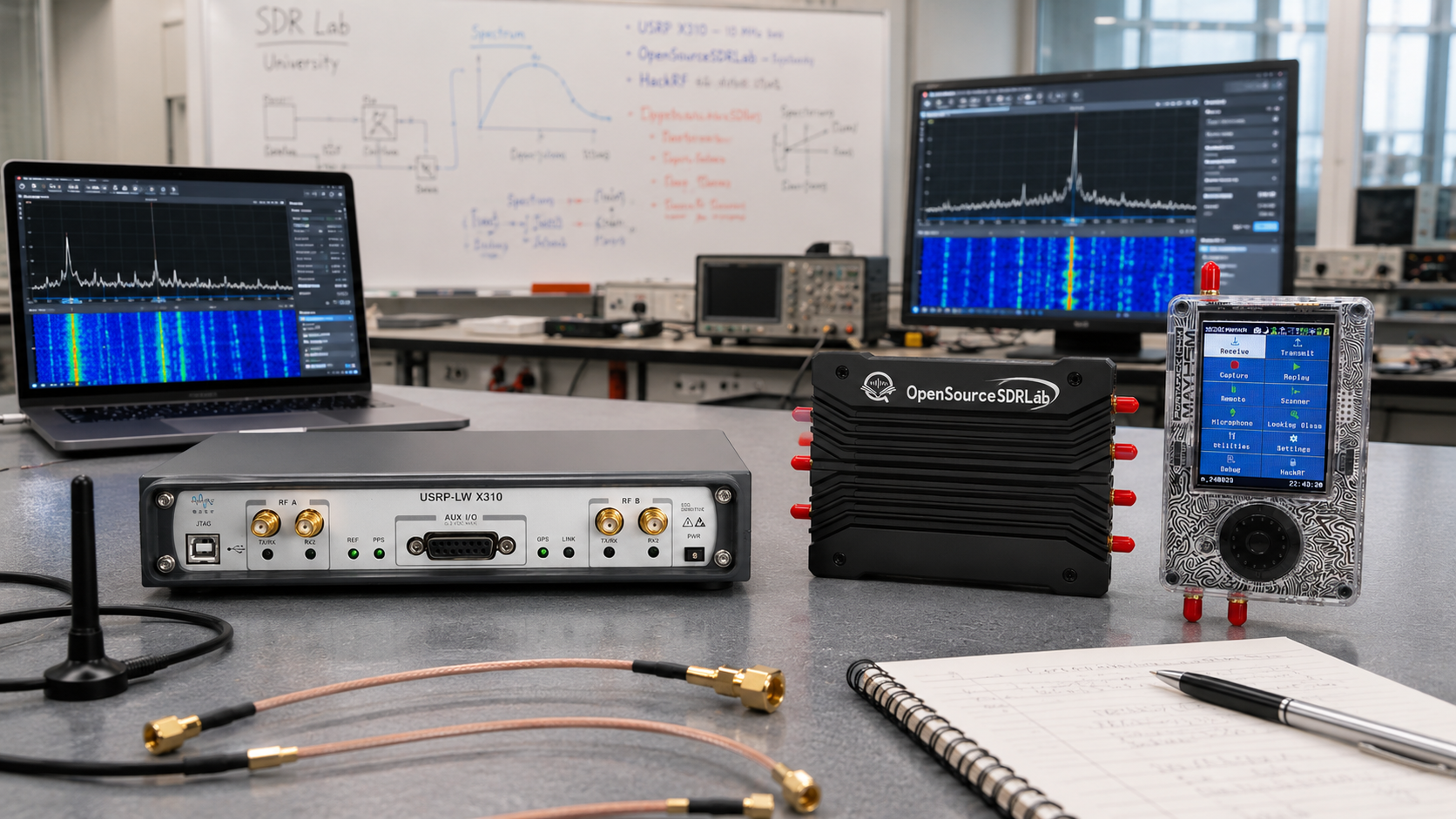
Updated: June 2026. This guide explains how to build a university SDR lab for teaching and research, with a practical equipment checklist covering RTL-SDR, PlutoSDR-style hardware, USRP B210, USRP X310, USRP X410, bladeRF, LimeSDR, KrakenSDR, Web-888, GNU Radio, RF test tools, antennas, cables, attenuators, clocking, computers, networking, safety, and procurement planning.
A well-designed university SDR lab can support far more than a single radio-communications course.
The same laboratory can teach radio-frequency fundamentals, digital signal processing, modulation and demodulation, software-defined radio architecture, antenna measurements, satellite reception, spectrum monitoring, wireless-protocol analysis, GNU Radio development, MIMO, FPGA acceleration, private 5G networks, OpenAirInterface, srsRAN, Open5GS, O-RAN, direction finding, passive radar, and advanced wireless-security research in controlled environments.
The most common purchasing mistake is buying one expensive SDR for every student desk.
Most universities need a layered equipment strategy instead:
- Affordable receiver-only devices for introductory lessons
- Low-cost transceivers for modulation and GNU Radio projects
- Shared 2×2 MIMO SDRs for communications research
- One or two advanced networked SDR platforms for senior projects and postgraduate work
- Portable RF test instruments for antenna, filter, cable, and interference measurements
- Enough cables, adapters, attenuators, dummy loads, and spare accessories to keep the lab usable
This guide explains how to build a university SDR lab that scales from undergraduate teaching to serious RF research without wasting budget on equipment students do not yet need.
Browse current hardware in the software-defined radio equipment category, the RF test and measurement category, and the antennas and RF accessories category at SDRstore.eu.
Quick Answer: What Equipment Does a University SDR Lab Need?
| Lab Layer | Recommended Equipment | Main Purpose |
|---|---|---|
| Introductory student stations | RTL-SDR Blog V3 kits, computers, headphones, and portable antennas | FM radio, ADS-B, AIS, weather satellites, spectrum viewing, signal identification, and GNU Radio fundamentals |
| Beginner transmit and receive benches | ADALM-PLUTO-class devices or PLUTO+ SDR boards, RF attenuators, dummy loads, and coaxial cables | Modulation, demodulation, digital communications, controlled loopback tests, and GNU Radio transceiver projects |
| Intermediate communications benches | USRP B210, bladeRF 2.0 micro, suitable antennas, filters, and clocking accessories | 2×2 MIMO, LTE and 5G learning, OpenAirInterface, srsRAN, Open5GS, custom waveforms, and FPGA-oriented development |
| Advanced shared research bench | USRP X310, suitable daughterboards, 10 Gigabit Ethernet NIC, SFP+ accessories, external clocking, and RF test tools | Independent RF chains, handover, wider bandwidth, custom FPGA DSP, rack-based projects, and scalable testbeds |
| Premium institutional research bench | USRP X410 or another suitable multi-channel RFSoC platform | Wideband wireless systems, AI-enhanced PHY, advanced MIMO, multi-channel datasets, OpenAirInterface research, and future-facing 5G or 6G projects |
| RF measurement station | NanoVNA-H4, TinySA Ultra, RF cables, adapters, attenuators, dummy loads, DC blocks, and calibration accessories | Antenna SWR, impedance, filters, cable faults, spectrum scanning, interference hunting, and protected RF measurements |
| Specialized receive bench | KrakenSDR, Web-888, directional antennas, matched antenna arrays, and network-connected computers | Direction finding, passive radar, beamforming concepts, HF monitoring, browser-based SDR, and remote access |
A university does not need to purchase every platform immediately.
Start with the equipment required for the first two semesters. Add advanced shared benches only when specific courses, research grants, or postgraduate projects justify the investment.
Recommended 12-Student University SDR Lab Checklist
The following configuration is a practical starting point for a laboratory that teaches 12 students at a time.
| Equipment | Recommended Quantity | Use | Priority |
|---|---|---|---|
| RTL-SDR Blog V3 kits | 12 units, or 6 units for paired work | Introductory reception, GNU Radio, FM, ADS-B, AIS, satellites, and spectrum exercises | Essential |
| Portable multipurpose dipole antenna kits | 12 units, or one per RTL-SDR station | Basic antenna positioning, polarization, frequency, and reception experiments | Essential |
| PLUTO+ SDR or ADALM-PLUTO-class transceiver boards | 6 units for paired work | Controlled transmit and receive experiments, modulation, digital communications, and loopback exercises | Recommended |
| USRP B210 SDRs | 2–4 shared units | 2×2 MIMO, GNU Radio, private 5G, OpenAirInterface, srsRAN, and advanced communications projects | Recommended |
| bladeRF 2.0 micro xA4 or xA9 | 1–2 shared units | FPGA-oriented DSP, HDL, custom modem, MIMO, and portable research projects | Recommended for research-focused departments |
| NanoVNA-H4 | 2 units | Antenna SWR, impedance, Smith Chart, cable, and filter measurements | Essential |
| TinySA Ultra | 2 units | Portable spectrum analysis, interference checks, signal-generator exercises, and protected transmitter measurements | Essential |
| Fixed RF attenuator assortment | At least 2 sets per transmitting bench | Protect receivers and test equipment during cabled RF experiments | Essential |
| 50-ohm dummy loads | At least 1 per transmitting bench | Safe termination for low-power SDR transmission tests | Essential |
| DC blocks | 6–12 units | Protect test equipment from unexpected bias-tee DC voltage | Recommended |
| SMA cable and adapter kits | 1 kit per bench plus spares | Connect SDRs, attenuators, antennas, filters, VNAs, and analyzers | Essential |
| Linux-capable computers | 6–12 units | GNU Radio, SDR++, GQRX, SDRangel, UHD, libiio, libbladeRF, and research software | Essential |
| Gigabit Ethernet switch | 1 managed switch | PLUTO+, Web-888, embedded SDRs, file sharing, and laboratory management | Recommended |
| Labelled storage system | 1 organized lab cabinet | Prevent lost adapters, damaged RF cables, and incorrect equipment pairing | Essential |
Add these items when advanced research begins
| Advanced Equipment | Recommended Quantity | Use |
|---|---|---|
| USRP X310 | 1–2 shared units | Independent RF chains, wider bandwidth, handover, 10 Gigabit Ethernet, PCIe, FPGA DSP, and permanent research rigs |
| Suitable X310 RF daughterboards | 1–2 per X310 depending on the project | Define operating frequency range, bandwidth, transmit capability, and receive capability |
| 10 Gigabit Ethernet NIC and SFP+ cables | 1 set per X310 workstation | Support higher-throughput X310 streaming |
| External clock source or GPSDO | 1 shared system or suitable unit per bench | Frequency stability, timing, synchronization, COTS handset testing, and repeatable experiments |
| KrakenSDR and matched antenna array | 1 shared set | Direction finding, passive radar, and beamforming demonstrations |
| Web-888 network receiver | 1 shared unit | Remote browser-based HF monitoring and multi-user listening |
| RF shield box | 1–2 units | Controlled wireless testing with reduced RF leakage |
| USRP X410 | 1 shared institutional platform when justified | Premium multi-channel, wideband, RFSoC, AI-enhanced PHY, and future-facing research |
Build the Lab in Layers
A layered purchasing plan makes the laboratory more useful and easier to expand.
| Layer | Primary Hardware | Student Level | Typical Projects |
|---|---|---|---|
| Layer 1: Receive-only fundamentals | RTL-SDR Blog V3 | First-year or introductory | FM radio, waterfall interpretation, antennas, ADS-B, AIS, weather satellites, and basic DSP |
| Layer 2: Controlled transceiver experiments | ADALM-PLUTO-class boards and PLUTO+ SDR | Undergraduate communications | Modulation, demodulation, filters, symbol timing, OFDM concepts, and cabled loopback experiments |
| Layer 3: MIMO and private-network research | USRP B210 and bladeRF 2.0 micro | Senior undergraduate, master’s, and early research | 2×2 MIMO, GNU Radio, srsRAN, Open5GS, OpenAirInterface, FPGA projects, and custom waveforms |
| Layer 4: Advanced modular research | USRP X310 | Master’s, PhD, and professional research | Handover, independent RF chains, high-throughput streaming, FPGA DSP, multi-cell work, and scalable racks |
| Layer 5: Premium multi-channel research | USRP X410 and specialized RF platforms | Institutional research projects | AI-enhanced receivers, advanced MIMO, wideband captures, future 5G and 6G work, and high-speed RF datasets |
Layer 1: RTL-SDR for Introductory Teaching Stations
The RTL-SDR Blog V3 Kit is one of the strongest first purchases for a university SDR lab.
It is affordable enough to deploy at every desk while remaining useful for real reception projects.
RTL-SDR Blog V3 kit direction
- Receive-only SDR
- RTL2832U ADC architecture
- R820T2 or R860 tuner direction depending on current model
- Approximately 500 kHz–1.7 GHz coverage depending on mode
- Up to 3.2 MHz bandwidth, with approximately 2.4 MHz commonly used as a stable setting
- HF reception through direct sampling
- 1 PPM TCXO
- SMA connector
- Bias-tee support
- Windows, Linux, macOS, Android, and Raspberry Pi workflows
Why every SDR lab should start with RTL-SDR
- Students can make progress quickly.
- The receiver is inexpensive enough for individual stations.
- Receive-only exercises reduce RF safety concerns.
- The software ecosystem is mature.
- Students learn waterfalls, gain, bandwidth, sample rates, antennas, filtering, and interference.
- The same hardware supports several courses.
- Students can take the devices outdoors for field assignments.
Beginner RTL-SDR laboratory exercises
- Receive local FM broadcast stations
- Compare narrow and wide receiver bandwidth
- Measure the effect of gain
- Compare indoor and outdoor antenna placement
- Receive ADS-B aircraft signals
- Receive AIS vessel signals where geographically relevant
- Receive weather-satellite signals
- Receive shortwave signals through direct sampling
- Use an FM rejection filter
- Use an LNA and recognize overload
- Create a GNU Radio FM receiver flowgraph
- Run a Raspberry Pi remote-monitoring node
Read our related guides:
- RTL-SDR Setup Guide for Windows: SDRSharp, SDR++, Zadig, Drivers, and First Signal
- Best SDR for ADS-B: RTL-SDR Kits, Antennas, Filters, and LNAs Compared
- SatDump V2 with RTL-SDR: Complete Beginner Setup Guide
- Do You Need an LNA for SDR? When It Helps and When It Makes Signals Worse
Layer 2: ADALM-PLUTO-Class Hardware and PLUTO+ SDR
After students understand receive-only SDR, introduce controlled transmit and receive experiments.
ADALM-PLUTO is a strong educational reference platform because it was designed as an active learning module for SDR, RF, and wireless communications.
SDRstore.eu offers the PLUTO+ SDR AD9363 2T2R Transceiver as an expanded Pluto-style platform.
PLUTO+ SDR listed features
- AD9363 RF transceiver
- 2 transmit channels
- 2 receive channels
- Listed 70 MHz–6 GHz tuning direction
- Gigabit Ethernet
- USB OTG
- MicroSD boot support
- External reference-clock option
- Zynq7010 FPGA direction
- 512 MB RAM
Why Pluto-style platforms are valuable for teaching
- Students move beyond receive-only projects.
- The hardware is more affordable than advanced USRP platforms.
- GNU Radio and libiio workflows support practical learning.
- Students can experiment with modulation and demodulation.
- Ethernet enables remote and embedded-style projects on PLUTO+.
- Cabled loopback setups reduce unintended RF emissions.
- The hardware prepares students for more advanced transceivers.
Recommended Pluto-style experiments
- Generate and receive an FM signal through a protected cabled path
- Compare AM, FM, FSK, PSK, and QAM concepts
- Build a basic digital transmitter and receiver
- Measure how attenuation affects decoding
- Compare sample rate and bandwidth
- Experiment with IQ imbalance
- Use GNU Radio and SDRangel
- Use Ethernet for remote control
- Boot custom images from MicroSD
- Introduce FPGA and embedded-Linux concepts
Read our guides:
- PLUTO+ SDR Review: AD9363 2T2R SDR Transceiver with Ethernet and 70 MHz–6 GHz Coverage
- PLUTO+ SDR Setup Guide: First Signal with SDRangel, GNU Radio, and Ethernet
Layer 3: USRP B210 for Communications Teaching and 5G Research
The USRP B210 USB SDR is the strongest default upgrade when a university SDR lab moves from introductory teaching into serious communications research.
Official USRP B210 direction
- 70 MHz–6 GHz continuous RF coverage
- Analog Devices AD9361 RFIC
- 2 transmit channels
- 2 receive channels
- Coherent 2×2 MIMO
- Full-duplex operation
- Up to 56 MHz real-time bandwidth
- USB 3.0 connectivity
- UHD support
- GNU Radio support
- Reprogrammable FPGA direction
- External timing-reference support
Why B210 belongs in a university lab
- It is compact enough for a teaching bench.
- It is capable enough for research projects.
- It supports 2×2 MIMO.
- It works through USB 3.0 without requiring a dedicated 10 Gigabit Ethernet network.
- It has a mature UHD software path.
- It is relevant to GNU Radio, LTE, 5G NR, spectrum sensing, IoT, GNSS, and custom waveform projects.
- Official srsRAN documentation uses B210 in a practical 5G SA COTS UE tutorial.
- A small department can purchase several shared units rather than only one expensive platform.
Recommended B210 projects
- 2×2 MIMO fundamentals
- Channel estimation
- OFDM experiments
- GNU Radio custom blocks
- Private 5G SA labs
- srsRAN with Open5GS
- OpenAirInterface experiments
- COTS handset attachment in a controlled environment
- External clock comparison
- LTE and cellular-protocol research
- Wireless-security experiments on authorized systems
- Student capstone projects
Read our guides:
- Best SDR for 5G Research: USRP B210, X310, X410, and Lower-Cost Alternatives
- USRP B210 vs X310: Which SDR Should a Research Lab Buy?
- OpenAirInterface vs srsRAN: Which Open-Source 5G Stack Is Better for Your SDR Lab?
bladeRF 2.0 micro for FPGA and Custom DSP Research
Nuand bladeRF 2.0 micro is a valuable alternative or complementary platform for universities that want students to work closer to FPGA logic, custom DSP, and modem development.
SDRstore.eu offers:
Official bladeRF 2.0 micro direction
- 47 MHz–6 GHz frequency range
- 2×2 MIMO
- 61.44 MHz sampling rate
- 56 MHz filtered bandwidth direction
- USB 3.0 SuperSpeed
- Linux, macOS, and Windows support
- Open-source libraries, utilities, firmware, HDL, and schematics
- FPGA and USB peripheral-controller programmability
- xA4 and larger xA9 FPGA variants
Choose bladeRF xA4 if:
- You want a capable portable 2×2 MIMO platform.
- You need GNU Radio and SoapySDR workflows.
- You want students to explore custom wireless protocols.
- You want a lower-cost FPGA-oriented bench.
Choose bladeRF xA9 if:
- FPGA resource capacity matters.
- You want more ambitious HDL projects.
- You are developing FFTs, modem components, filters, correlators, or hardware accelerators.
- The platform will support postgraduate or professional research.
Recommended bladeRF projects
- FPGA-accelerated digital filters
- FFT pipelines
- Custom modem development
- Burst-signal acquisition
- 2×2 MIMO demonstrations
- Portable SDR applications
- GNU Radio integration
- SoapySDR compatibility testing
- HDL and embedded-system coursework
Optional Mid-Tier Platform: LimeSDR
LimeSDR devices remain relevant for universities that want open-source RF platforms with LimeSuite workflows.
SDRstore.eu lists LimeSDR devices and accessories.
LimeSDR can be useful for:
- GNU Radio
- LimeSuite development
- Wireless-protocol prototyping
- IoT research
- Private-network experiments
- FPGA and embedded-development learning
- Open-source-hardware coursework
Compare the exact current LimeSDR model, operating range, bandwidth, software support, and connector format before purchasing a classroom fleet.
Layer 4: USRP X310 for Advanced Shared Research Benches
The USRP X310 SDR platform belongs on a shared advanced bench rather than every student desk.
X310 is appropriate when researchers can clearly explain why B210 no longer meets their requirements.
Official X310 direction
- Two RF daughterboard slots
- DC–6 GHz coverage with suitable daughterboards
- Up to 160 MHz bandwidth per channel with suitable daughterboards
- Xilinx Kintex-7 XC7K410T FPGA
- Dual 10 Gigabit Ethernet interfaces
- Dual 1 Gigabit Ethernet interfaces
- PCIe options
- Optional GPSDO direction
- 10 MHz reference support
- PPS timing-reference support
- Desktop and rack-mountable form factor
Add X310 when the lab needs:
- Independent RF chains
- Intra-gNB handover experiments
- Modular RF daughterboards
- Wider bandwidth
- 10 Gigabit Ethernet
- PCIe for lower-latency workflows
- Larger FPGA resources
- Rack-mounted research infrastructure
- Scalable long-term testbeds
- Multi-radio synchronization
Do not forget X310 accessories
- Suitable RF daughterboards
- Power supply and regional power cord
- Gigabit Ethernet, 10 Gigabit Ethernet, or PCIe interface plan
- Compatible NIC
- SFP+ modules and cables where required
- RF cables
- Attenuators
- Dummy loads
- Antennas
- Optional GPSDO
- Shared clocking equipment where required
- Rack hardware where required
Layer 5: USRP X410 for Premium Institutional Research
USRP X410 is not the first SDR a university should buy.
It becomes relevant when a funded research project requires capabilities beyond a B210 or X310 bench.
Official X410 direction
- Four independent TX and RX channels
- 1 MHz–7.2 GHz operating range direction
- Tunable up to 8 GHz
- Up to 400 MHz instantaneous bandwidth per channel
- Zynq UltraScale+ ZU28DR RFSoC
- High-speed QSFP28 interfaces
- 100 Gigabit Ethernet direction
- PCIe Gen3 x8 direction
- Integrated timing and synchronization direction
- Embedded-Linux workflow
Choose X410 when the research requires:
- Several synchronized RF channels
- Very wide instantaneous bandwidth
- High-speed dataset generation
- AI-enhanced receiver research
- Neural PHY experiments
- Advanced MIMO
- Beamforming research
- OpenAirInterface advanced testbeds
- GPU-connected RF pipelines
- Long-term 5G and 6G investment
A university should normally purchase X410 only after defining the project, software stack, host architecture, data-rate requirements, RF environment, synchronization strategy, and budget.
Specialized Bench: KrakenSDR for Direction Finding and Passive Radar
KrakenSDR direction-finding systems add a different type of capability to a university SDR lab.
KrakenSDR is a coherent five-channel receive platform based on RTL-SDR architecture.
KrakenSDR is useful for:
- Radio direction finding
- Passive radar
- Beamforming concepts
- Phase coherence
- Antenna arrays
- Signal geolocation
- Interference-source tracking
- Field projects
- Final-year student projects
- Cybersecurity and spectrum-management research in authorized environments
A KrakenSDR teaching bench may include:
- KrakenSDR receiver
- Matched five-element antenna array
- Suitable cables
- Raspberry Pi or Linux computer
- Android device where required by the selected workflow
- Outdoor test area
- Known legal training transmitter or existing permitted signal source
Use only signals you are legally permitted to receive and analyze.
Specialized Bench: Web-888 for Remote HF Monitoring
The Web-888 16-bit ADC Web SDR is useful when the university wants a shared network-connected HF receiver.
Web-888 lab uses
- Browser-based remote listening
- HF propagation classes
- Shortwave monitoring
- Amateur-radio reception
- Digital-mode demonstrations
- Remote antenna sites
- Multi-user access
- Student projects outside normal lab hours
- Radio-club collaboration
Install a network receiver near a quieter antenna location and allow students to access it through the university network where appropriate.
RF Test Equipment Every University SDR Lab Should Own
SDR devices alone are not enough.
Students should learn how to measure antennas, inspect spectrum, recognize overload, test cables, compare filters, and protect receiver inputs.
NanoVNA-H4 for Antennas, Cables, and Filters
SDRstore.eu offers the NanoVNA-H4 10 kHz–1.5 GHz Portable Vector Network Analyzer.
Use NanoVNA-H4 to teach:
- SWR
- Return loss
- Impedance
- Resistance
- Reactance
- Smith Chart reading
- Antenna resonance
- Antenna bandwidth
- Open, short, and load calibration
- Cable testing
- Filter response
- Transmission measurements
- Measurement-plane concepts
Recommended NanoVNA student exercises
- Measure a dipole before and after changing element length.
- Compare SWR indoors and outdoors.
- Calibrate at the analyzer connector and at the end of a cable.
- Test an FM rejection filter.
- Compare adapters and cable loss.
- Locate a cable fault using time-domain functions where supported.
- Use a Smith Chart to explain inductive and capacitive behavior.
Read our guides:
- NanoVNA Setup Guide: Calibration, SWR, Smith Chart, and Antenna Testing
- How to Test Antenna SWR with a NanoVNA
- Best Antenna Analyzer for Ham Radio: NanoVNA, RigExpert, and Other Options Compared
TinySA Ultra for Spectrum Scanning and Signal Analysis
SDRstore.eu offers the TinySA Ultra Portable Spectrum Analyzer and RF Generator.
Use TinySA Ultra to teach:
- Spectrum scanning
- Start and stop frequency
- Center frequency and span
- Resolution bandwidth
- Video bandwidth
- Markers
- Peak search
- Max hold
- Waterfall interpretation
- Noise-floor concepts
- LNA use
- Attenuation
- Overload recognition
- Interference hunting
- Signal-generator concepts
- Protected transmitter measurements
Important TinySA safety rule
Never connect a transmitter output directly to the analyzer input.
Use suitable dummy loads, RF samplers or couplers, external attenuators, DC blocks where required, and conservative safety margins.
Read our guide: TinySA Ultra Setup Guide: Spectrum Scanning, Signal Generator, LNA, and Attenuator.
RF Accessories: The Items Universities Commonly Forget
A university SDR lab can own excellent radios and still fail during practical sessions because basic accessories are missing.
| Accessory | Why You Need It | Recommended Quantity |
|---|---|---|
| SMA male-to-male adapters | Connect common filters, attenuators, and SDR accessories | Several per bench plus spares |
| SMA female-to-female adapters | Join cables and components | Several per bench |
| SMA-to-BNC adapters | Connect laboratory equipment and traditional RF cables | Several shared sets |
| SMA-to-N adapters | Connect outdoor antennas and larger RF equipment | Several shared sets |
| Short SMA coaxial cables | Cabled RF experiments and test-equipment connections | Several lengths per bench |
| Longer low-loss coaxial cables | Outdoor antennas and higher-frequency projects | Project dependent |
| Fixed attenuators | Protect receiver inputs and measurement tools | Assortment including several attenuation values |
| Variable attenuators | Demonstrate link-budget and signal-level changes | 1–2 shared units |
| 50-ohm dummy loads | Safely terminate RF outputs | At least one per transmitting bench |
| DC blocks | Protect equipment from bias-tee voltage | Several shared units |
| Bias tees | Power LNAs and active antennas through coaxial cable | Project dependent |
| FM rejection filters | Reduce strong 88–108 MHz broadcast interference | Several shared units |
| AM rejection high-pass filters | Reduce medium-wave overload during HF reception | Several shared units |
| Band-pass filters | Isolate ADS-B, satellites, GNSS, LoRa, and project-specific bands | Project dependent |
| Wideband LNAs | Demonstrate weak-signal improvement and overload trade-offs | Several shared units |
| USB data cables | Connect devices reliably | Spare cables for every hardware type |
| USB hubs | Convenience only for low-bandwidth accessories | Use carefully; avoid placing high-throughput SDRs on overloaded hubs |
Browse:
- Antennas and RF accessories
- RF amplifiers, LNAs, and signal boosters
- RTL-SDR receivers, filters, LNAs, antennas, and accessories
Antennas for a University SDR Lab
Choose antennas according to the lesson rather than buying one generic antenna for everything.
| Antenna Type | Teaching Use |
|---|---|
| Portable multipurpose dipole | Introductory VHF and UHF reception, antenna length, orientation, and polarization |
| Simple wire antenna | HF and shortwave reception |
| Passive magnetic loop | HF noise, directionality, indoor reception, and portable shortwave listening |
| 1090 MHz ADS-B antenna | Aircraft tracking and filter or LNA comparisons |
| 137 MHz weather-satellite antenna | Satellite reception and SatDump projects |
| Active L-band patch antenna | Inmarsat, Iridium, GPS, and weak-signal reception concepts |
| LoRa antennas | Meshtastic, MeshCore, range, propagation, and SWR testing |
| Matched five-element array | KrakenSDR direction finding and phase-coherence exercises |
| Project-specific cellular antennas | Private 5G research inside controlled RF setups |
Add a NanoVNA measurement exercise before using new antennas with transmit-capable SDRs.
Computers for SDR Teaching Stations
Computer requirements depend on the SDR device and course level.
| Station Type | Computer Direction |
|---|---|
| RTL-SDR introductory station | Modern Windows or Linux computer with stable USB ports and enough performance for SDR software |
| GNU Radio teaching station | Linux-capable computer with a modern multi-core CPU, sufficient RAM, and reliable storage |
| PLUTO+ Ethernet station | Linux or Windows computer with USB and Gigabit Ethernet direction |
| USRP B210 station | Modern Linux workstation with reliable direct USB 3.0 connectivity |
| bladeRF station | Linux, macOS, or Windows computer with reliable USB 3.0 and FPGA-development tools where required |
| USRP X310 station | Linux workstation with suitable NIC, SFP+ accessories, network tuning, and potentially 10 Gigabit Ethernet or PCIe |
| USRP X410 research station | High-performance Linux workstation with project-specific CPU, GPU, storage, and high-speed networking |
Computer-lab purchasing advice
- Prefer direct motherboard USB ports for higher-throughput SDRs.
- Avoid overloaded USB hubs.
- Use SSD storage for IQ recordings.
- Reserve high-speed NICs for X310 and advanced research stations.
- Use separate student and research-workstation images.
- Keep a reproducible Linux installation image.
- Document driver and software versions.
- Use version-controlled GNU Radio flowgraphs.
Network Design for a University SDR Lab
Add network planning early, especially when the lab includes PLUTO+, Web-888, embedded SDRs, X310, X410, remote-access projects, or private 5G systems.
Recommended network layout
- Separate laboratory VLAN where possible
- Managed Gigabit Ethernet switch for standard equipment
- Dedicated 10 Gigabit Ethernet segment for X310 and demanding research
- Documented static IP ranges for SDR hardware
- Clear hostname labels
- Separate network for private cellular-core experiments where practical
- Restricted access to transmitting equipment
- Secure remote access for authorized researchers
- Central storage for IQ captures where required
- Regular backups of flowgraphs, scripts, and configuration files
Label every networked SDR
Each network-connected device should have:
- Asset number
- Device model
- Serial number
- Assigned IP address
- MAC address where relevant
- Firmware version
- Responsible laboratory owner
- Permitted project list
Software Checklist for a University SDR Lab
| Software | Main Use | Recommended Hardware |
|---|---|---|
| GNU Radio | Flowgraphs, DSP, modulation, demodulation, custom blocks, education, and research | RTL-SDR, PlutoSDR, PLUTO+, USRP, bladeRF, LimeSDR, and many other platforms |
| SDR++ | Accessible general SDR receiving | RTL-SDR and other supported receivers |
| SDRSharp | Windows reception, scanning, and plugins | RTL-SDR and supported receivers |
| GQRX | Linux and macOS SDR reception | RTL-SDR and supported SDRs |
| SDRangel | Advanced SDR applications and Pluto-style workflows | PLUTO+, RTL-SDR, and supported hardware |
| SatDump | Weather-satellite reception and decoding | RTL-SDR and suitable antennas |
| UHD | USRP driver and API workflow | B210, X310, X410, and validated compatible platforms |
| libiio | Analog Devices IIO and Pluto-style workflows | ADALM-PLUTO, PLUTO+, and related boards |
| libbladeRF | Nuand bladeRF control and development | bladeRF devices |
| LimeSuite | LimeSDR control and development | LimeSDR devices |
| srsRAN Project | Open-source 5G CU-DU RAN labs | USRP B210 for first labs and X310 for more advanced experiments |
| Open5GS | Open-source 5G Core and EPC | Private LTE and 5G lab systems |
| OpenAirInterface | Open gNB, nrUE, OAI Core, RF simulation, PHY research, and end-to-end cellular experiments | B210, X310, X410, and supported platforms |
| Wireshark | Packet capture, debugging, and protocol analysis | Networked and private cellular projects |
| Python | Automation, signal processing, data analysis, plotting, and custom tooling | All lab tiers |
Read our guide: Best SDR Software in 2026: SDR++, SDRSharp, SDRangel, GQRX, GNU Radio, SatDump, and OpenWebRX Compared.
Recommended Teaching Roadmap
| Module | Equipment | Learning Objective |
|---|---|---|
| Module 1: What is SDR? | RTL-SDR Blog V3 | Understand IQ samples, tuning, bandwidth, gain, and waterfall displays |
| Module 2: FM receiver | RTL-SDR and GNU Radio | Build a receiver flowgraph and understand demodulation |
| Module 3: Antennas and propagation | RTL-SDR, portable dipole, and NanoVNA-H4 | Compare antenna length, placement, polarization, SWR, and resonance |
| Module 4: ADS-B and satellite reception | RTL-SDR, suitable antennas, filters, and LNAs | Decode real signals and understand weak-signal reception |
| Module 5: Spectrum analysis | TinySA Ultra | Understand RBW, span, markers, attenuation, LNAs, overload, and interference |
| Module 6: Controlled transmission | PLUTO+ SDR, dummy loads, attenuators, and protected cabled RF paths | Learn modulation, demodulation, link budgets, and RF safety |
| Module 7: Digital communications | PLUTO+, B210, or bladeRF | Study FSK, PSK, QAM, OFDM, filtering, synchronization, and decoding |
| Module 8: MIMO | USRP B210 or bladeRF 2.0 micro | Understand multi-antenna systems and channel estimation |
| Module 9: Private 5G | USRP B210, srsRAN Project, Open5GS, test SIM, and controlled RF setup | Build a practical 5G SA laboratory |
| Module 10: Open RAN and handover | USRP X310 or suitable O-RAN RU setup | Study RF chains, CU-DU architecture, handover, fronthaul, timing, and scaling |
| Module 11: Direction finding | KrakenSDR and matched antenna array | Study phase coherence, antenna arrays, geolocation, and passive sensing |
| Module 12: Research project | Selected shared hardware | Develop a reproducible SDR experiment, report, and demonstration |
University SDR Lab Projects by Difficulty
Beginner projects
- FM broadcast receiver
- ADS-B aircraft tracker
- AIS vessel receiver
- Weather-satellite reception
- Shortwave listening
- Antenna-placement comparison
- Basic NanoVNA SWR measurement
- FM rejection-filter comparison
Intermediate projects
- GNU Radio transmitter and receiver flowgraph
- FSK modem
- QPSK link
- OFDM fundamentals
- Channel-estimation comparison
- LNA gain and overload testing
- Remote PLUTO+ SDR access over Ethernet
- Filter insertion-loss test
- Automated spectrum logging
Advanced projects
- 2×2 MIMO communication link
- Custom FPGA DSP using bladeRF
- Private 5G SA lab with USRP B210 and srsRAN
- OpenAirInterface gNB and nrUE experimentation
- USRP X310 intra-gNB handover experiments
- O-RAN Split 7.2 lab
- KrakenSDR direction finding
- Passive radar demonstrations
- RFSoC and AI-enhanced PHY research
RF Safety Rules for a University SDR Lab
Every transmit-capable bench needs written safety procedures.
Core rules
- Use receive-only RTL-SDR exercises for the first lessons.
- Use conducted RF paths when practical.
- Use suitable attenuation between SDR transmitter and receiver inputs.
- Do not connect transmitter outputs directly to sensitive receivers.
- Do not connect transmitters directly to NanoVNA or TinySA inputs.
- Use dummy loads.
- Use DC blocks where bias-tee voltage may be present.
- Check cable and adapter condition.
- Label transmit-capable hardware clearly.
- Restrict advanced transmit equipment to trained users.
- Document the permitted frequencies and maximum power for each experiment.
- Use shield boxes when required.
- Do not transmit into licensed bands without authorization.
- Do not interfere with public cellular, emergency, aviation, maritime, satellite, or other radio systems.
Safe beginner cabled connection
SDR TX → suitable fixed attenuation → optional additional attenuation → SDR RXCalculate the expected input level before connecting devices.
Private 5G Lab Safety and Legal Planning
Private LTE and 5G experiments require additional care.
Use:
- Authorized frequencies
- Conducted RF connections
- RF shielding
- Low transmit power
- Suitable attenuation
- Test SIM cards
- Known credentials
- Compatible test devices
- External clocking where required
- Regulator approval where required
- Qualified RF engineering oversight
Do not transmit a private cellular network into public licensed spectrum without authorization.
Read our guide: OpenAirInterface vs srsRAN: Which Open-Source 5G Stack Is Better for Your SDR Lab?.
Asset Management and Maintenance Checklist
SDR laboratories contain many small and easily misplaced components.
Track each device
- Asset number
- Serial number
- Model
- Firmware version
- Software driver
- Assigned workstation
- Accessories issued with the device
- Last tested date
- Known issues
- Calibration date where relevant
Store accessories by category
- SMA adapters
- BNC adapters
- N-type adapters
- USB cables
- Ethernet cables
- SFP+ accessories
- RF attenuators
- Dummy loads
- DC blocks
- Bias tees
- Filters
- LNAs
- Antennas
- Calibration standards
Keep spare consumable items
- USB cables
- SMA adapters
- Short coaxial cables
- MicroSD cards
- Antenna elements
- Dummy loads
- Fixed attenuators
Budget Strategy: Spend Where Students Gain the Most Value
| Budget Level | Recommended Focus |
|---|---|
| Limited introductory budget | RTL-SDR Blog V3 kits, antenna kits, computers, one NanoVNA-H4, one TinySA Ultra, cables, adapters, and storage |
| Standard communications-engineering budget | Add PLUTO+ SDR boards, additional test tools, attenuators, dummy loads, GNU Radio workstations, and several B210 units |
| Research-focused budget | Add bladeRF xA9, X310, suitable daughterboards, 10 Gigabit Ethernet, clocking equipment, shield boxes, and specialized antennas |
| Institutional funded-project budget | Add X410, GPU workstations, high-speed storage, premium synchronization, O-RAN hardware, and project-specific RF equipment |
Buy shared equipment intelligently
- Give each student or pair an RTL-SDR receiver.
- Share transmit-capable devices between pairs.
- Place B210 units on selected communications benches.
- Share NanoVNA and TinySA instruments.
- Purchase X310 only for advanced benches.
- Purchase X410 only when a funded project needs its capabilities.
Common University SDR Lab Purchasing Mistakes
Buying only expensive SDRs
Students learn more efficiently when every desk has accessible hardware. Use RTL-SDR kits for foundational lessons and reserve advanced USRP hardware for projects that justify it.
Buying receivers without antennas
An SDR receiver without a suitable antenna limits student progress. Add portable dipoles and project-specific antennas.
Buying transmit-capable SDRs without attenuators
Controlled cabled RF experiments require attenuation and dummy loads. Protect receiver inputs and measurement tools.
Ignoring cables and adapters
A missing SMA adapter can stop an entire practical session.
Buying X310 without daughterboards
X310 requires suitable RF daughterboards. Select them according to frequency, bandwidth, and project requirements.
Buying X310 without a network plan
Decide whether the lab needs Gigabit Ethernet, 10 Gigabit Ethernet, or PCIe. Add compatible NICs, SFP+ modules, and cables.
Buying B210 for every desk immediately
Most introductory exercises do not need B210. Mix lower-cost student stations with shared advanced benches.
Ignoring external clocking
Add a suitable external clock when synchronization, COTS handset testing, repeatability, or multi-radio projects require it.
Using a spectrum analyzer instead of a VNA
Use NanoVNA for SWR, impedance, and filter response. Use TinySA Ultra for spectrum activity, interference checks, and protected RF-level measurements.
Using unauthorized frequencies
Teach legal and safe RF practices from the first laboratory session.
University SDR Lab Procurement Checklist
Before requesting a quotation, define:
- Number of students per session
- Number of teaching benches
- Number of research benches
- Receive-only projects
- Transmit-capable projects
- Frequency ranges
- Required bandwidth
- MIMO requirements
- Private 5G requirements
- GNU Radio requirements
- FPGA-development requirements
- Required computers
- Network topology
- Clocking and synchronization
- Antenna types
- Filters
- LNAs
- Attenuators
- Dummy loads
- RF test equipment
- Storage and asset labels
- Safety procedures
- Instructor training
- Future expansion path
Suggested Starter Quote for a 12-Student Lab
- 12× RTL-SDR Blog V3 kits
- 6× PLUTO+ SDR boards or suitable Pluto-style learning platforms
- 2× USRP B210 SDRs
- 1× bladeRF 2.0 micro xA9
- 2× NanoVNA-H4 analyzers
- 2× TinySA Ultra analyzers
- 12× portable antenna kits
- 12× short RF cable sets
- Several SMA, BNC, and N-type adapter sets
- Several fixed attenuator sets
- Several 50-ohm dummy loads
- Several DC blocks
- Several filters and LNAs for teaching comparisons
- 1× managed Gigabit Ethernet switch
- 1× labelled storage and asset-management set
Optional research-bench add-on
- 1× USRP X310
- Suitable X310 daughterboards
- 1× 10 Gigabit Ethernet NIC
- Compatible SFP+ accessories
- 1× external reference-clock solution
- 1× RF shield box
- 1× KrakenSDR direction-finding set
- 1× Web-888 network receiver
Request a Formal Quote from SDRstore.eu
Universities, research institutes, telecom companies, engineering departments, cybersecurity firms, integrators, and purchasing teams can request a formal quotation directly from SDRstore.eu.
Use the Add to Quote button on product pages or the document icon on product cards to build a quote request.
Use the quote system for:
- University SDR laboratory equipment
- Classroom hardware fleets
- Research benches
- Bulk pricing
- Formal offers for internal approval
- USRP configurations
- X310 daughterboards
- bladeRF devices
- RTL-SDR kits
- PLUTO+ SDR boards
- Antennas
- Filters
- LNAs
- RF cables
- Attenuators
- Test and measurement equipment
Read our guide: Request a Quote Online: A Faster Way to Get Custom Pricing from SDRstore.eu.
Where to Browse University SDR Lab Equipment
- Software-defined radio equipment
- RTL-SDR receivers, kits, filters, LNAs, and accessories
- RTL-SDR Blog V3 Kit
- PLUTO+ SDR AD9363 2T2R Transceiver
- USRP SDR devices, boards, daughterboards, and accessories
- USRP B210 USB SDR
- USRP X310 SDR Platform
- bladeRF SDR devices and accessories
- bladeRF 2.0 micro xA4
- bladeRF 2.0 micro xA9
- LimeSDR devices and accessories
- KrakenSDR direction-finding systems
- Web-888 16-bit ADC Web SDR
- RF test and measurement equipment
- NanoVNA-H4 Portable Vector Network Analyzer
- TinySA Ultra Portable Spectrum Analyzer and RF Generator
- Antennas and RF accessories
- RF amplifiers, LNAs, and signal boosters
Related SDRstore.eu Guides
- Best SDR for 5G Research: USRP B210, X310, X410, and Lower-Cost Alternatives
- USRP B210 vs X310: Which SDR Should a Research Lab Buy?
- OpenAirInterface vs srsRAN: Which Open-Source 5G Stack Is Better for Your SDR Lab?
- Best SDR Receivers in 2026: RTL-SDR, SDRplay, Airspy, HackRF, PlutoSDR, and More
- RTL-SDR Blog V3 Kit Review: Is It Still Worth Buying in 2026?
- PLUTO+ SDR Review: AD9363 2T2R SDR Transceiver with Ethernet
- NanoVNA vs TinySA: Which RF Tool Do You Actually Need?
- Do You Need an LNA for SDR? When It Helps and When It Makes Signals Worse
- Request a Quote Online: A Faster Way to Get Custom Pricing from SDRstore.eu
Official Resources
- GNU Radio official website
- GNU Radio official tutorials
- GNU Radio RTL-SDR FM receiver tutorial
- Analog Devices ADALM-PLUTO official product page
- Ettus Research USRP product overview
- Ettus Research USRP B210 official product page
- Ettus Research USRP X310 official product page
- Ettus Research USRP X410 official product page
- Nuand bladeRF 2.0 micro official page
- KrakenRF KrakenSDR official page
- NanoVNA official website
- TinySA official website
- srsRAN Project official documentation
- OpenAirInterface RAN official page
- Open5GS official website
Final Verdict: How to Build a University SDR Lab
The best university SDR lab is not the lab with the most expensive radios.
It is the lab that gives every student enough practical access while preserving a clear upgrade path for advanced research.
Start with RTL-SDR Blog V3 kits for affordable receiver-only teaching stations. Students can learn spectrum viewing, gain, bandwidth, antennas, FM reception, ADS-B, satellites, interference, and GNU Radio fundamentals with minimal RF risk.
Add PLUTO+ SDR or ADALM-PLUTO-class platforms for controlled transmit and receive exercises. Use attenuators, dummy loads, and cabled paths to teach modulation, demodulation, DSP, and link budgets safely.
Add several USRP B210 units when the department moves into 2×2 MIMO, advanced GNU Radio, OpenAirInterface, srsRAN, Open5GS, private 5G, and research projects.
Add bladeRF 2.0 micro when FPGA, HDL, custom DSP, and modem development matter.
Add NanoVNA-H4 and TinySA Ultra instruments so students learn how to measure antennas, filters, cables, RF levels, interference, overload, and safe signal chains.
Add USRP X310 only when independent RF chains, handover, modular daughterboards, 10 Gigabit Ethernet, PCIe, larger FPGA resources, or a permanent research rack justify the investment.
Add USRP X410 only for funded institutional projects that require multi-channel RFSoC hardware, wide bandwidth, advanced MIMO, AI-enhanced PHY, high-speed datasets, or future-facing 5G and 6G work.
Do not forget cables, adapters, attenuators, dummy loads, DC blocks, filters, antennas, asset labels, storage, network planning, and written RF safety procedures.
A layered laboratory remains affordable for teaching, useful for real research, easier to maintain, and simpler to expand when the university’s wireless program grows.
FAQ
What equipment does a university SDR lab need?
A university SDR lab should include affordable RTL-SDR receivers, portable antennas, computers, GNU Radio, transmit-capable Pluto-style boards, shared USRP B210 devices, NanoVNA analyzers, TinySA spectrum analyzers, RF cables, adapters, attenuators, dummy loads, filters, DC blocks, and organized storage. Add X310, X410, bladeRF, KrakenSDR, and network receivers when research projects justify them.
What is the best SDR for a university teaching lab?
RTL-SDR Blog V3 is the best affordable starting point for introductory receiving lessons. Add PLUTO+ SDR or ADALM-PLUTO-class boards for controlled transmit and receive exercises. Add USRP B210 for advanced communications, MIMO, and private 5G projects.
How many SDR receivers should a university buy?
Ideally, provide one affordable RTL-SDR receiver per student or one per pair. Share more expensive transmit-capable devices, USRP platforms, and RF measurement tools between benches.
Is RTL-SDR suitable for university teaching?
Yes. RTL-SDR is suitable for FM reception, waterfalls, ADS-B, AIS, weather satellites, shortwave experiments, antennas, filtering, gain, interference, Raspberry Pi projects, and beginner GNU Radio lessons.
Is RTL-SDR transmit capable?
No. RTL-SDR is receive only. Its receive-only architecture makes it a safe and affordable choice for introductory laboratory exercises.
What should students use after RTL-SDR?
Add an ADALM-PLUTO-class platform or PLUTO+ SDR for controlled transmit and receive exercises. Students can learn modulation, demodulation, cabled loopback testing, link budgets, GNU Radio, Ethernet access, and digital communications.
Is PLUTO+ SDR useful for education?
Yes. PLUTO+ SDR is useful for GNU Radio, SDRangel, Pluto-style development, controlled transceiver experiments, Ethernet-connected projects, MicroSD boot workflows, and early 2T2R research.
What is the best USRP for a university lab?
USRP B210 is the strongest default choice for most university labs. It offers continuous 70 MHz–6 GHz coverage, coherent 2×2 MIMO, full-duplex operation, USB 3.0, UHD, GNU Radio, and up to 56 MHz real-time bandwidth.
When should a university buy USRP X310?
Buy X310 when the laboratory needs independent RF chains, intra-gNB handover, modular daughterboards, wider bandwidth, 10 Gigabit Ethernet, PCIe, larger FPGA resources, rack integration, or a scalable long-term research platform.
Does USRP X310 need daughterboards?
Yes. X310 requires suitable RF daughterboards. Choose them according to the target frequency range, bandwidth, transmit capability, receive capability, and research objective.
When should a university buy USRP X410?
Buy X410 only when a funded project requires multi-channel RFSoC hardware, wide instantaneous bandwidth, AI-enhanced PHY, advanced MIMO, high-speed RF datasets, OpenAirInterface research, or future-facing 5G and 6G work.
Is bladeRF useful for university research?
Yes. bladeRF 2.0 micro is useful for custom DSP, HDL, FPGA acceleration, modem development, 2×2 MIMO, GNU Radio, SoapySDR, portable RF experiments, and postgraduate research.
Should a university buy bladeRF xA4 or xA9?
Choose xA4 for a capable lower-cost 2×2 MIMO development platform. Choose xA9 when FPGA capacity matters for advanced HDL, FFT, filter, modem, correlator, and hardware-acceleration projects.
Does an SDR lab need a NanoVNA?
Yes. NanoVNA helps students measure antenna SWR, impedance, resistance, reactance, return loss, Smith Chart behavior, cable faults, and filter response.
Does an SDR lab need a TinySA Ultra?
Yes. TinySA Ultra is useful for spectrum scanning, interference hunting, signal levels, RBW, markers, attenuation, LNA demonstrations, overload recognition, signal-generator exercises, and protected RF measurements.
What is the difference between NanoVNA and TinySA Ultra?
NanoVNA measures antenna and RF-component behavior such as SWR, impedance, and filter response. TinySA Ultra shows spectrum activity and supports portable signal-analysis and signal-generator workflows. A complete teaching lab benefits from both.
What RF accessories does a university SDR lab need?
Buy SMA cables, SMA adapters, BNC adapters, N-type adapters, fixed attenuators, variable attenuators, 50-ohm dummy loads, DC blocks, bias tees, filters, LNAs, antennas, USB cables, Ethernet cables, and spare accessories.
Why does an SDR lab need attenuators?
Attenuators protect SDR receiver inputs and measurement tools during cabled RF experiments. They also allow students to study signal levels, link budgets, receiver sensitivity, and overload.
Can students connect an SDR transmitter directly to a receiver?
Not without verifying the signal level and adding suitable attenuation. Use protected cabled paths, dummy loads, and conservative safety margins.
Can students connect a transmitter directly to NanoVNA or TinySA?
No. Transmitter power can damage sensitive RF measurement equipment. Use dummy loads, suitable couplers or samplers, external attenuation, and safe measurement procedures.
What software should a university SDR lab install?
Install GNU Radio, SDR++, SDRSharp where required, GQRX, SDRangel, SatDump, Python, Wireshark, UHD for USRP hardware, libiio for Pluto-style hardware, libbladeRF for bladeRF, LimeSuite for LimeSDR, and selected research stacks such as srsRAN, Open5GS, and OpenAirInterface.
Can a university teach 5G with SDR hardware?
Yes. USRP B210 is a strong starting device for practical 5G SA labs with srsRAN and Open5GS. Add X310 for handover and independent RF-chain research. Use controlled RF setups, test SIM cards, and authorized frequencies.
What is KrakenSDR used for in a university lab?
KrakenSDR is a coherent five-channel receive platform useful for radio direction finding, passive radar, antenna arrays, phase coherence, beamforming concepts, interference-source tracking, and field projects.
What is Web-888 used for in a university lab?
Web-888 is useful as a shared network-connected HF receiver for browser-based listening, shortwave monitoring, propagation classes, remote antenna sites, multi-user access, and student projects outside normal lab hours.
How should a university request a formal SDR lab quote?
Add products to a quote request directly from SDRstore.eu product pages using the Add to Quote button or from product cards using the document icon. Include quantities, teaching goals, research projects, RF ranges, accessories, clocking, antennas, test tools, and future expansion requirements.
No posts found
Write a review






We support all major card and digital payment options. More local methods are available and shown during checkout.
You enter into a binding sales contract once you have received an 'order confirmation and sales receipt' email from us, in line with our Sales & Delivery conditions. Therefore, sdrstore.eu has the right to cancel your order in the event of technical problems, delivery failure, Fair use policy and other similar situations.






Your payments are protected by advanced encryption and 3-D Secure authentication for safe online shopping.