








Best Antenna Analyzer for Ham Radio: NanoVNA, RigExpert, and Other Options Compared
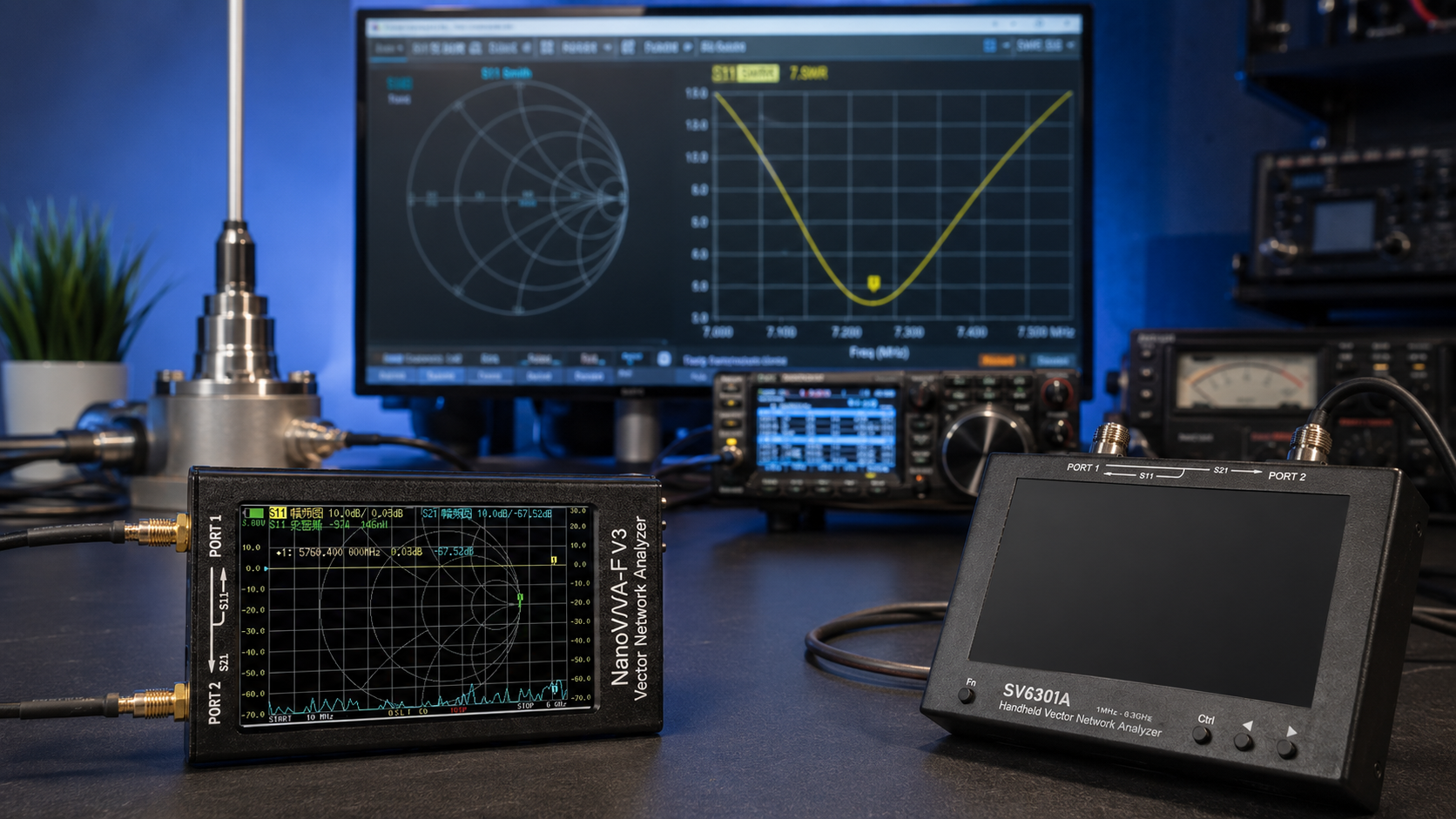
Updated: June 2026. This guide compares the best antenna analyzers for ham radio, including NanoVNA-H4, NanoVNA-F V3, LiteVNA-64, RigExpert AA and Stick models, Comet CAA-500 Mark II, and other portable RF tools for SWR, impedance, Smith Chart, cable, filter, and field measurements.
An antenna analyzer is one of the most useful tools an amateur-radio operator can own.
It can show whether an antenna is resonant, reveal its standing wave ratio, measure impedance, identify reactive components, test coaxial cables, locate faults, compare matching adjustments, and help prevent unnecessary stress on a radio transmitter.
However, the best antenna analyzer for ham radio depends on the project.
A beginner tuning an HF dipole does not need the same instrument as a university laboratory testing microwave filters. A portable operator may value a simple field analyzer with physical buttons. A maker may prefer a NanoVNA because it offers excellent value and can also measure filters, cables, and RF components. A technician working into the GHz range may need a LiteVNA, NanoVNA-F V3, or a larger advanced VNA.
This guide explains the differences between NanoVNA, RigExpert, Comet, LiteVNA, and other antenna analyzers so you can choose the right tool without paying for features you do not need.
To browse current options, visit the RF test and measurement equipment category at SDRstore.eu.
Quick Answer: What Is the Best Antenna Analyzer for Ham Radio?
| Antenna Analyzer | Best For | Main Advantage | Buyer Recommendation |
|---|---|---|---|
| NanoVNA-H4 | Most beginners, HF, VHF, UHF, portable use, SWR, Smith Chart, filters, and cables | Excellent value, large 4-inch screen, broad coverage, and full VNA features | Best overall value for most ham-radio users |
| RigExpert AA-35 ZOOM or AA-55 ZOOM | HF operators who want a simple dedicated field analyzer | Fast ham-radio workflow, physical controls, presets, and straightforward SWR graphs | Best premium HF-focused choice |
| RigExpert Stick 230 | HF and VHF field measurements up to 230 MHz | Compact waterproof-style body, long battery runtime, and Bluetooth app support | Best portable HF and 2-meter analyzer |
| RigExpert Stick Pro | HF, VHF, and UHF measurements up to 600 MHz | Dedicated antenna-and-cable workflow with color display and N connector | Best portable RigExpert for HF, 2 m, and 70 cm |
| RigExpert Stick XPro | Portable RF measurements up to 1 GHz | Wider coverage, TDR, cable tools, OSL calibration, and Bluetooth | Best advanced RigExpert field analyzer |
| Comet CAA-500 Mark II | Operators who prefer analog cross needles and simple band sweeps | Traditional ham-radio interface with SWR and impedance readings | Best traditional-style analyzer |
| LiteVNA-64 | Users who need measurements from HF into the GHz range | 50 kHz–6.3 GHz coverage, touchscreen, and MicroSD storage | Best portable wide-frequency step-up option |
| NanoVNA-F V3 | Portable RF development and measurements up to 6 GHz | S11 and S21 measurements with wider GHz-range coverage | Best advanced NanoVNA-style alternative |
| SV6301A | Advanced users, labs, large-screen field work, and component measurements | 7-inch screen, 1001 measurement points, TDR, and 6.3 GHz coverage | Best larger-screen portable VNA |
For most amateur-radio users, start with the NanoVNA-H4 10 kHz–1.5 GHz Portable Vector Network Analyzer.
It is affordable, portable, and capable enough for HF antennas, VHF and UHF antennas, SWR measurements, Smith Chart analysis, coaxial-cable testing, filter checks, and general RF learning.
Choose a RigExpert model instead when you want a more streamlined field workflow with fewer menus, physical buttons, amateur-band presets, and a dedicated antenna-analyzer interface.
What Does an Antenna Analyzer Measure?
An antenna analyzer sends a low-power test signal into an antenna system and measures how the system responds.
It helps answer practical questions:
- Is the antenna resonant near the intended frequency?
- What is the SWR?
- What is the impedance?
- Is the impedance mostly resistive or reactive?
- Does the feedline add unexpected loss?
- Did the antenna adjustment improve or worsen the result?
- Where is a cable fault located?
- Does a filter pass the intended band?
- How does an antenna behave across an entire amateur band?
Common measurements explained
| Measurement | What It Means | Why It Matters |
|---|---|---|
| SWR | Standing wave ratio | Shows how well the antenna system is matched to the selected impedance, commonly 50 ohms |
| Return loss | How much RF energy is reflected back toward the source | A higher return-loss value generally indicates a better match |
| Resistance, R | The resistive part of impedance | Helps determine whether the antenna approaches the desired impedance |
| Reactance, X | The reactive part of impedance | Shows whether the antenna behaves capacitively or inductively |
| Impedance, Z | The combined resistive and reactive behavior | Provides a more complete picture than SWR alone |
| Smith Chart | A graphical display of complex impedance | Useful for matching networks, antenna tuning, and RF education |
| S11 | Reflection measurement at one port | Used for antenna matching, return loss, and SWR analysis |
| S21 | Transmission measurement from one port to another | Useful for testing filters, cables, attenuators, and amplifiers safely |
| TDR | Time-domain reflectometry | Helps estimate cable length and locate faults or impedance discontinuities |
Antenna Analyzer vs SWR Meter
A basic SWR meter and an antenna analyzer are not the same tool.
| Feature | Basic SWR Meter | Antenna Analyzer or VNA |
|---|---|---|
| Needs a radio transmitter | Usually yes | No, it generates its own low-power test signal |
| Shows SWR | Yes | Yes |
| Shows impedance | Usually no | Yes on suitable analyzers |
| Shows resistance and reactance | Usually no | Yes |
| Sweeps an entire band | Usually no | Yes |
| Smith Chart | No | Yes on VNA-style devices |
| Cable testing | Limited | Available on many analyzers |
| Filter testing | No | Available on two-port VNAs |
Use an SWR meter when you want to confirm the match during normal radio operation.
Use an antenna analyzer when you want to diagnose, tune, compare, and understand the complete antenna system before transmitting.
Antenna Analyzer vs Vector Network Analyzer
A dedicated antenna analyzer focuses on the measurements most operators need in the field.
A vector network analyzer, usually shortened to VNA, is broader. It can measure antennas but also test filters, cables, attenuators, matching networks, duplexers, and other RF components.
| Tool Type | Best For | Typical Example |
|---|---|---|
| Dedicated antenna analyzer | Fast SWR, impedance, resonance, and cable checks in the field | RigExpert and Comet models |
| Portable VNA | Antenna tuning plus broader RF-component measurements | NanoVNA-H4, LiteVNA-64, NanoVNA-F V3, and SV6301A |
Most amateur-radio users benefit from owning a VNA-style analyzer because it remains useful after the first antenna is tuned.
Best Overall Value: NanoVNA-H4
The NanoVNA-H4 10 kHz–1.5 GHz Portable Vector Network Analyzer is the best starting recommendation for most amateur-radio users.
It combines a portable battery-powered design with a large 4-inch touchscreen and a frequency range suitable for HF, VHF, UHF, and many antenna projects above the traditional amateur bands.
NanoVNA-H4 key features
- Approximately 10 kHz–1.5 GHz measurement coverage
- Large 4-inch touchscreen display
- Built-in 1950 mAh battery
- USB power and computer connectivity
- S11 reflection measurements
- S21 transmission measurements
- SWR display
- Return-loss measurements
- Resistance and reactance measurements
- Smith Chart
- Calibration support
- Portable field operation
Choose NanoVNA-H4 if you want:
- The best value antenna analyzer for ham radio
- HF antenna tuning
- 2-meter and 70-centimeter antenna measurements
- A portable VNA with a larger screen
- A Smith Chart for learning impedance matching
- Cable and filter testing
- A useful first RF test tool
- An analyzer that remains useful as your projects become more advanced
NanoVNA-H4 limitations
- The touchscreen interface requires more learning than a dedicated RigExpert analyzer.
- Calibration matters greatly for accurate results.
- Adapters and cables can distort measurements if they are not included in the calibration plane.
- Performance is not identical across the entire frequency range.
- The device should not be connected to a transmitter output.
Read our setup guide: How to Test Antenna SWR with a NanoVNA.
Most Affordable NanoVNA Option: Compact 2.8-Inch NanoVNA
SDRstore.eu also offers the NanoVNA VNA Vector Network Analyzer with 2.8-inch LCD.
It is the lowest-cost entry point for users who want basic VNA functions in a compact package.
Choose the smaller NanoVNA if:
- Your budget is the main priority.
- You mainly test HF, VHF, and lower UHF antennas.
- You do not mind using a smaller touchscreen.
- You want a compact backup analyzer.
- You plan to use computer software for larger graphs.
Choose NanoVNA-H4 instead if:
- You want a larger display.
- You want easier portable use.
- You frequently inspect Smith Charts directly on the analyzer.
- You expect to use the device regularly.
NanoVNA-F V3: Portable Measurements up to 6 GHz
The NanoVNA-F V3 1 MHz–6 GHz Portable Vector Network Analyzer is a stronger option for users who need wider frequency coverage.
NanoVNA-F V3 listed features
- 1 MHz–6 GHz frequency range
- S11 reflection measurements
- S21 transmission measurements
- Portable design
- Suitable for antenna, filter, cable, and RF-component testing
- Wider coverage than NanoVNA-H4
Choose NanoVNA-F V3 if:
- You test antennas above 1.5 GHz.
- You build microwave, Wi-Fi, GNSS, ISM-band, or satellite projects.
- You want a portable analyzer that remains useful for RF development.
- You need S11 and S21 measurements across a wider range.
Choose NanoVNA-H4 instead if:
- Your main projects remain below 1.5 GHz.
- You mainly tune HF, VHF, and UHF antennas.
- You prefer a lower-cost first analyzer.
LiteVNA-64: Best Wide-Frequency Portable Step-Up
The LiteVNA-64 50 kHz–6.3 GHz Vector Network Analyzer is one of the strongest upgrades for users who like the portable NanoVNA concept but need wider frequency coverage and a more capable platform.
LiteVNA-64 listed features
- 50 kHz–6.3 GHz frequency range
- 3.95-inch touchscreen
- MicroSD card slot
- Portable design
- Broader RF-component testing capability
- HF, VHF, UHF, ISM-band, satellite, and microwave project support
Choose LiteVNA-64 if:
- You want a compact VNA with coverage beyond NanoVNA-H4.
- You work with 2.4 GHz and 5 GHz antennas.
- You test filters, cables, and matching networks across several bands.
- You want MicroSD storage.
- You need a portable analyzer for more advanced RF experiments.
SV6301A: Best Large-Screen Portable VNA
The SV6301A 7-inch 6.3 GHz Vector Network Analyzer is designed for users who want a larger display and a more advanced portable workflow.
SV6301A listed features
- 1 MHz–6.3 GHz frequency range
- 7-inch IPS touchscreen display
- 1024×600 display resolution
- 1001 measurement points
- Dynamic range up to 100 dB below 3 GHz
- Time-domain reflectometry for cable-length and fault testing
- 8 GB storage card
- USB-C charging
- N connectors with SMA adapters
Choose SV6301A if:
- You want a larger screen for field and bench measurements.
- You test RF components regularly.
- You need more measurement points.
- You want TDR support for cable diagnostics.
- You work into the GHz range.
- You want a more comfortable analyzer for professional or university use.
RigExpert vs NanoVNA: Which Is Better?
NanoVNA and RigExpert analyzers overlap, but they appeal to different buyers.
| Feature | NanoVNA-H4 | RigExpert Analyzer |
|---|---|---|
| Main advantage | Maximum value and broader VNA functionality at a low price | Polished dedicated antenna-analyzer workflow |
| Best buyer | Beginner, maker, RF learner, or budget-conscious ham-radio operator | Operator who wants fast field measurements and simple controls |
| Interface | Touchscreen with VNA menus | Physical controls, guided menus, and model-specific presets |
| Calibration style | Frequent user calibration is important | Designed for a more streamlined field workflow, with model-specific calibration features |
| Smith Chart | Available | Depends on the model and software workflow |
| S21 filter measurements | Available on VNA-style devices | Not the main reason to buy most RigExpert antenna analyzers |
| Price direction | Lower-cost entry point | Higher-cost premium field tool |
| Learning curve | Higher | Lower for common antenna checks |
Choose NanoVNA if:
- You want the best value.
- You want Smith Chart measurements.
- You want to test filters and cables.
- You enjoy learning RF concepts.
- You want a compact VNA rather than only an antenna analyzer.
Choose RigExpert if:
- You want a fast field workflow.
- You prefer physical buttons.
- You want amateur-band presets.
- You want a more polished dedicated analyzer.
- You frequently tune antennas outdoors.
- You prefer a rugged portable form factor.
RigExpert AA-35 ZOOM and AA-55 ZOOM: Best for HF Operators
RigExpert AA-35 ZOOM and AA-55 ZOOM remain attractive options for amateur-radio operators focused primarily on HF antennas.
| Model | Frequency Range | Best For |
|---|---|---|
| RigExpert AA-35 ZOOM | Approximately 60 kHz–35 MHz | HF antennas through the upper shortwave and amateur-radio bands |
| RigExpert AA-55 ZOOM | Approximately 60 kHz–55 MHz | HF antennas plus additional headroom above the traditional HF range |
Choose AA-35 ZOOM or AA-55 ZOOM if:
- You mainly work on HF dipoles, verticals, loops, and end-fed antennas.
- You want quick SWR sweeps.
- You want impedance readings without navigating VNA menus.
- You prefer a dedicated field analyzer.
- You do not need VHF, UHF, or microwave coverage.
RigExpert Stick 230: Best Portable Choice for HF and 2 Meters
RigExpert Stick 230 covers approximately 100 kHz–230 MHz.
This makes it useful for HF, 6-meter, and 2-meter antenna projects while remaining compact enough for portable field adjustments.
RigExpert Stick 230 highlights
- 0.1–230 MHz frequency range
- SWR measurements
- Return-loss measurements
- Resistance and reactance measurements
- Compact field-oriented design
- High-contrast electronic-paper display
- Bluetooth communication with mobile app
- Long battery runtime
- USB-C connectivity
- UHF SO-239 antenna connector
Choose Stick 230 if:
- You tune HF and VHF antennas outdoors.
- You want to cover 2 meters without paying for unnecessary GHz-range features.
- You value battery runtime.
- You want Bluetooth app support.
- You prefer physical buttons over a touchscreen.
RigExpert Stick 500, Stick Pro, and Stick XPro
| RigExpert Model | Frequency Range | Best Use |
|---|---|---|
| Stick 500 | 0.1–500 MHz | HF, VHF, and most common UHF ham-radio antenna work |
| Stick Pro | 0.1–600 MHz | Portable HF, 2-meter, and 70-centimeter antenna and cable measurements with a color display |
| Stick XPro | 0.1–1000 MHz | Advanced portable work requiring wider coverage, OSL calibration, TDR, and cable tools |
Choose Stick Pro if:
- You want one dedicated field analyzer for HF, VHF, and UHF.
- You tune antennas for the 70-centimeter amateur band.
- You prefer an N connector and a color display.
- You want a compact premium alternative to NanoVNA.
Choose Stick XPro if:
- You need coverage up to 1 GHz.
- You want TDR and cable diagnostics.
- You work with RF systems beyond the most common amateur bands.
- You want a high-end portable RigExpert analyzer.
Comet CAA-500 Mark II: Best Traditional-Style Analyzer
Comet CAA-500 Mark II is a strong alternative for users who prefer a traditional ham-radio interface.
It combines analog cross-needle meters with a color display and graphing features.
Comet CAA-500 Mark II highlights
- 1.8–500 MHz frequency range
- Analog cross-needle SWR and impedance display
- Color TFT screen
- Automatic sweep mode
- Manual sweep mode
- Overlay comparison of several manual sweeps
- HF, VHF, and UHF antenna support
- Battery-powered field operation
Choose Comet CAA-500 Mark II if:
- You prefer analog needle feedback.
- You want quick antenna adjustments without learning VNA menus.
- You frequently tune HF, VHF, and UHF antennas.
- You value a traditional amateur-radio workflow.
NanoVNA V2 Plus4: Advanced Compact 4 GHz VNA
NanoVNA V2 Plus4 is another compact option worth considering for more advanced RF work.
It is a separate architecture from the original NanoVNA project and is designed for measurements up to 4 GHz.
Choose NanoVNA V2 Plus4 if:
- You want a compact VNA for GHz-range projects.
- You test antennas, filters, duplexers, and amplifiers.
- You need more RF-development capability than a basic HF antenna analyzer.
- You understand VNA calibration and measurement setup.
For SDRstore.eu buyers, compare NanoVNA V2 Plus4 with the LiteVNA-64 and NanoVNA-F V3.
N1201SA+: Useful VHF and UHF Field Analyzer
The N1201SA+ RF Vector Impedance Analyzer is a compact option for VHF, UHF, and higher-frequency antenna work.
N1201SA+ listed features
- 34.375 MHz–2.7 GHz frequency range
- Resistance measurements
- Reactance measurements
- SWR measurements
- S11 measurements
- 2.4-inch TFT screen
- 2000 mAh battery
- SMA connector
- TDR mode
Choose N1201SA+ if:
- You mainly work on VHF, UHF, satellite, GNSS, and ISM-band antennas.
- You want a compact handheld analyzer.
- You do not need HF coverage below approximately 34 MHz.
Do not choose N1201SA+ if:
- Your main interest is HF amateur radio.
- You tune 80-meter, 40-meter, 20-meter, or other common shortwave antennas.
Best Antenna Analyzer by Amateur-Radio Band
| Your Main Bands | Best Starting Analyzer | Premium or Wider-Coverage Option |
|---|---|---|
| HF only | NanoVNA-H4 | RigExpert AA-35 ZOOM or AA-55 ZOOM |
| HF and 6 meters | NanoVNA-H4 | RigExpert AA-55 ZOOM or Stick 230 |
| HF and 2 meters | NanoVNA-H4 | RigExpert Stick 230 |
| HF, 2 meters, and 70 centimeters | NanoVNA-H4 | RigExpert Stick Pro or Stick XPro |
| Up to 1 GHz | NanoVNA-H4 for value | RigExpert Stick XPro |
| Above 1.5 GHz | LiteVNA-64 | NanoVNA-F V3 or SV6301A |
| 2.4 GHz and 5 GHz projects | LiteVNA-64 | NanoVNA-F V3 or SV6301A |
| VHF and UHF field checks only | N1201SA+ | RigExpert Stick Pro |
Best Antenna Analyzer by User Type
| User Type | Recommended Analyzer | Why |
|---|---|---|
| Complete beginner | NanoVNA-H4 | Affordable, versatile, and useful for learning |
| Portable HF operator | RigExpert AA-35 ZOOM, AA-55 ZOOM, or Stick 230 | Fast field workflow and physical controls |
| HF, VHF, and UHF operator | NanoVNA-H4 or RigExpert Stick Pro | Coverage of common amateur bands |
| Technician testing RF components | LiteVNA-64 or NanoVNA-F V3 | Wider frequency coverage and S11/S21 capability |
| University laboratory | SV6301A, LiteVNA-64, or more advanced lab VNA | Larger display, broader measurements, and better documentation workflows |
| Operator who dislikes touchscreens | RigExpert or Comet CAA-500 Mark II | Physical controls and straightforward antenna-focused interface |
| Satellite and microwave experimenter | LiteVNA-64, NanoVNA-F V3, or SV6301A | GHz-range coverage |
How to Calibrate a NanoVNA Before Measuring an Antenna
Calibration is essential.
A NanoVNA measures everything between the calibrated reference plane and the antenna. This includes adapters, cables, connectors, and test leads.
Basic NanoVNA one-port antenna calibration
- Disconnect the antenna and radio equipment.
- Set the start and stop frequencies for the antenna band you want to test.
- Connect any adapter or cable that will remain in the measurement setup.
- Attach the open calibration standard.
- Run the OPEN calibration step.
- Attach the short calibration standard.
- Run the SHORT calibration step.
- Attach the 50-ohm load standard.
- Run the LOAD calibration step.
- Save the calibration profile where supported.
- Connect the antenna without changing the calibrated cable arrangement.
- Read SWR, return loss, resistance, reactance, and Smith Chart behavior.
For two-port filter measurements
Add the THRU calibration step:
Port 1 → through adapter or cable → Port 2Two-port calibration is useful when testing filters, cables, attenuators, and matching networks.
Where Should You Calibrate the Analyzer?
Calibrate at the measurement plane.
The measurement plane is the exact point where the antenna or RF component will connect during the test.
Example 1: Test the antenna directly
NanoVNA → antennaCalibrate at the analyzer connector or adapter.
Example 2: Test the antenna through a feedline
NanoVNA → feedline → antennaCalibrate at the end of the feedline if you want to isolate antenna behavior.
Calibrate at the analyzer side if you want to measure the complete installed antenna system, including the cable.
Example 3: Test a filter
Port 1 → filter → Port 2Include the test cables and adapters in the two-port calibration.
How to Test Antenna SWR
Basic SWR workflow
- Disconnect the antenna from the radio transmitter.
- Connect the antenna or feedline to the analyzer.
- Select the desired amateur band.
- Calibrate the analyzer for the chosen range.
- Display the SWR graph.
- Locate the lowest SWR point.
- Check whether the low-SWR area covers the frequencies you actually use.
- Adjust the antenna length, loading coil, matching network, or installation where required.
- Repeat the sweep.
- Compare before-and-after graphs.
General SWR interpretation
| SWR | General Interpretation |
|---|---|
| Approximately 1.0:1 | Excellent match at the measured frequency |
| Below approximately 1.5:1 | Very good result for many amateur-radio installations |
| Approximately 1.5:1–2.0:1 | Often usable, but check the radio, amplifier, cable loss, and project requirements |
| Above approximately 2.0:1 | Investigate the antenna, feedline, connectors, and matching arrangement |
| Very high or unstable readings | Check calibration, connectors, cable faults, and antenna continuity |
SWR alone is not enough. Also inspect impedance, resistance, reactance, and bandwidth.
Read our complete walkthrough: How to Test Antenna SWR with a NanoVNA.
How to Read Resistance and Reactance
A 50-ohm radio system generally aims for an impedance close to:
50 + j0 ohmsThe first number is resistance. The second number is reactance.
| Reading | General Interpretation |
|---|---|
| Approximately 50 + j0 ohms | Good resistive match near the target frequency |
| Low resistance with negative reactance | The antenna may appear capacitive |
| High resistance with positive reactance | The antenna may appear inductive |
| Large reactive value | The antenna may need tuning or matching adjustments |
Real installations are more complicated than one number. Antenna height, nearby objects, ground conditions, feedline length, matching networks, and measurement position all affect the result.
How to Use a Smith Chart
A Smith Chart displays complex impedance graphically.
It looks intimidating at first, but it becomes useful once you understand the goal: move the measurement closer to the center of the chart for the selected system impedance.
Use a Smith Chart to:
- Understand whether an antenna is inductive or capacitive
- Observe impedance changes across a band
- Tune matching networks
- Compare cable and adapter effects
- Learn how antenna adjustments move the impedance
- Test filters and RF components
Beginner Smith Chart workflow
- Calibrate the analyzer.
- Select a narrow frequency range around the target band.
- Display the Smith Chart trace.
- Connect the antenna.
- Move a marker to the desired operating frequency.
- Observe whether the trace approaches the chart center.
- Adjust the antenna or matching network.
- Repeat the sweep.
How to Test Coaxial Cables
Antenna analyzers and VNAs can help identify feedline problems.
Common coaxial-cable problems
- Loose connector
- Broken center conductor
- Short circuit
- Water ingress
- Corrosion
- Incorrect impedance
- Unexpected cable loss
- Damaged adapter
Basic cable-check workflow
- Disconnect the cable from the transmitter and antenna.
- Inspect both connectors physically.
- Use a multimeter for basic continuity checks.
- Calibrate the analyzer.
- Measure cable behavior with an open, short, or load at the far end.
- Use TDR mode when supported.
- Compare the measured cable length with the expected length.
- Investigate unexpected discontinuities.
What Is TDR and Do You Need It?
TDR means time-domain reflectometry.
It helps estimate where a reflection or fault occurs along a cable.
TDR can help identify:
- Approximate cable length
- Connector faults
- Impedance changes
- Short circuits
- Open circuits
- Damaged cable sections
- Poor transitions between adapters
TDR is especially useful for:
- Long rooftop feedlines
- Permanent antenna installations
- Repeater-site cables
- University labs
- Field troubleshooting
Can You Test Filters with an Antenna Analyzer?
Use a two-port VNA when you want to test filters properly.
VNA Port 1 → filter input → filter output → VNA Port 2A two-port VNA can show:
- Passband
- Stopband
- Insertion loss
- Return loss
- Filter bandwidth
- Resonant behavior
- Unexpected losses
NanoVNA-H4, LiteVNA-64, NanoVNA-F V3, and SV6301A are more suitable than a simple SWR-only analyzer when you also test RF filters and components.
Can You Test an LNA with a NanoVNA?
A VNA can help test amplifier gain and frequency response, but active components require careful setup.
Read our guide before adding gain to an SDR system: Do You Need an LNA for SDR? When It Helps and When It Makes Signals Worse.
Important precautions
- Check input and output levels.
- Confirm bias-tee voltage.
- Use external attenuation where required.
- Do not exceed the safe input level of the VNA.
- Use DC blocks where appropriate.
- Verify the setup before applying power.
NanoVNA vs TinySA Ultra
NanoVNA and TinySA Ultra solve different RF problems.
| Your Goal | Best Tool |
|---|---|
| Measure antenna SWR | NanoVNA, RigExpert, Comet, or another antenna analyzer |
| Measure antenna impedance | NanoVNA, RigExpert, or another vector impedance analyzer |
| Use a Smith Chart | NanoVNA-style VNA |
| Test cable length and faults | Analyzer with TDR support |
| See which RF signals are present in the air | TinySA Ultra or another spectrum analyzer |
| Find interference | TinySA Ultra |
| Inspect transmitter harmonics safely | TinySA Ultra with dummy load, coupler, and attenuation |
| Build a practical portable RF toolkit | Own both a NanoVNA and TinySA Ultra |
Read our comparisons:
- NanoVNA vs TinySA: Which RF Tool Do You Actually Need?
- TinySA Ultra Setup Guide: Spectrum Scanning, Signal Generator, LNA, and Attenuator
Safety: Never Connect a Transmitter Directly to an Antenna Analyzer
Antenna analyzers generate their own low-power RF test signals.
They are not designed to accept transmitter output power.
Before connecting an analyzer:
- Disconnect the radio transmitter.
- Disconnect amplifiers.
- Check whether bias-tee DC voltage is present.
- Disconnect active antenna power where required.
- Confirm that another nearby radio is not transmitting into the antenna.
- Avoid testing outdoor antennas during storms.
- Inspect connectors before attaching adapters.
- Use static and lightning precautions for permanent outdoor systems.
Safe antenna test connection
Antenna analyzer → feedline or antenna under testUnsafe connection
Radio transmitter → antenna analyzer inputA transmitter can damage the analyzer immediately.
Common Antenna Analyzer Mistakes
Measuring without calibration
Calibration is necessary for meaningful VNA results. Set the desired frequency range and calibrate before measuring.
Calibrating at the wrong point
Include the cable and adapters in the calibration plane when they remain in the test setup.
Changing adapters after calibration
Recalibrate after changing the RF path.
Testing an antenna while it remains connected to the radio
Disconnect transmitters and powered accessories before attaching the analyzer.
Looking only at the lowest SWR number
Check operating bandwidth, impedance, resistance, reactance, and the actual frequencies you use.
Tuning an indoor antenna before installing it outdoors
Nearby walls, metal objects, ground conditions, mounting height, and cable routing can change the result. Tune the final installation where practical.
Using a long adapter chain
Every adapter can affect higher-frequency measurements. Use the shortest practical connection and calibrate carefully.
Buying a GHz-range analyzer only for HF
Do not pay for frequency coverage you do not need. NanoVNA-H4 or an HF-focused RigExpert model is enough for many operators.
Buying an HF-only analyzer before planning VHF and UHF projects
Consider your future antenna projects. A broader analyzer may save money later.
Recommended Antenna Analyzer Buying Strategy
- List the amateur-radio bands you currently use.
- Add the bands you expect to use during the next two years.
- Decide whether you need only antenna SWR checks or also filter and cable measurements.
- Choose NanoVNA-H4 if value and versatility matter most.
- Choose RigExpert when fast outdoor tuning and physical controls matter most.
- Choose Comet CAA-500 Mark II when you prefer a traditional analog-style interface.
- Choose LiteVNA-64, NanoVNA-F V3, or SV6301A when GHz-range RF projects justify the upgrade.
- Choose N1201SA+ only when your projects remain above approximately 34 MHz.
- Add TinySA Ultra later when you need spectrum scanning and interference troubleshooting.
Which Antenna Analyzer Should You Buy?
| Your Main Goal | Recommended Analyzer |
|---|---|
| Buy the best first analyzer for ham radio | NanoVNA-H4 |
| Tune HF antennas affordably | NanoVNA-H4 |
| Use a polished HF-only field analyzer | RigExpert AA-35 ZOOM or AA-55 ZOOM |
| Tune HF and 2-meter antennas outdoors | RigExpert Stick 230 |
| Tune HF, 2-meter, and 70-centimeter antennas | NanoVNA-H4 or RigExpert Stick Pro |
| Use a premium portable analyzer up to 1 GHz | RigExpert Stick XPro |
| Use analog cross needles and a traditional interface | Comet CAA-500 Mark II |
| Measure antennas and components up to 6.3 GHz | LiteVNA-64 |
| Use a NanoVNA-style portable analyzer up to 6 GHz | NanoVNA-F V3 |
| Use a larger-screen advanced portable VNA | SV6301A |
| Measure compact VHF, UHF, satellite, and ISM-band antennas | N1201SA+ |
| Find interference and inspect RF spectrum activity | Add TinySA Ultra as a complementary tool |
Where to Browse Antenna Analyzers and RF Tools
- RF test and measurement equipment
- Portable VNAs, spectrum analyzers, and RF analysis tools
- NanoVNA-H4 10 kHz–1.5 GHz Portable Vector Network Analyzer
- Compact NanoVNA with 2.8-inch LCD
- NanoVNA-F V3 1 MHz–6 GHz Portable Vector Network Analyzer
- LiteVNA-64 50 kHz–6.3 GHz Vector Network Analyzer
- SV6301A 7-inch 6.3 GHz Vector Network Analyzer
- N1201SA+ RF Vector Impedance Analyzer
- TinySA Ultra Spectrum Analyzer and RF Generator
- Antennas and RF accessories
Related SDRstore.eu Guides
- How to Test Antenna SWR with a NanoVNA
- NanoVNA vs TinySA: Which RF Tool Do You Actually Need?
- TinySA Ultra Setup Guide: Spectrum Scanning, Signal Generator, LNA, and Attenuator
- Do You Need an LNA for SDR? When It Helps and When It Makes Signals Worse
- Best SDR for Ham Radio in 2026: HF, VHF, UHF, Digital Modes, and Portable Use
Official Resources
- NanoVNA official project website
- NanoVNA-H4 project information
- NanoVNA V2 official website
- RigExpert current antenna-analyzer comparison table
- RigExpert Stick 230 official product page
- RigExpert Stick Pro official product page
- RigExpert Stick XPro official product page
- Comet CAA-500 Mark II official product page
Final Verdict: Best Antenna Analyzer for Ham Radio
NanoVNA-H4 is the best antenna analyzer for most amateur-radio users.
It is affordable, portable, and capable enough for HF, VHF, UHF, SWR measurements, impedance analysis, Smith Charts, filters, cables, and general RF education.
Choose RigExpert instead when you want a more polished field instrument with physical controls, amateur-band presets, strong battery life, and a simpler antenna-focused workflow.
Choose Comet CAA-500 Mark II if you prefer analog cross needles and a traditional ham-radio interface.
Choose LiteVNA-64 or NanoVNA-F V3 when your projects extend into the GHz range. Choose SV6301A when a larger display, TDR, and more comfortable advanced measurements justify the higher cost.
Do not buy only by maximum frequency range.
Choose the analyzer that covers your real antenna projects, calibrate it carefully, disconnect all transmitters before testing, and inspect impedance and bandwidth rather than chasing the lowest possible SWR number alone.
FAQ
What is the best antenna analyzer for ham radio?
NanoVNA-H4 is the best overall value for most amateur-radio users. It covers approximately 10 kHz–1.5 GHz and supports SWR, impedance, Smith Chart, cable, and filter measurements.
Is NanoVNA good for ham radio antennas?
Yes. NanoVNA is a strong choice for HF, VHF, and UHF amateur-radio antennas. It can show SWR, return loss, resistance, reactance, impedance, and Smith Chart behavior.
Should I buy NanoVNA-H4 or RigExpert?
Choose NanoVNA-H4 for the best value and broader VNA functionality. Choose RigExpert when you want a simpler premium field analyzer with physical controls, presets, and a dedicated antenna-tuning workflow.
What is the difference between NanoVNA and RigExpert?
NanoVNA is a low-cost vector network analyzer that can test antennas, cables, filters, and RF components. RigExpert analyzers focus more heavily on fast and polished antenna-and-cable measurements in the field.
What frequency range does NanoVNA-H4 cover?
NanoVNA-H4 covers approximately 10 kHz–1.5 GHz. This is enough for HF, VHF, UHF, and many common amateur-radio antenna projects.
Which RigExpert antenna analyzer is best for HF?
RigExpert AA-35 ZOOM and AA-55 ZOOM are strong HF-focused choices. Stick 230 is better when you also want VHF coverage up to 230 MHz.
Which RigExpert analyzer covers the 70-centimeter band?
RigExpert Stick 500, Stick Pro, and Stick XPro cover the 70-centimeter amateur band. Stick Pro reaches 600 MHz, while Stick XPro reaches 1 GHz.
Is LiteVNA better than NanoVNA?
LiteVNA-64 is the stronger choice when you need wider 50 kHz–6.3 GHz coverage. NanoVNA-H4 remains the better-value option for most HF, VHF, and UHF ham-radio projects.
What is the best antenna analyzer for 2.4 GHz antennas?
Choose LiteVNA-64, NanoVNA-F V3, NanoVNA V2 Plus4, or SV6301A. NanoVNA-H4 does not cover 2.4 GHz.
What is the best antenna analyzer for HF?
NanoVNA-H4 is the best-value HF analyzer. RigExpert AA-35 ZOOM and AA-55 ZOOM are premium alternatives for operators who want a simpler dedicated field workflow.
What is the best antenna analyzer for VHF and UHF?
NanoVNA-H4 is a strong value option. RigExpert Stick Pro is a premium portable alternative covering up to 600 MHz. N1201SA+ is useful for compact VHF and UHF field work.
Can an antenna analyzer measure SWR?
Yes. Measuring SWR is one of the main uses of an antenna analyzer. Most analyzers can also show impedance, return loss, resistance, and reactance.
What SWR is good for ham radio?
An SWR below approximately 1.5:1 is a very good result for many amateur-radio installations. Values up to approximately 2.0:1 may still be usable depending on the radio, amplifier, cable loss, and project requirements.
Do I need to calibrate NanoVNA?
Yes. Calibrate NanoVNA for the selected frequency range and at the intended measurement plane. Recalibrate after changing cables, adapters, or the RF path.
What calibration standards does NanoVNA use?
A basic one-port antenna calibration uses open, short, and 50-ohm load standards. Two-port filter measurements also require a through calibration connection.
What is a Smith Chart?
A Smith Chart is a graphical display of complex impedance. It helps show whether an antenna is inductive, capacitive, resistive, and close to the desired system impedance.
Can NanoVNA test coaxial cables?
Yes. NanoVNA can help inspect cable behavior, estimate length, and identify faults using supported time-domain functions and suitable test methods.
Can NanoVNA test filters?
Yes. Use a two-port VNA setup with Port 1 connected to the filter input and Port 2 connected to the filter output. Complete the appropriate calibration before measuring.
Can I connect a transmitter directly to an antenna analyzer?
No. Disconnect transmitters, amplifiers, and powered accessories before attaching an antenna analyzer. Transmitter power can damage the analyzer.
Is TinySA Ultra an antenna analyzer?
TinySA Ultra is primarily a portable spectrum analyzer and RF signal generator. Use NanoVNA, RigExpert, or another VNA-style analyzer for antenna SWR, impedance, and Smith Chart measurements.
Should I buy NanoVNA or TinySA Ultra first?
Buy NanoVNA first when your priority is antenna SWR, impedance, cables, and filters. Buy TinySA Ultra first when your priority is spectrum scanning, interference hunting, and safe transmitter-harmonic checks.
Does a lower SWR always mean a better antenna?
No. A low SWR only shows a good impedance match. Also consider efficiency, radiation pattern, bandwidth, feedline loss, antenna placement, and the intended operating frequency.
Can I test an antenna indoors and install it outdoors later?
You can perform initial tests indoors, but final tuning should be completed in the real installation when practical. Nearby walls, metal objects, mounting height, ground conditions, and cable routing can change the result.
What antenna analyzer should a beginner buy?
NanoVNA-H4 is the strongest beginner recommendation because it is affordable, portable, versatile, and useful for far more than one antenna project.
No posts found
Write a review






We support all major card and digital payment options. More local methods are available and shown during checkout.
You enter into a binding sales contract once you have received an 'order confirmation and sales receipt' email from us, in line with our Sales & Delivery conditions. Therefore, sdrstore.eu has the right to cancel your order in the event of technical problems, delivery failure, Fair use policy and other similar situations.






Your payments are protected by advanced encryption and 3-D Secure authentication for safe online shopping.