








Do You Need an LNA for SDR? When It Helps and When It Makes Signals Worse
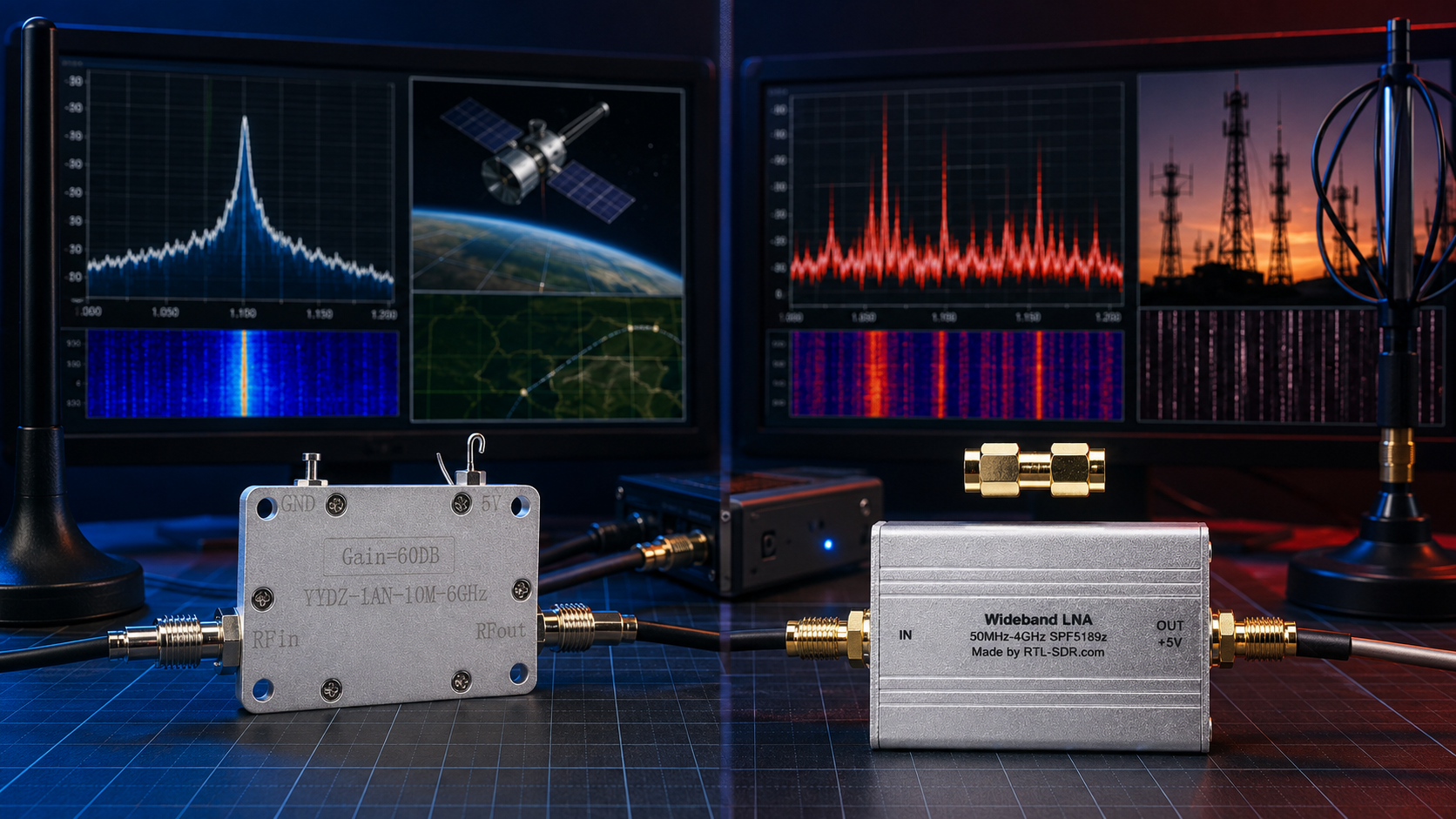
Updated: June 2026. This guide explains when a low-noise amplifier improves SDR reception, when it causes overload and intermodulation, where it should be installed, how filters change the result, and how to choose an LNA for RTL-SDR, ADS-B, satellites, HF, VHF, UHF, L-band, GNSS, bladeRF, and general radio experiments.
A low-noise amplifier can transform an SDR receiving setup. It can reveal weak signals that were previously hidden, compensate for coaxial-cable loss, improve satellite reception, extend ADS-B range, and make a remote antenna installation more effective.
It can also make reception worse.
An unnecessary LNA can overload the receiver, amplify local interference, create false signals across the waterfall, reduce dynamic range, and make a previously usable SDR appear broken.
The correct question is not simply: “Do I need an LNA for SDR?”
The better question is: “What problem am I trying to solve?”
This guide explains how an LNA works, which SDR projects benefit from one, when filtering matters more than amplification, where the LNA should be positioned, how bias-tee power works, and how to identify overload before buying more hardware.
To browse receivers, amplifiers, antennas, and RF accessories, visit the software-defined radio category and the RF amplifiers, LNAs, and signal boosters category at SDRstore.eu.
Quick Answer: Do You Need an LNA for SDR?
You may need an LNA when the target signal is weak, the antenna cable introduces loss, or the antenna is installed far from the SDR receiver.
You probably do not need an LNA when local electrical noise, strong broadcast stations, receiver overload, or a poor antenna are the real problems.
| Your Situation | Will an LNA Help? | Recommended Action |
|---|---|---|
| Weak satellite signal with a long coaxial cable | Often yes | Install a suitable low-noise LNA close to the antenna |
| ADS-B station with an outdoor 1090 MHz antenna and cable loss | Often yes | Use a filtered ADS-B LNA near the antenna |
| L-band satellite reception with a patch antenna | Often yes | Use an active antenna or suitable L-band LNA close to the antenna |
| Short indoor antenna beside a computer and USB charger | Usually no | Move the antenna and reduce local electrical noise first |
| Waterfall filled with repeating lines and false signals | Probably not | Reduce gain, remove the LNA, and test filters |
| Strong FM broadcast stations overload VHF reception | Not by itself | Use an FM rejection filter before adding amplification |
| HF receiver overloaded by medium-wave broadcast stations | Usually no | Reduce gain and consider an AM rejection high-pass filter |
| General SDR scanning with strong nearby signals | Maybe | Start without an LNA and add one only after testing |
What Is an LNA?
LNA means low-noise amplifier.
It is a receiving accessory designed to increase a weak RF signal while adding as little additional noise as possible.
The LNA is usually installed between the antenna and the SDR receiver:
Antenna → LNA → coaxial cable → SDR receiver → computerIts purpose is not simply to make every signal look larger on the waterfall. Its real purpose is to improve the usable signal-to-noise ratio of the complete receiving system.
An LNA can help by:
- Lowering the effective noise figure of the receiving chain
- Amplifying weak antenna signals before cable loss reduces them
- Compensating for losses from cables, connectors, splitters, and filters
- Improving weak-signal decoding
- Helping satellite and remote-antenna installations
- Improving ADS-B range when the station is configured correctly
- Making an active antenna system more effective
An LNA can make reception worse by:
- Overloading the SDR receiver
- Overloading the LNA itself
- Amplifying strong unwanted signals
- Creating intermodulation products
- Raising the visible noise floor
- Reducing useful dynamic range
- Making false signals appear across the spectrum
- Masking the real problem, such as a poor antenna or local interference
LNA vs Power Amplifier: Do Not Confuse Them
An LNA and a power amplifier are different RF accessories.
| Accessory | Main Purpose | Where It Is Used | Typical SDR Role |
|---|---|---|---|
| LNA or low-noise amplifier | Improve weak received signals while adding minimal noise | Receive path | Satellites, ADS-B, GNSS, remote antennas, weak VHF/UHF signals |
| Power amplifier | Increase transmit output power | Transmit path | Authorized transmit experiments with suitable filtering and RF engineering |
Never assume that an amplifier is safe for both receiving and transmitting.
A receive-only LNA can be damaged by transmitter power. A transmit power amplifier is not a substitute for a low-noise receiver preamplifier.
What Is Noise Figure?
Noise figure describes how much a component or receiving system degrades the signal-to-noise ratio.
A lower noise figure is generally better.
| Noise Figure | General Interpretation |
|---|---|
| Below 1 dB | Very low-noise amplifier performance for suitable frequencies and conditions |
| Approximately 1–2 dB | Good performance for many weak-signal receiving projects |
| Higher values | May still be usable, but the amplifier adds more noise to the receiving chain |
Noise figure changes with frequency, temperature, device design, supply voltage, and operating conditions. Do not assume that a single advertised number applies identically across the entire frequency range.
Why LNA Placement Matters
The first stage of the receiving chain has a major effect on the overall system noise figure.
This is why an LNA should normally be installed close to the antenna rather than beside the SDR receiver after a long cable.
Preferred arrangement
Antenna → LNA → low-loss coaxial cable → SDR receiverLess effective arrangement
Antenna → long lossy coaxial cable → LNA → SDR receiverIn the less effective arrangement, the weak antenna signal is already reduced by the cable before the amplifier receives it.
Example
Imagine that an outdoor antenna connects to an indoor SDR receiver using a long coaxial cable. At the target frequency, the cable introduces several decibels of loss.
Installing the LNA beside the computer amplifies the weakened signal after the loss has already occurred.
Installing the LNA near the antenna amplifies the original weak signal before the cable reduces it. This is usually the better arrangement.
What Does Gain Mean?
Gain describes how much the amplifier increases the signal level.
Gain is normally measured in decibels:
| LNA Gain | General Effect |
|---|---|
| Approximately 10 dB | Moderate signal-level increase |
| Approximately 15–20 dB | Common useful range for many SDR receiving projects |
| Above approximately 25–30 dB | Potentially useful in specialized setups but increasingly likely to cause overload in strong-signal environments |
More gain is not automatically better.
Enough gain can overcome cable and component losses. Too much gain can overload the SDR receiver or reduce dynamic range.
What Is SDR Overload?
Overload occurs when the receiver, LNA, or analog-to-digital converter is exposed to more RF energy than it can handle cleanly.
A strong signal does not need to be inside the frequency range you are currently watching. A nearby FM transmitter, mobile tower, broadcast station, pager transmitter, or other powerful RF source can overload the front end and affect reception elsewhere.
Common signs of SDR overload
- Many signals appear across the waterfall at regular intervals.
- Signals appear at frequencies where they should not exist.
- The visible noise floor rises dramatically after enabling the LNA.
- A weak target signal becomes harder to decode after adding amplification.
- Strong local stations appear mirrored across the spectrum.
- Reducing gain makes more real signals visible.
- Removing the LNA improves reception.
- Adding a filter improves reception even though the total signal level becomes lower.
What Is Intermodulation?
Intermodulation occurs when strong signals interact inside a non-linear amplifier or receiver stage and create unwanted mixing products.
These false signals can appear at frequencies where no real transmitter exists.
A simple example
Two strong nearby transmitters may combine inside an overloaded amplifier and create additional unwanted signals.
The SDR waterfall may then look busier, but the receiver is not actually receiving more useful information.
It is displaying distortion.
More Visible Signal Does Not Always Mean Better Reception
Beginners often assume that an LNA is working because the entire waterfall becomes brighter.
This is not enough.
The correct question is whether the target signal becomes easier to decode or listen to relative to the surrounding noise.
| What You Observe | Likely Meaning |
|---|---|
| Target signal increases while noise changes very little | The LNA may be improving useful reception |
| Target signal and noise rise equally | The LNA may be adding little practical benefit |
| Waterfall becomes crowded with repeating false signals | The receiver or LNA is probably overloaded |
| Decoder receives more valid messages after adding the LNA | The upgrade is likely helping |
| Decoder receives fewer valid messages after adding the LNA | Remove the LNA, reduce gain, or add suitable filtering |
When Does an LNA Help Most?
Satellite reception
Satellite signals are often weak by the time they reach the ground. An LNA mounted close to the antenna can help compensate for cable loss and improve the effective noise figure of the station.
ADS-B aircraft tracking
ADS-B signals around 1090 MHz can benefit from a filtered LNA, especially when the antenna is outdoors and connected through a longer cable.
Read our detailed guide: Best SDR for ADS-B: RTL-SDR Kits, Antennas, Filters, and LNAs Compared.
L-band reception
L-band signals such as Inmarsat, Iridium, and selected satellite services often benefit from an active patch antenna or an LNA close to the antenna.
GNSS and GPS experiments
Weak GNSS satellite signals normally require an appropriate active antenna or low-noise receiving chain. Use accessories designed for the intended frequency and voltage.
Remote antenna installations
An LNA can help when an antenna is mounted outdoors, on a mast, near a window, or in another location far from the SDR receiver.
VHF and UHF weak-signal projects
A suitable LNA can improve reception when the target signal is weak and the local RF environment is not overloaded by stronger transmitters.
Long coaxial-cable runs
Cable loss increases with frequency and cable length. An LNA near the antenna can help overcome downstream cable loss.
When Does an LNA Usually Not Help?
The antenna is poor
An amplifier cannot turn an unsuitable antenna into a good antenna.
Match the antenna to the target frequency first.
The antenna is installed badly
Moving the antenna higher, outdoors, or away from obstructions can improve reception more than adding gain.
Local electrical noise is the real problem
An LNA amplifies noise as well as signals.
If the antenna sits beside chargers, LED lights, computers, routers, monitors, or switching power supplies, move the antenna before buying more hardware.
The receiver is already sensitive enough
If the antenna noise already dominates the system noise figure, an additional LNA may offer little improvement.
The RF environment contains strong transmitters
Nearby broadcast or mobile signals can overload a wideband LNA. Filtering may matter more than additional gain.
You are listening to HF with a large antenna
HF bands often contain strong signals. A large outdoor wire antenna can provide more than enough signal level. Adding an LNA may worsen overload and intermodulation.
Should You Use an LNA for HF and Shortwave Listening?
Use caution.
Shortwave receiving systems often encounter strong medium-wave broadcast stations, powerful shortwave stations, local electrical noise, and large antenna signals.
An LNA may help a compact passive loop or lossy feedline, but it can also overload the receiver.
| HF Setup | LNA Recommendation |
|---|---|
| Large outdoor wire antenna with strong broadcast stations | Start without an LNA |
| Passive indoor loop with low signal level | Test a suitable low-noise amplifier carefully |
| Long cable between antenna and receiver | An LNA may help if overload is controlled |
| Medium-wave stations overload direct-sampling RTL-SDR reception | Use an AM rejection high-pass filter before adding gain |
| Local electrical noise dominates reception | Move the antenna and reduce noise sources first |
Read our shortwave guide: Best SDR for Shortwave Listening in 2026.
Should You Use an LNA for ADS-B?
A filtered ADS-B LNA can be very useful.
ADS-B aircraft broadcasts are normally received around 1090 MHz. Cable loss at this frequency can become significant, especially when the antenna is mounted high outdoors while the receiver remains inside the building.
Recommended ADS-B arrangement
1090 MHz antenna → filtered ADS-B LNA near antenna → low-loss coaxial cable → RTL-SDR receiver → Raspberry PiUse an ADS-B LNA when:
- The antenna cable is long.
- The antenna is outdoors while the receiver is indoors.
- Distant aircraft signals are weak.
- Nearby transmitters create out-of-band overload.
- You want to improve valid message count and reliable range.
Do not judge the result by signal level alone
Compare:
- Valid ADS-B messages decoded per hour
- Aircraft tracked
- Reliable range by direction
- Maximum range
- Coverage consistency
- Receiver uptime
Should You Use an LNA for Weather Satellites?
Often, yes, but the antenna remains the first priority.
Weather-satellite signals around 137 MHz can benefit from a suitable LNA when the cable is long or the signal is weak.
Recommended beginner workflow
- Choose an antenna suitable for the target satellite frequency.
- Install the antenna with a clear view of the sky.
- Test the SDR without an LNA.
- Check the received signal and decoded image quality.
- Add a suitable LNA near the antenna only when the setup needs it.
- Add filtering if local transmitters cause overload.
- Compare results across several similar satellite passes.
Read our guide: SatDump V2 with RTL-SDR: Complete Beginner Setup Guide.
Should You Use an LNA for Raspberry Pi SDR Projects?
Raspberry Pi installations often benefit from careful LNA placement because the SDR may run permanently near an outdoor antenna or remote monitoring location.
| Raspberry Pi Project | LNA Recommendation |
|---|---|
| ADS-B aircraft tracker | Filtered 1090 MHz LNA may help when installed near the antenna |
| AIS vessel receiver | Test a suitable VHF LNA only when cable loss or weak signals justify it |
| Weather-satellite station | Suitable LNA may improve weaker passes |
| OpenWebRX shortwave station | Use caution because HF overload is common |
| Remote L-band receiving station | Active antenna or L-band LNA is often useful |
Read our Raspberry Pi guide: Best SDR for Raspberry Pi: RTL-SDR, ADS-B, AIS, Satellites, and Remote Monitoring.
LNA vs Filter: Which One Do You Need?
An LNA and a filter solve different problems.
| Accessory | Problem It Solves | What It Does Not Solve |
|---|---|---|
| LNA | Weak signals and losses from cables, connectors, and passive components | Strong unwanted signals and overload |
| Filter | Strong unwanted signals outside the desired band | Weak target signals caused by excessive cable loss |
| Filtered LNA | Weak target signals combined with out-of-band interference | Incorrect antenna choice, severe local noise, or poor installation |
Use an LNA when:
- The target signal is weak.
- The cable introduces meaningful loss.
- The receiver noise figure is limiting performance.
- The antenna signal remains clean enough to amplify.
Use a filter when:
- Strong broadcast stations overload the receiver.
- The waterfall contains false or repeated signals.
- A nearby mobile tower affects ADS-B reception.
- FM broadcast signals affect VHF or UHF monitoring.
- AM broadcast stations affect HF reception.
Should the Filter Go Before or After the LNA?
The correct order depends on the local RF environment.
Option 1: LNA before filter
Antenna → LNA → filter → cable → SDR receiverAdvantages
- The first amplifier stage sees the antenna signal directly.
- The system can maintain a lower effective noise figure.
- Filter insertion loss occurs after amplification.
Disadvantages
- The LNA is exposed to every strong unwanted signal received by the antenna.
- The LNA may overload before the filter can help.
Option 2: Filter before LNA
Antenna → filter → LNA → cable → SDR receiverAdvantages
- The LNA is protected from strong out-of-band transmitters.
- Overload and intermodulation may be reduced.
- The setup can work better in dense urban RF environments.
Disadvantages
- The filter introduces some loss before the first amplifier stage.
- The system noise figure may become slightly worse.
Option 3: Filtered LNA
Antenna → filtered LNA → cable → SDR receiverA purpose-built filtered LNA combines amplification and filtering in one accessory. This is often the cleanest option for specialist projects such as ADS-B.
Best practical advice
Test both arrangements and compare decoded data, usable signals, noise floor, and overload symptoms.
What Is a Bias Tee?
A bias tee sends DC power through the same coaxial cable that carries the RF signal.
This allows an LNA or active antenna to be powered remotely without running a separate power cable to the antenna.
SDR bias tee power → coaxial cable → LNA near antennaBefore enabling bias-tee power:
- Confirm that the SDR supports bias-tee output.
- Confirm that the LNA accepts bias-tee power.
- Check the required voltage.
- Check the required current.
- Check connector polarity and RF-chain compatibility.
- Do not enable power into accessories that are not designed to accept DC voltage.
- Disable the bias tee before changing RF accessories unless the documentation states otherwise.
Can RTL-SDR Blog V3 Power an LNA?
Yes. RTL-SDR Blog V3 includes a software-switchable bias tee for compatible active accessories.
The Wideband LNA by RTL-SDR Blog requires 3–5 V bias-tee power. RTL-SDR Blog V3 supplies suitable bias-tee power for this accessory.
SDRstore.eu offers the RTL-SDR Blog V3 Kit and the RTL-SDR Blog V3 dongle-only receiver.
Can HackRF Power an LNA?
HackRF devices support software-controlled RF-port power for compatible accessories.
Confirm the exact device version, accessory requirements, voltage, current, software setting, and RF path before enabling antenna-port power.
Do not assume that every LNA is compatible with every SDR bias-tee output.
Can bladeRF Power an LNA?
bladeRF platforms can be paired with purpose-built bias-tee receiving accessories.
SDRstore.eu offers the BT-200 Bias-Tee Low Noise Amplifier for bladeRF SDR RX Ports.
BT-200 listed features
- Designed specifically for bladeRF receiving ports
- 0.5–5 GHz receiving-frequency range
- Mini-Circuits TSS-53LNB+ MMIC
- Low-noise receiving performance
- Useful for weak-signal, satellite, GNSS, ISM, LTE, and RF experiments
How to Choose an LNA for SDR
| Specification | Why It Matters |
|---|---|
| Frequency range | The LNA must support your target frequency |
| Noise figure | Lower values normally reduce the added noise |
| Gain | Enough gain can overcome downstream losses, but too much can overload the receiver |
| OIP3 or output third-order intercept point | Higher linearity helps the amplifier handle strong multi-signal environments more cleanly |
| P1dB or compression point | Indicates how much signal level the amplifier can handle before gain compresses noticeably |
| Impedance | Most SDR RF accessories use 50-ohm systems |
| Connector type | Confirm SMA, N-type, MCX, U.FL, or other required connectors |
| Power method | Check bias tee, USB, external DC, or another supply method |
| Voltage and current | Incorrect power can damage the LNA or SDR |
| Filtering | A specialist filtered LNA may outperform a wideband LNA in difficult RF environments |
| Weather resistance | Outdoor antenna installations need suitable enclosures and cable protection |
Wideband LNA vs Band-Specific LNA
| LNA Type | Best For | Main Advantage | Main Limitation |
|---|---|---|---|
| Wideband LNA | General SDR experiments across several bands | Flexible and reusable | Amplifies unwanted out-of-band signals unless filtering is added |
| Band-specific LNA | ADS-B, GNSS, L-band, satellites, and narrow specialist projects | Optimized for the target band | Less useful outside its intended frequency range |
| Filtered LNA | Weak-signal projects in noisy RF environments | Combines gain with interference reduction | Must match the target frequency carefully |
Wideband LNA by RTL-SDR Blog
SDRstore.eu offers the Wideband LNA by RTL-SDR Blog.
Listed specifications
- General-purpose SPF5189Z-based wideband LNA
- 50 MHz–4 GHz frequency range
- Noise figure below 1 dB
- Bias-tee power required
- 3–5 V supported bias-tee power range
- Compatible with RTL-SDR Blog V3 bias-tee power
- Useful for VHF, UHF, ADS-B experiments, satellites, L-band, and general SDR receiving projects
Choose this LNA if:
- You want a flexible accessory for several SDR projects.
- Your target frequencies remain within 50 MHz–4 GHz.
- Your SDR can provide compatible bias-tee power.
- You understand that additional filtering may be needed in strong-signal environments.
Choose a specialist filtered LNA instead if:
- You are building a permanent ADS-B station.
- You are receiving a narrow satellite band.
- You live near strong transmitters.
- You need stronger protection against out-of-band interference.
RF AMP 04A 0.1 MHz–6 GHz LNA
SDRstore.eu also offers the RF AMP 04A 0.1 MHz–6 GHz Low Noise Amplifier.
Listed specifications
- 100 kHz–6 GHz frequency range
- 0.4 dB noise figure at 1.95 GHz
- 20 dB gain at 1.95 GHz
- +35 dBm output IP3
- +22 dBm continuous-wave input rating
- 50-ohm input and output impedance
- SMA female connectors
- 5 V, 70 mA external power requirement
Choose RF AMP 04A if:
- You need wider frequency coverage than a typical RTL-SDR-focused LNA.
- You want an externally powered amplifier.
- You need a general-purpose receiving accessory for advanced RF experiments.
- You have checked gain, filtering, and overload requirements carefully.
Do You Need a Wideband LNA or a Filtered LNA?
| Your Project | Recommended Direction |
|---|---|
| General VHF and UHF exploration | Wideband LNA only if weak signals or cable loss justify it |
| Permanent ADS-B receiver | Filtered 1090 MHz ADS-B LNA |
| L-band satellite reception | Band-appropriate LNA or active filtered antenna |
| GNSS receiving experiments | GNSS-appropriate active antenna or filtered low-noise chain |
| HF listening with a large outdoor wire | Start without an LNA |
| Passive loop antenna with low output | Test a suitable amplifier carefully |
| bladeRF weak-signal RX project | BT-200 or another suitable bladeRF-focused receiving LNA |
What Filters Can Help an SDR Receiver?
FM broadcast rejection filter
Strong broadcast FM stations between 88 MHz and 108 MHz can overload wideband SDR receivers.
SDRstore.eu offers the Broadcast FM Block Filter for 88–108 MHz.
It is designed for receive-only use and blocks the FM broadcast band with more than 50 dB attenuation.
AM broadcast rejection high-pass filter
Strong medium-wave broadcast stations can overload direct-sampling HF setups.
SDRstore.eu offers the Broadcast AM Reject High Pass Filter by RTL-SDR.
It blocks the broadcast AM band between approximately 500 kHz and 1.7 MHz with more than 50 dB attenuation and has a roll-off point around 2.5–2.6 MHz.
Band-pass filters
A band-pass filter allows a selected frequency range to pass while reducing signals outside that range.
Use one when your project targets a specific band such as:
- 1090 MHz ADS-B
- 137 MHz weather satellites
- GNSS frequencies
- L-band satellite reception
- LoRa bands
- VHF or UHF amateur-radio receiving
Can an Attenuator Improve Reception?
Yes.
This may sound counterintuitive, but an attenuator can improve reception when the receiver is overloaded.
An attenuator reduces the level of all signals entering the receiver. When strong unwanted transmitters are causing non-linear distortion, lowering the overall input level can restore usable dynamic range.
Try an attenuator when:
- The waterfall is full of false signals.
- Reducing SDR gain improves reception.
- Strong nearby transmitters dominate the band.
- Adding an LNA made performance worse.
- A large outdoor antenna causes overload.
How to Test Whether an LNA Actually Helps
Change one variable at a time.
Basic A/B test
- Select one target signal or decoder.
- Write down the SDR gain settings.
- Test the receiver without the LNA.
- Record signal level, noise floor, SNR, and decoding performance.
- Add the LNA close to the antenna.
- Enable compatible bias-tee or external power.
- Repeat the measurement using the same antenna, cable, software, gain settings, and time window where practical.
- Reduce SDR gain if the LNA adds too much total gain.
- Test a filter if overload appears.
- Remove the LNA again to confirm the difference.
For ADS-B, compare:
- Valid message count
- Aircraft tracked
- Range by direction
- Coverage consistency
For satellite reception, compare:
- Peak SNR during similar passes
- Decoded image quality
- Dropouts
- Usable pass duration
For voice and general signals, compare:
- Signal-to-noise ratio
- Audio intelligibility
- Presence of false signals
- Noise-floor change
- Receiver overload symptoms
How to Troubleshoot an LNA That Makes SDR Reception Worse
Step 1: Remove the LNA
Return to the simplest possible setup:
Antenna → SDR receiverIf reception improves, the LNA or total gain is likely causing the problem.
Step 2: Reduce SDR gain
An external LNA adds gain before the receiver. Reduce internal SDR gain and test again.
Step 3: Add a suitable filter
Strong unwanted signals may be saturating the LNA or SDR front end.
Step 4: Move the antenna
Keep the antenna away from routers, computers, chargers, monitors, LED lighting, and other noise sources.
Step 5: Check bias-tee power
Confirm the voltage, current, and accessory compatibility.
Step 6: Check connectors
Inspect SMA connectors, adapters, cables, and polarity. Avoid unnecessary adapters.
Step 7: Test with a shorter cable
A damaged or lossy cable can reduce performance.
Step 8: Compare another frequency
An LNA may perform well in one band and poorly in another.
Common LNA Buying Mistakes
Buying an LNA before choosing an antenna
Select the antenna first. Amplifying a poor antenna does not solve the fundamental problem.
Buying the amplifier with the highest gain
More gain is not always better. Choose enough gain to overcome losses without overloading the receiver.
Ignoring frequency range
Confirm that the LNA supports your target band. A specialist LNA designed for 1090 MHz ADS-B is not a general shortwave amplifier.
Ignoring filtering
A wideband LNA amplifies unwanted signals too. Add a suitable filter when the RF environment requires it.
Installing the LNA beside the receiver after a long cable
Install it near the antenna when practical.
Enabling bias-tee power blindly
Confirm voltage, current, and accessory compatibility first.
Confusing visible gain with useful SNR improvement
Measure decoding quality and signal-to-noise ratio, not only waterfall brightness.
Adding an LNA to an overloaded HF receiver
Reduce gain and add filtering instead.
Using a receive-only LNA in a transmit path
Receiver LNAs may be damaged by transmitter power. Design transmit and receive paths carefully.
Best LNA Setup by SDR Project
| Project | Recommended LNA Direction | Filter Recommendation |
|---|---|---|
| ADS-B aircraft tracking | Filtered 1090 MHz ADS-B LNA close to antenna | Use 1090 MHz filtering in noisy RF environments |
| Meteor weather satellite reception | Suitable VHF LNA close to antenna when needed | Add a suitable 137 MHz filter if local transmitters interfere |
| L-band Inmarsat or Iridium reception | Active patch antenna or L-band LNA close to antenna | Use L-band filtering where appropriate |
| GNSS experiments | Compatible active GNSS antenna or filtered LNA | Use accessories designed for the intended GNSS frequencies |
| General VHF and UHF monitoring | Wideband LNA only when weak signals or cable loss justify it | Use FM rejection filter if local FM transmitters cause overload |
| HF and shortwave listening | Start without LNA | Use AM rejection or other suitable filtering when overload is the problem |
| LoRa and Meshtastic antenna testing | LNA usually unnecessary for NanoVNA SWR measurements | Use a NanoVNA rather than an LNA for antenna matching tests |
| bladeRF weak-signal research | BT-200 or another suitable RX-focused LNA | Add band-specific filtering where needed |
Do You Need a NanoVNA or tinySA?
An LNA does not replace RF test equipment.
| Your Goal | Recommended Tool |
|---|---|
| Test antenna SWR | NanoVNA |
| Measure antenna impedance | NanoVNA |
| Test cable loss and filters | NanoVNA |
| Inspect spectrum activity | tinySA or another suitable spectrum analyzer |
| Check overload and unwanted signals | SDR waterfall, tinySA, or another suitable spectrum analyzer |
| Confirm LNA noise figure professionally | Suitable noise-figure test equipment |
Read our guides:
Recommended Upgrade Order for SDR Reception
Do not buy accessories randomly.
- Define the target signal and frequency.
- Choose a suitable antenna.
- Improve antenna placement.
- Reduce local electrical noise.
- Use a short, low-loss cable.
- Check SDR gain settings.
- Add a filter if overload is present.
- Add an LNA near the antenna if weak signals or cable loss remain a problem.
- Compare performance before and after each change.
- Upgrade the SDR receiver only when you identify a real hardware limitation.
Where to Browse LNAs, Filters, and SDR Equipment
- RF amplifiers, LNAs, and signal boosters
- Software-defined radio equipment
- RTL-SDR receivers, LNAs, filters, antennas, and accessories
- Wideband LNA by RTL-SDR Blog
- RF AMP 04A 0.1 MHz–6 GHz Low Noise Amplifier
- BT-200 Bias-Tee Low Noise Amplifier for bladeRF SDR RX Ports
- Broadcast FM Block Filter for 88–108 MHz
- Broadcast AM Reject High Pass Filter by RTL-SDR
- Antennas and RF accessories
Related SDRstore.eu Guides
- Best SDR for ADS-B: RTL-SDR Kits, Antennas, Filters, and LNAs Compared
- Best SDR for Shortwave Listening in 2026
- Best SDR for Raspberry Pi: RTL-SDR, ADS-B, AIS, Satellites, and Remote Monitoring
- SatDump V2 with RTL-SDR: Complete Beginner Setup Guide
- RTL-SDR Blog V3 Kit Review: Is It Still Worth Buying in 2026?
- RTL-SDR Not Working? Fix Driver, Zadig, USB, Gain, and No Signal Problems
- Best SDR Receivers in 2026: RTL-SDR, SDRplay, Airspy, HackRF, PlutoSDR, and More
- How to Test Antenna SWR with a NanoVNA
- NanoVNA vs TinySA: Which RF Tool Do You Actually Need?
Official Resources
- RTL-SDR Blog Wideband LNA specifications
- RTL-SDR Blog explanation of LNA benefits, overload, and intermodulation
- RTL-SDR Blog filtered 1090 MHz ADS-B LNA information
- FlightAware ADS-B receiver optimization guide
- Rohde & Schwarz noise-figure measurement guide
Final Verdict: Do You Need an LNA for SDR?
An LNA is useful when weak signals and signal-chain losses are limiting SDR reception.
It is especially valuable for satellites, ADS-B, L-band, GNSS, remote antennas, outdoor installations, and longer coaxial-cable runs.
Install the LNA as close to the antenna as practical. This allows the amplifier to improve the weak antenna signal before downstream cable loss reduces it.
Do not add gain automatically.
If the SDR waterfall becomes crowded with false signals, the noise floor rises dramatically, or decoding becomes worse, remove the LNA and check for overload. Reduce gain and add suitable filtering when strong transmitters are the real problem.
Choose a wideband LNA when you need flexibility across several bands. Choose a band-specific or filtered LNA when you are building a permanent specialist station such as a 1090 MHz ADS-B receiver.
The best receiving setup is not the setup with the most gain. It is the setup with the correct antenna, low cable loss, controlled interference, suitable filtering, and only enough amplification to solve the real problem.
FAQ
What is an LNA for SDR?
An LNA is a low-noise amplifier installed in the receiving path. It increases weak RF signals while adding as little extra noise as possible.
Do I need an LNA for RTL-SDR?
Not always. Add an LNA when weak signals or cable loss limit reception. Avoid unnecessary gain when strong local signals, overload, or electrical noise are the real problems.
Where should I install an LNA?
Install the LNA as close to the antenna as practical. This amplifies the weak signal before cable loss reduces it.
Can an LNA make SDR reception worse?
Yes. Excess gain can overload the LNA or SDR receiver, amplify unwanted signals, raise the noise floor, and create false intermodulation products.
How do I know if my SDR is overloaded?
Common symptoms include repeating signals across the waterfall, false signals, a raised noise floor, worse decoding after adding gain, and improved reception after reducing gain or removing the LNA.
Does an LNA improve signal-to-noise ratio?
It can. A suitable LNA placed early in the signal chain can reduce the effective system noise figure and help overcome downstream cable losses.
Does more LNA gain always improve reception?
No. More gain can overload the receiver and reduce useful dynamic range. Use only enough gain to solve the identified signal-chain problem.
Should a filter go before or after the LNA?
It depends on the RF environment. A filter before the LNA protects it from strong out-of-band signals. An LNA before the filter can preserve a lower noise figure. Test both arrangements where practical.
What is a filtered LNA?
A filtered LNA combines amplification with filtering designed for a selected band. It is useful for specialist applications such as 1090 MHz ADS-B reception.
Do I need an LNA for ADS-B?
A filtered ADS-B LNA can help when the antenna cable is long, distant aircraft signals are weak, or local out-of-band transmitters reduce reception quality.
Do I need an LNA for satellite reception?
Often, yes. Weak satellite signals and cable losses can make a suitable LNA near the antenna valuable, especially for L-band, GNSS, and remote antenna installations.
Do I need an LNA for shortwave listening?
Not always. Large HF antennas and strong broadcast stations can already overload the receiver. Start without an LNA and add gain only when testing shows that it improves usable signal-to-noise ratio.
Can RTL-SDR Blog V3 power an LNA?
Yes. RTL-SDR Blog V3 includes a software-switchable bias tee for compatible accessories. Check the LNA voltage and current requirements before enabling power.
What is a bias tee?
A bias tee sends DC power through the same coaxial cable used for RF signals. It can power a compatible LNA or active antenna near the antenna location.
Can I enable bias-tee power with any antenna?
No. Enable bias-tee power only when the connected accessory is designed to accept the supplied DC voltage and current.
What is the difference between an LNA and a power amplifier?
An LNA improves weak received signals in the receive path. A power amplifier increases output power in a transmit path. They are not interchangeable.
Is a wideband LNA better than a filtered LNA?
A wideband LNA is more flexible. A filtered LNA is usually better for a narrow specialist project in a noisy RF environment because it suppresses unwanted out-of-band signals.
What LNA works with RTL-SDR Blog V3?
The Wideband LNA by RTL-SDR Blog is a compatible option. It covers 50 MHz–4 GHz, has a noise figure below 1 dB, and requires 3–5 V bias-tee power.
Can an attenuator improve SDR reception?
Yes. An attenuator can improve reception when strong signals overload the SDR front end. Reducing input level can restore usable dynamic range.
Should I buy an LNA before upgrading my antenna?
Usually not. Choose a suitable antenna, improve placement, reduce local noise, and use low-loss cable first. Add an LNA only when weak signals or downstream losses remain a problem.
Does an LNA replace a NanoVNA or spectrum analyzer?
No. Use a NanoVNA for antenna SWR, impedance, cables, and filters. Use a tinySA or another suitable spectrum analyzer for spectrum analysis and overload troubleshooting.
No posts found
Write a review






We support all major card and digital payment options. More local methods are available and shown during checkout.
You enter into a binding sales contract once you have received an 'order confirmation and sales receipt' email from us, in line with our Sales & Delivery conditions. Therefore, sdrstore.eu has the right to cancel your order in the event of technical problems, delivery failure, Fair use policy and other similar situations.






Your payments are protected by advanced encryption and 3-D Secure authentication for safe online shopping.