








Best SDR for Shortwave Listening in 2026
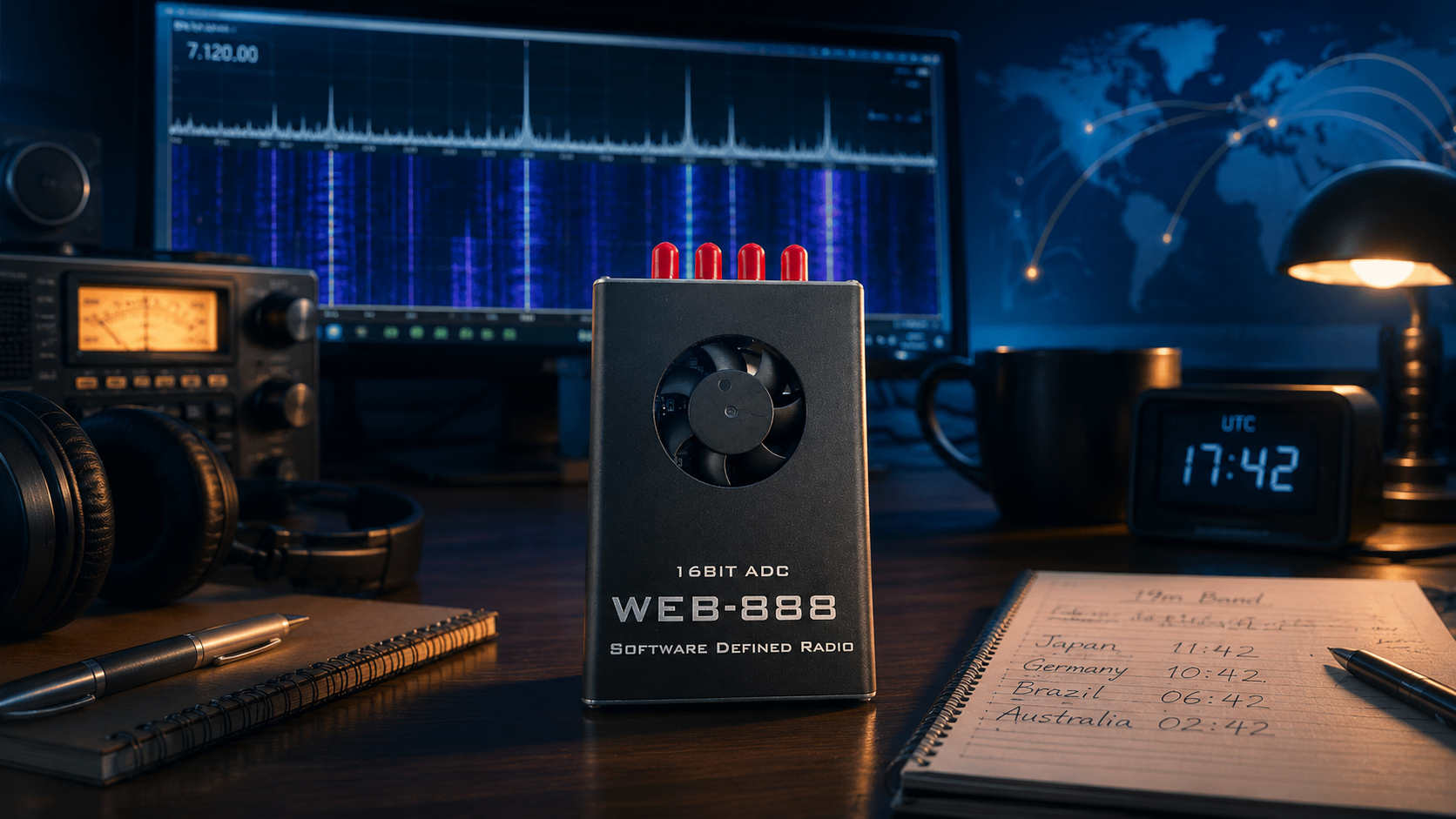
Updated: June 2026. This guide compares the best SDR receivers, antennas, software, and remote-listening options for shortwave radio, HF amateur bands, international broadcasts, digital modes, portable listening, and browser-based monitoring.
Shortwave listening is one of the most rewarding uses for software-defined radio. A suitable SDR receiver can display an entire section of HF spectrum on a waterfall, record signals for later analysis, tune international broadcasts, receive amateur-radio activity, decode selected digital modes, and provide remote access to an antenna installed in a quieter location.
The best SDR for shortwave listening is not necessarily the radio with the widest frequency range. Shortwave reception depends on dynamic range, filtering, sensitivity, local electrical noise, antenna quality, software support, and the listening environment.
A low-cost RTL-SDR dongle is enough to begin exploring HF. An Airspy HF+ Discovery is a stronger portable specialist receiver for weak-signal listening. SDRplay RSP1B and RSPdx-R2 are excellent desktop options with broad frequency coverage. A Web-888 or KiwiSDR-style network receiver makes more sense when browser access and remote monitoring matter.
This guide explains which shortwave SDR to buy in 2026, how the receivers differ, which antennas work well indoors and outdoors, when an amplifier helps, which software to install, and how to improve reception without wasting money on unnecessary upgrades.
To compare SDR equipment more broadly, read our Best SDR Receivers in 2026: RTL-SDR, SDRplay, Airspy, HackRF, PlutoSDR, and More guide.
Quick Answer: What Is the Best SDR for Shortwave Listening?
| SDR Receiver | Best For | Main Advantage | Buyer Recommendation |
|---|---|---|---|
| RTL-SDR Blog V3 Kit | Beginners who want an affordable first SDR for HF experiments and general radio learning | Low cost, wide software support, antenna kit, and HF direct-sampling mode | Best low-risk beginner purchase |
| RTL-SDR Blog V4 | Budget buyers who find trusted remaining stock and want easier HF reception | Built-in HF upconverter and improved filtering | Best budget HF option while genuine stock remains available |
| Airspy HF+ Discovery | Portable weak-signal shortwave listening and compact low-noise setups | Specialized HF receiver with strong sensitivity and dynamic-range specifications | Best compact specialist HF receiver |
| SDRplay RSP1B | General desktop listening across shortwave, medium wave, long wave, VHF, and UHF | 1 kHz–2 GHz coverage with up to 10 MHz visible spectrum | Best all-purpose desktop receive-only upgrade |
| SDRplay RSPdx-R2 | Serious HF listening stations, several antennas, medium wave, and long wave | Three antenna inputs and HDR mode below 2 MHz | Best SDRplay choice for an advanced HF station |
| Web-888 | Remote browser listening, multi-user access, FT8 and WSPR monitoring, and stationary HF installations | 16-bit ADC, network connection, browser interface, and 13 simultaneous receive channels | Best networked HF receiver available from SDRstore.eu |
| KiwiSDR 2 | Remote browser listening and shared HF receiving | Standalone web-controlled shortwave receiver with a global public receiver ecosystem | Strong alternative for browser-based HF listening |
The simplest recommendations are:
- Choose RTL-SDR Blog V3 Kit if you want the easiest affordable entry point.
- Choose RTL-SDR Blog V4 if you find genuine remaining stock and want stronger budget HF reception.
- Choose Airspy HF+ Discovery for a compact weak-signal shortwave setup.
- Choose SDRplay RSP1B for a capable all-purpose desktop receiver.
- Choose SDRplay RSPdx-R2 for a more serious HF station with several antennas.
- Choose Web-888 if you want browser access, multiple simultaneous receivers, and a permanent networked installation.
What Frequencies Count as Shortwave?
Shortwave radio normally refers to HF frequencies between approximately 3 MHz and 30 MHz.
This part of the spectrum is interesting because radio signals can travel far beyond the local area under suitable propagation conditions. Depending on the frequency, time of day, season, antenna, and solar conditions, a listener may receive stations from another country or continent.
| Signal Type | What You May Receive | Recommended SDR Direction |
|---|---|---|
| International shortwave broadcasts | News, music, cultural programming, and regional broadcasts | Any capable HF receiver with a suitable antenna |
| Amateur-radio voice | USB and LSB conversations across HF amateur bands | Airspy HF+ Discovery, SDRplay, Web-888, or budget RTL-SDR experiments |
| CW | Morse-code activity and beacons | Receiver with stable tuning and suitable filtering |
| Digital amateur-radio modes | FT8, WSPR, and other decodable signals where legally permitted | SDRplay, Airspy, Web-888, or RTL-SDR with suitable software |
| Time-signal stations | Reference transmissions depending on your region and propagation | Any stable HF-capable receiver |
| Utility and data signals | Various legal-to-receive signals depending on your country | Receiver plus suitable decoding software where permitted |
Reception rules vary by country. Listen to, record, and decode only signals that you are legally permitted to receive.
Best Budget SDR for Shortwave Listening: RTL-SDR Blog V3 Kit
The RTL-SDR Blog V3 Kit remains one of the easiest SDR receivers to recommend to beginners.
It is not a specialist HF receiver, but it provides a low-cost way to explore shortwave radio before buying more advanced equipment.
RTL-SDR Blog V3 key features
- RTL2832U ADC chipset
- R820T2 or R860 tuner family
- Approximately 500 kHz–1.7 GHz tuning depending on mode and setup
- Up to 3.2 MHz bandwidth, with approximately 2.4 MHz commonly treated as stable
- HF reception through Q-branch direct-sampling mode
- 1 PPM TCXO for improved frequency stability
- SMA female antenna connector
- Aluminium enclosure with passive cooling
- Software-switchable bias tee for compatible accessories
- Windows, Linux, macOS, Android, and Raspberry Pi compatibility
Choose RTL-SDR Blog V3 if you want:
- An affordable first SDR receiver
- A multipurpose SDR for HF, VHF, UHF, ADS-B, AIS, satellites, and scanning
- A kit with portable antennas included
- A mature receiver with strong software support
- A Raspberry Pi OpenWebRX project
- A low-cost way to test whether shortwave listening interests you
RTL-SDR V3 shortwave limitation
RTL-SDR Blog V3 receives HF through direct sampling. This is useful for learning, but it is not as refined as using a specialist shortwave receiver.
Beginners should expect to learn how gain, antenna placement, local noise, overload, and software settings affect reception.
Read our full review: RTL-SDR Blog V3 Kit Review: Is It Still Worth Buying in 2026?
RTL-SDR Blog V4: Better Budget HF Reception While Stock Remains
RTL-SDR Blog V4 is the more interesting budget dongle for shortwave listening when genuine stock remains available.
Unlike RTL-SDR Blog V3, the V4 does not require direct-sampling mode for HF. It uses a built-in HF upconverter architecture, allowing compatible software to tune HF frequencies through the normal receiving path.
SDRstore.eu offers the RTL-SDR Blog V4 R828D receiver while stock remains available.
RTL-SDR Blog V4 key advantages for shortwave
- Built-in HF upconverter
- Easier HF tuning workflow than RTL-SDR Blog V3
- Improved filtering
- Better resistance to certain interference and overload problems
- 1 PPM TCXO
- Aluminium enclosure
- SMA connector
- Compatibility with popular SDR software when the correct drivers are installed
Important V4 stock warning
The original RTL-SDR Blog V4 uses the R828D tuner. R828D-based production has entered an end-of-line transition because the tuner is no longer manufactured and remaining stock is limited.
Do not assume that genuine V4 stock will remain available indefinitely.
What Is RTL-SDR Blog V4 Lite?
RTL-SDR Blog V4 Lite, also called V4L, is the planned R828S-based continuation of the V4 concept.
It is expected to retain a V4-style HF upconverter but use a simplified filtering arrangement because the R828S has fewer usable inputs than the R828D used in the original V4.
V4 Lite also requires updated driver support.
Buyer advice for shortwave listeners
- Choose V3 Kit if you want a stable entry-level receiver with broad compatibility.
- Choose genuine V4 while available if low-cost HF reception is your priority.
- Wait for confirmed V4 Lite availability and software support before buying specifically for V4L.
- Choose a specialist HF receiver when weak-signal shortwave listening matters more than budget.
Read our guide: RTL-SDR Blog V4 Lite Explained: R828S, Driver Update, and What Changes
RTL-SDR V3 vs V4 vs V4 Lite for Shortwave
| Feature | RTL-SDR Blog V3 | RTL-SDR Blog V4 | RTL-SDR Blog V4 Lite |
|---|---|---|---|
| HF reception method | Q-branch direct sampling | Built-in HF upconverter | Expected V4-style HF upconverter |
| Driver maturity | Mature | Mature with V4-compatible drivers | Requires updated V4L-compatible drivers |
| Production status | Stable entry-level option | Original R828D-based production is end of line | Planned limited R828S-based continuation |
| Best shortwave buyer | Beginner prioritizing compatibility and low cost | Budget listener prioritizing stronger HF reception while stock remains | User willing to confirm availability and current driver support |
Read our full comparison: RTL-SDR V3 vs V4 vs V4 Lite: Which Budget SDR Should You Buy?
Best Compact Weak-Signal SDR: Airspy HF+ Discovery
Airspy HF+ Discovery is one of the strongest compact receivers for users who care primarily about shortwave listening and weak signals.
It covers 0.5 kHz–31 MHz for HF and 64–260 MHz for VHF. Its design prioritizes receive performance, filtering, sensitivity, and dynamic range rather than extremely wide frequency coverage.
Airspy HF+ Discovery key specifications
- HF coverage: 0.5 kHz–31 MHz
- VHF coverage: 64–260 MHz
- Typical HF sensitivity: −140 dBm at 15 MHz and 500 Hz bandwidth
- HF linearity: +15 dBm IIP3 at maximum gain
- Compact portable design
- Strong compatibility with SDRSharp and other supported SDR software
Choose Airspy HF+ Discovery if you want:
- Weak-signal shortwave listening
- A compact receiver for travel
- CW and SSB reception
- A low-noise indoor loop-antenna setup
- A refined receiver rather than a general experimental SDR dongle
- Portable listening with a laptop or compact host device
- Strong HF reception without buying a large desktop radio
Airspy HF+ Discovery is receive only. It is not designed for ADS-B, microwave experimentation, or transmit-capable SDR development.
Best All-Purpose Desktop Receiver: SDRplay RSP1B
SDRplay RSP1B is one of the best choices for users who want a capable receive-only SDR covering shortwave and many other bands.
It covers 1 kHz–2 GHz and provides up to 10 MHz of visible spectrum. SDRconnect and SDRuno include familiar demodulation options and presets for popular amateur-radio and shortwave broadcast bands.
SDRplay RSP1B key features
- 1 kHz–2 GHz general-coverage receiver
- 14-bit SDR architecture
- Up to 10 MHz spectrum visibility
- Shortwave broadcast-band presets
- Amateur-radio band presets
- AM, FM, CW, USB, and LSB workflows
- SDRconnect and SDRuno support
- Suitable desktop form factor
Choose SDRplay RSP1B if you want:
- A general-coverage desktop receiver
- Shortwave plus VHF and UHF reception
- Up to 10 MHz of visible spectrum
- A substantial upgrade from a budget dongle
- Broadcast-band presets that resemble traditional radio controls
- A receiver for shortwave, airband, amateur radio, and general scanning
- Remote server options through SDRconnect
Best SDRplay Receiver for Serious HF Listening: RSPdx-R2
SDRplay RSPdx-R2 is the stronger SDRplay recommendation when shortwave, medium wave, and long wave are your main priorities.
It covers 1 kHz–2 GHz with up to 10 MHz spectrum visibility and includes three antenna inputs. Two SMA inputs cover the full receiver range, while a BNC input operates up to 200 MHz.
Its HDR mode is designed to provide better dynamic range below 2 MHz, making it especially interesting for medium-wave and lower-frequency listening.
Choose SDRplay RSPdx-R2 if you want:
- A serious desktop HF listening station
- Three software-selectable antenna inputs
- Separate antennas for long wave, medium wave, shortwave, and VHF
- Better low-frequency dynamic-range options
- A permanent listening setup
- Fewer manual cable and adapter changes
- Shortwave plus broad general-coverage reception
Best Networked SDR for Shortwave Listening: Web-888
The Web-888 16-bit ADC Web SDR is one of the most interesting HF receivers for users who want a permanent network-connected installation.
It is not a simple USB dongle. Web-888 combines a receiver, FPGA-based processing, Ethernet connectivity, and a browser-based interface.
Web-888 key features
- 16-bit ADC DDC architecture
- HF coverage from approximately 1 kHz to 61.44 MHz
- Additional VHF coverage around 115–145 MHz
- Zynq7010 FPGA with dual ARM cores
- 13 simultaneous receiver channels
- 13 simultaneous spectrum and waterfall channels
- Gigabit Ethernet
- Dual antenna inputs
- Built-in GPS module
- Reference-clock input and output
- Browser-based WebRX interface
- KiwiSDR websocket protocol support
- WSPR and FT8 skimmer support
- Antenna-switching expansion options
Choose Web-888 if you want:
- A permanent shortwave receiving station
- Remote browser access
- Several listeners or channels at the same time
- WSPR and FT8 skimmer workflows
- A receiver installed close to a better outdoor antenna
- Gigabit Ethernet instead of a long USB cable
- A networked receiver for a radio club, university, or monitoring station
- A higher-performance HF setup available directly from SDRstore.eu
Read our dedicated guide: Web-888 16-bit SDR Review: Best Network Receiver
KiwiSDR 2: Another Strong Browser-Based Shortwave Option
KiwiSDR 2 is another specialized network receiver for users who want to access shortwave through a browser.
It covers approximately 10 kHz–30 MHz, including VLF, LF, medium wave, the AM broadcast band, and shortwave. It can be installed at a low-noise antenna location and accessed remotely through a web interface.
Choose KiwiSDR 2 if you want:
- A standalone browser-controlled HF receiver
- Remote shortwave listening
- A shared receiver for several users
- A receiver at a quieter remote antenna site
- Access to the wider KiwiSDR public receiver ecosystem
Choose Web-888 instead if:
- You want a receiver available directly from SDRstore.eu.
- You want 16-bit ADC architecture.
- You want HF coverage extending beyond 30 MHz.
- You want 13 simultaneous receivers and waterfall channels.
- You want built-in GPS and additional networked monitoring features.
Shortwave SDR Comparison Table
| Receiver | HF Coverage | Best Use | Main Trade-Off |
|---|---|---|---|
| RTL-SDR Blog V3 | Basic HF through direct sampling | Low-cost learning and experiments | Not a specialist HF receiver |
| RTL-SDR Blog V4 | Approximately 500 kHz upward through built-in HF upconversion | Budget HF listening with improved filtering | Original R828D-based stock is limited |
| Airspy HF+ Discovery | 0.5 kHz–31 MHz | Compact weak-signal listening | Narrower specialist coverage rather than a general wideband SDR |
| SDRplay RSP1B | 1 kHz–2 GHz general coverage | All-purpose desktop receiving | Requires a computer and suitable software |
| SDRplay RSPdx-R2 | 1 kHz–2 GHz general coverage | Advanced desktop HF station with several antennas | Higher cost than entry-level receivers |
| Web-888 | Approximately 1 kHz–61.44 MHz plus selected VHF coverage | Browser-based stationary monitoring and multi-channel reception | Designed for network installation rather than pocket portability |
| KiwiSDR 2 | Approximately 10 kHz–30 MHz | Remote browser-based shortwave listening | Specialized HF receiver rather than general VHF or UHF SDR |
What About HackRF One and HackRF Pro?
HackRF One and HackRF Pro can receive HF signals, but they are not the first recommendation when your only goal is high-quality shortwave listening.
Their main advantage is wide-frequency experimentation and half-duplex transmit capability.
| HackRF Platform | Official Operating Range | Best Use |
|---|---|---|
| HackRF One | 1 MHz–6 GHz | Wideband RF experimentation and portable PortaPack workflows |
| HackRF Pro | 100 kHz–6 GHz | Newer wideband development platform with lower-frequency coverage and USB-C |
Choose HackRF when your project extends beyond listening. Choose Airspy HF+ Discovery, SDRplay, Web-888, or an RTL-SDR budget setup when shortwave reception quality and ease of use matter more.
What About PlutoSDR, PLUTO+ SDR, USRP, and bladeRF?
PlutoSDR, PLUTO+ SDR, USRP, and bladeRF are development platforms rather than first-choice shortwave receivers.
Their strengths include transmit capability, digital communications, GNU Radio, full-duplex workflows, MIMO, FPGA development, and wireless research.
Do not buy a complex transceiver only to listen to international broadcasts. Use a specialist receive-only HF radio unless your project requires the added capabilities.
Read our comparison: PlutoSDR vs HackRF One: Which SDR Is Better for Transmit, Receive, and Research?
Best Shortwave Antenna for Beginners
The antenna matters as much as the receiver.
A suitable antenna can reveal signals that appear completely absent with a short generic whip. However, a larger antenna can also increase overload and noise when it is placed badly.
| Antenna Type | Best For | Main Advantage | Main Trade-Off |
|---|---|---|---|
| Portable long wire | Beginner experiments and travel | Affordable and easy to deploy | Can pick up local electrical noise and strong-signal overload |
| HF dipole | Outdoor listening focused on selected bands | Simple, effective, and predictable | Needs space and suitable mounting points |
| Passive magnetic loop | Portable listening and noisy indoor environments | Compact and easier to rotate for noise reduction | Works best with sensitive low-noise receivers |
| Active loop | Permanent outdoor or balcony installations | Compact wideband receiving option | Needs power and careful overload management |
| End-fed wire or random wire with suitable matching | Outdoor general shortwave listening | Flexible installation | Performance and noise pickup vary with layout and grounding |
YouLoop: Portable Loop Antenna for Shortwave Listening
SDRstore.eu offers the YouLoop Original Portable Passive Magnetic Loop Antenna for HF and VHF.
YouLoop is a portable passive loop antenna designed for sensitive low-noise receivers such as Airspy HF+ Discovery.
YouLoop package contents
- YouLoop balun tee
- Coax inverter connector
- Two 1-meter semi-rigid coax loop cables
- Two-meter semi-rigid coax feedline
Choose YouLoop if you want:
- A compact portable HF antenna
- A travel-friendly shortwave setup
- An indoor loop that can be rotated to reduce some local noise
- A suitable passive antenna for Airspy HF+ Discovery
- A temporary balcony or window setup
Using YouLoop with RTL-SDR
YouLoop can work to some extent with RTL-SDR Blog V3 in direct-sampling mode, but a passive loop is better suited to a low-noise specialist receiver. Depending on the setup, an external amplifier may help.
Do not assume that adding gain always improves reception. Test for overload and local noise first.
Indoor vs Outdoor Shortwave Antennas
| Installation | Advantages | Limitations |
|---|---|---|
| Indoor wire antenna | Easy and inexpensive | Can collect noise from chargers, LED lights, computers, routers, and household electronics |
| Indoor passive loop | Compact and rotatable | Signal level may be lower, especially with less-sensitive receivers |
| Balcony antenna | Often quieter than a desk-level antenna and easier to install than a rooftop system | Building structure and nearby electronics can still limit performance |
| Outdoor wire or dipole | Stronger signal collection and potentially lower indoor noise pickup | Needs space, weather resistance, lightning precautions, and safe installation |
| Remote antenna site | Can provide the lowest-noise receiving environment | Requires network access, power, security, and a remote SDR such as Web-888 or KiwiSDR 2 |
Local Electrical Noise Is Often the Real Problem
Many shortwave reception problems are caused by local radio-frequency interference rather than the SDR receiver.
Common household noise sources
- USB chargers
- LED lamps
- Computer power supplies
- Monitors
- Televisions
- Routers
- Powerline networking adapters
- Solar inverters
- Cheap extension leads
- Appliances with switching power supplies
How to identify local noise
- Listen to a noisy section of the band.
- Run the SDR from a laptop battery if possible.
- Turn off nearby chargers and lamps temporarily.
- Move the antenna toward a window or outside.
- Rotate a loop antenna.
- Compare reception during daytime and nighttime.
- Test a remote receiver through OpenWebRX, Web-888, or KiwiSDR.
Upgrading the receiver may not help if the antenna remains beside a noisy power supply.
Do You Need an HF Amplifier or LNA?
Not always.
An LNA can help when the antenna signal is weak and cable loss is significant. However, HF receivers often encounter strong broadcast stations and local noise. Adding amplification can make overload worse.
Add an amplifier when:
- You use a passive loop with a receiver that needs additional signal level.
- The antenna cable introduces noticeable loss.
- The receiver noise floor remains above the antenna noise.
- You have tested the setup and confirmed that overload is not the main problem.
Avoid unnecessary amplification when:
- Strong stations already dominate the waterfall.
- Adding gain raises the noise floor without revealing new signals.
- The receiver displays overload warnings.
- You are close to broadcast transmitters.
- Your real problem is indoor electrical interference.
SDRstore.eu offers the RTL-SDR Blog Wideband LNA for suitable SDR experiments. Add amplification only when measurements and testing justify it.
Do You Need an HF Filter?
Filters can improve reception when strong unwanted signals overload the receiver.
| Problem | Possible Solution |
|---|---|
| Strong medium-wave broadcast stations overload the receiver | Use a suitable high-pass or broadcast-rejection filter |
| Strong FM broadcast signals affect a wideband receiver | Use an FM broadcast rejection filter where required |
| Signals appear mirrored or distorted | Reduce gain, improve filtering, and confirm the receiver mode |
| Large antenna causes worse reception than a smaller loop | Check overload before adding more gain |
Add filters to solve a verified problem. Do not insert unnecessary components into the RF chain automatically.
Best Shortwave SDR Software
| Software | Best For | Recommended Receiver Direction |
|---|---|---|
| SDR++ | Modern cross-platform listening and an accessible interface | RTL-SDR, Airspy, HackRF, and other supported SDRs |
| SDRSharp | Windows listening, plugins, Airspy, and RTL-SDR workflows | Airspy HF+ Discovery and RTL-SDR |
| SDRconnect | Current multiplatform SDRplay operation, remote servers, multiple virtual receivers, profiles, and timed recordings | SDRplay receivers |
| SDRuno | Traditional SDRplay desktop workflows | SDRplay receivers |
| GQRX | Accessible Linux and macOS reception | RTL-SDR and other supported radios |
| OpenWebRX | Multi-user browser listening and remote HF access | RTL-SDR, Raspberry Pi, and supported receivers |
| Web-888 browser interface | Networked browser listening with several simultaneous channels | Web-888 |
| KiwiSDR browser interface | Remote browser listening and shared receiver access | KiwiSDR 2 |
| WSJT-X | Receiving and decoding selected amateur-radio weak-signal modes | Stable HF receiving setup with suitable audio or IQ routing |
Read our detailed comparison: Best SDR Software in 2026: SDR++, SDRSharp, SDRangel, GQRX, GNU Radio, SatDump, and OpenWebRX Compared
Remote Shortwave Listening with OpenWebRX
OpenWebRX is a multi-user browser-based SDR receiver. It can provide access to an SDR installed beside an antenna at a quieter location.
OpenWebRX is useful when:
- You want a Raspberry Pi shortwave server.
- You want to listen through a browser.
- You want to share an SDR with several users.
- You want the antenna outside while listening from another room.
- You want to compare a quieter antenna site with your home environment.
- You want a radio-club or classroom receiver.
RTL-SDR Blog V3 can be used for an affordable OpenWebRX HF project through Q-branch direct sampling. For a stronger permanent installation, compare Web-888 and KiwiSDR-style receivers.
Best SDR for Shortwave Listening on Raspberry Pi
RTL-SDR Blog V3 is the most affordable Raspberry Pi starting point. Web-888 is the stronger purpose-built recommendation when you want a networked HF station rather than a DIY USB-dongle server.
| Your Goal | Recommended Setup |
|---|---|
| Learn Raspberry Pi HF receiving affordably | RTL-SDR Blog V3 plus OpenWebRX |
| Run a browser-based receiver at home | Raspberry Pi 4 or 5, RTL-SDR V3, suitable antenna, and OpenWebRX |
| Install a higher-performance permanent networked HF receiver | Web-888 with Gigabit Ethernet |
| Share a receiver with several users | Web-888, KiwiSDR 2, or OpenWebRX with suitable hardware |
Read our Raspberry Pi guide: Best SDR for Raspberry Pi: RTL-SDR, ADS-B, AIS, Satellites, and Remote Monitoring
Best SDR for Shortwave Listening While Travelling
A compact receiver and portable loop antenna make more sense than a large outdoor installation when travelling.
| Travel Setup | Best For |
|---|---|
| Airspy HF+ Discovery plus YouLoop | Compact premium shortwave listening with a portable passive loop |
| RTL-SDR Blog V3 plus portable wire or loop | Low-cost travel experiments |
| RTL-SDR Blog V4 plus portable antenna | Budget travel listening with easier HF tuning when genuine stock remains |
| Laptop plus remote Web-888 or KiwiSDR access | Listening without carrying an SDR receiver and antenna |
Best SDR for Apartments and Noisy Cities
Apartment listeners should prioritize noise reduction before maximum antenna size.
Recommended apartment workflow
- Start with a compact passive loop such as YouLoop.
- Place the antenna near a window or balcony door.
- Rotate the loop while watching the waterfall.
- Turn off nearby chargers and LED lamps temporarily.
- Use a laptop battery to test whether the power supply adds noise.
- Reduce receiver gain if strong stations overload the front end.
- Compare reception with a remote WebSDR.
- Move to an outdoor antenna only when the installation is safe and practical.
Airspy HF+ Discovery plus YouLoop is an attractive compact apartment setup. SDRplay RSP1B and RSPdx-R2 are stronger desktop options when you want broader coverage and more software features.
Best SDR for a Permanent Shortwave Station
| Station Type | Recommended SDR | Why |
|---|---|---|
| Affordable home station | RTL-SDR Blog V4 while stock remains, or RTL-SDR V3 for maximum compatibility | Low-cost access to HF listening |
| Traditional desktop SDR listening station | SDRplay RSP1B | General coverage, wide visible spectrum, and accessible software |
| Advanced multi-antenna desktop station | SDRplay RSPdx-R2 | Three antenna inputs and enhanced low-frequency features |
| Compact weak-signal station | Airspy HF+ Discovery | Strong specialist HF receiver in a small package |
| Networked browser station | Web-888 | 16-bit ADC, Gigabit Ethernet, and 13 simultaneous channels |
| Remote shared web receiver | KiwiSDR 2 | Standalone browser-based HF receiver ecosystem |
Common Shortwave SDR Problems and Fixes
I only see noise on the waterfall
Check the antenna, receiver mode, gain, and software settings. For RTL-SDR Blog V3, enable Q-branch direct sampling for HF. Move the antenna away from computers, chargers, and LED lamps.
RTL-SDR V3 receives VHF but not shortwave
Activate the Q-branch direct-sampling mode. Attach a suitable HF antenna to the SMA port and tune within the supported HF range.
RTL-SDR V4 receives HF incorrectly
Confirm that V4-compatible drivers are installed. RTL-SDR V4 uses a different HF architecture and requires suitable driver support.
The waterfall contains repeating patterns and lines
Local electrical noise is likely. Turn off nearby power supplies temporarily, move the antenna, try a loop antenna, and test another listening location.
A larger antenna made reception worse
The receiver may be overloaded by strong stations or local interference. Reduce gain and consider a suitable filter before adding amplification.
The passive loop receives weak signals
Passive loops work best with sensitive low-noise receivers. Try Airspy HF+ Discovery, move the loop near a window, rotate it for the best result, or add a suitable amplifier only after confirming that overload is not the problem.
Signals disappear during daytime
HF propagation changes throughout the day. Try different bands, compare daytime and nighttime reception, and revisit the same frequency later.
My remote receiver is slow
Use Ethernet when possible. Check network stability, simultaneous user count, receiver profiles, and server processing load.
Common Shortwave SDR Buying Mistakes
Buying a wideband transceiver instead of an HF receiver
HackRF, PlutoSDR, PLUTO+, USRP, and bladeRF are useful development platforms. They are not automatically the best shortwave listening radios.
Ignoring the antenna
A good antenna in a quieter location can improve reception more than replacing the SDR.
Adding gain automatically
More gain can raise the noise floor and worsen overload. Add an amplifier only after testing the receiver and antenna.
Using a large indoor wire beside noisy electronics
Move the antenna outside, toward a window, or use a loop antenna that can be rotated.
Assuming every RTL-SDR uses the same HF workflow
RTL-SDR Blog V3 uses direct sampling. RTL-SDR Blog V4 uses a built-in HF upconverter. V4 Lite requires updated drivers.
Choosing a network SDR when you need portability
Web-888 and KiwiSDR-style receivers are excellent stationary devices. Choose Airspy HF+ Discovery, RTL-SDR, or another compact USB receiver for travel.
Which Shortwave SDR Should You Buy?
| Your Main Goal | Recommended SDR |
|---|---|
| Start shortwave listening affordably | RTL-SDR Blog V3 Kit |
| Get stronger budget HF performance while genuine stock remains | RTL-SDR Blog V4 |
| Buy a compact premium shortwave receiver | Airspy HF+ Discovery |
| Build a general desktop SDR listening station | SDRplay RSP1B |
| Build an advanced multi-antenna HF station | SDRplay RSPdx-R2 |
| Use a portable loop antenna indoors or while travelling | Airspy HF+ Discovery plus YouLoop |
| Build an affordable Raspberry Pi HF server | RTL-SDR Blog V3 plus OpenWebRX |
| Install a permanent networked browser receiver | Web-888 |
| Use a shared global browser-based HF ecosystem | KiwiSDR 2 |
| Experiment beyond shortwave with lawful transmit capability | HackRF Pro or another suitable development SDR |
Where to Browse Shortwave SDR Equipment
- Software-defined radio equipment
- RTL-SDR receivers, antennas, filters, LNAs, and accessories
- RTL-SDR Blog V3 Kit
- RTL-SDR Blog V4 R828D Receiver
- YouLoop Original Portable Passive Magnetic Loop Antenna for HF and VHF
- RTL-SDR Blog Wideband LNA
- Web-888 16-bit ADC Web SDR
- Antennas and RF accessories
Related SDRstore.eu Guides
- Best SDR Receivers in 2026: RTL-SDR, SDRplay, Airspy, HackRF, PlutoSDR, and More
- Best SDR for Ham Radio in 2026: HF, VHF, UHF, Digital Modes, and Portable Use
- RTL-SDR Blog V3 Kit Review: Is It Still Worth Buying in 2026?
- RTL-SDR V3 vs V4 vs V4 Lite: Which Budget SDR Should You Buy?
- RTL-SDR Blog V4 Lite Explained: R828S, Driver Update, and What Changes
- Best SDR Software in 2026: SDR++, SDRSharp, SDRangel, GQRX, GNU Radio, SatDump, and OpenWebRX Compared
- Best SDR for Raspberry Pi: RTL-SDR, ADS-B, AIS, Satellites, and Remote Monitoring
- Web-888 16-bit SDR Review: Best Network Receiver
Official Resources
- SDRplay RSP1B official product page
- SDRplay RSPdx-R2 official product page
- SDRconnect official software page
- Airspy HF+ Discovery official product page
- RTL-SDR Blog V3 user guide
- RTL-SDR Blog V4 user guide
- Web-888 official product page
- KiwiSDR official website
- OpenWebRX official website
Final Verdict: Best SDR for Shortwave Listening in 2026
The best SDR for shortwave listening depends on your budget, antenna location, local electrical noise, software preferences, and whether you need portable or remote access.
Choose RTL-SDR Blog V3 Kit if you want the lowest-risk affordable entry point. It is flexible, widely supported, and useful for learning shortwave reception through direct sampling.
Choose RTL-SDR Blog V4 if you find genuine remaining stock and want a stronger budget HF receiver with a built-in upconverter. Check driver compatibility and remember that original R828D-based production is end of line.
Choose Airspy HF+ Discovery if you want a compact specialist shortwave receiver for weak signals, portable listening, and a YouLoop antenna setup.
Choose SDRplay RSP1B if you want an all-purpose desktop receiver covering shortwave, VHF, and UHF. Choose SDRplay RSPdx-R2 if you want a more advanced HF station with several antennas and improved low-frequency options.
Choose the Web-888 if you want a permanent browser-based listening station with a 16-bit ADC, Gigabit Ethernet, and 13 simultaneous receiver channels. It is one of the strongest shortwave-focused options currently available from SDRstore.eu.
Start with the antenna and listening environment. A quieter location, a suitable loop or outdoor wire, and careful gain settings often improve reception more than buying a more expensive receiver immediately.
FAQ
What is the best SDR for shortwave listening?
Airspy HF+ Discovery is one of the best compact specialist receivers for weak-signal shortwave listening. SDRplay RSP1B is a strong all-purpose desktop option, SDRplay RSPdx-R2 suits advanced HF stations, and RTL-SDR Blog V3 remains the best affordable starting point.
What is the best budget SDR for shortwave listening?
RTL-SDR Blog V3 Kit is the safest affordable beginner choice. RTL-SDR Blog V4 provides stronger budget HF reception through a built-in upconverter when genuine remaining stock is available.
Can RTL-SDR receive shortwave radio?
Yes. RTL-SDR Blog V3 receives HF through Q-branch direct sampling. RTL-SDR Blog V4 uses a built-in HF upconverter and does not require direct-sampling mode for shortwave reception.
Is RTL-SDR Blog V3 good for shortwave?
RTL-SDR Blog V3 is useful for affordable HF experiments and learning. It is not a specialist HF receiver, but it is a low-cost way to begin exploring shortwave radio.
Is RTL-SDR Blog V4 better than V3 for shortwave?
Yes. RTL-SDR Blog V4 is generally more interesting for HF listening because it uses a built-in upconverter and improved filtering. Original R828D-based production is end of line, so availability is limited.
What is RTL-SDR Blog V4 Lite?
RTL-SDR Blog V4 Lite is the planned R828S-based continuation of the V4 concept. It is expected to retain a V4-style HF upconverter but use simplified filtering and require updated drivers.
Is Airspy HF+ Discovery good for shortwave listening?
Yes. Airspy HF+ Discovery is a compact specialist receive-only SDR covering 0.5 kHz–31 MHz for HF and 64–260 MHz for VHF. It is a strong option for weak-signal shortwave reception.
Is SDRplay RSP1B good for shortwave?
Yes. SDRplay RSP1B covers 1 kHz–2 GHz with up to 10 MHz visible spectrum and includes software presets for shortwave broadcast bands and amateur-radio bands.
Is SDRplay RSPdx-R2 better than RSP1B for HF?
SDRplay RSPdx-R2 is the better choice for a more advanced HF station because it adds three software-selectable antenna ports and an HDR mode designed for improved dynamic range below 2 MHz.
What is the best networked SDR for shortwave listening?
Web-888 is a strong networked option because it combines a 16-bit ADC, browser access, Gigabit Ethernet, and 13 simultaneous receiver and waterfall channels. KiwiSDR 2 is another strong browser-based HF receiver.
What is Web-888?
Web-888 is a network-connected SDR receiver with a 16-bit ADC, HF coverage extending to approximately 61.44 MHz, selected VHF coverage, Gigabit Ethernet, browser access, GPS, dual antenna inputs, and 13 simultaneous receiver channels.
What is KiwiSDR 2?
KiwiSDR 2 is a standalone browser-controlled receiver covering approximately 10 kHz–30 MHz. It is designed for remote shortwave listening and shared access through a web interface.
What antenna should I use for shortwave listening?
Start with a portable wire, HF dipole, passive magnetic loop, or active loop depending on your space and noise environment. A loop antenna is especially useful indoors because it can be rotated to reduce some local interference.
Is YouLoop good for shortwave listening?
Yes. YouLoop is a portable passive HF and VHF loop antenna designed for sensitive low-noise receivers such as Airspy HF+ Discovery. It can also work to some extent with RTL-SDR Blog V3 in direct-sampling mode.
Do I need an LNA for shortwave listening?
Not always. An amplifier can help with a passive antenna or cable loss, but it may worsen overload and noise. Add gain only after testing the receiver, antenna, and RF environment.
Do I need an HF filter?
Add a suitable filter when strong out-of-band signals overload the receiver. Do not insert filters automatically when there is no verified interference problem.
Why do I only receive noise on shortwave?
Check the antenna, gain, receiver mode, and local electrical interference. Move the antenna near a window or outside, turn off nearby chargers and LED lights temporarily, and test a loop antenna.
What is the best SDR software for shortwave listening?
SDR++ is a strong cross-platform option. SDRSharp works well with Airspy and RTL-SDR on Windows. SDRconnect is the current multiplatform software for SDRplay receivers. OpenWebRX is useful for browser-based remote listening.
Can I listen to shortwave radio remotely?
Yes. Use OpenWebRX with a supported SDR, a Web-888 network receiver, or a KiwiSDR-style radio. These options allow browser-based listening from another device or location.
Is HackRF good for shortwave listening?
HackRF One and HackRF Pro can receive HF signals, but they are not the first recommendation for pure shortwave listening. Their main advantage is wideband experimentation and authorized half-duplex transmit capability.
Does a better antenna matter more than a better SDR?
Often, yes. A suitable antenna in a quieter location can improve shortwave reception more than replacing a capable receiver. Local electrical noise, placement, filtering, and gain settings also matter.
No posts found
Write a review






We support all major card and digital payment options. More local methods are available and shown during checkout.
You enter into a binding sales contract once you have received an 'order confirmation and sales receipt' email from us, in line with our Sales & Delivery conditions. Therefore, sdrstore.eu has the right to cancel your order in the event of technical problems, delivery failure, Fair use policy and other similar situations.






Your payments are protected by advanced encryption and 3-D Secure authentication for safe online shopping.