








RF Cybersecurity Lab Equipment Checklist: SDRs, Spectrum Analyzers, VNAs, Antennas, and Attenuators
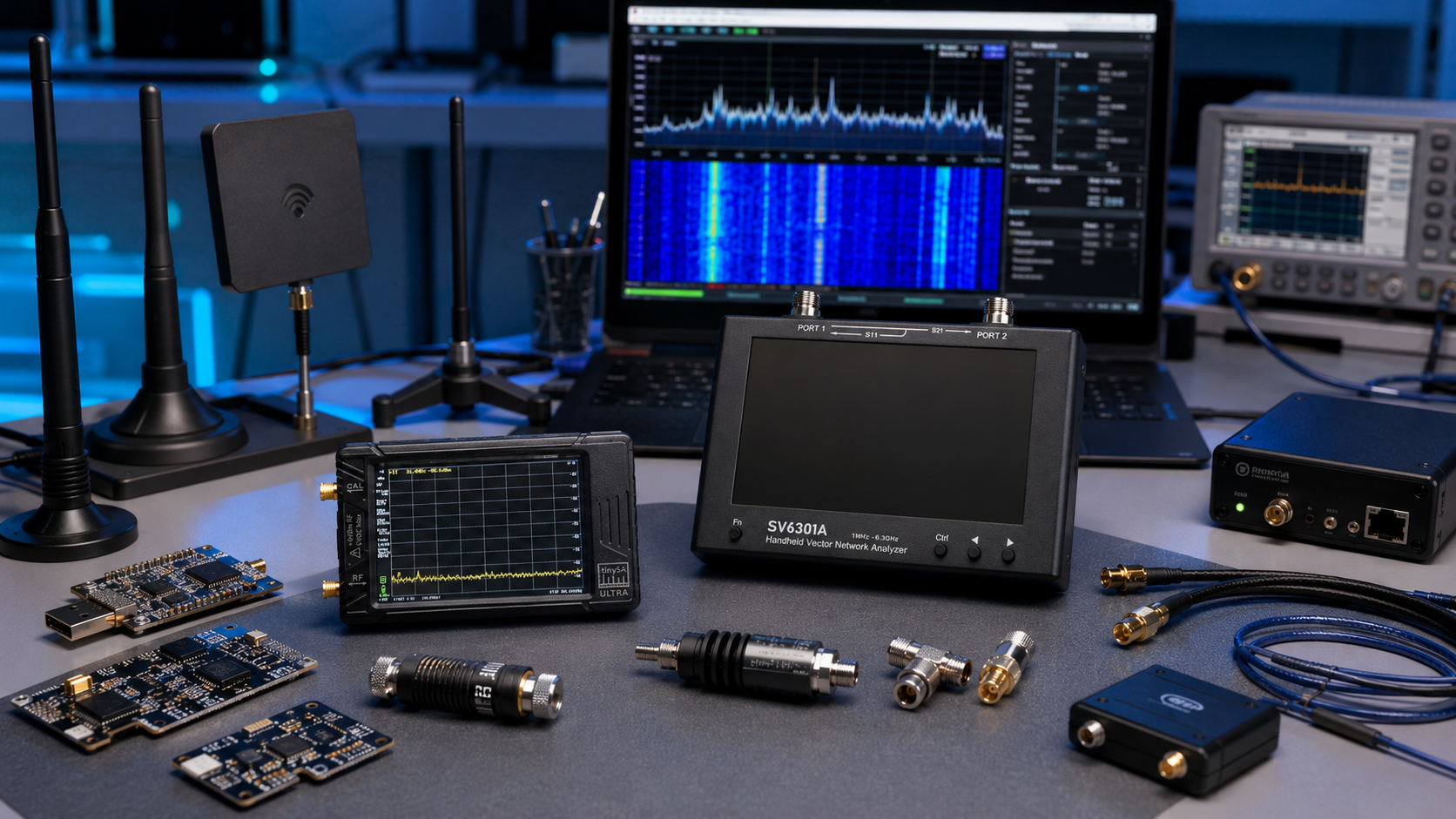
Building an RF cybersecurity laboratory requires more than buying a software-defined radio and installing a waterfall application. A useful wireless-security lab combines receivers, transmit-capable SDR platforms, RF measurement instruments, antennas, attenuators, dummy loads, cables, adapters, and safe test procedures.
The goal is not to collect the largest possible number of gadgets. The goal is to build a repeatable test environment for authorized wireless-security research, product validation, spectrum monitoring, interference investigation, training, and defensive assessment work.
This RF cybersecurity lab equipment checklist explains what each tool does, which items should be purchased first, and which accessories protect sensitive equipment during controlled testing. It is suitable for cybersecurity firms, enterprise security teams, universities, telecom laboratories, IoT developers, engineering departments, and authorized penetration-testing teams.
Browse current equipment in the software-defined radio category, the RF test and measurement category, and the RF antennas category.
Quick RF Cybersecurity Lab Equipment Checklist
| Equipment category | Main purpose | Priority | Recommended starting quantity |
|---|---|---|---|
| Receive-only SDR | Passive monitoring, signal discovery, RF inventory, and training | Essential | One per analyst or student pair |
| Portable wideband SDR transceiver | Field surveys and controlled half-duplex experiments | Essential for active research | One or two shared units |
| Full-duplex or 2×2 MIMO SDR | Repeatable protocol research, advanced development, and multi-channel experiments | Recommended for advanced labs | One or two shared benches |
| Portable spectrum analyzer | Inspect active spectrum, compare signal levels, and investigate interference | Essential | At least one shared unit |
| Vector network analyzer | Measure antennas, filters, cables, impedance, and SWR | Essential | At least one shared unit |
| RF attenuator assortment | Reduce signal level and protect receivers and instruments | Essential for transmit testing | Multiple fixed values per active bench |
| 50-ohm dummy loads | Absorb RF output without radiating through an antenna | Essential for transmit testing | Several power ratings and connector types |
| Directional coupler or RF sampler | Take a controlled sample of a transmitter signal for measurement | Strongly recommended | At least one suitable unit per active bench |
| RF power meter | Measure actual RF power at a point in the signal chain | Recommended | One shared unit or one per advanced bench |
| Antenna set | Passive surveys, band-specific monitoring, and direction finding | Essential | One documented set per field kit |
| RF cables, adapters, and DC blocks | Build safe and repeatable RF paths | Essential | Multiple labeled sets |
| Shielded RF test enclosure | Reduce unintended radiation during controlled experiments | Recommended for active labs | At least one shared enclosure |
What Does Each RF Lab Tool Actually Measure?
The most common purchasing mistake is expecting one instrument to handle every RF task. SDR receivers, spectrum analyzers, VNAs, RF power meters, attenuators, and dummy loads are complementary tools.
| Tool | Question it answers | Typical cybersecurity-lab use |
|---|---|---|
| SDR receiver | What signals can I observe and process? | Passive spectrum monitoring, RF inventory, signal capture, and training |
| SDR transceiver | Can I generate and receive controlled test waveforms? | Authorized protocol research, product validation, and cabled test setups |
| Spectrum analyzer | What RF energy is present at each frequency and approximate level? | Interference investigation, emission checks, and signal-level comparison |
| Vector network analyzer | How does a connected antenna, cable, filter, or RF component behave? | SWR, impedance, Smith Chart, cable, filter, and matching measurements |
| RF power meter | How much RF power is present at this point in the path? | Transmitter checks, amplifier validation, and protected bench measurements |
| Attenuator | How can I reduce signal level safely? | Protect SDR inputs and measurement instruments during cabled tests |
| Dummy load | How can I terminate RF output without using an antenna? | Safe transmitter testing and reduced unintended radiation |
| Directional coupler | How can I sample part of the RF signal without exposing the analyzer to full power? | Protected spectrum and power measurements |
For a practical comparison between connected RF measurements and spectrum measurements, read NanoVNA vs TinySA: Which RF Tool Do You Actually Need?
1. Receive-Only SDRs for Passive Monitoring
A receive-only SDR is the safest and most affordable starting point for an RF cybersecurity lab. It is useful for passive spectrum exploration, training, RF asset discovery, interference investigation, and monitoring equipment owned by the organization.
RTL-SDR receivers are a strong first purchase because they are inexpensive, widely supported, and suitable for building multiple student or analyst stations. They cannot transmit, which makes them appropriate for learning and passive workflows.
Browse RTL-SDR receivers, kits, antennas, and filters.
Good passive-monitoring tasks
- Create an inventory of expected wireless activity in a controlled site.
- Compare normal and abnormal spectrum conditions.
- Train analysts to interpret waterfalls, gain settings, filters, and bandwidth.
- Monitor owned IoT devices for unexpected transmissions.
- Build low-cost fixed monitoring stations.
- Investigate interference before introducing active tests.
Limitations of receive-only SDRs
A receive-only dongle does not replace a spectrum analyzer, a calibrated RF power meter, or a transmit-capable SDR. It is a useful visibility tool rather than a complete RF test bench.
2. Portable Wideband SDR Transceivers
A portable wideband SDR transceiver is the next step when the laboratory needs controlled waveform generation, field surveys, device validation, and authorized wireless-security research.
HackRF Pro
HackRF Pro is a strong portable choice for teams that work across multiple frequency bands. Great Scott Gadgets officially lists a 100 kHz–6 GHz operating range, tuning from 0 Hz to 7.1 GHz, half-duplex transceiver operation, up to 20 million samples per second, 8-bit quadrature samples, software-configurable gain, and clock input and output.
View the HackRF Pro Development Board or browse the HackRF category.
Understand the half-duplex limitation
HackRF Pro can transmit or receive, but it cannot perform both operations simultaneously. It is well suited to portable analysis and many controlled laboratory exercises, but it is not a substitute for a full-duplex 2×2 platform.
3. Affordable Network-Connected SDR Benches
Some laboratories benefit from network-connected SDR boards that can remain installed on a bench or be accessed remotely from an internal laboratory network.
PLUTO+ SDR
The live PLUTO+ SDR product page lists two transmit channels, two receive channels, Gigabit Ethernet, MicroSD support, and an AD9363 RF transceiver.
PLUTO+ is an expanded third-party Pluto-style design. Its additional board-level features should not be confused with standard ADALM-PLUTO specifications. Analog Devices officially specifies standard ADALM-PLUTO with one transmitter, one receiver, 325 MHz–3.8 GHz RF coverage, and up to 20 MHz instantaneous bandwidth.
Where PLUTO+ fits well
- Affordable shared laboratory benches
- GNU Radio and libiio projects
- IoT product-security research
- Network-connected controlled experiments
- Digital-communications teaching
Browse PlutoSDR and Pluto-style SDR boards.
4. Full-Duplex and 2×2 MIMO SDR Platforms
Advanced cybersecurity laboratories may need simultaneous transmit and receive operation, multiple RF channels, greater instantaneous bandwidth, FPGA access, repeatable driver workflows, or longer-term standardization.
bladeRF 2.0 micro xA4
Nuand officially lists bladeRF 2.0 micro with 47 MHz–6 GHz coverage, 2×2 MIMO, a 61.44 MHz sampling rate, 56 MHz filtered bandwidth, USB 3.0 connectivity, FPGA options, and libbladeRF ecosystem support.
View the bladeRF 2.0 micro xA4 or browse bladeRF SDR devices and accessories.
USRP B210
Ettus Research officially lists USRP B210 as a full-duplex 2×2 MIMO platform covering 70 MHz–6 GHz with up to 56 MHz of real-time bandwidth, USB 3.0 connectivity, and UHD support.
View the USRP B210 USB SDR.
When an advanced SDR is justified
- Your team needs repeatable automated test benches.
- The project requires simultaneous transmit and receive operation.
- You are studying channel behavior, synchronization, or MIMO fundamentals.
- Your university course includes FPGA or HDL work.
- Your organization needs a documented reference platform.
- You are building long-term telecom, IoT, or wireless-product research infrastructure.
Read 2×2 MIMO SDR Explained for a more detailed comparison.
5. KrakenSDR for Defensive Direction Finding
Some RF cybersecurity investigations require more than signal detection. The team may need to locate an unexpected, misconfigured, or interfering transmitter on an authorized site.
KrakenRF officially describes KrakenSDR as a coherent five-receive-channel SDR for applications such as radio direction finding and passive radar. The channels share a common clock, which enables coherent workflows that are not possible with a normal single-channel receiver.
View the KrakenSDR five-channel coherent receiver or browse KrakenSDR direction-finding equipment.
KrakenSDR is specialized equipment
KrakenSDR is receive-only. Purchase it for coherent reception and direction-finding projects, not as a general replacement for HackRF Pro, PLUTO+, bladeRF, or USRP transceivers.
6. Spectrum Analyzers for Interference and Emission Checks
An SDR waterfall is useful, but a spectrum analyzer is still an important laboratory tool. It helps analysts inspect RF activity, compare approximate signal levels, investigate interference, identify unexpected emissions, and evaluate a protected transmitter sample.
TinySA Ultra as a portable analyzer
The TinySA Ultra handheld spectrum analyzer and RF generator is a practical portable option. The current listing includes spectrum-analyzer functions, a built-in calibration source, signal-generator modes, optional LNA use, and a 0–31 dB internal step attenuator.
TinySA Ultra is suitable for:
- Portable interference investigation
- Signal-level comparison
- Finding unexpected emissions
- Checking oscillators and RF modules
- Inspecting transmitter samples through a properly protected path
- Training analysts to understand overload, attenuation, and resolution bandwidth
Portable analyzer limitations
A handheld analyzer does not replace a calibrated professional spectrum analyzer for formal compliance testing, certification measurements, or high-dynamic-range laboratory work. Choose equipment according to the accuracy, bandwidth, frequency range, traceability, and reporting requirements of your project.
Browse spectrum analyzers and RF analysis tools and read the TinySA Ultra setup guide.
7. Vector Network Analyzers for Antennas, Filters, and Cables
A VNA measures the behavior of connected RF components. It is the correct tool for checking antennas, cables, filters, matching networks, return loss, impedance, and SWR.
A VNA answers a different question than a spectrum analyzer:
- A spectrum analyzer shows what signals are present.
- A VNA shows how the connected RF path behaves.
NanoVNA-H4 as a practical starting point
The live NanoVNA-H4 product page lists approximately 10 kHz–1.5 GHz measurement coverage and a 4-inch touchscreen. It is a practical entry-level option for common HF, VHF, and UHF bench work.
NanoVNA can help a cybersecurity lab:
- Check whether an antenna is suitable for the intended band.
- Measure SWR before connecting a transmitter.
- Compare cables and adapters.
- Measure filter response.
- View impedance on a Smith Chart.
- Identify obvious RF path problems.
Calibration matters
For useful measurements, calibrate at the intended reference plane. A basic antenna workflow normally uses Open, Short, and Load standards on the reflection port. Two-port cable and filter measurements also require a Through connection.
Read the NanoVNA setup guide and How to Test Antenna SWR with a NanoVNA.
8. RF Attenuators: Small Accessories with a Critical Job
Fixed RF attenuators are among the most important accessories in an active cybersecurity lab. They reduce signal level before it reaches a sensitive SDR input, spectrum analyzer, RF power meter, or other instrument.
What to include in an attenuator kit
- Several fixed attenuation values, such as 3 dB, 6 dB, 10 dB, 20 dB, and 30 dB
- Suitable connector types for the laboratory
- Frequency coverage that exceeds the intended test bands
- Power ratings appropriate for the source
- Clearly labeled storage and documentation
Attenuators can be combined when the signal chain requires greater reduction. The total attenuation should be calculated before connecting the source to sensitive equipment.
Do not confuse internal and external attenuation
Some portable spectrum analyzers include internal attenuation. This helps with measurement setup, but it does not eliminate the need for rated external attenuation when testing unknown sources, transmitters, or amplifiers.
9. Dummy Loads: Test Transmitters Without an Antenna
A dummy load provides a controlled 50-ohm termination that absorbs RF energy instead of radiating it through an antenna. It is essential for safe transmitter checks, amplifier testing, service work, and controlled RF bench experiments.
Browse RF dummy loads and testing accessories.
Choose the correct dummy load
| Requirement | What to verify |
|---|---|
| Impedance | Use a suitable 50-ohm load for normal RF bench work. |
| Frequency range | Confirm that the load covers the test frequency. |
| Power rating | Choose a continuous and peak rating suitable for the transmitter output and test duration. |
| Connector type | Use SMA, N-type, or other connectors appropriate for the equipment and power level. |
| Heat handling | Allow for heat dissipation during longer tests. |
Attenuator vs dummy load vs directional coupler
- An attenuator reduces signal level.
- A dummy load absorbs RF output.
- A directional coupler or RF sampler extracts a controlled fraction of the signal for measurement.
A protected transmitter-measurement path may require all three.
10. RF Power Meters for Verifying Signal Level
An RF power meter provides a direct measurement of signal power at a point in the RF path. It is useful when setting up transmit tests, checking amplifiers, validating coupler output, and confirming that the signal level is safe before connecting a sensitive receiver or analyzer.
Browse RF power meters and measurement tools.
RF power meter buyer checklist
- Frequency range
- Minimum and maximum measurable power
- Maximum safe input level
- Connector type
- Need for external attenuation
- Calibration and accuracy requirements
- PC logging or export requirements
11. Antennas for Monitoring and Field Work
A cybersecurity lab needs multiple antennas because no single antenna performs equally well across every band and workflow.
Browse antennas for SDR, Wi-Fi, GNSS, LTE, Bluetooth, and RF testing.
Recommended antenna categories
| Antenna type | Main use |
|---|---|
| Adjustable dipole | Beginner training, temporary field setup, and general monitoring |
| Wideband receiving antenna | Broad passive surveys where convenience matters more than band optimization |
| Band-specific antenna | Improved performance for a known frequency range |
| Directional antenna | Interference investigation and locating a signal source |
| Matched antenna array | Coherent direction-finding workflows such as KrakenSDR projects |
| Shielded test-box antenna or internal coupler | Controlled device-under-test experiments with reduced radiation |
Document the antenna set
Label each antenna with its intended band, connector type, cable length, and normal use. This makes measurements more repeatable and reduces mistakes when several analysts share the same equipment.
12. Cables, Adapters, DC Blocks, Filters, and LNAs
Small RF accessories often determine whether a laboratory setup is reliable or frustrating.
Essential accessories
- Short high-quality SMA cables for bench work
- Longer field cables with documented loss
- SMA male-to-male and female-to-female adapters
- N-type adapters for higher-power equipment
- DC blocks where required
- Receive-side filters for strong local interference
- Spare USB 3.0 and USB-C cables
- Ethernet cables for network-connected SDR boards
- Labels for cables, adapters, and attenuation values
Do not add an LNA automatically
A low-noise amplifier can help when weak-signal reception is limited by cable loss or receiver noise. It can also overload the receiver and make results worse when strong signals are present.
Read Do You Need an LNA for SDR?
13. Shielded RF Test Enclosures and Controlled Signal Paths
Active testing should begin with a controlled signal path rather than an antenna. A shielded RF enclosure, suitable cables, attenuators, dummy loads, and couplers help reduce unintended radiation and make results easier to reproduce.
Example protected workflow
- Define the permitted test frequency, device, location, and power level.
- Start with the transmitter connected to a rated dummy load.
- Use a suitable directional coupler or RF sampler when a measurement sample is required.
- Add external attenuation before connecting an SDR receiver, analyzer, or power meter.
- Verify the expected signal level before attaching sensitive equipment.
- Move to shielded over-the-air testing only when the cabled setup is understood.
Never connect an unknown transmitter output directly to an SDR input, spectrum analyzer, NanoVNA, or other sensitive instrument.
14. Recommended RF Cybersecurity Lab Packages
Entry-level passive monitoring kit
| Equipment | Suggested quantity |
|---|---|
| RTL-SDR receiver | Two to six units |
| Adjustable dipole and band-specific antennas | Two sets |
| RF cables and SMA adapters | Multiple labeled sets |
| TinySA Ultra | One shared unit |
| NanoVNA-H4 | One shared unit |
Portable wireless-security assessment kit
| Equipment | Suggested quantity |
|---|---|
| HackRF Pro | One or two units |
| RTL-SDR receiver | Two units |
| TinySA Ultra | One unit |
| NanoVNA-H4 | One unit |
| Antenna assortment | One documented field set |
| Attenuators, adapters, cables, and DC blocks | One protected accessory case |
Advanced cybersecurity and IoT product-security lab
| Equipment | Suggested quantity |
|---|---|
| USRP B210 or bladeRF 2.0 micro xA4 | One or two advanced benches |
| PLUTO+ SDR | Two to four shared development units |
| HackRF Pro | One portable unit |
| KrakenSDR | One unit where direction finding is required |
| Spectrum analyzer and VNA | At least one of each |
| RF power meter | One shared unit |
| Shielded enclosure, dummy loads, couplers, and attenuators | At least one complete protected active-testing bench |
15. Common RF Lab Purchasing Mistakes
- Buying only an SDR and forgetting measurement tools
- Connecting transmitters directly to sensitive inputs
- Using a dummy load with an inadequate power rating
- Buying antennas without documenting their intended frequency bands
- Assuming an LNA always improves reception
- Ignoring cable loss and adapter quality
- Using a portable analyzer as though it were a calibrated compliance instrument
- Confusing a spectrum analyzer with a VNA
- Beginning over-the-air testing before validating a cabled setup
- Purchasing multiple advanced SDR boards before testing the intended software workflow
16. Legal, Privacy, and RF-Safety Checklist
Wireless-security testing must be performed only with written authorization and a clearly defined scope. NIST SP 800-115 provides guidance for technical security assessments and includes a Rules of Engagement template.
Before testing, document:
- The organization authorizing the assessment
- The devices, systems, locations, and frequencies included in scope
- The permitted and prohibited activities
- The test schedule and emergency stop procedure
- The personnel responsible for the work
- The data-handling and retention policy
- The required spectrum authorization for any over-the-air transmissions
- The method used to reduce unintended radiation
Begin with passive monitoring whenever possible. For active work, use cabled paths, attenuation, dummy loads, couplers, and shielding. Avoid collecting unrelated third-party communications or personal data. Stop immediately if the test causes unexpected interference.
17. Request a Formal Quote for an RF Cybersecurity Lab
Cybersecurity firms, universities, telecom teams, engineering departments, system integrators, product-security teams, and research laboratories can request a formal quotation directly from SDRstore.eu.
Use the Add to Quote button on product pages or the document icon on product cards. Add the required SDR devices, spectrum analyzers, VNAs, RF power meters, antennas, dummy loads, and accessories so the equipment package can be reviewed as one request.
A quote request is useful when you need:
- Custom pricing for a complete RF cybersecurity laboratory
- A formal offer for internal procurement approval
- Multiple student or analyst stations
- A phased laboratory rollout
- Advice on mixing budget receivers with advanced shared benches
- Accessories included in the same quotation
- Equipment suitable for universities, cybersecurity firms, and business research teams
Read the SDRstore.eu quote-request guide.
Related SDRstore.eu Guides
- NanoVNA vs TinySA: Which RF Tool Do You Actually Need?
- TinySA Ultra Setup Guide: Spectrum Scanning, Signal Generator, LNA, and Attenuator
- NanoVNA Setup Guide: Calibration, SWR, Smith Chart, and Antenna Testing
- How to Test Antenna SWR with a NanoVNA
- Do You Need an LNA for SDR?
- How to Build a University SDR Lab: Hardware Checklist for Teaching and Research
- 2×2 MIMO SDR Explained: USRP B210, PLUTO+, bladeRF, LimeSDR, and Research Use Cases
Official Resources
- NIST SP 800-115: Technical Guide to Information Security Testing and Assessment
- Great Scott Gadgets HackRF Pro official product page
- Ettus Research USRP B210 official product page
- Nuand bladeRF 2.0 micro official product page
- Analog Devices ADALM-PLUTO official product page
- KrakenRF KrakenSDR official product page
- tinySA official website
- NanoRFE NanoVNA official website
- GNU Radio official website
Final Recommendation
Start with receive-only SDR stations, a portable spectrum analyzer, a NanoVNA, documented antenna sets, RF cables, SMA adapters, fixed attenuators, and suitable dummy loads. Add HackRF Pro when the team needs a flexible portable transceiver. Add PLUTO+ for affordable shared network-connected benches. Add bladeRF 2.0 micro or USRP B210 when full-duplex 2×2 MIMO, advanced development, repeatability, or long-term laboratory standardization justify the investment. Add KrakenSDR only where coherent direction finding is part of the defensive workflow.
The strongest RF cybersecurity lab is not the lab with the most expensive SDR. It is the lab with clear assessment scope, protected signal paths, suitable measurement tools, documented accessories, repeatable software environments, and safe operating procedures.
FAQ
What equipment is required for an RF cybersecurity lab?
A practical RF cybersecurity lab needs receive-only SDRs, at least one transmit-capable SDR, a spectrum analyzer, a VNA, antennas, RF cables, adapters, attenuators, dummy loads, and a protected active-testing setup. Advanced labs may also need an RF power meter, directional coupler, shielded enclosure, full-duplex SDR, or KrakenSDR direction-finding system.
Do I need both a spectrum analyzer and an SDR?
Yes, they serve different purposes. An SDR receiver captures and processes radio signals with software. A spectrum analyzer is designed to inspect energy across frequency and compare signal levels. Many RF cybersecurity labs benefit from both.
Do I need both a NanoVNA and a spectrum analyzer?
Yes, if you want a complete RF toolkit. A NanoVNA measures connected antennas, cables, filters, impedance, SWR, and Smith Chart behavior. A spectrum analyzer shows which RF signals are present and their approximate levels.
Why are attenuators important in an SDR lab?
Attenuators reduce signal level before it reaches a sensitive SDR input, spectrum analyzer, or RF power meter. They are essential for protected cabled testing and help prevent overload or permanent damage.
What is the difference between an RF attenuator and a dummy load?
An attenuator reduces RF power while allowing the signal to continue through the path. A dummy load provides a controlled 50-ohm termination and absorbs transmitter output instead of radiating it through an antenna.
Can I connect a transmitter directly to a TinySA Ultra or SDR receiver?
No. Never connect an unknown transmitter output directly to a spectrum analyzer, SDR receiver, NanoVNA, or other sensitive instrument. Use a rated dummy load, suitable directional coupler or RF sampler, external attenuation, and a conservative safety margin.
Is HackRF Pro suitable for an RF cybersecurity lab?
Yes. HackRF Pro is a flexible portable half-duplex SDR for authorized RF research, field surveys, controlled experiments, and product-security testing. It is not a full-duplex or 2×2 MIMO platform.
When should a cybersecurity lab buy USRP B210 or bladeRF 2.0 micro?
Choose an advanced platform when the project requires full-duplex operation, 2×2 MIMO, repeatable automated workflows, greater bandwidth, FPGA development, or long-term laboratory standardization.
What is KrakenSDR used for in cybersecurity?
KrakenSDR is a coherent five-receive-channel platform for defensive radio direction finding. It is useful when an authorized team needs to locate an unexpected, misconfigured, or interfering transmitter.
How can a business request a formal quote for an RF cybersecurity lab?
Use the Add to Quote button on SDRstore.eu product pages or the document icon on product cards. Add the required SDRs, spectrum analyzers, VNAs, RF power meters, antennas, dummy loads, and accessories so the full setup can be reviewed as one quotation request.
No posts found
Write a review






We support all major card and digital payment options. More local methods are available and shown during checkout.
You enter into a binding sales contract once you have received an 'order confirmation and sales receipt' email from us, in line with our Sales & Delivery conditions. Therefore, sdrstore.eu has the right to cancel your order in the event of technical problems, delivery failure, Fair use policy and other similar situations.






Your payments are protected by advanced encryption and 3-D Secure authentication for safe online shopping.