








Sub-GHz Security Testing Tools: 315, 433, 868, and 915 MHz Monitoring Hardware
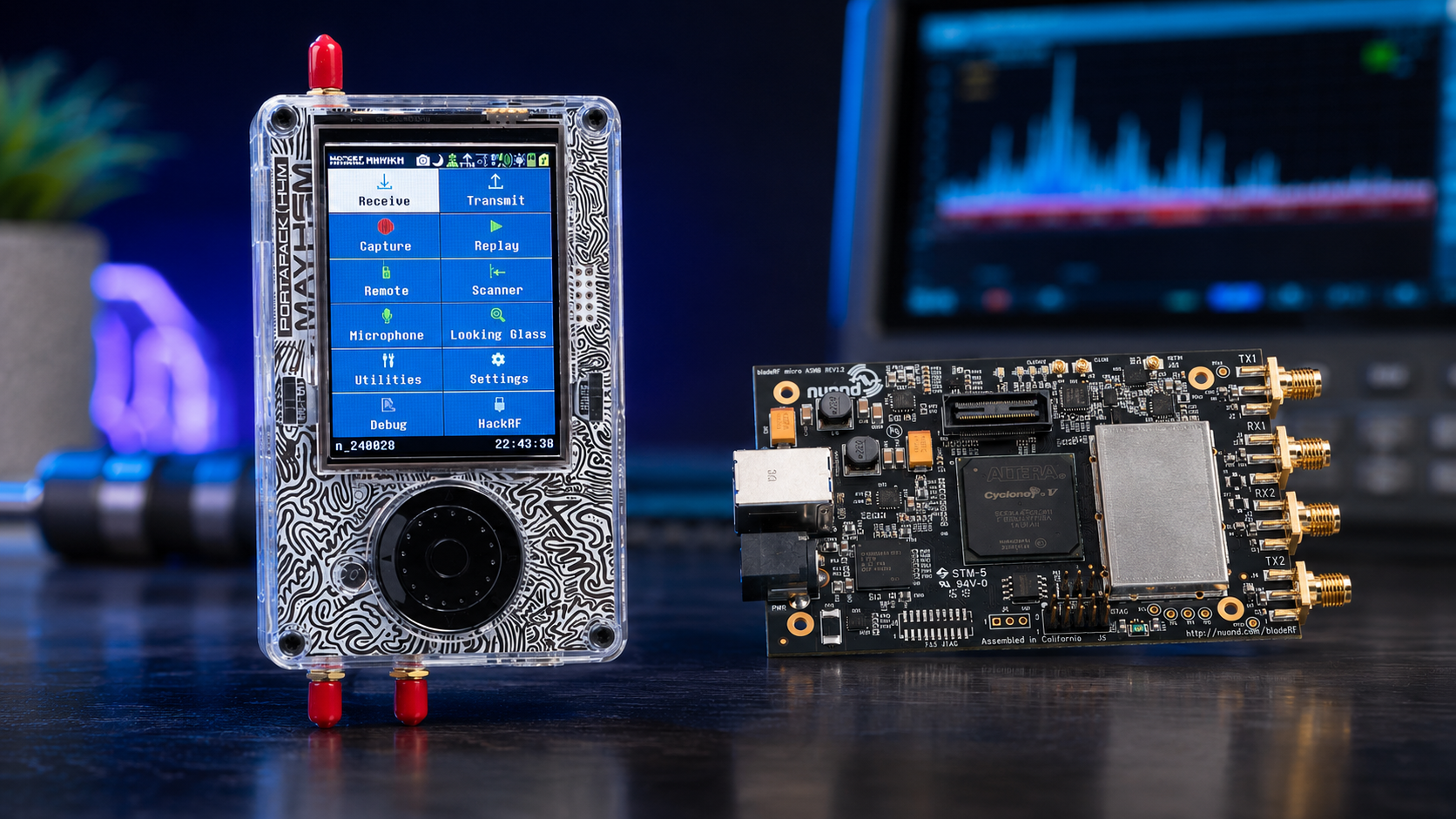
Sub-GHz wireless devices are everywhere: gate remotes, garage remotes, alarm sensors, weather stations, smart meters, LoRa sensors, wireless doorbells, industrial telemetry, remote controls, agricultural sensors, asset trackers, building automation devices, and low-power IoT systems. Many of these devices operate around 315 MHz, 433 MHz, 868 MHz, or 915 MHz depending on region and product design.
For cybersecurity teams, universities, RF labs, IoT manufacturers, facility managers, and product-security engineers, Sub-GHz monitoring is useful because it reveals what devices are transmitting, how often they transmit, how strong the signal is, whether unexpected devices are active, and whether a product behaves as expected in a controlled test environment.
This guide explains Sub-GHz security testing tools for authorized monitoring of 315, 433, 868, and 915 MHz devices. It covers SDR receivers, HackRF Pro, RTL-SDR, CC1101-based tools, TinySA Ultra, NanoVNA, antennas, filters, logging, legal boundaries, RF baselines, and defensive audit workflows. It does not explain how to replay signals, bypass rolling codes, open gates, clone remotes, or access devices without permission.
Browse software-defined radio hardware, RTL-SDR receivers, HackRF SDR devices, spectrum analyzers, RF test and measurement equipment, and request a formal quote from SDRstore.eu.
Quick Answer: What Hardware Do You Need for Sub-GHz Security Testing?
| Testing goal | Recommended hardware | Why it matters |
|---|---|---|
| Low-cost receive-only monitoring | RTL-SDR Blog V3 USB-C, Sub-GHz antenna, SDR++ or GNU Radio | Good for observing 315, 433, 868, and 915 MHz activity without transmitting. |
| Wideband RF lab monitoring | HackRF Pro, antennas, laptop, GNU Radio or SDRangel | Useful for wider RF visibility, signal research, authorized lab captures, and training. |
| Portable field checks | TinySA Ultra or handheld spectrum analyzer | Fast way to check whether a Sub-GHz band is active, noisy, or affected by interference. |
| Protocol and IoT development | CC1101-based development boards, LoRa boards, authorized test devices | Useful for controlled lab development and product validation when you own or are authorized to test the device. |
| Antenna and cable validation | NanoVNA, known-good cables, filters, adapters | Prevents false conclusions caused by bad antennas, poor matching, or cable loss. |
| Facility monitoring | Multiple SDR nodes, antennas, time-synced logs, dashboard | Useful for detecting unknown transmitters, sensor activity, and RF baseline changes. |
| Professional compliance or certified testing | Calibrated spectrum analyzer, certified lab equipment, official test plan | Required when the result must support formal certification, compliance, or regulatory reporting. |
The simple rule: use SDR and spectrum tools to monitor and document Sub-GHz activity. Use transmit-capable hardware only in controlled, legal, authorized tests.
What Is Sub-GHz Security Testing?
Sub-GHz security testing is the defensive review of wireless systems operating below 1 GHz. The goal is to understand how devices behave over the air, whether unexpected devices are present, whether a product leaks useful information, whether the RF environment is noisy, and whether wireless controls are designed safely.
Authorized Sub-GHz testing can include:
- Detecting whether a device transmits when expected
- Measuring frequency, bandwidth, signal strength, and duty cycle
- Building a baseline of normal facility RF activity
- Checking whether unknown Sub-GHz transmitters are active
- Validating antenna performance
- Checking for interference around wireless sensors
- Comparing product behavior before and after firmware updates
- Capturing IQ samples for defensive analysis
- Testing authorized devices in an RF shielded or cabled environment
- Documenting signals for product-security or compliance review
It should not include unauthorized replay, cloning, bypassing, jamming, or accessing devices you do not own or do not have permission to test.
315, 433, 868, and 915 MHz: What Are These Bands Used For?
| Band | Common uses | Regional notes |
|---|---|---|
| 315 MHz | Remote controls, automotive remotes, alarms, wireless sensors, legacy systems | Common in North America and some other markets. Always check local rules. |
| 433 MHz | Weather stations, remote controls, doorbells, sensors, simple telemetry, some alarms | Very common in Europe and many low-cost devices. It can overlap with amateur allocations in some regions. |
| 868 MHz | European SRD/ISM devices, LoRaWAN EU868, sensors, smart metering, industrial IoT | Common European Sub-GHz IoT band with duty-cycle and power limits depending on sub-band. |
| 915 MHz | North American ISM devices, LoRaWAN US915, sensors, telemetry, industrial IoT | Common in Region 2 markets such as the US. Not a universal global band. |
The same hardware may support multiple bands, but the legal rules are not the same everywhere. Always confirm the country, device type, power limits, duty-cycle requirements, and allowed use before transmitting.
Legal Boundary: Monitor First, Transmit Only When Authorized
Sub-GHz tools can be powerful because many devices in these bands are simple, low-power, and easy to observe. That does not mean they are legal to interfere with.
- Use receive-only monitoring for normal audits and facility surveys.
- Do not replay, clone, or retransmit captured signals from remotes, alarms, gates, meters, or sensors.
- Do not jam or interfere with wireless devices.
- Do not test devices belonging to neighbors, customers, employees, or third parties without written authorization.
- Do not bypass access-control systems, alarm systems, or vehicle systems.
- Use RF shield boxes, dummy loads, attenuators, and cabled setups for controlled lab tests.
- Follow local radio regulations and company policy.
- For formal compliance work, use calibrated equipment and certified test procedures.
For security teams, the correct workflow is detect, document, analyze, and remediate. Not interfere.
Hardware Option 1: RTL-SDR Blog V3 USB-C for Receive-Only Monitoring
The RTL-SDR Blog V3 USB-C is one of the best low-cost tools for Sub-GHz receive-only monitoring. It can observe 315, 433, 868, and 915 MHz activity when paired with the correct antenna and software.
Use RTL-SDR for
- Finding whether a Sub-GHz device is transmitting
- Learning waterfall and spectrum analysis
- Monitoring 315, 433, 868, and 915 MHz bands
- Building facility RF baselines
- Capturing IQ samples for authorized analysis
- Sub-GHz cybersecurity education
- Remote monitoring nodes with Raspberry Pi or mini PC
Limitations
- Receive-only, so it cannot perform controlled transmitter tests.
- Limited bandwidth compared with higher-end SDRs.
- Limited dynamic range in strong-signal environments.
- Needs the correct antenna for the target band.
- Not a certified spectrum analyzer.
For many labs, RTL-SDR is the first tool to buy because it is safe, affordable, and good for monitoring.
Hardware Option 2: HackRF Pro for Wideband Authorized RF Research
The HackRF Pro is useful when a lab needs wideband SDR coverage across Sub-GHz and higher bands. It is commonly used for RF research, GNU Radio workflows, signal analysis, and product-security labs.
Use HackRF Pro for
- Wideband Sub-GHz monitoring
- Authorized lab captures
- Signal classification research
- RF cybersecurity education
- IoT product-security testing
- GNU Radio experiments
- Comparing Sub-GHz activity with 2.4 GHz and 5.8 GHz systems
Important limitation
HackRF Pro is transmit-capable. For security audits, use it receive-only unless you have explicit authorization, a legal test plan, a safe RF environment, and a reason to transmit. Do not use it for replaying unknown signals or interfering with real systems.
Hardware Option 3: CC1101-Based Tools and Development Boards
CC1101-based boards are common in Sub-GHz IoT development because the CC1101 family is designed for low-power operation around 315, 433, 868, and 915 MHz. These tools can be useful for product development, controlled lab testing, and learning how Sub-GHz radios behave.
CC1101-based tools are useful for:
- Authorized IoT development
- Building test transmitters for your own lab devices
- Checking device configuration
- Learning packet radio concepts
- Testing approved sensors in a shielded environment
- Product engineering workflows
They should not be used to clone or replay third-party remotes or access-control devices. In a professional lab, use them to build your own known reference signals and test devices you are authorized to evaluate.
Browse SDRstore.eu’s software-defined radio and RF development hardware for Sub-GHz-capable development options such as CC1101 and LoRa-related boards.
Hardware Option 4: LoRa and Sub-GHz IoT Boards
LoRa and LoRaWAN devices are common around 868 MHz in Europe and 915 MHz in North America. They are used in agriculture, smart buildings, industrial monitoring, logistics, environmental sensors, smart meters, and campus IoT networks.
Use LoRa boards and monitoring tools for:
- Authorized LoRaWAN lab testing
- IoT security education
- Gateway and sensor monitoring
- Range and antenna studies
- Device inventory
- Interference troubleshooting
- Defensive RF logging
A LoRa receiver or SDR can show that a LoRa-like signal exists, but proper LoRaWAN security review also needs device credentials, gateway logs, network-server logs, and authorization from the network owner.
Hardware Option 5: TinySA Ultra for Field Spectrum Checks
A handheld spectrum analyzer is useful when you need quick answers in the field. Is there signal energy around 433 MHz? Is a 915 MHz sensor transmitting? Is a band unusually noisy? Is the antenna connected? A portable analyzer can answer these questions quickly.
The TinySA Ultra is useful for Sub-GHz field checks, lab troubleshooting, and quick spectrum snapshots.
Use TinySA Ultra for
- Checking signal presence around 315, 433, 868, and 915 MHz
- Comparing normal and abnormal band activity
- Finding interference sources
- Checking whether a test device transmits
- Capturing quick screenshots for reports
- Validating antennas and filters at a practical level
A handheld analyzer is not a replacement for a calibrated compliance test bench, but it is extremely useful for security teams and RF engineers doing practical investigations.
Hardware Option 6: NanoVNA for Antennas, Cables, and Filters
A bad antenna can make a real transmitter look invisible. A poor cable can create false conclusions. A mismatched antenna can reduce monitoring range. For Sub-GHz work, antenna validation matters.
The NanoVNA-H4 is useful for checking antennas, cables, filters, SWR, return loss, and basic matching behavior in many Sub-GHz workflows.
Use NanoVNA for
- Checking 315 MHz, 433 MHz, 868 MHz, and 915 MHz antennas
- Comparing antenna types
- Checking cable loss and faults
- Testing filters
- Validating lab monitoring setups
- Teaching students how RF hardware affects security testing
Antennas for 315, 433, 868, and 915 MHz Monitoring
Sub-GHz monitoring depends heavily on antenna choice. A random antenna may work poorly outside its intended band.
| Band | Approximate quarter-wave length | Monitoring notes |
|---|---|---|
| 315 MHz | 23.8 cm | Common for remotes and sensors in some regions. Use a band-matched antenna. |
| 433 MHz | 17.3 cm | Very common for low-cost remotes, weather stations, and sensors. |
| 868 MHz | 8.6 cm | Common European SRD and LoRaWAN band. |
| 915 MHz | 8.2 cm | Common North American ISM and LoRaWAN band. |
These are starting values. Real antennas include matching networks, ground-plane effects, enclosures, cable effects, and placement variables. Use a NanoVNA where possible.
Antenna checklist
- Use a band-matched antenna for the target frequency.
- Use an outdoor antenna for facility monitoring where appropriate.
- Use directional antennas for investigation and source hunting.
- Use a stable mount for repeatable testing.
- Label antennas by band.
- Use low-loss coax for longer runs.
- Keep antennas away from laptops, power supplies, metal cabinets, and noisy electronics.
- Document antenna location and orientation in every test.
Software for Sub-GHz Monitoring
SDR++ and SDRangel
SDR++ and SDRangel are useful for interactive spectrum viewing, waterfall monitoring, quick signal discovery, and training.
GNU Radio
GNU Radio is useful for custom capture pipelines, power logging, signal classification, feature extraction, and repeatable lab workflows.
rtl_433
rtl_433 is useful for decoding many simple weather stations, sensors, and remote telemetry devices where lawful and appropriate. It is useful for inventory and troubleshooting, but it should not be treated as permission to inspect devices outside the audit scope.
SigMF logging
SigMF is useful for storing IQ recordings with metadata. This matters when captures are used for reports, research, machine learning, or repeatable product testing.
Record metadata such as:
- Frequency
- Sample rate
- Bandwidth
- Gain
- SDR model and serial number
- Antenna type
- Antenna location
- Time and date
- Device under test
- Authorization scope
- Test environment
Authorized Sub-GHz Testing Workflow
Step 1: Define the scope
- Which devices are authorized for testing?
- Which bands are in scope: 315, 433, 868, 915 MHz, or others?
- Is the test receive-only?
- Is any transmit testing allowed?
- Will testing happen in a shield box, cabled setup, or open lab?
- What data may be decoded or stored?
- Who owns the devices and RF environment?
Step 2: Build a baseline
- Monitor the target bands before testing.
- Record normal site activity.
- Identify known sensors and gateways.
- Note recurring signals.
- Document nearby sources of interference.
- Check whether your receiver is overloaded.
Step 3: Capture known device behavior
- Activate only the device under test.
- Capture the signal with SDR.
- Take a spectrum screenshot.
- Record frequency, bandwidth, modulation appearance, and duration.
- Record device state and firmware version.
- Repeat captures under controlled conditions.
Step 4: Validate RF hardware
- Check antenna match with NanoVNA.
- Check cable condition.
- Use a spectrum analyzer to confirm signal presence.
- Use attenuators or shielding for controlled tests.
- Do not overdrive SDR receiver inputs.
Step 5: Document findings
- Store screenshots and IQ captures securely.
- Document software versions.
- Record scope and authorization.
- Separate observations from conclusions.
- Recommend remediation without exposing unsafe attack details.
What to Look for During a Defensive Audit
| Observation | Why it matters | Defensive action |
|---|---|---|
| Unexpected transmitter active | Could be an unapproved sensor, remote, gateway, or test device | Compare with device inventory and investigate physically. |
| Repeated transmissions at fixed intervals | May indicate telemetry, beaconing, or sensor status messages | Map timing pattern and identify approved device if possible. |
| Very strong local signal | Could overload receivers or indicate nearby transmitter | Use attenuation, reduce gain, and locate the source. |
| Wideband noise in a Sub-GHz band | May cause sensor failures or monitoring blind spots | Use spectrum analyzer and directional antenna to investigate. |
| Device transmits more information than expected | May expose product state or metadata | Review product design and data-minimization strategy. |
| Unencrypted or unauthenticated behavior | May create product-security risk | Recommend cryptographic protection and secure protocol design. |
| 433/868/915 MHz congestion | Can reduce IoT reliability | Review channel plan, duty cycle, antennas, and gateway placement. |
Common Sub-GHz Devices to Monitor in Authorized Tests
- Garage and gate remotes owned by the test site
- Wireless alarm sensors
- Door and window sensors
- Weather stations
- Wireless doorbells
- Smart meters and metering test equipment
- LoRa and LoRaWAN sensors
- Industrial telemetry devices
- Wireless relay modules
- Remote controls for lab equipment
- RFID/UHF test equipment where authorized
- Agricultural and environmental sensors
- Building automation sensors
Always separate “device is visible” from “device is vulnerable.” Visibility alone is not a security finding unless it exposes risk, sensitive information, weak authentication, poor design, or unauthorized operation.
Recommended Hardware Packages
Package 1: Beginner Sub-GHz monitoring kit
- RTL-SDR Blog V3 USB-C
- 315/433/868/915 MHz antennas
- SDR++ or SDRangel
- Laptop or Raspberry Pi
- Basic logging checklist
Best for: students, first-time RF monitoring, facility baselines, and receive-only security awareness.
Package 2: RF cybersecurity lab kit
- HackRF Pro
- RTL-SDR receiver
- CC1101 development board for authorized lab devices
- LoRa development board for authorized IoT tests
- Sub-GHz antennas
- GNU Radio and Python tools
- Secure IQ recording storage
Best for: universities, cybersecurity firms, IoT labs, and authorized product-security research.
Package 3: Facility Sub-GHz monitoring kit
- Multiple RTL-SDR monitoring nodes
- Outdoor or indoor Sub-GHz antennas
- OpenWebRX or monitoring dashboard
- Time-synchronized logs
- Site RF baseline
- Device inventory
- Incident response checklist
Best for: warehouses, factories, campuses, laboratories, data centers, farms, and industrial sites using wireless sensors.
Package 4: Field troubleshooting kit
- TinySA Ultra
- RTL-SDR or HackRF Pro
- Directional Sub-GHz antenna
- Band-specific antennas
- SMA adapters and short cables
- Battery-powered laptop or tablet workflow
Best for: finding interference, confirming device transmissions, and investigating unexpected RF activity.
Package 5: Product-security and RF validation bench
- HackRF Pro or USRP/bladeRF-class SDR where required
- RTL-SDR monitor receiver
- TinySA Ultra or higher-grade spectrum analyzer
- NanoVNA-H4
- RF power meter
- Attenuators and dummy loads
- RF shield box or controlled test enclosure
- Version-controlled capture and report storage
Best for: IoT manufacturers, industrial sensor vendors, access-control product teams, RF security labs, and universities.
Sub-GHz Audit Evidence Checklist
- Authorization and test scope
- Device model and serial number
- Firmware version
- Frequency band
- Exact center frequency observed
- Bandwidth estimate
- Signal duration
- Transmit interval or duty behavior
- Receiver hardware
- Antenna type and placement
- Software and version
- Gain settings
- Sample rate
- Waterfall screenshot
- IQ capture filename
- Environment notes
- Nearby known transmitters
- Legal or regulatory notes
- Findings and recommendations
Common Mistakes in Sub-GHz Testing
Using the wrong antenna
A 2.4 GHz antenna will not be ideal for 433 MHz monitoring. Use antennas matched to the target band.
Assuming 433 MHz rules are global
Sub-GHz regulations vary by country. A band that is common in Europe may not have the same status in the United States, and 915 MHz is not universal worldwide.
Confusing monitoring with exploitation
Receiving a signal for authorized analysis is very different from replaying or interfering with it. Keep the test defensive and documented.
Ignoring receiver overload
A strong nearby transmitter can overload the SDR and create misleading artifacts. Reduce gain, add filtering, or add attenuation.
Not building a baseline
Without a baseline, normal weather stations, sensors, or facility telemetry may look suspicious.
Not documenting firmware and device state
Product-security findings are hard to reproduce if device firmware, settings, and state are missing from the report.
Security Findings to Report Safely
A good report explains risk without giving unsafe instructions.
| Observation | Safe report wording | Recommended remediation |
|---|---|---|
| Static identifier visible | The device appears to transmit a stable identifier during normal operation. | Review privacy requirements and consider rotating identifiers or minimizing broadcast data. |
| No authentication observed in test scope | The observed protocol behavior did not show evidence of message authentication in the tested workflow. | Add cryptographic authentication and replay protection. |
| Excessive transmissions | The device transmits more frequently than expected for the use case. | Review duty cycle, battery impact, interference risk, and regional compliance. |
| Unexpected transmitter | An unapproved Sub-GHz transmitter was observed in the monitored area. | Investigate physically, update inventory, and remove or approve the device. |
| High band noise | The monitored band showed elevated RF activity during the test period. | Identify interference source and review channel plan or antenna placement. |
Purchase-Order Justification Examples
RTL-SDR Sub-GHz monitoring justification
RTL-SDR receivers are required for low-cost receive-only monitoring of 315, 433, 868, and 915 MHz devices, facility RF baselining, Sub-GHz signal discovery, and authorized wireless security education.
HackRF Pro Sub-GHz research justification
HackRF Pro is required as a wideband SDR platform for authorized Sub-GHz RF security research, signal monitoring, GNU Radio workflows, IoT product-security testing, and defensive wireless analysis across multiple bands.
TinySA Ultra justification
TinySA Ultra is required for portable spectrum checks, Sub-GHz interference investigation, quick signal presence validation, and field documentation during authorized RF security assessments.
NanoVNA and antenna accessory justification
NanoVNA, Sub-GHz antennas, cables, filters, attenuators, and RF accessories are required to validate the monitoring setup, reduce false conclusions, check antenna matching, and produce repeatable Sub-GHz test results.
CC1101 and LoRa development justification
CC1101 and LoRa development hardware is required for controlled Sub-GHz IoT development, authorized protocol testing, reference signal generation inside a lab, and product-security validation of devices owned by the organization.
Request a Quote for Sub-GHz Security Testing Hardware
Cybersecurity firms, IoT manufacturers, universities, RF laboratories, industrial facilities, building-automation teams, agricultural technology companies, and critical-infrastructure operators can request a formal quotation directly from SDRstore.eu.
Use the Add to Quote button on product pages or the document icon on product cards. Add RTL-SDR, HackRF Pro, TinySA Ultra, NanoVNA, CC1101 or LoRa-related development boards, antennas, cables, filters, RF power meters, dummy loads, attenuators, and project notes to one quote request.
A quote request is useful when you need:
- 315 MHz monitoring hardware
- 433 MHz SDR monitoring kits
- 868 MHz IoT and LoRa monitoring tools
- 915 MHz monitoring hardware
- Sub-GHz RF cybersecurity lab equipment
- Facility RF baseline monitoring nodes
- Product-security validation hardware
- Formal pricing for company, university, or public-sector procurement
Read the SDRstore.eu quote-request guide.
Related SDRstore.eu Guides
- Wireless Security Testing Tools: WiFi, BLE, RFID, NFC, Sub-GHz, and SDR Hardware
- SDR for Cybersecurity Research and Authorized Wireless Security Testing
- Detecting Rogue Wireless Devices with SDR
- RF Spectrum Monitoring for Facilities, Labs, and Critical Infrastructure
- RF Cybersecurity Lab Equipment Checklist
- RF Fingerprinting Explained
- NanoVNA vs TinySA
- SDR Hardware for RF Product Testing
- How to Choose SDR Hardware for a Research Grant or University Purchase Order
Official and Technical Resources
- Texas Instruments CC1101 datasheet
- 47 CFR Part 15: FCC Radio Frequency Devices
- CEPT/ERC Recommendation 70-03: Short Range Devices
- ETSI EN 300 220-2 Short Range Devices
- Semtech LoRa Connect
- The Things Network: What are LoRa and LoRaWAN?
- GNU Radio official website
- SigMF official specification
Final Recommendation
For safe beginner Sub-GHz monitoring, start with RTL-SDR Blog V3 USB-C, band-matched antennas, SDR++ or SDRangel, and a clear receive-only workflow. This is enough to observe many 315, 433, 868, and 915 MHz signals and build an RF baseline.
For RF cybersecurity labs and IoT product-security teams, add HackRF Pro, TinySA Ultra, NanoVNA-H4, CC1101 or LoRa development boards for authorized devices, filters, attenuators, dummy loads, and structured capture storage.
The best Sub-GHz security testing kit is not a replay tool. It is a legal monitoring and validation setup that combines SDR receivers, spectrum analysis, antennas, RF measurement, documentation, and a strict authorization boundary.
FAQ
What is Sub-GHz security testing?
Sub-GHz security testing is the authorized monitoring and review of wireless devices operating below 1 GHz, including 315, 433, 868, and 915 MHz systems. It is used for product validation, RF baselining, IoT security, facility monitoring, and defensive wireless analysis.
Can RTL-SDR monitor 315, 433, 868, and 915 MHz?
Yes. RTL-SDR Blog V3 USB-C can monitor these Sub-GHz bands when paired with the correct antenna and software. It is receive-only, making it a good safe starting point for authorized monitoring.
Is HackRF Pro useful for Sub-GHz security testing?
Yes. HackRF Pro is useful for wideband receive-side Sub-GHz monitoring, GNU Radio workflows, RF cybersecurity research, and authorized product-security testing. Because it is transmit-capable, it should be used receive-only unless transmission is legally authorized and controlled.
What is CC1101 used for?
CC1101 is a low-power Sub-GHz RF transceiver used in many 315, 433, 868, and 915 MHz applications such as sensors, alarms, industrial monitoring, building automation, and wireless telemetry. In security labs, CC1101-based boards are useful for authorized development and controlled testing.
Can I replay a 433 MHz remote signal?
This guide does not provide replay instructions. Replaying signals from remotes, gates, alarms, vehicles, or access-control systems can be illegal and unsafe without explicit authorization. Use receive-only monitoring and report defensive findings safely.
What antenna do I need for 433 MHz monitoring?
Use a 433 MHz antenna or adjustable antenna tuned near the target band. A quarter-wave antenna is roughly 17.3 cm at 433 MHz, but real antenna performance depends on matching, ground plane, cable, and placement.
What is the difference between 868 MHz and 915 MHz?
868 MHz is commonly used for European SRD and LoRaWAN EU868 devices, while 915 MHz is common in North America and other Region 2-style ISM deployments. The legal rules and channel plans are region-specific.
Do I need TinySA Ultra if I already have SDR?
It is strongly recommended. SDR is flexible for logging and analysis, while TinySA Ultra or another spectrum analyzer is faster for field checks, interference hunting, and quick signal presence confirmation.
Do I need NanoVNA for Sub-GHz testing?
Yes, it is very useful. NanoVNA helps validate antennas, cables, filters, matching, and return loss, which prevents false conclusions during Sub-GHz monitoring.
Can SDRstore.eu quote a Sub-GHz security testing kit?
Yes. Use the Add to Quote button on product pages or the document icon on product cards. Add RTL-SDR, HackRF Pro, TinySA Ultra, NanoVNA, antennas, filters, CC1101 or LoRa-related boards, cables, and project notes so the full Sub-GHz monitoring setup can be quoted together.
No posts found
Write a review






We support all major card and digital payment options. More local methods are available and shown during checkout.
You enter into a binding sales contract once you have received an 'order confirmation and sales receipt' email from us, in line with our Sales & Delivery conditions. Therefore, sdrstore.eu has the right to cancel your order in the event of technical problems, delivery failure, Fair use policy and other similar situations.






Your payments are protected by advanced encryption and 3-D Secure authentication for safe online shopping.