








Detecting Rogue Wireless Devices with SDR: Defensive RF Monitoring Guide
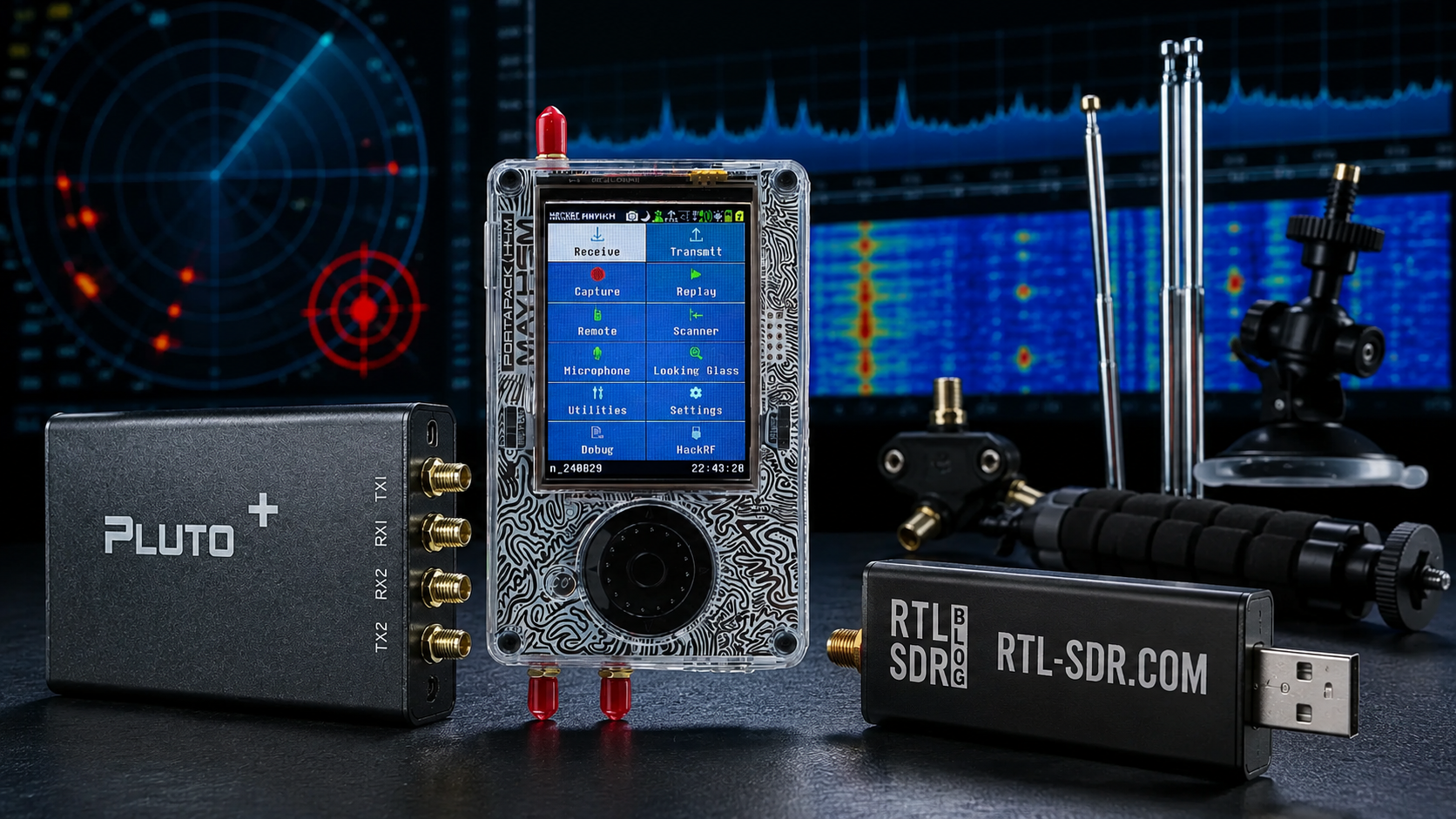
Rogue wireless devices are a real risk for facilities, laboratories, corporate networks, universities, warehouses, data centers, retail sites, factories, and critical infrastructure. A rogue device can be a small Wi-Fi access point hidden under a desk, an unauthorized LTE router, a wireless camera, a Bluetooth beacon, a LoRa transmitter, a cellular hotspot, a drone controller, or an unknown RF device operating near sensitive equipment.
Software-defined radio can help security and engineering teams monitor the RF environment defensively. SDR does not replace Wi-Fi security controls, network access control, asset inventory, or enterprise wireless intrusion detection systems. But it adds RF-layer visibility: spectrum activity, noise-floor changes, unusual transmissions, unknown bands, signal direction, long-term baselines, and evidence during investigations.
This guide explains how to detect rogue wireless devices with SDR and defensive RF monitoring. It covers rogue access points, unknown IoT devices, SDR monitoring nodes, Wi-Fi IDS tools, spectrum analyzers, direction finding, logging, antennas, baselines, incident response, and legal boundaries.
Browse software-defined radio hardware, RTL-SDR receivers, HackRF SDR devices, KrakenSDR coherent receivers, spectrum analyzers, and request a formal quote from SDRstore.eu.
Quick Answer: How Can SDR Help Detect Rogue Wireless Devices?
| Detection layer | Recommended tools | What it helps detect |
|---|---|---|
| Wi-Fi rogue AP detection | Wi-Fi adapter with monitor mode, Kismet, enterprise WIDS/WIPS | Unauthorized access points, evil twin SSIDs, hidden SSIDs, suspicious clients, weak encryption, unexpected BSSIDs. |
| RF spectrum monitoring | HackRF Pro, RTL-SDR, TinySA Ultra, GNU Radio, OpenWebRX | Unknown RF activity, noise-floor changes, Sub-GHz devices, unusual ISM-band activity, non-Wi-Fi transmitters. |
| Wideband site surveys | HackRF Pro, spectrum analyzer, band-specific antennas | 2.4 GHz, 5.8 GHz, Sub-GHz, drone RF, IoT, telemetry, and facility wireless activity. |
| Direction finding | KrakenSDR, directional antennas, calibrated antenna array | Approximate bearing of supported RF sources during investigations. |
| Lab validation | NanoVNA, RF power meter, attenuators, filters, dummy loads | Antenna faults, receiver overload, cable issues, false alarms, and safe controlled testing. |
| Incident response | Logs, screenshots, IQ captures, site map, device inventory | Evidence for IT/security teams, compliance checks, and lawful escalation. |
The best defensive setup combines Wi-Fi-specific tools for Wi-Fi threats and SDR tools for broader RF visibility.
What Is a Rogue Wireless Device?
A rogue wireless device is any wireless device that is not approved, inventoried, or expected in the environment. It may be malicious, accidental, forgotten, misconfigured, or brought by an employee, contractor, visitor, vendor, or attacker.
Common rogue wireless devices
- Unauthorized Wi-Fi access point connected to the corporate network
- Employee mobile hotspot bypassing network policy
- Evil twin access point copying a legitimate SSID
- Wireless bridge hidden behind equipment
- Unapproved LTE/5G router
- Bluetooth beacon or tracker
- Wireless camera or video transmitter
- LoRa, Sub-GHz, 433 MHz, 868 MHz, or 915 MHz telemetry device
- Unknown IoT sensor
- Drone controller or video link near a sensitive site
- GNSS jammer or other illegal interference source
- Test transmitter left running in a lab
Not every unknown wireless signal is malicious. The goal is to detect, classify, investigate, document, and remove or approve the device according to site policy.
Why SDR Is Useful, but Not Enough by Itself
SDR gives visibility into the RF layer. It can show that something is transmitting, where energy appears in the spectrum, how activity changes over time, and sometimes where the signal may be coming from. But it does not automatically know whether a signal is authorized.
| Tool type | Best at | Weakness |
|---|---|---|
| Enterprise WIDS/WIPS | Wi-Fi rogue AP monitoring, policy enforcement, AP/client inventory | Focused mainly on Wi-Fi and may miss non-Wi-Fi RF devices. |
| Kismet and Wi-Fi monitor-mode tools | Wi-Fi device discovery, SSID/BSSID/client visibility, passive 802.11 monitoring | Requires compatible Wi-Fi adapters and does not replace broad RF spectrum monitoring. |
| SDR receiver | RF spectrum visibility, unknown signals, non-Wi-Fi monitoring, IQ recording | Requires signal interpretation, antennas, and logging discipline. |
| Spectrum analyzer | Fast RF field checks and interference hunting | Shows RF energy but not always device identity. |
| Network access control | Finding devices connected to the wired or wireless network | Cannot see passive or non-network RF transmitters. |
For a mature security program, use all layers together: IT asset inventory, network scans, Wi-Fi IDS, SDR monitoring, physical inspection, and incident procedures.
Legal Boundary: Monitor, Do Not Jam
This guide is for defensive monitoring only. It does not explain how to jam, spoof, deauthenticate, interfere with, or take over wireless devices.
- Use passive receive-only monitoring wherever possible.
- Do not jam Wi-Fi, cellular, Bluetooth, GNSS, drone links, or other wireless systems.
- Do not transmit test signals unless the lab is authorized and controlled.
- Do not decode or store private communications unless clearly permitted by law and policy.
- Do not use rogue-device monitoring for employee tracking beyond approved security policy.
- Escalate suspicious devices through IT, security, facilities, legal, or local authorities where required.
For most companies and facilities, the correct workflow is detect, document, verify, and remove or escalate through approved procedures.
Rogue Wireless Detection Architecture
Layer 1: Asset inventory
You cannot detect rogue devices reliably if you do not know what is authorized. Maintain a list of approved access points, SSIDs, BSSIDs, IoT transmitters, wireless cameras, Bluetooth beacons, LoRa gateways, cellular routers, and lab transmitters.
Layer 2: Wi-Fi monitoring
Use enterprise Wi-Fi security features, WIDS/WIPS, and monitor-mode tools such as Kismet for Wi-Fi-specific discovery. This is the best layer for rogue AP and evil twin detection.
Layer 3: SDR spectrum monitoring
Use SDR receivers and spectrum analyzers to monitor bands beyond normal Wi-Fi dashboards. This helps detect unknown RF devices, interference, Sub-GHz transmitters, drone-related RF activity, and unexpected noise.
Layer 4: Direction finding and physical search
Use directional antennas, portable spectrum analyzers, or KrakenSDR-style coherent receivers to narrow down where a signal may be coming from. Then verify physically and through network inventory.
Layer 5: Incident response
When a device is confirmed as unauthorized, document it, disconnect it safely, preserve evidence where needed, and update the authorized-device inventory.
Recommended SDR Hardware
RTL-SDR Blog V3 USB-C: Low-cost receive-only monitoring
The RTL-SDR Blog V3 USB-C is useful for low-cost receive-only monitoring in supported frequency ranges. It is a good tool for training, baseline monitoring, VHF/UHF, Sub-GHz activity, and distributed monitoring nodes.
Use RTL-SDR for:
- RF security awareness training
- Low-cost monitoring nodes
- Sub-GHz and VHF/UHF monitoring where supported
- OpenWebRX remote monitoring
- Long-term waterfall and power logging
- Detecting changes in the local RF baseline
Limitations: RTL-SDR is receive-only and does not directly cover all 2.4 GHz, 5 GHz, or 6 GHz Wi-Fi bands. For those, use Wi-Fi monitor-mode hardware, HackRF Pro, spectrum analyzers, or dedicated Wi-Fi security tools.
HackRF Pro: Wideband defensive RF monitoring
The HackRF Pro is useful for wideband receive-side monitoring from low frequencies through common ISM and wireless-device bands. It is one of the most practical SDR choices for facility RF surveys and defensive research.
Use HackRF Pro for:
- 2.4 GHz activity monitoring
- 5.8 GHz activity monitoring
- Drone RF awareness
- Wireless camera and video-link investigations
- IoT and telemetry signal surveys
- GNU Radio and Python logging workflows
- Wideband RF baselining around facilities
Important note: HackRF Pro is transmit-capable, but rogue-device detection should use receive-only monitoring unless the organization has a legal, authorized, controlled transmit-test procedure.
KrakenSDR: Direction finding for supported signals
KrakenSDR is a coherent multi-channel receiver platform that can support passive direction-finding research in supported frequency ranges.
Use KrakenSDR for:
- Finding approximate bearing of unknown RF activity
- Training security teams on RF direction finding
- Facility investigations where signal location matters
- Drone RF monitoring research
- Multi-antenna RF cybersecurity labs
Direction finding requires correct antennas, geometry, calibration, and interpretation. Reflections inside buildings can create misleading bearings.
TinySA Ultra and spectrum analyzers: Fast field checks
A portable spectrum analyzer such as TinySA Ultra is useful when engineers or security staff need quick RF confirmation during an incident.
Use a spectrum analyzer for:
- Checking whether a band is active
- Finding interference sources
- Comparing normal and abnormal conditions
- Validating antennas and filters
- Taking screenshots for incident reports
- Manual sweeps with directional antennas
NanoVNA and RF accessories
A NanoVNA-H4 helps validate antennas, filters, cables, and matching. This is important because a bad antenna or cable can look like a monitoring failure or false alarm.
Also plan for:
- Band-specific antennas
- Directional antennas
- Low-loss coax
- SMA adapters
- Filters
- Attenuators
- Dummy loads for safe lab tests
- RF power meter for controlled transmitter validation
What Bands Should You Monitor?
| Band or signal family | Possible rogue-device examples | Recommended tools |
|---|---|---|
| 2.4 GHz | Wi-Fi APs, Bluetooth, BLE beacons, IoT devices, drone links, wireless cameras | Wi-Fi monitor adapter, Kismet, HackRF Pro, spectrum analyzer. |
| 5 GHz / 5.8 GHz | Wi-Fi APs, wireless bridges, cameras, drone video links | Wi-Fi monitor adapter, HackRF Pro, spectrum analyzer, directional antenna. |
| 6 GHz Wi-Fi | Wi-Fi 6E/7 devices and unauthorized APs | 6 GHz-capable Wi-Fi security tools and spectrum tools that support the band. |
| 433 MHz | Remote controls, sensors, low-cost telemetry, unauthorized transmitters | RTL-SDR, HackRF Pro, antennas, spectrum analyzer. |
| 868/915 MHz | LoRa, IoT, smart meters, telemetry, sensors, unauthorized gateways | RTL-SDR, HackRF Pro, LoRa tools, spectrum analyzer. |
| Cellular bands | Unauthorized LTE/5G routers, hotspots, modems | Asset inventory, carrier tools, SDR spectrum awareness, physical inspection. |
| GNSS L1/E1 | GNSS interference or illegal jamming near sensitive sites | Active L-band antenna, RTL-SDR/HackRF, GNSS receiver logs, spectrum analyzer. |
| VHF/UHF | Unlicensed radios, wireless mics, telemetry, lab transmitters | RTL-SDR, HackRF Pro, spectrum analyzer, site inventory. |
The exact monitoring plan depends on the site. A warehouse, hospital, data center, RF lab, prison, port, and university campus will all have different normal RF baselines.
Wi-Fi Rogue AP Detection Workflow
Wi-Fi rogue AP detection should start with Wi-Fi-specific tools, not only SDR. SDR is useful for RF context, but Wi-Fi management frames and client behavior are best monitored with a compatible Wi-Fi adapter and WIDS/WIPS software.
Step 1: Build an authorized Wi-Fi inventory
- Approved SSIDs
- Approved BSSIDs / AP MAC addresses
- AP physical locations
- Expected channels and bands
- Allowed encryption types
- Controller-managed AP list
- Guest network configuration
Step 2: Scan for visible Wi-Fi devices
- Use enterprise WIDS/WIPS or Kismet-style monitoring.
- Look for duplicate SSIDs with unknown BSSIDs.
- Look for APs using weak or open security.
- Look for SSIDs similar to company names.
- Look for ad-hoc or hotspot networks.
- Look for clients connecting to unknown APs.
Step 3: Compare with the network side
- Check switch MAC address tables.
- Check DHCP leases.
- Check NAC or endpoint inventory.
- Check firewall logs.
- Check controller logs.
- Check physical network ports in the suspected area.
Step 4: Use RF tools to narrow location
- Use signal strength trend while walking the site.
- Use directional antennas where practical.
- Use a portable spectrum analyzer for field checks.
- Use building maps and multiple monitoring points.
- Document the suspected location before touching equipment.
Non-Wi-Fi Rogue Device Detection Workflow
Many rogue devices are not Wi-Fi access points. They may use Sub-GHz, Bluetooth, proprietary 2.4 GHz, LoRa, LTE/5G, Zigbee, drone links, or wireless video.
Step 1: Build a site RF baseline
- Record normal activity during work hours.
- Record overnight and weekend activity.
- Record known wireless systems.
- Document maintenance and events.
- Track known IoT devices and gateways.
- Repeat baseline after layout or equipment changes.
Step 2: Monitor priority bands
- 2.4 GHz and 5.8 GHz for Wi-Fi, Bluetooth, cameras, drones, and IoT.
- 433 MHz, 868 MHz, and 915 MHz for Sub-GHz devices.
- GNSS L1/E1 if timing or navigation matters.
- Facility-specific licensed or test bands.
- VHF/UHF where radios, telemetry, or wireless mics are in use.
Step 3: Classify the anomaly
- Is it continuous or bursty?
- Is it narrowband or wideband?
- Does it follow a schedule?
- Does it move?
- Does it correlate with a door opening, machine startup, vehicle arrival, or shift change?
- Is it seen by one node or multiple nodes?
Step 4: Investigate physically
- Use a portable analyzer or SDR laptop.
- Use directional antennas where helpful.
- Check under desks, near switches, in ceiling spaces, behind TVs, near cameras, inside cabinets, and around contractors’ equipment.
- Check power outlets, PoE ports, USB chargers, and network ports.
- Document findings before removal.
Example Monitoring Architectures
Architecture 1: Small office rogue Wi-Fi checks
- Wi-Fi monitor-mode adapter
- Kismet or enterprise Wi-Fi security tool
- RTL-SDR for supporting RF awareness
- Portable spectrum analyzer for field checks
- Authorized AP inventory
- Quarterly or monthly inspection process
Best for: small companies, offices, retail back offices, and basic compliance checks.
Architecture 2: RF cybersecurity lab
- HackRF Pro
- RTL-SDR receiver
- Wi-Fi monitor-mode adapters
- Kismet
- TinySA Ultra
- NanoVNA-H4
- Antennas, filters, attenuators, cables, and dummy loads
- GNU Radio and Python capture tools
Best for: universities, cybersecurity training, RF research, IoT device analysis, and defensive wireless education.
Architecture 3: Facility-wide RF monitoring
- Multiple SDR monitoring nodes
- One or more wideband survey receivers
- Central logging server
- Time-synchronized logs
- Site RF baseline
- Wi-Fi WIDS/WIPS or controller security layer
- Portable spectrum analyzer for incidents
- Documented incident response workflow
Best for: data centers, warehouses, factories, campuses, labs, and critical infrastructure.
Architecture 4: Direction-finding investigation kit
- KrakenSDR or coherent receiver platform
- Matched antennas for target band
- Stable antenna mount
- Known antenna geometry
- Directional handheld antenna
- Portable spectrum analyzer
- Site map and evidence log
Best for: locating recurring transmitters, suspicious devices, or interference sources after a monitoring system has flagged an event.
Recommended SDRstore.eu Hardware Packages
Package 1: Entry-level rogue wireless monitoring kit
- RTL-SDR Blog V3 USB-C
- Band-specific antenna
- Raspberry Pi or mini PC
- OpenWebRX or SDR++
- Wi-Fi monitor-mode adapter for Wi-Fi-specific scanning
- Basic logging checklist
Best for: low-cost awareness, first monitoring node, small office checks, and training.
Package 2: Wideband RF security survey kit
- HackRF Pro
- 2.4 GHz antenna
- 5.8 GHz antenna
- Sub-GHz antenna
- Directional antenna for manual sweeps
- Laptop with GNU Radio or SDRangel
- Incident log template
Best for: facility RF surveys, drone RF awareness, IoT monitoring, and unknown transmitter investigations.
Package 3: RF cybersecurity lab bench
- HackRF Pro
- RTL-SDR receiver
- Wi-Fi monitor-mode adapters
- TinySA Ultra
- NanoVNA-H4
- RF power meter
- Attenuators, dummy loads, filters, cables, and adapters
- GNU Radio, Kismet, SDR++, OpenWebRX, Python tools
Best for: university labs, RF cybersecurity training, product security, IoT security, and authorized wireless assessments.
Package 4: Direction-finding investigation kit
- KrakenSDR 5-channel coherent RTL-SDR
- Matched antennas for target frequency range
- Stable antenna array mount
- Portable spectrum analyzer
- Site map and calibration notes
- Logging laptop or Raspberry Pi-class controller
Best for: passive direction finding, recurring interference investigations, and RF source localization research.
Incident Logging Checklist
- Date and time
- Monitoring node or operator
- Location of receiver and antenna
- Frequency range
- Observed bandwidth
- Signal strength or relative power
- Waterfall screenshot
- Wi-Fi SSID/BSSID/client details where legally collected
- SDR settings, sample rate, bandwidth, and gain
- Antenna type and orientation
- Whether the signal was seen by multiple nodes
- Nearby equipment or events
- Physical inspection notes
- Action taken
- Escalation owner
For compliance or security investigations, preserve original logs and store analysis notes separately.
Common False Alarms
| False alarm source | Why it looks suspicious | How to reduce confusion |
|---|---|---|
| Guest Wi-Fi or neighboring AP | Unknown SSID or strong BSSID appears near the site | Build a location-based AP inventory and compare over time. |
| Employee hotspot | Looks like an unauthorized AP | Use policy, user awareness, and physical confirmation. |
| Bluetooth devices | Frequent 2.4 GHz bursts | Baseline normal BLE devices and asset trackers. |
| Wireless cameras | Continuous video-like RF activity | Inventory all facility security and AV equipment. |
| Industrial IoT sensors | Periodic Sub-GHz telemetry bursts | Coordinate with facilities and engineering teams. |
| Receiver overload | Creates false wideband artifacts | Reduce gain, add filtering, or add attenuation. |
| Bad antenna or cable | Monitoring node appears blind or unstable | Validate with NanoVNA or known-good parts. |
| Maintenance equipment | Temporary signals appear during work | Check maintenance schedules and contractor equipment. |
Rogue Device Response Checklist
- Confirm the alert with at least one independent method.
- Check whether the device is already approved or documented.
- Check Wi-Fi controller, switch, DHCP, NAC, firewall, or endpoint logs where relevant.
- Use RF tools to narrow down the physical area.
- Document screenshots, signal data, location, and operator notes.
- Do not power off or remove suspicious equipment until evidence requirements are clear.
- Escalate to IT/security/facilities/legal as defined by policy.
- Disconnect or remove the device safely if confirmed unauthorized.
- Update the asset inventory and monitoring baseline.
- Review how the device entered the environment and improve prevention.
Prevention Measures
- Maintain a current wireless asset inventory.
- Disable unused switch ports.
- Use network access control where possible.
- Use WPA2/WPA3 Enterprise for corporate Wi-Fi.
- Monitor for unknown BSSIDs and SSID clones.
- Perform regular physical inspections in sensitive areas.
- Use guest and contractor network policies.
- Ban unauthorized hotspots where policy requires it.
- Monitor Sub-GHz and IoT bands in facilities that use sensors.
- Train staff to report unknown wireless boxes, antennas, USB dongles, and routers.
Purchase-Order Justification Examples
HackRF Pro justification
HackRF Pro is required as a wideband receive-side SDR platform for defensive RF monitoring, rogue wireless device investigation, 2.4 GHz and 5.8 GHz spectrum observation, IoT band surveys, and authorized wireless-security research.
RTL-SDR monitoring node justification
RTL-SDR receivers are required to create low-cost receive-only RF monitoring nodes for baseline logging, training, Sub-GHz observation, and distributed defensive RF awareness across the facility.
KrakenSDR direction-finding justification
KrakenSDR is required for passive multi-channel direction-finding research and RF source localization workflows, helping investigators estimate the bearing of supported rogue or unknown wireless transmitters.
Spectrum analyzer justification
A portable spectrum analyzer is required to confirm RF activity during investigations, compare normal and abnormal spectrum conditions, troubleshoot interference, and document evidence during rogue wireless device incidents.
NanoVNA and RF accessory justification
NanoVNA, filters, antennas, cables, attenuators, dummy loads, and RF power meters are required to validate the RF monitoring chain, reduce false alarms, prevent receiver overload, and support repeatable defensive monitoring.
Request a Quote for Rogue Wireless Detection Hardware
Facilities, cybersecurity firms, universities, data centers, warehouses, factories, public-sector teams, RF labs, and critical-infrastructure operators can request a formal quotation directly from SDRstore.eu.
Use the Add to Quote button on product pages or the document icon on product cards. Add SDR receivers, HackRF Pro, KrakenSDR, TinySA Ultra, NanoVNA, RF power meters, antennas, filters, cables, adapters, dummy loads, attenuators, and project notes to one quote request.
A quote request is useful when you need:
- Rogue wireless device detection hardware
- Facility RF monitoring nodes
- Wideband SDR survey tools
- RF cybersecurity lab equipment
- Direction-finding research hardware
- Portable spectrum investigation tools
- Formal pricing for company, university, or public-sector procurement
- A phased RF monitoring rollout across multiple rooms, buildings, or sites
Read the SDRstore.eu quote-request guide.
Related SDRstore.eu Guides
- RF Spectrum Monitoring for Facilities, Labs, and Critical Infrastructure
- RF Cybersecurity Lab Equipment Checklist
- SDR for Cybersecurity Research and Authorized Wireless Security Testing
- Wireless Security Testing Tools: Wi-Fi, BLE, RFID, NFC, Sub-GHz, and SDR Hardware
- RF Fingerprinting Explained
- Drone RF Detection with SDR
- GNSS Spoofing Detection with SDR
- OpenWebRX vs No-SDR vs BrowSDR
- How to Choose SDR Hardware for a Research Grant or University Purchase Order
Official and Technical Resources
- CISA: Securing Enterprise Wireless Networks
- NIST Mobile Threat Catalogue: Rogue Access Points
- FCC Jammer Enforcement
- Kismet documentation
- OpenWebRX official website
- GNU Radio official website
- SigMF official specification
- PCI DSS Wireless Guidelines
Final Recommendation
For rogue Wi-Fi access points, start with Wi-Fi-specific controls: enterprise WIDS/WIPS, controller security features, Kismet-style monitoring, and a clean authorized AP inventory. For broader rogue wireless devices, add SDR monitoring with RTL-SDR, HackRF Pro, spectrum analyzers, antennas, and logging.
For facilities and critical infrastructure, build a baseline first. Monitor normal activity, document authorized devices, then investigate meaningful deviations. Add KrakenSDR or directional antennas when location matters, and use NanoVNA, filters, attenuators, and RF tools to avoid false alarms.
The strongest rogue wireless detection setup is not one tool. It is a layered workflow combining asset inventory, Wi-Fi IDS, SDR spectrum monitoring, RF test tools, physical inspection, incident logging, and lawful escalation.
FAQ
Can SDR detect rogue wireless devices?
Yes, SDR can help detect unknown RF activity, unusual spectrum behavior, Sub-GHz devices, drone RF, telemetry, and non-Wi-Fi transmitters. For Wi-Fi rogue access points, SDR should be combined with Wi-Fi monitor-mode tools, Kismet, WIDS/WIPS, and network inventory.
Can RTL-SDR detect rogue access points?
RTL-SDR is useful for low-cost RF monitoring in supported frequency ranges, but it does not directly monitor all modern Wi-Fi bands. For rogue Wi-Fi AP detection, use Wi-Fi adapters with monitor mode and Wi-Fi security tools.
Is HackRF Pro useful for rogue wireless detection?
Yes. HackRF Pro is useful for wideband receive-side monitoring, 2.4 GHz and 5.8 GHz surveys, IoT band observation, drone RF awareness, and defensive RF investigations. Use it receive-only unless a transmit test is legally authorized.
What is a rogue access point?
A rogue access point is an unauthorized Wi-Fi access point operating in or near an organization’s environment. It may be connected to the internal network, used as an evil twin, created by a hotspot, or installed accidentally by staff or contractors.
What is the difference between rogue AP detection and RF monitoring?
Rogue AP detection focuses on Wi-Fi devices, SSIDs, BSSIDs, clients, encryption, and network connections. RF monitoring watches the broader radio spectrum, including non-Wi-Fi devices, Sub-GHz transmitters, drone links, GNSS interference, and unknown signals.
Can I jam a rogue wireless device?
No. Normal organizations should not use jammers. Jamming can interfere with authorized communications and is illegal in many jurisdictions. Use passive monitoring, documentation, physical removal, network controls, and lawful escalation.
Can KrakenSDR locate rogue devices?
KrakenSDR can support passive direction-finding research for supported signals when used with matched antennas, known geometry, and calibration. It can help estimate bearing, but indoor reflections and multipath can reduce accuracy.
What bands should I monitor for rogue devices?
Common areas include 2.4 GHz, 5 GHz, 5.8 GHz, 433 MHz, 868 MHz, 915 MHz, VHF/UHF, GNSS L1/E1, and site-specific wireless bands. The correct plan depends on the facility and authorized device inventory.
Do I need a spectrum analyzer if I already use SDR?
Yes, it is strongly recommended. SDR is flexible for logging and software workflows, while a spectrum analyzer is faster for field checks, interference hunting, and confirming band activity during incidents.
Can SDRstore.eu quote a rogue wireless monitoring kit?
Yes. Use the Add to Quote button on product pages or the document icon on product cards. Add SDRs, HackRF Pro, KrakenSDR, TinySA Ultra, NanoVNA, antennas, filters, cables, RF tools, and project notes so the full monitoring setup can be quoted together.
No posts found
Write a review






We support all major card and digital payment options. More local methods are available and shown during checkout.
You enter into a binding sales contract once you have received an 'order confirmation and sales receipt' email from us, in line with our Sales & Delivery conditions. Therefore, sdrstore.eu has the right to cancel your order in the event of technical problems, delivery failure, Fair use policy and other similar situations.






Your payments are protected by advanced encryption and 3-D Secure authentication for safe online shopping.