








OpenWebRX vs No-SDR vs BrowSDR: Best Remote SDR Setup in 2026
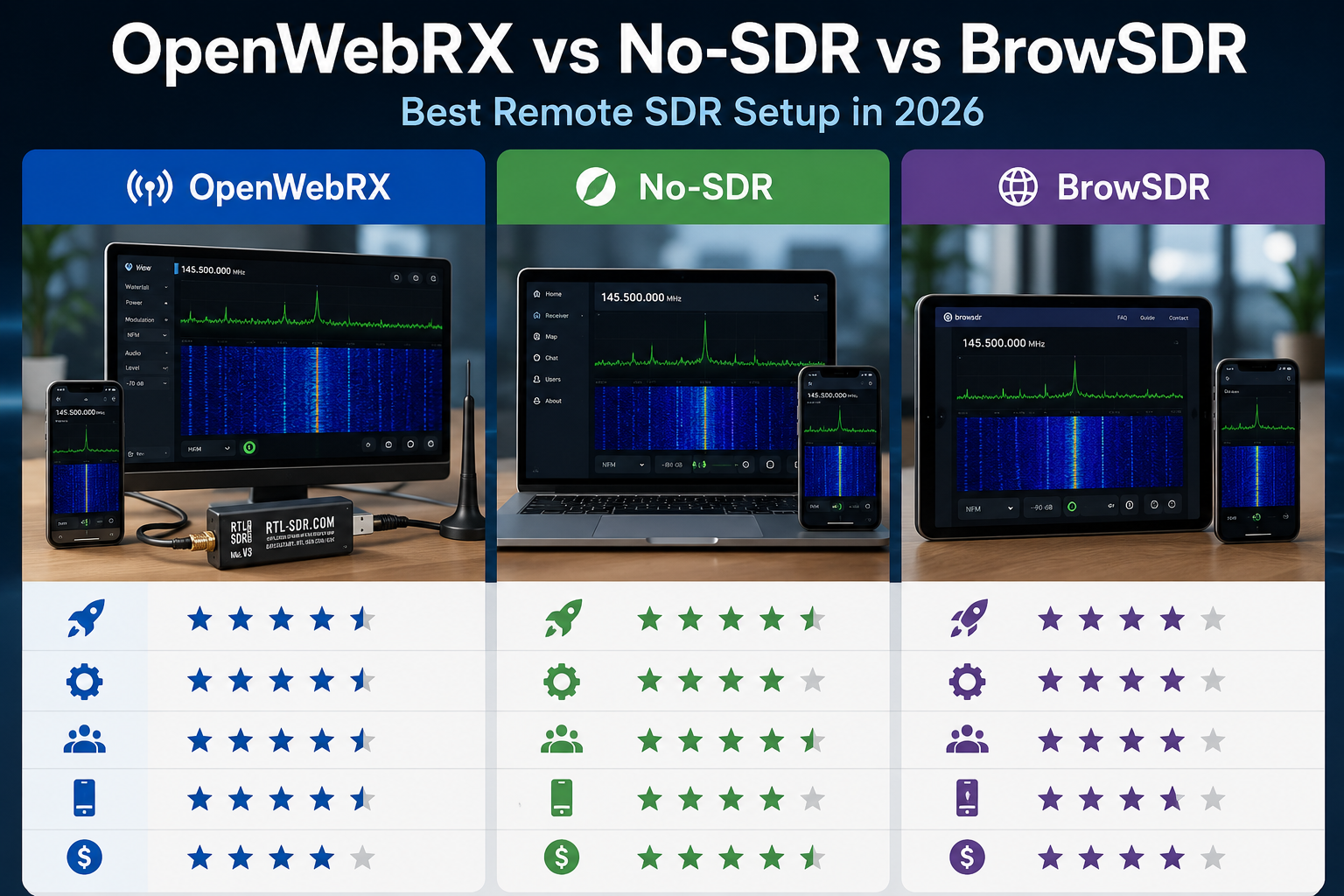
Remote SDR is one of the most useful ways to run a software-defined radio. Instead of keeping the SDR dongle next to your laptop, you can place the receiver close to a better antenna, run the software on a Raspberry Pi or mini PC, and listen from a browser on your desktop, phone, tablet, or iPad.
In 2026, three browser-based SDR options are especially interesting: OpenWebRX, No-SDR, and BrowSDR. They all bring SDR listening into a browser, but they are not designed for the same type of user.
OpenWebRX is the mature choice for always-on remote receivers and public WebSDR-style stations. No-SDR is a newer RTL-SDR-focused web receiver with a modern interface and low-bandwidth multi-user design. BrowSDR is a browser-native HackRF-focused application using WebUSB, WebAssembly, WebGL, and WebRTC for a more experimental high-performance browser SDR workflow.
This guide compares OpenWebRX vs No-SDR vs BrowSDR for RTL-SDR, HackRF, Raspberry Pi, browser access, remote listening, iPad/mobile use, WebUSB, WebRTC, and long-term station reliability.
Browse current hardware in the RTL-SDR receivers, kits, and accessories category, the HackRF category, and the software-defined radio category.
Quick Answer: Which Remote SDR Setup Should You Choose?
| Use case | Best choice | Why |
|---|---|---|
| Most reliable always-on remote receiver | OpenWebRX | Mature, browser-based, multi-user, and designed for public or semi-public shared receivers. |
| Private RTL-SDR web receiver at home | No-SDR | Modern RTL-SDR-focused browser receiver with multi-user tuning, low bandwidth use, Docker, and Raspberry Pi support. |
| HackRF directly in the browser | BrowSDR | Uses WebUSB, WebAssembly, WebGL, and WebRTC for a browser-native SDR experience. |
| iPad, iPhone, Android, and desktop browser access | OpenWebRX | Works from a standard HTML5 browser without installing an SDR app on every client. |
| Low-cost RTL-SDR station on Raspberry Pi | OpenWebRX or No-SDR | Both can run with RTL-SDR on a small server; OpenWebRX is more established, No-SDR is more lightweight and modern. |
| Experimental browser SDR with multi-VFO and transcription | BrowSDR | Promising feature set, but less proven for always-on public receiver deployment. |
| Radio club, classroom, or shared receiver | OpenWebRX | Best fit for shared access, profiles, multiple users, and long-term manageability. |
OpenWebRX vs No-SDR vs BrowSDR Comparison Table
| Feature | OpenWebRX | No-SDR | BrowSDR |
|---|---|---|---|
| Main idea | Shared browser-based SDR server | Modern multi-user RTL-SDR WebSDR | Browser-native SDR receiver using WebUSB and WebRTC |
| Best hardware fit | RTL-SDR, SDRplay, Airspy, HackRF, and other supported server-side SDRs depending on setup | RTL-SDR USB dongles and remote rtl_tcp sources | HackRF-focused direct browser workflow; reported RTL-SDR Blog V4 support is newer and should be tested |
| Client device | Any modern browser | Any modern browser | WebUSB-capable browser such as Chrome or Edge for direct device use |
| Server required | Yes | Yes for normal shared use | No for local WebUSB use; WebRTC sharing for remote access |
| Raspberry Pi suitability | Strong | Strong for Pi 4/5 according to project documentation | Not the main use case |
| Best for iPad | Yes, through Safari/browser | Potentially yes through browser | Limited, because WebUSB support is not the normal iPad SDR route |
| Best for Android | Browser access | Browser access | Interesting if the browser and SDR support the required WebUSB workflow |
| Public receiver deployment | Best choice | Possible, but newer | More experimental |
| Beginner friendliness | Best if using ready images/packages | Good for technical users comfortable with Git, Node/Go, or Docker | Best for experimenters comfortable with browser SDR and HackRF |
| Best buyer recommendation | RTL-SDR Blog V3 USB-C plus Raspberry Pi 4/5 | RTL-SDR Blog V3 USB-C plus Raspberry Pi 4/5 or mini PC | HackRF Pro or HackRF-compatible setup for browser experimentation |
What Is OpenWebRX?
OpenWebRX is an open-source web-based SDR receiver that allows users to access one or more SDR devices from a browser. The SDR hardware is connected to a server such as a Raspberry Pi, Linux machine, or mini PC. The listener opens a web page and uses the receiver remotely.
OpenWebRX is the best-known option in this comparison because it was designed from the beginning for shared remote listening. It is a strong fit for:
- Home SDR servers
- Raspberry Pi receiver stations
- Radio clubs
- University and classroom demos
- Public WebSDR-style receivers
- Low-noise antenna sites
- iPad, iPhone, Android, and desktop browser listening
- HF, VHF, UHF, and digital-mode monitoring depending on SDR and configuration
OpenWebRX strengths
- Mature project compared with newer browser SDR tools
- Works from a normal browser
- Good for multiple users
- Good for public or private remote receivers
- Can run on Raspberry Pi or Linux servers
- Good choice for iPad because no direct USB SDR support is needed
- Better long-term choice for a station installed near an antenna
OpenWebRX limitations
- Requires a server setup
- Not as “instant” as opening a WebUSB app
- Configuration takes planning for multiple bands and profiles
- Public exposure needs proper security and reverse-proxy setup
- The best result depends heavily on antenna, filters, and receiver placement
What Is No-SDR?
No-SDR is a newer multi-user WebSDR designed around RTL-SDR dongles. Its goal is to turn a low-cost RTL-SDR into a full-featured browser radio with waterfall, spectrum, stereo FM, AM, SSB, CW, and multiple users sharing the same hardware.
No-SDR is especially interesting because it focuses on cheap RTL-SDR receivers, browser access, low bandwidth, Docker deployment, Raspberry Pi 4/5 compatibility, remote rtl_tcp sources, multi-dongle configurations, and a modern web interface.
No-SDR strengths
- Focused on RTL-SDR
- Modern browser interface
- Multi-user listening
- Independent tuning within the dongle bandwidth
- Supports local USB RTL-SDR and remote rtl_tcp sources
- Docker-ready deployment
- Raspberry Pi 4/5 support direction
- Good fit for private home or lab receivers
- Includes demo mode for testing without hardware
No-SDR limitations
- Newer and less proven than OpenWebRX for public long-term deployments
- RTL-SDR-focused rather than broad multi-vendor SDR support
- Requires technical comfort with Git, Docker, Node/Go tooling, or server configuration
- Some digital decoder features are planned or depend on external binaries
- Smaller community and documentation base compared with OpenWebRX
What Is BrowSDR?
BrowSDR is a browser-based SDR receiver that takes a different approach. Instead of running a normal SDR server first, BrowSDR uses browser technologies such as WebUSB, WebAssembly, Web Workers, WebGL, and WebRTC.
The official project currently emphasizes HackRF direct browser operation through WebUSB. In practical terms, that means a compatible browser such as Chrome or Edge can communicate with the HackRF directly. The project also includes remote sharing through WebRTC.
BrowSDR strengths
- Very modern browser-native SDR approach
- HackRF-focused direct WebUSB workflow
- WebAssembly DSP for high-performance browser processing
- WebGL waterfall and spectrum display
- Multi-VFO support
- WFM, NFM, AM, USB, LSB, DSB, CW, and raw IQ modes
- RDS decoding
- Live transcription and POCSAG decoding features
- Remote access through WebRTC
BrowSDR limitations
- More experimental than OpenWebRX
- Browser and WebUSB support matter
- Not the best first choice for an always-on public WebSDR station
- HackRF direct use is the clearest current workflow
- RTL-SDR support should be tested with the exact dongle and browser before planning a deployment
- WebRTC remote access requires careful privacy and network-security thinking
Which Is Best for RTL-SDR?
For RTL-SDR, OpenWebRX and No-SDR are the most relevant choices.
| RTL-SDR use case | Best choice | Reason |
|---|---|---|
| Beginner browser receiver | OpenWebRX | More mature and easier to recommend for long-term learning. |
| Modern private RTL-SDR WebSDR | No-SDR | Designed specifically around RTL-SDR and multi-user browser listening. |
| Raspberry Pi station | OpenWebRX or No-SDR | Both can fit; choose OpenWebRX for maturity and No-SDR for a newer lightweight RTL-SDR-focused interface. |
| Public receiver | OpenWebRX | Better established for shared public receiver deployments. |
| Testing a new experimental web SDR | No-SDR or BrowSDR | No-SDR is RTL-SDR-first; BrowSDR compatibility should be tested carefully for the exact dongle. |
The RTL-SDR Blog V3 USB-C is a strong current receiver for Raspberry Pi and Linux-based remote SDR setups. The RTL-SDR Blog V3 Kit is better if you also need starter antennas.
Which Is Best for HackRF?
For HackRF, BrowSDR is the most interesting browser-native option, while OpenWebRX remains useful when you want a traditional server-based receiver.
| HackRF use case | Best choice | Reason |
|---|---|---|
| Direct browser experiment | BrowSDR | Designed around HackRF and WebUSB browser access. |
| Always-on shared browser receiver | OpenWebRX | Better for server-based remote access and multiple clients. |
| Fast experimental UI with multi-VFO | BrowSDR | Modern WebAssembly/WebGL approach and multiple VFO features. |
| Radio club or teaching receiver | OpenWebRX | More predictable deployment and client access. |
For browser-based HackRF experimentation, view the HackRF Pro Development Board and the HackRF category.
Best Remote SDR Setup by Hardware
| Hardware | Recommended remote setup | Best software |
|---|---|---|
| RTL-SDR Blog V3 USB-C | Raspberry Pi 4/5 or mini PC near antenna | OpenWebRX or No-SDR |
| RTL-SDR Blog V3 Kit | Beginner Raspberry Pi server with starter antenna | OpenWebRX first, No-SDR after basic testing |
| HackRF Pro | Browser-native experiment or server-based receiver | BrowSDR for WebUSB experiments, OpenWebRX for server sharing |
| Multiple RTL-SDR dongles | Mini PC or Raspberry Pi 5 with powered USB hub | OpenWebRX for profiles, No-SDR for RTL-SDR-focused multi-dongle testing |
| Remote antenna location | Small Linux server at the antenna, browser access from clients | OpenWebRX for reliability and remote management |
Best Remote SDR Setup for Raspberry Pi
A Raspberry Pi is one of the most practical remote SDR hosts because it can sit near the antenna, run continuously, and provide network access to the receiver.
Recommended Raspberry Pi setup
- Raspberry Pi 4 or Raspberry Pi 5
- RTL-SDR Blog V3 USB-C or RTL-SDR Blog V3 Kit
- Reliable power supply
- Ethernet connection where possible
- Antenna matched to the target band
- Optional filter or LNA where justified
- OpenWebRX for the first stable setup
- No-SDR for a modern RTL-SDR-focused browser receiver after basic testing
Read the full Raspberry Pi guide: Best SDR for Raspberry Pi: RTL-SDR, ADS-B, AIS, Satellites, and Remote Monitoring.
Best Setup for iPad, iPhone, and Mobile Users
For iPad and iPhone, OpenWebRX is usually the best route because the SDR runs on a server and the mobile device only needs a browser. This avoids the direct USB limitations of iPadOS.
| Mobile device | Best remote SDR method | Why |
|---|---|---|
| iPad | OpenWebRX in Safari | No direct RTL-SDR USB support required. |
| iPhone | OpenWebRX, Echo, or rtl_tcp app | Works as a remote client rather than a direct SDR host. |
| Android phone | OpenWebRX for remote access or direct USB SDR apps | Android can also run some direct USB SDR workflows. |
| Tablet used by several users | OpenWebRX | Browser-based access is easier than app installation on each device. |
For iPad-specific advice, read RTL-SDR on iPad: Direct USB Support, Apps, Cables, and Limitations.
OpenWebRX vs No-SDR: Which Is Better?
OpenWebRX is better if you want reliability, community maturity, public receiver deployment, and broad browser access. No-SDR is better if you specifically want a new RTL-SDR-focused web receiver with modern browser UI ideas, low-bandwidth multi-user listening, stereo FM/RDS focus, and Docker/Raspberry Pi experimentation.
| Decision point | Choose OpenWebRX | Choose No-SDR |
|---|---|---|
| Maturity | Yes | Newer project |
| RTL-SDR-only focus | Good | Best fit |
| Public receiver | Best fit | Possible, but test carefully |
| Modern lightweight web UI | Good | Strong focus |
| Docker testing | Available through common deployments | Strong documented direction |
| Beginner recommendation | Best first choice | Better second project |
OpenWebRX vs BrowSDR: Which Is Better?
OpenWebRX and BrowSDR solve different problems. OpenWebRX is a server-based remote receiver. BrowSDR is a browser-native SDR workstation, especially interesting for HackRF users.
Choose OpenWebRX when:
- You want an always-on receiver.
- You want browser access from many devices.
- You want to place the SDR near a better antenna.
- You want iPad and phone access.
- You want a radio club or public receiver.
- You want the most predictable deployment.
Choose BrowSDR when:
- You want to experiment with HackRF directly from a browser.
- You want a WebUSB and WebAssembly SDR workflow.
- You want multi-VFO browser operation.
- You want a modern WebGL waterfall.
- You are comfortable testing newer SDR software.
- You do not need a mature public receiver service first.
No-SDR vs BrowSDR: Which Is Better?
No-SDR is better for an RTL-SDR web receiver. BrowSDR is better for HackRF browser experimentation.
| Feature | No-SDR | BrowSDR |
|---|---|---|
| Main hardware direction | RTL-SDR | HackRF |
| Main architecture | Server plus browser clients | Browser-native WebUSB plus WebRTC sharing |
| Best deployment | Home server, Raspberry Pi, Docker, private WebSDR | Local browser SDR workstation and experimental remote sharing |
| Best beginner hardware | RTL-SDR Blog V3 USB-C | HackRF Pro or HackRF-compatible hardware |
| Best user type | RTL-SDR users who want a modern web receiver | HackRF users who want a cutting-edge browser SDR app |
Security: Do Not Expose Remote SDR Carelessly
Remote SDR software can be useful, but it is still a network service. Treat it like any other self-hosted web application.
Basic security checklist
- Start on the local network only.
- Do not expose an unsecured receiver directly to the public internet.
- Use HTTPS when accessing remotely.
- Use strong admin passwords.
- Place public receivers behind a reverse proxy where appropriate.
- Keep the operating system and SDR software updated.
- Restrict access by VPN, firewall, or trusted IPs for private receivers.
- Monitor CPU, bandwidth, and logs.
- Be careful with WebRTC because remote sharing can reveal network metadata depending on browser and configuration.
Network and Performance Tips
Remote SDR performance depends on more than the software. The antenna, server, USB controller, Wi-Fi, bandwidth, and CPU all matter.
Use Ethernet when possible
For a permanent OpenWebRX or No-SDR station, connect the Raspberry Pi or mini PC by Ethernet. Wi-Fi can work, but Ethernet is normally more stable for continuous receiver service.
Place the SDR near the antenna
A remote SDR server lets you move the receiver closer to the antenna. This can reduce coax cable loss and improve reception more than changing the software.
Use modest sample rates first
Start with a stable low or moderate sample rate before trying wide bandwidths, many users, multiple dongles, or heavy digital decoders.
Use the right receiver for the project
- Use RTL-SDR for low-cost VHF/UHF, ADS-B, AIS, ACARS, FM, and beginner HF direct-sampling experiments.
- Use HackRF or HackRF Pro for wider frequency coverage, transmit-capable authorized research, and BrowSDR experiments.
- Use higher-end SDRs when you need better dynamic range, wider bandwidth, MIMO, or lab-grade performance.
Recommended SDRstore.eu Setups
| Setup | Recommended hardware | Recommended software |
|---|---|---|
| Beginner remote SDR | RTL-SDR Blog V3 Kit + Raspberry Pi 4/5 | OpenWebRX |
| Compact RTL-SDR server | RTL-SDR Blog V3 USB-C + Raspberry Pi 4/5 | OpenWebRX or No-SDR |
| Modern private WebSDR | RTL-SDR Blog V3 USB-C + mini PC | No-SDR |
| Radio-club public receiver | RTL-SDR, SDRplay, Airspy, or other supported SDR + Linux server | OpenWebRX |
| Browser-native HackRF experiment | HackRF Pro or HackRF-compatible device | BrowSDR |
| iPad remote listening | RTL-SDR Blog V3 USB-C + Raspberry Pi | OpenWebRX in Safari |
Which Setup Should You Build First?
Beginner path
- Buy an RTL-SDR Blog V3 Kit or RTL-SDR Blog V3 USB-C.
- Test the SDR on Windows or Linux with SDR++ or GQRX.
- Move the SDR to Raspberry Pi 4 or Raspberry Pi 5.
- Install OpenWebRX.
- Create one receiver profile for FM, airband, ADS-B, AIS, or another target band.
- Open the receiver from a browser on your phone, iPad, or desktop.
- Only after that, test No-SDR or BrowSDR.
Experienced RTL-SDR user path
- Install No-SDR on Raspberry Pi 4/5, a mini PC, or Docker.
- Configure local USB RTL-SDR or remote rtl_tcp.
- Create profiles for FM broadcast, aviation, marine, ADS-B, or amateur radio.
- Test multiple browser clients.
- Add reverse proxy and HTTPS only after local testing is stable.
HackRF experimenter path
- Use a HackRF or HackRF Pro with a compatible browser.
- Open BrowSDR in Chrome or Edge.
- Connect the device through the browser’s WebUSB prompt.
- Start with receive-only testing.
- Explore multi-VFO, waterfall, RDS, transcription, or WebRTC sharing.
- Keep transmit-capable SDR work legal, authorized, and controlled.
Common Mistakes
Choosing BrowSDR for an always-on public receiver
BrowSDR is exciting, but OpenWebRX is the safer choice for a stable public or club receiver.
Choosing OpenWebRX when you only want a quick HackRF browser demo
If the goal is direct HackRF-in-browser experimentation, BrowSDR is more interesting.
Choosing No-SDR for every SDR model
No-SDR is RTL-SDR-focused. If you need broad multi-vendor support, OpenWebRX is usually a better starting point.
Forgetting the antenna
Remote SDR software does not fix a poor antenna. For many stations, a better antenna location produces the biggest improvement.
Exposing the service too early
Test locally first. Add HTTPS, authentication, firewalling, reverse proxy rules, or VPN access before remote exposure.
Legal and RF-Safety Notes
Remote SDR laws vary by country. Check your local rules before receiving, decoding, logging, forwarding, or publishing radio traffic.
- Use receive-only RTL-SDR for beginner remote listening.
- Do not transmit with HackRF or other transmit-capable SDRs unless legally authorized.
- Do not publish private or sensitive decoded content.
- Do not use hobby SDR data for aviation, maritime, emergency, or safety-of-life decisions.
- Secure browser SDR servers before sharing them outside your local network.
Request a Quote for Remote SDR Hardware
Universities, radio clubs, laboratories, cybersecurity firms, telecom teams, engineering departments, and businesses can request a formal quotation directly from SDRstore.eu.
Use the Add to Quote button on product pages or the document icon on product cards. Add RTL-SDR receivers, HackRF devices, Raspberry Pi-compatible accessories, antennas, filters, LNAs, attenuators, cables, and test equipment to one quote request.
A quote request is useful when you need:
- Multiple RTL-SDR receivers for a classroom or lab
- HackRF devices for browser SDR or RF research
- Remote receiver hardware for a radio club
- Antennas and filters included in one offer
- Formal pricing for university or business approval
- A phased remote SDR station rollout
Read the SDRstore.eu quote-request guide.
Related SDRstore.eu Guides
- Best SDR Software in 2026: SDR++, SDRSharp, SDRangel, GQRX, GNU Radio, SatDump, and OpenWebRX
- Best Android and iOS SDR Apps in 2026
- RTL-SDR on iPad: Direct USB Support, Apps, Cables, and Limitations
- Best SDR for Raspberry Pi: RTL-SDR, ADS-B, AIS, Satellites, and Remote Monitoring
- RTL-SDR Blog V3 Kit Review: Is It Still Worth Buying in 2026?
- RTL-SDR Setup Guide for Windows: SDR#, SDR++, Zadig, Drivers, and First Signal
- Best SDR for GNU Radio Projects: RTL-SDR, HackRF, PlutoSDR, bladeRF, and USRP
Official Resources
- OpenWebRX official website
- OpenWebRX about page
- OpenWebRX GitHub repository
- No-SDR GitHub repository
- BrowSDR GitHub repository
- BrowSDR releases
- RTL-SDR.com BrowSDR coverage
- WebSDR receiver directory
- RTL-SDR Blog quick-start guide
Final Verdict: Best Remote SDR Setup in 2026
Choose OpenWebRX if you want the most reliable remote SDR setup for a Raspberry Pi, radio club, classroom, shared receiver, iPad browser access, or public WebSDR-style station.
Choose No-SDR if you specifically want a modern RTL-SDR-focused browser receiver for a private home station, Raspberry Pi 4/5, Docker deployment, or multi-user RTL-SDR experiment.
Choose BrowSDR if you want a cutting-edge HackRF browser SDR workflow using WebUSB, WebAssembly, WebGL, and WebRTC. Treat it as an exciting experimental option rather than the safest always-on public receiver platform.
For most SDRstore.eu customers, the best first remote SDR setup is RTL-SDR Blog V3 USB-C plus Raspberry Pi 4 or Raspberry Pi 5 running OpenWebRX. After that works, No-SDR is worth testing for a newer RTL-SDR browser experience, and BrowSDR is worth testing if you use HackRF or HackRF Pro.
FAQ
What is the best remote SDR setup in 2026?
For most users, the best remote SDR setup is an RTL-SDR Blog V3 USB-C connected to a Raspberry Pi 4 or Raspberry Pi 5 running OpenWebRX. It is mature, browser-based, multi-user, and works well from desktop, phone, tablet, and iPad browsers.
Is OpenWebRX better than No-SDR?
OpenWebRX is better for mature public or semi-public receiver deployments. No-SDR is better if you specifically want a newer RTL-SDR-focused browser receiver with a modern interface and are comfortable testing a newer project.
Is BrowSDR better than OpenWebRX?
BrowSDR is better for HackRF browser experimentation using WebUSB and WebAssembly. OpenWebRX is better for always-on remote receiver stations, public access, Raspberry Pi servers, and general browser listening.
Does No-SDR work with RTL-SDR?
Yes. No-SDR is designed around RTL-SDR USB dongles and can also connect to remote RTL-SDR sources through rtl_tcp. It supports browser access, multiple users, multiple dongles, Docker deployment, and Raspberry Pi 4/5 direction.
Does BrowSDR work with RTL-SDR?
BrowSDR’s official GitHub page currently emphasizes HackRF WebUSB support. RTL-SDR.com has reported RTL-SDR Blog V4 support, but buyers should test compatibility with the exact dongle, browser, and BrowSDR release before relying on it.
Which is best for Raspberry Pi?
OpenWebRX is the safest first choice for Raspberry Pi. No-SDR is also interesting for Raspberry Pi 4/5 if you want an RTL-SDR-focused web receiver and are comfortable with a newer project.
Which is best for iPad remote SDR?
OpenWebRX is usually the best iPad option because it runs on a server and works through Safari. This avoids the direct USB SDR limitations of iPadOS.
Which hardware should I buy for OpenWebRX?
For a low-cost setup, choose RTL-SDR Blog V3 USB-C or the RTL-SDR Blog V3 Kit with a Raspberry Pi 4/5 and an antenna matched to your target band.
Which hardware should I buy for BrowSDR?
BrowSDR is currently most interesting for HackRF users. HackRF Pro or a compatible HackRF setup is the better direction if the goal is browser-native SDR experimentation.
Can I expose a remote SDR server to the internet?
Yes, but secure it properly. Use HTTPS, strong passwords, a reverse proxy or VPN, firewall rules, and regular updates. Do not expose raw services or admin panels without protection.
No posts found
Write a review






We support all major card and digital payment options. More local methods are available and shown during checkout.
You enter into a binding sales contract once you have received an 'order confirmation and sales receipt' email from us, in line with our Sales & Delivery conditions. Therefore, sdrstore.eu has the right to cancel your order in the event of technical problems, delivery failure, Fair use policy and other similar situations.






Your payments are protected by advanced encryption and 3-D Secure authentication for safe online shopping.