








Best Android and iOS SDR Apps in 2026
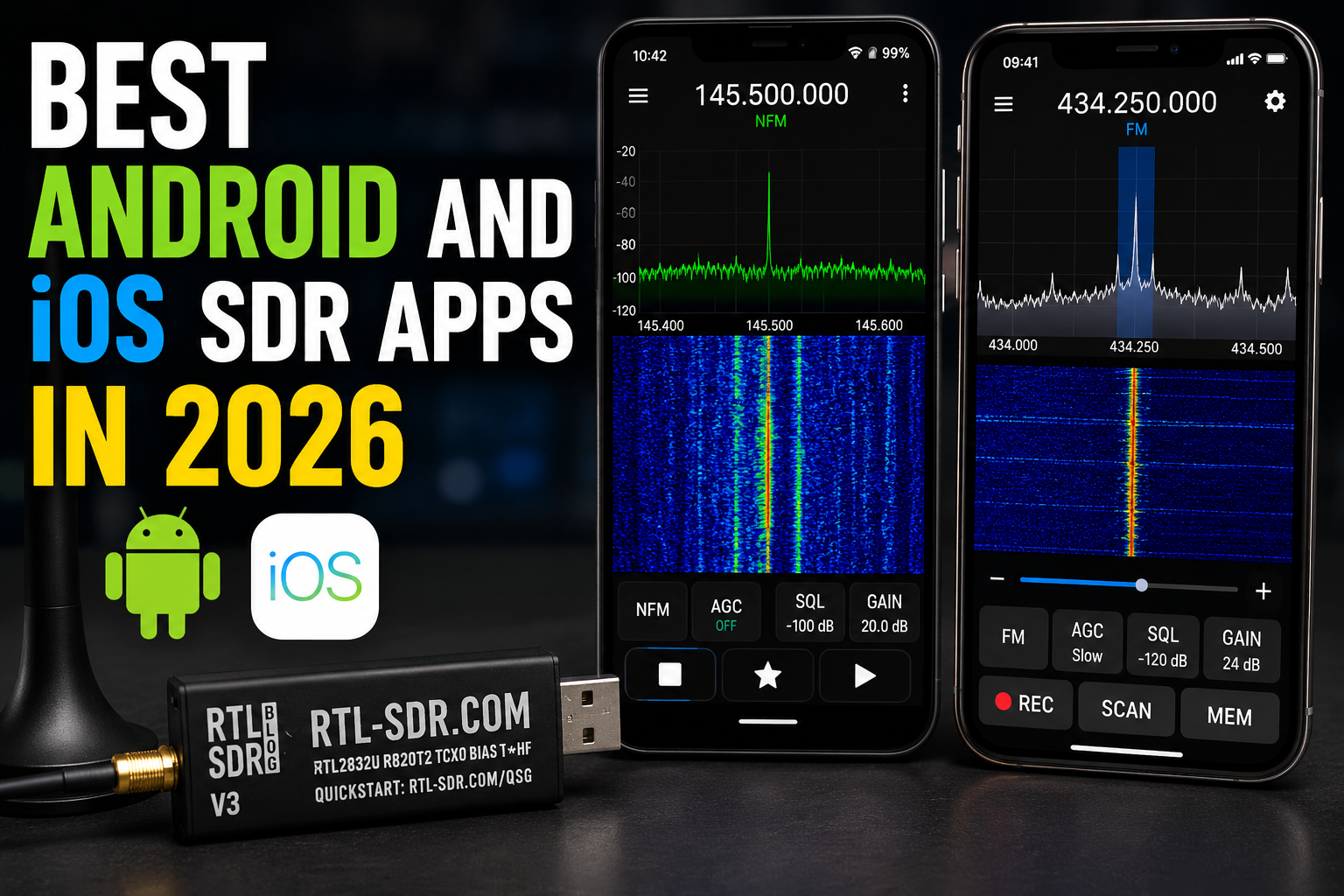
Mobile SDR has improved a lot, but Android and iOS are still very different platforms for software-defined radio. Android can work with many SDR receivers directly over USB OTG. iPhone and iPad usually work better with remote SDR servers, rtl_tcp streams, OpenWebRX, KiwiSDR, WebSDR, or a Raspberry Pi receiver on the same network.
This guide compares the best Android and iOS SDR apps in 2026 for RTL-SDR, HackRF, SDRplay, Airspy, SatDump, OpenWebRX, rtl_tcp, and mobile radio listening. It also explains which apps are best for beginners, which apps are better for advanced users, and which hardware to buy if you want a reliable mobile SDR setup.
Browse current mobile-friendly SDR hardware in the RTL-SDR receivers, kits, antennas, and accessories category.
Quick Answer: Best Android and iOS SDR Apps in 2026
| Use case | Best app | Platform | Hardware style |
|---|---|---|---|
| Best beginner Android SDR app | SDR Touch | Android | Direct USB OTG with supported SDR hardware |
| Best modern Android spectrum app | RF Analyzer | Android | Direct USB OTG or supported IQ files |
| Best Android app for advanced decoders | SDRangel | Android | Direct USB OTG with compatible SDR hardware |
| Best Android app for weather satellites | SatDump | Android | Direct SDR support for selected receivers |
| Best modern iOS remote SDR app | Echo | iOS and iPadOS | Remote KiwiSDR, OpenWebRX, WebSDR, FM-DX, and OpenMHz sources |
| Best iOS app for your own RTL-SDR server | rtl_tcp SDR or SDR Receiver | iOS and iPadOS | Networked rtl_tcp, hfp_tcp, or compatible server |
| Best browser-based mobile SDR option | OpenWebRX | Android, iOS, desktop browsers | Remote SDR server in a browser |
| Best cross-platform network SDR app | MagicSDR | Android, iOS, desktop platforms | Network stream from rtl_tcp or compatible SDR server |
The simple rule: choose Android if you want to plug an RTL-SDR or HackRF directly into a phone or tablet. Choose iOS if you want a polished remote SDR listening experience or if you already run an rtl_tcp or OpenWebRX server at home.
Android vs iOS for SDR: The Main Difference
Android is the stronger mobile platform for direct USB SDR. Many Android phones and tablets support USB OTG, which allows an SDR dongle to be connected with a USB-C adapter or cable. App support still depends on the SDR model, driver, Android version, and phone manufacturer, but direct hardware use is realistic.
iOS is more restrictive for direct USB SDR dongles. Most iPhone and iPad SDR apps use a network receiver instead. That means the RTL-SDR, HackRF, SDRplay, or other radio runs on a computer, Raspberry Pi, or remote web receiver, while the iPhone acts as the client.
| Feature | Android | iOS and iPadOS |
|---|---|---|
| Direct RTL-SDR over USB | Usually possible with supported apps and USB OTG | Usually not the normal workflow |
| HackRF direct use | Possible in selected apps | Usually remote or network-based instead |
| Remote SDR listening | Excellent | Excellent |
| Best for field experiments | Android | iOS with remote receiver or hotspot setup |
| Best for simple global listening | OpenWebRX, KiwiSDR, Echo-style alternatives where available | Echo, OpenWebRX, rtl_tcp clients, and browser-based receivers |
Best Android SDR Apps in 2026
1. SDR Touch: Best beginner Android SDR app
SDR Touch remains one of the easiest Android SDR apps for users who want to plug an SDR receiver into a phone or tablet. It is designed for direct USB use with supported SDR hardware and turns an Android device into a portable SDR receiver, scanner, and spectrum display.
SDR Touch is best for:
- RTL-SDR beginners
- Portable VHF and UHF listening
- Simple spectrum and waterfall viewing
- AM, FM, and SSB-style listening workflows
- Users who want a familiar mobile interface
Buyer note: SDR Touch often uses the separate SDR driver app for RTL-SDR-style hardware access. Install the required driver, test the SDR with a simple antenna, and confirm that the Android phone supports USB OTG.
2. RF Analyzer: Best modern Android spectrum app
RF Analyzer is a strong Android choice for users who want a modern real-time spectrum and waterfall interface. It supports hardware such as RTL-SDR, HackRF, Airspy, and HydraSDR, depending on the device and app version.
RF Analyzer is best for:
- Portable spectrum analysis
- HackRF and RTL-SDR users
- Quick field checks
- Visual signal exploration
- Users who want a modern Android interface
Choose RF Analyzer when the visual spectrum display matters more than specialist decoders.
3. SDR++ Android: Best lightweight modern SDR interface
SDR++ is popular on desktop because it is fast, modern, and beginner-friendly. Android builds also exist, but users should pay attention to build source, app version, and hardware support.
SDR++ Android is best for:
- Users who already like SDR++ on desktop
- RTL-SDR receive testing
- Simple waterfall and audio monitoring
- Portable scanning with a clean interface
- Users comfortable installing APK builds from official or trusted sources
Because Android SDR support can change between builds, confirm compatibility with your exact RTL-SDR, Android version, and phone before relying on it for field work.
Read more: Best SDR Software in 2026: SDR++, SDRSharp, SDRangel, GQRX, GNU Radio, SatDump, and OpenWebRX.
4. SDRangel Android: Best advanced Android SDR app
SDRangel is much more than a simple radio receiver. It is an advanced SDR application with many demodulators, analysis tools, and receive/transmit workflows. On Android, it is best for experienced users who want more than basic FM or airband listening.
SDRangel Android is best for:
- Advanced SDR users
- HackRF, RTL-SDR, Airspy, LimeSDR, SDRplay, and compatible hardware workflows
- AIS, ADS-B, digital voice, pager, packet, and other decoder experiments
- Receive and transmit-capable SDR workflows where legally permitted
- Users who already understand SDR settings
SDRangel is powerful, but it is not the easiest first app. Beginners should usually start with SDR Touch, RF Analyzer, or SDR++ before moving to SDRangel.
5. SatDump Android: Best for satellite decoding
SatDump is the best mobile SDR option when the goal is satellite decoding rather than general radio listening. The official SatDump Android build supports selected SDR radios and provides many of the same satellite-processing features as the desktop version.
SatDump Android is best for:
- NOAA APT reception
- Meteor weather satellite projects
- Portable satellite decoding
- Field experiments with RTL-SDR or HackRF
- Users who already understand satellite passes and antennas
For weather satellites, the app is only part of the setup. You still need the correct antenna, pass timing, gain, bandwidth, and clear sky view.
Read more: SatDump V2 with RTL-SDR: Complete Beginner Setup Guide.
6. MagicSDR: Best network SDR option for Android and iOS
MagicSDR is useful when you want a mobile app that connects to an SDR stream over the network. It can work with rtl_tcp-style workflows and is available across multiple platforms.
MagicSDR is best for:
- Users who already run an rtl_tcp server
- Android or iOS listening over Wi-Fi
- Remote SDR monitoring around the house
- Simple AM, SSB, CW, NFM, and WFM listening
- Users who prefer a network client instead of direct USB access
7. OpenWebRX Client: Best Android remote SDR app
OpenWebRX Client for Android is useful if you want to access online OpenWebRX receivers or your own OpenWebRX server from a phone. It is not the same as plugging an RTL-SDR directly into the phone. The SDR hardware runs on the server, and the Android device is the client.
OpenWebRX Client is best for:
- Remote listening
- Shortwave and amateur-radio exploration
- Users who do not want to carry SDR hardware
- Listening to your own home SDR server
- Mobile access to public online receivers
Best iOS SDR Apps in 2026
1. Echo: Best modern iOS remote SDR app
Echo is one of the most interesting iOS SDR apps in 2026 because it focuses on remote SDR listening rather than direct USB hardware. It supports remote SDR ecosystems such as KiwiSDR, OpenWebRX, WebSDR, FM-DX, and OpenMHz-style sources.
Echo is best for:
- iPhone and iPad users who want global SDR listening
- Shortwave listening
- Ham radio monitoring
- Aviation and utility listening from remote receivers
- Users who want a polished iOS-native experience
Echo is not the same as plugging an RTL-SDR into an iPhone. It is a client for remote receivers.
2. rtl_tcp SDR: Best iOS app for a home RTL-SDR server
rtl_tcp SDR is designed for iOS users who run an RTL-SDR on another device such as a PC, Mac, Linux machine, or Raspberry Pi. The app connects to that receiver over the network using the rtl_tcp protocol.
rtl_tcp SDR is best for:
- Listening to your own RTL-SDR over Wi-Fi
- AM, FM, SSB, and CW monitoring
- Using an iPhone as the display and audio client
- Raspberry Pi SDR servers
- Users who understand network setup
This is usually the most practical iOS route if you want to use your own RTL-SDR hardware.
3. SDR Receiver: Best iOS rtl_tcp-style scanner app
SDR Receiver is another iOS app designed to receive SDR data over a network from a compatible server. It supports common listening modes such as AM, narrowband FM, and wideband FM, and can be used for aircraft AM, amateur repeaters, VHF handhelds, weather broadcasts, and general monitoring where legal.
SDR Receiver is best for:
- Users who prefer station lists and simple tuning
- Networked SDR listening
- Local rtl_tcp, hfp_tcp, or compatible receiver servers
- iPhone and iPad users who want a familiar radio-style interface
4. CoronaSDR: New iOS rtl_tcp client option
CoronaSDR is a newer iOS rtl_tcp client designed for listening to SDR servers over a local network. It focuses on real-time spectrum, waterfall, and low-latency audio from a networked RTL-SDR source.
CoronaSDR is best for:
- Users who want a modern rtl_tcp client
- Local network SDR listening
- iPhone and iPad users with a Raspberry Pi or PC SDR server
- Testing an alternative to older iOS SDR clients
5. MagicSDR for iOS
MagicSDR is useful on iOS when you want a network SDR client with spectrum and waterfall display. Like other iOS options, it normally depends on an SDR stream from another device rather than direct USB dongle access.
Best Mobile SDR Apps by Project
| Project | Best Android app | Best iOS option |
|---|---|---|
| General RTL-SDR listening | SDR Touch, RF Analyzer, SDR++ | rtl_tcp SDR, SDR Receiver, MagicSDR via server |
| Portable spectrum viewing | RF Analyzer or SDR++ | Remote SDR client or rtl_tcp app |
| Advanced decoders | SDRangel | Usually run decoder on server, view remotely |
| Weather satellites | SatDump | Use desktop/server workflow; iOS is not the best direct option |
| Global shortwave listening | OpenWebRX Client or browser | Echo, OpenWebRX, WebSDR, KiwiSDR |
| Home SDR server listening | MagicSDR, OpenWebRX, browser | rtl_tcp SDR, SDR Receiver, CoronaSDR, MagicSDR |
| Android field kit | SDR Touch or RF Analyzer | Use an Android device instead, or run a remote SDR server |
Best Hardware for Android SDR Apps
RTL-SDR Blog V3 USB-C
The RTL-SDR Blog V3 USB-C is the easiest current recommendation for Android users who want a compact receiver with a modern connector. It includes a 1PPM TCXO, SMA connector, aluminum case, passive cooling, software-switchable bias tee, and support direction for Android, Linux, Raspberry Pi, Windows, and macOS workflows.
Choose it when:
- You already have antennas.
- You want a compact USB-C SDR dongle.
- You want a stable beginner receiver for Android and Raspberry Pi projects.
- You prefer current availability over discontinued RTL-SDR V4 stock.
RTL-SDR Blog V3 Kit
The RTL-SDR Blog V3 Kit is better when you want the receiver and a starter antenna set in one package. It is a strong first kit for SDR Touch, RF Analyzer, SDR++, SatDump, ADS-B, AIS, ACARS, airband, and general scanning projects.
USB-C OTG cable or adapter
For Android, do not forget the USB connection. You need a reliable USB-C OTG cable or adapter. Avoid weak adapters that work for charging but fail with data devices.
Powered USB hub for some phones
Some phones or tablets may not provide stable power to the SDR. If the receiver disconnects, freezes, or overheats the phone, test with a powered USB hub.
Best Hardware for iOS SDR Apps
For iPhone and iPad, the best hardware is usually not a dongle plugged directly into the device. It is a networked SDR server.
Recommended iOS hardware setup
- RTL-SDR Blog V3 USB-C or RTL-SDR Blog V3 Kit
- Raspberry Pi, mini PC, Mac, or Linux server
- rtl_tcp, OpenWebRX, or another SDR server
- Good antenna for the target band
- Stable home network or VPN for remote access
This setup lets the iPhone or iPad act as the receiver interface while the SDR hardware runs on a device designed for USB and continuous operation.
Read more: Best SDR for Raspberry Pi: RTL-SDR, ADS-B, AIS, Satellites, and Remote Monitoring.
Mobile SDR Setup Tips
Use the right antenna
The app is only part of the setup. A wrong antenna will make even the best mobile SDR app look bad.
- Use a VHF airband antenna for aircraft voice and ACARS.
- Use a 1090 MHz antenna for ADS-B.
- Use a VHF marine antenna around 162 MHz for AIS.
- Use a suitable antenna and clear sky view for satellites.
- Use filters if strong local signals overload the receiver.
Watch phone battery and heat
Direct USB SDR can drain battery quickly and heat the phone. For long sessions, reduce screen brightness, use moderate sample rates, and consider a powered USB hub or tablet.
Start with low sample rates
High sample rates make the phone work harder and increase the chance of audio dropouts, USB issues, and app crashes. Start with a modest sample rate and increase only if the app and phone are stable.
Do not expect desktop performance
Mobile SDR is excellent for field checks and casual listening, but a desktop or Raspberry Pi station is still better for 24/7 monitoring, heavy decoding, multiple receivers, logging, and automation.
Common Mobile SDR Problems
| Problem | Likely cause | Fix |
|---|---|---|
| Android app does not see the RTL-SDR | No USB OTG support, bad adapter, missing driver, or unsupported dongle | Test another OTG cable, install required SDR driver app, and confirm phone USB host support. |
| App opens but audio stutters | Sample rate too high or phone overloaded | Reduce sample rate, close background apps, and use a simpler demodulator. |
| Waterfall shows strong noise everywhere | Overload from local signals or too much gain | Reduce gain, move antenna, remove unnecessary LNA, or add filtering. |
| iPhone cannot use RTL-SDR directly | iOS app model is network-based | Run rtl_tcp or OpenWebRX on a Raspberry Pi, PC, or Mac and connect from the iPhone. |
| MagicSDR or rtl_tcp client cannot connect | Wrong IP, port, firewall, or server not running | Confirm the server works on the local network before trying mobile data or remote access. |
| SatDump Android sees no satellite signal | Wrong antenna, pass timing, gain, or device support issue | Check satellite pass prediction, antenna orientation, SDR support, and gain settings. |
Recommended App Ranking for 2026
Best Android apps
- SDR Touch for beginners and simple direct USB listening.
- RF Analyzer for modern portable spectrum analysis.
- SDR++ Android for users who want a lightweight modern SDR interface.
- SDRangel for advanced Android decoding and SDR workflows.
- SatDump for weather satellite reception and decoding.
- OpenWebRX Client for remote SDR listening.
- MagicSDR for rtl_tcp-style network SDR listening.
Best iOS apps
- Echo for modern remote SDR listening from KiwiSDR, OpenWebRX, WebSDR, FM-DX, and OpenMHz-style sources.
- rtl_tcp SDR for listening to your own RTL-SDR server.
- SDR Receiver for networked SDR listening with station-list features.
- CoronaSDR for a newer local-network rtl_tcp workflow.
- MagicSDR for cross-platform network SDR listening.
- OpenWebRX in Safari for browser-based listening without an app.
Legal and Safety Notes
SDR laws vary by country. Receiving broadcast radio, amateur radio, weather satellites, and public utility signals may be legal in many places, but some communications may be restricted to receive, decode, record, publish, or act upon.
- Check your local laws before monitoring or decoding radio signals.
- Do not transmit with HackRF or other transmit-capable SDR hardware unless you are legally authorized.
- Do not publish private or sensitive decoded content.
- Do not use hobby SDR apps for safety-of-life navigation or aviation decisions.
- Use receive-only RTL-SDR hardware for beginner mobile listening.
Recommended SDRstore.eu Mobile SDR Setup
| Setup | Recommended hardware | Best app direction |
|---|---|---|
| Android beginner listening | RTL-SDR Blog V3 Kit | SDR Touch, RF Analyzer, SDR++ |
| Android compact USB-C setup | RTL-SDR Blog V3 USB-C plus antenna | SDR Touch, RF Analyzer, SatDump |
| Android advanced decoding | RTL-SDR, HackRF, Airspy, or compatible SDR | SDRangel or SatDump |
| iPhone home SDR | RTL-SDR Blog V3 USB-C plus Raspberry Pi | rtl_tcp SDR, SDR Receiver, MagicSDR, or OpenWebRX |
| iPhone global listening | No local SDR required | Echo or OpenWebRX-style remote receivers |
| Permanent mobile-access receiver | RTL-SDR plus Raspberry Pi or mini PC | OpenWebRX, rtl_tcp, browser, or iOS/Android client |
Related SDRstore.eu Guides
- Best SDR Software in 2026: SDR++, SDRSharp, SDRangel, GQRX, GNU Radio, SatDump, and OpenWebRX
- RTL-SDR Setup Guide for Windows: SDR#, SDR++, Zadig, Drivers, and First Signal
- RTL-SDR Blog V3 Kit Review: Is It Still Worth Buying in 2026?
- RTL-SDR V3 vs V4 vs V4 Lite: Which Budget SDR Should You Buy?
- Best SDR for Raspberry Pi: RTL-SDR, ADS-B, AIS, Satellites, and Remote Monitoring
- SatDump V2 with RTL-SDR: Complete Beginner Setup Guide
- ACARS with RTL-SDR: Decode Aircraft Messages Beyond ADS-B
- AIS Ship Tracking with RTL-SDR: Antenna, Software, and Setup Guide
Official Resources
- SDR Touch on Google Play
- RF Analyzer on Google Play
- SDR++ official website
- SDRangel official website
- SatDump official download page
- OpenWebRX official website
- OpenWebRX Client for Android
- rtl_tcp SDR on the App Store
- SDR Receiver on the App Store
- Echo: Global SDR Receiver on the App Store
- MagicSDR official website
Final Recommendation
If you want the best mobile SDR experience with direct hardware, choose Android with RTL-SDR Blog V3 USB-C or the RTL-SDR Blog V3 Kit. Start with SDR Touch or RF Analyzer, then try SDR++, SDRangel, or SatDump depending on the project.
If you use iPhone or iPad, do not plan around direct USB RTL-SDR support. Use Echo for global remote listening, or run your own RTL-SDR on a Raspberry Pi or computer and connect with rtl_tcp SDR, SDR Receiver, CoronaSDR, MagicSDR, or OpenWebRX.
The best app depends on the workflow. For quick Android listening, choose SDR Touch. For Android spectrum work, choose RF Analyzer. For satellites, choose SatDump. For advanced Android decoders, choose SDRangel. For iOS, choose Echo for remote listening or rtl_tcp-style apps for your own home SDR server.
FAQ
What is the best Android SDR app in 2026?
SDR Touch is the easiest beginner Android SDR app. RF Analyzer is better for modern spectrum viewing. SDRangel is best for advanced decoders, and SatDump is best for satellite projects.
Can Android phones use RTL-SDR directly?
Yes, many Android phones and tablets can use RTL-SDR directly with USB OTG, a compatible SDR app, and the required driver. Compatibility depends on the phone, Android version, SDR model, cable, and app.
What is the best iOS SDR app in 2026?
Echo is one of the best modern iOS SDR apps for remote listening. For your own RTL-SDR hardware, use rtl_tcp SDR, SDR Receiver, CoronaSDR, MagicSDR, or OpenWebRX with a Raspberry Pi or computer acting as the SDR server.
Can iPhone use RTL-SDR directly over USB?
In normal use, no. Most iOS SDR apps connect to a networked SDR server instead of directly controlling a USB RTL-SDR dongle. Use rtl_tcp, OpenWebRX, or another SDR server on a Raspberry Pi, PC, or Mac.
Is SDR++ available on Android?
Yes, Android builds of SDR++ exist, but users should check the current official or trusted build source and confirm hardware compatibility with their exact SDR and Android device.
Is SDRangel good on Android?
SDRangel is powerful on Android, especially for advanced users who want many demodulators and decoders. It is not the easiest first app for beginners.
What is the best Android app for weather satellites?
SatDump is the best Android app for weather satellite decoding. It supports selected SDR devices on Android and includes satellite-focused decoding workflows.
What hardware should I buy for Android SDR?
For most users, the RTL-SDR Blog V3 USB-C or RTL-SDR Blog V3 Kit is the safest current choice. Add a reliable USB-C OTG cable and an antenna matched to the signal you want to receive.
What hardware should I buy for iOS SDR?
Use an RTL-SDR connected to a Raspberry Pi, PC, Mac, or mini server, then connect from the iPhone or iPad over the network using rtl_tcp, OpenWebRX, MagicSDR, or a similar client.
Which app is best for OpenWebRX on mobile?
On Android, the OpenWebRX Client app can provide a smoother mobile experience than a browser. On iOS, Echo and Safari-based OpenWebRX listening are good options depending on the receiver source.
No posts found
Write a review






We support all major card and digital payment options. More local methods are available and shown during checkout.
You enter into a binding sales contract once you have received an 'order confirmation and sales receipt' email from us, in line with our Sales & Delivery conditions. Therefore, sdrstore.eu has the right to cancel your order in the event of technical problems, delivery failure, Fair use policy and other similar situations.






Your payments are protected by advanced encryption and 3-D Secure authentication for safe online shopping.