








Wireless Security Testing Tools: WiFi, BLE, RFID, NFC, Sub-GHz, and SDR Hardware
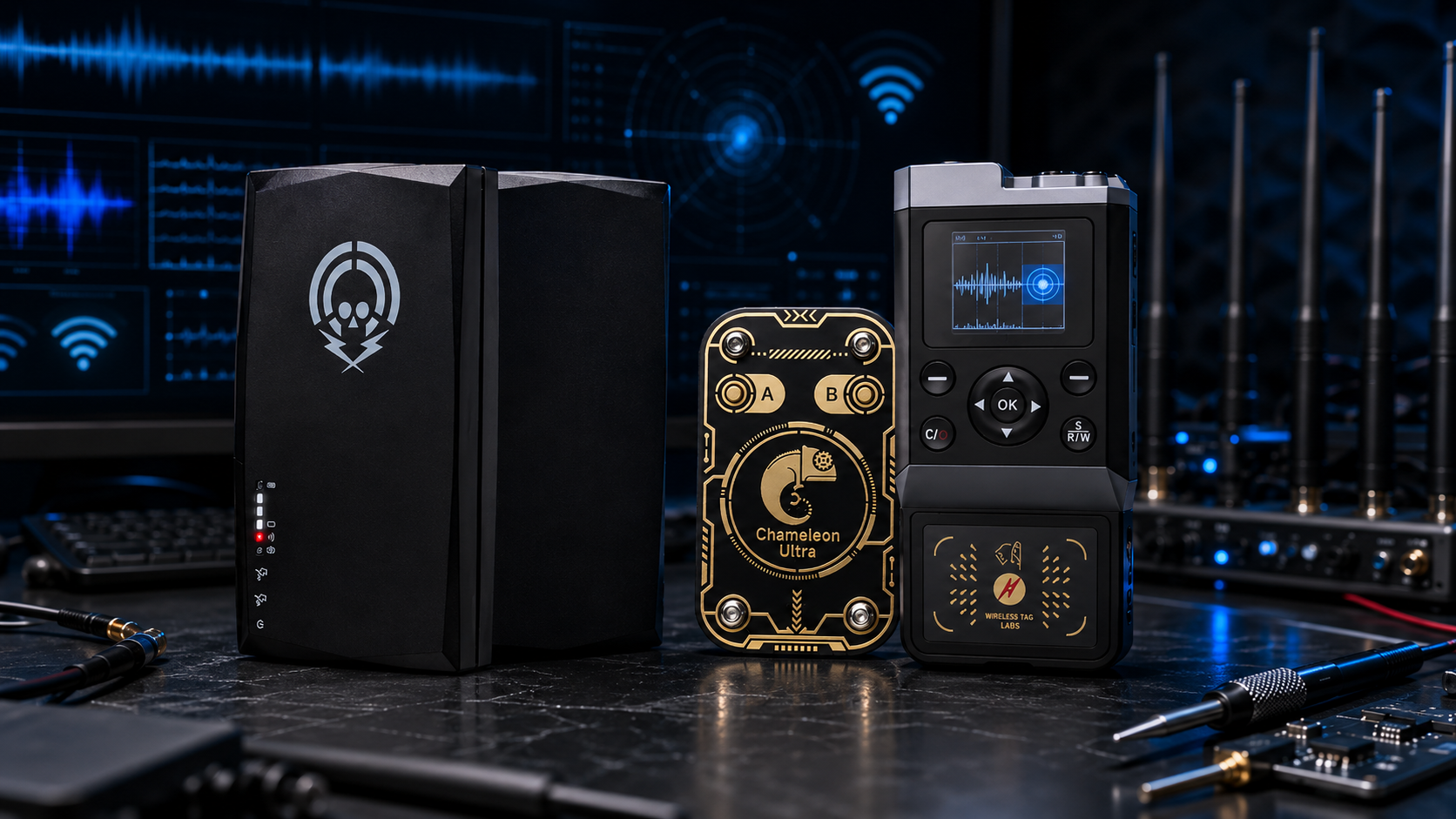
Wireless-security testing is no longer limited to Wi-Fi passwords and office access points. Modern businesses rely on Bluetooth Low Energy sensors, RFID badges, NFC credentials, Sub-GHz remote controls, IoT devices, telemetry links, private wireless systems, and embedded radio products.
A professional wireless-security lab therefore needs more than one portable gadget. The correct tool depends on the protocol, the assessment scope, the required depth of analysis, and whether the work is passive or involves controlled transmission.
This guide compares wireless security testing tools for Wi-Fi, BLE, RFID, NFC, Sub-GHz, and software-defined radio research. It is written for cybersecurity firms, enterprise security teams, universities, engineering departments, IoT developers, physical-security teams, and authorized penetration testers.
Browse current equipment in the software-defined radio category, the RFID and NFC tools category, and the RF test and measurement category.
Quick Answer: Which Wireless Security Testing Tool Do You Need?
| Technology | Best starting tool | Best use | Important limitation |
|---|---|---|---|
| Wi-Fi | Monitor-mode-capable Wi-Fi adapter and packet-analysis software | Authorized 802.11 capture, access-point inventory, and configuration review | A general SDR is not the easiest first tool for normal Wi-Fi packet analysis |
| Bluetooth Low Energy | Nordic nRF Sniffer-compatible development kit or dongle | BLE application debugging, packet visibility, and IoT product testing | BLE sniffing has protocol-specific requirements that a basic spectrum waterfall does not solve |
| RFID and NFC | Proxmark3 RDV4.01, Chameleon Ultra, or iCopy XS | Authorized badge, tag, reader, and access-control assessment | Tool compatibility depends on the credential technology and security design |
| Sub-GHz | Flipper Zero-class tool, Evil Crow RF, or HackRF-based SDR according to the task | Testing owned remote controls, IoT links, and narrowband devices | Regional transmission rules apply, and narrowband tools are not wideband SDR replacements |
| Passive RF monitoring | RTL-SDR receiver | Affordable spectrum visibility, signal discovery, and training | Receive-only and limited instantaneous bandwidth |
| Wideband RF research | HackRF Pro | Portable spectrum exploration and controlled half-duplex experiments | Cannot transmit and receive simultaneously |
| Advanced wireless lab | bladeRF 2.0 micro xA4 or USRP B210 | Full-duplex development, 2×2 MIMO, protocol research, and repeatable benches | Higher cost and greater software complexity |
One Tool Does Not Replace an Entire Wireless-Security Lab
Wireless-security hardware falls into several categories:
- Protocol-specific packet-capture tools
- Portable multi-tools
- RFID and NFC specialists
- Narrowband Sub-GHz tools
- Wideband SDR receivers and transceivers
- RF measurement instruments
- Protection accessories for controlled testing
A protocol sniffer helps analysts understand frames and packet exchanges. A wideband SDR helps analysts inspect and process radio signals. A spectrum analyzer helps compare RF energy and approximate signal levels. A VNA helps test antennas, cables, and filters. These tools overlap in some areas, but they are not interchangeable.
1. Wi-Fi Security Testing Tools
Wi-Fi testing normally begins with a wireless adapter that supports monitor mode, suitable drivers, and packet-analysis software such as Wireshark. Monitor mode matters because normal client mode may not expose the full 802.11 frame structure or radio-layer details required for an authorized audit.
Start with a monitor-mode-capable Wi-Fi adapter
For professional work, confirm:
- Supported Wi-Fi bands
- Monitor-mode support
- Driver stability on the chosen operating system
- External antenna connectors if field surveys are planned
- Compatibility with the organization’s approved packet-analysis workflow
Do not buy a Wi-Fi adapter only because its chipset appears in an old tutorial. Hardware revisions, drivers, operating-system support, and regional availability can change.
When a dedicated Wi-Fi auditing platform makes sense
A purpose-built Wi-Fi auditing platform can be useful for repeatable authorized assessments, wireless asset discovery, reporting, controlled rogue-access-point simulations, and internal security training. Hak5 documents WiFi Pineapple as a wireless auditing platform. SDRstore.eu also offers DSTIKE development boards and compact Wi-Fi testing tools for controlled laboratory learning and embedded experimentation.
What a wideband SDR adds to Wi-Fi testing
A wideband SDR can provide spectrum-level visibility around Wi-Fi bands, help investigate interference, and support advanced research projects. However, it is not usually the easiest replacement for a normal Wi-Fi capture adapter. Start with protocol-specific hardware, then add SDR where deeper RF visibility is required.
2. Bluetooth Low Energy Security Testing Hardware
Bluetooth Low Energy is widely used in sensors, mobile accessories, smart locks, beacons, wearables, and IoT devices. BLE testing benefits from protocol-aware capture hardware because a normal spectrum view shows RF activity but does not automatically provide a useful packet-level workflow.
Nordic nRF Sniffer for Bluetooth LE
Nordic Semiconductor describes nRF Sniffer for Bluetooth LE as a development and learning tool that provides a near real-time display of BLE packets. It works with selected Nordic development kits or dongles and is designed for debugging BLE applications.
A BLE-security lab should consider:
- A supported Nordic development kit or dongle
- Wireshark for packet review
- Documented test devices owned by the organization
- A controlled test environment
- Repeatable firmware and mobile-app versions
- Clear data-handling rules for captures
When SDR is useful for BLE research
SDR is valuable when the team needs spectrum-level visibility, interference analysis, custom signal processing, or broader RF research. It complements a BLE sniffer rather than replacing it.
3. RFID and NFC Security Testing Tools
RFID and NFC assessments often involve badges, tags, readers, access-control systems, asset tracking, and contactless devices. Dedicated tools are usually more practical than a general-purpose SDR for day-to-day badge and reader testing.
Browse RFID instruments and NFC instruments.
Proxmark3 RDV4.01 for advanced RFID and NFC research
Proxmark3 RDV4.01 is a specialist research platform for low-frequency and high-frequency RFID workflows. It is the strongest choice when the laboratory values manual control, technical depth, protocol analysis, and flexible research workflows.
Choose Proxmark3 RDV4.01 when:
- You need a laboratory-focused RFID and NFC research platform.
- Your analysts are comfortable with technical software tools.
- You want deeper control than a simplified handheld workflow provides.
- You need a platform suitable for universities, red teams, and access-control research.
Chameleon Ultra for compact emulation-focused testing
Chameleon Ultra is a compact open-source RFID and NFC tool designed around portable emulation-focused workflows, read/write functions, and wireless control.
Choose Chameleon Ultra when:
- You want a compact device for repeatable authorized reader testing.
- Portable emulation is more important than maximum research depth.
- You value open-source firmware and a community-supported ecosystem.
- Your team wants a smaller companion tool alongside Proxmark3.
iCopy XS for guided professional workflows
iCopy XS is useful for screen-based handheld workflows where access-control professionals, locksmiths, or facility teams want a more guided experience. It should be selected for its workflow convenience rather than treated as a universal replacement for Proxmark3.
Read our detailed comparison: iCopy XS vs Proxmark3 vs Chameleon Ultra: Which RFID Tool Should You Buy?
Important RFID and NFC buying note
Do not assume that any tool can automatically bypass a modern secure credential system. Compatibility depends on the card technology, encryption, credential configuration, reader design, backend controls, and written authorization.
4. Sub-GHz Security Testing Tools
Sub-GHz radio is used by remote controls, sensors, alarms, switches, telemetry devices, and embedded IoT products. The correct testing tool depends on whether the goal is portable narrowband analysis, controlled protocol research, or wideband RF visibility.
Flipper Zero-class portable tools
Flipper Zero is a compact multi-tool with a built-in Sub-GHz radio. Its official documentation describes a CC1101-based module designed for specific Sub-GHz bands within the 300–928 MHz direction and regional transmission controls.
A portable multi-tool can be useful for:
- Testing owned remote controls
- Learning supported Sub-GHz protocol concepts
- Checking the frequency direction of a device under test
- Portable authorized demonstrations
- Basic field inventory work
Read our guide: Best Flipper Zero Alternatives in 2026.
Evil Crow RF for focused Sub-GHz experimentation
Evil Crow RF tools are designed for compact wireless testing, development, and hardware experimentation. These devices are more specialized than a general wideband SDR and should be used only in controlled environments.
HackRF Pro for wider RF visibility
Choose HackRF Pro when the team needs a real wideband SDR rather than a narrowband portable tool. Its broader coverage and PC-based SDR workflows are useful for spectrum exploration, signal characterization, and custom research.
5. RTL-SDR for Low-Cost Passive Monitoring
RTL-SDR receivers are a practical first purchase for passive RF monitoring. They are affordable enough to deploy across training stations, analyst desks, or fixed monitoring locations.
Browse RTL-SDR receivers, kits, antennas, and filters.
Use RTL-SDR for:
- Passive spectrum monitoring
- RF asset discovery
- Training analysts to use waterfalls and gain controls
- Comparing normal and unusual spectrum conditions
- Monitoring owned IoT devices
- Building low-cost receive-only stations
Understand the limitation
RTL-SDR is receive-only. It does not replace a transmit-capable SDR, a protocol-specific packet sniffer, a spectrum analyzer, or a calibrated RF instrument.
6. HackRF Pro for Portable Wideband Research
HackRF Pro is one of the strongest portable wideband SDR choices for authorized wireless research.
Great Scott Gadgets officially lists:
- 100 kHz–6 GHz operating frequency
- Tuning from 0 Hz to 7.1 GHz
- Half-duplex transceiver operation
- Up to 20 million samples per second
- 8-bit quadrature samples
- GNU Radio and SDR software compatibility
- Software-configurable RX and TX gain
- Clock input and output
Choose HackRF Pro when:
- You need a portable wideband research tool.
- Your work spans multiple frequency bands.
- You want GNU Radio compatibility.
- You need spectrum-level visibility beyond a narrowband Sub-GHz tool.
- Half-duplex operation is acceptable.
Browse HackRF One, HackRF Pro, PortaPack, and compatible accessories.
7. PLUTO+ for Affordable Network-Connected SDR Benches
PLUTO+ SDR is useful when a laboratory wants an affordable network-connected SDR board for GNU Radio, libiio, digital-communications projects, and shared test benches.
The SDRstore.eu listing describes:
- Two transmit channels
- Two receive channels
- Gigabit Ethernet
- MicroSD support
- AD9363 RF transceiver
- A board-advertised expanded tuning profile
PLUTO+ is not standard ADALM-PLUTO
Analog Devices officially specifies standard ADALM-PLUTO with one transmitter, one receiver, 325 MHz–3.8 GHz coverage, and up to 20 MHz instantaneous bandwidth. PLUTO+ is an expanded third-party Pluto-style design. Its additional features should be presented as board-specific.
Browse PlutoSDR and Pluto-style SDR boards.
8. bladeRF 2.0 micro for Full-Duplex Development
bladeRF 2.0 micro xA4 is a strong compact platform for wireless researchers who need full-duplex development, 2×2 MIMO, FPGA access, USB 3.0 connectivity, and the Nuand software ecosystem.
Nuand officially lists:
- 47 MHz–6 GHz coverage
- 2×2 MIMO
- 61.44 MHz sampling rate
- 56 MHz filtered bandwidth
- USB 3.0 SuperSpeed support
- FPGA options for custom signal processing
Choose bladeRF when:
- You need full-duplex operation.
- Your team wants FPGA or HDL experimentation.
- You are developing custom waveforms.
- You need a compact 2×2 MIMO bench.
- You are comfortable using the libbladeRF ecosystem.
Browse bladeRF SDR devices and accessories.
9. USRP B210 for Standardized Advanced Labs
USRP B210 remains a strong reference platform for universities, enterprise security teams, telecom laboratories, and long-term wireless research programs.
Ettus Research officially lists:
- Continuous 70 MHz–6 GHz RF coverage
- Full-duplex 2×2 MIMO operation
- Up to 56 MHz real-time bandwidth
- USB 3.0 connectivity
- UHD driver support
- GNU Radio support direction
Choose USRP B210 when:
- The organization needs a documented reference platform.
- UHD support is important.
- Repeatability matters more than the lowest purchase price.
- The hardware will support formal training or research programs.
- The team needs a stable 2×2 MIMO bench.
Browse USRP devices, boards, and accessories.
Wireless Security Testing Tool Comparison
| Tool category | Recommended hardware direction | Best purpose | Not a replacement for |
|---|---|---|---|
| Wi-Fi capture | Monitor-mode adapter and Wireshark | 802.11 packet visibility and authorized network review | Wideband SDR or calibrated RF analyzer |
| Wi-Fi auditing platform | Purpose-built platform or DSTIKE development hardware | Controlled Wi-Fi lab validation and training | General enterprise network assessment process |
| BLE capture | Nordic nRF Sniffer-compatible hardware | BLE packet visibility and product debugging | Spectrum analyzer or wideband SDR |
| RFID/NFC deep research | Proxmark3 RDV4.01 | Technical badge, tag, and reader research | General RF monitoring |
| RFID/NFC portable emulation | Chameleon Ultra | Compact supported emulation and repeatable reader testing | Full Proxmark research workflow |
| Sub-GHz portable testing | Flipper Zero-class or Evil Crow RF tool | Owned remote controls and narrowband devices | Wideband SDR research |
| Passive RF monitoring | RTL-SDR receiver | Affordable receive-only spectrum visibility | Transmit testing |
| Portable wideband SDR | HackRF Pro | Wideband spectrum exploration and controlled half-duplex research | Full-duplex 2×2 MIMO platform |
| Affordable network SDR bench | PLUTO+ SDR | GNU Radio, libiio, and network-connected experiments | Official ADALM-PLUTO specification or standard UHD workflow |
| Advanced SDR bench | bladeRF 2.0 micro or USRP B210 | Full-duplex, MIMO, waveform, and repeatable research | Simple low-cost field kit |
Recommended Wireless-Security Lab Packages
Entry-level authorized testing kit
- Two or more RTL-SDR receivers
- Monitor-mode-capable Wi-Fi adapter
- Nordic BLE sniffer-compatible dongle or development kit
- Suitable antennas
- RF cables and SMA adapters
- Portable spectrum analyzer
- Basic fixed attenuator set
Portable cybersecurity assessment kit
- HackRF Pro
- RTL-SDR receiver
- Proxmark3 RDV4.01 or Chameleon Ultra
- Monitor-mode-capable Wi-Fi adapter
- BLE sniffer-compatible dongle
- Documented antenna assortment
- Attenuators, cables, adapters, and DC blocks
- Portable spectrum analyzer
Advanced enterprise or university lab
- Multiple passive RTL-SDR stations
- Protocol-specific Wi-Fi and BLE capture hardware
- Proxmark3 RDV4.01, Chameleon Ultra, and suitable RFID/NFC accessories
- HackRF Pro for portable wideband work
- PLUTO+ shared benches
- bladeRF 2.0 micro or USRP B210 advanced stations
- Spectrum analyzer and VNA
- RF power meter
- Dummy loads, attenuators, couplers, and protected RF paths
- Shielded RF test enclosure
Accessories Required for Safe Active Testing
Transmit-capable hardware should not be connected directly to sensitive receivers or measurement instruments without a safe RF path.
Plan for:
- Fixed attenuators in several values
- 50-ohm dummy loads
- Directional couplers or RF samplers
- RF power meter
- DC blocks
- Suitable filters
- Short labeled RF cables
- SMA adapters
- Shielded RF enclosure
- Documented antenna sets
Never connect an unknown transmitter directly to an SDR input, spectrum analyzer, NanoVNA, or other sensitive instrument.
Legal, Privacy, and Authorization Checklist
Wireless-security testing should be performed only on networks, devices, tags, credentials, readers, radio systems, and environments that your organization owns or is explicitly authorized to assess.
NIST SP 800-115 recommends planning technical security assessments carefully. Before active wireless testing, define:
- The organization authorizing the assessment
- The devices, networks, credentials, frequencies, and locations included in scope
- The permitted and prohibited actions
- The test schedule
- The emergency stop procedure
- The personnel responsible for the work
- The data-handling and retention policy
- The spectrum authorization required for over-the-air transmission
- The shielding, attenuation, and power-control measures used by the lab
Begin with passive monitoring whenever possible. Use cabled paths, attenuation, dummy loads, and shielding for active work. Avoid collecting unrelated third-party communications or personal data.
Request a Formal Quote for Wireless-Security Lab Equipment
Cybersecurity firms, universities, laboratories, telecom companies, engineering departments, integrators, and enterprise security teams can request a formal quotation directly from SDRstore.eu.
Use the Add to Quote button on product pages or the document icon on product cards. Add SDR receivers, transceivers, RFID/NFC tools, antennas, test instruments, attenuators, dummy loads, cables, and adapters to one quote request.
A quote request is useful when you need:
- Custom pricing for multiple devices
- A formal offer for internal approval
- A mixed wireless-security laboratory package
- Bulk quantities for analysts or students
- Accessories included in the same quotation
- A phased equipment rollout
Read the SDRstore.eu quote-request guide.
Related SDRstore.eu Guides
- iCopy XS vs Proxmark3 vs Chameleon Ultra: Which RFID Tool Should You Buy?
- Best Flipper Zero Alternatives in 2026
- NanoVNA vs TinySA: Which RF Tool Do You Need?
- Do You Need an LNA for SDR?
- How to Build a University SDR Lab
Official Resources
- Wireshark WLAN capture setup documentation
- Hak5 WiFi Pineapple documentation
- Nordic Semiconductor nRF Sniffer for Bluetooth LE
- Proxmark official website
- RFID Research Group Proxmark3 Iceman repository
- Chameleon Ultra open-source repository
- Flipper Zero Sub-GHz documentation
- Great Scott Gadgets HackRF Pro official product page
- Nuand bladeRF 2.0 micro official product page
- Ettus Research USRP B210 official product page
- NIST SP 800-115: Technical Guide to Information Security Testing and Assessment
Final Recommendation
Start with the protocol you actually need to assess. Use a monitor-mode-capable Wi-Fi adapter for authorized 802.11 capture. Use a Nordic-compatible BLE sniffer for Bluetooth Low Energy debugging. Choose Proxmark3 RDV4.01, Chameleon Ultra, or iCopy XS for RFID and NFC workflows. Use a portable Sub-GHz tool for narrowband device testing. Add RTL-SDR for affordable passive monitoring, HackRF Pro for portable wideband research, PLUTO+ for network-connected development, and bladeRF 2.0 micro or USRP B210 for advanced full-duplex and 2×2 MIMO benches.
The strongest wireless-security lab is not built around a single gadget. It combines protocol-specific tools, SDR hardware, RF measurement instruments, safe accessories, written authorization, and repeatable procedures.
FAQ
What tools are needed for wireless security testing?
A practical wireless-security toolkit normally includes a monitor-mode-capable Wi-Fi adapter, BLE sniffer hardware, RFID/NFC testing tools, a Sub-GHz testing platform, at least one passive SDR receiver, a wideband SDR transceiver where required, antennas, attenuators, RF cables, and suitable measurement instruments.
Can one SDR test Wi-Fi, BLE, RFID, NFC, and Sub-GHz devices?
A wideband SDR can provide useful RF visibility across many bands, but it does not replace protocol-specific hardware. Wi-Fi capture adapters, BLE sniffers, RFID/NFC tools, and narrowband Sub-GHz platforms are often easier and more effective for their intended workflows.
What is the best Wi-Fi security testing tool?
Start with a Wi-Fi adapter that supports monitor mode and stable drivers for your operating system. Use Wireshark or another approved packet-analysis workflow. Purpose-built auditing platforms can be added for repeatable authorized assessments.
What is the best BLE security testing tool?
Nordic Semiconductor nRF Sniffer for Bluetooth LE is a strong starting point for BLE debugging and learning. It provides near real-time BLE packet visibility when used with supported Nordic development kits or dongles.
Which RFID and NFC tool should a security researcher buy?
Choose Proxmark3 RDV4.01 for maximum research depth, Chameleon Ultra for compact emulation-focused workflows, and iCopy XS for guided handheld badge-testing workflows.
Is Flipper Zero a replacement for HackRF Pro?
No. Flipper Zero is a compact multi-tool with supported Sub-GHz, NFC, RFID, infrared, and GPIO workflows. HackRF Pro is a real wideband half-duplex SDR designed for broader RF research and spectrum exploration.
Is RTL-SDR suitable for cybersecurity research?
Yes. RTL-SDR is useful for passive spectrum monitoring, RF asset discovery, training, and low-cost receive-only stations. It cannot transmit and does not replace a protocol-specific sniffer or advanced transceiver.
When should a lab buy bladeRF 2.0 micro or USRP B210?
Choose an advanced SDR when the project requires full-duplex operation, 2×2 MIMO, greater bandwidth, FPGA development, repeatable automated workflows, or long-term laboratory standardization.
Can wireless security testing tools be used on third-party systems?
Only when the owner has provided explicit authorization and the assessment scope clearly permits the planned actions. Wireless testing should follow written rules of engagement, spectrum regulations, privacy requirements, and RF-safety procedures.
How can a business request a formal quote for wireless-security hardware?
Use the Add to Quote button on SDRstore.eu product pages or the document icon on product cards. Add the required SDR devices, RFID/NFC tools, accessories, quantities, and project notes so the complete setup can be reviewed as one quotation request.
No posts found
Write a review






We support all major card and digital payment options. More local methods are available and shown during checkout.
You enter into a binding sales contract once you have received an 'order confirmation and sales receipt' email from us, in line with our Sales & Delivery conditions. Therefore, sdrstore.eu has the right to cancel your order in the event of technical problems, delivery failure, Fair use policy and other similar situations.






Your payments are protected by advanced encryption and 3-D Secure authentication for safe online shopping.