








How to Choose SDR Hardware for a Research Grant or University Purchase Order
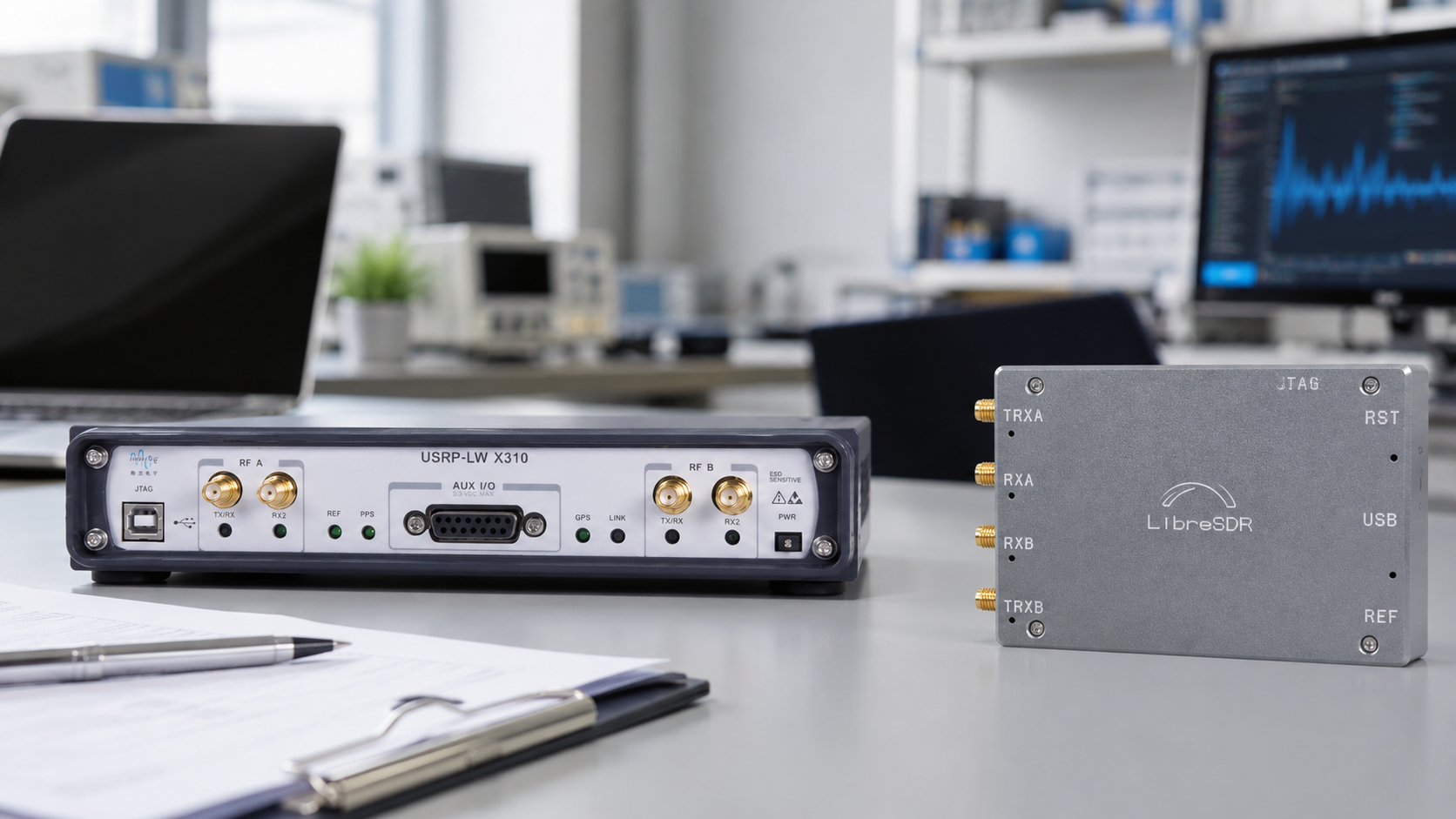
Choosing SDR hardware for a research grant or university purchase order is different from buying one receiver for personal experiments. A grant-funded SDR purchase must be technically justified, compatible with the project goals, easy to document, and suitable for the teaching or research outcomes promised in the proposal.
The right software-defined radio depends on the research objective. A low-cost RTL-SDR may be perfect for a teaching lab or passive spectrum-monitoring project. HackRF Pro may be better for wideband transmit/receive experimentation. PLUTO+ can fit AD9363-based prototyping. bladeRF 2.0 micro is strong for 2×2 MIMO, FPGA-oriented work, and custom waveforms. USRP B210 is often easier to justify for UHD, GNU Radio, private 5G, MIMO, and advanced wireless research.
This guide explains how to choose SDR hardware for a research grant, university purchase order, RF lab rollout, cybersecurity lab, telecom course, IoT test bench, or engineering department. It also includes practical wording for procurement justification, quote requests, and bill-of-material planning.
Browse software-defined radio devices, SDR instruments and RF tools, RF test and measurement equipment, and the SDRstore.eu request-a-quote guide.
Quick Answer: Which SDR Should a University Buy?
| Research or teaching goal | Recommended hardware | Why it fits a grant or purchase order |
|---|---|---|
| Low-cost SDR teaching lab | RTL-SDR Blog V3 Kit or RTL-SDR Blog V3 USB-C | Affordable, receive-only, easy for students, suitable for spectrum basics, ADS-B, AIS, ACARS, satellites, and GNU Radio introductions. |
| Wideband RF experimentation | HackRF Pro | Wide 100 kHz–6 GHz direction, open hardware, transmit or receive operation, and useful for controlled lab signal experiments. |
| AD9363-based SDR prototyping | PLUTO+ SDR | 2TX/2RX direction, Ethernet, MicroSD boot support, and AD9363-based workflows for more advanced development. |
| MIMO, FPGA, and custom waveform research | bladeRF 2.0 micro xA4 or xA9 | Compact 2×2 MIMO platform with libbladeRF and FPGA variants for advanced research and custom DSP. |
| UHD, private 5G, and advanced communications research | USRP B210 | Well-known university research platform with 2×2 MIMO, UHD support, GNU Radio compatibility, and strong documentation. |
| Antenna and RF path validation | NanoVNA-H4 or VNA tool | Useful for SWR, return loss, impedance, Smith Chart, filters, cables, and antenna matching. |
| Pre-compliance and interference checks | TinySA Ultra or portable spectrum analyzer | Useful for spectrum scans, interference hunting, harmonics checks, and teaching RF measurement concepts. |
The simple rule: start with the research objective, then choose the SDR. Do not buy the most expensive radio first and try to adapt the project around it.
Step 1: Define the Research Outcome Before Choosing Hardware
A grant reviewer, professor, procurement department, or purchasing committee does not only want a product list. They want to know why the equipment is needed and what research or teaching result it enables.
Before choosing hardware, define:
- The frequency bands required by the project
- Receive-only or transmit-capable operation
- Bandwidth requirements
- Single-channel, full-duplex, or 2×2 MIMO requirements
- Software ecosystem such as GNU Radio, UHD, libbladeRF, libiio, SDRangel, SatDump, or Python
- Whether FPGA development is required
- Whether the project needs synchronized receivers
- Whether the setup will be used by beginners, researchers, or both
- Whether formal RF testing, antenna validation, or pre-compliance preparation is required
- How many students or workstations must use the equipment at the same time
For a grant application, the best SDR purchase is the one that clearly maps to the project deliverables.
Step 2: Match SDR Hardware to the Project Type
| Project type | Good hardware choices | Procurement justification |
|---|---|---|
| Introductory SDR teaching | RTL-SDR Blog V3 Kit, RTL-SDR Blog V3 USB-C | Low-cost way to equip many student workstations for receive-only SDR exercises. |
| Wireless security education | RTL-SDR, HackRF Pro, TinySA Ultra, Proxmark3, Chameleon Ultra | Supports authorized wireless monitoring, RF awareness, and protocol-lab teaching. |
| IoT and Sub-GHz research | RTL-SDR, HackRF Pro, PLUTO+, TinySA Ultra, NanoVNA | Supports signal capture, controlled testing, antenna checks, and interference debugging. |
| Private 5G, LTE, and telecom research | USRP B210, USRP X310, PLUTO+, bladeRF 2.0 micro | Supports GNU Radio, UHD, MIMO, SDR stacks, and controlled cellular research environments. |
| FPGA and hardware acceleration | bladeRF 2.0 micro xA9, USRP platforms, selected FPGA SDR boards | Required for custom HDL, hardware DSP, real-time processing, and physical-layer acceleration. |
| Remote SDR and monitoring station | RTL-SDR, Raspberry Pi, OpenWebRX, antennas, filters | Enables browser-based shared access to a receiver located near a better antenna. |
| RF product testing and pre-compliance preparation | SDR receiver, TinySA Ultra, NanoVNA, RF power meter, dummy loads, attenuators | Helps engineering teams detect RF problems before formal laboratory testing. |
Step 3: Choose the Right SDR Tier
Tier 1: Low-cost teaching and receive-only monitoring
Choose RTL-SDR when the grant goal is broad student access, beginner GNU Radio exercises, RF awareness, or passive monitoring projects.
Recommended hardware:
- RTL-SDR Blog V3 USB-C
- RTL-SDR Blog V3 Kit
- Antennas matched to the teaching projects
- FM block filters where local broadcast overload is a problem
Good grant wording:
The RTL-SDR receivers will provide each student workstation with a low-cost receive-only software-defined radio platform for spectrum observation, signal capture, ADS-B, AIS, ACARS, satellite reception, and introductory GNU Radio exercises.
Read related guides: RTL-SDR Blog V3 Kit Review and RTL-SDR Setup Guide for Windows.
Tier 2: Wideband receive/transmit experimentation
Choose HackRF Pro when the grant needs a portable open-hardware SDR for controlled transmit-or-receive experiments, spectrum exploration, GNU Radio workflows, or RF product validation.
Recommended hardware:
- HackRF Pro Development Board
- Attenuators
- Dummy loads
- Band-specific antennas
- TinySA Ultra for spectrum checks
Good grant wording:
HackRF Pro will be used as a flexible wideband SDR platform for controlled receive and transmit experiments, waveform validation, GNU Radio demonstrations, and RF prototyping in authorized laboratory conditions.
Important limitation: HackRF-style devices are half-duplex. They can receive or transmit, but not both at the same time. If the project needs simultaneous transmit and receive, consider PLUTO+, bladeRF, or USRP hardware instead.
Tier 3: AD936x-based prototyping and Ethernet SDR
Choose PLUTO+ when the project needs a more advanced AD9363-based platform with 2TX/2RX direction, Ethernet, and MicroSD boot support.
Recommended hardware:
- PLUTO+ SDR AD9363 2T2R
- SMA cables and adapters
- External filters and attenuators
- Antennas matched to the project band
Good grant wording:
PLUTO+ SDR will support AD9363-based transmit/receive experimentation, Ethernet-connected SDR development, 2TX/2RX laboratory workflows, and repeatable wireless prototyping for student and research projects.
Read: PLUTO+ SDR Review and PLUTO+ SDR Setup Guide.
Tier 4: MIMO, FPGA, and waveform research
Choose bladeRF 2.0 micro when the research plan includes custom waveforms, 2×2 MIMO, libbladeRF, SoapySDR, FPGA resources, or compact multi-channel SDR development.
Recommended hardware:
- bladeRF 2.0 micro xA4 for general 2×2 MIMO and value-focused research
- bladeRF 2.0 micro xA9 for FPGA-heavy projects
- bladeRF 2.0 micro xA9 THERMAL for demanding environments where xA9 FPGA capacity is needed
Good grant wording:
bladeRF 2.0 micro will provide a compact 2×2 MIMO SDR platform for waveform development, GNU Radio experiments, libbladeRF workflows, FPGA-oriented research, and custom physical-layer prototyping.
Choose xA4 when most processing will happen on the host PC. Choose xA9 when the grant specifically includes HDL acceleration, larger FPGA pipelines, custom filters, correlators, FFT chains, or real-time DSP in logic.
Read: bladeRF 2.0 micro xA4 vs xA9 and bladeRF 2.0 micro vs USRP B210.
Tier 5: Advanced UHD, telecom, and private 5G research
Choose USRP B210 when the research project benefits from the USRP ecosystem, UHD, GNU Radio examples, full-duplex 2×2 MIMO, and strong documentation for formal lab workflows.
Recommended hardware:
- USRP B210 USB SDR
- USRP SDR devices and accessories
- External clocking accessories where required
- Attenuators, dummy loads, and band-specific antennas
Good grant wording:
USRP B210 will provide a documented UHD-compatible 2×2 MIMO SDR platform for advanced wireless communications research, GNU Radio workflows, private 5G/LTE experimentation, full-duplex test benches, and repeatable university laboratory exercises.
Read: USRP B210 vs X310 and USRP B210 Alternatives.
Step 4: Do Not Forget Test and Measurement Hardware
A university SDR purchase order should not include only SDR boards. Most research labs also need antennas, cables, adapters, filters, attenuators, dummy loads, and measurement tools.
| Accessory or instrument | Why it belongs in a grant budget |
|---|---|
| Antennas | Each project needs antennas matched to the correct band, such as VHF, UHF, 868 MHz, 915 MHz, 1090 MHz, 2.4 GHz, or wideband monitoring. |
| SMA cables and adapters | Students and researchers need reliable RF interconnects for repeatable lab work. |
| Fixed attenuators | Protect SDR inputs and create safe cabled transmit/receive tests. |
| Dummy loads | Allow safe transmitter testing without unnecessary radiation. |
| Filters | Reduce overload and isolate specific bands such as FM broadcast, ADS-B, or ISM bands. |
| NanoVNA | Validates antennas, cables, filters, matching networks, and RF paths. |
| TinySA Ultra | Provides portable spectrum scanning, interference hunting, and RF signal inspection. |
| RF power meter | Helps verify conducted output power and safe test paths. |
Useful categories: antennas, spectrum analyzers, RF power meters, and dummy loads.
Step 5: Build a Bill of Materials by Lab Level
Beginner teaching lab BOM
| Item | Suggested quantity | Purpose |
|---|---|---|
| RTL-SDR Blog V3 Kit | 1 per student pair or workstation | Receive-only SDR teaching and basic signal projects |
| Extra SMA adapters and cables | Several per lab | Replacement and flexible lab setups |
| FM block filters | Several shared units | Reduce local FM broadcast overload |
| VHF/UHF antennas | Multiple types | Airband, AIS, ACARS, amateur radio, and general monitoring |
| NanoVNA-H4 | 1–3 shared units | Antenna and cable demonstrations |
| TinySA Ultra | 1–3 shared units | Spectrum analysis and interference demonstrations |
Intermediate wireless research BOM
| Item | Suggested quantity | Purpose |
|---|---|---|
| HackRF Pro | 2–5 units | Wideband receive/transmit experiments and GNU Radio workflows |
| PLUTO+ SDR | 2–5 units | AD9363-based 2TX/2RX and Ethernet SDR experiments |
| RTL-SDR receivers | Several units | Monitoring receivers and low-cost student access |
| TinySA Ultra or portable spectrum analyzer | 2–3 units | Signal validation and interference checks |
| Attenuator and dummy-load kit | 1 per bench | Safe transmitter and cabled testing |
| Band-specific antennas | Project dependent | 433 MHz, 868 MHz, 915 MHz, 1090 MHz, 2.4 GHz, VHF, or UHF projects |
Advanced research lab BOM
| Item | Suggested quantity | Purpose |
|---|---|---|
| USRP B210 | 1–4 units | UHD, full-duplex 2×2 MIMO, private 5G, GNU Radio, and advanced communications research |
| bladeRF 2.0 micro xA4 or xA9 | 1–4 units | 2×2 MIMO, FPGA, custom modem, and libbladeRF workflows |
| HackRF Pro | Several units | Portable wideband experiments and RF validation |
| PLUTO+ SDR | Several units | AD9363-based student and research projects |
| RF test tools | Shared bench equipment | TinySA Ultra, NanoVNA, power meters, dummy loads, attenuators, and filters |
| Remote receiver hardware | Project dependent | Raspberry Pi or mini PC stations for OpenWebRX, ADS-B, AIS, ACARS, and monitoring |
Step 6: Prepare a Strong Purchase Justification
University purchasing often needs more than a cart screenshot. The justification should explain why the equipment is necessary, why the selected model fits the research, and why cheaper or more expensive alternatives are not ideal.
Good justification structure
- Research objective
- Required frequency range
- Required bandwidth
- Required channel count
- Software ecosystem
- Teaching or research deliverables
- Why the selected hardware is technically appropriate
- Why accessories are required
- How the equipment will be reused after the project
Example wording for a USRP B210 purchase
The USRP B210 is required because the project needs a documented UHD-compatible SDR platform with full-duplex 2×2 MIMO, broad RF coverage, GNU Radio support, and suitability for repeatable wireless communications research. Lower-cost receive-only SDRs do not support the required transmit/receive, MIMO, and UHD workflows.
Example wording for a bladeRF xA9 purchase
The bladeRF 2.0 micro xA9 is required because the project includes custom physical-layer processing and FPGA-oriented experimentation. The larger FPGA variant provides the headroom needed for HDL pipelines, custom filtering, modem logic, and real-time signal-processing research.
Example wording for RTL-SDR teaching kits
RTL-SDR receivers are required to equip multiple student workstations with low-cost receive-only SDR capability. The receivers will support practical demonstrations in spectrum observation, signal demodulation, ADS-B, AIS, ACARS, satellite reception, and GNU Radio basics.
Step 7: Think About Quantity, Spares, and Lab Management
For university labs, quantity planning matters as much as model selection.
Plan for:
- Number of students per workstation
- Number of simultaneous experiments
- Spare receivers for damaged or misplaced units
- Extra SMA adapters and cables
- Shared instruments such as NanoVNA and TinySA Ultra
- Dedicated test benches for transmit-capable SDRs
- Labelling each device and cable
- Keeping firmware, driver, and software versions documented
- Storage cases and anti-static handling where needed
For teaching, it is often better to buy more low-cost RTL-SDR receivers plus a smaller number of advanced SDRs than to buy only one expensive radio that most students cannot touch.
Step 8: Include Safety and Compliance Accessories
Transmit-capable SDRs should not be purchased without safe RF accessories. This is especially important when the equipment will be used by students.
Add these to the purchase order when using HackRF Pro, PLUTO+, bladeRF, USRP, or other transmit-capable devices:
- Fixed attenuators
- 50-ohm dummy loads
- RF cables rated for the expected frequency
- DC blocks where needed
- Bandpass or low-pass filters where appropriate
- RF power meter for conducted output checks
- Shielded test enclosure where required
- Printed lab safety instructions
Read: SDR Hardware for RF Product Testing and RF Cybersecurity Lab Equipment Checklist.
Step 9: Use the Quote Request Correctly
Many universities, laboratories, research groups, and companies need a formal quotation before they can create a purchase order or approve grant spending.
On SDRstore.eu, use the Add to Quote button on product pages or the document icon on product cards. Add the SDR boards, instruments, antennas, cables, accessories, quantities, and project notes to one quote request.
Include these details in the quote request:
- University, laboratory, or company name
- Billing and delivery country
- VAT number if applicable
- Required products and quantities
- Whether the quote is for a grant, purchase order, or internal approval
- Required delivery deadline if the grant has a spending deadline
- Whether accessories should be included
- Any required quotation reference or project title
- Any special documentation requirements
Read the full guide: Request a Quote Online: A Faster Way to Get Custom Pricing from SDRstore.eu.
Example Grant-Funded SDR Packages
Package 1: SDR teaching lab for beginners
- 10× RTL-SDR Blog V3 Kits
- 2× NanoVNA-H4
- 2× TinySA Ultra
- 10× extra SMA adapter sets
- Several band-specific antennas
- FM block filters where needed
Best for: undergraduate RF courses, SDR introduction, signal-processing labs, and low-cost hands-on teaching.
Package 2: Wireless cybersecurity research lab
- Several RTL-SDR receivers
- 2–4× HackRF Pro
- 1–2× PLUTO+ SDR
- Proxmark3 and Chameleon Ultra where RFID/NFC is in scope
- TinySA Ultra
- NanoVNA-H4
- Attenuators, dummy loads, filters, and antennas
Best for: authorized wireless security testing, RF awareness, IoT security, BLE/Sub-GHz education, and lab-based protocol research.
Package 3: Advanced communications and MIMO research lab
- 1–4× USRP B210
- 1–4× bladeRF 2.0 micro xA4 or xA9
- Several PLUTO+ SDR units
- HackRF Pro units for wideband experiments
- Clocking and synchronization accessories where required
- RF power meters, attenuators, dummy loads, filters, antennas, and cables
Best for: MIMO, private 5G/LTE research, GNU Radio, FPGA experimentation, custom waveforms, and postgraduate wireless research.
Package 4: RF product validation and pre-compliance bench
- RTL-SDR Blog V3 USB-C
- HackRF Pro
- PLUTO+ SDR or USRP B210 depending on complexity
- TinySA Ultra or TinySA Ultra Plus
- NanoVNA-H4
- RF power meter
- Dummy loads
- Fixed attenuators
- Band-specific antennas and filters
Best for: IoT companies, university product-design projects, RF engineering labs, and early-stage pre-compliance preparation.
Common Purchasing Mistakes
Buying only one expensive SDR
For teaching, one high-end SDR is often less useful than several low-cost receivers plus one or two advanced platforms for demonstrations.
Forgetting accessories
Many SDR purchase orders fail in practice because they include the boards but not the antennas, cables, adapters, filters, attenuators, dummy loads, or measurement tools needed to run the experiments.
Choosing transmit-capable SDRs without safety controls
Transmit-capable SDRs should be used only in legal, authorized, and controlled environments. Include attenuators, dummy loads, and written lab rules.
Choosing hardware before choosing software
If the project requires UHD, choose a USRP-style path. If it requires libbladeRF and FPGA work, choose bladeRF. If it requires libiio and AD936x learning, choose Pluto-style hardware.
Ignoring long-term reuse
Grant reviewers like equipment that remains useful after the initial project. Explain how the SDRs will support future courses, theses, lab exercises, and research proposals.
Checklist for a University SDR Purchase Order
- Project title and research objective are clear
- Frequency range is defined
- Receive-only, transmit, full-duplex, or MIMO need is defined
- Required bandwidth is documented
- Software ecosystem is named
- Number of users or student workstations is defined
- Accessories are included
- RF safety accessories are included for transmit-capable SDRs
- Measurement tools are included where needed
- Quote request includes billing, VAT, shipping, and deadline details
- Procurement justification explains why each hardware tier is needed
- Alternative lower-cost and higher-cost options are considered
Related SDRstore.eu Guides
- How to Build a University SDR Lab: Hardware Checklist
- SDR Hardware for Universities: Beginner, Intermediate, and Advanced Lab Setups
- Best SDR for 5G Research: USRP B210, X310, X410, and Lower-Cost Alternatives
- USRP B210 vs X310: Which SDR Should a Research Lab Buy?
- USRP B210 Alternatives: Lower-Cost SDR Boards for Universities and RF Labs
- bladeRF 2.0 micro vs USRP B210: Which 2×2 MIMO SDR Is Better for Research?
- Best SDR for GNU Radio Projects: RTL-SDR, HackRF, PlutoSDR, bladeRF, and USRP
- SDR Hardware for RF Product Testing
- Request a Quote Online: A Faster Way to Get Custom Pricing from SDRstore.eu
Official Resources
- Ettus Research USRP B210 official product page
- Ettus UHD and USRP user manual
- Nuand bladeRF 2.0 micro official overview
- Nuand bladeRF official GitHub repository
- Analog Devices ADALM-PLUTO official page
- Great Scott Gadgets HackRF Pro official page
- GNU Radio official website
- TinySA official website
- NanoVNA official NanoRFE website
Final Recommendation
For a research grant or university purchase order, choose SDR hardware by outcome, not by popularity. Use RTL-SDR for affordable student access, HackRF Pro for wideband transmit/receive experimentation, PLUTO+ for AD9363-based prototyping, bladeRF for MIMO and FPGA-focused work, and USRP B210 for UHD-based advanced communications research.
Always include the accessories and instruments that make the SDRs usable: antennas, cables, adapters, filters, attenuators, dummy loads, NanoVNA, TinySA Ultra, and RF power meters where needed.
The strongest purchase order is not just a list of products. It is a complete, justified SDR lab package that explains what each device enables, how it supports the research deliverables, and how the equipment will continue to serve future students, labs, publications, and grant proposals.
FAQ
What is the best SDR for a university research grant?
USRP B210 is often the safest advanced research choice when the project needs UHD, GNU Radio, full-duplex 2×2 MIMO, and private 5G or telecom workflows. bladeRF is better when FPGA and libbladeRF development are central. RTL-SDR is best for low-cost teaching.
What SDR should a university buy for beginners?
For beginners, buy multiple RTL-SDR Blog V3 Kits or RTL-SDR Blog V3 USB-C receivers. They are affordable, receive-only, and suitable for many teaching projects such as spectrum observation, ADS-B, AIS, ACARS, satellites, and GNU Radio basics.
Is HackRF Pro good for a research lab?
Yes. HackRF Pro is useful for wideband receive/transmit experimentation, GNU Radio workflows, signal validation, and RF prototyping. It is half-duplex, so choose a different SDR if simultaneous transmit and receive is required.
Should a grant buy bladeRF xA4 or xA9?
Choose bladeRF xA4 for general 2×2 MIMO, GNU Radio, and host-side DSP projects. Choose bladeRF xA9 when the research specifically needs larger FPGA capacity for HDL accelerators, custom modem logic, filters, correlators, or real-time DSP.
Should a university buy USRP B210 or bladeRF?
Choose USRP B210 when UHD, USRP documentation, private 5G examples, and standardized research workflows matter most. Choose bladeRF when libbladeRF, compact 2×2 MIMO, FPGA experimentation, and custom waveform development matter most.
What accessories should be included in an SDR purchase order?
Include antennas, SMA cables, adapters, filters, fixed attenuators, dummy loads, DC blocks where needed, NanoVNA, TinySA Ultra, RF power meters, and safe storage. Transmit-capable SDRs especially need attenuators and dummy loads.
Can SDRstore.eu provide a quote for university purchasing?
Yes. Use the Add to Quote button on product pages or the document icon on product cards. Add the required SDRs, accessories, quantities, and project notes so the full setup can be reviewed as one quotation request.
How do I justify SDR hardware in a grant proposal?
Link each SDR to a project deliverable: frequency range, bandwidth, channel count, software ecosystem, MIMO requirement, FPGA need, teaching outcome, or measurement objective. Also explain why accessories and measurement tools are required.
Should a research grant buy measurement tools with SDRs?
Yes. A complete SDR lab should include measurement tools such as TinySA Ultra for spectrum checks, NanoVNA for antennas and RF paths, RF power meters for conducted output checks, and dummy loads plus attenuators for safe testing.
Can low-cost SDRs replace professional lab equipment?
No. Low-cost SDRs are excellent for education, prototyping, signal capture, and pre-compliance preparation, but they do not replace calibrated professional test equipment or accredited compliance measurements.
No posts found
Write a review






We support all major card and digital payment options. More local methods are available and shown during checkout.
You enter into a binding sales contract once you have received an 'order confirmation and sales receipt' email from us, in line with our Sales & Delivery conditions. Therefore, sdrstore.eu has the right to cancel your order in the event of technical problems, delivery failure, Fair use policy and other similar situations.






Your payments are protected by advanced encryption and 3-D Secure authentication for safe online shopping.