








USRP B210 for srsRAN and OpenAirInterface: What Researchers Need to Know
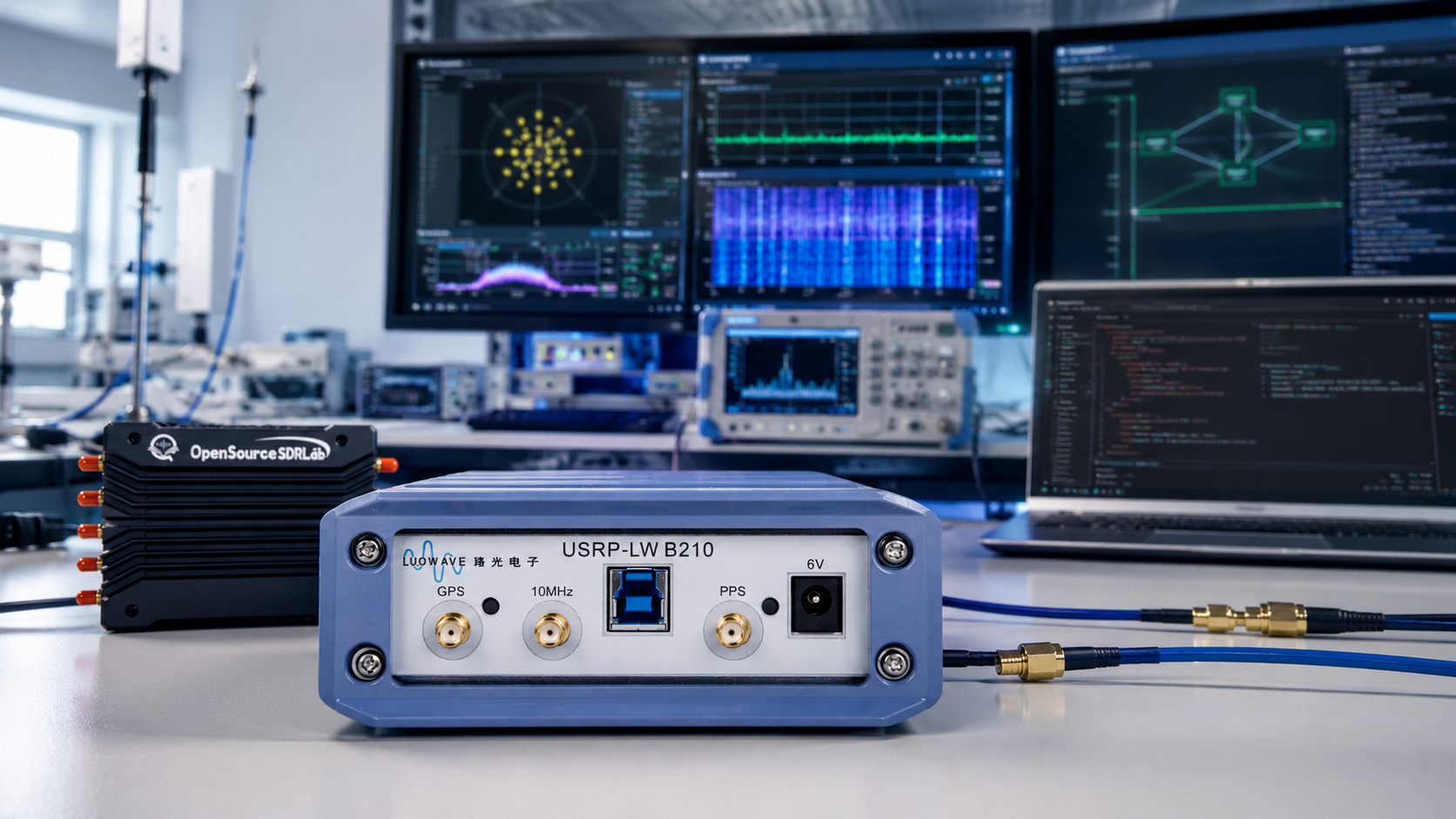
Updated: June 2026. This guide explains how researchers can use USRP B210 with srsRAN Project, OpenAirInterface, Open5GS, commercial 5G SA devices, programmable test SIM cards, OAI nrUE, GNU Radio, UHD, external reference clocks, cabled RF paths, shielding, and safe laboratory workflows.
USRP B210 is one of the most practical software-defined radio platforms for researchers building their first real cellular laboratory.
It is compact, widely documented, compatible with the USRP Hardware Driver software ecosystem, and capable of full-duplex 2×2 MIMO operation across a continuous RF range from 70 MHz to 6 GHz.
This makes it useful for:
- 5G NR standalone research
- srsRAN Project
- OpenAirInterface
- Open5GS core-network integration
- COTS UE attachment
- OAI nrUE experiments
- LTE and 5G teaching laboratories
- GNU Radio development
- OFDM and MIMO research
- Spectrum monitoring
- Wireless-security research in authorized environments
- Private-network demonstrations
- Academic projects
However, B210 is not the correct SDR for every advanced 5G experiment.
It is a strong starting point for practical sub-6 GHz laboratories, but researchers need to understand its real-time bandwidth, USB 3.0 interface, shared local oscillators, external-clock requirements, host-computer demands, safe RF input limits, and upgrade path toward X310, N310, X410, and other higher-performance SDR platforms.
SDRstore.eu offers the USRP B210 USB SDR with 2×2 MIMO, AD9361, UHD, and GNU Radio support.
Quick Answer: Is USRP B210 Good for srsRAN and OpenAirInterface?
Yes.
USRP B210 is one of the strongest starting SDR platforms for srsRAN Project and OpenAirInterface laboratories.
Choose USRP B210 when you want:
- A compact USB 3.0 SDR
- 70 MHz–6 GHz RF coverage
- 2×2 MIMO
- Full-duplex operation
- UHD compatibility
- GNU Radio support
- A documented path for 5G SA experiments
- A lower-cost entry point into USRP research
- A radio for university teaching labs
- A practical platform for COTS UE and OAI nrUE experiments
Choose a more advanced platform such as USRP X310, N310, or X410 when you need:
- Independent RF chains for specific handover workflows
- Larger sustained host bandwidth
- 10 Gigabit Ethernet or 100 Gigabit Ethernet
- More FPGA resources
- Several independent synchronized channels
- High-bandwidth OpenAirInterface deployments
- AI-enhanced physical-layer research
- Advanced beamforming
- Long-term 5G and 6G testbed infrastructure
USRP B210 Key Specifications
| Feature | USRP B210 |
|---|---|
| RF coverage | 70 MHz–6 GHz continuous coverage |
| RF transceiver | Analog Devices AD9361 direct-conversion transceiver |
| Receive channels | 2 |
| Transmit channels | 2 |
| MIMO | Coherent 2×2 MIMO |
| Duplex mode | Full duplex |
| Real-time RF bandwidth | Up to 56 MHz |
| Benchmark sample-rate direction | 61.44 MS/s quadrature |
| Host connection | SuperSpeed USB 3.0 |
| FPGA | Xilinx Spartan-6 XC6SLX150 |
| Reference-clock input | External 10 MHz reference input |
| Time-reference input | External PPS input |
| GPSDO option | Internal GPSDO module supported |
| Software ecosystem | UHD, GNU Radio, srsRAN, OpenAirInterface, and additional SDR applications |
Why Researchers Still Choose USRP B210
B210 is not the newest USRP, but it remains highly relevant because it solves a practical problem: it gives researchers a capable 2×2 MIMO SDR without forcing the laboratory to begin with rack-mount equipment or high-speed Ethernet infrastructure.
USRP B210 advantages
- Compact single-board architecture
- USB 3.0 data connection
- Full-duplex operation
- Two transmit and two receive channels
- Wide sub-6 GHz coverage
- Mature UHD driver support
- GNU Radio compatibility
- Strong community knowledge base
- Official srsRAN COTS UE example
- Current OpenAirInterface support
- Lower purchase cost than X310, N310, and X410 platforms
- Useful upgrade path toward larger USRP systems
B210 is especially useful for:
- University wireless-communications courses
- Student projects
- Startup research labs
- Telecom proof-of-concept work
- Small private-network demonstrations
- Controlled cellular-security experiments
- GNU Radio learning
- 5G SA attachment tests
- OAI gNB and nrUE experiments
- Open5GS core-network integration
USRP B210 with srsRAN Project
srsRAN Project is an open-source 5G CU and DU implementation designed for wireless research and development.
A practical srsRAN B210 laboratory can connect a 5G SA-capable commercial device to an experimental network using a third-party 5G core such as Open5GS.
Typical srsRAN B210 laboratory components
- Linux host computer
- srsRAN Project CU and DU
- USRP B210
- Open5GS 5G Core
- Compatible 5G SA COTS UE
- Programmable test USIM, ISIM, or SIM card with known keys
- Suitable RF attenuation or shielded RF setup
- External reference clock such as an OctoClock, GPSDO, or compatible GPS reference clock
- Suitable antennas when over-the-air transmission is authorized
Official srsRAN B210 example
The official srsRAN COTS UE tutorial uses:
- Dell XPS-13 with an Intel i7-10510U CPU
- Ubuntu Linux
- srsRAN Project CU and DU
- USRP B210
- Open5GS 5G Core
- OnePlus 8T
- SysmoISIM-SJA2 with reprogrammed credentials
- Leo Bodnar GPS reference clock
The official example provides a useful reference design, but it should not be treated as the only valid hardware combination. Researchers should confirm that their selected commercial UE supports 5G SA mode and the selected research band.
Why External Clocking Matters for srsRAN and COTS UEs
A commercial 5G handset may fail to see or attach to an experimental network when the SDR reference clock is not accurate enough.
This is why srsRAN recommends an external clock source such as an OctoClock or GPSDO for COTS UE workflows.
An external reference clock can improve:
- Frequency accuracy
- Timing stability
- COTS UE attachment reliability
- Repeatability
- Long-duration testing
- Multi-radio synchronization
- MIMO experiments
- Dataset consistency
Common clocking options
| Clock Option | Best Use |
|---|---|
| Internal B210 clock | Initial software checks and basic experiments |
| External 10 MHz reference | Improved frequency stability and repeatable testing |
| PPS time reference | Time alignment and synchronization |
| GPSDO | Stable GPS-disciplined reference for longer tests and radio synchronization |
| OctoClock or similar distribution device | Reference distribution across several SDRs |
The B210 supports an internal GPSDO option as well as external 10 MHz and PPS inputs.
USRP B210 with Open5GS
Open5GS is commonly used as the 5G Core in srsRAN laboratories.
A basic architecture looks like this:
5G SA COTS UE → USRP B210 → srsRAN CU/DU → Open5GS 5G Core → Data NetworkOpen5GS handles core-network functions such as:
- Subscriber authentication
- Access and mobility management
- Session management
- User-plane forwarding
- Subscriber profiles
- PLMN configuration
- Test-network integration
Researchers need to configure:
- PLMN
- Tracking area
- Subscriber IMSI
- Authentication key
- OP or OPc value
- APN or DNN
- AMF address
- UPF routing
- UE compatibility
The SIM-card credentials, RAN configuration, and core-network subscriber profile must match.
USRP B210 with OpenAirInterface
OpenAirInterface, usually shortened to OAI, is another major open-source cellular research ecosystem.
OAI supports common USRP devices through UHD, including B210.
OAI B210 use cases
- OAI CN5G
- OAI gNB
- OAI nrUE
- COTS UE experiments
- 5G NR SA research
- RFsimulator workflows
- PHY and MAC research
- Protocol-stack experimentation
- End-to-end connectivity testing
- University laboratories
Current OAI B210 tutorials
Current OpenAirInterface documentation includes:
- An OAI 5G NR SA tutorial with OAI CN5G, OAI gNB, and OAI nrUE
- An OAI 5G NR SA tutorial with OAI CN5G, OAI gNB, and a commercial UE
- A USRP B210 gNB configuration file for band n78
- A USRP B210 nrUE workflow
- UHD-based USRP integration
Current OAI Host Requirements
The current OAI NR SA tutorials provide a useful baseline for laboratory planning.
| OAI Component | Baseline Direction |
|---|---|
| OAI CN5G and OAI gNB host | Ubuntu 24.04 LTS, x86_64 CPU with 8 cores at approximately 3.5 GHz, and 32 GB RAM |
| OAI nrUE host | Ubuntu host with an x86_64 CPU and sufficient performance for the selected configuration |
| COTS UE setup | Compatible UE or modem, SIM card, antennas, and suitable host interface where required |
| RF front end | USRP B210, N300, X300, or another supported platform depending on the workflow |
Treat these as baseline requirements rather than a guarantee for every configuration.
Wider channels, additional UEs, advanced logging, virtualization, multiple cells, and additional services can increase system requirements.
OAI gNB and OAI nrUE with B210
B210 can be used on both sides of an OAI end-to-end laboratory.
Example architecture
OAI nrUE host + USRP B210 → protected RF path → USRP B210 + OAI gNB host → OAI CN5GUse this architecture for:
- Fully open-source end-to-end experiments
- Protocol-stack learning
- PHY development
- Controlled RF tests
- RFsimulator comparisons
- Student research projects
- Repeatable lab measurements
The OAI tutorial notes that the OAI nrUE using B210 should run on a second host rather than on the gNB host for the physical-radio setup.
srsRAN vs OpenAirInterface with B210
| Feature | srsRAN Project with B210 | OpenAirInterface with B210 |
|---|---|---|
| Main strength | Accessible 5G CU and DU laboratory with a clear COTS UE tutorial | Broader open cellular research stack including gNB, nrUE, and core-network workflows |
| Common 5G Core direction | Open5GS | OAI CN5G |
| COTS UE support direction | Official tutorial with B210 and commercial handset | Current tutorial with B210 and commercial modem or UE workflow |
| Open-source UE direction | Separate prototype and virtual workflows depending on project | OAI nrUE supported with B210 |
| RFsimulator direction | ZeroMQ and software-based test workflows available | RFsimulator workflows available |
| Best buyer | Researchers wanting a clear practical private-5G starting path | Researchers needing deeper end-to-end cellular-stack experimentation |
Does B210 Really Support 56 MHz for Every 5G Experiment?
No.
USRP B210 provides up to 56 MHz of real-time RF bandwidth as a hardware capability.
This does not mean every srsRAN or OpenAirInterface configuration will use the maximum hardware bandwidth successfully.
Real-world limits depend on:
- Software stack
- Selected configuration
- Number of channels
- USB 3.0 controller
- Host CPU
- CPU clock speed
- Memory bandwidth
- Kernel and scheduling configuration
- Logging
- Virtualization
- External clocking
- RF-chain configuration
The official srsRAN COTS UE example uses a 20 MHz B210 configuration.
Current OAI NR SA documentation includes a B210 configuration based on 106 physical resource blocks in band n78.
Begin with a documented configuration and increase complexity only after the baseline network works reliably.
Important B210 Limitation: Shared Local Oscillators
B210 provides coherent 2×2 MIMO, but its channels are not independent in every possible sense.
The two receive front ends share one receive local oscillator. The two transmit front ends share one transmit local oscillator.
This is useful for:
- 2×2 MIMO experiments
- Spatial-diversity projects
- Coherent channel research
- Same-frequency multi-antenna work
- Beamforming fundamentals
This is a limitation for:
- Specific multi-cell handover workflows
- Independent-frequency RF chains
- Some advanced mobility research
- Experiments requiring unrelated local-oscillator frequencies
srsRAN’s official handover tutorial uses USRP X310 because that workflow requires two independent RF chains. It states that B200-series radios are not suitable for that particular use case.
When Should You Upgrade from B210 to X310?
The USRP X310 SDR is a better choice when your research has outgrown USB-based B210 workflows.
| Research Goal | USRP B210 | USRP X310 |
|---|---|---|
| First 5G SA lab | Excellent starting point | Capable but often unnecessary |
| Compact USB setup | Strong choice | Not the main advantage |
| COTS UE attachment | Strong choice with suitable clocking | Also suitable |
| Independent RF-chain handover | Not suitable for the official srsRAN workflow | Strong choice |
| 10 Gigabit Ethernet | No | Yes |
| Daughterboard flexibility | No | Yes |
| Larger FPGA development | More limited | Better suited |
| Rack-based research lab | Possible but not its primary strength | Better suited |
Read the full comparison: Best SDR for 5G Research: USRP B210, X310, X410, and Lower-Cost Alternatives.
When Should You Upgrade to N310 or X410?
Choose a networked multi-channel USRP or RFSoC platform when your research requires substantially more than a compact USB laboratory.
Upgrade when you need:
- Four TX and RX channels
- Larger instantaneous bandwidth
- High channel density
- 10 Gigabit Ethernet or 100 Gigabit Ethernet
- Built-in GPSDO
- Remote management
- Embedded Linux
- AI-enhanced PHY experiments
- GPU integration
- Advanced OAI reference architectures
- Wideband 5G and future-facing 6G research
USB 3.0 Matters
USRP B210 should normally be connected through USB 3.0 for serious real-time cellular research.
USB 2.0 can limit throughput substantially.
USB recommendations
- Use the supplied USB 3.0 cable.
- Connect directly to a reliable motherboard USB 3.0 port.
- Avoid unpowered USB hubs.
- Avoid unnecessary adapters.
- Check that the device enumerates correctly.
- Monitor for overflows and underflows.
- Test another host controller when stability is poor.
- Use the external power supply where required.
Powering USRP B210 Correctly
The official B210 kit includes a USB 3.0 cable and a universal power supply.
USB 3.0 can provide data and power, but an external power supply may be required in specific setups, including when an internal GPSDO is installed or when USB 2.0 is used.
Use stable external power when:
- You install a GPSDO.
- You use USB 2.0.
- You encounter unstable operation.
- The host USB port cannot supply sufficient current.
- You use longer laboratory sessions.
- You want more repeatable testing.
RF Safety: Never Connect TX Directly to RX
USRP B210 is a sensitive RF device.
Never connect a transmitter output directly to an RF input without suitable attenuation.
The official B2x0 manual warns users not to apply more than −15 dBm into any RF input and recommends at least 30 dB attenuation for loopback configurations.
Safe loopback concept
USRP B210 TX → suitable RF attenuation → USRP B210 RXSafer laboratory accessories
- Fixed attenuators
- Variable attenuators
- Dummy loads
- Directional couplers
- DC blocks
- Band-pass filters
- Shielded RF boxes
- Short high-quality RF cables
- Spectrum analyzer
- Vector network analyzer
Never assume:
- Minimum software gain automatically makes a direct TX-to-RX cable safe.
- An antenna connection is harmless.
- A commercial phone tolerates any RF level.
- An SDR input can accept transmitter power.
- Over-the-air transmission is legal on a cellular band.
Conducted vs Over-the-Air Testing
| Test Method | Best For | Main Advantage | Main Risk |
|---|---|---|---|
| Conducted RF connection | Repeatable lab measurements and protected SDR-to-SDR tests | Controlled signal level and reduced interference risk | Incorrect attenuation can damage receiver inputs |
| Shielded enclosure | COTS UE attachment and private-network testing | Reduces unwanted radiation outside the test environment | Poor shielding can still leak RF |
| Over-the-air antenna setup | Authorized demonstrations and propagation experiments | Realistic wireless behavior | Regulatory restrictions and interference risk |
Begin with RFsimulator or a protected cabled RF path where practical.
Legal Warning for Private 5G Networks
Operating an experimental cellular network may be regulated or restricted in your country.
Use:
- Authorized frequencies
- Low-power configurations
- Shielded test environments
- Conducted RF paths
- Suitable attenuation
- Programmable test SIM cards
- Known subscriber credentials
- Regulator approval where required
- Qualified RF engineering practices
Do not interfere with public mobile networks.
Do not transmit on licensed cellular frequencies without authorization.
Recommended B210 Setup Workflow for srsRAN
- Prepare a Linux host computer.
- Install UHD.
- Connect B210 using the supplied USB 3.0 cable.
- Verify the device using UHD utilities.
- Install srsRAN Project.
- Install Open5GS.
- Prepare a programmable test SIM card with known keys.
- Confirm that the selected COTS UE supports 5G SA mode.
- Choose an authorized test frequency.
- Start with the documented B210 configuration.
- Use a compatible external clock for better UE attachment reliability.
- Use attenuation, shielding, or a legal over-the-air setup.
- Start Open5GS.
- Start the srsRAN gNB.
- Configure the COTS UE.
- Confirm registration.
- Test ping and data traffic.
- Monitor logs for underflows, overflows, clock issues, and authentication problems.
Recommended B210 Setup Workflow for OAI with COTS UE
- Prepare an Ubuntu 24.04 LTS host with suitable CPU and RAM.
- Install Docker and required dependencies.
- Install or build UHD.
- Connect B210 over USB 3.0.
- Verify the radio using UHD utilities.
- Install OAI CN5G.
- Build OAI gNB with USRP support.
- Prepare a compatible COTS UE or modem.
- Prepare a programmable SIM card.
- Match the subscriber credentials in CN5G.
- Choose a legal test frequency.
- Use a shielded or conducted RF setup where practical.
- Start OAI CN5G.
- Start the OAI gNB using the B210 configuration.
- Configure the modem or UE.
- Verify registration.
- Test ping and throughput.
Recommended B210 Setup Workflow for OAI nrUE
- Prepare one host for OAI CN5G and OAI gNB.
- Prepare a second host for OAI nrUE.
- Connect one B210 to the gNB host.
- Connect a second B210 to the nrUE host.
- Install UHD on both hosts.
- Install and build OAI on both hosts.
- Match the UICC credentials with the core-network configuration.
- Use a protected RF connection with suitable attenuation.
- Start CN5G.
- Start OAI gNB.
- Start OAI nrUE.
- Verify registration and PDU session establishment.
- Test end-to-end traffic.
- Adjust timing and RF settings only after the baseline configuration is understood.
Common USRP B210 Problems and Fixes
B210 is not detected
- Confirm UHD installation.
- Run UHD discovery tools.
- Use the supplied USB 3.0 cable.
- Try another USB 3.0 port.
- Avoid unpowered hubs.
- Confirm device power.
- Check permissions on Linux.
The commercial UE cannot see the network
- Confirm 5G SA support.
- Confirm band support.
- Check ARFCN.
- Check transmit gain.
- Use an external clock.
- Confirm SIM credentials.
- Confirm PLMN configuration.
- Check shielding and RF levels.
- Confirm that the test frequency is legal and usable.
The UE sees the network but cannot attach
- Check IMSI.
- Check authentication key.
- Check OP or OPc.
- Check DNN or APN.
- Check AMF and UPF configuration.
- Review core-network logs.
- Check external clock stability.
- Check UE roaming behavior and PLMN compatibility.
USB overflows or underflows appear
- Confirm USB 3.0 operation.
- Use a direct host connection.
- Reduce sample rate or bandwidth.
- Close unnecessary applications.
- Use performance CPU governor settings.
- Reduce excessive logging.
- Test another USB controller.
- Use stable power.
OAI gNB does not start correctly
- Confirm the correct UHD version.
- Confirm that B210 is visible to UHD.
- Use the correct B210 configuration file.
- Check CN5G connectivity.
- Check permissions.
- Review the latest OAI documentation.
- Confirm whether the selected OAI version runs SA mode by default.
OAI nrUE repeatedly fails random access
- Check RF attenuation.
- Check frequency and numerology.
- Check timing settings.
- Check UICC credentials.
- Review OAI timing-advance guidance.
- Compare the physical setup with RFsimulator first.
Common Buying Mistakes
Buying B210 only because it reaches 6 GHz
Frequency range is only one specification. Also consider bandwidth, USB throughput, shared local oscillators, FPGA resources, clocking, and software support.
Assuming 2×2 MIMO means two fully independent radios
B210 uses shared RX and TX local oscillators across its channels. This is excellent for coherent MIMO but unsuitable for some independent-chain workflows.
Trying to build the most advanced experiment first
Begin with virtual RF, a documented B210 configuration, and a basic end-to-end attachment test.
Skipping the external reference clock
A network may work without one, but COTS UE attachment can become more reliable with a suitable external reference.
Using a direct TX-to-RX cable
Protect receiver inputs with suitable attenuation.
Ignoring the host computer
Real-time cellular workloads require suitable CPU performance, USB stability, memory, kernel behavior, and system tuning.
Using public cellular bands without authorization
Use shielding, conducted RF paths, low power, and regulator-approved frequencies.
USRP B210 vs Lower-Cost Alternatives
| SDR Platform | Main Advantage | Main Trade-Off |
|---|---|---|
| USRP B210 | Strong official UHD ecosystem and documented cellular workflows | Higher cost than many alternative development boards |
| LibreSDR B210 or B220 Mini | Lower-cost USRP-style direction | Validate driver, firmware, and stack compatibility carefully |
| MicroPhase ANTSDR U220 | Compact USB 3.0 2×2 MIMO board | Confirm selected chipset and software workflow |
| MicroPhase ANTSDR E316 | Embedded Zynq platform with Gigabit Ethernet | Different development workflow from official B210 examples |
| bladeRF 2.0 micro | Strong FPGA and custom-PHY direction | Not a universal UHD drop-in replacement |
| PLUTO+ SDR | Affordable Pluto-style education and Ethernet experiments | Not the safest default for a validated B210 tutorial path |
Read the full alternatives guide: Best SDR for 5G Research: USRP B210, X310, X410, and Lower-Cost Alternatives.
Recommended B210 Laboratory Shopping List
Minimum research setup
- USRP B210
- Linux workstation
- USB 3.0 cable
- Stable power supply
- Suitable RF cables
- Fixed attenuators
- Dummy loads
- Programmable test SIM cards
- Compatible 5G SA UE or modem
- Authorized test frequencies
Recommended upgraded setup
- External 10 MHz clock source or GPSDO
- PPS distribution where required
- Shielded RF enclosure
- Variable attenuator
- Directional coupler
- DC blocks
- Band-pass filters
- TinySA Ultra or another spectrum analyzer
- NanoVNA or another VNA
- Additional B210 for OAI nrUE testing
Where to Buy USRP B210 and Research Accessories
- USRP B210 USB SDR with 2×2 MIMO, AD9361, UHD, and GNU Radio
- USRP SDR devices, boards, and accessories
- USRP X310 SDR
- LibreSDR B210 Mini and B220 Mini
- Nuand bladeRF SDR devices and accessories
- PlutoSDR and PLUTO+ SDR devices
- RF amplifiers, LNAs, and signal boosters
- Antennas and RF accessories
- RF test and measurement equipment
Request a Quote for University and Laboratory Orders
Universities, companies, system integrators, telecom teams, research laboratories, and purchasing departments can request a formal quotation directly from SDRstore.eu.
Use the Add to Quote button on a product page or the document icon on product cards to request:
- Official quotations
- Bulk pricing
- Several USRP B210 units
- Complete laboratory configurations
- RF cables
- Attenuators
- Antennas
- Clocking accessories
- Test equipment
- Invoice details for institutional approval
Read the guide: Request a Quote Online: A Faster Way to Get Custom Pricing from SDRstore.eu.
Related SDRstore.eu Guides
- Best SDR for 5G Research: USRP B210, X310, X410, and Lower-Cost Alternatives
- USRP B210 Setup Guide: UHD, GNU Radio, and First Signal
- USRP X310 Setup Guide: Unbox, Connect, Configure, and Test
- USRP X310 Network Setup: Fix Connection Issues and Improve Performance
- MicroPhase E316 vs USRP B210: Performance, MIMO, and Connectivity Compared
- PlutoSDR vs HackRF One: Which SDR Is Better for Transmit, Receive, and Research?
- TinySA Ultra Setup Guide: Spectrum Scanning, Signal Generator, LNA, and Attenuator
Official Resources
- Ettus Research USRP B210 official product page
- Ettus USRP B2x0 UHD and device manual
- srsRAN gNB with COTS UEs tutorial
- srsRAN Project running guide
- srsRAN gNB handover tutorial
- OpenAirInterface USRP integration documentation
- OAI 5G NR SA tutorial with COTS UE
- OAI 5G NR SA tutorial with OAI nrUE
Final Verdict: USRP B210 for srsRAN and OpenAirInterface
USRP B210 is one of the best SDR platforms for researchers starting practical 5G NR, srsRAN, OpenAirInterface, Open5GS, COTS UE, and OAI nrUE experiments.
It provides 70 MHz–6 GHz RF coverage, full-duplex 2×2 MIMO, up to 56 MHz real-time bandwidth, USB 3.0 connectivity, UHD support, GNU Radio compatibility, external reference inputs, and a documented upgrade path toward larger USRP systems.
Choose B210 when you want a compact and capable laboratory radio without beginning with expensive rack-mount hardware.
Add an external clock when COTS UE attachment reliability matters. Use USB 3.0 and a suitable Linux host. Begin with a documented low-complexity configuration. Protect every RF input with proper attenuation. Use shielded or authorized RF environments.
Move to X310 when your research requires independent RF chains, handover workflows, 10 Gigabit Ethernet, daughterboards, and larger FPGA resources.
Move to N310, X410, or another high-end networked SDR when the project requires multiple independent channels, high bandwidth, synchronized radios, advanced OAI deployments, AI-enhanced PHY research, and future-facing 5G-to-6G infrastructure.
FAQ
Is USRP B210 good for 5G research?
Yes. USRP B210 is one of the best starting platforms for practical 5G research because it provides 70 MHz–6 GHz coverage, full-duplex 2×2 MIMO, up to 56 MHz real-time bandwidth, USB 3.0, UHD support, and strong open-source ecosystem compatibility.
Can USRP B210 run srsRAN?
Yes. The official srsRAN COTS UE tutorial uses USRP B210 with srsRAN Project, Open5GS, a programmable test SIM, a commercial 5G SA phone, and an external GPS reference clock.
Can USRP B210 run OpenAirInterface?
Yes. OpenAirInterface supports B210 through UHD. Current OAI documentation includes B210 workflows for both commercial UE and OAI nrUE experiments.
What frequency range does USRP B210 cover?
USRP B210 covers a continuous RF range from 70 MHz to 6 GHz.
How much bandwidth does USRP B210 support?
USRP B210 supports up to 56 MHz of real-time RF bandwidth. Practical cellular configurations may use less depending on the stack, host, channel count, USB controller, and selected experiment.
Is USRP B210 full duplex?
Yes. USRP B210 supports full-duplex transmit and receive operation.
Does USRP B210 support 2×2 MIMO?
Yes. USRP B210 provides two transmit and two receive channels with coherent 2×2 MIMO capability.
Are the two B210 RF channels fully independent?
Not for every use case. The two receive channels share one RX local oscillator and the two transmit channels share one TX local oscillator. This is suitable for coherent MIMO but not for every independent-frequency experiment.
Can USRP B210 be used for srsRAN handover experiments?
Not for the official two-independent-RF-chain handover tutorial. srsRAN uses USRP X310 for that workflow because B200-series devices do not provide the required independent RF chains.
Do I need an external clock for USRP B210?
Not for every experiment. However, an external clock such as a GPSDO or OctoClock can improve frequency accuracy, timing stability, repeatability, and COTS UE attachment reliability.
Can I use the B210 internal clock with a commercial phone?
It may work, but attachment can be less reliable. srsRAN recommends an external reference clock for COTS UE workflows because handset timing and frequency-offset tolerances can be strict.
Does USRP B210 work with Open5GS?
Yes. Open5GS is commonly used as the 5G Core in srsRAN B210 laboratories.
Can I use USRP B210 for OAI gNB and OAI nrUE?
Yes. A fully open-source laboratory can use one B210 for OAI gNB and another B210 for OAI nrUE, normally with separate hosts and a protected RF path.
What host computer do I need for OAI with B210?
Current OAI tutorials list Ubuntu 24.04 LTS, an x86_64 CPU with 8 cores at approximately 3.5 GHz, and 32 GB RAM as the baseline direction for the OAI CN5G and gNB host.
Should I use USB 2.0 or USB 3.0 with B210?
Use USB 3.0 for serious real-time cellular research. USB 2.0 limits throughput and may require external power.
Can I connect B210 TX directly to B210 RX?
No. Use suitable RF attenuation. The official B2x0 manual warns not to apply more than −15 dBm into an RF input and recommends at least 30 dB attenuation for loopback configurations.
Should I buy B210 or X310?
Choose B210 for compact USB-based 5G SA labs, education, and initial COTS UE testing. Choose X310 when you need independent RF chains, handover, 10 Gigabit Ethernet, daughterboards, and larger FPGA resources.
Should I buy B210 or X410?
Choose B210 for entry-level and intermediate laboratories. Choose X410 for premium multi-channel RFSoC research, wide bandwidth, high-speed networking, AI-enhanced PHY projects, and long-term 5G-to-6G testbeds.
Can USRP B210 be used for private 5G networks?
Yes, in controlled and authorized environments. Use legal frequencies, suitable attenuation, shielding, programmable test SIM cards, low power, and regulator approval where required.
Is USRP B210 suitable for universities?
Yes. B210 is well suited to university laboratories because it is compact, flexible, widely documented, compatible with open-source cellular stacks, and more affordable than high-end networked USRP platforms.
How do I request a quote for USRP B210 units?
Use the Add to Quote button on SDRstore.eu product pages or the document icon on product cards. This is useful for universities, laboratories, telecom teams, companies, and bulk orders.
No posts found
Write a review






We support all major card and digital payment options. More local methods are available and shown during checkout.
You enter into a binding sales contract once you have received an 'order confirmation and sales receipt' email from us, in line with our Sales & Delivery conditions. Therefore, sdrstore.eu has the right to cancel your order in the event of technical problems, delivery failure, Fair use policy and other similar situations.






Your payments are protected by advanced encryption and 3-D Secure authentication for safe online shopping.