








BLE Security Testing Tools: Bluetooth Low Energy Monitoring for Authorized Audits
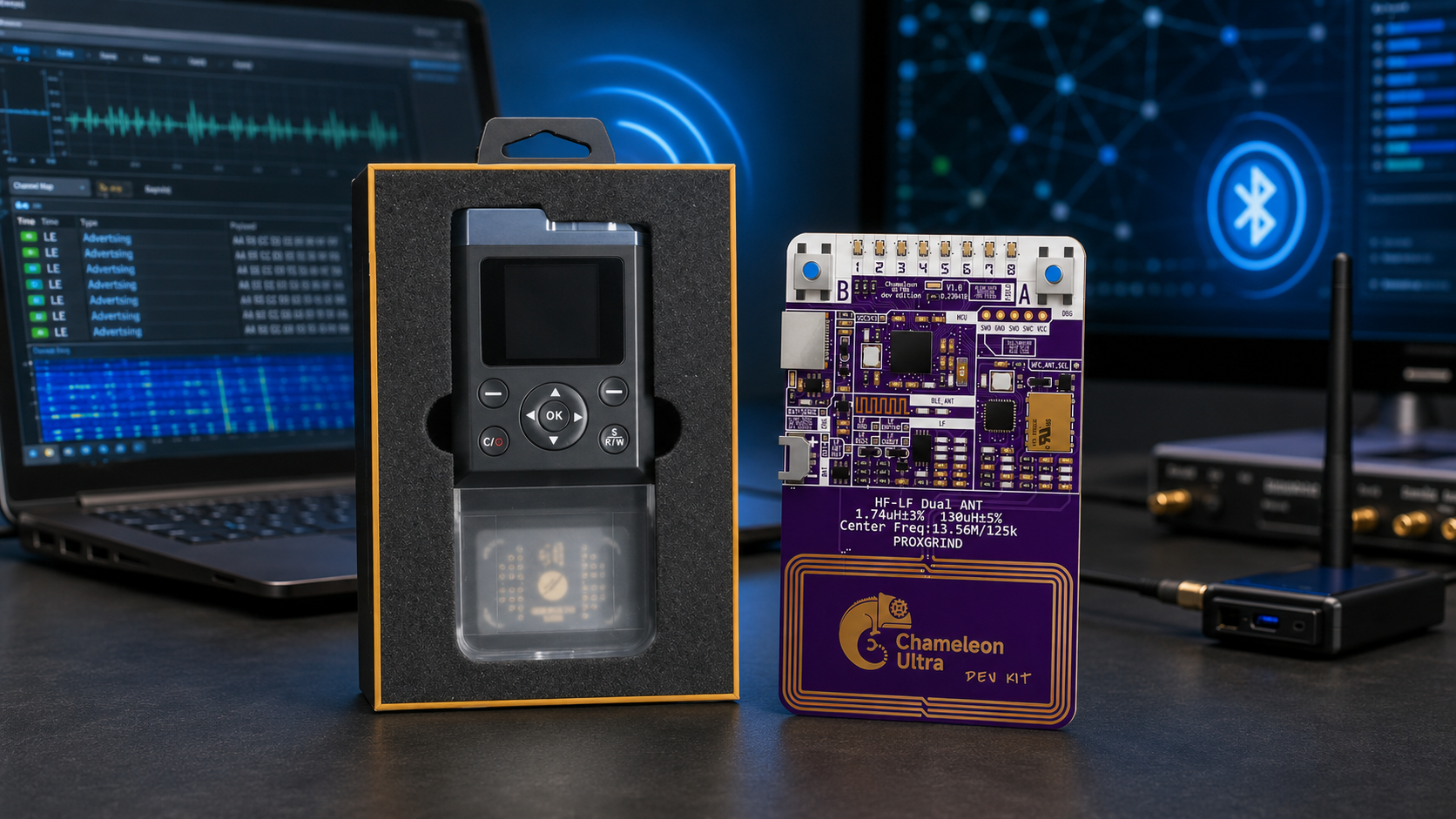
Bluetooth Low Energy is embedded in a growing number of business and consumer products, including sensors, smart locks, access-control readers, medical-style wearables, beacons, asset trackers, mobile accessories, industrial devices, and IoT systems. As BLE adoption increases, cybersecurity teams need practical tools to monitor wireless behavior, validate product design, investigate reliability issues, and perform authorized security audits.
Choosing BLE security testing tools can be confusing because different tools reveal different parts of the system. A mobile BLE scanner can show nearby devices and exposed services. An over-the-air packet sniffer can capture radio packets for protocol review. An Android HCI log shows traffic visible to the smartphone Bluetooth stack. A spectrum analyzer shows interference in the 2.4 GHz environment. A wideband SDR supports custom RF research but is not automatically the easiest BLE protocol analyzer.
This guide explains which Bluetooth Low Energy monitoring tools to buy first, how they fit together, and which SDRstore.eu products can complement a professional BLE cybersecurity lab.
Browse current equipment in the software-defined radio category, the spectrum analyzer category, and the Bluetooth and BLE antenna category.
Quick Answer: Which BLE Security Testing Tools Do You Need?
| Tool | Best use | What it reveals | Main limitation |
|---|---|---|---|
| nRF Connect for Mobile | Fast inspection of owned BLE devices | Advertising data, RSSI, services, characteristics, notifications, and permitted read/write behavior | Not an independent over-the-air packet sniffer |
| Nordic nRF Sniffer for Bluetooth LE | Low-cost BLE packet monitoring with Wireshark | Near real-time over-the-air BLE packet visibility | Requires compatible Nordic hardware and correct capture setup |
| TI SmartRF Packet Sniffer 2 | Teams already using TI CC13xx or CC26xx hardware | BLE and supported wireless-protocol captures displayed in Wireshark | TI states that encrypted BLE packet decryption is not supported |
| Android Bluetooth HCI snoop log | Mobile-app debugging and troubleshooting | Bluetooth HCI packets visible to the Android device | Not the same as independent over-the-air capture |
| Ellisys Bluetooth analyzer | Professional product validation and advanced engineering | Synchronized Bluetooth, Wi-Fi, spectrum, HCI, and logic-level analysis | Professional equipment with a higher procurement cost |
| HackRF Pro | Portable 2.4 GHz spectrum-level research | Wideband RF activity and custom SDR workflows | Not a plug-and-play BLE packet decoder |
| TinySA Ultra | Portable interference checks around the BLE band | Approximate RF energy and signal-level changes | Not a BLE protocol analyzer |
| bladeRF 2.0 micro or USRP B210 | Advanced RF research and custom laboratory development | Wider SDR development possibilities, FPGA workflows, and repeatable RF benches | More complex and usually unnecessary for basic BLE audits |
How Bluetooth Low Energy Monitoring Works
BLE operates in the 2.4 GHz ISM band. It uses 40 RF channels spaced 2 MHz apart. Three channels are used as primary advertising channels, while 37 general-purpose channels carry most communication traffic and can also be used for secondary advertising.
This matters because BLE monitoring involves more than detecting a signal around 2.4 GHz. A useful audit may need to answer several different questions:
- Which BLE devices are advertising nearby?
- What identifiers, service UUIDs, and manufacturer data are visible?
- How does the device behave before and after a permitted connection?
- Which GATT services and characteristics are exposed?
- Does the device reveal unnecessary information?
- How does signal strength change across the test area?
- Is Wi-Fi or another 2.4 GHz source causing interference?
- Does the mobile application handle pairing, reconnection, and error conditions correctly?
No single device answers every question. The strongest workflow combines protocol-aware tools with RF measurement equipment.
1. Start with nRF Connect for Mobile
Nordic Semiconductor’s nRF Connect for Mobile is one of the easiest starting tools for an authorized BLE audit. It allows a smartphone to scan nearby Bluetooth Low Energy devices and interact with devices that the organization owns or has permission to test.
Nordic lists the following capabilities:
- Scan for Bluetooth Low Energy devices
- Parse advertising data
- Display an RSSI graph
- Connect to connectable BLE devices
- Discover and parse services and characteristics
- Read and write characteristics where permitted
- Enable or disable notifications and indications
- Log events and method calls
Why it belongs in every BLE testing kit
nRF Connect for Mobile is fast, accessible, and useful during the first stage of an assessment. It helps the team understand what a device exposes without immediately building a complex packet-capture environment.
What it does not replace
A mobile scanner is not an independent radio sniffer. It shows the device from the perspective of the smartphone Bluetooth stack. Use an over-the-air sniffer when you need packet-level visibility into radio behavior.
2. Use nRF Sniffer for Bluetooth LE with Wireshark
Nordic Semiconductor’s nRF Sniffer for Bluetooth LE is the strongest low-cost starting point for over-the-air BLE packet capture. Nordic describes it as a packet-sniffing and learning tool that provides a near real-time display of Bluetooth Low Energy packets.
The supported Nordic hardware direction includes:
- nRF52840 Dongle
- nRF52840 DK
- nRF52833 DK
- nRF52 DK
The sniffer works with nRF Util and integrates with Wireshark. Wireshark then provides packet display, filtering, protocol fields, timestamps, and capture review.
Why Wireshark matters
BLE traffic can become difficult to understand when a device advertises, connects, exchanges attributes, changes parameters, disconnects, and reconnects. Wireshark makes it easier to review captures in a structured way instead of relying only on a live device list.
Use nRF Sniffer for:
- Monitoring advertising behavior
- Reviewing packet sequences from an owned peripheral
- Debugging pairing and connection behavior in a controlled test
- Comparing firmware versions
- Investigating intermittent connection failures
- Teaching BLE protocol fundamentals
- Building repeatable product-security test cases
Important capture limitation
Do not assume that a packet sniffer can automatically decode every encrypted BLE session. Visibility depends on the specific tool, the capture conditions, the pairing flow, the permitted key material, the Bluetooth feature set, and the devices under test.
For authorized audits, document the exact test devices, firmware versions, mobile-app builds, pairing state, and capture setup. This makes findings easier to reproduce.
3. Consider TI SmartRF Packet Sniffer 2 for TI-Based Projects
Texas Instruments SmartRF Packet Sniffer 2 is useful when the development team already works with TI CC13xx or CC26xx wireless devices.
TI states that the package includes:
- A SmartRF Sniffer Agent PC tool
- Firmware for supported CC13xx and CC26xx LaunchPad boards
- Wireshark display support
- Bluetooth Low Energy packet capture
- Additional support for selected IEEE 802.15.4 and proprietary protocols
TI also explicitly states that decryption of encrypted BLE packets is not supported. This makes the limitation clear when planning a product-security workflow.
When TI SmartRF is the practical choice
- Your embedded product uses TI wireless hardware.
- Your engineering team already owns compatible LaunchPad boards.
- You need a consistent lab workflow around TI development tools.
- You are testing BLE alongside selected 802.15.4 or proprietary-radio projects.
4. Use Android HCI Snoop Logs for Mobile-App Debugging
Android includes a Bluetooth Host Controller Interface snoop-log option in developer settings. Android documentation states that the feature captures Bluetooth HCI packets to a file that can be retrieved and analyzed using a tool such as Wireshark.
What an Android HCI log is good for
- Debugging a mobile application that communicates with an owned BLE device
- Reviewing events visible to the Android Bluetooth stack
- Investigating service discovery and connection behavior
- Comparing behavior across app versions
- Supporting engineering troubleshooting
What an Android HCI log does not show
An HCI snoop log is not an independent over-the-air recording of every nearby BLE transmission. It is a host-side view from the Android device. For a complete assessment, compare HCI logs with an external packet sniffer and the device-under-test logs where available.
5. Use Professional Bluetooth Analyzers for Product Validation
Low-cost BLE sniffers are valuable, but product-security teams working on complex Bluetooth products may need a professional protocol analyzer.
Ellisys describes Bluetooth Explorer as an all-in-one Bluetooth analysis platform with synchronized capture of:
- Bluetooth Classic
- Bluetooth Low Energy
- Wi-Fi traffic
- 2.4 GHz spectrum activity
- HCI interfaces
- Logic signals
- UART, SPI, I2C, and additional engineering interfaces
When a professional analyzer is justified
- Your company develops commercial BLE products.
- You need repeatable engineering evidence for difficult bugs.
- Your device uses Bluetooth alongside Wi-Fi in the same 2.4 GHz environment.
- Your team needs synchronized protocol, RF, HCI, and logic-level views.
- The cost of unresolved connection or coexistence problems is higher than the cost of the analyzer.
A professional analyzer is not required for every audit. It belongs in a product-development or advanced laboratory tier.
6. Ubertooth One as an Open-Source Research Option
Ubertooth One is an open-source Bluetooth research platform with documentation for BLE capture in Wireshark. It remains relevant for researchers who value an open hardware and software environment and are comfortable with a more experimental workflow.
Choose Ubertooth when:
- You want an open-source Bluetooth research platform.
- Your team is comfortable with Linux and command-line tools.
- You are teaching Bluetooth research concepts.
- You want a platform for custom experimentation rather than a polished commercial analyzer.
Evaluate current limitations before procurement
Open-source tools can be valuable, but the supported features, packet handling, and setup process may not match a professional commercial analyzer. Test the workflow against the BLE devices and features your team actually uses before purchasing multiple units.
7. What Does SDR Hardware Add to BLE Security Testing?
A general-purpose SDR can help a BLE-security team understand the RF environment, investigate interference, and build custom research workflows. However, it should normally complement a BLE packet sniffer rather than replace one.
HackRF Pro for portable spectrum-level research
The HackRF Pro Development Board is a strong portable SDR option for teams that need wide frequency coverage and custom software-defined radio workflows.
Great Scott Gadgets officially lists:
- 100 kHz–6 GHz operating range
- Tuning from 0 Hz to 7.1 GHz
- Half-duplex operation
- Up to 20 million samples per second
- 8-bit quadrature samples
- Clock input and output
HackRF Pro can help inspect activity around the 2.4 GHz BLE band, compare RF environments, investigate interference, and support custom GNU Radio experiments.
HackRF Pro is not a plug-and-play BLE sniffer
HackRF Pro is a wideband SDR. It does not automatically replace nRF Sniffer, Wireshark, or a professional Bluetooth analyzer. Choose it when your lab needs broader RF visibility and custom research capabilities.
Browse HackRF SDR devices and accessories.
bladeRF 2.0 micro for advanced SDR development
The bladeRF 2.0 micro xA4 is a stronger fit when the project requires a full-duplex SDR development platform, FPGA access, USB 3.0 connectivity, and a broader custom research environment.
Nuand officially lists 47 MHz–6 GHz coverage, 2×2 MIMO capability, a 61.44 MSPS sampling-rate direction, and 56 MHz filtered bandwidth direction.
USRP B210 for standardized advanced benches
The USRP B210 USB SDR is appropriate when a university, laboratory, or product-security team wants a documented 2×2 MIMO SDR platform with a mature UHD workflow.
Ettus Research officially specifies continuous 70 MHz–6 GHz coverage, full-duplex 2×2 MIMO operation, USB 3.0 connectivity, and up to 56 MHz real-time bandwidth.
Do not buy RTL-SDR for BLE monitoring
RTL-SDR receivers are useful low-cost tools for many radio projects, but common RTL-SDR models do not reach the 2.4 GHz BLE band. They should not be purchased as Bluetooth Low Energy monitoring receivers.
This is an important buyer distinction: an affordable SDR receiver is not automatically suitable for every wireless technology.
8. TinySA Ultra for BLE-Band Interference Checks
A BLE packet sniffer tells you what the protocol is doing. A spectrum analyzer helps you understand the surrounding RF environment.
The TinySA Ultra handheld spectrum analyzer is useful for portable checks around the 2.4 GHz BLE band.
Use TinySA Ultra for:
- Investigating whether the 2.4 GHz environment is crowded
- Comparing signal levels across test locations
- Identifying broad interference patterns
- Checking whether an RF shielded enclosure reduces external activity
- Training engineers to understand overload and attenuation
TinySA Ultra does not decode BLE packets
A portable spectrum analyzer shows RF energy. It does not replace Wireshark, nRF Sniffer, HCI logs, or a Bluetooth protocol analyzer.
Read NanoVNA vs TinySA: Which RF Tool Do You Actually Need?
9. Antennas and Accessories for a BLE Testing Lab
BLE testing normally takes place around 2.4 GHz. Use antennas and accessories that are appropriate for the band and the intended workflow.
Browse Bluetooth and BLE antennas.
Recommended equipment
- Documented 2.4 GHz antennas
- Short RF cables with known connector types
- SMA adapters
- Fixed attenuators for controlled RF paths
- 50-ohm dummy loads for compatible active-test workflows
- DC blocks where required
- Shielded RF enclosure or test box
- USB extension cables for positioning capture dongles
- Labels for test devices, firmware versions, and antenna setups
Why shielding helps
The 2.4 GHz band is shared with Wi-Fi, Bluetooth devices, peripherals, and many consumer products. A shielded or carefully controlled test environment makes results easier to reproduce and reduces accidental capture of unrelated nearby traffic.
10. Recommended BLE Cybersecurity Lab Packages
Low-cost BLE audit kit
| Equipment | Purpose |
|---|---|
| nRF52840 Dongle or compatible Nordic DK | Low-cost nRF Sniffer for Bluetooth LE capture |
| Wireshark | Packet review and protocol analysis |
| nRF Connect for Mobile | Advertising scan, GATT exploration, RSSI review, and permitted interaction |
| Android test phone | Mobile-app validation and HCI snoop-log capture |
| Two owned BLE test devices | Controlled comparison and regression testing |
IoT product-security kit
| Equipment | Purpose |
|---|---|
| Multiple Nordic sniffer dongles or DKs | Repeatable capture positions and test scenarios |
| nRF Connect for Mobile and Desktop | Controlled connectivity testing and BLE inspection |
| Android and iOS test phones | Cross-platform application validation |
| TinySA Ultra | Portable 2.4 GHz interference investigation |
| HackRF Pro | Wideband RF visibility and custom SDR research |
| 2.4 GHz antennas and attenuators | Documented RF paths and safe laboratory work |
| Shielded RF enclosure | Repeatable testing with reduced external interference |
Advanced enterprise or university BLE laboratory
| Equipment | Purpose |
|---|---|
| Professional Bluetooth analyzer | Synchronized Bluetooth, Wi-Fi, spectrum, HCI, and engineering-signal analysis |
| Nordic and TI capture hardware | Low-cost teaching, firmware debugging, and repeatable testing |
| HackRF Pro | Portable wideband field and lab investigation |
| bladeRF 2.0 micro or USRP B210 | Advanced SDR development, DSP, MIMO, and custom RF experiments |
| Portable spectrum analyzer | Interference checks and RF-environment characterization |
| Shielded enclosures and documented accessories | Repeatable controlled testing |
11. BLE Security Audit Checklist
A BLE audit should focus on the systems your organization owns or is explicitly authorized to assess.
Document the device inventory
- Product name and serial number
- Firmware version
- Mobile-app version
- Operating-system version
- BLE chipset where known
- Expected advertising behavior
- Expected pairing model
- Expected services and characteristics
Review visible advertising data
- Device name exposure
- Service UUIDs
- Manufacturer-specific data
- Identifiers that may reveal unnecessary information
- RSSI behavior across the permitted test area
- Changes after reboot, reset, update, or pairing
Review controlled connection behavior
- Service discovery
- Characteristic permissions
- Notifications and indications
- Pairing behavior
- Bonding behavior
- Reconnection behavior
- Firmware-update workflow where applicable
- Error handling and recovery
Compare the available views
| Data source | Best question |
|---|---|
| Mobile BLE scanner | What does a normal nearby client observe? |
| Over-the-air sniffer | What packets are exchanged during the permitted test? |
| Android HCI log | What does the phone Bluetooth stack observe? |
| Device logs | What does the firmware believe happened? |
| Spectrum analyzer | Is interference or RF coexistence affecting the result? |
12. Common BLE Lab Purchasing Mistakes
- Buying a wideband SDR and expecting instant BLE packet decoding
- Using a mobile scanner as though it were an independent radio capture
- Assuming every encrypted session can be decoded automatically
- Buying an RTL-SDR receiver for 2.4 GHz BLE monitoring
- Ignoring Wi-Fi interference in the same 2.4 GHz environment
- Testing only one phone model or operating system
- Failing to record firmware and app versions
- Capturing unrelated third-party devices instead of using a controlled lab
- Buying multiple tools before validating the exact workflow
13. Legal, Privacy, and Authorization Requirements
Bluetooth Low Energy testing should be performed only on devices, applications, accounts, and environments that your organization owns or is explicitly authorized to assess.
NIST SP 800-115 defines Rules of Engagement as the detailed guidelines and constraints established before a security test. For BLE audits, document:
- The organization authorizing the assessment
- The devices, mobile applications, accounts, and locations included in scope
- The permitted and prohibited activities
- The test schedule
- The personnel responsible for testing
- The data-retention policy
- The handling rules for packet captures and device logs
- The emergency stop procedure
- The use of RF shielding where appropriate
Avoid collecting unrelated third-party traffic. Begin with owned devices in a controlled environment. Protect capture files because they may contain sensitive product, account, or device information.
14. Request a Formal Quote for BLE and Wireless-Security Lab Equipment
Cybersecurity firms, universities, laboratories, IoT developers, engineering teams, integrators, and purchasing departments can request a formal quotation directly from SDRstore.eu.
Use the Add to Quote button on product pages or the document icon on product cards. Add SDR hardware, spectrum analyzers, Bluetooth and BLE antennas, attenuators, cables, adapters, dummy loads, and RF accessories to one quote request.
A quote request is useful when you need:
- Custom pricing for a BLE or wireless-security laboratory
- Multiple HackRF Pro, bladeRF, or USRP devices
- Spectrum analyzers and RF accessories in the same quotation
- University procurement documentation
- A phased cybersecurity-lab rollout
- Business invoice details and internal approval support
Read the SDRstore.eu quote-request guide.
Related SDRstore.eu Guides
- NanoVNA vs TinySA: Which RF Tool Do You Actually Need?
- Best Flipper Zero Alternatives in 2026
- iCopy XS vs Proxmark3 vs Chameleon Ultra: Which RFID Tool Should You Buy?
- Do You Need an LNA for SDR?
Official Resources
- Bluetooth SIG Low Energy Physical Layer Specification
- Nordic Semiconductor nRF Sniffer for Bluetooth LE
- Nordic Semiconductor nRF Connect for Mobile
- Nordic Semiconductor nRF Connect for Desktop
- Texas Instruments SmartRF Packet Sniffer 2 User Guide
- Wireshark User Guide
- Android Developer Options and Bluetooth HCI Snoop Log Documentation
- Ellisys Bluetooth Explorer
- Ubertooth Documentation
- NIST SP 800-115: Technical Guide to Information Security Testing and Assessment
Final Recommendation
Begin with nRF Connect for Mobile and a Nordic nRF52840 Dongle or compatible development kit running nRF Sniffer for Bluetooth LE with Wireshark. Add Android HCI snoop logs when testing a mobile application. Consider TI SmartRF Packet Sniffer 2 when the product uses TI wireless hardware. Add TinySA Ultra when interference or coexistence issues matter. Add HackRF Pro when the team needs portable wideband RF visibility. Move to bladeRF 2.0 micro, USRP B210, or a professional Bluetooth analyzer only when the research scope justifies the additional cost and complexity.
The strongest BLE cybersecurity lab combines protocol monitoring, mobile-app inspection, RF visibility, controlled test devices, documented firmware versions, suitable accessories, and written authorization.
FAQ
What is the best BLE security testing tool for beginners?
Start with nRF Connect for Mobile and Nordic nRF Sniffer for Bluetooth LE using an nRF52840 Dongle or compatible Nordic development kit. This provides an accessible combination of device exploration and Wireshark packet capture.
Can Wireshark capture Bluetooth Low Energy packets?
Yes, when paired with suitable capture hardware and an integration such as Nordic nRF Sniffer for Bluetooth LE. Wireshark displays and analyzes the captured packets, while the external hardware provides the over-the-air capture.
What hardware supports Nordic nRF Sniffer for Bluetooth LE?
Nordic lists the nRF52840 Dongle, nRF52840 DK, nRF52833 DK, and nRF52 DK as supported hardware options for nRF Sniffer for Bluetooth LE.
Is nRF Connect for Mobile a BLE packet sniffer?
No. nRF Connect for Mobile is a scanning and exploration application. It can parse advertising data, show RSSI, connect to permitted devices, discover services and characteristics, and perform supported interactions. Use an external sniffer for independent over-the-air packet monitoring.
Can a BLE sniffer automatically decrypt every encrypted connection?
No. Packet visibility depends on the tool, the capture conditions, the pairing flow, the permitted key material, and the Bluetooth features used by the devices. Do not assume arbitrary encrypted sessions can be decoded automatically.
Can HackRF Pro monitor Bluetooth Low Energy?
HackRF Pro can observe RF activity around the 2.4 GHz BLE band and support custom SDR research. It is a wideband half-duplex SDR, not a plug-and-play replacement for a protocol-specific BLE sniffer.
Can RTL-SDR receive BLE signals?
Common RTL-SDR receivers do not reach the 2.4 GHz Bluetooth Low Energy band. They are useful for many radio projects but should not be purchased for BLE monitoring.
Do I need a spectrum analyzer for BLE testing?
A spectrum analyzer is useful when interference, congestion, coexistence, or signal-level comparison matters. It complements a BLE packet sniffer but does not decode BLE protocol traffic.
What is an Android Bluetooth HCI snoop log?
Android developer options can capture Bluetooth HCI packets to a file that can be analyzed with Wireshark. The log helps troubleshoot traffic visible to the Android Bluetooth stack but is not an independent over-the-air capture.
How can a company request a quote for BLE cybersecurity lab hardware?
Use the Add to Quote button on SDRstore.eu product pages or the document icon on product cards. Add SDR devices, spectrum analyzers, Bluetooth and BLE antennas, RF accessories, and quantities so the complete setup can be reviewed as one quotation request.
No posts found
Write a review






We support all major card and digital payment options. More local methods are available and shown during checkout.
You enter into a binding sales contract once you have received an 'order confirmation and sales receipt' email from us, in line with our Sales & Delivery conditions. Therefore, sdrstore.eu has the right to cancel your order in the event of technical problems, delivery failure, Fair use policy and other similar situations.






Your payments are protected by advanced encryption and 3-D Secure authentication for safe online shopping.