








Meshtastic + TAK Hardware Guide for Search-and-Rescue and Field Teams
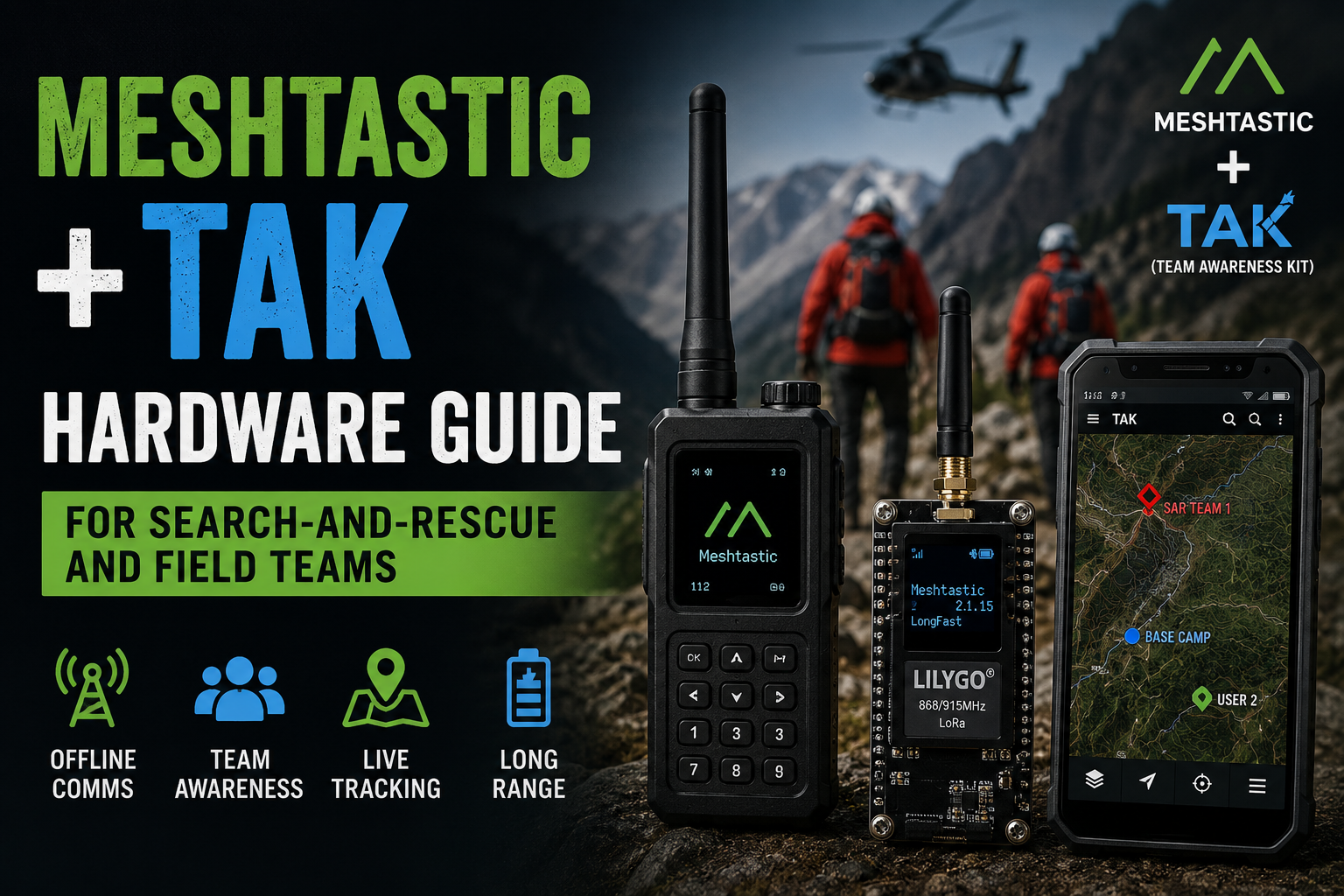
Search-and-rescue teams need two things that are difficult to maintain once cellular coverage disappears: communication and shared situational awareness.
Meshtastic and the Team Awareness Kit solve different parts of that problem.
Meshtastic creates a low-power LoRa mesh that can exchange position data and short messages without cellular towers or internet infrastructure.
TAK provides the map-based common operating picture: team positions, markers, routes, emergency events, chat and other geospatial information on Android devices running ATAK or command computers running WinTAK.
Combined correctly, they can create a useful off-grid data layer for:
- search-and-rescue teams;
- mountain-rescue organizations;
- wilderness response;
- disaster assessment teams;
- event medical teams;
- volunteer emergency groups;
- field engineering crews;
- remote research teams.
But the useful system is not simply:
Buy Meshtastic radio → install ATAK → finished.
A real deployment needs the correct radios, regional frequency, antennas, Android devices, GPS strategy, node roles, relay placement, power system, offline maps and operational procedures.
This guide focuses on that complete hardware architecture.
Meshtastic + TAK for SAR: Quick Recommended Architecture
| Team component | Recommended hardware direction | Purpose |
|---|---|---|
| Field responder | Android phone + Meshtastic radio | ATAK map, PLI, GeoChat and team coordination |
| Radio for active operator | LILYGO T-Beam Supreme / comparable SX1262 GPS node | Bluetooth LoRa link between ATAK and mesh |
| Unattended personnel or equipment tracker | Low-power GNSS Meshtastic node | Periodic TAK PLI |
| Elevated relay | Low-power SX1262/nRF52840 or dedicated fixed node | Extend coverage around valleys, ridges and structures |
| Vehicle node | GPS Meshtastic radio with permanent power | Vehicle location and mobile coverage point |
| Command post | Android ATAK / WinTAK plus Meshtastic gateway | Common operating picture and message coordination |
| Optional backhaul | Cellular, Starlink, satellite or other IP connection | TAK Server / wider operational network when available |
The most important principle is that the mesh should continue to provide useful local position and text traffic even if that optional backhaul disappears.
What Does Meshtastic Add to TAK?
ATAK is extremely capable when every user has IP connectivity.
The difficult scenario is a field team operating where:
- mobile coverage is absent;
- cell towers are overloaded;
- internet backhaul has failed;
- a search area extends through valleys and forests;
- teams move beyond Wi-Fi range;
- temporary command posts are established in remote terrain.
Meshtastic adds a low-rate radio path for selected TAK data.
That allows team members to continue exchanging useful information without requiring each Android phone to have internet access.
What TAK Data Can Meshtastic Carry in 2026?
Older Meshtastic + ATAK demonstrations mainly focused on:
- PLI — Position Location Information;
- GeoChat text messages.
Current Meshtastic TAK V2 support in firmware 2.8.0+ substantially expands that model.
Meshtastic documentation lists support for TAK message types including:
- position updates;
- GeoChat;
- markers;
- routes;
- shapes;
- aircraft objects;
- emergency events;
- casevac-type events;
- task-related CoT information.
TAK V2 uses compact compressed encoding rather than trying to transmit verbose raw CoT XML directly over LoRa.
That is important because LoRa is a low-data-rate radio system.
Meshtastic Is Not a Replacement for Broadband TAK Networking
A LoRa mesh is excellent at moving compact data.
It is not a substitute for LTE, Wi-Fi, Starlink or another broadband network.
Do not expect it to carry:
- live HD video;
- continuous imagery;
- large map downloads;
- high-rate voice;
- large mission packages on demand;
- hundreds of rapidly updating map objects.
Think of the mesh as a low-bandwidth resilience path for the information that matters most.
Recommended SAR Data Priority
For an off-grid search team, prioritize traffic approximately like this:
- Emergency / distress information
- Responder location
- Critical team text
- Search markers and task information
- Routes and operational waypoints
- Nonessential telemetry
- Large files
A mesh becomes less useful when every device is constantly transmitting battery telemetry, environmental sensor data and unnecessarily frequent location updates.
Current TAK Integration Options
There are now several ways to connect Meshtastic to TAK.
Option 1: ATAK + Meshtastic Android App + Official ATAK Plugin
This is the established architecture.
The flow is:
ATAK → Meshtastic ATAK Plugin → Meshtastic Android → Bluetooth/USB → LoRa radio
The official plugin supports features including:
- PLI sharing;
- GeoChat;
- Meshtastic node display;
- external Meshtastic GPS;
- TAK server relay;
- selected CoT conversion;
- limited file transfer in compatible configurations.
This remains a sensible architecture when a team already uses the normal Meshtastic Android application.
Option 2: Meshtastic Local TAK Server
Current Meshtastic Android versions include a local TAK server.
It runs on:
127.0.0.1:8089
and uses mutual TLS.
Because it listens only on the Android device's loopback interface, it is not a general network-accessible TAK Server.
Meshtastic can export a TAK Data Package that configures the TAK client on the same device.
This allows an architecture like:
ATAK → local mTLS TAK server → Meshtastic → radio → LoRa mesh
without requiring a remote TAK Server.
Option 3: Direct Meshtastic ATAK Plugin
Meshtastic also has a newer plugin architecture that communicates with a radio directly using Bluetooth or USB.
This removes the separate Meshtastic Android application from the active data path.
That can simplify a dedicated ATAK handset, but it is newer and should be validated carefully before an organization standardizes an operational deployment.
Which Architecture Should a SAR Team Use?
For a team standardizing hardware, reliability is more important than having the newest integration architecture.
Use one tested combination across the organization:
- same ATAK version;
- same Meshtastic firmware version;
- same ATAK plugin version;
- same Android permissions;
- same LoRa region;
- same modem preset;
- same channel configuration.
Do not discover during an incident that half the team updated ATAK and the other half updated only their Meshtastic radios.
Recommended Field Operator Hardware
A useful operator kit has two core devices:
- Android end-user device running ATAK;
- Meshtastic LoRa radio connected by Bluetooth or USB.
Android Phone or Rugged Tablet
ATAK-CIV is the civilian Android version of TAK.
The Android device should have:
- reliable GPS;
- Bluetooth LE;
- good battery capacity;
- USB-C;
- readable display outdoors;
- enough local storage for offline maps;
- a rugged or waterproof case;
- screen protection;
- power-bank compatibility.
For serious field teams, consider dedicated organization-owned Android devices rather than relying entirely on volunteers' personal phones.
Why Dedicated ATAK Phones Are Easier to Support
A standard device fleet lets the team control:
- Android version;
- ATAK version;
- plugin version;
- screen timeout;
- Bluetooth behavior;
- offline maps;
- power settings;
- security policies;
- charging accessories.
It also makes pre-mission testing much easier.
Best SDRstore.eu Meshtastic Radio for an ATAK Operator: T-Beam Supreme
The LILYGO Meshtastic T-Beam Supreme is one of the strongest flexible choices for an ATAK-connected field node.
It combines:
- ESP32-S3;
- SX1262 LoRa;
- Bluetooth 5 LE;
- Wi-Fi;
- GPS/GNSS options;
- OLED display;
- battery support;
- Meshtastic firmware support.
Why it fits ATAK
ATAK already provides the user interface, so the LoRa node mainly needs to be:
- reliable;
- Bluetooth capable;
- GPS capable where desired;
- easy to power;
- equipped with a good LoRa antenna.
T-Beam Supreme provides all of those capabilities in a flexible development platform.
T-Beam Supreme vs T-Beam V1.2 for SAR
SDRstore.eu also offers the LILYGO Meshtastic T-Beam V1.2.
| Feature | T-Beam Supreme | T-Beam V1.2 |
|---|---|---|
| MCU | ESP32-S3 | Classic ESP32 |
| LoRa generation | SX1262 | SX1276 / SX1278 |
| GPS | Modern GNSS options | NEO-6M generation |
| Bluetooth | Yes | Yes |
| Wi-Fi | Yes | Yes |
| Best fit | New serious build | Budget/training/existing fleet |
For a new standardized team purchase, we would prefer the newer SX1262-based Supreme platform.
What About LILYGO T-Deck?
The LILYGO T-Deck combines an SX1262 LoRa radio with:
- 2.8-inch display;
- physical keyboard;
- trackball;
- ESP32-S3;
- Wi-Fi;
- Bluetooth;
- TF card storage.
It can function as a useful standalone Meshtastic communicator.
For a full TAK operator, however, an Android phone is still the more appropriate primary display because ATAK itself provides the mapping and situational-awareness interface.
T-Deck therefore makes more sense as:
- a backup text terminal;
- a team leader's standalone mesh communicator;
- a command-post accessory;
- a device for personnel who do not require ATAK.
Low-Power Tracker Hardware
Not every member of a field operation needs a full ATAK handset.
Some assets only need to report position.
Examples include:
- vehicles;
- equipment cases;
- dog teams;
- boats;
- ATVs;
- temporary repeaters;
- team members who only need PLI tracking.
For these devices, use a low-power GNSS-equipped Meshtastic node with the TAK_TRACKER role where appropriate.
TAK vs TAK_TRACKER Role
| Role | Purpose |
|---|---|
| TAK | Full operational TAK node connected to an end-user device |
| TAK_TRACKER | Automatically broadcasts TAK position information with reduced routine traffic |
`TAK_TRACKER` is useful for unattended or simplified position beacons because it prioritizes PLI rather than normal user interaction.
Do Not Configure Every Field Radio as ROUTER
This is one of the most common Meshtastic design mistakes.
A ROUTER is intended to be infrastructure.
It should normally be:
- stationary;
- well powered;
- well positioned;
- high enough to provide useful coverage;
- equipped with a properly selected antenna.
A responder walking through a forest with a node inside a backpack is not good router infrastructure.
Mobile operators should normally use:
- TAK;
- CLIENT;
- TAK_TRACKER;
depending on function.
Where Should a Dedicated Router Go?
Useful locations include:
- ridge lines;
- hilltops;
- high buildings;
- command posts with elevated mast antennas;
- vehicles parked at strategically useful locations;
- temporary towers;
- clearings above dense terrain.
A 2 W increase in theoretical radio power is often much less useful than moving an antenna several meters higher.
Use the Meshtastic Site Planner Before a Planned Operation
Meshtastic provides an official Site Planner that models:
- terrain;
- antenna height;
- transmit power;
- frequency;
- antenna gain;
- receiver sensitivity;
- cable loss;
- point-to-point terrain profiles.
For a planned event, exercise or recurring search region, use it to identify likely relay positions before deployment.
Radio planning will not perfectly predict a forest, wet foliage, vehicles and buildings, but it is much better than placing a repeater randomly.
Terrain Matters More Than Marketing Range
Meshtastic range claims are meaningless without geometry.
Two radios can communicate very far across:
- open water;
- ridge-to-ridge paths;
- high-elevation line-of-sight links.
The same radios may struggle across:
- a deep valley;
- dense wet forest;
- reinforced-concrete buildings;
- urban streets;
- vehicles;
- rock faces.
Build the system around terrain rather than an advertised kilometer number.
Antennas for Meshtastic SAR Teams
The antenna is one of the highest-value upgrades in the entire system.
Browse antennas at SDRstore.eu.
Handheld operator
Use a durable quarter-wave or compact tuned antenna suitable for the exact regional band.
Prioritize:
- flexibility;
- mechanical durability;
- correct connector;
- correct band;
- reasonable efficiency.
Vehicle
An external magnetic-mount or permanent roof antenna can dramatically improve coverage compared with a radio inside the cabin.
Command post
Use an elevated outdoor antenna on a mast where possible.
Relay
Use a correctly tuned outdoor antenna with careful consideration of:
- height;
- weather sealing;
- feedline loss;
- lightning/static protection;
- regional EIRP regulations.
868 MHz vs 915 MHz: Buy the Correct Hardware
LoRa frequency selection is regional.
Typical Meshtastic choices include:
| Region | Common Meshtastic band |
|---|---|
| European Union | EU_868 / 868 MHz hardware |
| United States | US / 915 MHz hardware |
| Australia / New Zealand | 915 MHz-family regional configuration |
| Other regions | Use Meshtastic's documented local region |
All nodes in the operational mesh need compatible:
- radio hardware;
- region;
- frequency plan;
- modem preset;
- channel configuration.
Do not order a fleet of 915 MHz radios for an EU_868 deployment because the price happened to be lower.
What LoRa Preset Should a SAR Team Use?
For a first deployment, start with:
LONG_FAST
It is the normal Meshtastic default and provides a useful compromise among:
- range;
- packet airtime;
- mesh capacity;
- latency.
Why Not Use the Slowest Preset for Maximum Range?
Slower LoRa modes consume much more airtime.
That means:
- messages take longer;
- channel occupancy increases;
- collision probability rises;
- team position updates can become stale;
- larger meshes become difficult to manage.
The preset with the highest theoretical link budget is not automatically the best operational preset.
Why SHORT_TURBO Needs Special Care
`SHORT_TURBO` provides very low airtime and high data rate but uses a 500 kHz LoRa bandwidth.
Meshtastic explicitly warns that it is not legal in all regions.
The current EU_868 firmware profile does not offer Short Turbo.
This matters because the official ATAK plugin's optional file-transfer function requires Short Turbo.
Practical recommendation for European SAR teams
Do not design field operations around transferring mission packages over Meshtastic.
Instead preload:
- offline maps;
- search-area boundaries;
- known trails;
- medical locations;
- staging areas;
- team contacts;
- standard markers;
- mission data packages;
before deployment.
Use the LoRa mesh for dynamic operational updates, not bulk data distribution.
How Many Hops Should You Use?
Meshtastic's default hop limit is:
3
and the documentation explicitly notes that three hops are sufficient for most deployments.
Increasing the hop limit does not magically increase reliability.
It can increase:
- duplicate transmissions;
- channel usage;
- network congestion;
- delivery delay.
For a SAR deployment, improve topology with useful relay placement before automatically raising every radio to the maximum hop count.
Recommended Node Layout for a Search Operation
Consider a 20-person operation.
Field teams
10–15 responder nodes configured as TAK/CLIENT-style user radios.
Team leaders
ATAK-enabled Android phones paired with GPS Meshtastic radios.
Track-only assets
TAK_TRACKER nodes on:
- vehicles;
- ATVs;
- equipment;
- selected personnel.
Infrastructure
Two or three deliberately positioned relay/router nodes rather than turning every radio into a router.
Command post
ATAK or WinTAK with:
- Meshtastic connectivity;
- optional internet backhaul;
- charging system;
- external antenna if useful;
- preloaded maps.
Vehicle Nodes Can Be Extremely Valuable
Vehicles provide three advantages:
- large battery/power supply;
- space for an external antenna;
- known operational positions.
A vehicle node can function as:
- position tracker;
- team communications node;
- temporary coverage anchor;
- bridge to command infrastructure when backhaul exists.
A roof-mounted antenna will generally perform much better than placing the same LoRa radio underneath a dashboard.
GPS: Phone GPS or Meshtastic GPS?
Both are possible.
Use the Android phone GPS when:
- the phone has good sky view;
- you want the simplest configuration;
- battery capacity is sufficient;
- the LoRa node does not include GNSS.
Use Meshtastic GPS when:
- the radio has a good external position;
- the phone is buried inside clothing or equipment;
- you want the radio to remain a tracker when separated from ATAK;
- the hardware contains a stronger GNSS antenna.
The official ATAK plugin supports using the Meshtastic radio as an external GPS source.
Offline Maps Are Mandatory for Serious Field Use
Do not expect ATAK to download map tiles after your team enters a cellular dead zone.
Before deployment, load the required:
- topographic maps;
- satellite imagery where appropriate;
- roads;
- trails;
- administrative boundaries;
- search sectors;
- staging areas;
- medical facilities;
- known hazards.
Then test the device in airplane mode.
If the map disappears in airplane mode, the field setup is not finished.
Why Airplane-Mode Testing Is Valuable
Before an exercise, simulate complete infrastructure loss.
- Preload maps.
- Disable cellular data.
- Disable ordinary Wi-Fi connectivity.
- Connect ATAK to the Meshtastic workflow.
- Walk/drive nodes through the test area.
- Verify position updates.
- Send messages.
- Test relay coverage.
- Measure battery drain.
This exposes hidden dependencies on the internet before they matter.
Power Planning for a SAR Team
A functioning mesh becomes useless when radios or phones die.
Plan power independently for:
- Android phone;
- LoRa radio;
- relay node;
- command device;
- vehicle equipment.
Recommended Operator Power Kit
Each active operator should ideally have:
- fully charged Android device;
- fully charged Meshtastic radio;
- USB-C cable;
- power bank;
- spare radio battery where the platform supports it.
Standardizing on USB-C wherever possible makes logistics easier.
ESP32 vs nRF52840 for Field Teams
| Platform | Strength | Best SAR role |
|---|---|---|
| ESP32 / ESP32-S3 | Wi-Fi, richer interfaces, displays, development flexibility | Operator devices, command nodes, gateways |
| nRF52840 | Very low power | Trackers, long-duration portable nodes, solar relays |
An ESP32-S3 T-Beam Supreme makes sense for an active ATAK operator.
An nRF52840-class tracker can make more sense for a node that must remain alive for days without regular charging.
Do Not Judge Battery Life From Battery Capacity Alone
Battery life depends on:
- processor platform;
- GNSS operation;
- Bluetooth connection;
- display;
- position update interval;
- LoRa traffic;
- signal conditions;
- temperature;
- battery quality.
A 2000 mAh ESP32 handheld can still operate for less time than a smaller-battery low-power nRF52 tracker.
Position Update Rate: Faster Is Not Always Better
It can be tempting to broadcast every team member's position every few seconds.
On LoRa, that can overload the mesh.
Position-update policy should reflect:
- number of users;
- walking vs vehicle speed;
- search geometry;
- LoRa preset;
- available airtime;
- other message traffic.
A moving vehicle may justify more frequent PLI than a command-post node that has not moved for three hours.
Smart Position Updates
Use movement-aware position behavior where supported rather than blindly transmitting at maximum frequency.
The objective is:
update the common operating picture when a responder's position meaningfully changes.
That preserves airtime for actual operational messages.
Privacy and Channel Security
Meshtastic supports encrypted channels, but an operational team should not use the default public configuration for sensitive team information.
Before deployment:
- create a private channel;
- use a strong randomly generated PSK;
- distribute configuration securely;
- verify every radio before field deployment;
- remove old/lost hardware from operational use procedures;
- avoid publicly bridging operational channels through MQTT.
The default Meshtastic channel configuration is designed for easy interoperability, not private organizational operations.
Should SAR Teams Enable MQTT?
Usually not for the purely off-grid mesh itself.
MQTT can be useful when:
- a command post has internet;
- you intentionally want a controlled gateway;
- you operate a private infrastructure;
- you understand the privacy implications.
For an offline operational channel, unnecessary public MQTT bridging adds complexity and dependency.
TAK Server: Required or Optional?
A TAK Server is optional for a local Meshtastic + ATAK field network.
The current local server/plugin architectures allow TAK information to move between the Android device and LoRa mesh without an external server.
A TAK Server becomes useful when the organization wants to:
- connect multiple IP networks;
- integrate command centers;
- retain data centrally;
- federate teams;
- bridge Meshtastic data to users with LTE/Wi-Fi connectivity;
- combine LoRa with satellite/internet backhaul.
Hybrid Architecture: Meshtastic + Internet/Satellite Backhaul
A strong field system can use several independent layers.
For example:
Field users → Meshtastic LoRa → command vehicle → TAK Server via Starlink/cellular
If the internet backhaul fails, local LoRa communication can continue.
If LoRa terrain coverage is poor, teams that regain cellular connectivity can still reach the wider TAK infrastructure.
This is a much stronger design than assuming one communication technology will work everywhere.
Meshtastic Should Not Replace Voice Radio
LoRa is excellent for:
- position;
- short text;
- markers;
- compact operational data.
It is not a replacement for a dedicated voice system when immediate human communication is required.
The ATAK plugin includes a voice-memo feature that converts speech to text, but that is very different from a continuous voice radio channel.
Field organizations should maintain appropriate redundant communications such as:
- licensed VHF/UHF voice radio;
- cellular;
- satellite communicator/phone where required;
- other organization-approved systems.
Do Not Make Meshtastic the Only Life-Safety Channel
Meshtastic can be extremely useful during emergencies, but LoRa delivery is affected by:
- terrain;
- RF interference;
- antenna placement;
- node failure;
- battery failure;
- packet collisions;
- duty-cycle limits;
- firmware/software issues.
For real search-and-rescue work, treat it as a resilient situational-awareness layer within a redundant communications plan.
Recommended Small SAR Team Kit
For a four-person team:
| Item | Quantity |
|---|---|
| Android ATAK phones | 4 |
| GPS Meshtastic radios | 4 |
| Spare LoRa node | 1 |
| Temporary elevated relay | 1 |
| Power banks | 4–6 |
| USB-C cables | Multiple |
| Spare LoRa antennas | 2+ |
Recommended Larger Field Deployment
For an operation with several teams:
- ATAK phone + radio for each team leader;
- tracker-only radios for personnel who do not need ATAK;
- GPS vehicle nodes;
- two or more strategically positioned fixed relays;
- WinTAK/ATAK at command post;
- high-capacity charging system;
- optional TAK Server/internet gateway;
- spare preconfigured radios.
Why Spare Preconfigured Radios Matter
A spare radio is much more useful if it already contains:
- correct firmware;
- correct region;
- correct private channel;
- correct modem preset;
- correct TAK role;
- known device name.
Do not plan to configure replacement hardware from scratch on a wet hillside at night.
Pre-Mission Configuration Checklist
- Update and standardize Meshtastic firmware.
- Standardize ATAK and plugin versions.
- Set the correct LoRa region.
- Use the same modem preset.
- Load the private team channel.
- Assign meaningful callsigns/node names.
- Choose TAK or TAK_TRACKER roles appropriately.
- Verify GPS.
- Check each antenna.
- Load offline maps.
- Test with cellular disabled.
- Test message delivery.
- Test responder positions.
- Test relay placement.
- Charge every device.
- Pack spare cables and power.
Field Deployment Checklist
At the staging area:
- confirm every operator appears on the TAK map;
- verify timestamps and positions;
- send a test GeoChat message;
- check the command-post node;
- deploy elevated relays before teams move into shadowed terrain;
- verify battery state;
- record which hardware is issued to each team.
Common Failure: Radio Is Buried in a Backpack
The human body absorbs RF energy.
Putting a LoRa node:
- under water bottles;
- against the body;
- under foil emergency blankets;
- inside dense equipment;
can significantly reduce range.
Mount the radio or antenna where it has a clear RF path when practical.
Common Failure: Wrong Frequency Antenna
A 915 MHz antenna is not automatically a good 868 MHz field antenna.
Use antennas intended for the deployed band.
For standardized team hardware, label antennas by frequency to prevent accidental mixing.
Common Failure: Every Node Becomes a Router
This creates unnecessary routing priority and airtime behavior.
Use dedicated routers only where they provide actual infrastructure value.
Common Failure: Position Updates Are Too Frequent
A 30-person mesh broadcasting positions constantly can consume significant airtime.
Optimize position intervals from operational need rather than simply selecting the shortest possible timer.
Common Failure: Relying on LoRa for Mission File Transfer
Maps and large mission packages belong on the device before the team leaves the command post.
LoRa should not be your broadband provisioning system.
Common Failure: No Offline Test
A deployment that was only tested while phones had LTE does not prove that the off-grid system works.
Run regular no-internet exercises.
Common Failure: One Relay in a Bad Location
A powerful node at valley floor level may provide less useful coverage than a low-power node on a ridge.
Plan elevation first.
Common Failure: No Redundant Communications
Search-and-rescue operations should not rely on one unlicensed LoRa network as the sole path for urgent communication.
Use Meshtastic to add resilience and situational awareness to the communications stack.
Recommended Hardware at SDRstore.eu
| Hardware | Recommended role |
|---|---|
| LILYGO T-Beam Supreme | Primary GPS ATAK/Meshtastic operator radio |
| LILYGO T-Beam V1.2 | Budget GPS node, training or secondary hardware |
| LILYGO T-Deck | Standalone text/field communicator and backup interface |
| LILYGO LoRa hardware | Additional mesh nodes and development equipment |
| RF antennas | Handheld, vehicle and fixed-site antenna systems |
Which Hardware Would We Standardize for a New Team?
For an organization beginning from zero, a practical starting architecture is:
Team leaders
Android ATAK phone + T-Beam Supreme
This provides a modern SX1262 radio, GPS capability and flexible USB/Bluetooth connectivity.
Track-only personnel/assets
Low-power GNSS Meshtastic device using TAK_TRACKER
Relays
Low-power outdoor SX1262 node with a proper external antenna
Prefer nRF52840-class hardware for long-duration battery/solar installations where Wi-Fi is unnecessary.
Command post
ATAK or WinTAK + Meshtastic gateway + optional IP backhaul
What About a LILYGO T-Echo?
T-Echo is a strong field-radio architecture because it combines:
- nRF52840;
- SX1262;
- GNSS;
- Bluetooth;
- E-Ink;
- integrated battery.
The lower-power nRF52840 platform makes it attractive for long-duration portable operation.
If such hardware fits your procurement requirements, it is worth comparing with an ESP32-S3 T-Beam for battery-focused roles.
RAK WisBlock for Fixed Relays
RAK4631/WisBlock-based nodes are popular for fixed Meshtastic deployments because the nRF52840 + SX1262 combination is efficient and modular.
This makes the platform particularly useful for:
- solar repeaters;
- ridge nodes;
- temporary fixed infrastructure;
- outdoor boxes;
- custom antenna installations.
An operator radio and a relay radio do not need to use the same motherboard. They only need compatible LoRa-region and Meshtastic network settings.
Build Different Hardware for Different Jobs
A common procurement mistake is buying 30 identical nodes.
A stronger fleet can contain:
- interactive operator nodes;
- battery-efficient trackers;
- vehicle nodes;
- high-elevation relays;
- spares.
Standardize configuration and frequencies, but optimize the hardware for its actual job.
Request a Quote for SAR, Field and Emergency Communication Projects
Search-and-rescue organizations, universities, public-sector teams, engineering companies and emergency-preparedness projects can request quotations for multi-node Meshtastic deployments through SDRstore.eu.
Use the Add to Quote button on product pages or the document icon on product cards.
A deployment quote can include:
- T-Beam Supreme radios;
- additional GPS LoRa nodes;
- T-Deck units;
- 868 MHz or 915 MHz antennas;
- vehicle antennas;
- RF adapters;
- spare hardware;
- test and measurement equipment;
- hardware for relay and command-post deployments.
Related SDRstore.eu Guides
- Best Meshtastic Devices in 2026
- Meshtastic Setup Guide for Beginners
- LILYGO T-Deck Meshtastic Off-Grid Guide
Official Technical Resources
- Meshtastic — TAK Integration
- Meshtastic — Official ATAK Plugin
- Meshtastic — Direct ATAK Plugin
- Meshtastic — LoRa Configuration
- Meshtastic — Official Firmware Flasher
- Meshtastic — Site Planner
- TAK.gov — ATAK, WinTAK and TAK Products
Final Recommendation
Meshtastic + TAK is most useful for search-and-rescue when it is treated as a purpose-designed low-bandwidth field network, not simply another messaging app.
For active field users, pair an Android ATAK handset with a modern GPS-capable SX1262 node such as the T-Beam Supreme.
Use `TAK_TRACKER` devices for assets that only need to report position.
Place a small number of dedicated relay nodes at genuinely useful elevated positions instead of configuring every handheld as a router.
Start with LongFast and the normal hop limit rather than immediately maximizing range settings.
Preload maps and mission information before deployment, particularly in regions where high-bandwidth Short Turbo operation is not permitted.
Use correct regional hardware and antennas—868 MHz for typical EU_868 deployments and 915 MHz for typical US deployments.
Most importantly, maintain another communications layer for urgent voice and life-safety traffic.
A well-designed field architecture looks like:
Offline ATAK maps + GPS + Meshtastic position/text + carefully placed relay nodes + redundant voice/backhaul communications.
That combination is much more valuable than chasing maximum LoRa range or putting the most expensive radio on every responder.
FAQ
Can Meshtastic work with ATAK?
Yes. Meshtastic currently supports TAK integration with ATAK and WinTAK. Position information, GeoChat and additional CoT data can be transported over compatible Meshtastic networks using the official integration tools.
Does Meshtastic need internet for ATAK?
No. Meshtastic can provide a local radio data path without cellular or internet connectivity. Offline maps must be loaded on ATAK in advance if the operation will take place without internet access.
Does Meshtastic require a TAK Server?
No. A local Meshtastic + ATAK setup can operate without a remote TAK Server. Current Meshtastic Android versions also include a loopback-only local mTLS TAK server for same-device integration. A TAK Server is useful when connecting the field mesh to wider IP-based networks.
What is TAK V2 in Meshtastic?
TAK V2 was introduced for firmware 2.8.0+ and uses compact zstd-compressed messages. It supports additional CoT types including markers, routes, shapes, emergency events, casevac and task information beyond the basic position/chat capabilities of the earlier format.
What Meshtastic role should an ATAK user use?
The dedicated TAK role is intended for radios connected to an ATAK end-user device. It reduces routine mesh traffic to prioritize TAK data.
What is TAK_TRACKER?
TAK_TRACKER is intended for nodes that automatically broadcast position information without requiring an active ATAK user. It is useful for vehicles, equipment and other tracked assets.
Should every SAR Meshtastic node be a router?
No. ROUTER is intended for dedicated infrastructure nodes in useful fixed locations. Mobile field users should normally use TAK, CLIENT or tracker-oriented roles. Too many router nodes can create unnecessary network behavior and airtime use.
What Meshtastic modem preset is best for search and rescue?
LongFast is a strong starting point because it is the default Meshtastic preset and balances range, airtime and network capacity. Test alternatives only when the actual terrain and traffic requirements justify them.
How many hops should a Meshtastic SAR network use?
The default hop limit is three, and Meshtastic documentation states that three is appropriate for most deployments. Improve node placement before automatically increasing the hop limit.
Can ATAK mission packages be sent over Meshtastic?
The official ATAK plugin includes limited file-transfer support when using the Short Turbo preset, but this is not suitable in every regulatory region and LoRa remains a low-data-rate network. For field operations, preload maps and mission packages before deployment.
Can Short Turbo be used in Europe?
Short Turbo uses 500 kHz LoRa bandwidth and is not legal in every region. Current Meshtastic EU_868 firmware profiles do not include that preset, so European users should select region-compliant configurations.
What frequency should a Meshtastic SAR team use in Europe?
Most European deployments use region-appropriate 868 MHz hardware configured for EU_868. Always verify local regulations and use antennas matched to the selected frequency.
What frequency should a US Meshtastic team use?
US deployments normally use 915 MHz-capable hardware with the US Meshtastic regional configuration.
Is T-Beam Supreme good for Meshtastic and ATAK?
Yes. T-Beam Supreme combines an ESP32-S3, SX1262 LoRa radio, Bluetooth, Wi-Fi and GPS options, making it a flexible radio to pair with an Android ATAK handset.
Is T-Deck useful for a SAR team?
Yes, especially as a standalone Meshtastic text communicator or backup device. For full ATAK mapping and situational awareness, an Android phone or tablet remains the primary interface.
Is nRF52840 better than ESP32 for Meshtastic SAR?
nRF52840 generally provides substantially better battery efficiency, making it attractive for trackers and solar relay nodes. ESP32/ESP32-S3 provides Wi-Fi and richer user-interface capabilities, making it useful for operator and gateway devices.
Can Meshtastic replace emergency voice radios?
No. Meshtastic is best treated as an additional position and data layer. Search-and-rescue organizations should maintain suitable redundant voice and emergency communications systems.
Can Meshtastic guarantee communication over a specific distance?
No. Range depends heavily on terrain, antenna height, antenna quality, obstacles, frequency, local regulations and RF conditions. Plan relay sites and perform field testing in the actual operational terrain.
Should SAR teams use the default Meshtastic channel?
Operational teams should generally create a private channel with an appropriate private key rather than transmitting operational information on the default public configuration.
Does ATAK work with offline maps?
Yes. Offline mapping is an important part of TAK field use. Teams should preload all required maps and mission information and test the device without internet connectivity before deployment.
No posts found
Write a review






We support all major card and digital payment options. More local methods are available and shown during checkout.
You enter into a binding sales contract once you have received an 'order confirmation and sales receipt' email from us, in line with our Sales & Delivery conditions. Therefore, sdrstore.eu has the right to cancel your order in the event of technical problems, delivery failure, Fair use policy and other similar situations.






Your payments are protected by advanced encryption and 3-D Secure authentication for safe online shopping.