








LibreVNA 2.0 vs NanoVNA-F V3: Professional USB VNA or Handheld Analyzer?
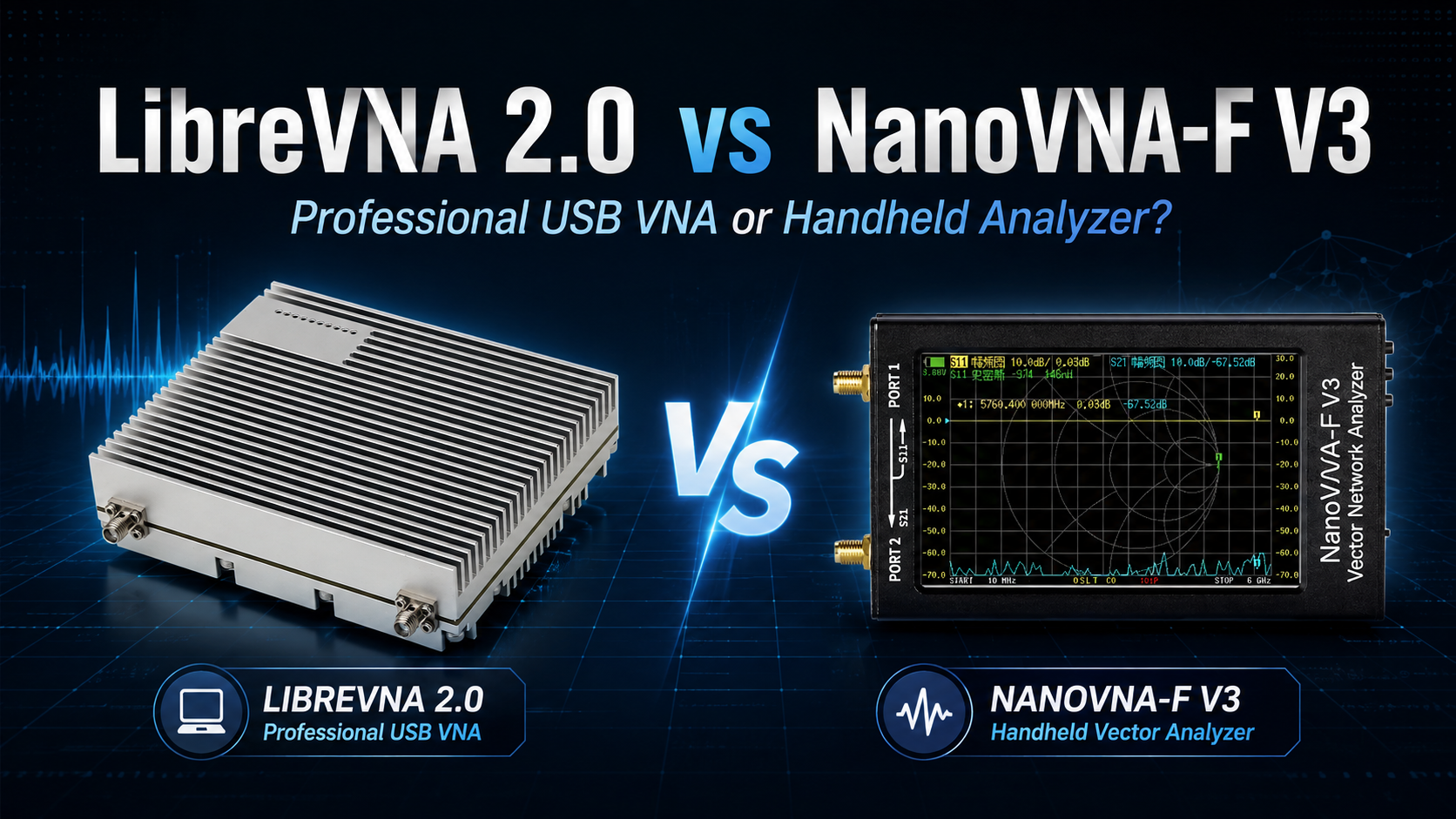
The LibreVNA 2.0 and NanoVNA-F V3 both cover frequencies up to approximately 6 GHz, both measure RF networks, and both cost far less than a traditional laboratory vector network analyzer. That makes them look like direct competitors.
In practice, they are very different instruments.
The LibreVNA 2.0 is a USB-controlled full two-port VNA designed around a desktop computer, advanced software, large sweeps, automation, de-embedding, external frequency references, and more demanding RF bench measurements.
The NanoVNA-F V3 is a portable standalone VNA with a 4.3-inch touchscreen, internal battery, physical controls, S11 and S21 measurements, TDR, and enough performance to handle antennas, cables, filters, RF components, WiFi-band projects, GPS antennas, LoRa, amateur radio, and field troubleshooting without carrying a laptop.
If you only compare the maximum frequency specification, you miss the most important differences.
This guide compares LibreVNA 2.0 vs NanoVNA-F V3 for frequency range, dynamic range, S-parameters, sweep speed, sweep points, calibration, filter testing, antennas, TDR, de-embedding, PC software, SCPI automation, portability, university labs, RF product development, and value.
Browse the LibreVNA 2.0 full two-port USB VNA, NanoVNA-F V3 portable 6 GHz VNA, spectrum analyzers and RF analysis tools, and request a formal RF lab quote from SDRstore.eu.
Quick Answer: LibreVNA 2.0 or NanoVNA-F V3?
| User or measurement | Better choice | Reason |
|---|---|---|
| Antenna tuning in the field | NanoVNA-F V3 | Battery, integrated touchscreen and no computer required. |
| RF filter design | LibreVNA 2.0 | Much higher low/mid-band dynamic range, dense sweeps and better desktop analysis. |
| Deep notch measurement | LibreVNA 2.0 | Greater transmission dynamic range below approximately 3 GHz. |
| Quick SWR measurement | NanoVNA-F V3 | Standalone operation is faster in the field. |
| Full S11/S21/S12/S22 workflow | LibreVNA 2.0 | True full two-port architecture. |
| PC automation | LibreVNA 2.0 | Strong SCPI API, scripting and desktop software. |
| Production-style repeated measurements | LibreVNA 2.0 | Better automation, limit testing, setup storage and desktop workflow. |
| Portable cable troubleshooting | NanoVNA-F V3 | Integrated TDR and battery make it easy to carry to the installation. |
| University RF bench | LibreVNA 2.0 | Better for advanced S-parameter and filter labs. |
| Student field toolkit | NanoVNA-F V3 | More self-contained and easier to transport. |
| 5.8 GHz antenna check | Either | Both cover the frequency, but their measurement capabilities and dynamic range differ. |
The simplest recommendation is:
- Buy LibreVNA 2.0 if the VNA will normally live on an RF workbench beside a computer.
- Buy NanoVNA-F V3 if the VNA needs to travel with you and work without a computer.
LibreVNA 2.0 vs NanoVNA-F V3 Specifications
| Feature | LibreVNA 2.0 | NanoVNA-F V3 |
|---|---|---|
| Frequency range | 100 kHz–6 GHz | 1 MHz–6 GHz |
| Primary architecture | PC-controlled full two-port VNA | Standalone handheld VNA |
| Measured S-parameters | S11, S21, S12, S22 | Primarily S11 and S21 |
| S21 / transmission dynamic range | >95 dB to 3 GHz; >50 dB at 6 GHz under stated conditions | Approximately 65 dB below 3 GHz; 60 dB above 3 GHz |
| S11 dynamic range / reflection capability | Reflection directivity >40 dB after calibration in listed specification | Approximately 50 dB below 3 GHz; 40 dB above 3 GHz |
| Native sweep points | 2–4501 | 11–801 |
| Software-expanded sweep points | LibreVNA GUI supports larger software-managed sweeps | Up to 801 device points |
| Measurement bandwidth / IFBW | Approximately 10 Hz–50 kHz | Managed internally; not the same user workflow as LibreVNA IFBW control |
| Stated measurement speed | <500 ms for a 4000-point two-port sweep at 50 kHz IFBW | Approximately 200 points per second |
| Screen | None | 4.3-inch 800×480 IPS touchscreen |
| Battery | No internal handheld battery | 4500 mAh, stated up to approximately 5 hours |
| USB | USB-C | USB-C |
| External 10 MHz reference | Yes | No dedicated external-reference input listed |
| Reference output | 10 MHz or 100 MHz | No equivalent dedicated output listed |
| TDR | Yes through desktop DFT/TDR processing | Yes, integrated into handheld interface |
| De-embedding | Advanced software support | More basic handheld/PC workflow |
| SCPI automation | Extensive | Serial commands and PC software supported, less automation-oriented |
| Touchstone | Strong import/export workflow | PC software can be used for data handling |
| Signal-generator mode | Yes | Yes |
| Basic spectrum-analyzer mode | Yes, with important limitations | Not its primary operating mode |
| Best environment | Workbench, university lab, automated testing | Field, portable RF work, antenna installation |
Important Naming Note About “LibreVNA 2.0”
The open-source project is normally called simply LibreVNA. Commercial sellers also use names such as LibreVNA 2.0 for enhanced hardware revisions.
This matters because not every unit marketed as “LibreVNA 2.0” necessarily represents exactly the same PCB revision, enclosure implementation, RF shielding or connector construction.
When buying, verify the specifications of the exact stocked unit rather than assuming that every LibreVNA-branded unit has identical high-frequency performance.
The SDRstore.eu LibreVNA 2.0 listing specifies:
- 100 kHz–6 GHz
- Full two-port measurements
- >95 dB dynamic range to 3 GHz
- >50 dB dynamic range at 6 GHz
- 2–4501 points
- 10 Hz–50 kHz measurement bandwidth
- External 10 MHz reference input
- 10 MHz / 100 MHz reference output
The Biggest Difference: Full Two-Port vs Portable S11/S21
This is more important than the frequency-range comparison.
LibreVNA is a full two-port VNA
LibreVNA has independent receiver paths for both RF ports and is designed to measure:
- S11: reflection looking into Port 1
- S21: forward transmission from Port 1 to Port 2
- S22: reflection looking into Port 2
- S12: reverse transmission from Port 2 to Port 1
This matters when characterizing:
- RF filters
- Duplexers
- Couplers
- Amplifiers
- Matching networks
- RF switches
- Power dividers
- Attenuators
- Two-port modules
NanoVNA-F V3 focuses on S11 and S21
NanoVNA-F V3 provides the two measurements most users actually need:
- S11 for antennas, impedance and return loss
- S21 for filters, cables and insertion loss
That is enough for most:
- Ham-radio antenna testing
- LoRa antennas
- Meshtastic antennas
- WiFi antennas
- GPS antennas
- Coax cable tests
- Basic filter measurements
But if your laboratory routinely needs complete two-port S-parameter characterization, LibreVNA is a substantially more appropriate instrument.
What Full Two-Port Measurement Actually Gives You
Imagine you are testing a band-pass filter.
With S21 you can measure forward insertion loss.
But a complete network characterization may also ask:
- Does the input match differ from the output match?
- Does reverse transmission differ from forward transmission?
- Is the device reciprocal?
- Does a switch or active circuit behave differently in reverse?
A full two-port VNA can answer these directly.
| Parameter | Meaning |
|---|---|
| S11 | Port 1 input reflection |
| S21 | Forward transmission |
| S12 | Reverse transmission |
| S22 | Port 2 output reflection |
For basic antenna tuning, this extra capability is unnecessary. For RF component characterization, it can be extremely useful.
Dynamic Range: LibreVNA Has the Major Advantage
The most significant measurement-performance difference is dynamic range.
The SDRstore.eu LibreVNA 2.0 specification lists:
- More than 95 dB to approximately 3 GHz
- More than 50 dB at approximately 6 GHz
SYSJOINT specifies NanoVNA-F V3 at approximately:
- S21: 65 dB below 3 GHz
- S21: 60 dB above 3 GHz
- S11: 50 dB below 3 GHz
- S11: 40 dB above 3 GHz
These figures are not perfectly identical measurement definitions, so they should not be treated like two numbers from one laboratory test. However, they clearly show the design priorities.
LibreVNA is optimized for greater bench measurement depth, particularly below 3 GHz.
Why Dynamic Range Matters
Suppose you are testing an RF notch filter.
The passband may show:
-1 dB
while the notch may reach:
-70 dB
A VNA with insufficient transmission dynamic range cannot accurately show the bottom of the notch. The trace may simply hit the instrument's measurement floor.
High dynamic range matters for:
- Deep notch filters
- Duplexer isolation
- High-rejection band-pass filters
- RF switch isolation
- Coupler isolation
- High-value attenuator measurements
- Shielding and leakage experiments
It matters less for:
- Antenna SWR
- 50-ohm impedance checks
- Basic cable loss
- Simple 3–20 dB filters
- Finding resonance
If you mainly measure antennas, NanoVNA-F V3's dynamic range is normally sufficient.
Performance Above 3 GHz
Neither instrument should be treated as if its performance stays perfectly flat from HF to 6 GHz.
LibreVNA's own project documentation notes that port isolation becomes worse above approximately 3 GHz. SDRstore.eu lists more than 50 dB dynamic range at 6 GHz compared with more than 95 dB below 3 GHz.
NanoVNA-F V3 also loses measurement depth at higher frequencies, particularly in reflection measurements.
This means that a “6 GHz VNA” specification answers only one question:
Can the instrument make measurements around 6 GHz?
It does not mean:
Does it perform identically at 6 GHz and 500 MHz?
For 5.8 GHz work, calibration quality, cables, adapters, connector condition, DUT fixture and measurement technique become increasingly important.
Frequency Range
LibreVNA 2.0
Specified range:
100 kHz–6 GHz
The lower 100 kHz limit can be useful for:
- Low-frequency filters
- Matching networks
- Some HF research
- Wide-span component characterization
The project notes reduced dynamic range toward its lowest frequencies, so the headline 100 kHz capability should not be interpreted as identical performance to the MHz/GHz region.
NanoVNA-F V3
Specified range:
1 MHz–6 GHz
This comfortably covers:
- HF above 1 MHz
- VHF
- UHF
- 315 MHz
- 433 MHz
- 868 MHz
- 915 MHz
- 1090 MHz ADS-B
- 1.575 GHz GNSS
- 2.4 GHz WiFi/Bluetooth
- 5 GHz WiFi
- 5.8 GHz ISM
For most wireless and antenna projects, 1 MHz is already low enough.
Sweep Points: 4501 vs 801
LibreVNA supports up to 4501 hardware sweep points in the listed specification, while the NanoVNA-F V3 supports up to 801.
More points matter when measuring a wide span while still needing detailed frequency resolution.
Example
Suppose you sweep:
1 GHz → 6 GHz
That is a 5 GHz span.
With 801 points, each displayed measurement step is roughly several MHz apart.
With 4501 points, the measurement density is substantially higher.
This is useful when looking for:
- Narrow filter features
- Multiple resonances
- Sharp notches
- Cable ripple
- High-Q networks
LibreVNA's desktop software can also create larger software-managed sweeps beyond the device-native point count.
Sweep Speed
The listed LibreVNA specification claims a complete two-port 4000-point sweep in under approximately 500 ms at 50 kHz measurement bandwidth.
NanoVNA-F V3 is specified around 200 measurement points per second.
That difference matters when:
- Tuning a filter while watching the trace live
- Automating repeated measurements
- Running production-style pass/fail checks
- Sweeping thousands of frequencies
For an antenna that you adjust every few seconds by hand, NanoVNA-F V3 is still fast enough.
For a PC-controlled test bench, LibreVNA's faster high-point-count workflow is much more attractive.
IF Bandwidth and Measurement Tradeoffs
LibreVNA exposes measurement bandwidth from approximately 10 Hz to 50 kHz.
This gives the user a classic VNA tradeoff:
- Narrow IFBW → lower noise, better dynamic range, slower measurement
- Wide IFBW → faster sweep, more noise, lower measurement depth
This becomes important when measuring a deep notch.
If a fast 50 kHz IFBW sweep cannot resolve the bottom of the filter, you can reduce IFBW and trade speed for dynamic range.
This type of deliberate measurement control is one reason LibreVNA feels more like a bench VNA.
Portability: NanoVNA-F V3 Wins Easily
NanoVNA-F V3 includes:
- 4.3-inch 800×480 IPS display
- Resistive touchscreen
- Physical controls
- 4500 mAh battery
- Approximately five hours stated runtime
- Aluminum enclosure
- Internal calibration storage
You can take it to:
- An antenna mast
- A vehicle
- A LoRa installation
- A Meshtastic node
- A WiFi antenna site
- A ham-radio field deployment
- A rooftop RF installation
and perform a measurement without bringing a laptop.
LibreVNA needs a computer
LibreVNA's RF hardware is intentionally separated from the display and analysis software.
The upstream developer describes the hardware largely as an RF frontend with processing, while the PC application handles most user interaction and analysis.
This is an advantage at a desk and a disadvantage on a tower.
Desktop Software: LibreVNA's Major Strength
The LibreVNA GUI is available for:
- Windows
- Linux
- macOS
The Windows version does not require a special driver installation in the standard upstream workflow.
The software includes features that go far beyond a simple larger display.
LibreVNA software capabilities include:
- Multiple S-parameter traces
- Smith chart
- Group delay
- Linear and logarithmic sweeps
- TDR / DFT processing
- De-embedding
- Impedance renormalization
- Touchstone import/export
- Power sweeps
- Trace math
- Limit testing
- Waterfall plots
- Eye diagrams
- Zero-span mode
- Multiple measurement tabs
- Calibration-kit models
- Automatic LibreCAL support
- SCPI control
- Live trace streaming
This turns LibreVNA into a much more flexible bench analysis platform.
NanoVNA-F V3 PC Software Has Improved
NanoVNA-F V3 is not limited to its handheld screen.
SYSJOINT lists support for:
- NanoVNA-Saver
- NanoVNA-App by SYSJOINT
- Console commands
- USB data connection
Firmware 0.6.0 added:
- NanoVNA-App support
- CSV trace saving
- Delayed saving
- TCXO frequency correction on compatible Rev D hardware
NanoVNA-Saver support for the F V3's full 801 points has also improved.
This makes the NanoVNA-F V3 much more useful on a PC than early NanoVNA models, but the overall software ecosystem remains oriented around a portable analyzer rather than LibreVNA's automation-heavy architecture.
Calibration: Both Need It
Neither instrument gives trustworthy VNA measurements simply by connecting a DUT and reading the display.
Calibration removes systematic errors between the analyzer and the measurement reference plane.
Typical one-port antenna calibration
- Open
- Short
- 50-ohm Load
Typical two-port filter calibration
- Open
- Short
- Load
- Through
The calibration should be performed:
- Across the frequency range you plan to measure
- At the correct reference plane
- With the test cables/adapters that will remain in the setup
LibreVNA Calibration Is More Advanced
The LibreVNA software provides more laboratory-oriented calibration management.
Current software features include support for:
- SOL calibration
- SOLT-style workflows
- Calibration-kit definitions
- Separate male/female calibration standards
- Adjustable calibration-standard parameters
- Sliding-load calibration support
- Isolation calibration
- Automatic LibreCAL calibration
- Viewing the active error-term model
- Calibration interpolation
This becomes important when moving beyond basic antenna measurements toward fixtures, filters, couplers and component characterization.
Calibration Kit Quality Matters More at 6 GHz
A VNA can only correct errors based on how well it knows its calibration standards.
At 145 MHz, an inexpensive SMA open/short/load kit may be adequate for many hobby measurements.
At 5.8 or 6 GHz:
- Connector geometry matters more.
- Open-standard capacitance matters more.
- Short-standard inductance matters more.
- Adapter repeatability matters more.
- Cable movement matters more.
- Torque matters more.
If you buy LibreVNA specifically for high-confidence GHz measurements, a better calibration kit can be one of the most worthwhile accessories.
De-Embedding: LibreVNA Wins
De-embedding mathematically removes known parts of a fixture or RF path from the displayed DUT measurement.
Example:
VNA Port
→ test cable
→ PCB fixture
→ DUT
→ PCB fixture
→ test cable
→ VNA Port
You may want the final trace to represent only the DUT.
LibreVNA's software includes de-embedding and impedance-renormalization functions that make this type of work much more practical.
Useful for:
- PCB filters
- SMD components
- RF modules
- Connector launches
- Test fixtures
- Product-development boards
For a university microwave or RF design bench, this can be a more important feature than portability.
TDR: Both Can Test Cables
Both platforms can perform time-domain-style cable analysis.
NanoVNA-F V3
The handheld interface includes TDR modes and velocity-factor settings.
This is convenient for finding:
- Approximate cable length
- Connector discontinuities
- Open circuits
- Short circuits
- Damaged coax
LibreVNA
LibreVNA performs TDR/DFT analysis in desktop software and provides options such as padding and continuous time-domain updates.
This is better for detailed bench analysis because you have:
- Large display
- More graph control
- Export capability
- Mathematical processing
For walking along an antenna installation, NanoVNA-F V3 remains much more convenient.
Which Is Better for Antenna Testing?
For most antenna work, NanoVNA-F V3 is the more practical choice.
NanoVNA-F V3 advantages for antennas
- Standalone
- Battery powered
- Touchscreen
- SWR display
- Smith chart
- Impedance
- Return loss
- Markers
- 6 GHz range
You can tune an antenna while physically standing beside it.
That matters because antenna impedance can change when you:
- Install the final enclosure
- Move the ground plane
- Change mounting height
- Route the feedline differently
- Place the antenna near metal
A portable analyzer lets you measure in the real installation environment.
Read: How to Test Antenna SWR with a NanoVNA.
When LibreVNA Is Better for Antenna Development
LibreVNA becomes attractive when antenna work moves from field tuning to engineering characterization.
Examples:
- Comparing multiple prototype antennas
- Exporting Touchstone data
- Automating sweeps
- Comparing production units
- Characterizing matching networks
- Running limit tests
- Measuring multiple impedance bands precisely
For a company designing antennas, the computer dependency is often not a disadvantage because the DUT is already on a workbench.
Which Is Better for RF Filters?
LibreVNA 2.0 is the stronger filter-development instrument.
The reasons are:
- Higher dynamic range below 3 GHz
- More sweep points
- Fast high-point sweeps
- Adjustable IF bandwidth
- Full S-parameters
- De-embedding
- Trace math
- Touchstone export
- Better automation
Example: 433 MHz band-pass filter
You may want to measure:
- Passband insertion loss
- -3 dB cutoff points
- Stopband rejection
- Return loss
- Group delay
- Input vs output match
Both devices can perform useful measurements.
LibreVNA gives you more headroom when the stopband is very deep or when you need a more complete two-port characterization.
Read: How to Test RF Filters with a NanoVNA.
Which Is Better for Notch Filters?
LibreVNA's dynamic range becomes especially useful for notch filters.
Imagine a filter with:
- Passband: -1 dB
- Notch: -75 dB
A VNA that can only see around 60–65 dB of transmission range may not show the true bottom of the notch.
A higher-dynamic-range VNA can reveal more of the attenuation.
This is relevant for:
- FM broadcast notch filters
- AM broadcast filters
- LTE/cellular rejection filters
- Duplexers
- RF coexistence filters
Which Is Better for Coax Cable Testing?
Both are good.
Choose NanoVNA-F V3 when:
- The cable is already installed.
- You need to carry the analyzer to the cable.
- You want quick TDR checks.
- You need simple S21 cable loss.
Choose LibreVNA when:
- You are comparing cable samples on a bench.
- You need automated sweeps.
- You want dense loss measurements across several GHz.
- You want Touchstone data.
- You want more detailed time-domain processing.
Read: How to Test Coax Cable Loss with a NanoVNA.
Which Is Better for Amplifiers?
A VNA can measure small-signal gain and return loss of an amplifier, but active-device measurements require more care than passive filters or antennas.
Before connecting an amplifier:
- Check VNA input limits.
- Check amplifier gain.
- Estimate maximum output level.
- Add attenuation where necessary.
- Use DC blocks if bias may be present.
- Prevent amplifier oscillation.
LibreVNA is more useful for serious amplifier characterization because full S-parameter capability can provide:
- S11 input match
- S21 forward gain
- S12 reverse isolation
- S22 output match
However, neither low-cost VNA should be connected blindly to a powered RF amplifier.
Power Sweep Capability
LibreVNA software supports power sweeps.
Instead of sweeping frequency, the analyzer can sweep stimulus power across a selected condition.
This can help investigate:
- Nonlinear DUT behavior
- Compression onset
- Power-sensitive components
- Detector behavior
This is another feature that moves LibreVNA toward an engineering bench workflow rather than a simple antenna analyzer.
External Reference: LibreVNA Advantage
The LibreVNA 2.0 listing includes:
- External 10 MHz reference input
- 10 MHz / 100 MHz reference output
This can be useful in laboratories where multiple instruments share a frequency standard.
For example:
10 MHz laboratory reference
→ LibreVNA
→ signal generator
→ spectrum analyzer
→ SDR / USRP
Sharing a reference improves frequency consistency between instruments.
NanoVNA-F V3 Rev D supports TCXO frequency correction, but it does not offer the same external-reference architecture.
SCPI Automation: LibreVNA Wins
LibreVNA includes an extensive SCPI programming interface.
This allows software to control:
- Frequency sweep
- Measurement setup
- Calibration
- Traces
- Markers
- Data export
- Dwell time
- Setup loading
- Touchstone export
- Live data streaming
Why this matters in a lab
You can create a test script that:
- Loads a calibration.
- Sweeps a filter from 100 MHz to 1 GHz.
- Reads S21.
- Finds maximum insertion loss.
- Checks stopband rejection.
- Compares values with limits.
- Exports a CSV or Touchstone file.
- Repeats for the next DUT.
This is far more scalable than manually reading markers from a handheld screen.
Limit Testing
LibreVNA's desktop software supports limit-style measurement workflows.
This can be useful when a component must satisfy a defined requirement.
Example filter requirements
- S21 > -2 dB from 860–870 MHz
- S11 < -12 dB inside passband
- S21 < -40 dB below 800 MHz
- S21 < -50 dB above 950 MHz
A computer can evaluate those limits repeatedly.
This makes LibreVNA much more attractive for:
- Small production runs
- Incoming inspection
- University experiments
- RF component sorting
- Prototype comparison
Spectrum Analyzer Mode
LibreVNA includes a basic spectrum-analyzer mode, but it should not be confused with a dedicated spectrum analyzer.
The project's own documentation explains that the RF architecture is optimized as a VNA. Missing image/alias filtering that is acceptable when the instrument knows its own stimulus frequency becomes more problematic when attempting general spectrum analysis.
Signal-identification processing can remove many false responses, but the result is still best treated as a convenience function.
Use it for:
- Basic signal presence checks
- Quick bench diagnostics
- Rough power comparisons
Do not use it instead of a proper spectrum analyzer for:
- Spurious-emission measurements
- EMI testing
- High dynamic range spectrum work
- Transient capture
Signal Generator Modes
Both instruments can provide RF stimulus beyond normal VNA sweeps.
NanoVNA-F V3 firmware supports signal generation through its frequency range.
LibreVNA also has signal-generator mode and offers software control over stimulus behavior.
These functions are useful for:
- Receiver checks
- Quick lab signals
- Simple troubleshooting
They do not replace a low-phase-noise calibrated professional RF signal generator.
Display and Usability
NanoVNA-F V3
The 4.3-inch display is one of its strongest features.
It can show:
- Log magnitude
- Linear magnitude
- Phase
- Smith R+jX
- Smith R+L/C
- VSWR
- Polar
- Group delay
- Resistance
- Reactance
You can perform a complete antenna-tuning session with nothing else.
LibreVNA
The lack of a display looks like a disadvantage until the unit reaches a workbench.
A 27-inch monitor is far easier for:
- Four S-parameters
- Multiple graphs
- Smith chart
- Markers
- Limit lines
- Comparison traces
- Math traces
The preferred interface therefore depends entirely on where the analyzer will be used.
Firmware and Software Updates
NanoVNA-F V3
SYSJOINT currently lists firmware 0.6.0.
The device can be upgraded through a virtual USB drive without a dedicated hardware programmer.
LibreVNA
LibreVNA's firmware, FPGA configuration and desktop software can also be updated through the normal USB workflow.
The current upstream changelog is headed by version 1.6.5 and shows ongoing improvements to:
- Calibration
- SCPI
- PLL behavior
- Trace export
- LibreCAL
- GUI behavior
Open-Source Ecosystem
LibreVNA's hardware, firmware and software development are openly documented on GitHub.
This is particularly valuable for:
- Universities
- Instrumentation researchers
- Developers building automated systems
- Users who want to understand how the analyzer works internally
However, the upstream developer explicitly describes LibreVNA as a hobby/open-source project and asks users not to expect traditional professional-level vendor support.
This distinction matters for institutional buyers.
Is LibreVNA Really a “Professional VNA”?
It is better to call it a professional-style USB bench VNA than to imply it is equivalent to a calibrated Keysight, Rohde & Schwarz, Copper Mountain or similar metrology-grade instrument.
LibreVNA offers many capabilities associated with serious bench VNAs:
- Full two-port measurements
- High dynamic range
- External reference
- SCPI
- De-embedding
- Calibration models
- Power sweeps
- Touchstone
But professional instruments may additionally provide:
- Traceable calibrated specifications
- Accredited calibration services
- Guaranteed uncertainties
- Much higher dynamic range
- Better source purity
- Better connector repeatability
- Enterprise support contracts
- Long-term parts and service support
LibreVNA occupies a very attractive middle ground between inexpensive handheld VNAs and traditional laboratory instrumentation.
Is NanoVNA-F V3 Accurate Enough?
For many practical measurements, yes.
It is especially good for:
- Finding antenna resonance
- Measuring SWR
- Checking impedance
- Comparing matching adjustments
- Measuring ordinary filter insertion loss
- Testing coax loss
- Finding cable faults
Its limitations become more relevant when you need:
- Very deep stopband measurements
- Full four-S-parameter characterization
- Large automated sweeps
- Advanced fixture removal
- Production automation
Which Is Better for WiFi Antennas?
Both can measure 2.4 GHz and 5 GHz antenna impedance.
NanoVNA-F V3
Better when:
- You are adjusting the physical antenna.
- You need to move around the product enclosure.
- You want to test the final installation.
LibreVNA
Better when:
- You are comparing multiple antenna prototypes.
- You need exported datasets.
- You need automated sweeps.
- You are studying matching networks.
Which Is Better for LoRa and Meshtastic?
For 433, 868 and 915 MHz field work, NanoVNA-F V3 is usually more convenient.
You can bring it directly to:
- Outdoor LoRa antennas
- Meshtastic nodes
- Vehicles
- Base stations
- Rooftop installations
LibreVNA is more appropriate when designing or manufacturing the RF hardware itself.
Which Is Better for RF Product Testing?
For a permanent RF product-development bench, LibreVNA is usually the better investment.
Reasons include:
- Full two-port data
- Automation
- Higher dynamic range
- Exportable datasets
- De-embedding
- Limit testing
- Repeatable setups
NanoVNA-F V3 is still valuable as a second instrument for:
- Portable troubleshooting
- Mechanical antenna tests
- Field validation
- Installation work
Read: SDR Hardware for RF Product Testing.
Which Is Better for a University Lab?
A university may benefit from both.
NanoVNA-F V3 student benches
Useful for teaching:
- SWR
- Smith charts
- Impedance
- Filters
- Cables
- TDR
The integrated screen makes it easier to deploy one analyzer per student pair.
LibreVNA advanced bench
Useful for teaching:
- Four S-parameters
- Error models
- Advanced calibration
- De-embedding
- Group delay
- Touchstone files
- Automated RF measurements
A strong lab strategy is several NanoVNA-F V3 units plus one or more LibreVNA systems for advanced experiments.
Which Is Better for Ham Radio?
For most ham-radio operators, NanoVNA-F V3 is easier to justify.
Most amateur-radio measurements involve:
- Antenna SWR
- Impedance
- Feedline loss
- Filter measurements
- Portable operation
LibreVNA becomes worthwhile for ham operators who:
- Build complex filters
- Design microwave equipment
- Build duplexers
- Develop RF products
- Want automated PC-based measurements
Read: Best Antenna Analyzer for Ham Radio.
Can Either Replace a Professional Laboratory VNA?
Not universally.
Both devices provide outstanding capability for their size and cost, but professional VNAs may still be required when you need:
- Accredited calibration
- Published measurement uncertainty
- Extremely high dynamic range
- Very low trace noise
- High-power test sets
- Higher microwave frequencies
- Guaranteed production support
For prototyping, education, amateur radio, university research and many product-development tasks, these low-cost VNAs can still provide enormous value.
Common Buying Mistakes
Buying only by maximum frequency
Both say 6 GHz, but dynamic range, software and architecture are completely different.
Buying LibreVNA for field use
It can be transported, but a computer-dependent instrument is much less convenient beside an antenna mast.
Buying NanoVNA-F V3 for deep filter rejection measurements
Its dynamic range may become the limiting factor before the DUT does.
Ignoring calibration standards
Buying a better VNA with a poor calibration kit can waste much of the instrument's advantage.
Ignoring cables
At several GHz, poor test cables can dominate the measurement.
Expecting 6 GHz performance to equal 500 MHz performance
Both instruments have frequency-dependent limitations.
Connecting powered devices directly
VNAs generate and measure small RF signals. Active DUTs can damage the analyzer if DC or excessive RF power reaches the ports.
RF Measurement Safety
- Never connect a transmitter to a VNA port.
- Check for DC bias before connecting active devices.
- Use DC blocks where appropriate.
- Use attenuation when testing amplifiers.
- Discharge static from outdoor antenna feedlines.
- Do not overtighten SMA connectors.
- Use clean calibration standards.
- Keep test cables stable after calibration.
Recommended Package: Portable Antenna and Cable Kit
- NanoVNA-F V3
- Open/Short/Load calibration kit
- Through adapter
- Short high-quality SMA cables
- Common RF adapters
- 50-ohm load
- Protective case
Best for: ham radio, LoRa, Meshtastic, WiFi antennas, GNSS antennas, field installations and cable troubleshooting.
Recommended Package: RF Development Bench
- LibreVNA 2.0
- High-quality SOLT calibration kit
- Phase-stable test cables
- Precision adapters
- RF attenuator set
- DC blocks
- Spectrum analyzer
- RF power meter
- Signal generator
Best for: filters, matching networks, RF modules, component evaluation, university labs and RF product development.
Recommended Package: University VNA Lab
- Multiple NanoVNA-F V3 units
- One or more LibreVNA 2.0 systems
- Known-good calibration kits
- RF demonstration boards
- Filters and attenuators
- Coax cable samples
- Antennas
- Spectrum analyzer
- RF signal generator
Students can learn fundamental VNA operation on the handheld units and move to LibreVNA for advanced S-parameter, automation and de-embedding experiments.
Purchase-Order Justification Examples
LibreVNA 2.0 justification
LibreVNA 2.0 is required as a PC-controlled full two-port vector network analyzer for S11, S21, S12 and S22 measurements, RF filter characterization, impedance analysis, de-embedding, group delay, Touchstone export, automated SCPI testing and RF component development from 100 kHz to 6 GHz.
NanoVNA-F V3 justification
NanoVNA-F V3 is required as a portable battery-powered vector network analyzer for antenna SWR, impedance, return loss, cable loss, TDR, filter measurements and field RF troubleshooting from 1 MHz to 6 GHz.
Calibration kit justification
RF calibration standards and phase-stable test cables are required to establish the measurement reference plane and reduce systematic errors during S-parameter, antenna, filter and cable measurements.
Combined lab justification
A combination of handheld and USB VNAs is required to support both field RF measurements and advanced laboratory characterization, including portable antenna testing, full two-port S-parameters, automation, de-embedding and repeatable component validation.
Request a Quote for VNA and RF Lab Equipment
Universities, RF laboratories, product-development teams, amateur-radio organizations, telecom companies, cybersecurity labs and public-sector buyers can request a formal quotation directly from SDRstore.eu.
Use the Add to Quote button on product pages or the document icon on product cards. Add LibreVNA 2.0, NanoVNA-F V3, calibration kits, RF cables, adapters, spectrum analyzers, RF power meters, attenuators, signal generators and project requirements to one request.
A quote request is useful for:
- University VNA laboratories
- RF filter-development benches
- Antenna test kits
- RF product-development equipment
- Multiple identical analyzers
- Formal company or public-sector procurement
Read the SDRstore.eu quote-request guide.
Related SDRstore.eu Guides
- NanoVNA Setup Guide: Calibration, SWR, Smith Chart, and Antenna Testing
- NanoVNA vs TinySA: Which RF Tool Do You Need?
- How to Test Antenna SWR with a NanoVNA
- How to Test RF Filters with a NanoVNA
- How to Test Coax Cable Loss with a NanoVNA
- SWR vs Impedance vs Return Loss
- Best Antenna Analyzer for Ham Radio
- SDR Hardware for RF Product Testing
Official and Technical Resources
- LibreVNA official open-source repository
- LibreVNA software changelog
- LibreVNA FAQ
- SYSJOINT NanoVNA-F V3 product information
- NanoVNA-Saver
Final Recommendation
Choose LibreVNA 2.0 when your priority is measurement capability rather than standalone portability. Its full two-port architecture, greater dynamic range below 3 GHz, thousands of sweep points, adjustable IF bandwidth, external frequency reference, de-embedding, SCPI automation and advanced PC software make it substantially better suited to RF filter development, component characterization, university labs and product-development benches.
Choose NanoVNA-F V3 when you need a VNA that can go wherever the DUT is. Its 4.3-inch touchscreen, internal battery, 1 MHz–6 GHz coverage, 801 points, TDR and straightforward S11/S21 workflow make it ideal for antenna tuning, coax troubleshooting, ham radio, LoRa, Meshtastic, WiFi antennas and field RF work.
For many serious RF users, the two instruments are complementary rather than mutually exclusive. NanoVNA-F V3 is the analyzer you carry to the antenna. LibreVNA is the analyzer you leave connected to the engineering workstation.
Do not select only by the “6 GHz” specification. Decide whether your work requires portability or measurement depth, S11/S21 or full S-parameters, 801 or thousands of sweep points, manual operation or automation, and ordinary filter rejection or deep high-dynamic-range measurements. Those questions make the correct choice much clearer.
FAQ
What is the main difference between LibreVNA 2.0 and NanoVNA-F V3?
LibreVNA 2.0 is a PC-controlled full two-port VNA designed for advanced laboratory measurements and automation. NanoVNA-F V3 is a battery-powered standalone handheld VNA designed for portable S11, S21, antenna, cable and filter measurements.
Which has better dynamic range?
LibreVNA has the larger stated transmission dynamic range below approximately 3 GHz, where the SDRstore.eu specification lists more than 95 dB. NanoVNA-F V3 specifies approximately 65 dB S21 dynamic range below 3 GHz.
Can NanoVNA-F V3 measure S12 and S22?
Its normal measurement architecture and manufacturer documentation focus on S11 and S21. LibreVNA is the more appropriate choice when complete S11, S21, S12 and S22 two-port characterization is required.
Which is better for antenna testing?
NanoVNA-F V3 is generally better for antenna testing in the field because it includes a touchscreen and battery. LibreVNA is better when antenna measurements need automation, data export or detailed bench analysis.
Which is better for RF filters?
LibreVNA is the stronger filter-development tool because of its higher dynamic range, more sweep points, adjustable measurement bandwidth, full two-port S-parameters and de-embedding capabilities.
Which is better for deep notch filters?
LibreVNA. Its higher dynamic range below 3 GHz allows it to display deeper rejection before the instrument measurement floor becomes the limiting factor.
Can both measure up to 6 GHz?
Yes. LibreVNA is specified from approximately 100 kHz to 6 GHz, while NanoVNA-F V3 is specified from 1 MHz to 6 GHz. Measurement performance decreases toward the upper frequency limit on both devices, so calibration and test setup become increasingly important.
Which has more sweep points?
LibreVNA supports up to 4501 native measurement points in its listed specification and its desktop software can manage larger compound sweeps. NanoVNA-F V3 supports up to 801 points.
Does LibreVNA need a computer?
Yes. LibreVNA is designed around its Windows, Linux or macOS desktop application. It does not have an integrated handheld display or internal portable battery.
Does NanoVNA-F V3 need a computer?
No. NanoVNA-F V3 can perform measurements independently using its 4.3-inch touchscreen and internal battery. A computer can still be used with NanoVNA-Saver or NanoVNA-App.
Does LibreVNA support SCPI?
Yes. LibreVNA provides extensive SCPI control for automated measurement, calibration, trace handling, data export and other test-bench functions.
Can NanoVNA-F V3 perform TDR?
Yes. NanoVNA-F V3 includes TDR functionality for cable-length estimates and locating impedance discontinuities, open circuits and short circuits.
Can LibreVNA perform TDR?
Yes. LibreVNA provides DFT/TDR processing in its desktop software, including options intended for detailed time-domain analysis.
Can LibreVNA replace a Keysight or Rohde & Schwarz VNA?
Not for every application. LibreVNA offers impressive full two-port capability and automation for its cost, but professional VNAs may provide traceable calibration, specified measurement uncertainty, higher dynamic range, better support and higher-frequency options.
Which VNA should a university buy?
For basic student antenna and cable labs, NanoVNA-F V3 is convenient and portable. For advanced S-parameter, filter, de-embedding and automated measurement work, LibreVNA is the stronger platform. Many labs can benefit from owning both types.
Can SDRstore.eu quote LibreVNA and NanoVNA-F V3 for a laboratory?
Yes. Use the Add to Quote button on product pages or the document icon on product cards. Add the VNAs, calibration standards, RF cables, adapters, attenuators, spectrum analyzers and other lab equipment so the complete setup can be quoted together.
No posts found
Write a review






We support all major card and digital payment options. More local methods are available and shown during checkout.
You enter into a binding sales contract once you have received an 'order confirmation and sales receipt' email from us, in line with our Sales & Delivery conditions. Therefore, sdrstore.eu has the right to cancel your order in the event of technical problems, delivery failure, Fair use policy and other similar situations.






Your payments are protected by advanced encryption and 3-D Secure authentication for safe online shopping.