








Private 5G Lab Hardware Checklist: SDR, Core Network, SIMs, RF Shielding, and Attenuators
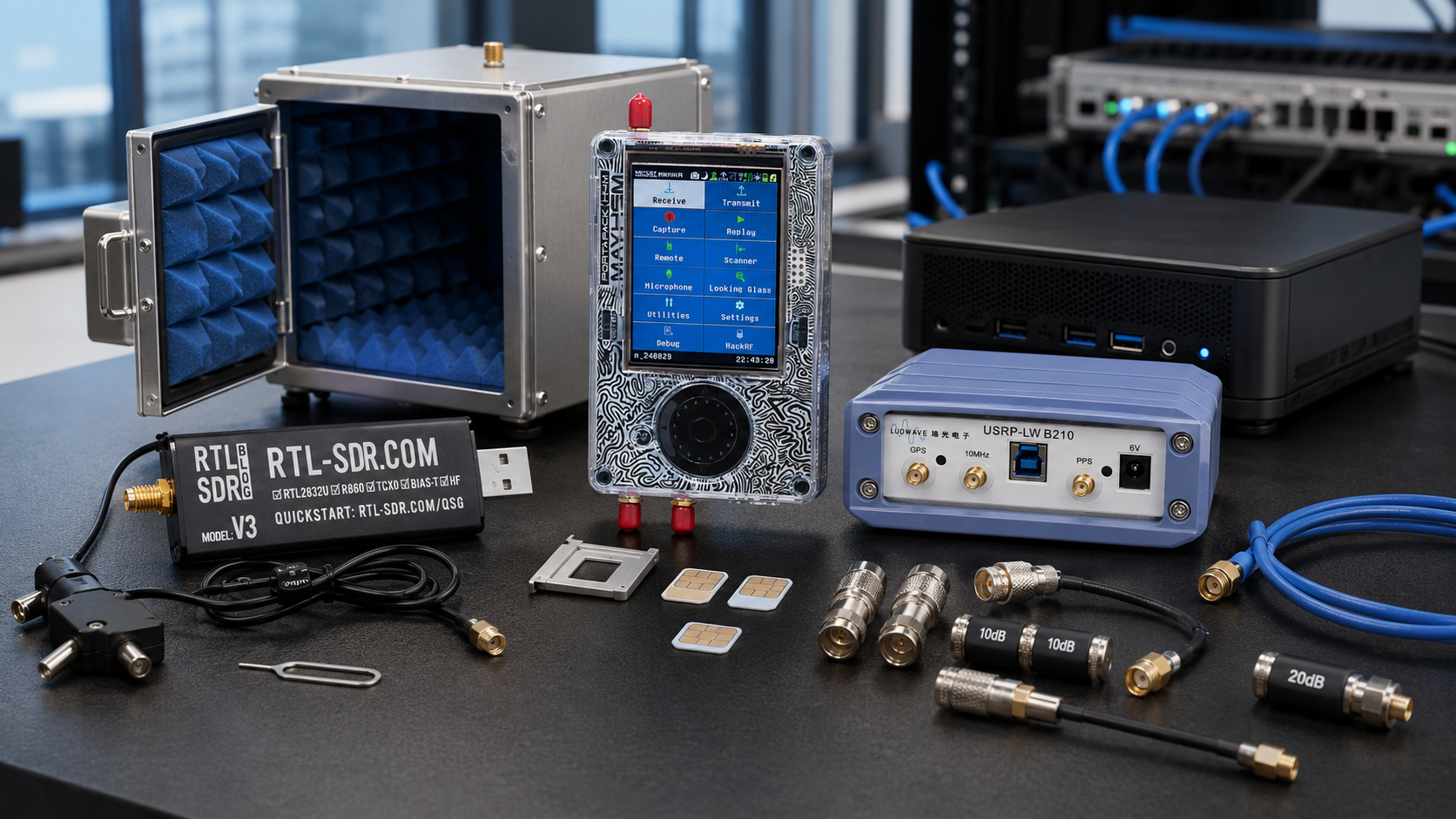
A private 5G lab is one of the most useful testbeds a university, telecom team, cybersecurity lab, IoT company, or RF research group can build. It allows engineers and researchers to run a controlled 5G standalone network, connect test phones or modem modules, experiment with open-source RAN stacks, validate RF paths, and study real 5G behavior without relying on a public mobile operator network.
However, a private 5G lab is not only an SDR and a laptop. A reliable setup needs the right SDR front end, 5G Core software, RAN software, SIM cards, COTS UE devices, timing, RF shielding, attenuators, dummy loads, antennas, cables, test tools, and legal RF controls.
This checklist explains what hardware a private 5G lab needs, how to choose between USRP B210, X310, PLUTO+, bladeRF, and supporting SDRs, what role Open5GS, srsRAN, and OpenAirInterface play, and why RF shielding and attenuators are not optional accessories.
Browse USRP SDR devices, software-defined radio hardware, RF test and measurement equipment, and the SDRstore.eu request-a-quote guide.
Quick Answer: What Hardware Do You Need for a Private 5G Lab?
| Lab layer | Recommended hardware | Why it matters |
|---|---|---|
| SDR radio front end | USRP B210 for starter labs, USRP X310 or higher for advanced labs | Creates the RF interface for srsRAN, OpenAirInterface, GNU Radio, and 5G experiments. |
| RAN compute | Strong Linux workstation or server | Runs gNB software, real-time processing, UHD drivers, and logging. |
| 5G Core | Open5GS, OAI CN5G, or equivalent on the same or separate host | Provides AMF, SMF, UPF, authentication, subscriber database, and data-session control. |
| SIM cards | Programmable USIM/ISIM cards and SIM programmer | Allows COTS phones and modem modules to authenticate to the private network. |
| User equipment | COTS 5G SA phone, 5G modem module, or software UE | Provides the device that attaches to the private 5G network. |
| RF safety path | Fixed attenuators, dummy loads, RF power meter, short SMA cables | Protects equipment and creates repeatable cabled testing conditions. |
| RF shielding | Shield box, shield bag, or controlled enclosure | Helps isolate the lab network from public networks and reduces unintended radiation. |
| Timing | GPSDO, 10 MHz, PPS, or external reference where needed | Improves frequency stability, COTS UE attachment reliability, and repeatability. |
| Measurement tools | TinySA Ultra, NanoVNA, RF power meter, RTL-SDR monitor receiver | Validates spectrum, antennas, power levels, interference, and RF paths. |
The simple rule: if the lab uses a real phone or modem, you need SDR hardware, a 5G Core, RAN software, programmable SIMs, a controlled RF path, and legal authorization for any over-the-air transmission.
Private 5G Lab Architecture
A basic private 5G lab has four main layers:
- RAN: the gNB software and SDR radio front end.
- Core network: Open5GS, OAI CN5G, or another 5G Core.
- UE: a COTS 5G phone, modem module, or software UE.
- RF test environment: shielding, attenuators, dummy loads, antennas, and measurement tools.
| Component | Example choices | Typical role |
|---|---|---|
| gNB software | srsRAN Project, OpenAirInterface | Runs the 5G base-station stack. |
| 5G Core | Open5GS, OAI CN5G | Handles registration, authentication, sessions, and user-plane routing. |
| SDR | USRP B210, X310, X410-class hardware, selected alternatives | Provides the RF transmit and receive path. |
| UE | 5G SA phone, modem module, OAI nrUE, srsUE direction where applicable | Connects to the private network. |
| SIM | Programmable USIM/ISIM with matching core credentials | Authenticates the UE to the core network. |
| RF protection | Attenuators, dummy loads, shield box, RF power meter | Keeps tests safe and repeatable. |
Checklist Part 1: SDR Radio Hardware
USRP B210: Best starter SDR for private 5G
The USRP B210 is one of the best starting points for a private 5G SDR lab. It is widely used with srsRAN, OpenAirInterface, Open5GS, UHD, GNU Radio, and controlled COTS UE experiments.
Choose USRP B210 when the lab needs:
- 2×2 MIMO SDR hardware
- UHD support
- 70 MHz–6 GHz coverage direction
- USB 3.0 connection to a workstation
- srsRAN or OpenAirInterface starter lab
- Private 5G SA experiments with COTS UE
- University teaching and research workflows
- A practical entry point before X310 or X410-class hardware
Read: USRP B210 for srsRAN and OpenAirInterface.
USRP X310: Better for advanced private 5G labs
The USRP X310 is better when the lab needs higher bandwidth, 10GbE networking, external timing, FPGA resources, and long-term research infrastructure.
Choose USRP X310 when the lab needs:
- Higher-bandwidth experiments
- 10GbE SDR streaming
- External 10 MHz and PPS timing
- Advanced MIMO research
- More repeatable university research setups
- Upgrade path toward O-RAN, AI-RAN, or 6G research
Read: USRP B210 vs X310: Which SDR Should a Research Lab Buy?.
Other SDRs in a private 5G lab
| Hardware | Useful role | Limitations |
|---|---|---|
| PLUTO+ SDR | AD9363-based experiments, Ethernet SDR workflows, student projects, lower-cost TX/RX learning | Not the default reference platform for most srsRAN/OAI COTS UE tutorials. |
| bladeRF 2.0 micro | 2×2 MIMO, FPGA, custom waveform, GNU Radio, libbladeRF research | Different software ecosystem from UHD/USRP workflows. |
| HackRF Pro | Wideband RF validation, signal generation, spectrum experiments, security education | Half-duplex, so not ideal as a full 5G gNB RF frontend. |
| RTL-SDR | Low-cost RF monitoring, OpenWebRX, interference observation, student spectrum learning | Receive-only, not a private 5G base-station radio. |
Checklist Part 2: RAN Compute Workstation
The gNB host is where many private 5G labs fail. 5G RAN software needs enough CPU performance, stable USB or network interfaces, Linux tuning, and predictable timing.
Starter gNB workstation
- Modern x86 CPU with strong single-core performance
- 8 physical cores minimum for practical experiments
- 32 GB RAM minimum, 64 GB preferred
- NVMe SSD
- Ubuntu LTS version supported by your chosen stack
- Reliable USB 3.0 controller for USRP B210
- Dedicated Ethernet interface for lab network
- Good cooling and stable power supply
Advanced gNB server
- High-end Intel or AMD workstation/server CPU
- 16+ cores for heavier experiments
- 64–128 GB RAM
- 10GbE NIC for X310 or networked SDR workflows
- Optional NVIDIA GPU for AI-RAN or OAI acceleration research
- Low-latency kernel or tuned Linux configuration where required
- CPU isolation and BIOS tuning for repeatable real-time behavior
Do not assume that any old laptop can run a stable 5G gNB with a COTS phone. Use proper compute if the lab needs repeatable results.
Checklist Part 3: 5G Core Network
A private 5G lab needs a 5G Core. The most common beginner choice is Open5GS. OpenAirInterface also provides OAI CN5G, which is useful when the lab wants a full OAI-based environment.
Open5GS
Open5GS is a practical 5G Core option for many srsRAN private 5G labs. It provides the core network functions needed for 5G SA registration, authentication, PDU sessions, and routing.
Use Open5GS when:
- You want a widely used open-source 5G Core
- You are following srsRAN COTS UE workflows
- You want a practical starting point for private 5G SA
- You need subscriber provisioning through a web UI or database workflow
- You want to separate core-network learning from RAN PHY research
OAI CN5G
OAI CN5G is useful when the research team wants a full OpenAirInterface stack from core to RAN.
Use OAI CN5G when:
- Your lab focuses on OpenAirInterface
- You want to follow OAI end-to-end tutorials
- You need OAI gNB, OAI UE, and OAI core integration
- The research includes deeper changes inside the OAI ecosystem
Same host or separate host?
| Setup | When it works | Trade-off |
|---|---|---|
| Core and gNB on one host | Starter labs, demos, simple private 5G setup | Easier to build, but harder to isolate performance problems. |
| Core and gNB on separate hosts | Research labs, repeatable testing, multi-user setup | Better architecture, but needs more networking knowledge. |
| Core in containers | Teams comfortable with Docker and Linux networking | Cleaner deployment, but easier to misconfigure interfaces and routes. |
Checklist Part 4: SIM Cards and Subscriber Data
If the lab uses a commercial 5G phone or modem module, it needs a SIM card that matches the subscriber profile configured in the 5G Core.
What the SIM/core must match
- IMSI or SUPI
- Authentication key
- OP or OPc
- Authentication algorithm
- PLMN / MCC / MNC
- Network slice / DNN settings where used
- 5G SA capability and UE band support
A normal operator SIM is not suitable for your private 5G lab because you do not control its authentication credentials. Use programmable test SIMs or lab SIMs intended for cellular R&D.
SIM hardware checklist
- Programmable USIM/ISIM cards
- SIM card programmer
- ADM or programming credentials
- SIM adapters for 2FF/3FF/4FF sizes
- Secure record of IMSI, key, OPc, and PLMN values
- Clear separation between test SIMs and personal/operator SIMs
Soft UE note
If the lab uses a software UE such as OAI nrUE with SDR hardware, a physical SIM may not be required in the same way as a COTS phone. But if the lab uses a real phone or modem module, programmable SIMs are normally required.
Checklist Part 5: COTS UE Phones and Modem Modules
A private 5G lab needs a device that can attach to the test network. This can be a commercial phone, a 5G modem module, or a software UE.
COTS 5G phone checklist
- 5G standalone support
- Support for the band used in the lab
- Engineering mode or field-test access where useful
- Ability to select or lock network mode where possible
- Compatibility with test PLMN and programmable SIM
- USB tethering or iperf testing support
- Known working reports with srsRAN or OAI where possible
5G modem module checklist
- 5G SA support
- Supported frequency bands
- AT command access
- USB or PCIe interface
- Linux driver support
- External antenna connectors
- Stable power supply
- Documentation for band locking and network selection
Before buying a phone or modem for a lab, check tested-device lists and community reports for the exact RAN stack, SDR, band, and SIM configuration.
Checklist Part 6: RF Shielding
RF shielding is important because private 5G labs often transmit. The goal is to reduce interference with public networks and keep the test environment repeatable.
Shielding options
| Shielding method | Best use | Limitations |
|---|---|---|
| Cabled RF path | Most repeatable lab tests | Does not test real antenna behavior. |
| RF shield box | COTS phone or modem tests without radiating widely | Quality varies; cable feedthroughs and leakage matter. |
| RF shield bag | Quick phone isolation and temporary checks | Less repeatable and less convenient for long tests. |
| Shielded room | Advanced lab and compliance-style testing | Expensive and requires proper design. |
| Low-power over-the-air testing | Authorized controlled experiments | Must comply with spectrum regulations and lab safety rules. |
Shield box checklist
- Enough internal space for phone or modem
- RF feedthrough connectors
- Power and USB feedthrough options where needed
- Antenna coupling method
- Known shielding effectiveness for the target band
- Good mechanical seal
- Repeatable cable layout
- Temperature and ventilation planning for long tests
RF shielding is not a legal excuse to transmit anywhere. It is an engineering control that helps reduce risk and improve repeatability.
Checklist Part 7: Attenuators, Dummy Loads, and RF Path
Attenuators and dummy loads are essential in a private 5G SDR lab. They protect the SDR, control signal levels, and reduce unintended radiation.
Minimum RF path kit
- Fixed attenuators: 3 dB, 6 dB, 10 dB, 20 dB, 30 dB, and 40 dB values where possible
- 50-ohm dummy loads
- Short SMA cables
- SMA adapters
- DC blocks where needed
- RF power meter
- Optional directional coupler
- Optional shield box coupling antenna
Safe cabled test path example
USRP TX → fixed attenuator chain → UE antenna port or shield-box coupling path
UE uplink → shield box / coupling path → attenuator chain → USRP RX
The exact attenuation depends on SDR output level, UE path, frequency, cable loss, and receiver input limits. Calculate the RF path before connecting equipment.
Why not connect TX directly to RX?
Directly connecting a transmitter to an SDR receiver without enough attenuation can damage hardware or overload the receiver. Even if nothing breaks, the test results may be invalid because the receiver is saturated.
Checklist Part 8: Antennas
Antennas are useful for authorized over-the-air tests, but early private 5G lab work should often start with cabled and shielded setups.
Antenna checklist
- Band matches the selected NR band
- SMA connector compatibility
- Known gain and radiation pattern where possible
- Separate TX and RX antennas when needed
- Physical separation to avoid overload
- Shielded environment or legal authorization for OTA tests
- NanoVNA validation for antenna and cables
Use antennas only when the experiment requires real over-the-air behavior. For attach testing, throughput experiments, and receiver validation, cabled or shielded paths are usually safer and more repeatable.
Checklist Part 9: Timing and External Reference
Timing is one of the most common private 5G lab troubleshooting areas. COTS UEs can be sensitive to frequency error and timing instability.
Timing hardware to consider
- GPSDO
- 10 MHz reference source
- 1 PPS source
- Clock distribution if using multiple radios
- PTP timing for advanced O-RAN or distributed experiments
When timing becomes important
- COTS phone cannot see the test network
- UE sees the network but cannot attach reliably
- Throughput is unstable
- MIMO or multi-radio experiments are planned
- The lab needs repeatable measurements
- O-RAN fronthaul or timing research is in scope
For a starter USRP B210 lab, an external reference is not always the first purchase, but it becomes valuable when the lab needs COTS UE stability and repeatable research results.
Checklist Part 10: RF Test and Measurement Tools
| Tool | Use in private 5G lab | SDRstore.eu link |
|---|---|---|
| Spectrum analyzer or TinySA Ultra | Check test signal, spurs, interference, and unexpected emissions | Spectrum analyzers |
| NanoVNA | Validate antennas, cables, filters, and RF paths | NanoVNA-H4 |
| RF power meter | Measure conducted output and confirm attenuation chains | RF power meters |
| Dummy loads | Terminate transmit paths safely | RF dummy loads |
| RTL-SDR monitor receiver | Independent spectrum observation and logging | RTL-SDR receivers |
Read: SDR Hardware for RF Product Testing: Pre-Compliance, Interference, and Signal Validation.
Starter Private 5G Lab BOM
| Item | Recommended choice | Purpose |
|---|---|---|
| SDR | USRP B210 | Starter RF frontend for srsRAN or OpenAirInterface |
| Computer | Linux workstation, 8+ cores, 32–64 GB RAM, NVMe | Runs gNB and optionally 5G Core |
| 5G Core | Open5GS or OAI CN5G | Provides private 5G SA core network |
| SIM | Programmable USIM/ISIM cards | Allows COTS UE authentication |
| UE | Known-compatible 5G SA phone or modem | Connects to the test network |
| RF safety | Attenuators, dummy loads, SMA cables | Protects hardware and controls signal levels |
| Measurement | TinySA Ultra, NanoVNA, RF power meter | Validates spectrum, antenna, and power behavior |
Best for: universities, research groups, private 5G learning, srsRAN tutorials, OAI starter labs, and first COTS UE experiments.
Intermediate Private 5G Lab BOM
- USRP B210 or USRP X310
- Separate gNB workstation
- Separate Open5GS or OAI CN5G host
- Programmable SIM cards and SIM programmer
- 2–3 COTS 5G SA phones or modem modules
- RF shield box or shield bags
- Fixed attenuator kit
- RF power meter
- Dummy loads
- Spectrum analyzer or TinySA Ultra
- NanoVNA-H4
- External clock or GPSDO where required
- Dedicated isolated lab network
Best for: repeatable private 5G research, cybersecurity labs, IoT testing, throughput benchmarking, and student projects.
Advanced Private 5G / O-RAN Lab BOM
- USRP X310, N310/N320/N321, X410-class SDR, or compatible O-RU direction
- High-performance RAN server
- Separate 5G Core server
- near-RT RIC or O-RAN research host where required
- 10GbE or 25GbE networking
- PTP/GPSDO/10 MHz/PPS timing architecture
- Multiple COTS UEs and modem modules
- RF shield box or controlled RF enclosure
- Attenuator matrix or repeatable cabled RF path
- RF power meter, spectrum analyzer, NanoVNA, filters, cables, dummy loads
- Logging, monitoring, and packet-capture workstation
Best for: O-RAN, AI-RAN, 6G research, multi-UE testing, RIC/xApp studies, and grant-funded telecom labs.
srsRAN vs OpenAirInterface for Private 5G Labs
| Decision point | srsRAN Project | OpenAirInterface |
|---|---|---|
| Beginner private 5G setup | Often easier to start with | Powerful but more complex |
| Open5GS integration | Common beginner path | Can also use external or OAI core paths |
| Deep PHY/RAN research | Useful and clean architecture | Very strong research platform |
| O-RAN and advanced research | Relevant for CU/DU and O-RAN paths | Relevant for O-RAN, F1/E1, E2, O1, and AI-RAN research |
| Best first lab choice | Good for clean private 5G start | Good for deeper research teams |
Read: OpenAirInterface vs srsRAN: Which Open-Source 5G Stack Is Better?.
Common Private 5G Lab Problems
| Problem | Likely cause | Fix direction |
|---|---|---|
| Phone cannot see the network | Wrong band, weak signal, no SA support, timing issue, SIM/PLMN mismatch | Check UE band support, gNB config, external clock, SIM values, and RF path. |
| Phone sees network but cannot attach | SIM authentication mismatch, AMF/core config, wrong PLMN, DNN or slice issue | Verify IMSI/SUPI, key, OPc, MCC/MNC, subscriber entry, and core logs. |
| Attach works but no internet | UPF routing, NAT, APN/DNN, firewall, DNS, or IP forwarding issue | Check UPF, routing table, NAT rules, DNN, and UE IP allocation. |
| Throughput is poor | CPU bottleneck, RF level issue, wrong bandwidth, USB/network bottleneck | Monitor CPU, reduce bandwidth, check RF levels, and tune Linux. |
| USRP B210 drops samples | USB 3.0 issue, overloaded host, bad cable, power or CPU problem | Use direct USB 3.0 port, good cable, tuned host, and lower sample rate. |
| Receiver overload | Too much signal power or too little attenuation | Add attenuation and measure conducted power before testing. |
| Public network interferes with lab | Phone prefers operator network or RF leakage is uncontrolled | Use shield box, test SIM, correct PLMN, airplane-mode workflow, and controlled RF path. |
Legal and RF Safety Notes
Private 5G labs are transmit-capable systems. Always follow local spectrum regulations and institutional lab safety rules.
- Do not transmit in licensed cellular spectrum without authorization.
- Use cabled RF paths, shielding, and dummy loads whenever possible.
- Use low power and attenuation for early tests.
- Do not connect TX directly to RX without a safe attenuation plan.
- Keep private 5G test networks isolated from production networks.
- Use test SIMs, not personal operator SIMs.
- Do not impersonate public networks.
- Document PLMN, frequency, power, RF path, SIM data, and lab authorization.
- Use certified commercial equipment where a production deployment is required.
Purchase-Order Justification Examples
USRP B210 justification
USRP B210 is required as a UHD-compatible 2×2 MIMO SDR platform for building a private 5G SA laboratory using srsRAN or OpenAirInterface. It enables controlled gNB experiments, COTS UE testing, Open5GS integration, and repeatable wireless research workflows.
Programmable SIM justification
Programmable USIM/ISIM cards are required because COTS 5G phones and modem modules must authenticate against the private 5G Core using subscriber credentials controlled by the lab, including IMSI/SUPI, authentication key, OPc, MCC, and MNC values.
RF shielding justification
RF shielding is required to reduce unintended radiation, isolate the private 5G test network from public mobile networks, and create repeatable RF conditions for COTS UE attachment, throughput testing, and protocol experiments.
Attenuator and dummy-load justification
Fixed attenuators and dummy loads are required to protect SDR inputs, control signal levels, prevent receiver overload, and enable safe cabled RF testing without unnecessary over-the-air radiation.
Request a Quote for Private 5G Lab Hardware
Universities, telecom labs, cybersecurity firms, IoT companies, engineering departments, RF research groups, and grant-funded projects can request a formal quotation directly from SDRstore.eu.
Use the Add to Quote button on product pages or the document icon on product cards. Add USRP devices, SDR boards, antennas, attenuators, dummy loads, TinySA Ultra, NanoVNA, RF power meters, cables, adapters, filters, and project notes to one quote request.
A quote request is useful when you need:
- USRP B210 or X310 for a private 5G lab
- SDR alternatives based on grant budget
- RF safety accessories included in one offer
- Measurement tools for repeatable testing
- Hardware for srsRAN, OpenAirInterface, or Open5GS
- Formal pricing for university or company purchase approval
- A phased private 5G lab rollout
Read the SDRstore.eu quote-request guide.
Related SDRstore.eu Guides
- USRP B210 for srsRAN and OpenAirInterface
- OpenAirInterface vs srsRAN: Which Open-Source 5G Stack Is Better?
- USRP B210 vs X310: Which SDR Should a Research Lab Buy?
- Best SDR for 5G Research: USRP B210, X310, X410, and Lower-Cost Alternatives
- O-RAN Research Lab Hardware
- AI-RAN Explained
- SDR for 6G Research
- SDR Hardware for RF Product Testing
- How to Choose SDR Hardware for a Research Grant or University Purchase Order
Official and Technical Resources
- srsRAN gNB with COTS UEs tutorial
- Open5GS quickstart
- Open5GS documentation
- OpenAirInterface 5G NR SA tutorial with COTS UE
- OpenAirInterface system requirements
- Ettus Research USRP B210 official page
- Ettus 5G srsRAN end-to-end reference architecture with USRP
- Ettus 5G OAI end-to-end reference architecture with USRP
- sysmocom sysmoISIM-SJA5 programmable SIM cards
- Ettus UHD synchronization notes
Final Recommendation
For most universities and research labs, the best starter private 5G lab is USRP B210, a strong Linux workstation, Open5GS, srsRAN or OpenAirInterface, programmable SIM cards, a known-compatible 5G SA phone, attenuators, dummy loads, RF power meter, TinySA Ultra, NanoVNA, and a controlled RF shielding plan.
For advanced labs, add USRP X310 or higher-end USRP hardware, separate RAN and core hosts, external timing, 10GbE networking, RF shield box, multiple COTS UEs, and a stronger measurement bench.
The most reliable private 5G lab is not the one with the most expensive SDR. It is the one where SDR, core network, SIM data, UE compatibility, RF shielding, attenuation, timing, and measurement tools are planned together from the beginning.
FAQ
What hardware do I need for a private 5G lab?
You need an SDR such as USRP B210, a Linux workstation, 5G Core software such as Open5GS or OAI CN5G, RAN software such as srsRAN or OpenAirInterface, programmable SIM cards, a COTS 5G SA phone or modem, attenuators, dummy loads, RF shielding, antennas or cabled RF paths, and measurement tools.
Is USRP B210 good for a private 5G lab?
Yes. USRP B210 is one of the best starter SDRs for private 5G labs because it supports 2×2 MIMO, 70 MHz–6 GHz coverage, UHD, USB 3.0, srsRAN, OpenAirInterface, Open5GS workflows, and COTS UE experiments.
Do I need programmable SIM cards for private 5G?
Yes, if you use a commercial 5G phone or modem module. The SIM credentials must match the subscriber configuration in the 5G Core, including IMSI or SUPI, authentication key, OPc, MCC, and MNC values.
Can I use a normal operator SIM?
No. A normal operator SIM belongs to a public mobile network and does not give you the authentication credentials needed for your own private 5G Core. Use programmable test SIMs intended for lab networks.
Do I need RF shielding for private 5G?
RF shielding is strongly recommended. It helps isolate your private 5G test network, reduces unintended radiation, and makes phone attach and throughput tests more repeatable. It does not replace legal authorization for transmission.
Why do I need attenuators?
Attenuators protect SDR inputs, prevent receiver overload, control signal levels, and allow safe cabled testing. Never connect a transmitter directly to a receiver without calculating safe attenuation.
Should I use srsRAN or OpenAirInterface?
srsRAN is often easier for a first private 5G lab with Open5GS and COTS UE. OpenAirInterface is stronger for deeper RAN, PHY, O-RAN, and AI-RAN research. Many universities eventually test both.
Can I run the 5G Core and gNB on the same PC?
Yes, for starter labs and simple demos. For repeatable research, separate the gNB and core network onto different hosts or containers so performance, routing, and logs are easier to manage.
What test equipment should a private 5G lab include?
Useful tools include a spectrum analyzer or TinySA Ultra, NanoVNA, RF power meter, dummy loads, fixed attenuators, SMA cables, adapters, filters, and an RTL-SDR monitor receiver.
Can SDRstore.eu provide a quote for a private 5G lab?
Yes. Use the Add to Quote button on product pages or the document icon on product cards. Add USRP devices, SDR accessories, RF tools, attenuators, dummy loads, antennas, cables, and project notes so the complete private 5G lab can be quoted together.
No posts found
Write a review






We support all major card and digital payment options. More local methods are available and shown during checkout.
You enter into a binding sales contract once you have received an 'order confirmation and sales receipt' email from us, in line with our Sales & Delivery conditions. Therefore, sdrstore.eu has the right to cancel your order in the event of technical problems, delivery failure, Fair use policy and other similar situations.






Your payments are protected by advanced encryption and 3-D Secure authentication for safe online shopping.