








5G OAI Neural Receiver Testbed: What Hardware Does a Lab Need?
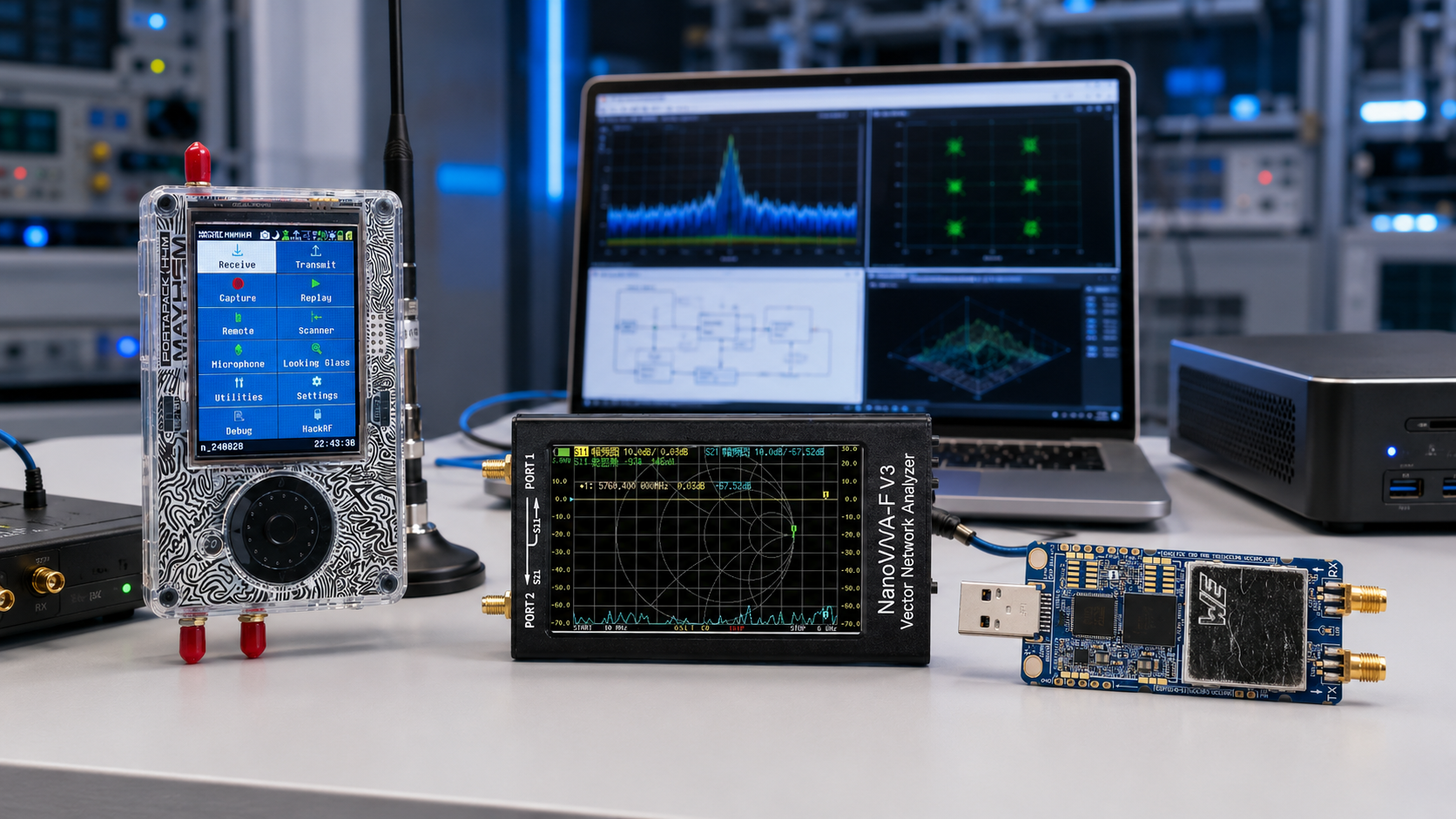
A 5G OAI neural receiver testbed is one of the most practical ways to move AI-RAN research from simulation into real wireless experiments. Instead of only training a neural receiver in a simulator, the lab runs a real OpenAirInterface-based 5G NR system, captures real RF behavior through SDR hardware, and compares a traditional receiver chain against an AI/ML-based receiver under controlled conditions.
This is not a beginner “plug in an SDR and run one command” project. A useful neural receiver testbed needs SDR hardware, GPU compute, a stable Linux environment, OpenAirInterface, Sionna or another AI/ML framework, timing references, RF safety accessories, dataset storage, test UEs, and measurement tools.
This guide explains what hardware a lab needs for a 5G OAI neural receiver testbed, from a starter learning setup using USRP B210 to a more serious real-time AI-RAN benchmark using X410-class hardware, GPU inference, synchronization, cabled RF paths, and repeatable test workflows.
Browse USRP SDR devices, software-defined radio hardware, RF test and measurement equipment, and the SDRstore.eu request-a-quote guide.
Quick Answer: What Hardware Does a 5G OAI Neural Receiver Lab Need?
| Lab layer | Recommended hardware | Why it matters |
|---|---|---|
| Starter SDR frontend | USRP B210 | Good entry point for OAI, private 5G, dataset capture, and learning the SDR/RAN workflow. |
| Real-time benchmark SDR frontend | USRP X410 or X410-class platform | Better match for high-throughput, synchronized, real-time neural receiver experiments. |
| GPU compute | NVIDIA RTX 4070/4090, A100, DGX Spark, Jetson AGX Orin, or suitable AI server depending on scope | Runs neural receiver inference, TensorRT/TensorFlow/PyTorch models, and AI-RAN workloads. |
| RAN host | Bare-metal Linux workstation or server | Runs OpenAirInterface gNB, OAI UE, 5G Core, RIC integration, logging, and real-time processing. |
| Timing | 10 MHz reference, 1 PPS, GPSDO, OctoClock-style distribution, or lab reference source | Needed for repeatability, multi-radio experiments, COTS UE stability, and serious benchmarking. |
| RF safety | Fixed attenuators, dummy loads, RF power meter, shielded setup, SMA cables | Protects SDRs, GPUs, test phones, and instruments while creating repeatable cabled tests. |
| Measurement tools | TinySA Ultra, NanoVNA, RF power meter, RTL-SDR monitor receiver | Validates spectrum, antennas, output levels, interference, and RF path quality. |
| Software and datasets | OpenAirInterface, Sionna, TensorRT/TensorFlow/PyTorch, UHD, FlexRIC where required | Enables neural receiver training, deployment, runtime switching, KPI logging, and model comparison. |
The simple rule: USRP B210 is useful for learning and lower-cost OAI testbeds. X410-class hardware is a better fit for real-time neural receiver benchmarking. The GPU, RF path, timing, and dataset workflow matter as much as the SDR.
What Is a Neural Receiver?
A traditional 5G NR receiver uses signal-processing blocks such as synchronization, channel estimation, equalization, demapping, and decoding. A neural receiver replaces or augments part of that chain with a learned AI/ML model.
In a 5G OAI neural receiver testbed, the neural model may help with:
- Channel estimation
- Equalization
- Demapping
- Interference robustness
- Nonlinear RF impairment handling
- Low-SNR uplink performance
- Hardware-in-the-loop validation
- AI-native physical-layer research
The goal is not to add AI for marketing. The goal is to compare a classical receiver and a learned receiver in a real 5G NR system, using measurable KPIs such as BER, BLER, throughput, latency, MCS behavior, inference time, GPU utilization, and robustness under channel impairments.
Learning Testbed vs Real-Time Benchmark Testbed
Before buying hardware, decide what type of neural receiver lab you want to build.
| Testbed type | Purpose | Hardware level |
|---|---|---|
| Simulation-only testbed | Train and test neural receiver models without RF hardware | GPU workstation, Sionna, TensorFlow/PyTorch, no SDR required |
| OAI RF simulator testbed | Learn OAI and neural receiver workflow before using real radios | Strong Linux workstation, optional GPU, OAI RF simulator |
| Starter RF dataset testbed | Collect real RF data and run lower-cost OAI experiments | USRP B210, Linux workstation, GPU, cabled RF accessories |
| Real-time neural receiver benchmark | Compare classical and neural receivers in live 5G NR PHY operation | X410-class SDR, high-speed networking, GPU, timing, OAI integration, controlled RF path |
| AI-RAN / RIC research testbed | Connect neural receiver and RAN control to near-RT RIC/xApp workflows | SDR, GPU server, OAI, FlexRIC or RIC direction, telemetry and control pipeline |
For most university labs, the best path is staged: start with simulation, then OAI RF simulator, then USRP B210 RF testing, then X310/X410-class hardware if the research requires real-time benchmarking.
Core Hardware Layer 1: SDR Frontend
USRP B210: Best lower-cost starter for OAI neural receiver learning
USRP B210 is the most practical starting SDR for many university labs because it supports 2×2 MIMO direction, UHD, GNU Radio, OpenAirInterface-style workflows, and private 5G experiments at a much lower cost than X410-class hardware.
Choose USRP B210 when the lab needs:
- OAI and private 5G learning
- Lower-cost RF testbed
- Real RF dataset collection
- Student-accessible AI-RAN experiments
- Neural receiver model testing at modest bandwidth
- Cabled RF link experiments
- Open5GS, OAI, and SDR workflow education
Important limitation: B210 is a good research starter, but it is not the same class of platform as the published X410 neural receiver benchmark. If the project requires strict real-time inference at high bandwidth, 100GbE-class streaming, or X410-specific OAI integration, budget for higher-end hardware.
USRP X310: Intermediate upgrade for networked SDR research
USRP X310 is useful when the lab needs a more advanced SDR than B210 but does not yet require the cost and complexity of X410-class platforms.
Choose USRP X310 when the lab needs:
- Higher-bandwidth SDR experiments
- 10GbE networked SDR workflow
- External timing and synchronization
- More repeatable AI-RAN experiments
- Advanced GNU Radio and UHD work
- Research infrastructure beyond a USB SDR
X310 is a strong platform for research labs, but if the goal is to reproduce a specific USRP X410 neural receiver benchmark, X310 should be treated as a different research platform, not a direct substitute.
USRP X410: Best match for serious real-time neural receiver benchmarking
USRP X410-class hardware is the most relevant direction when the project specifically targets a high-performance OAI neural receiver benchmark, real-time GPU inference, high-rate IQ streaming, strict timing, and advanced 5G-to-6G AI-RAN research.
Choose X410-class hardware when the lab needs:
- High instantaneous bandwidth
- Multi-channel RFSoC-class SDR architecture
- High-speed 100GbE or 25GbE host connectivity
- External 10 MHz and PPS synchronization
- Real-time neural receiver inference experiments
- Serious AI-RAN and 6G physical-layer research
- Direct comparison with published X410 neural receiver testbed workflows
For grant proposals, X410-class hardware should be justified as a research infrastructure purchase, not a casual SDR upgrade.
Supporting SDRs in a neural receiver lab
| Hardware | Useful role | Not ideal for |
|---|---|---|
| RTL-SDR | Independent RF monitoring, OpenWebRX, passive logging, spectrum awareness | Running a 5G gNB or neural receiver PHY |
| HackRF Pro | Wideband RF validation, controlled lab signals, GNU Radio experiments | Full-duplex 5G gNB neural receiver benchmark |
| PLUTO+ SDR | AD9363-based student projects, lower-cost TX/RX experiments, Ethernet SDR work | Directly reproducing X410-class neural receiver benchmarks |
| bladeRF 2.0 micro | 2×2 MIMO, FPGA-oriented work, custom waveform experiments | UHD/OAI X410-specific neural receiver workflow |
Core Hardware Layer 2: GPU Compute
The neural receiver is only useful if inference can run fast enough. In a real-time 5G NR receiver, latency budgets are strict. A model that performs well in simulation may be too slow for live PHY operation.
Starter GPU compute
For a starter lab, use a workstation with:
- Modern high-performance CPU
- 64 GB RAM preferred
- NVMe SSD
- NVIDIA RTX-class GPU
- Ubuntu LTS
- CUDA, TensorRT, TensorFlow or PyTorch depending on model workflow
This setup is useful for training, offline inference, OAI RF simulator work, dataset processing, and early model integration.
Real-time GPU compute
For real-time neural receiver benchmarking, plan for a stronger AI compute platform:
- NVIDIA RTX 4090, A100, H100, DGX Spark, Jetson AGX Orin, or equivalent research platform depending on scope
- Fast PCIe lanes and sufficient system cooling
- CUDA version aligned with the testbed stack
- TensorRT or TensorFlow C-API integration where required
- Low-latency host tuning
- Dataset storage and experiment logging
GPU choice depends on whether the lab is doing offline training, real-time inference, full L1 acceleration, or AI-RAN workload orchestration.
Core Hardware Layer 3: Compute Server and Linux Environment
OAI neural receiver experiments should run on bare-metal Linux for serious benchmarking. Virtual machines add timing uncertainty and USB/network issues that can waste days of debugging.
Starter host recommendation
- Modern Intel or AMD CPU with strong single-core performance
- 8–16 cores for comfortable experimentation
- 64 GB RAM preferred
- NVMe SSD
- USB 3.0 controller for B210
- Dedicated GPU slot
- Ubuntu LTS version aligned with the OAI/Sionna/UHD workflow
Advanced host recommendation
- High-end workstation or server CPU
- 128 GB RAM or more
- High-end NVIDIA GPU
- 100GbE or 25GbE NIC for X410-class hardware
- Dedicated management NIC
- Fast NVMe storage for IQ datasets and logs
- Low-latency kernel and CPU isolation where needed
- Controlled BIOS settings for performance consistency
Core Hardware Layer 4: Timing and Synchronization
Timing is optional for some early software-only experiments, but it becomes essential when you run real SDRs, COTS UEs, multi-radio tests, or real-time benchmarks.
| Timing item | Purpose | When needed |
|---|---|---|
| 10 MHz reference | Frequency stability for SDR clocks | USRP labs, COTS UE tests, repeatable RF measurements |
| 1 PPS | Time alignment | Multi-radio synchronization and advanced benchmarking |
| GPSDO | GNSS-disciplined timing source | Labs needing independent stable timing |
| Clock distribution | Shares 10 MHz and PPS between devices | Multi-USRP and repeatable measurement setups |
| PTP-capable network hardware | Network time synchronization | O-RAN 7.2x and distributed RAN experiments |
For a B210 starter lab, begin with stable external clocking if frequency stability or UE attachment is unreliable. For X410-class neural receiver benchmarking, plan timing from the beginning.
Core Hardware Layer 5: RF Safety and Cabled Test Path
A neural receiver experiment should be repeatable. Over-the-air tests are useful later, but early benchmarking should use a controlled RF path.
Minimum RF safety kit
- Fixed attenuators
- 50-ohm dummy loads
- Short high-quality SMA cables
- DC blocks where needed
- RF power meter
- Shielded enclosure where required
- Band-specific antennas only for authorized OTA tests
- Clear lab safety documentation
Never connect TX directly to RX without calculating the attenuation and maximum safe input level. This is especially important when expensive USRP and GPU hardware is involved.
Core Hardware Layer 6: RF Test and Measurement Tools
| Tool | Use in neural receiver lab | SDRstore.eu link |
|---|---|---|
| Spectrum analyzer or TinySA Ultra | Check carrier, bandwidth, spurs, interference, and unexpected emissions | Spectrum analyzers |
| NanoVNA | Validate antennas, filters, cables, return loss, and RF paths | NanoVNA-H4 |
| RF power meter | Measure conducted output power and verify attenuation chains | RF power meters |
| Dummy loads | Terminate RF outputs safely during transmitter testing | RF dummy loads |
| RTL-SDR monitor receiver | Independent low-cost monitoring and logging | RTL-SDR receivers |
Read: SDR Hardware for RF Product Testing: Pre-Compliance, Interference, and Signal Validation.
Software Stack for a 5G OAI Neural Receiver Testbed
OpenAirInterface
OpenAirInterface provides the real-time 5G RAN and UE software foundation. It is useful for gNB, soft UE, PHY/MAC experimentation, O-RAN interfaces, and AI-RAN integration.
Sionna and Sionna Research Kit
Sionna is useful for training and simulating neural receiver models. The Sionna Research Kit is especially relevant because it connects AI/ML wireless research with a real 5G NR system built on OAI.
TensorRT, TensorFlow, or PyTorch
Model workflow depends on the implementation. TensorRT is important when optimized GPU inference is required. TensorFlow or PyTorch may be used for training and experimentation.
UHD
UHD is required for USRP hardware. Match UHD version to the selected USRP, OAI branch, and testbed documentation.
FlexRIC or near-RT RIC direction
If the lab is studying AI-RAN beyond the physical layer, near-RT RIC and xApps can provide telemetry, control, and AI-driven RAN optimization workflows.
Starter BOM: Low-Cost OAI Neural Receiver Learning Lab
| Item | Recommended choice | Purpose |
|---|---|---|
| SDR | USRP B210 | Starter RF frontend for OAI, private 5G, and dataset experiments |
| Compute | Linux workstation with 64 GB RAM | Runs OAI, Open5GS, UHD, logging, and data processing |
| GPU | RTX-class GPU | Training, offline inference, and early neural receiver testing |
| RF safety | Attenuators, dummy loads, SMA cables | Safe cabled tests and repeatable RF levels |
| Measurement | TinySA Ultra, NanoVNA, RF power meter | Validate spectrum, antennas, cables, and power levels |
| Software | OAI, Sionna, UHD, Open5GS, TensorFlow/PyTorch | RAN, core, model training, and SDR control |
Best for: universities starting AI-RAN, OAI, neural receiver, and private 5G research without jumping immediately to X410-class cost.
Intermediate BOM: OAI AI-RAN Research Lab
| Item | Recommended choice | Purpose |
|---|---|---|
| Primary SDR | USRP X310 or higher-end USRP direction | Networked SDR experiments and higher-bandwidth research |
| Secondary SDR | USRP B210, PLUTO+, bladeRF, or RTL-SDR | Monitoring, secondary experiments, and teaching |
| Compute | GPU workstation or AI server | OAI, neural inference, training, datasets, and telemetry |
| Networking | 10GbE NIC and switch where required | Networked SDR and lab separation |
| Timing | 10 MHz/PPS source | Repeatable synchronized experiments |
| RIC layer | FlexRIC or near-RT RIC direction | xApp, telemetry, and AI-RAN control-loop research |
Best for: grant-funded labs studying AI-RAN, OAI, neural receiver integration, RIC, and repeatable RF benchmarking.
Advanced BOM: Real-Time X410-Class Neural Receiver Benchmark
| Item | Recommended choice | Purpose |
|---|---|---|
| Primary SDR | USRP X410 or X410-class platform | High-performance real-time 5G neural receiver benchmarking |
| Host connection | 100GbE or 25GbE NIC path | High-rate IQ streaming and SDR control |
| Timing | 10 MHz and 1 PPS distributed reference | Synchronized benchmarking and repeatable experiments |
| GPU | RTX 4090, A100, H100, DGX Spark, or lab-approved equivalent | Real-time neural receiver inference |
| Compute | Bare-metal Ubuntu workstation/server | Runs OAI, UHD, CUDA, TensorFlow/TensorRT, and logging |
| UE | OAI soft UE, COTS UE, or controlled UE path | Creates uplink traffic for receiver comparison |
| RF path | Cabled setup with attenuators, power checks, and optional channel emulator | Repeatable SNR, MCS, channel, and impairment testing |
| Monitoring | Logs, scopes, RIC telemetry, external spectrum monitoring | Tracks BER, BLER, throughput, inference status, and RF behavior |
Best for: labs that want to reproduce or extend real-time neural receiver research rather than only simulate it.
Recommended Test Workflow
Phase 1: Simulation and model training
- Train neural receiver components in Sionna or a similar framework.
- Compare against classical baselines such as LMMSE or MMSE-style receiver chains.
- Test across SNR, MCS, channel models, mobility assumptions, and impairments.
- Reduce model complexity before attempting real-time deployment.
- Export the model for optimized inference if required.
Phase 2: OAI RF simulator
- Run OAI gNB and OAI UE in simulator mode.
- Confirm basic RAN behavior before connecting SDR hardware.
- Enable logging and KPI collection.
- Test the neural receiver integration without RF uncertainty.
Phase 3: Controlled RF with USRP B210
- Connect B210 through a safe cabled RF path.
- Verify TX/RX levels with an RF power meter and attenuators.
- Run OAI with a conservative bandwidth and stable configuration.
- Capture IQ samples and KPI logs.
- Compare classical receiver output with neural model output offline or near-real-time.
Phase 4: Real-time neural receiver benchmark
- Move to X410-class hardware if the research needs high-performance real-time inference.
- Use synchronized 10 MHz and PPS references.
- Configure 100GbE or 25GbE networking where required.
- Run OAI gNB and UE or COTS UE test workflow.
- Enable or disable the neural receiver during runtime.
- Log BER, BLER, MCS, SNR, inference latency, GPU utilization, and throughput.
- Repeat tests across MCS, SNR, channel profile, and mobility assumptions.
KPIs to Measure
| KPI | Why it matters |
|---|---|
| BER / BLER | Shows whether the neural receiver improves decoding reliability. |
| SNR range | Reveals where the neural model helps most. |
| MCS level | Shows whether gains hold across modulation and coding configurations. |
| Inference latency | Determines whether the model is practical in real-time PHY operation. |
| GPU utilization | Shows compute cost and scalability. |
| Throughput | Confirms end-to-end network performance. |
| Power consumption | Important for AI-RAN efficiency research. |
| Model size | Small models may be required for real-time latency budgets. |
| RF path repeatability | Prevents mistaking RF drift for AI performance differences. |
Common Hardware Mistakes
Buying USRP B210 and expecting X410 benchmark results
B210 is excellent for learning and starter OAI research, but it is not equivalent to X410-class hardware for high-rate real-time neural receiver benchmarking.
Buying a GPU without checking inference latency
A neural model can be accurate but too slow. Real-time receiver work requires latency-aware model design, optimized inference, and careful GPU integration.
Testing over the air too early
Start with cabled RF paths, dummy loads, and attenuators. Over-the-air testing adds uncontrolled variables that make debugging harder.
Ignoring timing
Clock drift, poor synchronization, or unstable references can destroy repeatability and make AI model comparisons misleading.
Training on clean simulation only
Real RF includes nonlinearities, frequency offset, phase noise, interference, and hardware imperfections. A useful neural receiver testbed must eventually validate against real measured data.
Not logging enough metadata
Every dataset should record SDR model, serial number, UHD version, OAI branch, GPU, CUDA version, model version, MCS, SNR, gain, bandwidth, RF path, attenuator values, clock source, and test date.
RF Safety and Legal Notes
5G SDR testbeds are transmit-capable systems. Use them only in legal, authorized, and controlled lab conditions.
- Use cabled RF paths whenever possible.
- Use attenuators and dummy loads before radiating signals.
- Do not transmit in licensed cellular bands without authorization.
- Do not connect SDR TX directly to SDR RX without safe attenuation.
- Verify maximum input levels for SDRs, power meters, and analyzers.
- Use shielding when over-the-air tests are required.
- Keep experimental networks isolated from production networks.
- Use test SIMs and controlled UE devices.
- Document lab safety procedures for students and visitors.
Purchase-Order Justification Examples
USRP B210 starter lab justification
USRP B210 is required as a UHD-compatible 2×2 MIMO SDR platform for OpenAirInterface-based private 5G research, neural receiver dataset collection, AI-RAN learning, and repeatable laboratory exercises before scaling to higher-end USRP platforms.
USRP X410-class benchmark justification
X410-class USRP hardware is required for high-performance real-time neural receiver benchmarking because the project needs high-rate SDR streaming, multi-channel RF capability, external timing, and compatibility with advanced OAI AI-RAN research workflows.
GPU server justification
A GPU workstation or server is required to train, optimize, and run neural receiver inference models in the 5G OAI testbed. GPU acceleration is necessary to evaluate AI/ML receiver performance under real-time physical-layer constraints.
RF test equipment justification
RF test equipment is required to protect SDR hardware, verify signal levels, document cabled RF paths, measure output power, detect interference, and ensure repeatable neural receiver benchmarking results.
Request a Quote for a 5G OAI Neural Receiver Lab
Universities, telecom labs, AI-RAN researchers, 6G projects, cybersecurity firms, RF engineering teams, and grant-funded departments can request a formal quotation directly from SDRstore.eu.
Use the Add to Quote button on product pages or the document icon on product cards. Add USRP devices, SDR boards, TinySA Ultra, NanoVNA, RF power meters, dummy loads, attenuators, antennas, filters, cables, adapters, and project notes to one quote request.
A quote request is useful when you need:
- USRP B210 for an OAI starter lab
- X310 or X410-class alternatives for advanced AI-RAN research
- RF safety accessories in the same offer
- Measurement tools for repeatable testing
- Hardware options based on grant budget
- Formal pricing for university purchase approval
- A phased neural receiver testbed rollout
Read the SDRstore.eu quote-request guide.
Related SDRstore.eu Guides
- AI-RAN Explained: SDR Hardware for AI-Native 5G and 6G Research
- SDR for 6G Research: AI-RAN, O-RAN, MIMO, ISAC, and FR3 Experimentation
- O-RAN Research Lab Hardware: USRP, Compute, Networking, Timing, and RF Test Equipment
- USRP B210 for srsRAN and OpenAirInterface
- Best SDR for 5G Research: USRP B210, X310, X410, and Lower-Cost Alternatives
- USRP B210 vs X310: Which SDR Should a Research Lab Buy?
- OpenAirInterface vs srsRAN: Which Open-Source 5G Stack Is Better?
- How to Choose SDR Hardware for a Research Grant or University Purchase Order
- SDR Hardware for RF Product Testing
Official and Technical Resources
- Ettus Knowledge Base: 5G OAI Neural Receiver Testbed with USRP X410
- NVIDIA Sionna Research Kit documentation
- NVIDIA Sionna Research Kit publication
- NVIDIA Aerial Testbed product description
- OpenAirInterface RAN overview
- Ettus Research USRP X410 official page
- Ettus UHD synchronization notes
- TensorFlow official website
- NVIDIA TensorRT official page
- AI-RAN Alliance
Final Recommendation
For a university starting a 5G OAI neural receiver testbed, begin with simulation and OAI RF simulator work, then add USRP B210, a strong Linux workstation, an RTX-class GPU, safe cabled RF paths, attenuators, dummy loads, TinySA Ultra, NanoVNA, and careful logging. This is the most practical way to learn the workflow and start collecting real RF data.
For a lab that needs real-time neural receiver benchmarking similar to published USRP X410 work, budget for X410-class hardware, 100GbE or 25GbE connectivity, 10 MHz and 1 PPS synchronization, a powerful GPU, bare-metal Linux, correct UHD/OAI/CUDA/TensorFlow versions, and a controlled RF test environment.
The strongest testbed is not simply the most expensive SDR. It is the setup where the SDR, GPU, OAI stack, RF path, timing, model complexity, and measurement workflow are designed together so the lab can compare traditional and neural receivers honestly and repeatably.
FAQ
What hardware is needed for a 5G OAI neural receiver testbed?
A 5G OAI neural receiver testbed needs SDR hardware such as USRP B210 for starter labs or X410-class hardware for advanced benchmarks, a GPU workstation or server, bare-metal Linux, OpenAirInterface, UHD, Sionna or another AI/ML framework, timing references, RF attenuators, dummy loads, and measurement tools.
Can USRP B210 be used for an OAI neural receiver testbed?
Yes, USRP B210 is useful for starter OAI labs, private 5G experiments, RF dataset collection, and early neural receiver testing. It should not be treated as equivalent to a USRP X410 real-time neural receiver benchmark platform.
Why is USRP X410 used for advanced neural receiver testing?
USRP X410-class hardware provides high-performance multi-channel SDR capability, high-speed networking, external synchronization, and enough research headroom for demanding real-time 5G neural receiver experiments.
Does a neural receiver testbed need a GPU?
Yes, for real-time or accelerated inference. A GPU is used to run neural receiver models, TensorRT/TensorFlow/PyTorch inference, and AI-RAN workloads. CPU-only experiments may work for simulation or offline testing but are limited for real-time PHY research.
What is the difference between a neural receiver and a traditional receiver?
A traditional receiver uses classical signal-processing blocks such as channel estimation, equalization, and demapping. A neural receiver replaces or improves part of that chain with a trained AI/ML model.
Should the first test use antennas or cables?
Use cabled RF paths first. Attenuators, dummy loads, and measured RF levels make the test repeatable and protect equipment. Move to antennas only when the lab is legally authorized and the research requires over-the-air behavior.
What software is used in an OAI neural receiver lab?
Common software includes OpenAirInterface, UHD, Sionna, TensorRT, TensorFlow or PyTorch, Open5GS or OAI core, and optionally FlexRIC or another near-RT RIC direction for AI-RAN control experiments.
What KPIs should a neural receiver lab measure?
Measure BER, BLER, SNR, MCS, throughput, inference latency, GPU utilization, model size, power consumption, RF path repeatability, and receiver robustness under different channel conditions.
Can SDRstore.eu quote a complete OAI neural receiver testbed?
Yes. Use the Add to Quote button on product pages or the document icon on product cards. Add USRP hardware, SDR accessories, RF tools, attenuators, dummy loads, antennas, cables, and project notes so the complete lab setup can be quoted together.
Is a 5G OAI neural receiver testbed the same as a 6G testbed?
No. It is usually a 5G NR-based research platform used to test AI-native receiver ideas that may become relevant to 6G. It is a practical bridge from 5G SDR research toward AI-RAN and future 6G physical-layer experimentation.
No posts found
Write a review






We support all major card and digital payment options. More local methods are available and shown during checkout.
You enter into a binding sales contract once you have received an 'order confirmation and sales receipt' email from us, in line with our Sales & Delivery conditions. Therefore, sdrstore.eu has the right to cancel your order in the event of technical problems, delivery failure, Fair use policy and other similar situations.






Your payments are protected by advanced encryption and 3-D Secure authentication for safe online shopping.