








BLE Sniffing Hardware for Authorized Bluetooth Security Testing
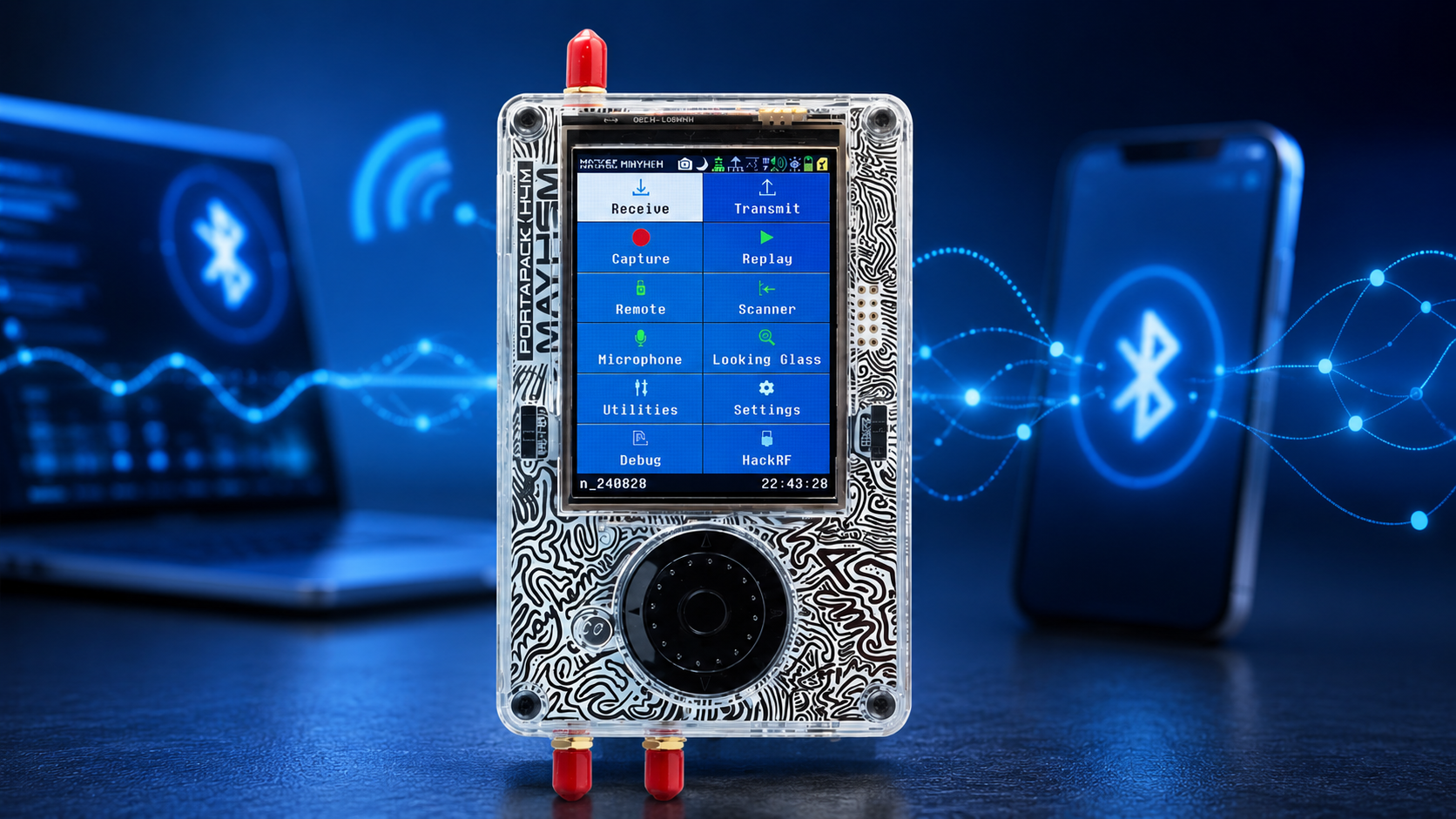
Bluetooth Low Energy is everywhere: smart locks, sensors, medical devices, wearables, asset tags, industrial IoT, beacons, access-control systems, mobile apps, keyboards, headphones, gateways, and connected products. For cybersecurity teams and product engineers, BLE sniffing is one of the most useful ways to understand what a device is actually doing over the air.
However, BLE sniffing hardware can be confusing. A mobile BLE scanner can show nearby advertisements and GATT services. A BLE packet sniffer can capture over-the-air packets for Wireshark. A phone HCI log shows traffic visible to the mobile Bluetooth stack. A spectrum analyzer shows 2.4 GHz activity and interference. A wideband SDR such as HackRF Pro can help with RF-layer research, but it is not usually the easiest tool for decoded BLE protocol analysis.
This guide explains BLE sniffing hardware for authorized Bluetooth security testing. It covers nRF Sniffer, Ubertooth, Wireshark, mobile BLE scanners, HCI logs, SDR support tools, antennas, RF spectrum monitoring, lab safety, encryption limitations, and hardware packages for universities, cybersecurity firms, IoT developers, and product-security teams.
Browse software-defined radio hardware, HackRF SDR devices, RTL-SDR receivers, spectrum analyzers, RF test and measurement equipment, and request a formal quote from SDRstore.eu.
Quick Answer: What Hardware Do You Need for BLE Sniffing?
| Testing goal | Recommended hardware | Why it matters |
|---|---|---|
| Beginner BLE packet capture | nRF52840-based sniffer or Nordic nRF Sniffer-compatible hardware | Good starting point for BLE advertisements, connection events, and Wireshark-based analysis. |
| BLE learning and debugging | nRF Sniffer for Bluetooth LE, Wireshark, test BLE devices | Useful for developers who need to see what happens on-air during advertising, connecting, and GATT activity. |
| Bluetooth security research | Ubertooth One-style hardware, nRF sniffer, Linux laptop, Wireshark | Useful for Bluetooth experimentation, BLE monitoring, and security education in authorized labs. |
| Mobile app BLE testing | Android phone with HCI snoop logging, BLE scanner apps, Wireshark | Shows traffic visible to the phone Bluetooth stack and helps review app-to-device behavior. |
| 2.4 GHz RF interference checks | HackRF Pro, TinySA Ultra, spectrum analyzer, 2.4 GHz antenna | Shows RF activity and interference around BLE, Wi-Fi, Zigbee, and other 2.4 GHz devices. |
| BLE product-security lab | BLE sniffer, SDR support receiver, spectrum analyzer, NanoVNA, antennas, logging workstation | Combines protocol visibility with RF measurement and repeatable test conditions. |
| Professional compliance or certification work | Commercial Bluetooth protocol analyzer and calibrated RF equipment | Needed when the lab requires professional-grade protocol analysis, timing, multi-channel capture, and formal reporting. |
The simple rule: use a BLE sniffer for BLE packets, use Wireshark for analysis, use a mobile HCI log for app-stack visibility, and use SDR or spectrum tools for RF-layer context.
BLE Sniffing vs Bluetooth Scanning vs RF Monitoring
These terms are often mixed together, but they are different jobs.
| Method | What it shows | Best hardware |
|---|---|---|
| BLE scanning | Nearby BLE advertisements, names, UUIDs, services, RSSI, and sometimes GATT information | Phone app, laptop Bluetooth adapter, BLE scanner software |
| BLE packet sniffing | Over-the-air BLE packets, advertising events, connection setup, link-layer behavior, and some connection traffic | nRF Sniffer, Ubertooth-style hardware, Wireshark |
| HCI logging | Bluetooth traffic visible to a phone or computer Bluetooth stack | Android HCI snoop log, Linux BlueZ capture, Wireshark |
| RF spectrum monitoring | Energy, interference, channel activity, noise floor, and 2.4 GHz congestion | HackRF Pro, TinySA Ultra, spectrum analyzer |
| Professional protocol analysis | Higher-confidence multi-channel captures, timing, and formal debug features | Commercial Bluetooth protocol analyzer |
For most authorized audits, you will use more than one method. A BLE sniffer may show packets, a mobile HCI log may show app behavior, and a spectrum analyzer may explain why packets are being missed.
Legal and Ethical Boundary
BLE sniffing can expose device metadata and sometimes sensitive behavior. Use these tools only for authorized testing.
- Test your own devices, customer-approved devices, lab devices, or systems covered by written authorization.
- Do not use BLE sniffing to track people, employees, customers, visitors, or personal devices without a lawful basis.
- Do not attempt to bypass encryption, authentication, or access controls outside an approved audit scope.
- Do not transmit, interfere, jam, or disrupt Bluetooth devices unless a controlled transmit test is explicitly legal and authorized.
- Protect packet captures because they may contain identifiers, device behavior, app data, or security-relevant metadata.
- Follow local radio, privacy, cybersecurity, labor, and data-protection laws.
This guide focuses on defensive monitoring, debugging, and authorized security testing, not unauthorized tracking or exploitation.
Hardware Option 1: nRF Sniffer for Bluetooth LE
nRF Sniffer-compatible hardware is one of the best starting points for BLE packet capture. It is widely used by developers and security testers because it integrates with Wireshark and is designed specifically for Bluetooth Low Energy analysis.
Best use cases
- BLE advertisement capture
- Connection setup analysis
- GATT debugging
- Developer troubleshooting
- IoT product security review
- BLE training labs
- Comparing app behavior against over-the-air traffic
What to look for
- nRF52840 or compatible hardware supported by the sniffer firmware
- Stable USB connection
- Wireshark integration
- Good antenna placement
- Up-to-date sniffer firmware and tools
- Known compatibility with the BLE version and channel behavior being tested
Limitations
- May miss packets if the sniffer does not follow the connection correctly.
- May not decrypt encrypted traffic unless the required keys are available through the test setup.
- May struggle in very busy 2.4 GHz environments.
- May not replace a professional analyzer for certification-grade or multi-channel timing analysis.
Hardware Option 2: Ubertooth One-Style Bluetooth Hardware
Ubertooth One-style hardware is an open-source Bluetooth experimentation platform used in many wireless security labs. It is useful for learning, Bluetooth research, BLE sniffing experiments, and security education.
Best use cases
- Bluetooth security training
- BLE sniffing experiments
- Bluetooth Classic discovery research
- Linux-based wireless labs
- Protocol experimentation
- RF cybersecurity education
Limitations
- It is not a modern professional Bluetooth analyzer.
- It may require Linux setup and command-line familiarity.
- It may not reliably capture every packet in every BLE connection.
- It is best treated as a research and education tool rather than a guaranteed commercial audit solution.
Hardware Option 3: Mobile BLE Scanner and HCI Logging
Mobile tools are very useful because many BLE products are controlled by phone apps. A phone can show what a real user device sees, and HCI logs can reveal traffic handled by the phone Bluetooth stack.
Use mobile BLE tools for
- Discovering BLE advertisements
- Reviewing device names, UUIDs, services, and characteristics
- Testing mobile-app behavior
- Comparing Android vs iOS behavior
- Capturing phone-side HCI logs where supported
- Debugging pairing, bonding, and GATT transactions in authorized tests
Limitations
- Mobile BLE scanners do not show the full RF environment.
- iOS and Android expose different Bluetooth details.
- Phone APIs may hide low-level link-layer behavior.
- HCI logs show what the phone stack sees, not necessarily every over-the-air packet.
- Encrypted or protected traffic must be handled within the legal test scope.
Hardware Option 4: HackRF Pro and SDR Support Tools
A wideband SDR is not usually the easiest BLE packet sniffer, but it is valuable for RF-layer monitoring. BLE shares the 2.4 GHz band with Wi-Fi, Zigbee, Thread, wireless cameras, proprietary devices, and many other systems. If BLE reliability is poor, the problem may be RF interference, not the BLE protocol.
The HackRF Pro is useful for receive-side 2.4 GHz monitoring, wireless security research, and RF troubleshooting.
Use HackRF Pro for
- 2.4 GHz spectrum observation
- BLE interference checks
- Wi-Fi/BLE coexistence investigation
- GNU Radio research
- RF lab education
- Wireless product debugging
- Comparing BLE packet loss with channel energy
Important note: HackRF Pro is transmit-capable, but BLE security testing should use receive-only monitoring unless a transmit test is legal, authorized, controlled, and documented.
Hardware Option 5: TinySA Ultra and Spectrum Analyzers
A spectrum analyzer is one of the fastest ways to check the RF environment around BLE. It will not decode GATT, pairing, or BLE packets, but it can show whether the 2.4 GHz band is crowded, noisy, or affected by a nearby transmitter.
The TinySA Ultra is useful for field checks and lab troubleshooting.
Use a spectrum analyzer for
- 2.4 GHz band occupancy checks
- BLE interference troubleshooting
- Wi-Fi and BLE coexistence reviews
- Detecting strong local transmitters
- Checking whether a test chamber or lab area is noisy
- Taking screenshots for audit reports
Hardware Option 6: NanoVNA, Antennas, and RF Accessories
BLE sniffing failures are often caused by poor antenna placement, bad cables, noisy USB ports, or the tester being too far from the device under test. RF accessories matter.
A NanoVNA-H4 helps validate antennas, cables, filters, and matching where appropriate.
Useful accessories
- 2.4 GHz antennas
- Short USB extension cables to move sniffers away from laptop noise
- Low-loss RF cables for fixed lab setups
- Shield boxes or RF isolation bags for controlled tests
- Attenuators for conducted RF test paths
- Dummy loads for transmit-capable lab equipment
- Tripods or mounts for repeatable antenna placement
- Labels and storage cases for classroom or audit kits
Encryption and Pairing: What Can a BLE Sniffer Actually See?
A BLE sniffer can often show advertisements, connection setup, timing, addresses, services, and some link-layer behavior. Encrypted payloads are different. If the BLE connection is encrypted, the sniffer cannot simply read the protected payload unless the test setup has the necessary keys or captures the relevant pairing process under conditions where analysis is permitted.
| Traffic type | Usually visible to a sniffer? | Notes |
|---|---|---|
| Advertisements | Yes | Often visible without pairing; may include device name, UUIDs, manufacturer data, or rotating identifiers. |
| Scan responses | Often | May require active scanning depending on the tool and test method. |
| Connection request and link-layer setup | Often | Useful for timing, channel map, connection interval, and debugging. |
| Unencrypted GATT traffic | Often | Security concern if sensitive data is sent before encryption. |
| Encrypted GATT payload | Not directly readable | Requires keys or authorized debug access; otherwise payload remains protected. |
| Phone stack traffic | Visible in HCI logs where enabled | Shows the host-side Bluetooth view, not always every RF packet. |
A good BLE audit does not assume “sniffer sees everything.” It documents what was captured, what was encrypted, what was visible through the app stack, and what could not be observed.
BLE Security Issues a Sniffer Can Help Review
In authorized testing, BLE sniffing hardware can help investigate whether a product uses Bluetooth safely.
- Does the device advertise too much information?
- Does it expose sensitive UUIDs, names, serial numbers, or identifiers?
- Does it rotate addresses correctly where privacy is expected?
- Does it send sensitive data before encryption?
- Does it use secure pairing where required?
- Does it allow unauthenticated reads or writes?
- Does the mobile app handle pairing and bonding correctly?
- Does the device reconnect securely?
- Does the product behave differently after reset or firmware update?
- Does BLE performance degrade in a crowded 2.4 GHz environment?
Packet capture should be combined with GATT review, mobile-app testing, firmware review where authorized, RF testing, and device-threat modeling.
Recommended Lab Workflows
Workflow 1: Basic BLE advertisement audit
- Place the BLE device in a controlled lab area.
- Scan with a mobile BLE app.
- Capture advertisements with a BLE sniffer.
- Record device name, address behavior, UUIDs, manufacturer data, RSSI, and advertising interval.
- Check whether identifiers rotate or remain static.
- Document whether the advertising data exposes sensitive information.
Workflow 2: App-to-device protocol review
- Use a test phone and approved lab account.
- Enable authorized HCI logging where supported.
- Run the mobile app through normal workflows.
- Capture with a BLE sniffer in parallel.
- Compare phone-side logs, over-the-air behavior, and app functionality.
- Check whether sensitive writes require pairing, bonding, or authorization.
Workflow 3: BLE reliability and RF coexistence test
- Capture BLE packets with nRF Sniffer or a similar tool.
- Monitor 2.4 GHz activity with HackRF Pro or a spectrum analyzer.
- Record Wi-Fi channel usage in the test environment.
- Measure packet loss, reconnect behavior, and latency.
- Move the device under test through realistic distance and orientation changes.
- Document how RF congestion affects BLE behavior.
Workflow 4: Product-security regression test
- Record a known-good BLE security baseline for the product.
- Repeat captures after firmware changes.
- Compare advertising data, pairing behavior, GATT permissions, and encryption status.
- Confirm that security fixes did not create new exposure.
- Store captures securely with versioned product firmware notes.
Recommended Hardware Packages
Package 1: Beginner BLE sniffing kit
- nRF52840-based BLE sniffer hardware
- Wireshark
- Test BLE sensor or development board
- USB extension cable
- BLE scanner app on Android or iOS
- Basic packet-capture checklist
Best for: students, product developers, first BLE debugging, and beginner Bluetooth security labs.
Package 2: Authorized BLE audit kit
- nRF Sniffer-compatible hardware
- Ubertooth One-style hardware where available
- Linux laptop
- Wireshark
- Android phone with HCI logging capability
- BLE scanner apps
- 2.4 GHz antenna accessories
- Secure capture storage
Best for: cybersecurity firms, IoT developers, app-security teams, and authorized product assessments.
Package 3: BLE plus RF spectrum monitoring kit
- BLE sniffer hardware
- HackRF Pro
- TinySA Ultra or spectrum analyzer
- 2.4 GHz antennas
- GNU Radio or SDRangel for RF monitoring
- Wireshark for packet analysis
- Audit report template
Best for: BLE reliability testing, 2.4 GHz interference investigations, IoT product-security labs, and facilities with crowded wireless environments.
Package 4: University Bluetooth security lab
- 10–20 BLE sniffer dongles for students
- Several BLE development boards or test devices
- 2–4 HackRF Pro units for RF-layer demonstrations
- 1–2 TinySA Ultra units
- 1–2 NanoVNA-H4 units
- BLE scanner phones or tablets
- Wireshark, GNU Radio, SDR++, SDRangel, and lab handouts
- Storage cases, labels, USB cables, and spare antennas
Best for: wireless security courses, IoT security classes, embedded systems labs, and RF cybersecurity education.
Package 5: Professional product-security bench
- Commercial Bluetooth protocol analyzer where required
- nRF Sniffer-compatible hardware for everyday debugging
- HackRF Pro for RF context
- Spectrum analyzer
- NanoVNA for antennas and RF accessories
- Shield box or controlled RF test environment
- Version-controlled capture storage
- Device firmware, app version, and test-case tracking
Best for: companies shipping BLE products, medical/industrial IoT vendors, access-control vendors, and product-security teams.
BLE Audit Evidence Checklist
- Device name and model
- Firmware version
- Mobile app version
- Phone model and operating system
- Sniffer hardware model
- Sniffer firmware version
- Wireshark version
- Capture date and time
- Device state during capture
- Advertising data
- Address type and rotation behavior
- Services and characteristics observed
- Pairing method observed
- Encryption status where visible
- GATT permissions tested
- RF environment notes
- 2.4 GHz interference notes
- Evidence files and screenshots
- Authorization and audit scope
Common BLE Sniffing Mistakes
Assuming every BLE sniffer sees every packet
BLE uses frequency hopping and timing-sensitive connection events. Sniffers can miss packets, especially in busy environments or if they join the connection too late.
Ignoring encryption
Encrypted BLE payloads are not automatically readable. A good report should say what was visible, what was encrypted, and what could not be inspected from the capture.
Using SDR instead of a BLE sniffer for protocol analysis
Generic SDR hardware is excellent for RF research, but a BLE sniffer is normally easier for decoded BLE protocol analysis.
Testing only one phone
BLE behavior can differ between Android, iOS, chipset vendors, OS versions, and app versions. Test representative devices.
Forgetting RF interference
Packet loss and unreliable connections may be caused by 2.4 GHz congestion, Wi-Fi, poor antenna placement, or local interference.
Not documenting firmware and app versions
BLE security behavior can change after firmware and app updates. Always log versions.
Purchase-Order Justification Examples
BLE sniffer justification
BLE sniffer hardware is required for authorized Bluetooth Low Energy security testing, Wireshark packet capture, advertisement review, connection analysis, GATT debugging, and product-security validation.
HackRF Pro RF monitoring justification
HackRF Pro is required as a wideband receive-side SDR platform to support BLE security audits with 2.4 GHz RF visibility, interference checks, GNU Radio workflows, and defensive wireless research.
Spectrum analyzer justification
A portable spectrum analyzer is required to inspect 2.4 GHz band occupancy, identify interference, validate BLE test conditions, and document RF conditions during authorized Bluetooth security testing.
NanoVNA and accessory justification
NanoVNA, antennas, cables, filters, attenuators, and RF accessories are required to validate the RF test setup, reduce false conclusions, improve repeatability, and support controlled BLE product-security testing.
Request a Quote for BLE Security Testing Hardware
Cybersecurity firms, IoT companies, universities, embedded product teams, medical-device labs, industrial automation teams, access-control vendors, and RF laboratories can request a formal quotation directly from SDRstore.eu.
Use the Add to Quote button on product pages or the document icon on product cards. Add HackRF Pro, RTL-SDR, TinySA Ultra, NanoVNA, RF power meters, antennas, filters, cables, adapters, attenuators, and project notes to one quote request. If you need BLE-specific sniffer hardware such as nRF Sniffer-compatible dongles or professional Bluetooth analyzers, include that requirement in the quote notes so the full use case is clear.
A quote request is useful when you need:
- Authorized BLE security testing hardware
- Bluetooth product-security lab equipment
- 2.4 GHz RF monitoring tools
- University Bluetooth security teaching kits
- IoT product audit hardware
- RF interference troubleshooting tools
- Formal pricing for company, university, or public-sector procurement
- A phased rollout from beginner BLE sniffing to professional product-security testing
Read the SDRstore.eu quote-request guide.
Related SDRstore.eu Guides
- BLE Security Testing Tools: Bluetooth Low Energy Monitoring for Authorized Audits
- Wireless Security Testing Tools: WiFi, BLE, RFID, NFC, Sub-GHz, and SDR Hardware
- SDR for Cybersecurity Research and Authorized Wireless Security Testing
- WiFi Packet Capture Hardware for Wireless Security Audits
- Detecting Rogue Wireless Devices with SDR
- RF Spectrum Monitoring for Facilities, Labs, and Critical Infrastructure
- RF Cybersecurity Lab Equipment Checklist
- RF Fingerprinting Explained
- OpenWebRX vs No-SDR vs BrowSDR
Official and Technical Resources
- Nordic Semiconductor: nRF Sniffer for Bluetooth LE
- Nordic Academy: Setting up nRF Sniffer for Bluetooth LE
- Wireshark Bluetooth Low Energy Link Layer display filters
- Wireshark nRF Sniffer display filters
- Wireshark Bluetooth wiki
- Ubertooth One documentation
- Kali Linux Ubertooth tools
- Bluetooth SIG: Bluetooth Security
- Bluetooth SIG: Bluetooth LE Security Study Guide introduction
- Silicon Labs: Bluetooth LE security fundamentals
Final Recommendation
For most authorized BLE security audits, start with nRF Sniffer-compatible hardware, Wireshark, a test phone, BLE scanner apps, and secure packet-capture storage. Add Android HCI logging when reviewing mobile app behavior. Add Ubertooth-style hardware when the lab needs Bluetooth experimentation and education.
Then add SDR and RF tools where they make the audit stronger. HackRF Pro, TinySA Ultra, NanoVNA, antennas, filters, and RF accessories help investigate 2.4 GHz interference, poor BLE reliability, noisy lab environments, antenna problems, and RF-layer behavior that a BLE packet sniffer alone may not explain.
The best BLE security testing kit is layered: BLE sniffer for packets, Wireshark for protocol analysis, mobile logs for app-stack behavior, SDR for RF visibility, spectrum analyzer for interference checks, and a clear legal scope for every capture.
FAQ
What hardware do I need for BLE sniffing?
For normal BLE sniffing, use nRF Sniffer-compatible hardware or another dedicated BLE sniffer, Wireshark, a test computer, and known test devices. For security audits, add mobile HCI logging, a spectrum analyzer, HackRF Pro for RF context, and proper documentation.
Can HackRF Pro sniff BLE packets?
HackRF Pro can monitor the 2.4 GHz RF environment and support custom SDR research, but it is not usually the easiest tool for decoded BLE protocol analysis. A dedicated BLE sniffer such as nRF Sniffer-compatible hardware is usually better for packet-level BLE work.
Can RTL-SDR sniff BLE?
No, RTL-SDR is not suitable for normal BLE sniffing because BLE operates at 2.4 GHz, while RTL-SDR Blog V3 USB-C covers up to about 1.7 GHz. Use RTL-SDR for other receive-only RF monitoring tasks, not BLE packet capture.
Can a BLE sniffer read encrypted traffic?
Not automatically. A BLE sniffer can show many link-layer details and unencrypted traffic, but encrypted payloads remain protected unless the authorized test setup provides the required keys or captures the relevant pairing information under permitted conditions.
What is nRF Sniffer for Bluetooth LE?
nRF Sniffer for Bluetooth LE is a Nordic Semiconductor tool that uses supported Nordic hardware with sniffer firmware and Wireshark integration to capture and analyze Bluetooth Low Energy packets.
Is Ubertooth still useful for Bluetooth security testing?
Yes, Ubertooth-style hardware is still useful for Bluetooth experimentation, education, and some BLE sniffing workflows. It should be treated as an open-source research tool, not as a replacement for every modern professional Bluetooth analyzer.
Do I need Wireshark for BLE sniffing?
Wireshark is strongly recommended because it can dissect Bluetooth and BLE packet captures, display link-layer fields, and help document findings. The sniffer hardware provides the capture source; Wireshark provides analysis.
What is the difference between BLE scanning and BLE sniffing?
BLE scanning shows nearby advertisements and device/service information using a normal Bluetooth receiver. BLE sniffing captures over-the-air BLE packets for deeper protocol analysis, usually with dedicated sniffer hardware.
Is BLE sniffing legal?
BLE sniffing should only be done on devices and systems you are authorized to test. Packet captures may contain identifiers, behavior, or sensitive data, so follow local law, privacy rules, and the written audit scope.
Can SDRstore.eu quote BLE security testing hardware?
Yes. Use the Add to Quote button on product pages or the document icon on product cards. Add HackRF Pro, TinySA Ultra, NanoVNA, RTL-SDR, antennas, cables, filters, and project notes. If BLE-specific sniffer hardware is required, include it in the quote notes so the full test setup can be reviewed.
No posts found
Write a review






We support all major card and digital payment options. More local methods are available and shown during checkout.
You enter into a binding sales contract once you have received an 'order confirmation and sales receipt' email from us, in line with our Sales & Delivery conditions. Therefore, sdrstore.eu has the right to cancel your order in the event of technical problems, delivery failure, Fair use policy and other similar situations.






Your payments are protected by advanced encryption and 3-D Secure authentication for safe online shopping.