








WiFi Packet Capture Hardware for Wireless Security Audits
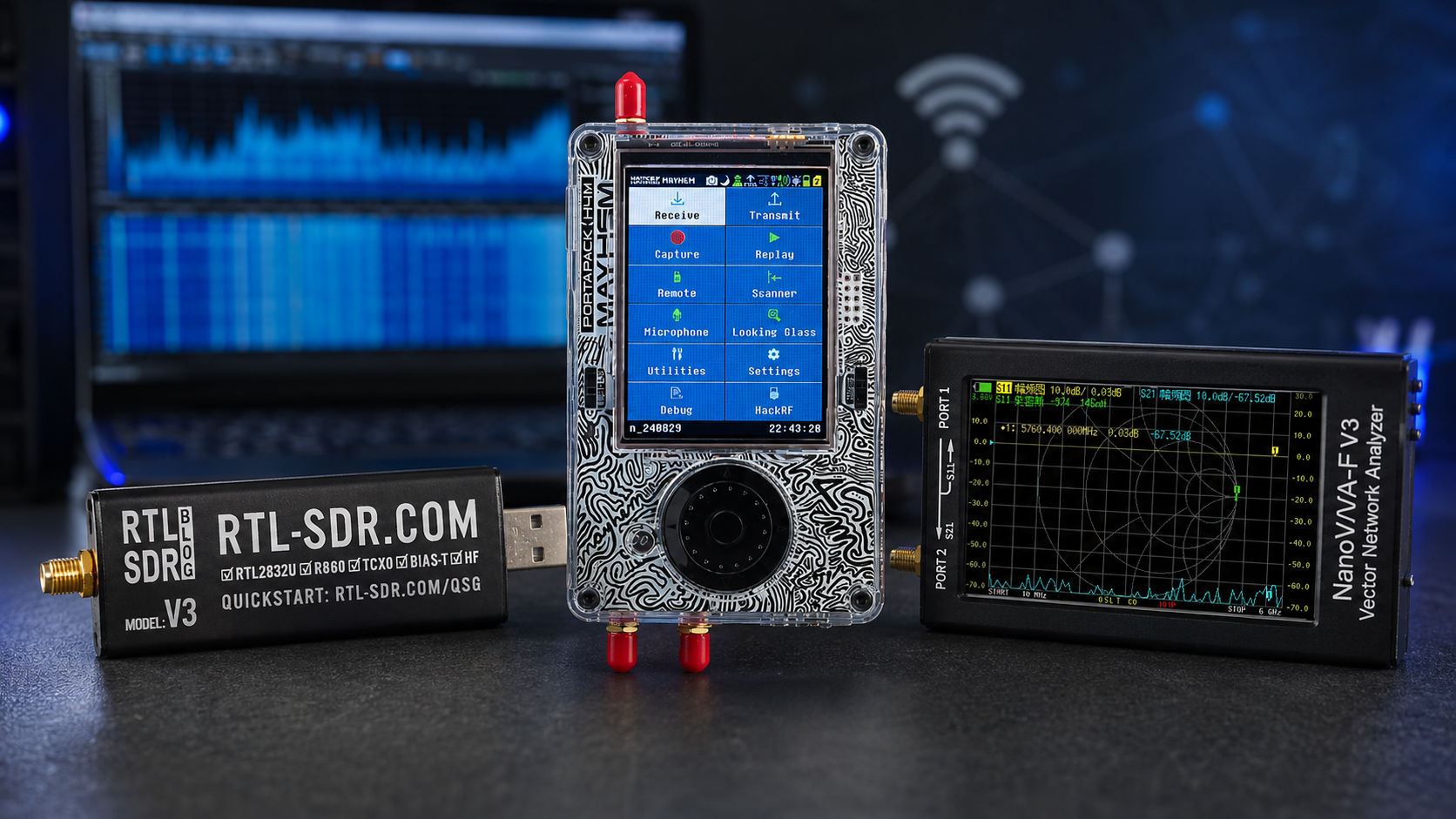
WiFi packet capture is one of the most important skills in an authorized wireless security audit. It allows engineers, cybersecurity teams, universities, and network administrators to inspect 802.11 management frames, beacon frames, probe requests, roaming behavior, channel usage, retry rates, signal quality, rogue access points, and client behavior.
But WiFi packet capture is not mainly an SDR task. For normal 802.11 packet capture, the first tool you need is a WiFi adapter that supports monitor mode, the correct driver, and packet-analysis software such as Wireshark or Kismet. SDR hardware is still useful, but usually as a supporting RF visibility layer for spectrum monitoring, interference checks, non-WiFi RF activity, and lab research.
This guide explains how to choose WiFi packet capture hardware for wireless security audits, including monitor-mode adapters, dual-band and tri-band requirements, WiFi 6/6E/7 considerations, antennas, Kismet, Wireshark, SDR support tools, spectrum analyzers, legal boundaries, and audit-ready hardware packages.
Browse software-defined radio hardware, HackRF SDR devices, RTL-SDR receivers, KrakenSDR coherent receivers, spectrum analyzers, and request a formal quote from SDRstore.eu.
Quick Answer: What Hardware Do You Need for WiFi Packet Capture?
| Audit need | Recommended hardware | Why it matters |
|---|---|---|
| Basic 2.4 GHz WiFi capture | USB WiFi adapter with monitor mode and packet injection support where legally required | Captures 802.11 frames for Wireshark, Kismet, and authorized audit workflows. |
| 2.4 GHz + 5 GHz audits | Dual-band monitor-mode adapter with external antennas | Most real business networks use both 2.4 GHz and 5 GHz. |
| WiFi 6E / 6 GHz audits | 6 GHz-capable WiFi adapter, operating system support, compatible drivers | Required to monitor 6 GHz WiFi networks; older adapters cannot capture this band. |
| WiFi 7 audits | Modern tri-band adapter and updated capture tools | WiFi 7 introduces newer channel and PHY behavior that older hardware may not expose correctly. |
| Rogue AP and wireless inventory | Kismet, WiFi monitor-mode adapters, enterprise WIDS/WIPS | Best for SSID, BSSID, client, channel, encryption, and AP inventory visibility. |
| RF-layer visibility | HackRF Pro, TinySA Ultra, RTL-SDR, antennas, filters | Shows spectrum activity, interference, noise, and non-WiFi signals around the site. |
| Direction finding | KrakenSDR or directional antennas where supported | Useful for locating RF sources, but not a replacement for WiFi packet capture. |
| Audit documentation | pcapng capture storage, screenshots, site map, antenna notes, time synchronization | Turns packet capture into useful evidence and repeatable audit reporting. |
The simple rule: use WiFi adapters for 802.11 packet capture, and use SDR or spectrum tools to understand the RF environment around the WiFi network.
WiFi Adapter vs SDR: Which One Captures Packets?
A common mistake is assuming that a general-purpose SDR is the easiest way to capture WiFi packets. In most audits, it is not. WiFi packet capture normally requires a WiFi chipset, firmware, and driver that can expose raw 802.11 frames in monitor mode.
| Tool | Best use | Limitation |
|---|---|---|
| Monitor-mode WiFi adapter | Capturing 802.11 management, control, and data frames | Depends heavily on chipset, driver, OS, and band support. |
| Wireshark | Packet analysis, filters, frame inspection, pcapng reporting | Needs the adapter and OS to provide proper capture data. |
| Kismet | Wireless inventory, passive monitoring, WIDS-style workflows | Needs compatible capture sources and correct channel coverage. |
| HackRF Pro or SDR | RF spectrum awareness, interference checks, signal research | Not the normal first tool for decoded 802.11 packet capture. |
| Spectrum analyzer | Checking channel energy, interference, and band occupancy | Shows RF energy, not decoded WiFi packet fields. |
For an authorized WiFi security audit, buy the WiFi capture adapter first. Then add SDR and RF test tools when you need broader spectrum visibility.
What Monitor Mode Really Means
Normal WiFi client mode only sees traffic intended for that adapter. Monitor mode allows a compatible WiFi adapter to capture raw 802.11 frames on a selected channel, including frames that are not addressed to the capture machine.
Monitor mode is useful for:
- Beacon frame analysis
- Probe request and probe response analysis
- SSID and BSSID inventory
- Rogue access point detection
- Channel usage analysis
- Roaming troubleshooting
- Retry and retransmission analysis
- Signal strength and radio metadata collection
- Management-frame security review
- Wireless audit documentation
Monitor mode support is not guaranteed just because an adapter says “WiFi 6” or “high gain.” The chipset, driver, operating system, firmware, and capture software all matter.
Hardware Checklist for WiFi Packet Capture
1. Chipset and driver support
The chipset is more important than the marketing name. For audit work, choose adapters with known Linux monitor-mode support and a history of working with tools such as Wireshark, Kismet, tcpdump, airodump-ng, and audit distributions.
Check for:
- Linux monitor mode support
- Stable driver availability
- Support for the channels you need
- Radiotap metadata support where possible
- External antenna connectors
- USB 3.0 where high throughput or newer bands are involved
- Good community reports for the exact hardware revision
2. Frequency-band support
| Band | Why it matters | Hardware requirement |
|---|---|---|
| 2.4 GHz | Legacy devices, IoT, guest networks, Bluetooth coexistence, crowded environments | Almost all WiFi capture adapters support it. |
| 5 GHz | Most business WiFi performance networks and many enterprise APs | Dual-band adapter required. |
| 6 GHz | WiFi 6E and WiFi 7 networks | 6 GHz-capable adapter, OS, driver, and capture tool support required. |
If the audit includes modern enterprise WiFi, do not buy only a 2.4 GHz adapter. You may miss most of the network.
3. External antennas
External antennas are useful for field audits because they allow better placement, directional sweeps, and better receive conditions.
Look for:
- RP-SMA or SMA antenna connectors
- Dual antennas for MIMO-capable adapters
- Known antenna bands
- Directional antennas for locating APs
- Short USB extension cable to move the adapter away from laptop noise
- Stable mounting for repeatable surveys
4. Operating-system support
Linux is usually the most practical operating system for wireless security audits because most monitor-mode workflows, Kismet deployments, and command-line packet capture tools are built around Linux.
Recommended audit environments:
- Linux laptop for field audits
- Kali Linux for authorized security testing workflows
- Ubuntu or Debian for stable lab monitoring stations
- Raspberry Pi or mini PC for fixed monitoring nodes
- Windows or macOS only when the chosen adapter and driver support monitor mode reliably
5. Capture storage
Packet captures can become large. Use fast storage and good file naming.
- NVMe SSD for laptops
- Large external SSD for long captures
- pcapng format for metadata-rich captures
- Time-stamped filenames
- Separate folders by site, building, channel, band, and test case
- Encrypted storage for sensitive audit data
Recommended Hardware by Audit Type
| Audit type | Recommended hardware | Notes |
|---|---|---|
| Small office WiFi audit | Dual-band monitor-mode adapter, laptop, Wireshark, Kismet | Enough for SSID/BSSID inventory, channel checks, and basic packet capture. |
| Enterprise WiFi audit | Multiple adapters, dual-band or tri-band support, directional antennas, Kismet server | Use separate adapters for channel coverage and faster scanning. |
| WiFi 6E / 6 GHz audit | 6 GHz-capable adapter, updated Linux kernel/driver, Wireshark/Kismet support | Older adapters will not see 6 GHz networks. |
| Rogue AP audit | WiFi monitor adapter, Kismet, enterprise WIDS/WIPS, site AP inventory | Compare observed BSSIDs and SSIDs with approved infrastructure. |
| RF interference audit | HackRF Pro, TinySA Ultra, antennas, WiFi capture adapter | Packet capture alone may not show non-WiFi interference. |
| University wireless security lab | Multiple WiFi adapters, HackRF Pro, RTL-SDR, TinySA Ultra, NanoVNA | Supports packet capture, spectrum monitoring, RF labs, and defensive research. |
| Facility monitoring node | Raspberry Pi or mini PC, monitor-mode WiFi adapter, SDR receiver, logging software | Useful for long-term baseline monitoring and incident review. |
Wireshark Packet Capture Hardware Setup
Wireshark is the most common packet-analysis tool for inspecting captures. The capture quality depends on the hardware and driver.
Wireshark audit checklist
- Use a monitor-mode-capable WiFi adapter.
- Select the correct channel before capturing.
- Use radiotap metadata where supported.
- Record band, channel, channel width, adapter model, and driver.
- Use pcapng format where possible.
- Capture on one channel at a time for detailed analysis.
- Use separate adapters if you need to monitor multiple channels simultaneously.
- Protect capture files because they may contain sensitive metadata.
What Wireshark can show
- Beacon frames
- Probe requests and responses
- Authentication and association frames
- Deauthentication and disassociation frames when present
- Channel and SSID information
- BSSID and client MAC addresses
- Security capabilities
- Supported rates and PHY information where captured
- Retry behavior
- Frame timing and capture metadata
Kismet Monitoring Hardware Setup
Kismet is useful when you want wireless inventory, continuous monitoring, alerts, device history, and WIDS-style behavior rather than only a single capture file.
Kismet hardware checklist
- One or more Linux-compatible WiFi adapters with monitor mode
- Adapters for every band you need to audit
- External antennas for better placement
- Stable Linux host or mini PC
- Time synchronization
- Enough storage for logs
- Site map and AP inventory
- Optional SDR source for non-WiFi RF monitoring where useful
When to use multiple adapters
One adapter can only capture one channel at a time. Channel hopping is useful for discovery, but it can miss short events. For serious audits, multiple adapters help cover multiple channels or bands at once.
Use multiple adapters when:
- You need 2.4 GHz and 5 GHz coverage at the same time.
- You need to monitor a fixed channel while scanning others.
- You are looking for short-lived rogue AP activity.
- You are auditing a high-density enterprise environment.
- You need to compare multiple floors or physical areas.
Where SDR Hardware Fits in a WiFi Audit
SDR hardware is not the first choice for normal WiFi packet capture, but it is very useful around the packet capture workflow.
HackRF Pro for RF-layer visibility
The HackRF Pro is useful for wideband receive-side monitoring around WiFi, ISM, drone, and IoT bands. It can help show whether performance problems are caused by WiFi packets or by broader RF interference.
Use HackRF Pro for:
- 2.4 GHz and 5.8 GHz spectrum observation
- Detecting non-WiFi RF energy around WiFi channels
- Wireless camera and drone RF monitoring support
- GNU Radio experiments
- RF cybersecurity lab teaching
- Baseline monitoring around a facility
Use it receive-only for normal audits. Do not transmit or interfere with WiFi networks unless the test is explicitly legal, authorized, and controlled.
RTL-SDR for supporting monitoring
The RTL-SDR Blog V3 USB-C is not a direct WiFi packet capture adapter, but it is useful for low-cost receive-only RF awareness in supported bands, training, Sub-GHz monitoring, and distributed RF logging nodes.
TinySA Ultra for quick spectrum checks
A TinySA Ultra or spectrum analyzer is useful when an auditor wants a fast look at channel energy, interference, or unusual RF activity without building a full SDR pipeline.
NanoVNA for antennas and cables
A NanoVNA-H4 helps validate antennas, cables, and filters used in the monitoring kit. Poor antennas and damaged cables can create misleading audit results.
WiFi 6, WiFi 6E, and WiFi 7 Capture Considerations
WiFi 6
WiFi 6 audits usually require good 2.4 GHz and 5 GHz capture coverage. Check that the adapter and driver expose enough 802.11 metadata for your analysis needs.
WiFi 6E
WiFi 6E adds 6 GHz operation. A normal 2.4/5 GHz adapter will not capture 6 GHz traffic. For WiFi 6E audits, use a 6 GHz-capable adapter and verify that Linux, drivers, regulatory settings, Wireshark, and Kismet can actually capture the required channels.
WiFi 7
WiFi 7 audits may involve newer features, wider channels, multi-link operation, 6 GHz use, and newer client/AP behavior. Treat WiFi 7 capture hardware as a separate requirement and test it before arriving on site.
Antennas for WiFi Packet Capture
Adapter choice matters, but antennas decide what the adapter can hear.
| Antenna type | Best use | Notes |
|---|---|---|
| Small omnidirectional antenna | General room-level capture | Good for basic audits and portable use. |
| High-gain omnidirectional antenna | Longer-range passive monitoring | Can overemphasize distant networks and increase clutter. |
| Directional panel antenna | Locating APs or checking a specific area | Useful for rogue AP hunting and perimeter checks. |
| Tri-band antenna | 2.4/5/6 GHz audits | Needed when the adapter supports 6 GHz and the audit requires it. |
| External antenna with USB extension | Reducing laptop noise and improving placement | Often more useful than chasing the highest-gain antenna. |
Authorized Wireless Audit Workflow
Step 1: Define scope
- Which buildings, floors, rooms, and outdoor areas are in scope?
- Which SSIDs and BSSIDs are approved?
- Are guest networks included?
- Are 6 GHz networks included?
- Is rogue AP detection in scope?
- Is RF interference monitoring in scope?
- Are packet contents excluded from collection?
Step 2: Prepare hardware
- Test every WiFi adapter before the site visit.
- Verify monitor mode.
- Verify channel coverage.
- Prepare antennas and USB extensions.
- Prepare spare adapters and cables.
- Update Wireshark and Kismet.
- Set laptop time correctly.
Step 3: Build a wireless inventory
- Capture beacon frames.
- List SSIDs, BSSIDs, channels, encryption, and signal strength.
- Compare against approved AP inventory.
- Flag unknown APs, suspicious SSIDs, and weak security settings.
- Record location and approximate signal direction where useful.
Step 4: Capture packet evidence
- Capture on fixed channels for detailed analysis.
- Use channel hopping only for discovery.
- Take screenshots of important findings.
- Store pcapng files securely.
- Record adapter, antenna, channel, and location metadata.
Step 5: Add RF context
- Use HackRF Pro or a spectrum analyzer to check for non-WiFi RF activity.
- Check 2.4 GHz and 5.8 GHz band occupancy.
- Check whether interference correlates with packet loss or retries.
- Use directional antennas for suspected rogue-device location.
Step 6: Report and remediate
- List findings by risk.
- Separate configuration issues from RF issues.
- Provide evidence and packet references.
- Recommend AP removal, channel changes, encryption upgrades, segmentation, or policy changes.
- Update the approved wireless inventory.
Common Hardware Mistakes
Buying a WiFi adapter without checking chipset revision
Some adapters change chipset between hardware revisions. The model name may stay similar while monitor-mode support changes. Always check the exact revision.
Trying to audit 6 GHz with a 5 GHz adapter
WiFi 6E and WiFi 7 audits need 6 GHz-capable hardware. Older adapters cannot see these networks.
Using only channel hopping for evidence
Channel hopping is good for discovery, but it can miss important frames. Use fixed-channel capture when you need clean evidence.
Ignoring antennas
Poor antenna placement can make an AP look weak, hidden, or absent. Use external antennas and document placement.
Using SDR instead of a WiFi adapter for normal packet capture
For decoded 802.11 frames, use monitor-mode WiFi adapters. SDR is better for RF-layer visibility and interference checks.
Forgetting legal scope
Packet capture can collect sensitive metadata. Keep the work authorized, scoped, encrypted, and documented.
Recommended Hardware Packages
Package 1: Basic WiFi packet capture kit
- 1–2 dual-band monitor-mode WiFi adapters
- External antennas
- USB extension cable
- Linux laptop
- Wireshark
- Kismet
- Encrypted external SSD for captures
Best for: small business audits, university teaching, SSID/BSSID inventory, and basic troubleshooting.
Package 2: Enterprise wireless audit kit
- Multiple 2.4/5 GHz monitor-mode WiFi adapters
- 6 GHz-capable adapter if WiFi 6E/7 is in scope
- Directional antenna
- Linux audit laptop
- Kismet server
- Wireshark
- Site map and AP inventory
- Secure capture storage
Best for: enterprise WiFi audits, rogue AP checks, campus networks, retail sites, warehouses, and compliance inspections.
Package 3: WiFi + RF monitoring kit
- Monitor-mode WiFi adapters
- HackRF Pro
- TinySA Ultra or spectrum analyzer
- 2.4 GHz and 5.8 GHz antennas
- Directional antenna
- GNU Radio or SDRangel
- Wireshark and Kismet
Best for: wireless security teams that need both packet-level WiFi visibility and RF-layer interference monitoring.
Package 4: University wireless audit lab
- 10–20 monitor-mode WiFi adapters
- Several spare antennas and USB extension cables
- 2–4 HackRF Pro units
- 2–4 RTL-SDR receivers
- 1–2 TinySA Ultra units
- 1–2 NanoVNA-H4 units
- RF adapters, cables, attenuators, and filters
- Wireshark, Kismet, GNU Radio, SDR++, and SDRangel
Best for: wireless security courses, cybersecurity labs, RF engineering education, and authorized audit training.
Package 5: Facility monitoring and rogue AP kit
- Fixed Kismet monitoring node
- Multiple monitor-mode WiFi adapters
- SDR monitoring node for non-WiFi RF awareness
- HackRF Pro for field surveys
- Spectrum analyzer for incident response
- Directional antenna
- Central logging server
- Approved AP inventory and incident workflow
Best for: data centers, warehouses, factories, offices, campuses, and critical infrastructure that need ongoing wireless visibility.
Audit Evidence Checklist
- Site name and location
- Authorization and scope
- Date and time
- Auditor name or team
- Adapter model, chipset, and driver
- Operating system and kernel version
- Capture software and version
- Channel and band
- Antenna type and placement
- pcapng file name
- Observed SSIDs and BSSIDs
- Encryption and security capabilities
- Rogue or unknown AP candidates
- RF interference notes
- Screenshots and evidence references
- Recommended remediation
Legal and Safety Notes
- Only capture WiFi traffic where you are authorized to audit.
- Define whether packet contents, metadata, or only management frames are in scope.
- Store captures securely because they may contain sensitive information.
- Do not jam, deauthenticate, spoof, or disrupt networks unless a specific active test is legally authorized and approved.
- Do not capture neighboring networks beyond what is necessary for lawful RF awareness and audit documentation.
- Use passive monitoring first.
- Follow company policy, customer scope, local law, and data-protection requirements.
Purchase-Order Justification Examples
WiFi packet capture adapter justification
Monitor-mode WiFi adapters are required for authorized wireless security audits, 802.11 packet capture, rogue access point detection, SSID/BSSID inventory, channel analysis, roaming troubleshooting, and Wireshark/Kismet reporting.
HackRF Pro RF visibility justification
HackRF Pro is required as a wideband receive-side SDR platform to support wireless security audits with RF-layer spectrum visibility, interference checks, 2.4 GHz and 5.8 GHz monitoring, and defensive signal-analysis workflows.
Spectrum analyzer justification
A portable spectrum analyzer is required to confirm RF activity during wireless audits, investigate interference, compare normal and abnormal spectrum conditions, and support site documentation beyond decoded WiFi packets.
NanoVNA and antenna accessory justification
NanoVNA, antennas, cables, filters, and adapters are required to validate the RF capture chain, check antenna performance, reduce false conclusions, and support repeatable wireless audit measurements.
Request a Quote for WiFi Audit and RF Monitoring Hardware
Cybersecurity firms, universities, enterprise IT teams, data centers, facilities, public-sector buyers, and RF laboratories can request a formal quotation directly from SDRstore.eu.
Use the Add to Quote button on product pages or the document icon on product cards. Add HackRF Pro, RTL-SDR receivers, KrakenSDR, TinySA Ultra, NanoVNA, RF power meters, antennas, cables, filters, attenuators, adapters, and project notes to one quote request. If the audit also requires monitor-mode WiFi adapters, include the requirement in the quote notes so the full use case is clear.
A quote request is useful when you need:
- Wireless security audit hardware
- WiFi packet capture support equipment
- SDR tools for RF-layer monitoring
- Rogue AP and facility RF monitoring kits
- University wireless security lab packages
- RF interference investigation tools
- Formal pricing for company, university, or public-sector procurement
Read the SDRstore.eu quote-request guide.
Related SDRstore.eu Guides
- Wireless Security Testing Tools: WiFi, BLE, RFID, NFC, Sub-GHz, and SDR Hardware
- SDR for Cybersecurity Research and Authorized Wireless Security Testing
- Detecting Rogue Wireless Devices with SDR
- RF Spectrum Monitoring for Facilities, Labs, and Critical Infrastructure
- RF Cybersecurity Lab Equipment Checklist
- RF Fingerprinting Explained
- Drone RF Detection with SDR
- OpenWebRX vs No-SDR vs BrowSDR
- How to Choose SDR Hardware for a Research Grant or University Purchase Order
Official and Technical Resources
- Wireshark WLAN capture setup
- Wireshark User's Guide
- Kismet Linux WiFi datasource documentation
- Kismet documentation
- Kali Linux NetHunter wireless card documentation
- NIST SP 800-153: Guidelines for Securing Wireless Local Area Networks
- CISA: A Guide to Securing Networks for Wi-Fi
- FCC Jammer Enforcement
- GNU Radio official website
Final Recommendation
For normal WiFi packet capture, start with a proven monitor-mode WiFi adapter, Linux, Wireshark, Kismet, external antennas, and secure capture storage. Choose dual-band adapters for 2.4/5 GHz audits and 6 GHz-capable hardware when WiFi 6E or WiFi 7 is in scope.
Then add SDR and RF tools where they make the audit stronger. HackRF Pro, RTL-SDR, TinySA Ultra, NanoVNA, antennas, filters, and RF accessories help reveal interference, non-WiFi RF activity, rogue-device clues, and facility spectrum issues that packet capture alone may miss.
The best wireless audit kit is layered: WiFi packet capture hardware for 802.11 frames, Kismet or WIDS tools for inventory and rogue AP monitoring, SDR for RF visibility, spectrum analyzer for field checks, and clear legal scope for all testing.
FAQ
What hardware do I need for WiFi packet capture?
You need a WiFi adapter that supports monitor mode, compatible drivers, a Linux or supported capture environment, Wireshark or Kismet, suitable antennas, and secure storage for packet captures. SDR hardware is useful for RF monitoring, but not the normal first tool for decoded 802.11 packet capture.
Can SDR capture WiFi packets?
In theory, SDR can capture raw RF signals, but normal WiFi packet capture is much more practical with a WiFi adapter that supports monitor mode. SDR is better used for spectrum visibility, interference checks, and RF-layer monitoring around the WiFi audit.
What is monitor mode?
Monitor mode allows a compatible WiFi adapter to capture raw 802.11 frames on a wireless channel, including frames not addressed to the capture computer. It is required for most WiFi audit packet-capture workflows.
Is Wireshark enough for WiFi audits?
Wireshark is excellent for packet analysis, but it depends on the adapter and driver. For continuous wireless inventory and rogue AP monitoring, use Kismet or enterprise WIDS/WIPS alongside Wireshark.
Do I need a different adapter for WiFi 6E?
Yes. WiFi 6E uses the 6 GHz band, so you need a 6 GHz-capable adapter, operating system support, drivers, and capture software support. Older 2.4/5 GHz adapters cannot capture 6 GHz traffic.
Can HackRF Pro help with WiFi audits?
Yes. HackRF Pro is useful for receive-side RF monitoring around 2.4 GHz and 5.8 GHz, interference checks, GNU Radio experiments, and facility spectrum awareness. It should not replace a monitor-mode WiFi adapter for normal packet capture.
Can RTL-SDR be used for WiFi packet capture?
No, RTL-SDR is not a practical normal WiFi packet capture adapter and does not directly cover common WiFi bands such as 2.4 GHz or 5 GHz. It is useful for other receive-only RF monitoring tasks in supported frequency ranges.
What software should I use for wireless security audits?
Use Wireshark for packet analysis, Kismet for wireless monitoring and inventory, Linux tools for capture control, and SDR software such as GNU Radio, SDR++, or SDRangel when RF-layer monitoring is needed.
Is WiFi packet capture legal?
Only perform packet capture where you are authorized to audit. Capture files may contain sensitive metadata or data, so define scope, store files securely, and follow local law, privacy rules, and customer policy.
Can SDRstore.eu quote WiFi audit support hardware?
Yes. Use the Add to Quote button on product pages or the document icon on product cards. Add HackRF Pro, RTL-SDR, TinySA Ultra, NanoVNA, antennas, filters, cables, adapters, and project notes so SDRstore.eu can quote the RF monitoring side of the WiFi audit kit.
No posts found
Write a review






We support all major card and digital payment options. More local methods are available and shown during checkout.
You enter into a binding sales contract once you have received an 'order confirmation and sales receipt' email from us, in line with our Sales & Delivery conditions. Therefore, sdrstore.eu has the right to cancel your order in the event of technical problems, delivery failure, Fair use policy and other similar situations.






Your payments are protected by advanced encryption and 3-D Secure authentication for safe online shopping.