








Wireless Attack Surface Mapping: WiFi, BLE, RFID, NFC, LoRa, GNSS, and SDR Monitoring
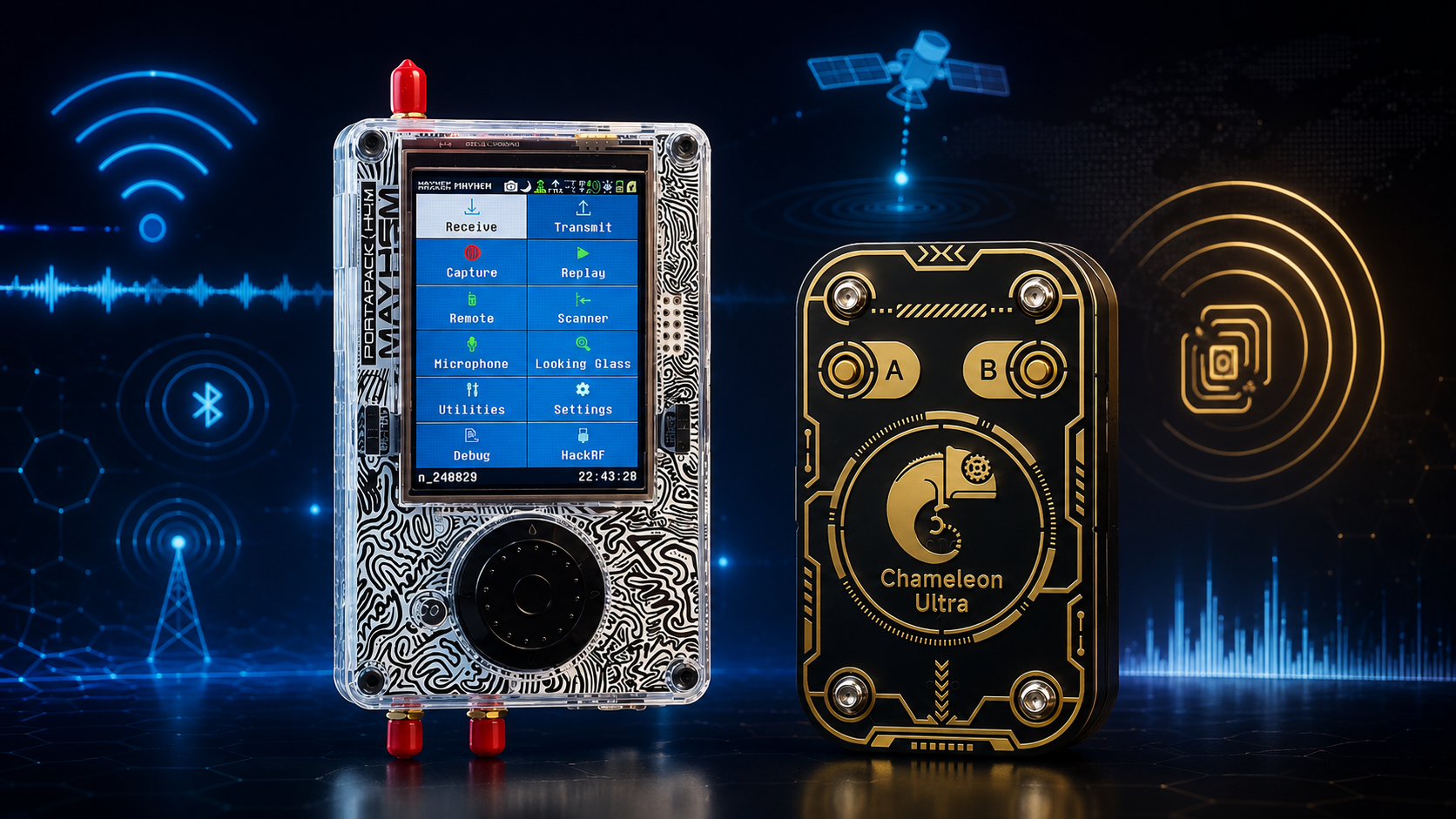
Most organizations think about wireless security only as WiFi security. That is no longer enough. A modern facility can have WiFi access points, Bluetooth devices, BLE beacons, RFID badges, NFC readers, LoRa sensors, Sub-GHz telemetry, GNSS timing receivers, drone-related RF activity, wireless cameras, cellular routers, smart meters, and unknown transmitters operating at the same time.
Wireless attack surface mapping is the process of discovering, documenting, monitoring, and risk-ranking all wireless technologies around an organization. The goal is not to “hack everything.” The goal is to understand what is transmitting, what is authorized, what is exposed, what could affect operations, and what needs better controls.
This guide explains how to map a wireless attack surface across WiFi, BLE, RFID, NFC, LoRa, GNSS, and SDR monitoring. It covers defensive hardware, audit workflows, RF baselines, device inventory, monitoring tools, legal boundaries, and quote-ready hardware packages for cybersecurity firms, universities, facilities, RF labs, and critical infrastructure.
Browse software-defined radio hardware, HackRF SDR devices, RTL-SDR receivers, RFID and NFC tools, RF test and measurement equipment, and request a formal quote from SDRstore.eu.
Quick Answer: What Is Wireless Attack Surface Mapping?
Wireless attack surface mapping is a defensive audit process that identifies every wireless technology, device, signal, antenna, gateway, and RF dependency around an organization. It combines IT inventory, RF spectrum monitoring, WiFi packet capture, BLE scanning, RFID/NFC testing, LoRa monitoring, GNSS interference checks, and incident-response documentation.
| Wireless layer | What to map | Typical tools |
|---|---|---|
| WiFi | SSIDs, BSSIDs, APs, clients, channels, encryption, rogue APs, guest networks | Monitor-mode WiFi adapters, Wireshark, Kismet, enterprise WIDS/WIPS |
| BLE and Bluetooth | BLE advertisements, device names, UUIDs, beacons, asset tags, pairing behavior | BLE sniffer, BLE scanner, Wireshark, HCI logs, 2.4 GHz RF tools |
| RFID and NFC | Badges, readers, tag types, access-control workflows, card inventory, reader placement | Proxmark3, Chameleon Ultra, iCopy XS, RFID field detector, authorized badge audit tools |
| LoRa and Sub-GHz | 433/868/915 MHz sensors, gateways, telemetry, LoRaWAN devices, remote controls | RTL-SDR, HackRF Pro, LoRa tools, TinySA Ultra, Sub-GHz antennas |
| GNSS | GPS/Galileo dependency, timing receivers, antennas, interference risk, OSNMA awareness | GNSS receiver logs, SDR monitor, active L-band antenna, spectrum analyzer |
| General RF spectrum | Unknown transmitters, noise floor, interference, unauthorized devices, band occupancy | HackRF Pro, RTL-SDR nodes, TinySA Ultra, spectrum analyzer, OpenWebRX, GNU Radio |
The best result is a living wireless inventory: what exists, where it is, who owns it, what frequency it uses, what risk it creates, and how it should be monitored.
Why Wireless Attack Surface Mapping Matters
Wireless systems often bypass traditional network visibility. A firewall cannot see an unknown BLE beacon. An endpoint scanner cannot detect a 433 MHz sensor hidden in a cabinet. A WiFi controller may not detect a non-WiFi transmitter causing interference. A GNSS timing receiver may fail because of local RF interference that never touches the IP network.
Wireless attack surface mapping helps organizations:
- Identify approved and unapproved wireless devices
- Detect rogue WiFi access points and unknown SSIDs
- Map Bluetooth and BLE exposure
- Review RFID/NFC badge and reader risks
- Find Sub-GHz sensors and telemetry devices
- Monitor LoRa and LoRaWAN deployments
- Understand GNSS timing and navigation dependencies
- Build RF baselines for facilities and labs
- Detect interference and unexpected RF changes
- Create evidence for audits and remediation
For facilities, laboratories, ports, data centers, factories, hospitals, universities, telecom sites, and public-sector environments, wireless visibility is now part of basic security hygiene.
Legal Boundary: Mapping Is Not Exploitation
This guide is for authorized defensive mapping only. It does not explain how to break into WiFi networks, bypass RFID badges, clone NFC credentials, replay Sub-GHz remotes, spoof GNSS, jam signals, or interfere with devices.
- Map only your own site, customer-approved site, lab, or written audit scope.
- Use passive monitoring first.
- Do not capture or decode private communications outside the approved scope.
- Do not jam, spoof, replay, clone, or interfere with wireless systems.
- Use shield boxes, dummy loads, attenuators, and cabled paths for controlled lab tests.
- Protect logs because wireless captures may contain identifiers or sensitive metadata.
- Escalate suspected illegal interference or safety issues through the correct authority or internal process.
A professional wireless attack surface map should reduce risk, not create new risk.
Layer 1: WiFi Attack Surface Mapping
WiFi is usually the first layer to map because it is directly connected to enterprise networks, guests, contractors, mobile devices, scanners, printers, cameras, point-of-sale systems, and IoT devices.
What to map
- All approved SSIDs
- All approved BSSIDs and access point MAC addresses
- AP physical locations
- Channels and channel widths
- 2.4 GHz, 5 GHz, and 6 GHz usage
- WPA2/WPA3 settings
- Guest network separation
- Rogue or unknown APs
- Employee hotspots
- Wireless bridges
- Clients connected to unknown networks
- High retry rates, roaming problems, and interference clues
Recommended tools
- Monitor-mode WiFi adapter
- Wireshark
- Kismet
- Enterprise WIDS/WIPS
- WiFi controller logs
- HackRF Pro or spectrum analyzer for RF-layer interference checks
- Site map and AP inventory
Read: WiFi Packet Capture Hardware for Wireless Security Audits and Detecting Rogue Wireless Devices with SDR.
Layer 2: BLE and Bluetooth Attack Surface Mapping
Bluetooth and BLE are common in access systems, asset tags, wearables, sensors, medical devices, industrial tools, laptops, phones, beacons, smart locks, and IoT products. Many organizations have hundreds of BLE devices they do not track properly.
What to map
- BLE advertisements
- Device names and advertised services
- UUIDs and manufacturer data
- Static vs rotating identifiers
- Asset tags and beacons
- Smart locks and access devices
- Medical and industrial Bluetooth devices
- BLE gateways
- Pairing and bonding requirements for approved products
- Devices exposing sensitive metadata
Recommended tools
- BLE scanner app
- nRF Sniffer-compatible BLE hardware
- Ubertooth-style Bluetooth research hardware where appropriate
- Wireshark
- Android HCI logs for authorized app testing
- HackRF Pro or TinySA Ultra for 2.4 GHz RF context
- Device inventory and privacy review template
Read: BLE Sniffing Hardware for Authorized Bluetooth Security Testing.
Layer 3: RFID and NFC Attack Surface Mapping
RFID and NFC are often tied to physical access control, payments, inventory, asset tracking, time attendance, hospitality cards, transit systems, and product identification. Because RFID/NFC touches physical security, it should be mapped carefully and legally.
What to map
- Badge technology types
- Low-frequency RFID systems
- High-frequency NFC cards and readers
- UHF RFID inventory systems
- Reader locations
- Door access workflows
- Enrollment and deactivation process
- Lost-card procedure
- Card type and security features
- Reader-to-controller network path
- Fallback or emergency access modes
Recommended tools
- Proxmark3 and RFID/NFC tools
- Chameleon Ultra DevKit
- iCopy XS for guided authorized badge testing workflows
- RFID field detector
- Access-control inventory sheet
- Physical inspection checklist
RFID/NFC mapping should focus on authorized badge technology review, reader inventory, weak legacy systems, lost-card risk, credential lifecycle, and upgrade planning. Do not test badges or readers without written authorization.
Read: iCopy XS vs Proxmark3 vs Chameleon Ultra.
Layer 4: LoRa and Sub-GHz Attack Surface Mapping
Sub-GHz wireless systems are common in industrial sensors, LoRaWAN networks, smart meters, agriculture, logistics, alarms, weather stations, telemetry, and building automation. These devices may operate around 315 MHz, 433 MHz, 868 MHz, or 915 MHz depending on region.
What to map
- LoRa and LoRaWAN gateways
- LoRa sensors
- 433 MHz remote controls and sensors
- 868 MHz SRD devices in Europe
- 915 MHz ISM devices in North America and other supported regions
- Wireless alarm sensors
- Weather stations and environmental sensors
- Smart meters and telemetry
- Device transmit interval and duty behavior
- Unknown Sub-GHz transmitters near the facility
Recommended tools
- RTL-SDR Blog V3 USB-C
- HackRF Pro
- Sub-GHz antennas
- LoRa development boards for authorized lab devices
- CC1101-based boards for controlled test devices
- TinySA Ultra
- NanoVNA for antenna checks
- GNU Radio, SDRangel, SDR++, and SigMF logging
Read: Sub-GHz Security Testing Tools: 315, 433, 868, and 915 MHz Monitoring Hardware.
Layer 5: GNSS Attack Surface Mapping
GNSS is often invisible until it fails. Many organizations rely on GPS or Galileo for timing, navigation, synchronization, fleet tracking, drones, surveying, ports, telecom, finance, and industrial systems.
What to map
- GNSS antennas on the site
- Timing receivers
- Systems depending on GPS/Galileo time
- Fleet or asset tracking dependencies
- Drone or robotics navigation dependencies
- Known GNSS interference history
- Antenna cable routes and placement
- Receiver alarms and logs
- OSNMA-capable Galileo receivers where relevant
- Independent timing backup or holdover strategy
Recommended tools
- Active GNSS or L-band antenna
- RTL-SDR or GNSS-capable SDR monitoring setup
- HackRF Pro for wider RF context
- TinySA Ultra or spectrum analyzer
- GNSS receiver logs
- Time-reference comparison
- Defensive interference logging workflow
GNSS attack surface mapping is not about generating spoofed signals. It is about understanding dependency, monitoring interference, checking antenna health, and planning resilience.
Read: GNSS Spoofing Detection with SDR: Defensive Monitoring for GPS and Galileo Interference.
Layer 6: General SDR and RF Spectrum Monitoring
Some wireless risks do not fit neatly into WiFi, BLE, RFID, NFC, LoRa, or GNSS. A facility may have unknown transmitters, wireless cameras, proprietary sensors, remote controls, drones, handheld radios, lab transmitters, test equipment, or interference sources.
What to map
- Noise floor by band
- Known transmitters
- Unknown signals
- Interference patterns
- Recurring RF activity by time of day
- Signals seen by one node vs multiple nodes
- High-power local sources
- Direction or location of suspicious signals
- RF activity during incidents
- Changes after new equipment installation
Recommended tools
- RTL-SDR receivers for low-cost monitoring nodes
- HackRF Pro for wideband surveys
- KrakenSDR for direction-finding research
- TinySA Ultra or spectrum analyzer for fast field checks
- NanoVNA-H4 for antennas and cables
- OpenWebRX for browser-based receive stations
- GNU Radio for custom detection and logging
- SigMF for IQ dataset metadata
Read: RF Spectrum Monitoring for Facilities, Labs, and Critical Infrastructure.
Wireless Attack Surface Mapping Workflow
Step 1: Define scope and authorization
- Which building, floor, lab, campus, or facility is in scope?
- Which technologies are included: WiFi, BLE, RFID, NFC, LoRa, GNSS, SDR spectrum?
- Is the assessment passive-only?
- Are packet captures allowed?
- Are RFID/NFC badge tests allowed?
- Are any transmit tests allowed inside shielded or cabled environments?
- Who owns the devices and logs?
- What data may be stored?
Step 2: Build the known-device inventory
- Approved WiFi APs and SSIDs
- Approved BLE beacons and devices
- Approved RFID/NFC readers and badge types
- Approved LoRa and Sub-GHz sensors
- GNSS receivers and antennas
- Wireless cameras, bridges, gateways, and IoT devices
- Lab transmitters and SDR equipment
- Third-party contractor equipment
Step 3: Perform passive discovery
- Run WiFi monitor-mode scan.
- Run BLE advertisement discovery.
- Inspect RFID/NFC reader locations and authorized badge technology.
- Monitor Sub-GHz bands with SDR.
- Check GNSS L1/E1 spectrum and receiver logs where relevant.
- Use HackRF Pro or spectrum analyzer for wideband RF awareness.
- Log all findings with location and timestamp.
Step 4: Compare observed devices to approved inventory
- Approved and expected
- Approved but misconfigured
- Unknown but likely benign
- Unknown and suspicious
- Unauthorized
- Interference source
- Needs physical inspection
Step 5: Risk-rank the findings
| Risk level | Example finding | Recommended action |
|---|---|---|
| Critical | Unauthorized AP connected to internal network, GNSS interference affecting timing, unknown transmitter near safety-critical system | Immediate escalation, evidence preservation, physical investigation, remediation. |
| High | Weak RFID badge technology on sensitive doors, rogue hotspot, BLE lock exposing sensitive identifiers | Prioritized remediation and policy review. |
| Medium | Uninventoried LoRa sensor, noisy 2.4 GHz environment, undocumented wireless camera | Inventory update, owner identification, configuration review. |
| Low | Expected device with incomplete documentation | Update inventory and baseline. |
| Informational | Normal public signal or expected RF background | Record for baseline only. |
Step 6: Create the wireless attack surface map
The final map should be useful for security, IT, facilities, and management. Include:
- Site zones and floors
- Wireless technologies present
- Approved devices
- Unknown devices
- Frequency bands
- Risk level
- Owner or responsible team
- Evidence file references
- Recommended remediation
- Next review date
Recommended Hardware Packages
Package 1: Beginner wireless attack surface mapping kit
- Monitor-mode WiFi adapter
- BLE scanner phone
- RTL-SDR Blog V3 USB-C
- Sub-GHz antenna set
- SDR++ or SDRangel
- Wireshark
- Kismet
- Wireless inventory spreadsheet
Best for: small companies, students, first audits, and receive-only wireless awareness.
Package 2: Cybersecurity firm wireless audit kit
- Multiple monitor-mode WiFi adapters
- BLE sniffer hardware
- HackRF Pro
- RTL-SDR receiver
- Sub-GHz antennas
- TinySA Ultra or spectrum analyzer
- NanoVNA-H4
- Proxmark3, Chameleon Ultra, or iCopy XS for authorized RFID/NFC testing
- Secure capture storage
- Report templates and evidence log
Best for: authorized wireless audits, rogue device detection, facility reviews, and RF cybersecurity assessments.
Package 3: Facility and critical-infrastructure monitoring kit
- Multiple RTL-SDR monitoring nodes
- HackRF Pro for wideband surveys
- Remote SDR dashboard or OpenWebRX
- GNSS monitoring antenna and receiver logs
- Sub-GHz antennas
- 2.4 GHz and 5.8 GHz antennas
- TinySA Ultra or portable spectrum analyzer
- Direction-finding research hardware where needed
- Central logging server
- Incident-response procedure
Best for: data centers, ports, factories, logistics sites, campuses, utilities, and sensitive facilities.
Package 4: RFID/NFC and access-control audit kit
- Proxmark3 or RFID/NFC research tool
- Chameleon Ultra or Chameleon Ultra DevKit
- iCopy XS where guided professional badge testing is useful
- RFID field detector
- Authorized sample badges
- Door reader inventory sheet
- Physical access-control workflow checklist
Best for: physical security teams, access-control audits, universities, labs, and authorized badge technology reviews.
Package 5: Full wireless cyber range and mapping kit
- RTL-SDR receivers
- HackRF Pro
- PLUTO+, bladeRF, or USRP B210 where advanced SDR exercises are needed
- WiFi monitor-mode adapters
- BLE sniffers
- RFID/NFC tools
- Sub-GHz development boards for owned lab devices
- Shield box, attenuators, dummy loads, filters, and cables
- TinySA Ultra, NanoVNA-H4, RF power meter
- GNU Radio, Wireshark, Kismet, OpenWebRX, SigMF
Best for: universities, RF cyber ranges, cybersecurity training centers, product-security labs, and advanced research groups.
Wireless Attack Surface Evidence Checklist
- Scope and authorization
- Site name and zone
- Date and time
- Assessor or team
- Technology layer: WiFi, BLE, RFID/NFC, LoRa, GNSS, SDR spectrum
- Device or signal identifier
- Frequency or channel
- Signal strength or relative level
- Observed location
- Approved owner
- Configuration notes
- Capture file or screenshot reference
- Risk rating
- Recommended action
- Remediation owner
- Follow-up date
Common Mistakes in Wireless Attack Surface Mapping
Only mapping WiFi
WiFi is important, but BLE, RFID/NFC, LoRa, GNSS, Sub-GHz, drone RF, and unknown transmitters can create serious operational and security risks.
Buying hardware before defining scope
Choose the tools based on what the organization actually uses. A warehouse with LoRa sensors needs different hardware than a university BLE lab or an office WiFi audit.
Confusing RF energy with confirmed risk
A signal on a waterfall is not automatically malicious. It must be matched against inventory, context, location, and system behavior.
Ignoring privacy
BLE, WiFi, RFID, and NFC mapping can collect device identifiers or personal data. Store captures securely and define retention rules.
Skipping physical inspection
RF mapping should lead to physical confirmation. Unknown APs, hidden routers, gateways, and transmitters often require walking the site.
Not building a baseline
Without a baseline, normal maintenance, guest traffic, IoT telemetry, or nearby businesses can look suspicious.
Using offensive language in reports
For corporate and public-sector buyers, reports should focus on exposure, risk, evidence, remediation, and compliance-safe monitoring.
Remediation Examples
| Finding | Safe remediation |
|---|---|
| Unknown WiFi AP | Trace switch port, confirm owner, remove if unauthorized, update AP inventory. |
| Employee hotspot | Review policy, educate staff, block where required, provide secure guest access. |
| BLE device exposing static identifier | Review privacy requirements, configure rotation where supported, limit broadcast data. |
| Legacy RFID badge system | Review credential technology, upgrade to stronger access-control cards, improve badge lifecycle. |
| Uninventoried LoRa sensor | Identify owner, add to inventory, verify gateway and network-server configuration. |
| GNSS interference symptoms | Check antenna chain, compare receiver logs, monitor RF spectrum, escalate if persistent. |
| Unknown Sub-GHz transmitter | Use portable spectrum analyzer and directional antenna to locate, then inspect physically. |
Purchase-Order Justification Examples
Wireless attack surface mapping kit justification
A wireless attack surface mapping kit is required to inventory and monitor WiFi, BLE, RFID/NFC, LoRa, GNSS, Sub-GHz, and unknown RF activity across facilities, laboratories, and critical infrastructure environments.
HackRF Pro justification
HackRF Pro is required as a wideband receive-side SDR platform for defensive RF monitoring, wireless attack surface discovery, Sub-GHz and 2.4/5.8 GHz spectrum analysis, and authorized wireless-security research.
RTL-SDR monitoring node justification
RTL-SDR receivers are required for low-cost receive-only monitoring nodes, RF baseline logging, Sub-GHz discovery, and continuous wireless visibility across facility zones.
RFID/NFC audit tool justification
RFID/NFC audit tools are required to identify badge technologies, review reader exposure, validate access-control inventory, and support authorized physical-security assessments.
Spectrum analyzer and NanoVNA justification
Spectrum analyzers and NanoVNA tools are required to validate RF activity, inspect interference, check antennas and cables, reduce false alarms, and support repeatable wireless attack surface mapping.
Request a Quote for Wireless Attack Surface Mapping Hardware
Cybersecurity firms, universities, public-sector buyers, data centers, factories, warehouses, ports, utilities, RF laboratories, and critical-infrastructure operators can request a formal quotation directly from SDRstore.eu.
Use the Add to Quote button on product pages or the document icon on product cards. Add RTL-SDR, HackRF Pro, KrakenSDR, TinySA Ultra, NanoVNA, RF power meters, Proxmark3, Chameleon Ultra, iCopy XS, antennas, filters, cables, adapters, attenuators, dummy loads, and project notes to one quote request.
A quote request is useful when you need:
- Wireless attack surface mapping hardware
- WiFi and BLE audit support equipment
- RFID/NFC authorized testing tools
- LoRa and Sub-GHz monitoring kits
- GNSS interference monitoring hardware
- Facility RF baseline monitoring nodes
- RF cybersecurity lab equipment
- Formal pricing for company, university, or public-sector procurement
Read the SDRstore.eu quote-request guide.
Related SDRstore.eu Guides
- Wireless Security Testing Tools: WiFi, BLE, RFID, NFC, Sub-GHz, and SDR Hardware
- RF Cyber Range Hardware
- WiFi Packet Capture Hardware for Wireless Security Audits
- BLE Sniffing Hardware for Authorized Bluetooth Security Testing
- Sub-GHz Security Testing Tools
- Detecting Rogue Wireless Devices with SDR
- RF Spectrum Monitoring for Facilities, Labs, and Critical Infrastructure
- GNSS Spoofing Detection with SDR
- RF Fingerprinting Explained
- Drone RF Detection with SDR
- RF Cybersecurity Lab Equipment Checklist
- How to Choose SDR Hardware for a Research Grant or University Purchase Order
Official and Technical Resources
- NIST SP 800-153: Guidelines for Securing Wireless Local Area Networks
- CISA: Securing Enterprise Wireless Networks
- NIST SP 800-121 Rev. 2: Guide to Bluetooth Security
- NIST SP 800-98: Guidelines for Securing RFID Systems
- PCI DSS Wireless Guidelines
- Kismet documentation
- Wireshark WLAN capture setup
- LoRa Alliance: LoRaWAN Security Whitepaper
- GPS.gov: Spectrum and Interference Issues
- EUSPA: Galileo OSNMA
- GNU Radio official website
- SigMF official specification
Final Recommendation
For a small organization, start with WiFi inventory, BLE scanning, RTL-SDR Sub-GHz monitoring, RFID/NFC access-control review, and a simple RF baseline. For larger facilities, add HackRF Pro, TinySA Ultra, NanoVNA, RFID/NFC tools, GNSS monitoring, Kismet, Wireshark, OpenWebRX, and a central evidence workflow.
For critical infrastructure and corporate security teams, treat wireless attack surface mapping as continuous monitoring. Build a baseline, maintain a device inventory, investigate unknown transmitters, and review every technology layer separately: WiFi, BLE, RFID/NFC, LoRa/Sub-GHz, GNSS, and general RF spectrum.
The strongest wireless security program is not WiFi-only. It is a layered visibility program that knows what is transmitting, where it is, who owns it, what risk it creates, and what action is required.
FAQ
What is wireless attack surface mapping?
Wireless attack surface mapping is the process of identifying, documenting, monitoring, and risk-ranking wireless technologies around an organization, including WiFi, BLE, RFID, NFC, LoRa, GNSS, Sub-GHz, and unknown RF signals.
Why is WiFi scanning not enough?
WiFi scanning only covers 802.11 networks. It may miss BLE beacons, RFID/NFC badges, LoRa sensors, Sub-GHz remotes, GNSS interference, wireless cameras, cellular routers, and other RF devices.
What hardware do I need for wireless attack surface mapping?
A practical kit includes monitor-mode WiFi adapters, BLE sniffers or scanners, RFID/NFC tools, RTL-SDR, HackRF Pro, TinySA Ultra, NanoVNA, Sub-GHz antennas, GNSS monitoring hardware, and secure logging storage.
Can SDR detect all wireless devices?
No. SDR can provide RF-layer visibility and signal monitoring, but it does not automatically identify every device or decode every protocol. Use protocol-specific tools for WiFi, BLE, RFID/NFC, LoRa, and GNSS where needed.
How do you map BLE attack surface?
Map BLE advertisements, device names, UUIDs, beacons, static identifiers, gateways, pairing requirements, and devices exposing sensitive metadata. Use BLE scanners, BLE sniffers, Wireshark, and RF monitoring tools.
How do you map RFID and NFC attack surface?
Inventory badge types, readers, door access workflows, enrollment and deactivation procedures, card technology, reader locations, and access-control dependencies. Use tools such as Proxmark3, Chameleon Ultra, iCopy XS, and authorized sample badges.
Why include GNSS in a wireless attack surface map?
Many facilities rely on GPS or Galileo for timing, navigation, fleet tracking, drones, telecom synchronization, or industrial operations. GNSS interference or spoofing can create operational risk even if the IP network is secure.
Is wireless attack surface mapping legal?
It should only be performed with authorization. Passive monitoring within an approved scope is the safest approach. Do not jam, spoof, replay, clone, interfere, or decode private communications outside the agreed test scope.
How often should a facility repeat wireless mapping?
Repeat it after major facility changes, new wireless deployments, security incidents, construction, contractor work, or at regular audit intervals. Critical sites should consider continuous RF baseline monitoring.
Can SDRstore.eu quote a complete wireless attack surface mapping kit?
Yes. Use the Add to Quote button on product pages or the document icon on product cards. Add SDRs, RFID/NFC tools, spectrum analyzers, antennas, RF accessories, and project notes so the complete kit can be quoted together.
No posts found
Write a review






We support all major card and digital payment options. More local methods are available and shown during checkout.
You enter into a binding sales contract once you have received an 'order confirmation and sales receipt' email from us, in line with our Sales & Delivery conditions. Therefore, sdrstore.eu has the right to cancel your order in the event of technical problems, delivery failure, Fair use policy and other similar situations.






Your payments are protected by advanced encryption and 3-D Secure authentication for safe online shopping.